Northumberland County Transfer on Death Beneficiary Affidavit Form
Last validated October 12, 2026 by our Forms Development TeamFormatted for recording in Northumberland County, for property anywhere in the county or independent city: rural and unincorporated areas as well as Burgess, Callao, Edwardsville, Heathsville, Lottsburg, Ophelia, Reedville, Wicomico Church.
- 3 documents included
- Immediate PDF download
- Formatting guarantee
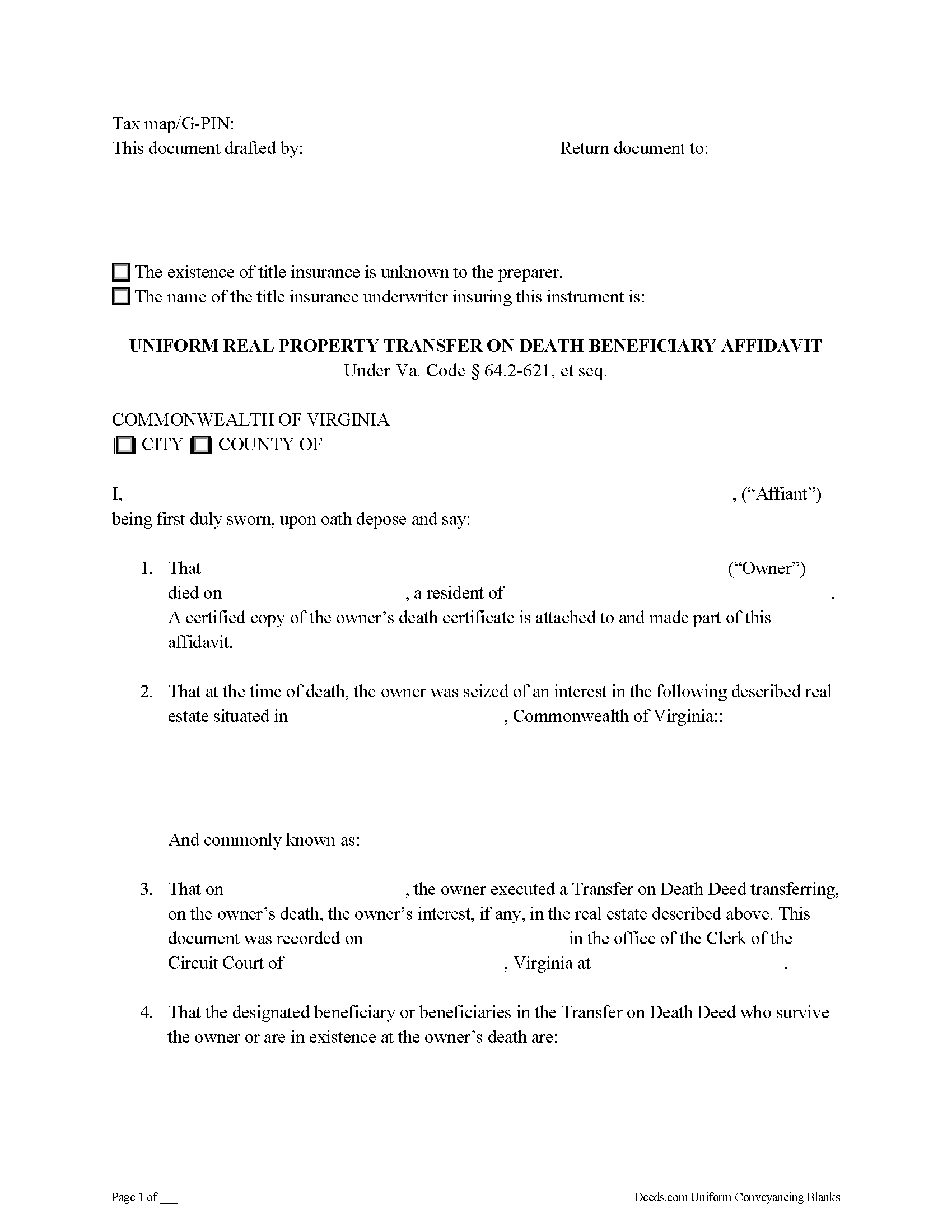
Northumberland County Transfer on Death Beneficiary Affidavit Form
Fill in the blank form formatted to comply with all recording and content requirements.
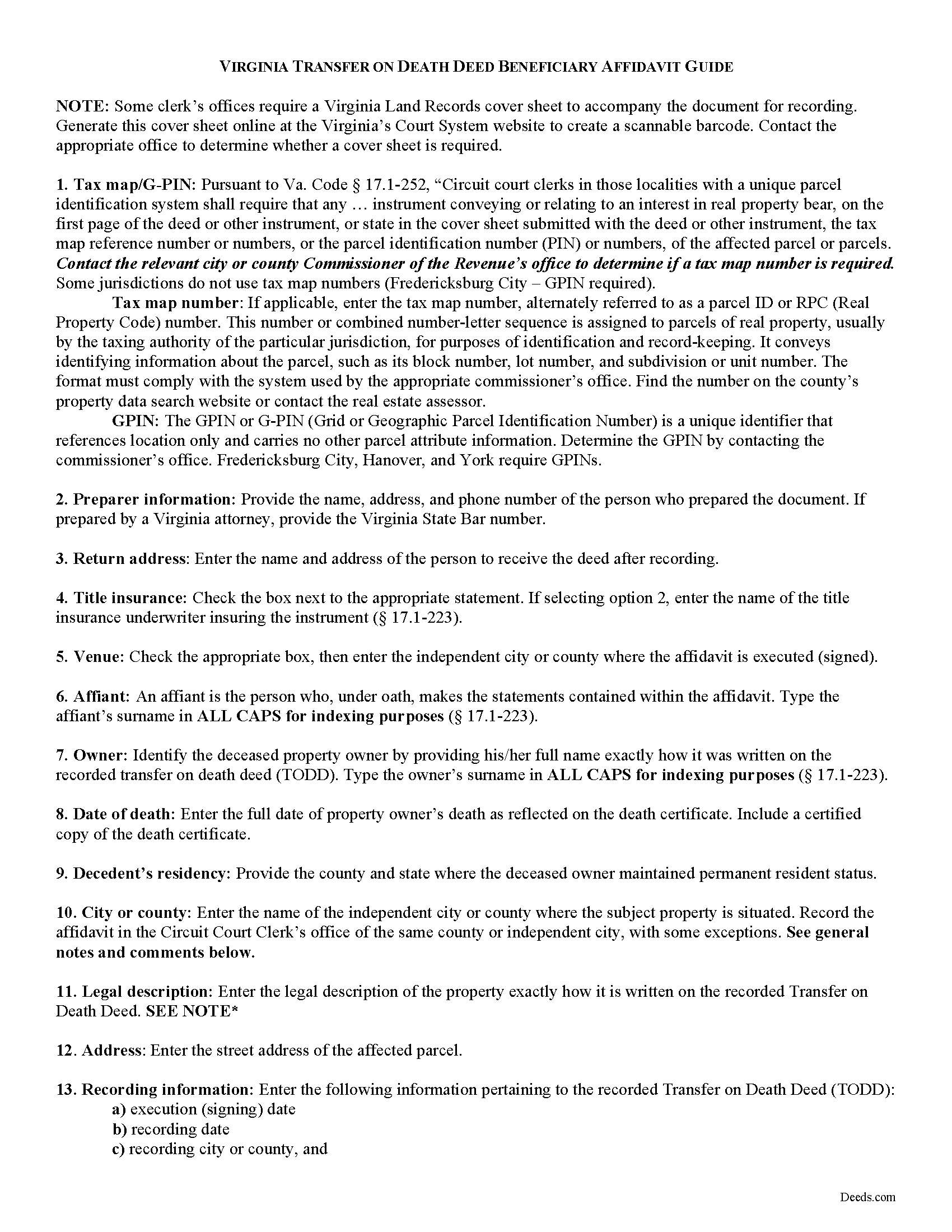
Northumberland County Transfer on Death Beneficiary Affidavit Guide
Line by line guide explaining every blank on the form.
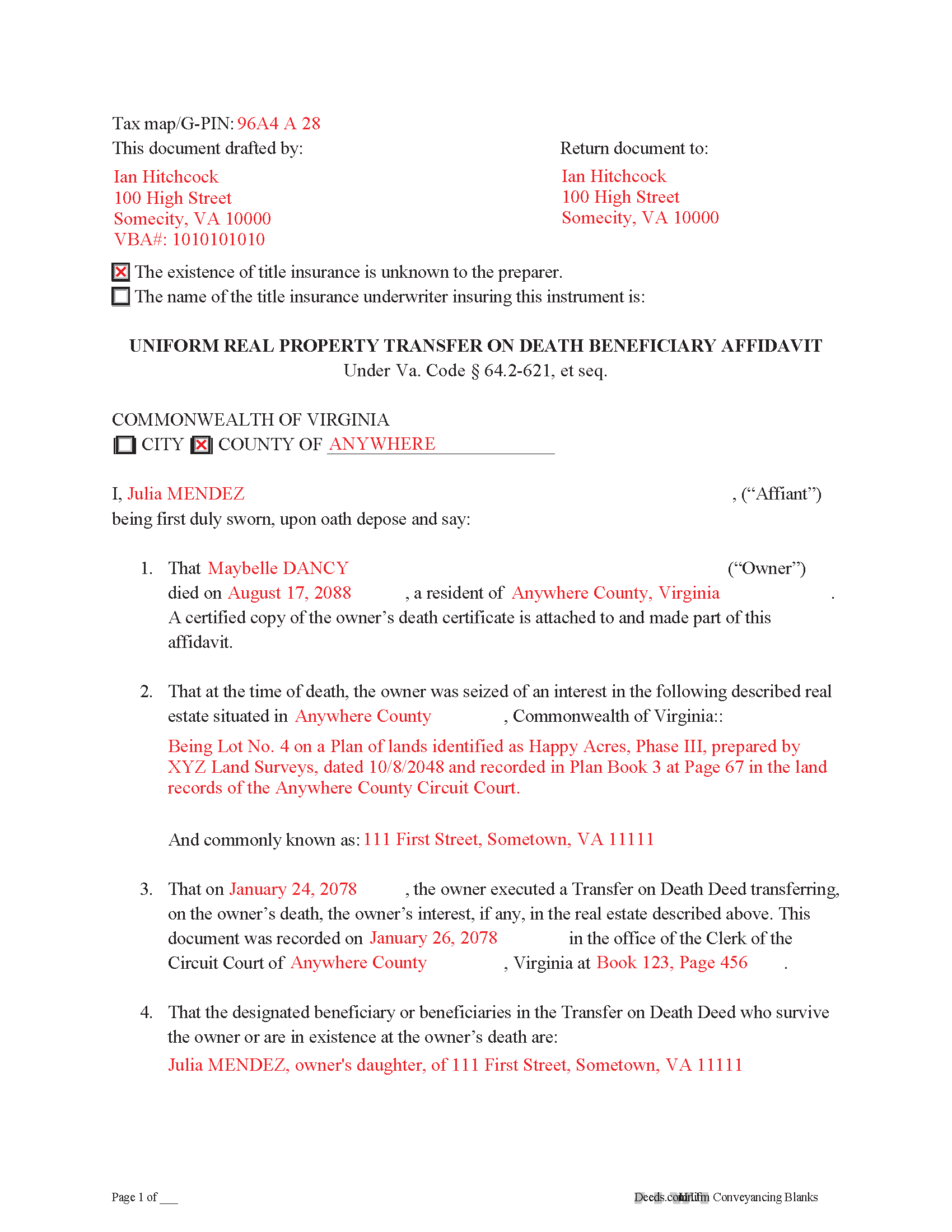
Northumberland County Completed Example of the Transfer on Death Deed Beneficary Affidavit Document
Example of a properly completed form for reference.
All 3 documents above included • One-time purchase • No recurring fees
Immediate Download • Secure Checkout
Additional Virginia and Northumberland County documents included at no extra charge:
Where to Record Your Documents
Clerk of Circuit Court
Heathsville, Virginia 22473-0217
Hours: 8:30 to 4:45 M-F
Phone: (804) 580-3700
Recording Tips for Northumberland County:
- Bring your driver's license or state-issued photo ID
- Ensure all signatures are in blue or black ink
- Double-check legal descriptions match your existing deed
- Verify all names are spelled correctly before recording
- White-out or correction fluid may cause rejection
Cities and Jurisdictions in Northumberland County
Properties in any of these areas use Northumberland County forms:
- Burgess
- Callao
- Edwardsville
- Heathsville
- Lottsburg
- Ophelia
- Reedville
- Wicomico Church
Hours, fees, requirements, and more for Northumberland County
How do I get my forms?
Forms are available for immediate download after payment. The Northumberland County forms will be in your account ready to download to your computer. An account is created for you during checkout if you don't have one. Forms are NOT emailed.
Are these forms guaranteed to be recordable in Northumberland County?
Yes. Our form blanks are guaranteed to meet or exceed the applicable formatting requirements used for recording in Northumberland County, including margin requirements, font requirements, and other layout standards. This guarantee applies to formatting, not to the legal sufficiency of information entered by the user or the suitability of a form for a particular transaction.
Can I reuse these forms?
Yes. You can reuse the forms for your personal use. For example, if you have multiple properties in Northumberland County you only need to order once.
What do I need to use these forms?
The forms are PDFs that you fill out on your computer. The free Adobe Acrobat Reader is recommended, and most PDF apps also work. You do NOT enter your property information online - you download the blank forms and complete them privately on your own computer.
Are there any recurring fees?
No. This is a one-time purchase. Nothing to cancel, no memberships, no recurring fees.
How much does it cost to record in Northumberland County?
Recording fees in Northumberland County vary. Contact the recorder's office at (804) 580-3700 for current fees.
Questions answered? Let's get started!
On July 1, 2013, Virginia enacted the Uniform Real Property Transfer on Death Act, codified at VA Code 64.2-621 et seq. (2012).
While the statutes contain suggested forms for the actual transfer on death deeds and associated revocations, the specifics for completing the transfer after the owner dies are less clear. In many cases, non-probate transfers of real property happen "as a function of law." In theory, this means there is no need for the beneficiary to act -- the named owner of the property automatically changes. In practice, however, it benefits the interests of all parties involved to formalize the updated status as soon as reasonably possible, especially since the beneficiary has the right to disclaim the conveyed interest.
One efficient method for stating the beneficiary's intent to accept the real estate is to execute and record an affidavit, which is a document containing statements made under oath. The affidavit should, at minimum, include:
1. The parties named in the transfer on death deed;
2. Residency and death information about the deceased owner;
3. Recording details for the transfer on death deed;
4. A description of and property ID for the real property being transferred;
5. Official copies of any necessary death certificates; and
6. Anything else required by the local agency responsible for recording and maintaining land records. In Virginia, this is typically the office of the clerk of the circuit court.
By recording such an affidavit, the beneficiary provides notice to the public of the change in ownership of the property. This is important because it helps to maintain a clear chain of title, or sequential record of owners. A clear chain of title will simplify future sales or mortgages of the property, since it indicates a reduced chance of unexpected claims against present or future owners.
Each situation is unique, so for specific advice, or to resolve more complex issues, contact a local real estate attorney.
(Virginia TOD Beneficiary Affidavit Package includes form, guidelines, and completed example)
Important: Your property must be located in Northumberland County to use these forms. Documents should be recorded at the county or independent city recording office listed above.
This Transfer on Death Beneficiary Affidavit meets all recording requirements specific to Northumberland County.
Our Promise
The documents you receive here are guaranteed to meet or exceed the applicable Northumberland County recording format requirements. If there is a rejection caused by our formatting, we will correct the issue or refund your payment. This guarantee applies to document formatting only and does not extend to information entered by the user, the selection of the form, or the legal effect of the completed document.
Save Time and Money
Get your Northumberland County Transfer on Death Beneficiary Affidavit form done right the first time with Deeds.com Uniform Conveyancing Blanks. At Deeds.com, we understand that your time and money are valuable resources, and we don't want you to face a penalty fee or rejection imposed by a county recorder for submitting nonstandard documents. We constantly review and update our forms to meet rapidly changing state and county recording requirements for roughly 3,500 counties and local jurisdictions.
4.8 out of 5 - ( 4,836 Reviews )
Joseph R. 5 out of 5 stars
Deeds.com has saved me quite a bit in attorney fees by making legal forms available on line. Easy to use, just fill in the blanks.
Thank you for your feedback. We really appreciate it. Have a great day!
Shana D. 5 out of 5 stars
I ordered the wrong forms because I didn't do enough research to understand what I needed. Their customer service was more understanding than I deserved.
Thank you!
Sheri L. 5 out of 5 stars
Very helpful even though what I'm looking for hasnt updated yet. I'll use you again.
Thank you!
Karen S. 5 out of 5 stars
Deeds.com made everything easy, with instructions and samples it was simple to fill out the forms. I loved that it was county specific.
Thank you for your feedback. We really appreciate it. Have a great day!
Peggy L. 5 out of 5 stars
Exactly what I needed and so nice to not have to pay a lawyer
We appreciate your business and value your feedback. Thank you. Have a wonderful day!
Yvette B. 1 out of 5 stars
Rude customer service. Will not be using deeds.com again. Thanks
Thank you for your feedback Yvette, we do hope that you find something more suitable to your needs elsewhere. Have a wonderful day.
Eric F. 5 out of 5 stars
Thank You deeds.com, your site helped me accomplish a difficult mission.
We appreciate your business and value your feedback. Thank you. Have a wonderful day!
Laura R. 4 out of 5 stars
Afficavit worked kind of pricey
Thank you for your feedback. We really appreciate it. Have a great day!
Mica M. 5 out of 5 stars
I love deeds.com - hands down, the quickest way to record a warranty deed. The process and communication is so quick - the recording transaction too. Worth the extra $20 to me for my time! I didn't spend over an hour driving around, talking to someone via a kiosk to record the deed, didn't have to spend the energy of loading kids into the car to come with me, etc. The efficiency and timely process is worth the cost! Love having this available! The whole process via deeds.com took less than 5 minutes to upload a document and less than 3 minutes to pay the invoice shortly thereafter. The final recording was in my inbox in less than an hour. Thank you!
Thank you for your feedback. We really appreciate it. Have a great day!
Yolanda S. 5 out of 5 stars
very professional
Thank you!
Matthew T. 5 out of 5 stars
I am a litigator based in Lee County that rarely needs to record deeds or mortgages. However, at times, the settlement or resolution of a dispute results in the conveyance of real property. I ended up in a situation where a deed to real property in Bradford County needed to be recorded on behalf of a client. My usual e-recording vendor does not include that County. Registering with Bradford County's regular e-recording vendor would have required an expensive and unnecessary annual fee. Deeds.com was easy to use, inexpensive and fast. I highly encourage its use, especially for lawyers that occasionally need to record instruments but do not do so regularly.
We appreciate your business and value your feedback. Thank you. Have a wonderful day!
ANGELIA E. 5 out of 5 stars
Thanks for your expedite process
We appreciate your business and value your feedback. Thank you. Have a wonderful day!
Winifred T. 5 out of 5 stars
ive been looking for this information thank you .
We appreciate your business and value your feedback. Thank you. Have a wonderful day!
Ronald P. 3 out of 5 stars
Forms easy to download but experienced problems trying to type in my information into the forms. Then when I went to print a form, Adobe wanted to charge me for printing. I ended up printing the blank forms and then filling them out manually.
Thank you, Ronald. We're glad you found the forms easy to download, though we're sorry to hear about the printing and fill-in experience. Our forms are designed to be fillable and printable using free software like Adobe Reader. If you ever run into issues, our support team is happy to help!
Petre A. 5 out of 5 stars
Easy @ useful
Thank you!