Klickitat County Quitclaim Deed (Corrective) Form
Last validated November 12, 2026 by our Forms Development TeamFormatted for recording in Klickitat County, for property anywhere in the county: rural and unincorporated areas as well as Appleton, Bickleton, Bingen, Centerville, Dallesport, Glenwood, Goldendale, Husum and 7 more.
- 3 documents included
- Immediate PDF download
- Formatting guarantee
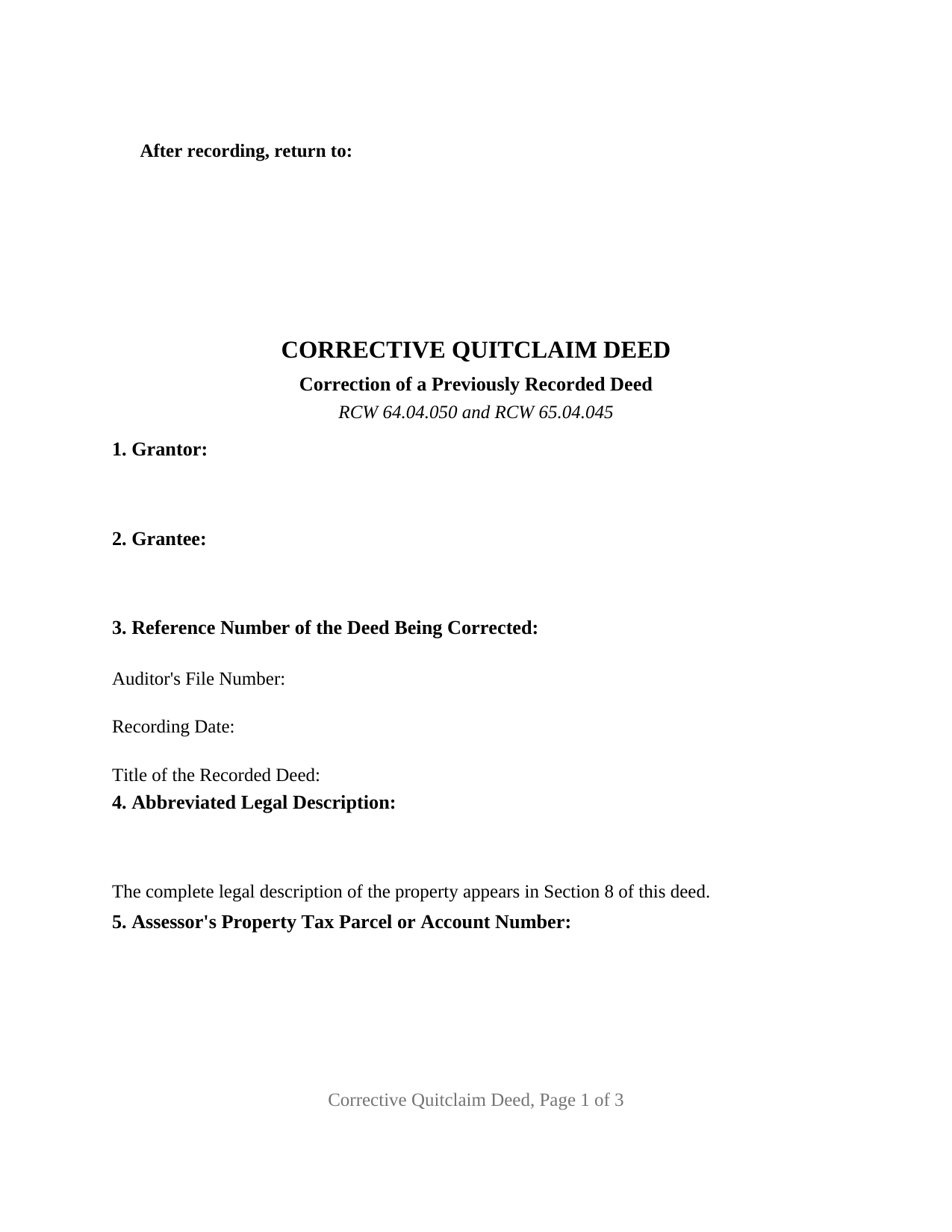
Klickitat County Quitclaim Deed (Corrective) Form
Fill in the blank Quitclaim Deed (Corrective) form formatted to comply with all Washington recording and content requirements.
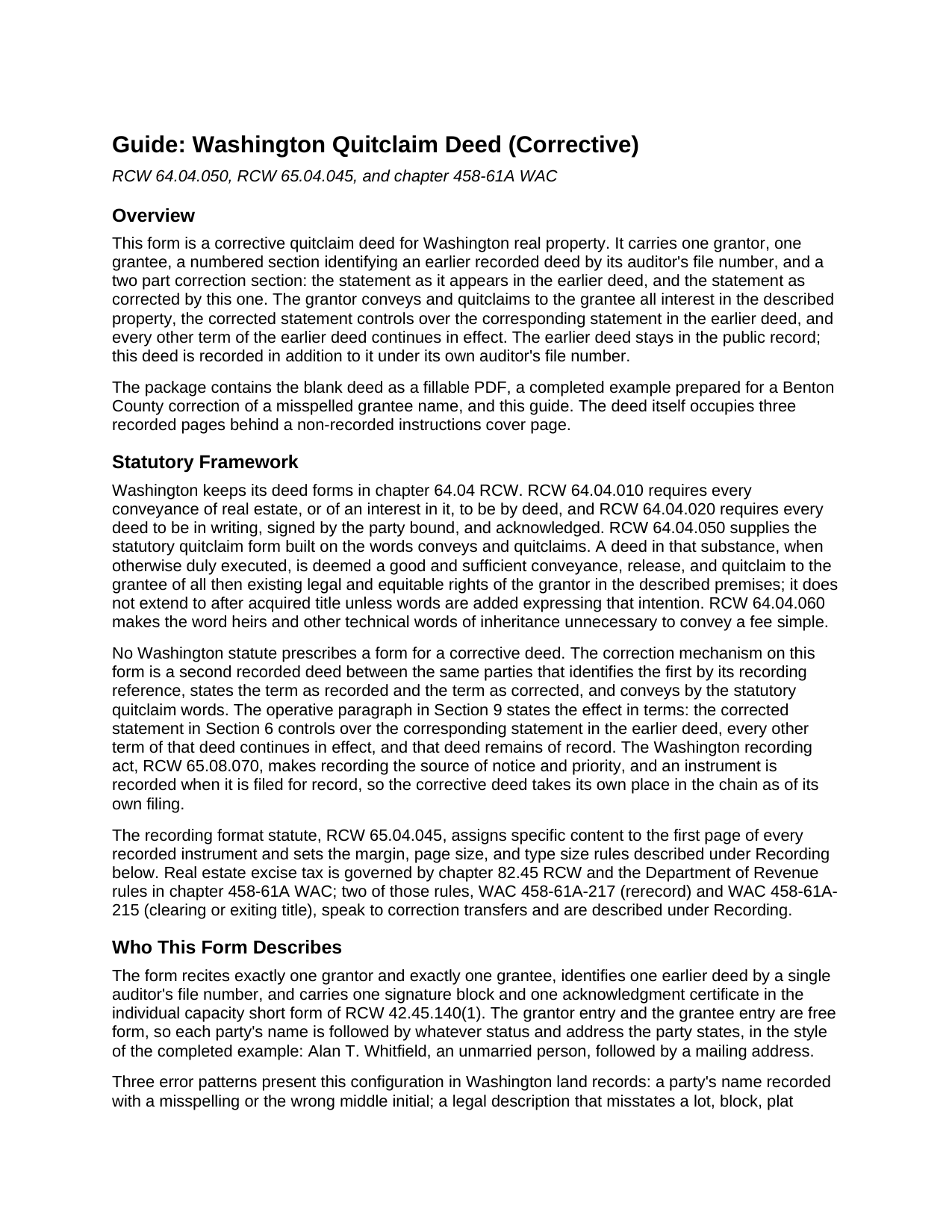
Klickitat County Quitclaim Deed (Corrective) Guide
Line by line guide explaining every blank on the Quitclaim Deed (Corrective) form.
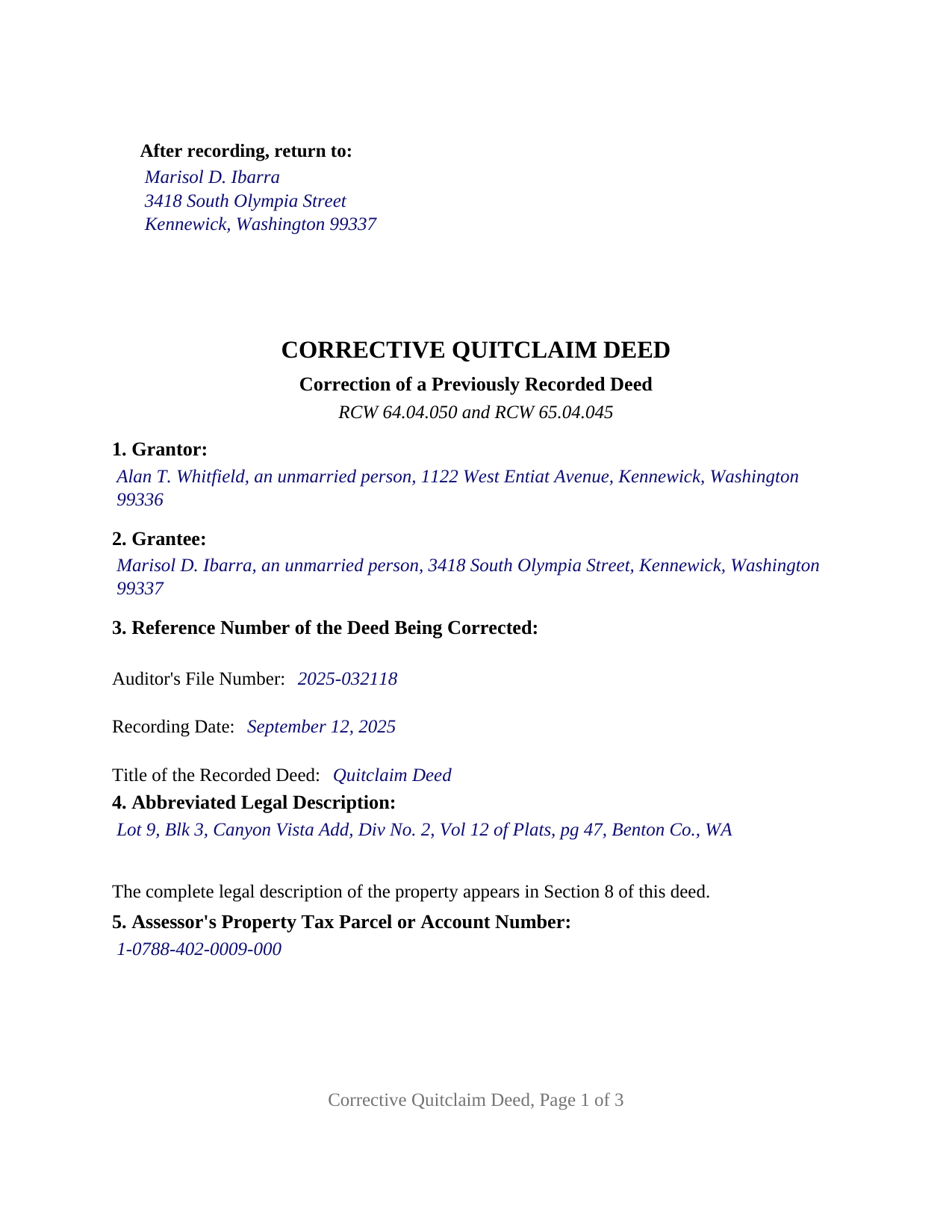
Klickitat County Completed Example of the Quitclaim Deed (Corrective) Document
Example of a properly completed Washington Quitclaim Deed (Corrective) document for reference.
All 3 documents above included • One-time purchase • No recurring fees
Immediate Download • Secure Checkout
Additional Washington and Klickitat County documents included at no extra charge:
Where to Record Your Documents
Klickitat County Auditor: Recording
Goldendale, Washington 98620
Hours: 8:30 a.m. to 5:00 p.m.
Phone: (509) 773-4001
Recording Tips for Klickitat County:
- Bring your driver's license or state-issued photo ID
- Ensure all signatures are in blue or black ink
- Bring extra funds - fees can vary by document type and page count
- Check margin requirements - usually 1-2 inches at top
- Leave recording info boxes blank - the office fills these
Cities and Jurisdictions in Klickitat County
Properties in any of these areas use Klickitat County forms:
- Appleton
- Bickleton
- Bingen
- Centerville
- Dallesport
- Glenwood
- Goldendale
- Husum
- Klickitat
- Lyle
- Roosevelt
- Trout Lake
- Wahkiacus
- White Salmon
- Wishram
Hours, fees, requirements, and more for Klickitat County
How do I get my forms?
Forms are available for immediate download after payment. The Klickitat County forms will be in your account ready to download to your computer. An account is created for you during checkout if you don't have one. Forms are NOT emailed.
Are these forms guaranteed to be recordable in Klickitat County?
Yes. Our form blanks are guaranteed to meet or exceed the applicable formatting requirements used for recording in Klickitat County, including margin requirements, font requirements, and other layout standards. This guarantee applies to formatting, not to the legal sufficiency of information entered by the user or the suitability of a form for a particular transaction.
Can I reuse these forms?
Yes. You can reuse the forms for your personal use. For example, if you have multiple properties in Klickitat County you only need to order once.
What do I need to use these forms?
The forms are PDFs that you fill out on your computer. The free Adobe Acrobat Reader is recommended, and most PDF apps also work. You do NOT enter your property information online - you download the blank forms and complete them privately on your own computer.
Are there any recurring fees?
No. This is a one-time purchase. Nothing to cancel, no memberships, no recurring fees.
How much does it cost to record in Klickitat County?
Recording fees in Klickitat County vary. Contact the recorder's office at (509) 773-4001 for current fees.
Questions answered? Let's get started!
A recorded Washington deed cannot be edited. Once the county auditor images it, that deed stays in the public record exactly as it was filed, and the way to fix what it says is to record a second deed that points back at the first one and states the corrected term. This form is that second deed. It carries one grantor, one grantee, a numbered section holding the auditor's file number of the deed being corrected, and two blanks that set the language side by side: as it appears in the earlier deed, and as corrected here.
Two statements, side by side
Section 6 is the section the whole form is built around. The first blank states the term as the earlier deed states it, described closely enough that a reader can find it there. The second states the same term as corrected. Section 9 then supplies the effect in operative words: the corrected statement controls over the corresponding statement in the earlier deed, and every other term of that deed continues in effect. Nothing is deleted from the record, and nothing outside the corrected term is reopened. A title examiner reading the chain finds both instruments and reads them together.
Quitclaim words doing corrective work
The conveyance runs on the statutory form of RCW 64.04.050. Conveys and quitclaims makes the instrument a good and sufficient conveyance, release, and quitclaim of the legal and equitable rights the grantor holds on the day of delivery, with no covenant of title attached and no reach to after acquired title, which the statute withholds unless a deed adds words asking for it. That measured scope is the point here: a correction restates a conveyance the parties already made rather than selling anything new, so the deed passes what the grantor has and stops.
The rule Washington wrote for corrections
Excise tax treatment has a rule of its own. WAC 458-61A-217, captioned Rerecord, keeps the rerecording of documents to correct a legal description, change contract terms, or correct the spelling of the name of a party outside the real estate excise tax, and calls for an affidavit giving the prior affidavit number, the recorded document number for the prior transaction, and a complete explanation of why the rerecording is necessary. WAC 458-61A-215 supplies a second route where a quitclaim passes for the sole purpose of clearing title with nothing given for it. That affidavit is a Department of Revenue form, obtained separately and not part of this package, and it reaches the county treasurer before the deed reaches the auditor.
A correction dated the day it is recorded
The corrective deed enters the record under its own auditor's file number and its own date. RCW 65.08.070 makes recording the source of notice and priority, so anything that reached the record between the two deeds keeps whatever position its own filing gives it. The first page of this form is built to RCW 65.04.045, with the reference number of the deed being corrected among the indexing items the auditor reads there.
One grantor, one grantee, one certificate
The form recites exactly one grantor, exactly one grantee, and one earlier deed identified by a single file number, with one signature line and one certificate in the individual capacity short form of RCW 42.45.140(1). Three error patterns present that configuration in Washington land records: a party's name carrying a misspelling or the wrong middle initial, a legal description that misstates a lot, block, plat volume, or page, and a term that reached the record in a different form than the parties gave it. What the form is not set up as: two grantor entries, a signer acting in a representative capacity, or an instrument that puts a new name on title or takes one off, which transfers an interest instead of restating one. Where the parcel is community real property, or a homestead, RCW 26.16.030(3) and RCW 6.13.060 put two signatures and two acknowledgments on the conveyance, which is not the shape of this form.
The download holds the blank deed as a fillable PDF, a completed example prepared for a Benton County correction of a misspelled grantee name, and a plain language guide to every entry, the notarization, the excise tax affidavit, and recording. Searchers also look for a correction deed, a deed of correction, or a quit claim deed to fix a name or legal description. These materials describe Washington law in general terms; they are not legal advice.
Important: Your property must be located in Klickitat County to use these forms. Documents should be recorded at the county recording office listed above.
This Quitclaim Deed (Corrective) meets all recording requirements specific to Klickitat County.
Our Promise
The documents you receive here are guaranteed to meet or exceed the applicable Klickitat County recording format requirements. If there is a rejection caused by our formatting, we will correct the issue or refund your payment. This guarantee applies to document formatting only and does not extend to information entered by the user, the selection of the form, or the legal effect of the completed document.
Save Time and Money
Get your Klickitat County Quitclaim Deed (Corrective) form done right the first time with Deeds.com Uniform Conveyancing Blanks. At Deeds.com, we understand that your time and money are valuable resources, and we don't want you to face a penalty fee or rejection imposed by a county recorder for submitting nonstandard documents. We constantly review and update our forms to meet rapidly changing state and county recording requirements for roughly 3,500 counties and local jurisdictions.
4.8 out of 5 - ( 4,852 Reviews )
Willie P. 5 out of 5 stars
got the forms needed plus all the information needed to fill them out.
We appreciate your business and value your feedback. Thank you. Have a wonderful day!
Tom L. 5 out of 5 stars
For better grammatical structure you should add the word "BE" after the first three words.... Your review may ..... BE....displayed.
Thanks for letting us know!
John L. 5 out of 5 stars
WOW, This site saved me from going to a lawyer. Not only do they give you great directions, they also include a sample that is extremely helpful.
We appreciate your business and value your feedback. Thank you. Have a wonderful day!
David C. 5 out of 5 stars
I needed to file an affidavit of succession. I downloaded the forms and filled in the blanks. The instructions and example sheet were very helpful. I got the paper recorded with the county today and all went smoothly. Good product.
Thank you for your feedback. We really appreciate it. Have a great day!
Ron B. 5 out of 5 stars
Most complete and affordable documents that I was able to locate online. Excellent printed out presentation. Very professional. More than happy with results.
Thank you!
John G. 5 out of 5 stars
Very straightforward ordering process to obtain the forms I needed. Thank you.
Thank you!
Jason B. 5 out of 5 stars
Deeds.com did a great job in explaining exactly what I'd need to file a deed transfer (quitclaim deed). I didn't have to order the forms piecemeal, but was able to order the whole package at once for a reasonable price. Once downloaded, their fill-in-the-blank PDF was easy to use with detailed instructions for each line item. I'd definitely use them again.
Thank you for your feedback. We really appreciate it. Have a great day!
Lisa W. 5 out of 5 stars
The easiest thing to use ever. Amazing and extremely prompt support. They get the job done with all the information you might need
We appreciate your business and value your feedback. Thank you. Have a wonderful day!
Donna B. 5 out of 5 stars
Got exactly what I was looking for and for one price! Accessing the documents was super easy! Love this site and will definitely recommend to family and friends!
Thank you!
Craig J. 5 out of 5 stars
Package downloaded without any problems. Help sheet was fair. Maybe they could cross reference the help number on the help sheet to the form better - somehow. Overall, I was pleased. I was able to download, fill in the blanks and do what edits I thought it needed with ease. Cost was very reasonable. I'll give it a 5.
Thank you for your feedback. We really appreciate it. Have a great day!
Catherine J S. 5 out of 5 stars
Did not like that the lines aren't lining up smoothly to make the document look more professional.
Thank you for your feedback. We really appreciate it. Have a great day!
Jamal . 5 out of 5 stars
So far so good!
Thank you!
jen k. 5 out of 5 stars
I tried to use the free stuff you find on the internet. You quickly find out that free is rarely ever (never) free. Even worse, the long term cost can be immeasurable. Glad I realized that before I got too far in. Do yourself a favor, spend a few bucks up front to get the right forms.
Thank you!
Bruce C. 5 out of 5 stars
Easy to navigate. The guide and sample helped a lot, including the availability of "Exhibit A". Knowing your documents are guaranteed to be in the required format and the ease of using your forms has been a great service, Thank you!
Your feedback is greatly appreciated. Thank you for taking the time to share your experience!
Kristen N. 5 out of 5 stars
Very easy to use, helpful instructions and examples. I also like the chat feature and the erecording. So much better than other DIY law websites out there.
We appreciate your business and value your feedback. Thank you. Have a wonderful day!