Berkeley County Quitclaim Deed (Corporation Grantor) Form
Last validated September 29, 2026 by our Forms Development TeamFormatted for recording in Berkeley County, for property anywhere in the county: rural and unincorporated areas as well as Bunker Hill, Falling Waters, Gerrardstown, Glengary, Hedgesville, Inwood, Martinsburg, Ridgeway.
- 3 documents included
- Immediate PDF download
- Formatting guarantee
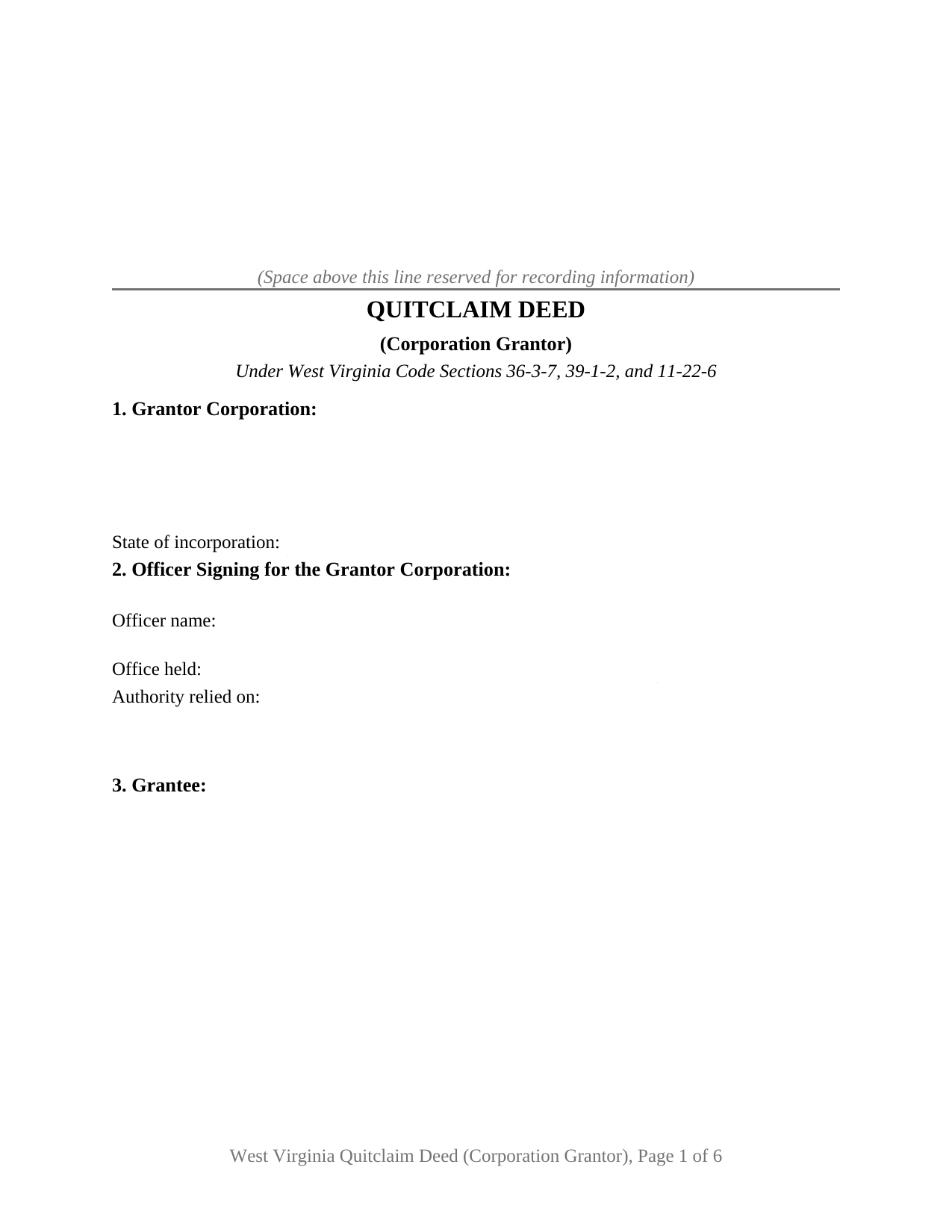
Berkeley County Quitclaim Deed (Corporation Grantor) Form
Fill in the blank Quitclaim Deed (Corporation Grantor) form formatted to comply with all West Virginia recording and content requirements.
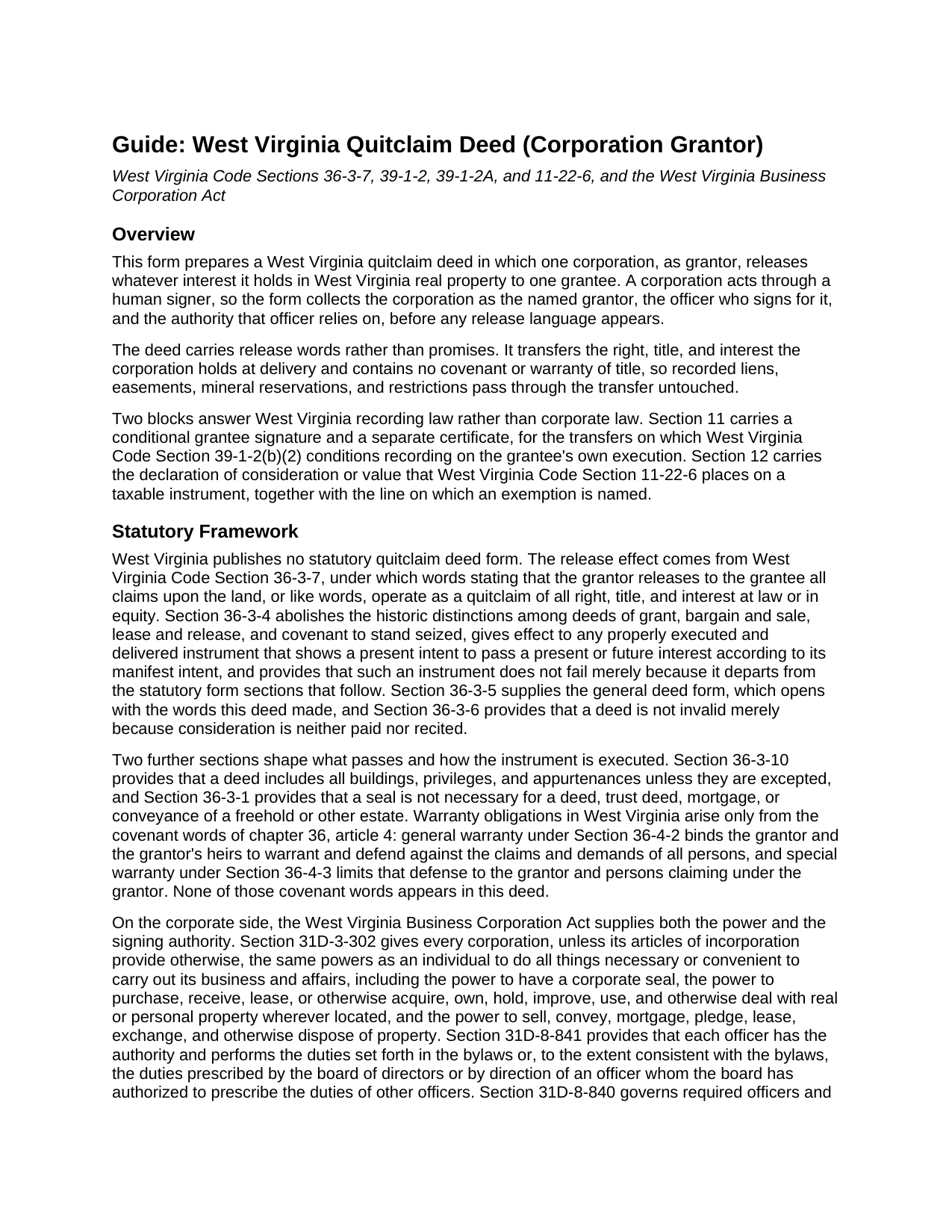
Berkeley County Quitclaim Deed (Corporation Grantor) Guide
Line by line guide explaining every blank on the Quitclaim Deed (Corporation Grantor) form.
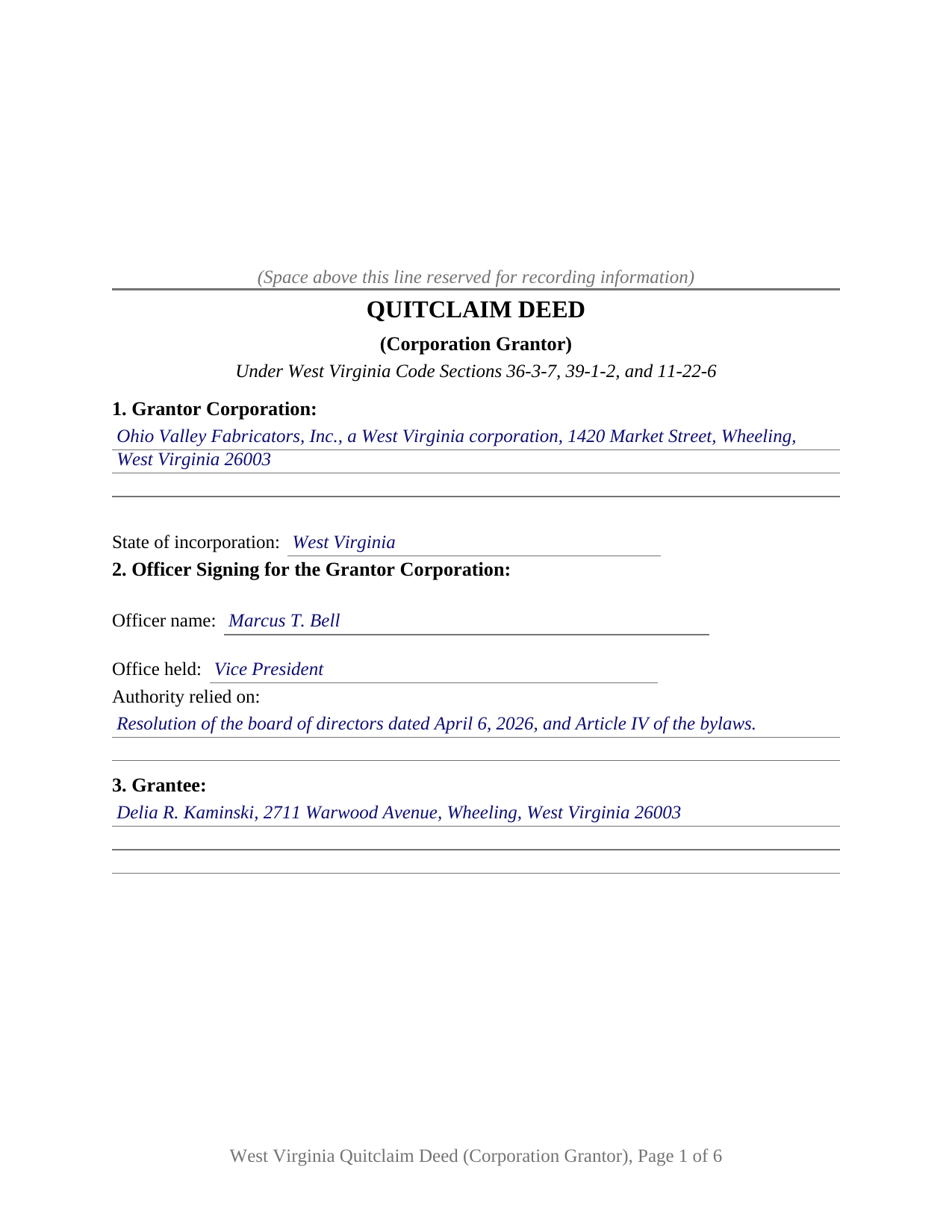
Berkeley County Completed Example of the Quitclaim Deed (Corporation Grantor) Document
Example of a properly completed West Virginia Quitclaim Deed (Corporation Grantor) document for reference.
All 3 documents above included • One-time purchase • No recurring fees
Immediate Download • Secure Checkout
Additional West Virginia and Berkeley County documents included at no extra charge:
Where to Record Your Documents
Berkeley County Clerk
Martinsburg, West Virginia 25401
Hours: Monday-Friday 9:00am to 5:00pm
Phone: (304) 264-1927
Recording Tips for Berkeley County:
- Bring your driver's license or state-issued photo ID
- Ensure all signatures are in blue or black ink
- Leave recording info boxes blank - the office fills these
- Make copies of your documents before recording - keep originals safe
- Recorded documents become public record - avoid including SSNs
Cities and Jurisdictions in Berkeley County
Properties in any of these areas use Berkeley County forms:
- Bunker Hill
- Falling Waters
- Gerrardstown
- Glengary
- Hedgesville
- Inwood
- Martinsburg
- Ridgeway
Hours, fees, requirements, and more for Berkeley County
How do I get my forms?
Forms are available for immediate download after payment. The Berkeley County forms will be in your account ready to download to your computer. An account is created for you during checkout if you don't have one. Forms are NOT emailed.
Are these forms guaranteed to be recordable in Berkeley County?
Yes. Our form blanks are guaranteed to meet or exceed the applicable formatting requirements used for recording in Berkeley County, including margin requirements, font requirements, and other layout standards. This guarantee applies to formatting, not to the legal sufficiency of information entered by the user or the suitability of a form for a particular transaction.
Can I reuse these forms?
Yes. You can reuse the forms for your personal use. For example, if you have multiple properties in Berkeley County you only need to order once.
What do I need to use these forms?
The forms are PDFs that you fill out on your computer. The free Adobe Acrobat Reader is recommended, and most PDF apps also work. You do NOT enter your property information online - you download the blank forms and complete them privately on your own computer.
Are there any recurring fees?
No. This is a one-time purchase. Nothing to cancel, no memberships, no recurring fees.
How much does it cost to record in Berkeley County?
Recording fees in Berkeley County vary. Contact the recorder's office at (304) 264-1927 for current fees.
Questions answered? Let's get started!
West Virginia's recording statute never asks which person inside a corporation may sign away land, and the Business Corporation Act keeps that answer in the bylaws and the minute book. This West Virginia quitclaim deed is arranged around it: one corporation as grantor, one officer signing in an office the deed names, and the authority relied on, collected in Section 2 ahead of any release language.
Where a corporate signer's authority sits
W. Va. Code Section 31D-3-302 gives a corporation, unless its articles of incorporation provide otherwise, the same powers as an individual to hold and deal with real property and to sell, convey, mortgage, pledge, lease, exchange, and otherwise dispose of it. Which human being exercises it is a separate question, and Section 31D-8-841 answers that inside the company: each officer has the authority set forth in the bylaws or, consistent with them, the duties the board prescribes. So the form takes the office held and the source of authority, a board resolution or the bylaw article carrying the power to convey. Section 31D-3-304 then narrows who may question a corporation's power to act at all.
Approval is the next layer, and it also sits outside the deed. Section 31D-12-1201 asks nothing of shareholders for a disposition in the usual and regular course of business or for a transfer to an entity whose shares the corporation owns. Section 31D-12-1202 does ask, where the disposition would leave the corporation without a significant continuing business activity, routing that transaction through a board resolution the directors submit to the shareholders.
A release, never a promise
The operative language is a release. Under Section 36-3-7, words releasing all claims upon the land operate as a quitclaim: what the corporation holds at law passes, what it holds in equity passes, and nothing further does. Section 9 of this quit claim deed sets those release words beside a printed line disclaiming any covenant or warranty of title. Not one covenant word from chapter 36, article 4 appears, so a recorded deed of trust, a judgment lien, or a mineral reservation rides through untouched, and Section 36-3-1 makes a corporate seal unnecessary.
Why a corporate gift reaches the clerk on two signatures
Since July 11, 2025, Section 39-1-2(b)(2) has closed the record to a quitclaim deed made without consideration unless the grantee signs and acknowledges it as well, or two witnesses prove it as to the grantee before the clerk of the county commission, and a deed recorded against that rule is void. Every exception the subsection lists names a family relationship between individuals, so a corporate release passing no consideration sits outside all of them. Section 11 draws that second signature block with a certificate of its own, and it stays empty where consideration passes.
What this form draws, and what it leaves out
Section 1 takes one corporation with its state of incorporation, Section 3 a single grantee, and Section 10 one signature over one certificate. A corporation clearing a residual interest standing in its name since an older transaction, a corporation releasing a parcel to an affiliate whose shares it owns, and a corporation releasing what it holds to a purchaser taking title without covenants all present the corporate grantor pattern this deed carries. Two corporations signing together, an individual owner, a trustee, or a signer under a power of attorney each execute through different blocks than this form draws. One line common on West Virginia deeds is absent by design: dower and curtesy are abolished by Section 43-1-1, and the notice duty of Section 43-1-2 speaks to a married person who conveys, so an entity grantor brings no joinder signature.
The figure the clerk reads
Section 12 carries the declaration of consideration or value that Section 11-22-6 places on the instrument, with a line for any exemption claimed under Section 11-22-1, among them the exclusion for a transfer from a subsidiary to its parent. Where stamps are due, the clerk computes them at the state rate of one dollar and ten cents for each five hundred dollars of value, plus the county excise and the twenty dollar Affordable Housing Fund fee on transfers for consideration. The State Tax Commissioner Sales Listing Form is completed separately.
This package includes the deed as a fillable PDF, a completed example filled in for an Ohio County release, and a guide to the twelve sections and the recording steps. The materials are informational and are not legal advice.
Important: Your property must be located in Berkeley County to use these forms. Documents should be recorded at the county recording office listed above.
This Quitclaim Deed (Corporation Grantor) meets all recording requirements specific to Berkeley County.
Our Promise
The documents you receive here are guaranteed to meet or exceed the applicable Berkeley County recording format requirements. If there is a rejection caused by our formatting, we will correct the issue or refund your payment. This guarantee applies to document formatting only and does not extend to information entered by the user, the selection of the form, or the legal effect of the completed document.
Save Time and Money
Get your Berkeley County Quitclaim Deed (Corporation Grantor) form done right the first time with Deeds.com Uniform Conveyancing Blanks. At Deeds.com, we understand that your time and money are valuable resources, and we don't want you to face a penalty fee or rejection imposed by a county recorder for submitting nonstandard documents. We constantly review and update our forms to meet rapidly changing state and county recording requirements for roughly 3,500 counties and local jurisdictions.
4.8 out of 5 - ( 4,828 Reviews )
charles g. 5 out of 5 stars
very good forms. they covered everything i needed.
Thanks Charles, we really appreciate your feedback. Have a great day!
Scott A. 2 out of 5 stars
The information and instructions provided is thorough and great. But, the fill-in-the-blanks form does not work well and is very frustrating. The font size of the information I was adding on each individual line varies and is determined by the number of characters entered on that individual line. So the font size is different on each line. And the number of lines is fixed making it impossible to fill in the full legal name of the trust I needed to fill out the form for. My needs are somewhat unusual, but the form should have been designed to be flexible enough to handle it. A blank paper form would have been more useful.
Thank you for your feedback. We really appreciate it. Have a great day!
Lesley B. 5 out of 5 stars
It was so quick and easy to access.. Thank you!!
Thank you for your feedback. We really appreciate it. Have a great day!
Tom L. 5 out of 5 stars
An excellent service that I would be happy to use again.
Thank you for your feedback. We really appreciate it. Have a great day!
Pamela P. 5 out of 5 stars
Access to all the necessary forms was easy. The detailed guide very helpful for ensuring a customer can fill out the documents accurately.
We appreciate your business and value your feedback. Thank you. Have a wonderful day!
Samuel M. 4 out of 5 stars
it was convenient to have a starting place, however, though the property is in Colorado, the probate is in Iowa, so I had to create my own document because you locked my capacity to edit the form I paid for. If I pay for it, I should be able to edit everything including non fill in text. I could not open it in word, as I normally could.
Thank you for your feedback. We really appreciate it. Have a great day!
Janis H. 5 out of 5 stars
Amazing! Great forms - created the quitclaim fairly easy, recorded with no issues. Thanks!
Thank you for your feedback. We really appreciate it. Have a great day!
Steve R. 5 out of 5 stars
Quick, clean, easy. A hat trick.
Thank you!
Karin G. 5 out of 5 stars
All went well. Forms easy to download and instructions were super. Very pleased with the service.
Thank you!
SANTTINA W. 5 out of 5 stars
IT WAS SO VERY HELPFUL AND EASY TO DO WILL RETUN TO THE SITE AGAIN.
Thank you for your feedback. We really appreciate it. Have a great day!
Teri B. 5 out of 5 stars
Glad to have all of the helpful extra information, even though they don't answer all questions for all situations. So, I accessed public records and asked questions at the auditor's office. Also, on my Mac computer, filling out the actual deed form is a challenge because the screen jumps to the last page everytime I try to type a few letters or hit the return key, so I'm rollling back up to the first 2 pages after most keystrokes. A bit annoying. Overall, happy to have these form options are available! There is really no need to wait and pay for an attorney when all the information needed is available via public records. Fill in the blanks!
Thanks so much for the feedback Teri. There are known issues between Adobe and Mac, we try to work around them as much as possible. Have a wonderful day!
Samantha Ann F. 5 out of 5 stars
I needed more knowledge to feel comfortable for using this form. I am sure it will work great for some people...for me I needed to contact an Estate Manager.
We understand that not every situation is a good fit for a do-it-yourself form package, especially when estate matters are involved. We’re glad you recognized when additional guidance would make you more comfortable, and we appreciate you giving our forms a try. Best wishes moving forward with your estate matter.
JOHN R. 5 out of 5 stars
This is an Outstanding Website for easy access in expediting my property investment needs. Thank you for this much needed online service.
Thank you!
David M. 5 out of 5 stars
A real boon to those of us who are not attorneys but wish to protect our assets and avoid probate court issues. Thank you for a great service.
We appreciate your business and value your feedback. Thank you. Have a wonderful day!
Veda J. 5 out of 5 stars
Good Work!
Thank you!