Fayette County Quitclaim Deed Form
Last validated October 8, 2026 by our Forms Development TeamFormatted for recording in Fayette County, for property anywhere in the county: rural and unincorporated areas as well as Alloy, Ansted, Boomer, Cannelton, Charlton Heights, Danese, Deep Water, Dothan and 33 more.
- 3 documents included
- Immediate PDF download
- Formatting guarantee
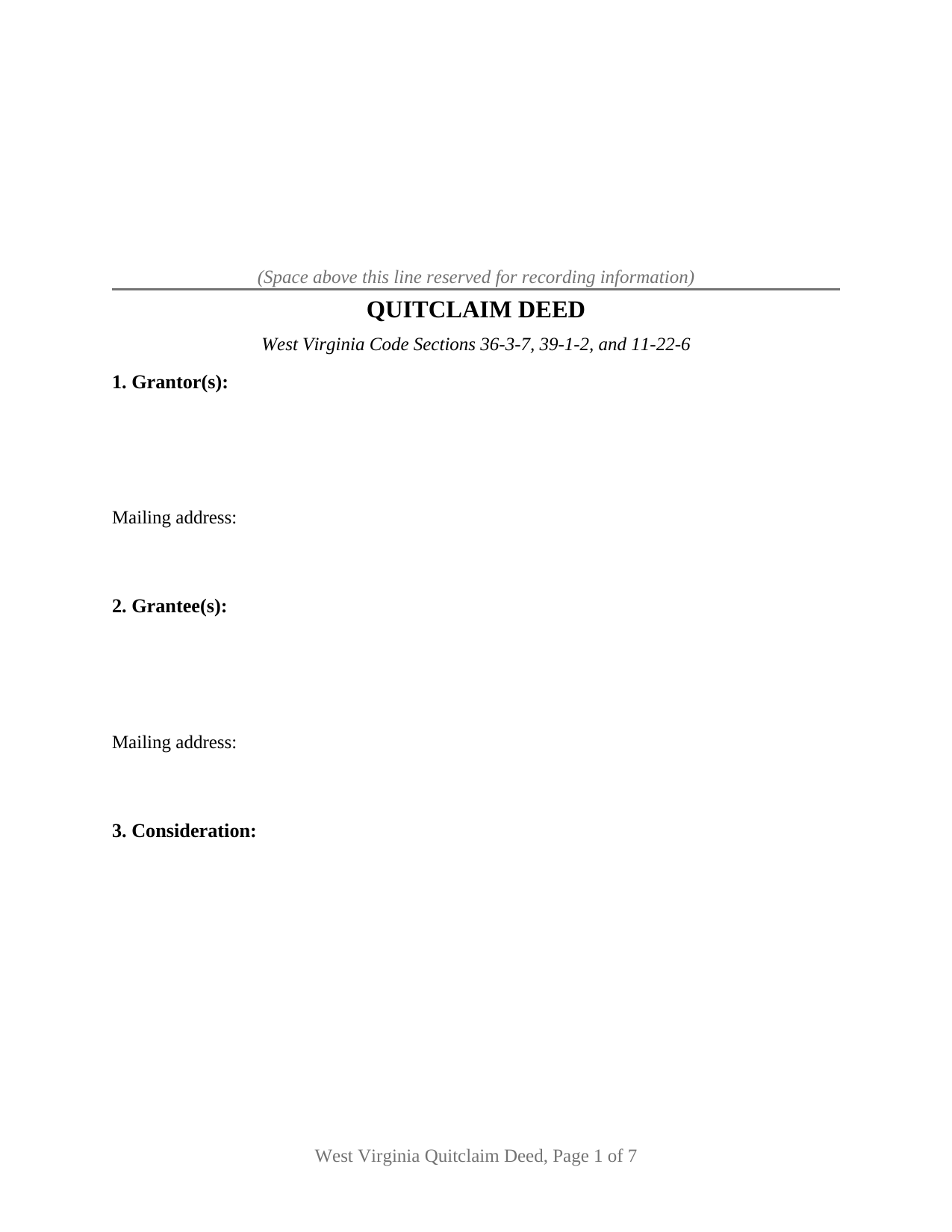
Fayette County Quitclaim Deed Form
Fill in the blank Quitclaim Deed form formatted to comply with all West Virginia recording and content requirements.
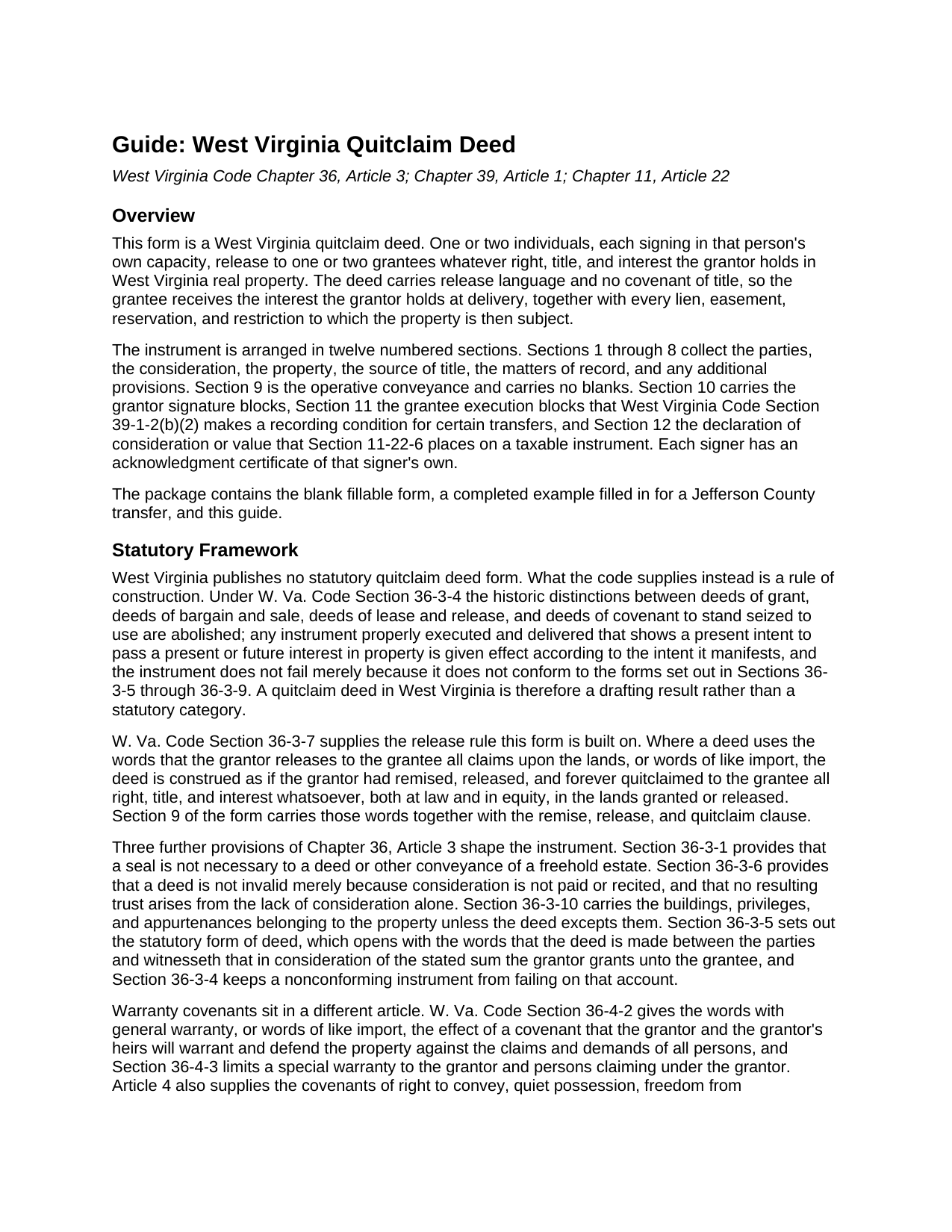
Fayette County Quitclaim Deed Guide
Line by line guide explaining every blank on the Quitclaim Deed form.
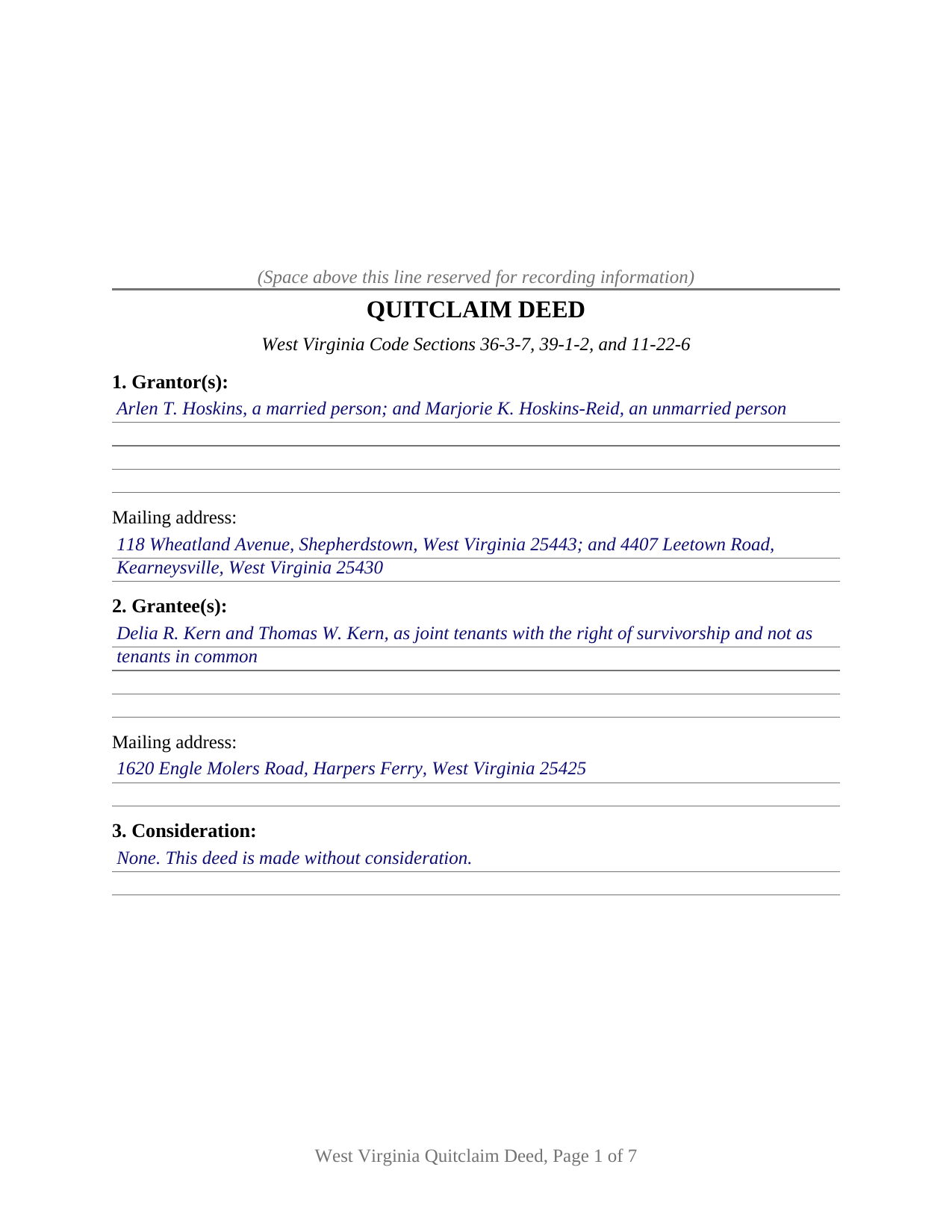
Fayette County Completed Example of the Quitclaim Deed Document
Example of a properly completed West Virginia Quitclaim Deed document for reference.
All 3 documents above included • One-time purchase • No recurring fees
Immediate Download • Secure Checkout
Additional West Virginia and Fayette County documents included at no extra charge:
Where to Record Your Documents
Fayette County Clerk's Office
Fayetteville, West Virginia 25840-1256
Hours: 8:00 to 4:00 M-F
Phone: (304) 574-4226
Recording Tips for Fayette County:
- Bring your driver's license or state-issued photo ID
- Ensure all signatures are in blue or black ink
- Ask if they accept credit cards - many offices are cash/check only
- Check that your notary's commission hasn't expired
- Documents must be on 8.5 x 11 inch white paper
Cities and Jurisdictions in Fayette County
Properties in any of these areas use Fayette County forms:
- Alloy
- Ansted
- Boomer
- Cannelton
- Charlton Heights
- Danese
- Deep Water
- Dothan
- Edmond
- Fayetteville
- Gauley Bridge
- Glen Ferris
- Glen Jean
- Hico
- Hilltop
- Kanawha Falls
- Kimberly
- Kincaid
- Lansing
- Layland
- Lochgelly
- Lookout
- Meadow Bridge
- Minden
- Montgomery
- Mount Carbon
- Mount Hope
- Mount Olive
- Nallen
- Oak Hill
- Page
- Pax
- Powellton
- Prince
- Robson
- Scarbro
- Smithers
- Spring Dale
- Thurmond
- Victor
- Winona
Hours, fees, requirements, and more for Fayette County
How do I get my forms?
Forms are available for immediate download after payment. The Fayette County forms will be in your account ready to download to your computer. An account is created for you during checkout if you don't have one. Forms are NOT emailed.
Are these forms guaranteed to be recordable in Fayette County?
Yes. Our form blanks are guaranteed to meet or exceed the applicable formatting requirements used for recording in Fayette County, including margin requirements, font requirements, and other layout standards. This guarantee applies to formatting, not to the legal sufficiency of information entered by the user or the suitability of a form for a particular transaction.
Can I reuse these forms?
Yes. You can reuse the forms for your personal use. For example, if you have multiple properties in Fayette County you only need to order once.
What do I need to use these forms?
The forms are PDFs that you fill out on your computer. The free Adobe Acrobat Reader is recommended, and most PDF apps also work. You do NOT enter your property information online - you download the blank forms and complete them privately on your own computer.
Are there any recurring fees?
No. This is a one-time purchase. Nothing to cancel, no memberships, no recurring fees.
How much does it cost to record in Fayette County?
Recording fees in Fayette County vary. Contact the recorder's office at (304) 574-4226 for current fees.
Questions answered? Let's get started!
West Virginia keeps no catalog of deed types. W. Va. Code Section 36-3-4 abolished the old distinctions among deeds of grant, of bargain and sale, and of lease and release, and directs that a properly executed and delivered instrument take effect according to the intent it manifests, statutory form or not. A quit claim deed here is a drafting result rather than a category the code hands out: release words in, covenant words out. This West Virginia quitclaim deed is that drafting, set up for one or two individual owners.
The words that do the work
Section 36-3-7 is the engine. Where a deed says that the grantor releases to the grantee all claims upon the lands, or uses words of like import, the code reads it as though the grantor had remised, released, and forever quitclaimed every right, title, and interest, at law and in equity, in the land described. Section 9 of the form prints that sentence and adds nothing. Two neighbors settle the usual worries: Section 36-3-1 makes a seal unnecessary, and Section 36-3-6 keeps a deed good though consideration is neither paid nor recited.
What a release leaves standing
Absent language is the point. Not one covenant word from Chapter 36, Article 4 appears on the page, so the grantor promises nothing about ownership, nothing about encumbrances, and nothing about defending the title later. A recorded deed of trust, a judgment lien, a mineral reservation, and an easement pass through untouched. Recording changes priority rather than substance: under Section 40-1-9 a deed is void as to creditors and later purchasers for value without notice until duly recorded where the land lies.
The signature the record can demand from the other side
West Virginia added an unusual recording condition in July 2025. Section 39-1-2(b)(2) closes the record to a quitclaim deed made without consideration, and to any deed passing property worth $100 or less that carries no excise tax, unless the grantee signs the instrument and acknowledges it, or two witnesses prove it as to the grantee before the clerk. Named exceptions cover a transfer on death deed and close family transfers under $2,000 or without consideration. The consequence is a void deed passing no interest, so the form treats the rule as architecture: Section 11 carries grantee signature lines with certificates of their own, completed where the subsection reaches the transfer and blank where it does not.
One or two names on either side
The form recites natural persons signing in their own capacity, in any of four counts: one grantor to one grantee, one to two, two to one, or two to two. The party blocks are free-form and print no status, capacity, or vesting words, so the grantors' own description of themselves and the grantees' chosen designation go in as written, and the guide rather than the instrument teaches what those blanks may carry. Section 10 draws two grantor blocks, headed GRANTOR and SECOND GRANTOR (if applicable), each with a certificate of its own, the second left blank when a single owner conveys. What the blocks are not set up to recite is an entity signing through an officer or manager, a fiduciary signing in a representative capacity, an agent signing under a recorded power of attorney, or three or more owners on either side. Co-ownership matters here: Section 36-1-19 makes a deceased joint tenant's share pass as a tenant in common's would, leaving survivorship to arise only where the grantee designation manifests it under Section 36-1-20.
Two tax papers, one on the deed and one beside it
Section 12 prints the declaration of consideration or value that Section 11-22-6 places at the end of a taxable instrument, with lines for consideration paid, true and actual value, and the ground of any exemption. The clerk reads it before computing stamps at the state rate of $1.10 for each $500 of value, plus the county excise and the $20 Affordable Housing Fund fee on transfers for consideration. The State Tax Department rule at 110 CSR 22, Section 2.6.1.13, puts a quit claim deed without consideration outside the definition of a taxable document; the sales listing form the same statute requires comes from the clerk and is completed separately.
The download delivers this West Virginia quit claim deed as a fillable PDF, a completed example worked through a Jefferson County release, and a guide covering the twelve sections, the four certificates, and the recording package. The materials are informational and are not legal advice.
Important: Your property must be located in Fayette County to use these forms. Documents should be recorded at the county recording office listed above.
This Quitclaim Deed meets all recording requirements specific to Fayette County.
Our Promise
The documents you receive here are guaranteed to meet or exceed the applicable Fayette County recording format requirements. If there is a rejection caused by our formatting, we will correct the issue or refund your payment. This guarantee applies to document formatting only and does not extend to information entered by the user, the selection of the form, or the legal effect of the completed document.
Save Time and Money
Get your Fayette County Quitclaim Deed form done right the first time with Deeds.com Uniform Conveyancing Blanks. At Deeds.com, we understand that your time and money are valuable resources, and we don't want you to face a penalty fee or rejection imposed by a county recorder for submitting nonstandard documents. We constantly review and update our forms to meet rapidly changing state and county recording requirements for roughly 3,500 counties and local jurisdictions.
4.8 out of 5 - ( 4,828 Reviews )
Suzanne M. 5 out of 5 stars
Easy to download this form. I will use it when the time comes to transfer title of my house.
Thank you for your feedback. We really appreciate it. Have a great day!
marc g. 5 out of 5 stars
Nice product and Fillable PDF's :) Thanks Deeds!!
Thank you for your feedback. We really appreciate it. Have a great day!
Roxanne B. 5 out of 5 stars
This is an excellent service during a pandemic! Recording documents can be challenging with changing hours and rules. Yesterday I was able to file an important document from the comfort of my home.
Thank you for your feedback. We really appreciate it. Have a great day!
Bobby T. 5 out of 5 stars
Great!! Helps me out
Thank you!
Charles R. 5 out of 5 stars
Pleased with the forms and their ease of use. No complaints.
Thank you Charles, we appreciate you.
Juliet M. 5 out of 5 stars
So far I am having a good experience.
It was a pleasure serving you. Thank you for the positive feedback!
Doreen P. 5 out of 5 stars
I have uploaded 2 documents for E recording, I have searched thinking it would prompt me to a business customer service contact info tel no. ? I am concerned as to the fees related to the recording of both instruments? please advise? thank you
Thank you for your feedback. We really appreciate it. Have a great day!
Linda D. 5 out of 5 stars
very efficient and easy to use online platform. I reviewed several different sites before I settle on this one. Took my deed to the courthouse today and recorded it with no problems.
We appreciate your business and value your feedback. Thank you. Have a wonderful day!
Daniel A. 5 out of 5 stars
First time using Deeds.com. Downloaded the PDF forms for creating an Illinois Mortgage and Promissory Note. Filled them out, saved them, and printed them out. Going to send them to my Title Company for closing on a property. Save a bunch of money on not have to pay lawyer fees for creating the same legal documents that Deeds.com provided.
We appreciate your business and value your feedback. Thank you. Have a wonderful day!
James W. 5 out of 5 stars
Easy access to forms saving lots of time researching reqmts from a State/Municipal Govt website. I saved 400-500 in lawyer fees but getting these forms, and coordinating with the Property recorders office in another state. Will use you again.
Thank you James. We really appreciate your feedback.
Catherine R. 5 out of 5 stars
What a great way to put my mind at ease. It was easy to fill out and printed out nicely.
Thank you for your feedback. We really appreciate it. Have a great day!
Betty S. 5 out of 5 stars
Thank you for the excellent and complete layout of all forms needed to complete the Affidavit of Death and Heirship, including the notarial officer and an example of how these forms should be completed. This method definitely saves time and money and an answer to my family's Prayers.
Thank you for your feedback. We really appreciate it. Have a great day!
Martha D. 5 out of 5 stars
Excellent website. I found exactly what I was looking for!
Thank you!
David L. 4 out of 5 stars
It was a very easy to use application. I can only give it four stars because I have yet to receive confirmation from the county that my application was acceptable, ie., format, font, etc. I believe it will be fine.
Thank you for your feedback. We really appreciate it. Have a great day!
Kenny H. 5 out of 5 stars
The forms are extremely helpful. They could use some updating. Promissory note "...in the form of cash, check or money order." is a bit outdated. My note is with my son and we have an automatic bank transfer set up for payments. He could Venmo me. There are many other options and likely to be more changes in the future, so I know this is difficult to maintain.
Thank you for your feedback. We really appreciate it. Have a great day!