Preston County Trustee Deed Form
Last validated November 27, 2026 by our Forms Development TeamFormatted for recording in Preston County, for property anywhere in the county: rural and unincorporated areas as well as Albright, Arthurdale, Aurora, Bretz, Bruceton Mills, Eglon, Independence, Kingwood and 6 more.
- 3 documents included
- Immediate PDF download
- Formatting guarantee
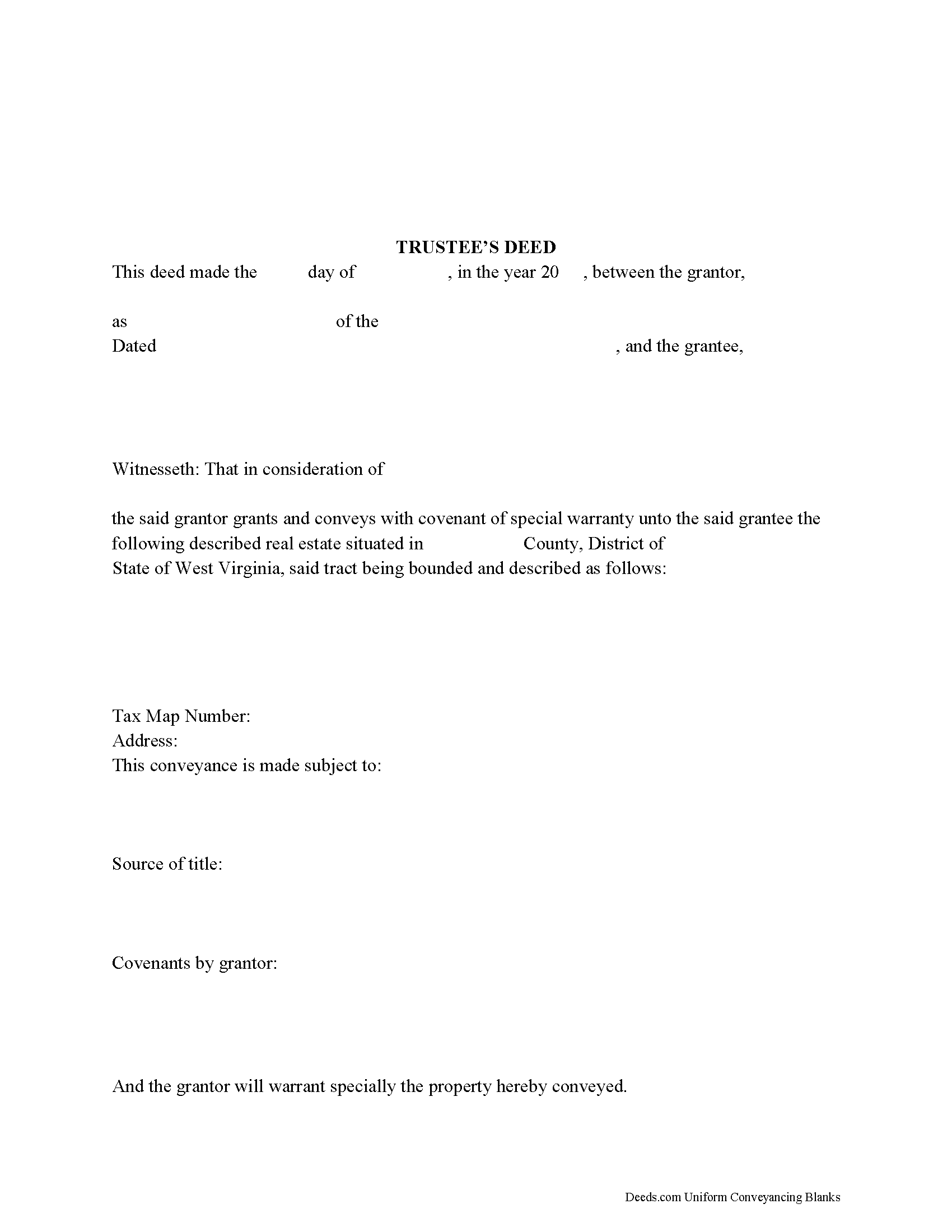
Preston County Trustee Deed Form
Fill in the blank form formatted to comply with all recording and content requirements.
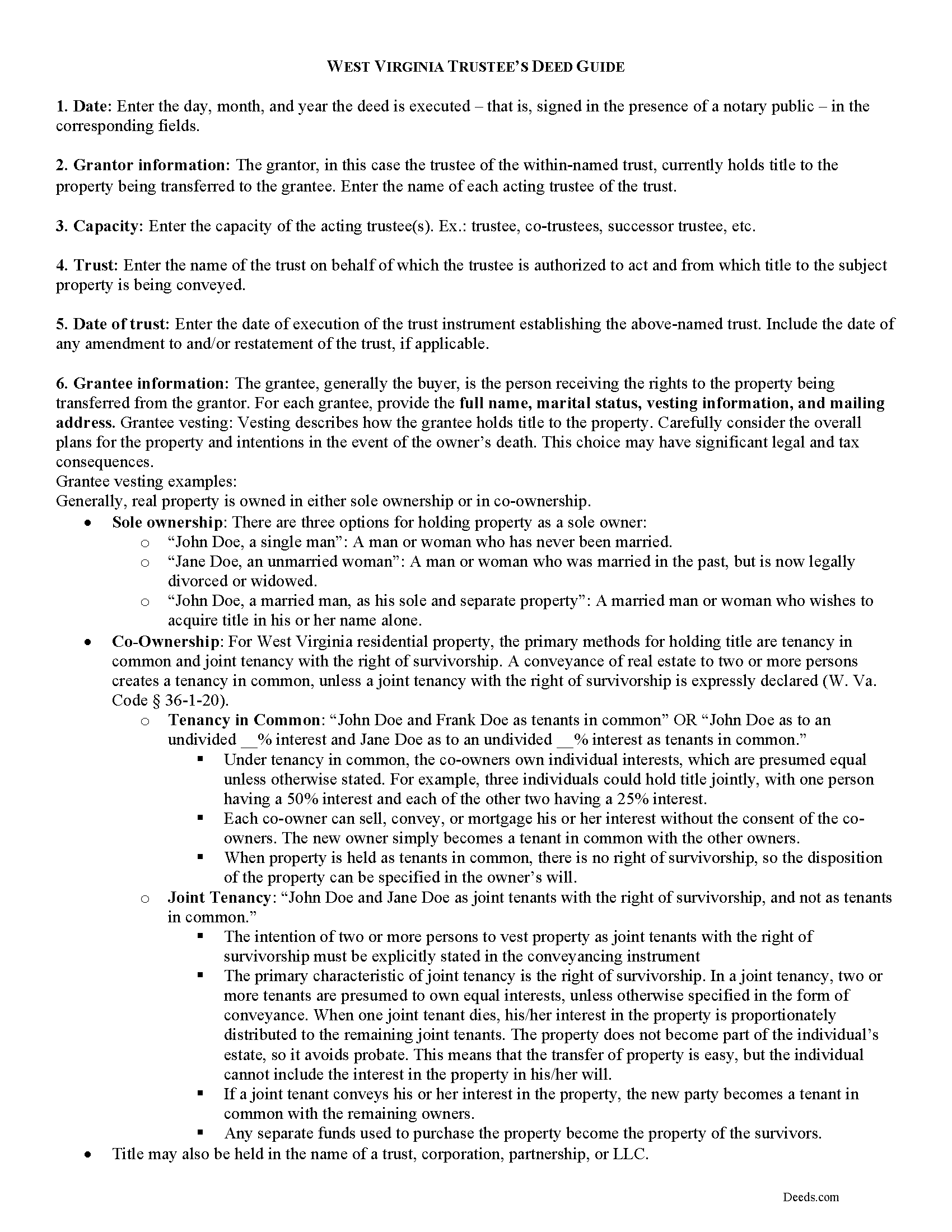
Preston County Trustee Deed Guide
Line by line guide explaining every blank on the form.
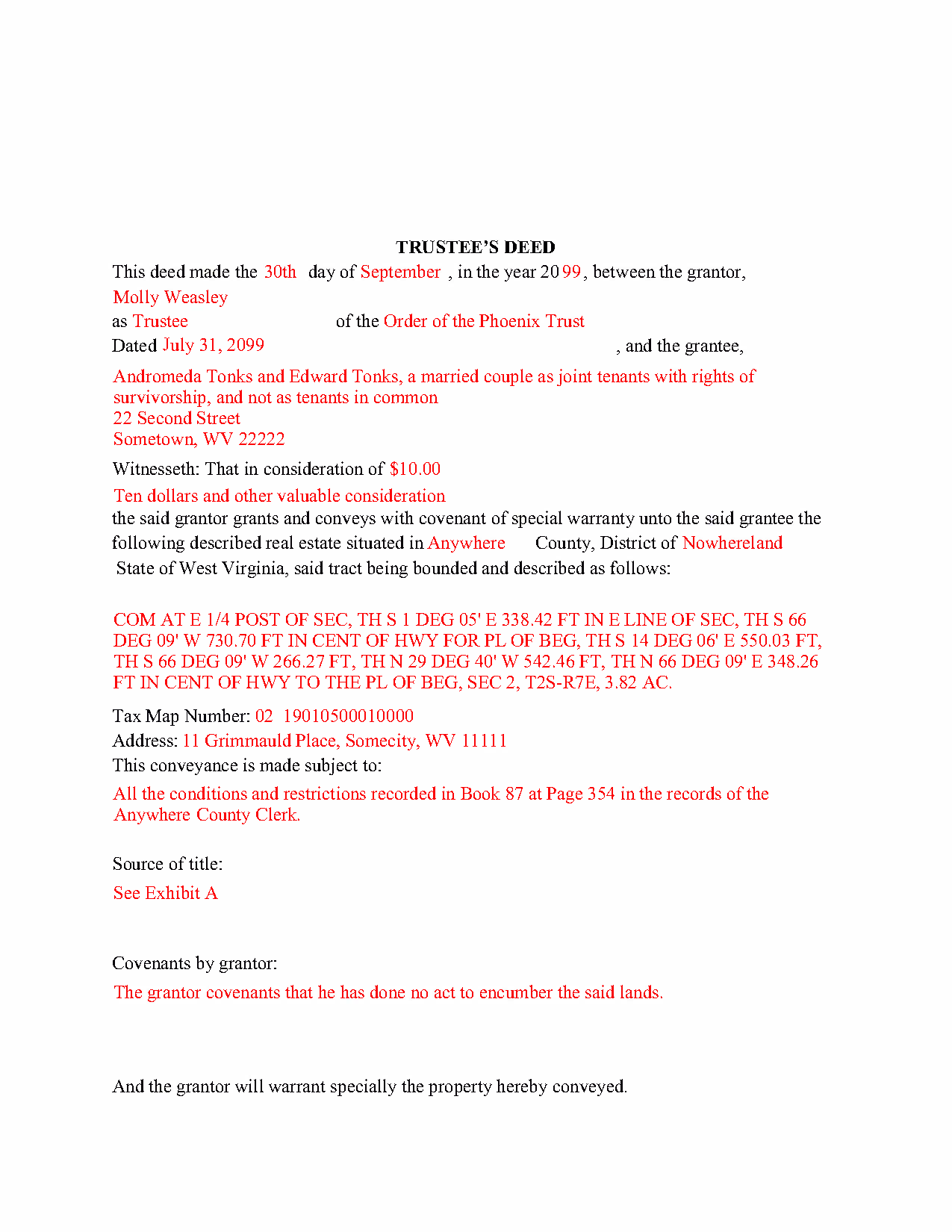
Preston County Completed Example of the Trustee Deed Document
Example of a properly completed form for reference.
All 3 documents above included • One-time purchase • No recurring fees
Immediate Download • Secure Checkout
Additional West Virginia and Preston County documents included at no extra charge:
Where to Record Your Documents
Preston County Clerk
Kingwood, West Virginia 26537-1131
Hours: 8:30 to 4:30 Tu - Fr; Mo until 5:30
Phone: (304) 329-0070
Recording Tips for Preston County:
- Bring your driver's license or state-issued photo ID
- Ensure all signatures are in blue or black ink
- Request a receipt showing your recording numbers
- Ask about accepted payment methods when you call ahead
- Ask for certified copies if you need them for other transactions
Cities and Jurisdictions in Preston County
Properties in any of these areas use Preston County forms:
- Albright
- Arthurdale
- Aurora
- Bretz
- Bruceton Mills
- Eglon
- Independence
- Kingwood
- Masontown
- Newburg
- Reedsville
- Rowlesburg
- Terra Alta
- Tunnelton
Hours, fees, requirements, and more for Preston County
How do I get my forms?
Forms are available for immediate download after payment. The Preston County forms will be in your account ready to download to your computer. An account is created for you during checkout if you don't have one. Forms are NOT emailed.
Are these forms guaranteed to be recordable in Preston County?
Yes. Our form blanks are guaranteed to meet or exceed the applicable formatting requirements used for recording in Preston County, including margin requirements, font requirements, and other layout standards. This guarantee applies to formatting, not to the legal sufficiency of information entered by the user or the suitability of a form for a particular transaction.
Can I reuse these forms?
Yes. You can reuse the forms for your personal use. For example, if you have multiple properties in Preston County you only need to order once.
What do I need to use these forms?
The forms are PDFs that you fill out on your computer. The free Adobe Acrobat Reader is recommended, and most PDF apps also work. You do NOT enter your property information online - you download the blank forms and complete them privately on your own computer.
Are there any recurring fees?
No. This is a one-time purchase. Nothing to cancel, no memberships, no recurring fees.
How much does it cost to record in Preston County?
Recording fees in Preston County vary. Contact the recorder's office at (304) 329-0070 for current fees.
Questions answered? Let's get started!
In a living trust arrangement, a settlor transfers property to another person (the trustee) for the benefit of a third (the beneficiary). The settlor establishes the trust by executing a document referred to as the trust instrument and by contributing assets to the trust. The trust instrument, generally unrecorded, contains the settlor's estate plans and dictates how the trust will be administered. In many living trust arrangements, the settlor serves as the trustee during his lifetime, and designates a successor to take over trustee duties upon his death or incapacitation.
When real property is transferred into trust, the settlor executes a deed naming the trustee as the grantee. The trustee then holds legal title to the property as the administrator of the trust. In order to convey the interest in the property from the trust, the trustee executes a trustee's deed.
The trustee's deed takes its name from the role of the executing party. In most states, deeds are differentiated and named after the type of warranty the grantor makes. In West Virginia, however, no distinction is made between different types of deeds (W. Va. Code 36-3-4).
The statutory form for deeds in West Virginia is codified at W. Va. Code 36-3-5. This general statutory deed can then be modified to include covenants (found at 36-4) made by the grantor. The trustee's deed typically includes a special warranty covenant, ensuring that the grantor "will forever warrant and defend" the grantee's title "against the claims and demands of the grantor and all persons claiming by, through, or under him" ( 36-4-3). The more limited warranty is fitting for individuals acting in a representative capacity, as their knowledge of the standing of title is naturally limited to the scope of their office.
A deed executed by the trustee must name the trust and the date of trust in addition to the currently acting trustees (when real property is correctly titled into the trust, the vesting statement includes this information). The deed should meet all requisites of conveyances affecting interest in real property, including the name, address, and vesting information of the grantee, a statement of consideration made for the transfer, a properly formatted legal description of the subject property, and the necessary signatures made in the presence of a notary public. Deeds are recorded in the office of the county clerk wherein the property is situated.
Because the transaction pertains to real property, a memorandum of trust under 36-1-4a may need to be recorded. Consult a lawyer regarding trustee's deeds in West Virginia to address your unique situation.
(West Virginia TD Package includes form, guidelines, and completed example)
Important: Your property must be located in Preston County to use these forms. Documents should be recorded at the county recording office listed above.
This Trustee Deed meets all recording requirements specific to Preston County.
Our Promise
The documents you receive here are guaranteed to meet or exceed the applicable Preston County recording format requirements. If there is a rejection caused by our formatting, we will correct the issue or refund your payment. This guarantee applies to document formatting only and does not extend to information entered by the user, the selection of the form, or the legal effect of the completed document.
Save Time and Money
Get your Preston County Trustee Deed form done right the first time with Deeds.com Uniform Conveyancing Blanks. At Deeds.com, we understand that your time and money are valuable resources, and we don't want you to face a penalty fee or rejection imposed by a county recorder for submitting nonstandard documents. We constantly review and update our forms to meet rapidly changing state and county recording requirements for roughly 3,500 counties and local jurisdictions.
4.8 out of 5 - ( 4,867 Reviews )
Daniel S. 5 out of 5 stars
So far, so good. Waiting for the County Recorder to accept and record my document, but use of the Deeds.com system has been easy.
Thank you for your feedback. We really appreciate it. Have a great day!
Robin F. 5 out of 5 stars
Very Convenient and easy to use
We appreciate your business and value your feedback. Thank you. Have a wonderful day!
Duncan M. 2 out of 5 stars
Forms are fine, but the inability to download a completed form is not. Nor is the ability to convert to another format. Everytime I went to download, the form erased. I didn't have a printer available, so everything I did was to waste.
Thank you for your feedback Duncan. The blank forms should be downloaded first and then completed on your computer.
Glenn M. 5 out of 5 stars
Fast, easy, saves money!!!
Thank you!
Lisa C. 5 out of 5 stars
Great. Thank you. Received information quickly. Helped out a lot.
Thank you!
MATTHEW R. 5 out of 5 stars
Absolutely amazing throughout the whole process
Thank you!
Cathy S. 5 out of 5 stars
Great forms! Repeat customer here, wouldn't go anywhere else.
We appreciate your business and value your feedback. Thank you. Have a wonderful day!
Ginger L. 5 out of 5 stars
Excellent full set of documents with example and guidelines on how to do it ourselves without paying a lawyer. Or, we save legal fees by completing it ourselves and having a lawyer review it. Love that I can save the pdf and fill it out whenever I want. Thank you for having this available!
We appreciate your business and value your feedback. Thank you. Have a wonderful day!
Mary B. 5 out of 5 stars
Thank you for making these forms available at affordable prices and with lots of information.
Thank you for your positive words! We’re thrilled to hear about your experience.
Tom L. 5 out of 5 stars
For better grammatical structure you should add the word "BE" after the first three words.... Your review may ..... BE....displayed.
Thanks for letting us know!
Phillip B. 5 out of 5 stars
Nice. Quick and very easy to find and download the exact forms I needed.
Thank you for your feedback. We really appreciate it. Have a great day!
LISA R. 5 out of 5 stars
I was very pleased to find your website and the range of services you offer. I was recommended to hire an estate attorney, but the forms you provided will eliminate the need for that. Thank you for the help!
Thank you for your feedback. We really appreciate it. Have a great day!
Soledad T. 5 out of 5 stars
It's Great!!!
Thank you!
Karelia W. 5 out of 5 stars
Was a bit skeptical because I'd never heard of it, but just got something submitted and confirmed recorded in less than 24 hrs. UI could use some work but other than that, straightforward and works!
Your feedback is greatly appreciated. Thank you for taking the time to share your experience!
Ricardo C. 5 out of 5 stars
I was pleased with the process. Easy and secure. Great customer service. I will use again for sure
Thank you!