Dane County Certificate of Trust Form
Last validated November 19, 2026 by our Forms Development TeamFormatted for recording in Dane County, for property anywhere in the county: rural and unincorporated areas as well as Belleville, Black Earth, Blue Mounds, Cambridge, Cottage Grove, Cross Plains, Dane, De Forest and 14 more.
- 3 documents included
- Immediate PDF download
- Formatting guarantee
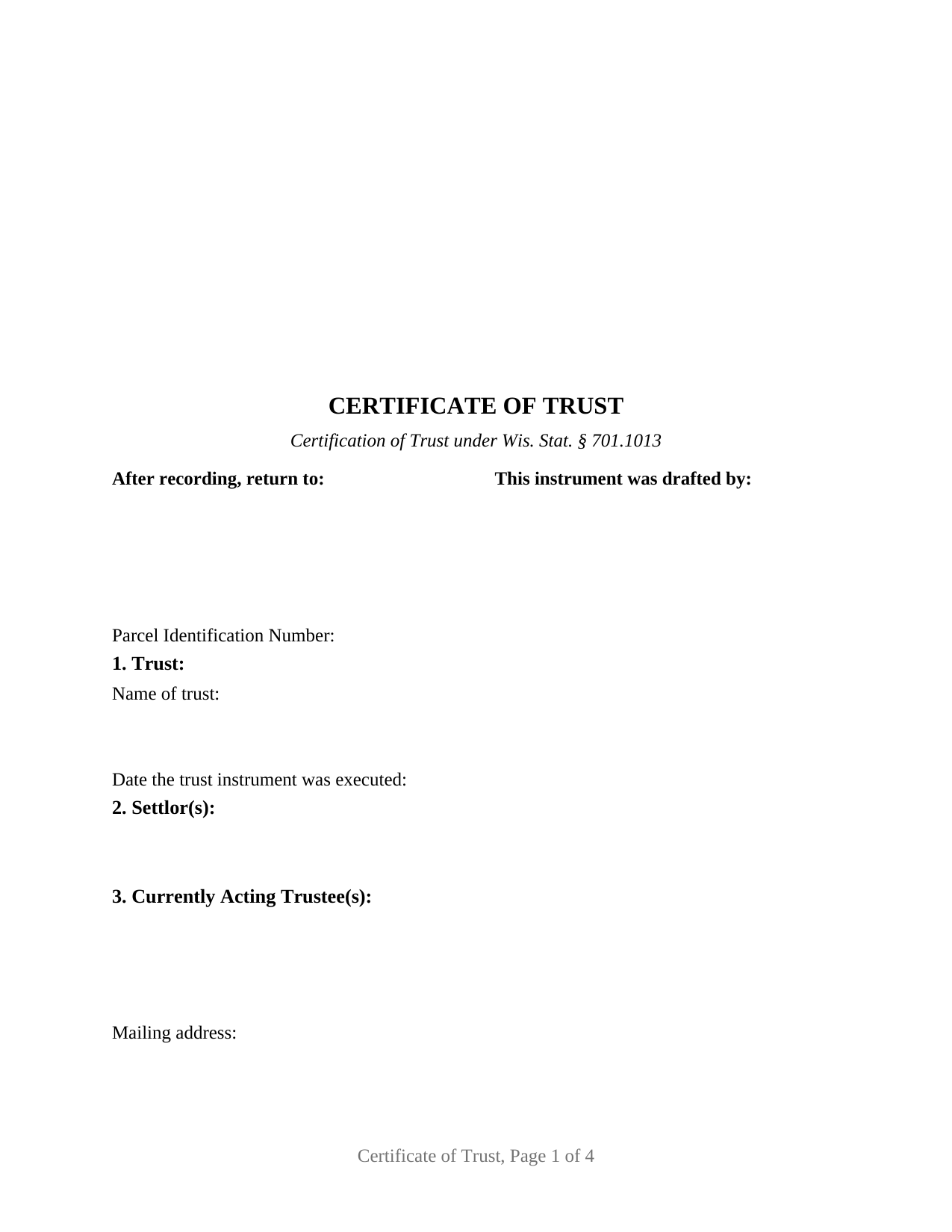
Dane County Certificate of Trust Form
Fill in the blank Certificate of Trust form formatted to comply with all Wisconsin recording and content requirements.
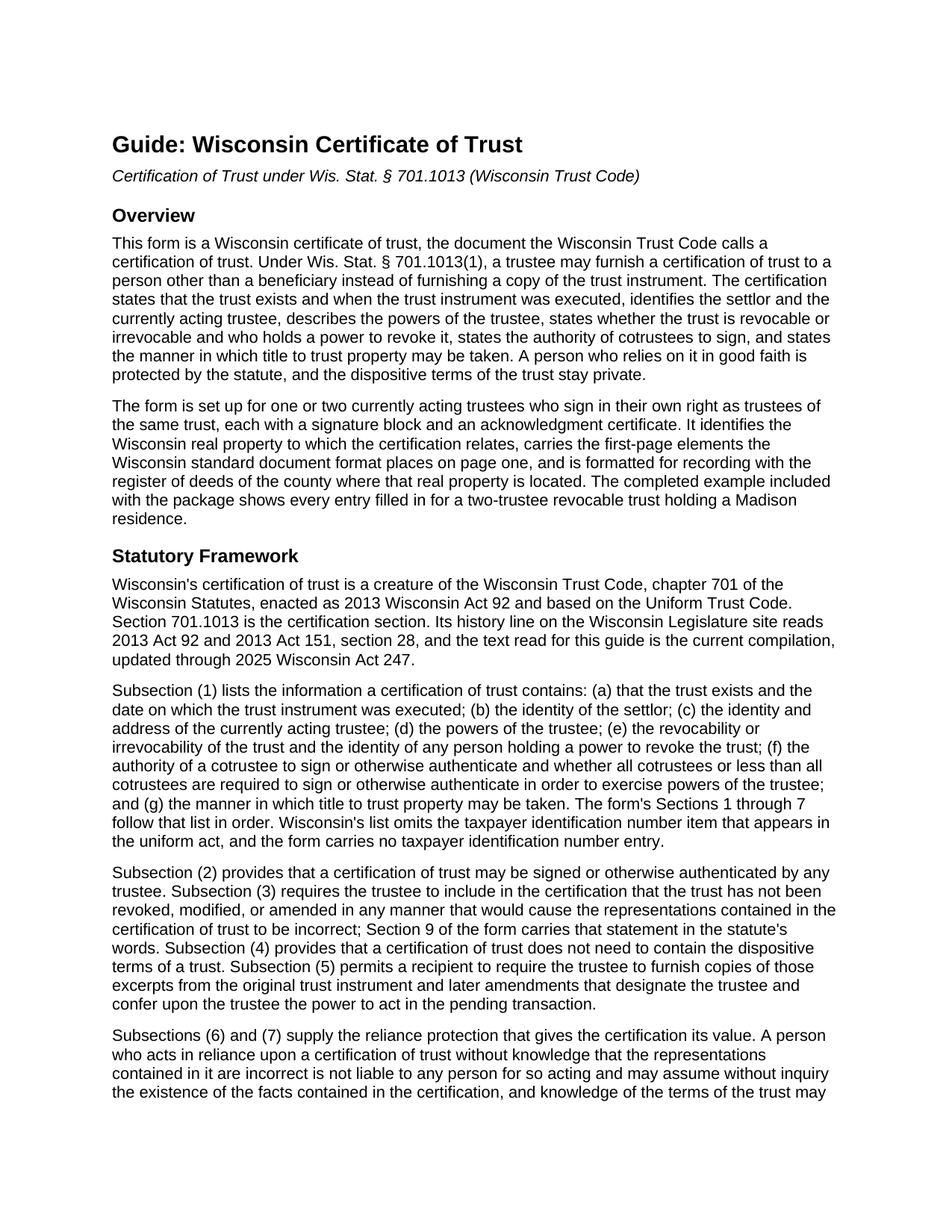
Dane County Certificate of Trust Guide
Line by line guide explaining every blank on the Certificate of Trust form.
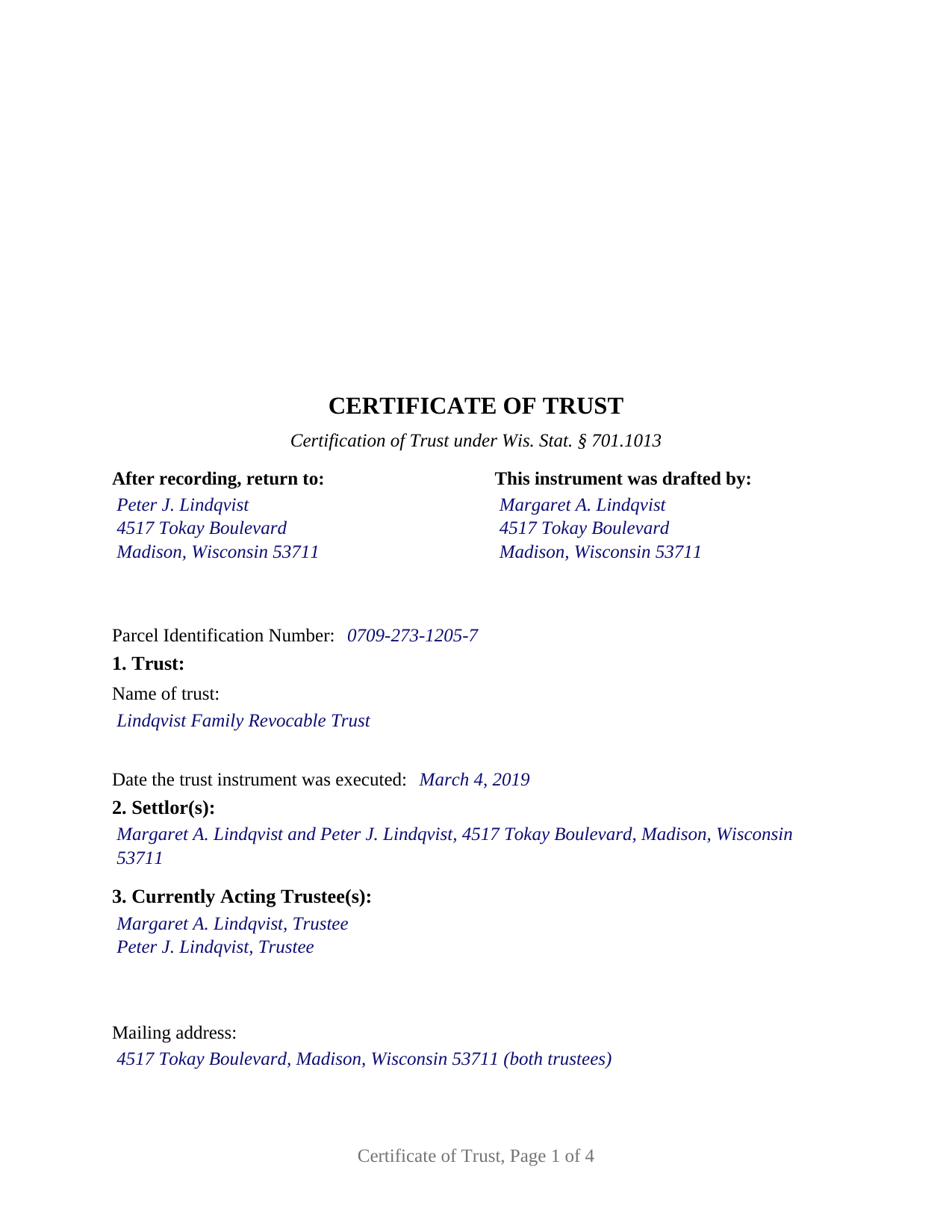
Dane County Completed Example of the Certificate of Trust Document
Example of a properly completed Wisconsin Certificate of Trust document for reference.
All 3 documents above included • One-time purchase • No recurring fees
Immediate Download • Secure Checkout
Additional Wisconsin and Dane County documents included at no extra charge:
Where to Record Your Documents
Dane County Register of Deeds
Madison, Wisconsin 53703 / 53701-1438
Hours: Monday - Friday 7:45am - 4:30pm
Phone: (608) 266-4141
Recording Tips for Dane County:
- Bring your driver's license or state-issued photo ID
- Ensure all signatures are in blue or black ink
- Verify all names are spelled correctly before recording
- White-out or correction fluid may cause rejection
- Ask about their eRecording option for future transactions
Cities and Jurisdictions in Dane County
Properties in any of these areas use Dane County forms:
- Belleville
- Black Earth
- Blue Mounds
- Cambridge
- Cottage Grove
- Cross Plains
- Dane
- De Forest
- Deerfield
- Madison
- Marshall
- Mazomanie
- Mc Farland
- Middleton
- Morrisonville
- Mount Horeb
- Oregon
- Stoughton
- Sun Prairie
- Verona
- Waunakee
- Windsor
Hours, fees, requirements, and more for Dane County
How do I get my forms?
Forms are available for immediate download after payment. The Dane County forms will be in your account ready to download to your computer. An account is created for you during checkout if you don't have one. Forms are NOT emailed.
Are these forms guaranteed to be recordable in Dane County?
Yes. Our form blanks are guaranteed to meet or exceed the applicable formatting requirements used for recording in Dane County, including margin requirements, font requirements, and other layout standards. This guarantee applies to formatting, not to the legal sufficiency of information entered by the user or the suitability of a form for a particular transaction.
Can I reuse these forms?
Yes. You can reuse the forms for your personal use. For example, if you have multiple properties in Dane County you only need to order once.
What do I need to use these forms?
The forms are PDFs that you fill out on your computer. The free Adobe Acrobat Reader is recommended, and most PDF apps also work. You do NOT enter your property information online - you download the blank forms and complete them privately on your own computer.
Are there any recurring fees?
No. This is a one-time purchase. Nothing to cancel, no memberships, no recurring fees.
How much does it cost to record in Dane County?
Recording fees in Dane County vary. Contact the recorder's office at (608) 266-4141 for current fees.
Questions answered? Let's get started!
Wisconsin Certificate of Trust: What the Download Includes
This download is a Wisconsin certificate of trust, the document the Wisconsin Trust Code calls a certification of trust under Wis. Stat. § 701.1013. It is the document a trustee furnishes to a title company, lender, buyer, or other person dealing with the trust instead of a copy of the trust instrument. The package is delivered as one statewide version and contains three PDF files:
- Certificate of Trust form – a fill-in-the-blank four-page instrument, preceded by a one-page instructions cover that is not part of the recorded document.
- Certificate of Trust Guide – a seven-page explanation of each entry, the certification statute, signing and notarization, and recording.
- Completed example – the same instrument with every entry filled in for a fictional two-trustee revocable trust.
No county-specific variants or additional forms are part of this purchase. The form itself takes the Wisconsin county where the property lies, and the guide notes that county copy charges, payment methods, and electronic-recording arrangements vary and appear on each register of deeds' own materials.
What the Form Certifies
The form takes the seven items § 701.1013(1) lists for a certification of trust: that the trust exists and the date the trust instrument was executed, the settlor, the currently acting trustee and address, the trustee's powers, whether the trust is revocable and who holds a power to revoke it, the authority of cotrustees to sign, and the manner in which title to trust property may be taken. It then identifies the Wisconsin real property the certificate relates to by county, legal description, property address, and the document number of the vesting deed to the trustee. Wisconsin's statutory list contains no taxpayer identification number item, and the form carries no entry for one.
The certification statement is fixed text with no blanks. It recites that the trust has not been revoked, modified, or amended in any manner that would make the certificate's representations incorrect, which is the statement § 701.1013(3) requires, and that the certificate does not contain the trust's dispositive terms. The statute provides that a certification need not include those terms, so the trust's dispositive provisions stay private while, as the guide explains, a person who relies on the certification without knowledge that its representations are incorrect is protected under § 701.1013(6) and (7).
Who the form is set up for
The form describes a certification by one or two currently acting trustees of the same trust, each a natural person signing in that person's own capacity as trustee. It carries a signature block and a separate acknowledgment certificate for each, the second marked "if applicable" for a single-trustee certification. Each certificate is printed in the representative-capacity short form supplied by Wis. Stat. § 140.16(2), with the words "as trustee of" fixed. The guide explains that the separate certificates are the form's design rather than a statutory requirement and that they allow two trustees to acknowledge on different dates, before different officers, or in different states. No witness line appears on the form.
Recording
The instrument is laid out for submission to the register of deeds of the county where the property lies. Its first page carries the document name, an after-recording return block, a drafter's name block, and a parcel identification number line, with the upper-right area left blank for the register's recording information, following the standard document format of Wis. Stat. § 59.43(2m)(a). The guide explains the format items the form is built to, notes which apply only in particular situations (a parcel identification number applies only in a county that requires one, and the drafter's name item does not apply to a document executed or acknowledged outside Wisconsin), and states the $30 statewide recording fee under § 59.43(2)(ag). Whether a particular document is accepted remains the register's determination under the statute's substantial-compliance standard.
Recording is not what makes the certification effective. As the guide explains, under § 701.1013 the certification operates by being furnished to the person who relies on it, and a title company, lender, or buyer may accept it without recording; recording places the certification in the chain of title beside the deed to the trustee. Because a certification passes no ownership interest, no electronic real estate transfer return accompanies it and no transfer-fee exemption statement appears on its face; the deed to or from the trustee is the instrument that carries the return or exemption.
What the Guide and the Example Add
The guide addresses each labeled entry on the form in the form's order, stating what the entry takes, which statutory element it supplies, and where the information comes from, whether the trust instrument, the recorded deed, or the property tax bill or county land records. It also explains the reliance protection of § 701.1013(6) and (7), the excerpts a recipient may still require under § 701.1013(5) and the good-faith limit on demands for more; signature by any trustee, the short-form notarial certificate, and out-of-state and remote notarial acts; and recording, including the format and content rules, the transfer return, and electronic submission.
The completed example is the same instrument as the blank form with every entry filled in for a fictional two-trustee revocable trust holding a Dane County residence, including both signature blocks and both acknowledgment certificates, so a purchaser can see how a finished certificate reads from the first-page recording information through the notarial certificates. The guide refers to the example's entries as the model for each field.
What the Certificate Does Not Do
The certificate conveys nothing. It does not transfer the described property into or out of the trust; a deed signed by the owner or by the trustee is the instrument that does. It does not create, fund, amend, restate, or revoke the trust and does not change who the trustee is; a successor trustee's acceptance, a trustee's resignation, and a trust amendment are separate documents not included in this package. It recites nothing about marital status or the marital-property classification of the trust property and does not address a non-trustee spouse's homestead rights.
The form is not set up as a certification by a corporate trustee such as a bank or trust company signing through an officer, by a trustee acting through an attorney-in-fact, or by three or more signing trustees. It also does not substitute for the excerpts a recipient may require under § 701.1013(5); a title company or lender may ask for them alongside the certification.
This description and the included guide describe the form and the Wisconsin statutes in general terms. They are general information, not legal advice.
Important: Your property must be located in Dane County to use these forms. Documents should be recorded at the county recording office listed above.
This Certificate of Trust meets all recording requirements specific to Dane County.
Our Promise
The documents you receive here are guaranteed to meet or exceed the applicable Dane County recording format requirements. If there is a rejection caused by our formatting, we will correct the issue or refund your payment. This guarantee applies to document formatting only and does not extend to information entered by the user, the selection of the form, or the legal effect of the completed document.
Save Time and Money
Get your Dane County Certificate of Trust form done right the first time with Deeds.com Uniform Conveyancing Blanks. At Deeds.com, we understand that your time and money are valuable resources, and we don't want you to face a penalty fee or rejection imposed by a county recorder for submitting nonstandard documents. We constantly review and update our forms to meet rapidly changing state and county recording requirements for roughly 3,500 counties and local jurisdictions.
4.8 out of 5 - ( 4,864 Reviews )
Christine K. 5 out of 5 stars
This site was fast and easy to use. I would highly recommend using them. Thank you Deeds.com!!!!
We appreciate your business and value your feedback. Thank you. Have a wonderful day!
Deborah B. 5 out of 5 stars
Easy download, and super easy to fill out. Had them recorded Friday with zero issues. Recommended.
We appreciate your business and value your feedback. Thank you. Have a wonderful day!
Michael F. 5 out of 5 stars
I'm not too bright and I made a mess of things when I tried to create my own deed. It was lucky that I found the forms here after so many of my personal failures. It's good that the pros know what they are doing.
Such kind words Michael, thank you.
Douglas C. 5 out of 5 stars
Even for a novice like me, this site was easy to use, with very clear & simple options and instructions. I wish every web site was as good!
Thank you for your feedback. We really appreciate it. Have a great day!
Lisa D. 5 out of 5 stars
Love this site! They are very fast in retrieving information. Will use this site again. Thank You for this service!
We appreciate your business and value your feedback. Thank you. Have a wonderful day!
Virginia C. 5 out of 5 stars
I had a nice surprise seeing how fast the process was to download in a safe manner the documents. The example and guide to fill the original document are very valuable to facilitate the filling in. Thank you!!
Thank you for your feedback. We really appreciate it. Have a great day!
Donnajean L. 5 out of 5 stars
The site is user friendly and uncomplicated.
Thank you!
Deborah K. 5 out of 5 stars
great job but, I wanted to upload a document. I got it wrong, but the info was good.
Thank you!
Kevin H. 5 out of 5 stars
Quick and easy to find the forms I needed. And the download was easy.
Thank you for your feedback. We really appreciate it. Have a great day!
Norma C. 5 out of 5 stars
Great service and process for recording deeds quickly and easily. Also impressed with prompt replies to messages providing clear and specific instructions/guidance.
We appreciate your business and value your feedback. Thank you. Have a wonderful day!
Turto T. 5 out of 5 stars
The documents were accurate and event well packaged. They contained all the information that was needed to establish revocable trusts and transfer the property into the trusts. All of this with decent price.
Thank you for your feedback. We really appreciate it. Have a great day!
MARY LACEY M. 5 out of 5 stars
Excellent service! From setting up an account to successfully recording, the instructions were clear and easy to follow. I am very pleased to have this service available, and favorably impressed by our current Maricopa County Recorder for pursuing its availability. Thank you.
We appreciate your business and value your feedback. Thank you. Have a wonderful day!
Audra P. 5 out of 5 stars
Deeds.com was so easy to use and understand. So fairly priced too in my opinion, worth every penny! Thank you deeds.com and I'm grateful my county uses and encourages using them.
We appreciate your business and value your feedback. Thank you. Have a wonderful day!
Bernadette G. 5 out of 5 stars
I LOVE that very concise directions and a sample completed deed were included. They were incredibly helpful. I did like the quick response to questions and the refund of my purchase when they were unable to find a deed I needed. I wasn't sure if I could trust this site, but my deed transfer went through without a hitch with the paperwork that was provided/purchased.
We appreciate your business and value your feedback. Thank you. Have a wonderful day!
Jacqueline G. 5 out of 5 stars
Great site, user friendly. Exactly what we needed and the detailed instructions/completed sample were a nice touch.
We appreciate your business and value your feedback. Thank you. Have a wonderful day!