Outagamie County Certificate of Trust Form
Last validated October 5, 2026 by our Forms Development TeamFormatted for recording in Outagamie County, for property anywhere in the county: rural and unincorporated areas as well as Appleton, Bear Creek, Black Creek, Combined Locks, Dale, Freedom, Greenville, Hortonville and 6 more.
- 3 documents included
- Immediate PDF download
- Formatting guarantee
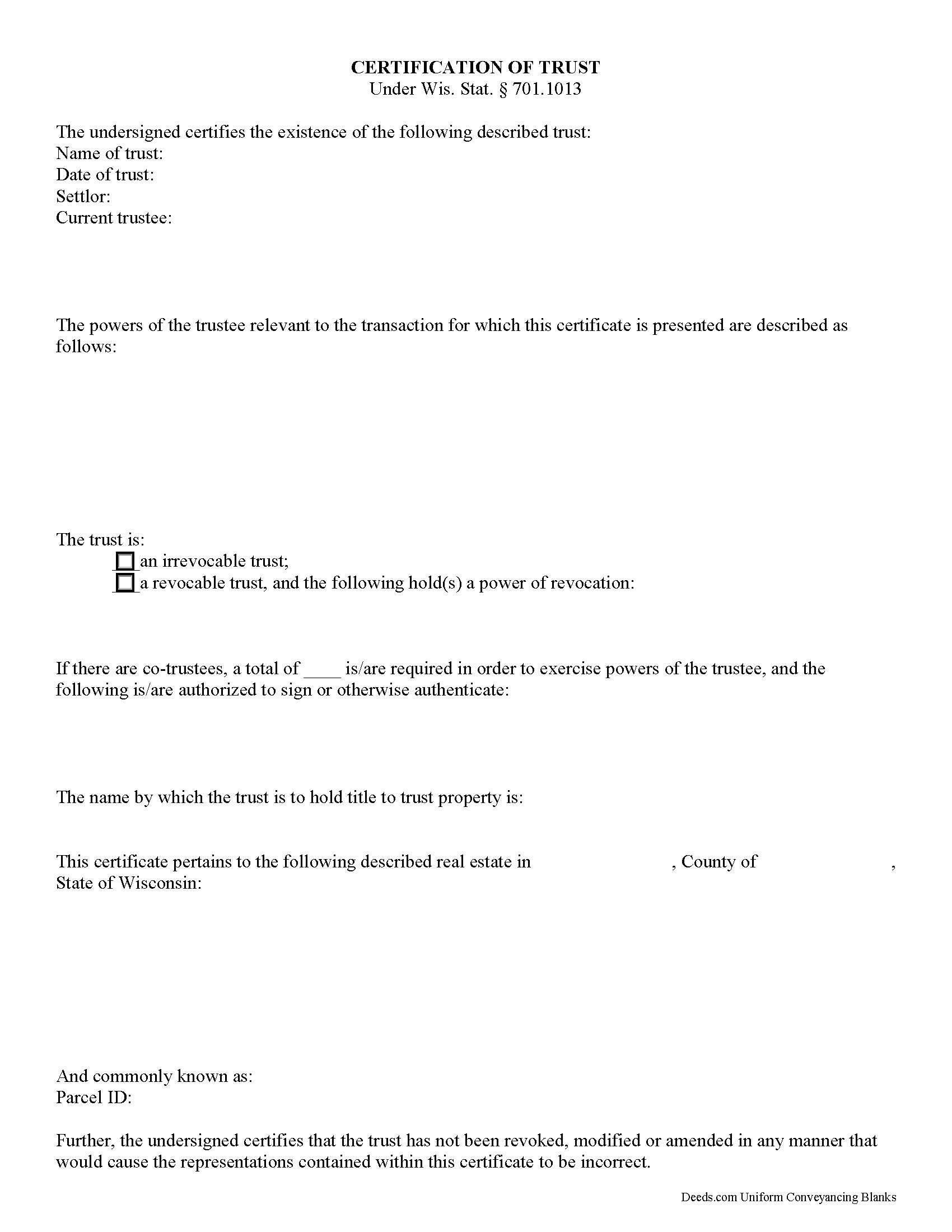
Outagamie County Certificate of Trust Form
Fill in the blank form formatted to comply with all recording and content requirements.
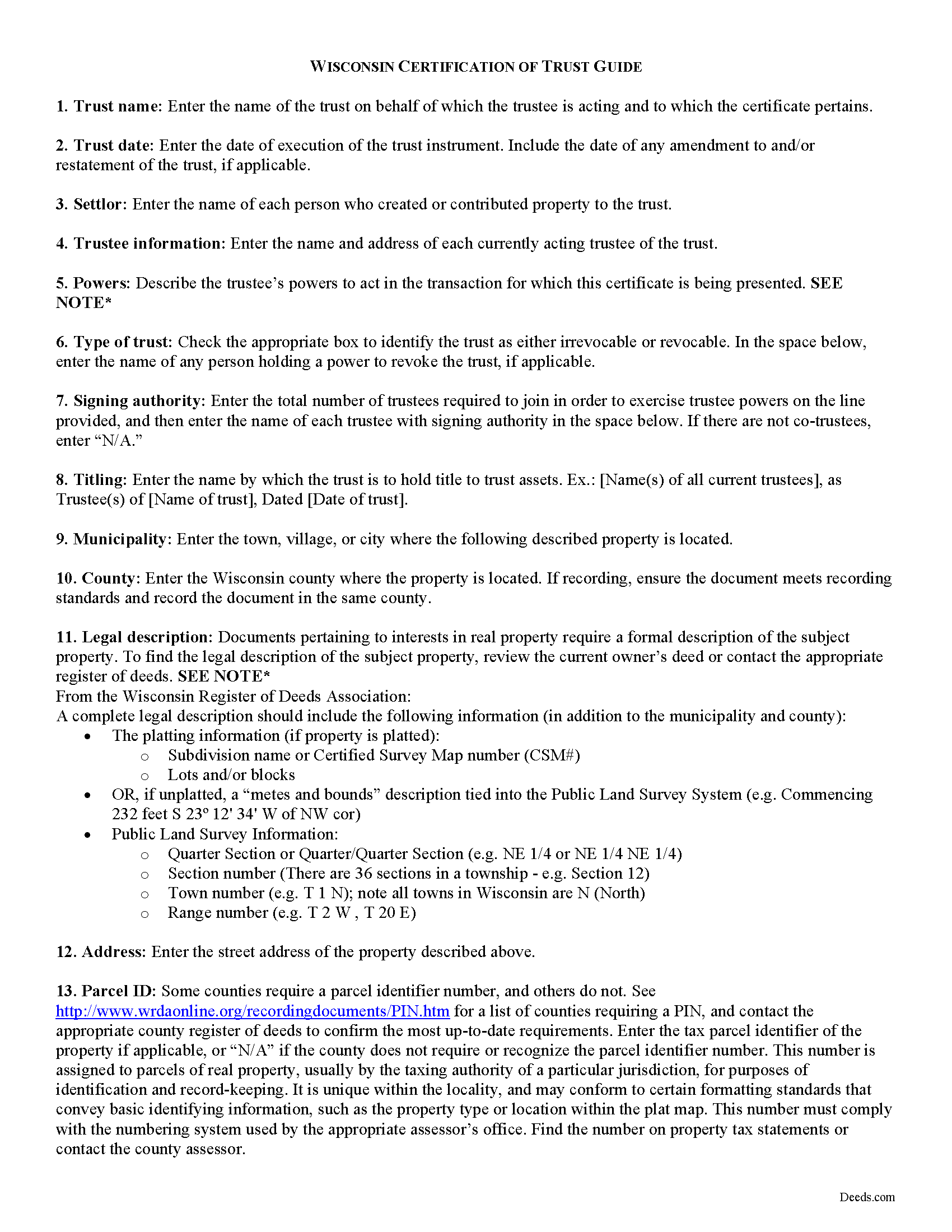
Outagamie County Certificate of Trust Guide
Line by line guide explaining every blank on the form.
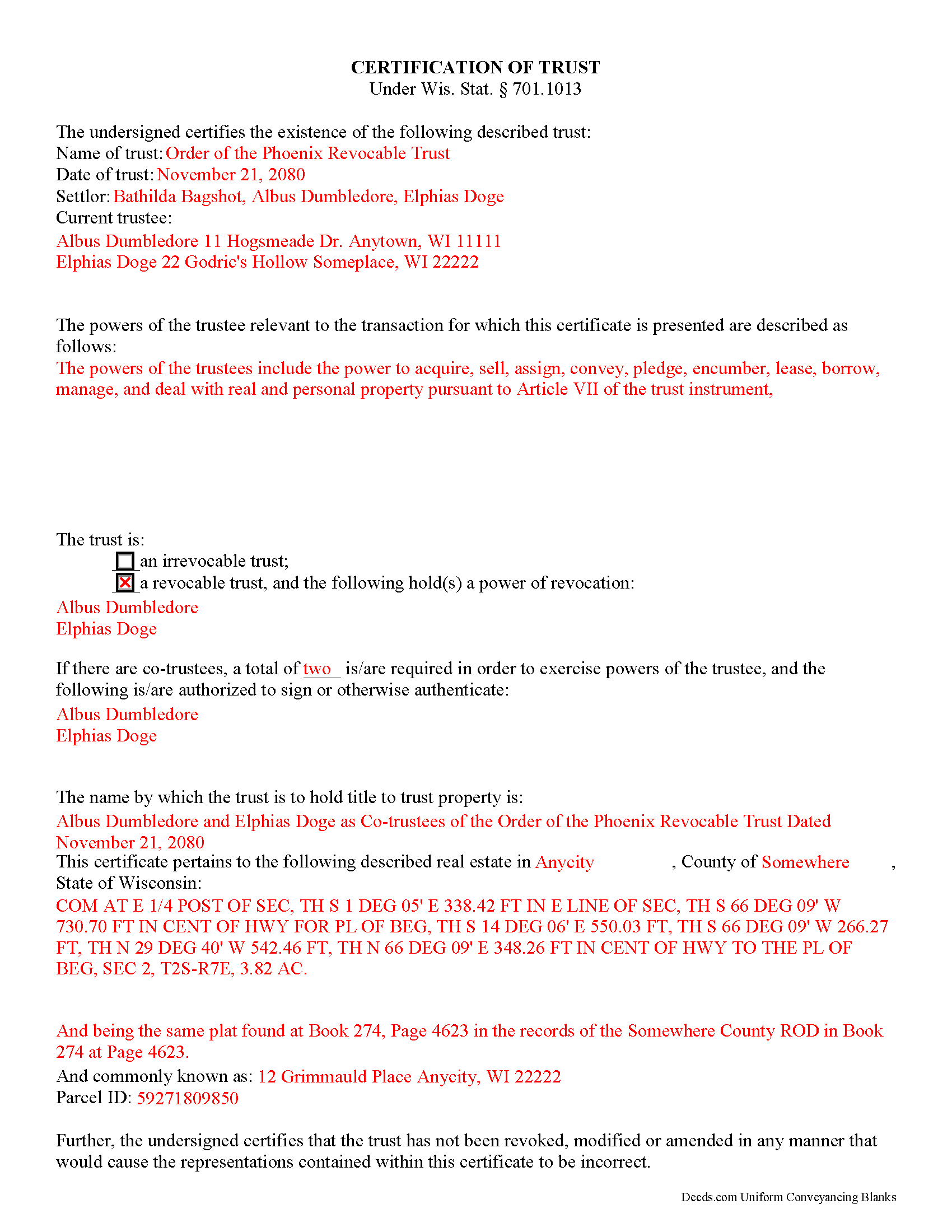
Outagamie County Completed Example of the Certificate of Trust Document
Example of a properly completed form for reference.
All 3 documents above included • One-time purchase • No recurring fees
Immediate Download • Secure Checkout
Additional Wisconsin and Outagamie County documents included at no extra charge:
Where to Record Your Documents
Outagamie County Register of Deeds
Appleton, Wisconsin 54911
Hours: Monday - Friday 8:00am to 4:30pm
Phone: (920) 832-5095
Recording Tips for Outagamie County:
- Bring your driver's license or state-issued photo ID
- Ensure all signatures are in blue or black ink
- Ask for certified copies if you need them for other transactions
- Ask if they accept credit cards - many offices are cash/check only
- Check that your notary's commission hasn't expired
Cities and Jurisdictions in Outagamie County
Properties in any of these areas use Outagamie County forms:
- Appleton
- Bear Creek
- Black Creek
- Combined Locks
- Dale
- Freedom
- Greenville
- Hortonville
- Kaukauna
- Kimberly
- Little Chute
- Nichols
- Seymour
- Shiocton
Hours, fees, requirements, and more for Outagamie County
How do I get my forms?
Forms are available for immediate download after payment. The Outagamie County forms will be in your account ready to download to your computer. An account is created for you during checkout if you don't have one. Forms are NOT emailed.
Are these forms guaranteed to be recordable in Outagamie County?
Yes. Our form blanks are guaranteed to meet or exceed the applicable formatting requirements used for recording in Outagamie County, including margin requirements, font requirements, and other layout standards. This guarantee applies to formatting, not to the legal sufficiency of information entered by the user or the suitability of a form for a particular transaction.
Can I reuse these forms?
Yes. You can reuse the forms for your personal use. For example, if you have multiple properties in Outagamie County you only need to order once.
What do I need to use these forms?
The forms are PDFs that you fill out on your computer. The free Adobe Acrobat Reader is recommended, and most PDF apps also work. You do NOT enter your property information online - you download the blank forms and complete them privately on your own computer.
Are there any recurring fees?
No. This is a one-time purchase. Nothing to cancel, no memberships, no recurring fees.
How much does it cost to record in Outagamie County?
Recording fees in Outagamie County vary. Contact the recorder's office at (920) 832-5095 for current fees.
Questions answered? Let's get started!
The certificate of trust is an unrecorded document executed by a trustee and presented to a party doing business with the trustee (such as a financial institution). The document is codified as part of the Wisconsin Trust Code at Wis. Stat. 701.1013.
In a trust arrangement, a settlor transfers assets another person who, as trustee, manages them for the benefit of the trust beneficiary. In lieu of presenting the entire trust instrument, which generally goes unrecorded in order to protect the settlor's estate plans, the certificate is an abstract containing only the information required of the trustee in order to conduct the business at hand. The document certifies that the trust exists and that the trustee has the authority to act in the pending transaction on behalf of the trust.
The certificate includes a statement that the trust exists and contains the name and date of the trust; the names of the settlor and all currently acting trustees; an inventory of the relevant powers of the trustee; and the name by which the trust vests title to property. The form also identifies anyone who holds a power to revoke the trust, and, when there are co-trustees, stipulates the authority of the trustees to authenticate trust documents. Additionally, the certificate requires a statement that the trust has not been modified, amended, or revoked so as to invalidate the facts presented.
In most cases, the certificate is not recorded. It may sometimes accompany a conveyance of real property out of the trust (a trustee's deed), verifying that the trustee has the authority to convey real property and confirming that the property is subject to the trust by providing the legal description of the property, as found in the trust agreement or conveyancing instrument into trust.
Statements made in the certificate may be relied on as fact; Wis. Stat. 701.1013 provides protection for persons relying in good faith on the information presented in the certificate. In addition to the certificate, the trustee may furnish excerpts from the trust instrument designating the trustee and establishing the trustee's power to act in the business at hand. Recipients of a certificate requesting that the trustee furnish the entire trust instrument, however, are open to liability.
The certificate may be signed by any trustee in the presence of a notary public. If the document is submitted for recording, it must conform to standards for recording established at Wis. Stat. 59.43(2m).
Consult a lawyer with questions regarding trusts and certifications of trust in Wisconsin, as each situation is unique.
(Wisconsin COT Package includes form, guidelines, and completed example)
Important: Your property must be located in Outagamie County to use these forms. Documents should be recorded at the county recording office listed above.
This Certificate of Trust meets all recording requirements specific to Outagamie County.
Our Promise
The documents you receive here are guaranteed to meet or exceed the applicable Outagamie County recording format requirements. If there is a rejection caused by our formatting, we will correct the issue or refund your payment. This guarantee applies to document formatting only and does not extend to information entered by the user, the selection of the form, or the legal effect of the completed document.
Save Time and Money
Get your Outagamie County Certificate of Trust form done right the first time with Deeds.com Uniform Conveyancing Blanks. At Deeds.com, we understand that your time and money are valuable resources, and we don't want you to face a penalty fee or rejection imposed by a county recorder for submitting nonstandard documents. We constantly review and update our forms to meet rapidly changing state and county recording requirements for roughly 3,500 counties and local jurisdictions.
4.8 out of 5 - ( 4,821 Reviews )
Tram V. 5 out of 5 stars
This is quick, easy, and very reasonably priced. I wish I found this site before doing my living trust. I had the company who does my trust do the transfer deed and they charged an additional $329 for the deed alone.
Thank you for your feedback. We really appreciate it. Have a great day!
kabir r. 5 out of 5 stars
Wonderful quitclaim forms, very happy
Thank you!
Shaaron Z. 5 out of 5 stars
So far, this is working well. However, I don't see a form to change name due to marriage.
Thank you!
Danny A. 5 out of 5 stars
This app is a fast and convenient way to download documents you need.
Thank you!
MARCO G. 5 out of 5 stars
Very easy to use. Got the emailed documents within minutes.
We appreciate your feedback Marco, thank you.
Michael B. 4 out of 5 stars
I'm very pleased with the service provided by Deeds.com. After a format issue caused my scanner, it was a very smooth and speedy process. Highly recommended.
Thank you for your feedback. We really appreciate it. Have a great day!
Bonnie V. 5 out of 5 stars
I was very pleased with Deeds.Com. It was easy to use.
Thank you!
Viola G. 4 out of 5 stars
Some of the forms I ordered didn't have enough space for all of the information, but were useful as a guide for creating what I needed. Now I'll be trying the e-recording to see how that goes.
Thank you!
Julie G. 5 out of 5 stars
Great online tool to get your deeds recorded without having to go downtown! Will be using deeds.com for all our future recordings!
Thank you!
Todd J. 5 out of 5 stars
Super Easy!
Thank you!
David Y. 5 out of 5 stars
Really great forms. Did the quitclaim, everything was perfect, recorded with no problems at all. Thanks!
Thank you!
Maribeth M. 5 out of 5 stars
Usually I have trouble registering things online, even though people tell me it's easy. This time, it WAS easy and fast, and I'm grateful I didn't have to drive somewhere and stand in line. Thank you!
We appreciate your business and value your feedback. Thank you. Have a wonderful day!
Christopher G. 5 out of 5 stars
Great service and very easy to complete
Thank you for your feedback. We really appreciate it. Have a great day!
Marsha D. 5 out of 5 stars
Outstanding product and so easy to use! Highly recommend this product. We successfully used the Virginia deeds. Thank you.
Thank you!
William H. 5 out of 5 stars
It was quick and easy to download the forms I need to modify a property deed. No problems n the least.
We appreciate your business and value your feedback. Thank you. Have a wonderful day!