Outagamie County Contractor Claim of Lien Form
Last validated October 22, 2026 by our Forms Development TeamFormatted for recording in Outagamie County, for property anywhere in the county: rural and unincorporated areas as well as Appleton, Bear Creek, Black Creek, Combined Locks, Dale, Freedom, Greenville, Hortonville and 6 more.
- 3 documents included
- Immediate PDF download
- Formatting guarantee
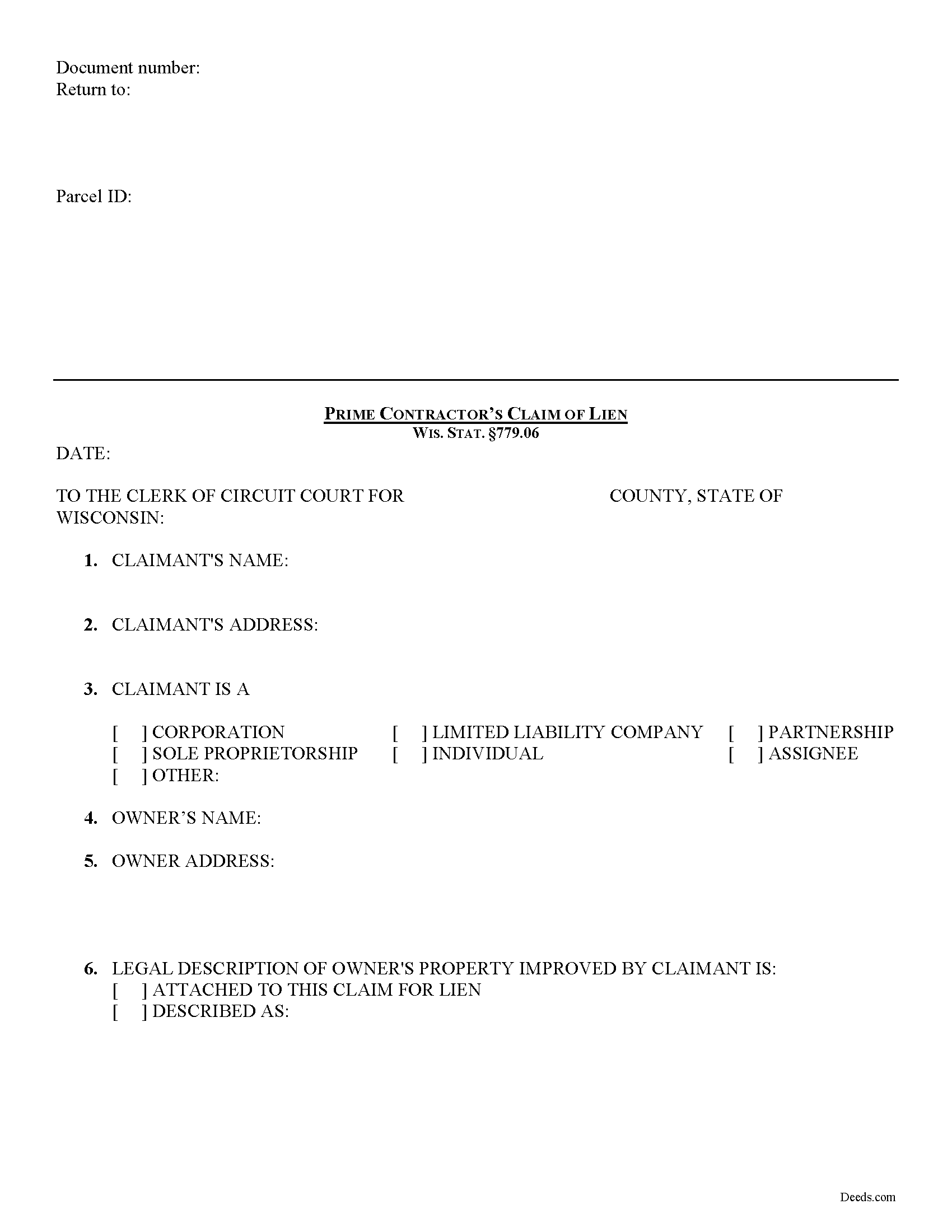
Outagamie County Contractor Claim of Lien Form
Fill in the blank form formatted to comply with all recording and content requirements.
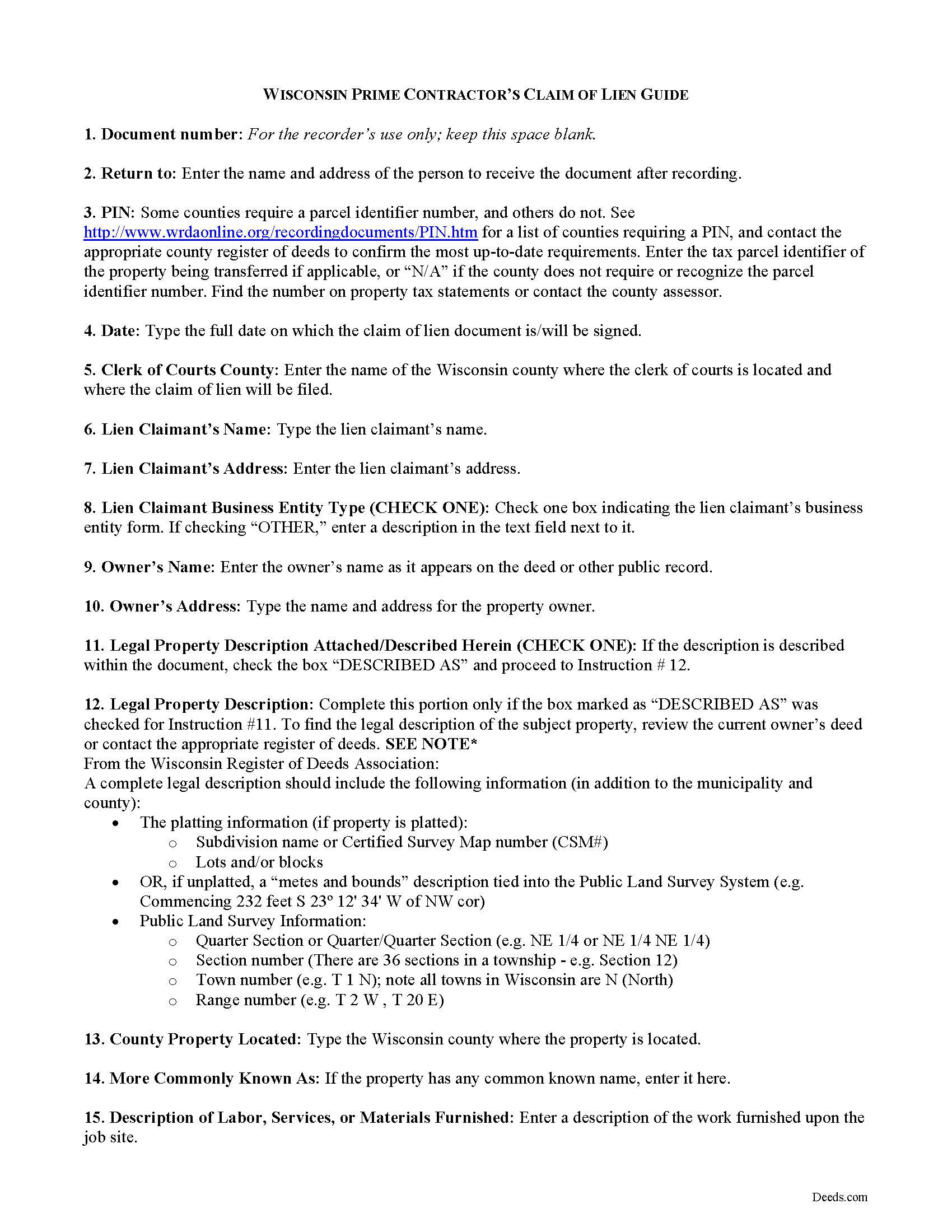
Outagamie County Contractor Claim of Lien Guide
Line by line guide explaining every blank on the form.
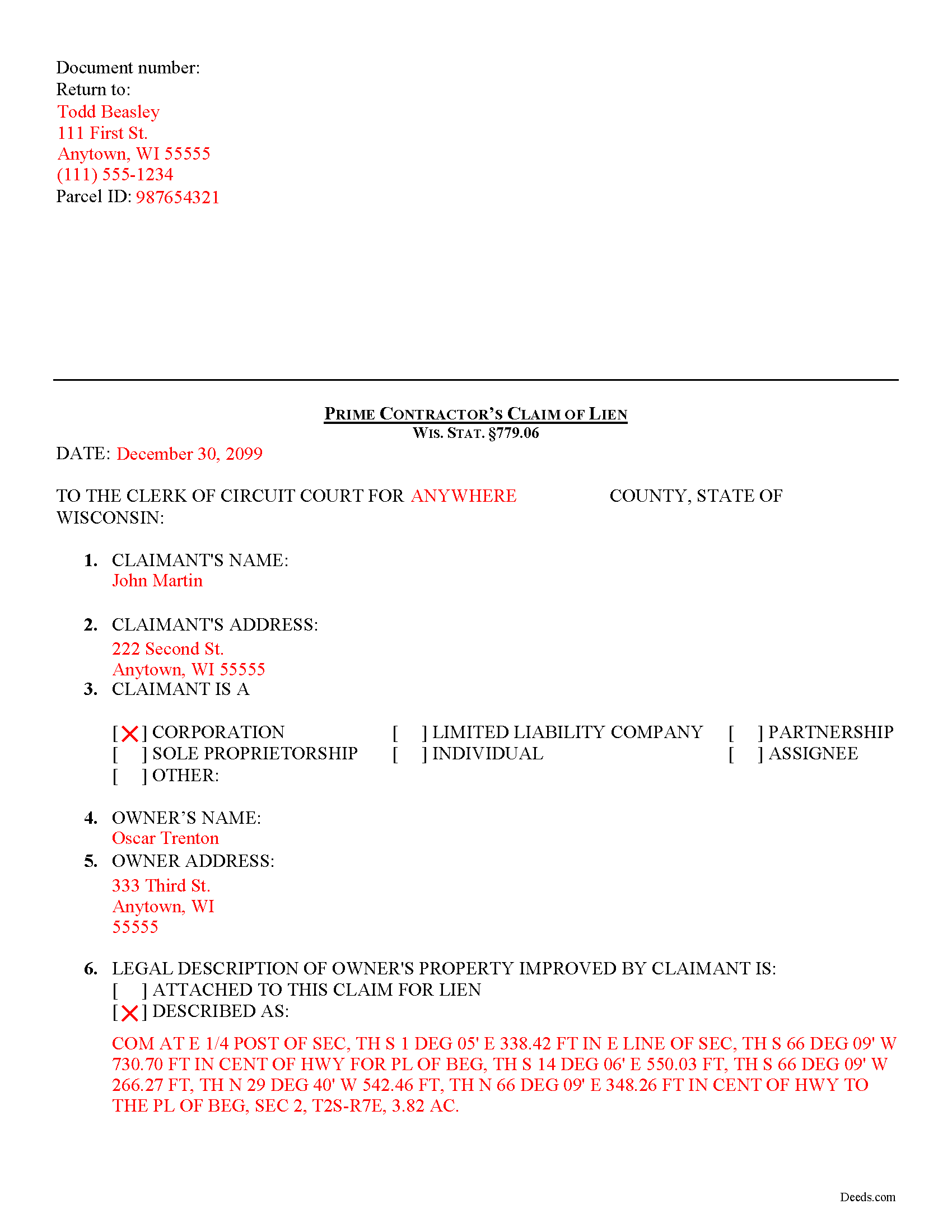
Outagamie County Completed Example of the Contractor Claim of Lien Document
Example of a properly completed form for reference.
All 3 documents above included • One-time purchase • No recurring fees
Immediate Download • Secure Checkout
Additional Wisconsin and Outagamie County documents included at no extra charge:
Where to Record Your Documents
Outagamie County Register of Deeds
Appleton, Wisconsin 54911
Hours: Monday - Friday 8:00am to 4:30pm
Phone: (920) 832-5095
Recording Tips for Outagamie County:
- Bring your driver's license or state-issued photo ID
- Ensure all signatures are in blue or black ink
- Ask about their eRecording option for future transactions
- Avoid the last business day of the month when possible
- Both spouses typically need to sign if property is jointly owned
Cities and Jurisdictions in Outagamie County
Properties in any of these areas use Outagamie County forms:
- Appleton
- Bear Creek
- Black Creek
- Combined Locks
- Dale
- Freedom
- Greenville
- Hortonville
- Kaukauna
- Kimberly
- Little Chute
- Nichols
- Seymour
- Shiocton
Hours, fees, requirements, and more for Outagamie County
How do I get my forms?
Forms are available for immediate download after payment. The Outagamie County forms will be in your account ready to download to your computer. An account is created for you during checkout if you don't have one. Forms are NOT emailed.
Are these forms guaranteed to be recordable in Outagamie County?
Yes. Our form blanks are guaranteed to meet or exceed the applicable formatting requirements used for recording in Outagamie County, including margin requirements, font requirements, and other layout standards. This guarantee applies to formatting, not to the legal sufficiency of information entered by the user or the suitability of a form for a particular transaction.
Can I reuse these forms?
Yes. You can reuse the forms for your personal use. For example, if you have multiple properties in Outagamie County you only need to order once.
What do I need to use these forms?
The forms are PDFs that you fill out on your computer. The free Adobe Acrobat Reader is recommended, and most PDF apps also work. You do NOT enter your property information online - you download the blank forms and complete them privately on your own computer.
Are there any recurring fees?
No. This is a one-time purchase. Nothing to cancel, no memberships, no recurring fees.
How much does it cost to record in Outagamie County?
Recording fees in Outagamie County vary. Contact the recorder's office at (920) 832-5095 for current fees.
Questions answered? Let's get started!
Prime Contractor Lien Claims in Wisconsin
Mechanic's Liens place a block or burden on a property owner's title when a claimant (such as a contractor, materials supplier, or other laborer such as a subcontractor) has not been paid for labor, materials, or equipment provided. In Wisconsin, mechanic's liens are governed under Chapter 779 of the state legislative code.
To claim a lien in Wisconsin, the claimant must file a claim of lien with the office of the clerk of courts in the county where the property is located. WIS. STAT. 779.06(1). The claim must be filed within six (6) months from the last date the lien claimant performed, furnished, or procured labor, services, materials, plans, or specifications. Id
The lien claimant must also serve a copy of the claim for lien on the owner of the property on which the lien is placed within thirty (30) days after filing the claim. Id.
No lien claim may be filed unless, at least 30 days before timely filing of the lien claim, the lien claimant has served the owner with a written notice of intent to file a lien claim. WIS. STAT. 779.06(2). The notice is required to be given whether or not the claimant has been required to and has given any previous notice. Id. It also briefly describes the nature of the claim, its amount, and the land and improvement to which it relates. Id
The claim for lien must have any preliminary notice attached, and shall contain a statement of the contract or demand upon which it is founded, the name of the person against whom the demand is claimed, the name of the claimant and any assignee, the last date of performing, furnishing, or procuring any labor, services, materials, plans, or specifications, a legal description of the property against which the lien is claimed, a statement of the amount claimed and all other material facts in relation thereto. WIS. STAT. 779.06(3). The claim of lien shall be signed by the claimant or attorney and does not need to be verified. Id.
This article is provided for informational purposes only and should not be relied upon as a substitute for the advice from a legal professional. Please contact a Wisconsin attorney with any questions about filing a claim for a mechanic's lien.
Important: Your property must be located in Outagamie County to use these forms. Documents should be recorded at the county recording office listed above.
This Contractor Claim of Lien meets all recording requirements specific to Outagamie County.
Our Promise
The documents you receive here are guaranteed to meet or exceed the applicable Outagamie County recording format requirements. If there is a rejection caused by our formatting, we will correct the issue or refund your payment. This guarantee applies to document formatting only and does not extend to information entered by the user, the selection of the form, or the legal effect of the completed document.
Save Time and Money
Get your Outagamie County Contractor Claim of Lien form done right the first time with Deeds.com Uniform Conveyancing Blanks. At Deeds.com, we understand that your time and money are valuable resources, and we don't want you to face a penalty fee or rejection imposed by a county recorder for submitting nonstandard documents. We constantly review and update our forms to meet rapidly changing state and county recording requirements for roughly 3,500 counties and local jurisdictions.
4.8 out of 5 - ( 4,839 Reviews )
Ralph N. 5 out of 5 stars
Fast download and clear, easy-to-follow directions. A great service.
We appreciate your business and value your feedback. Thank you. Have a wonderful day!
Stacie L. 5 out of 5 stars
The deed is great. However, I do not believe your Statement of Full Consideration is up to date as it does not give the reference for an exemption on the Transfer on Death Deed.
Thank you Stacie. We'll take a look at those supplemental forms. Have a great day!
Laurie B. 5 out of 5 stars
You have made this process so simple - I can see it would have been complicated and frustrating without Deeds.com. Thank you!
Thank you!
Juanita B. 5 out of 5 stars
Very easy and fast transaction. Thank you for complete set of forms needed for property transfer.
Thank you for your feedback. We really appreciate it. Have a great day!
Lori W. 5 out of 5 stars
Timely, efficient and easy to use.
We appreciate your business and value your feedback. Thank you. Have a wonderful day!
THOMAS K. 5 out of 5 stars
Very pleased with all info and forms
We appreciate your business and value your feedback. Thank you. Have a wonderful day!
Robert L. 5 out of 5 stars
It was easy for me to open an account and upload a document for recording.
Thank you for your feedback. We really appreciate it. Have a great day!
STEVEN J. 5 out of 5 stars
Great , easy to use.
We appreciate your business and value your feedback. Thank you. Have a wonderful day!
Dorothy B. 5 out of 5 stars
Love your deed service. Simple and easy.
Thank you!
Burr A. 5 out of 5 stars
So far so good. Prompt and responsive. Thank you.
Thank you!
Roger W. 5 out of 5 stars
Documents were provided quickly and as promised. Very Satisfied.
Thank you for your feedback. We really appreciate it. Have a great day!
Scott M. 4 out of 5 stars
Very straightforward. Only issue was it took a few times for the mineral deed form to show up. The first few times it instead showed a mineral rights transfer between operators.
Your feedback is valuable to us and helps us improve. Thank you for sharing your thoughts!
Steven B. 5 out of 5 stars
County accepted the TODD form. Easy to understand and don’t have to hire an attorney! Excellent
Appreciate this, Steven. That's exactly the outcome we're aiming for. Wishing you well.
Lana B. 5 out of 5 stars
Was very helpful!
Thank you!
Ping O. 5 out of 5 stars
Thank you for making this easy!
Thank you!