Cullman County Assignment of Mortgage Form
Last validated October 15, 2026 by our Forms Development TeamFormatted for recording in Cullman County, for property anywhere in the county: rural and unincorporated areas as well as Baileyton, Bremen, Crane Hill, Cullman, Garden City, Hanceville, Holly Pond, Joppa and 2 more.
- 6 documents included
- Immediate PDF download
- Formatting guarantee
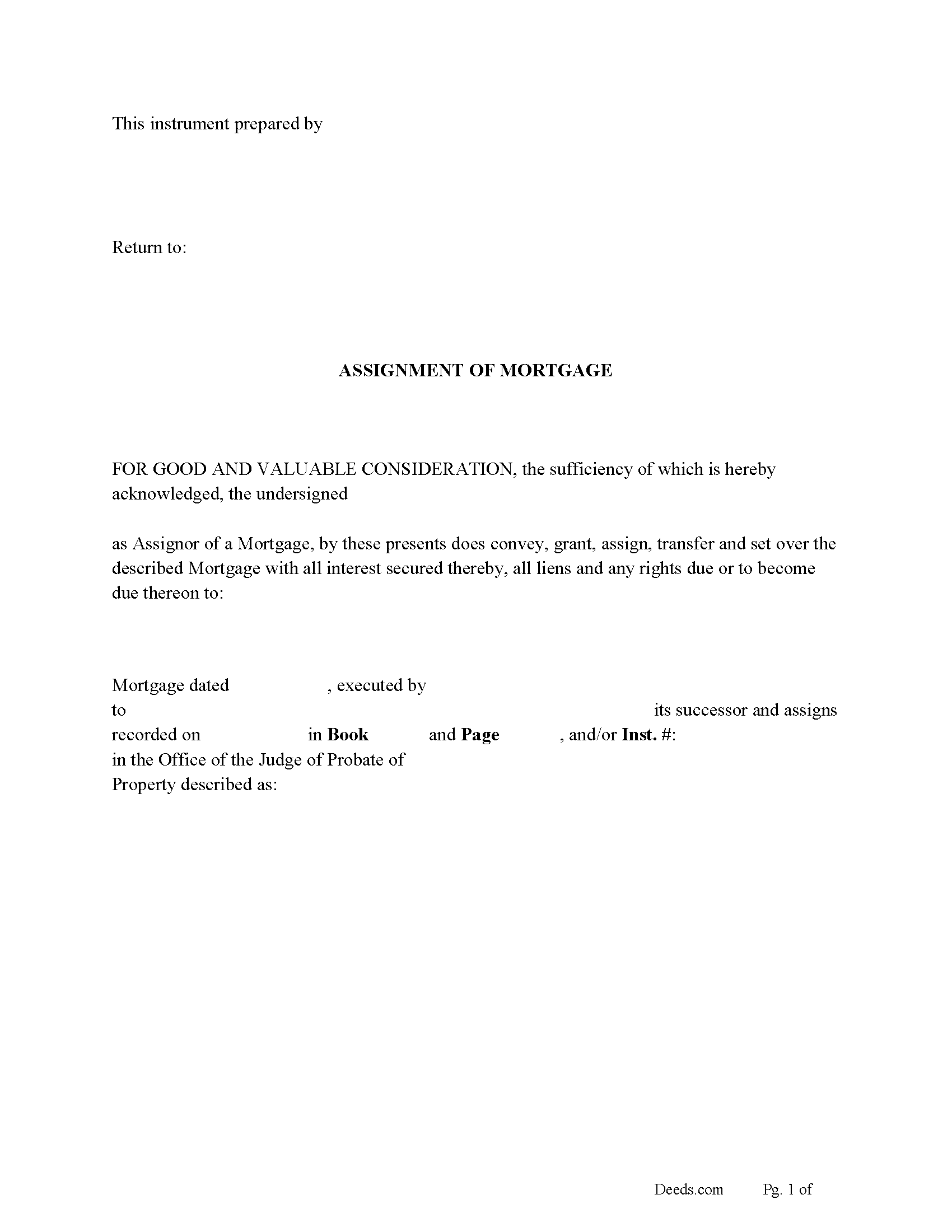
Cullman County Assignment of Mortgage Form
Fill in the blank form formatted to comply with all recording and content requirements.
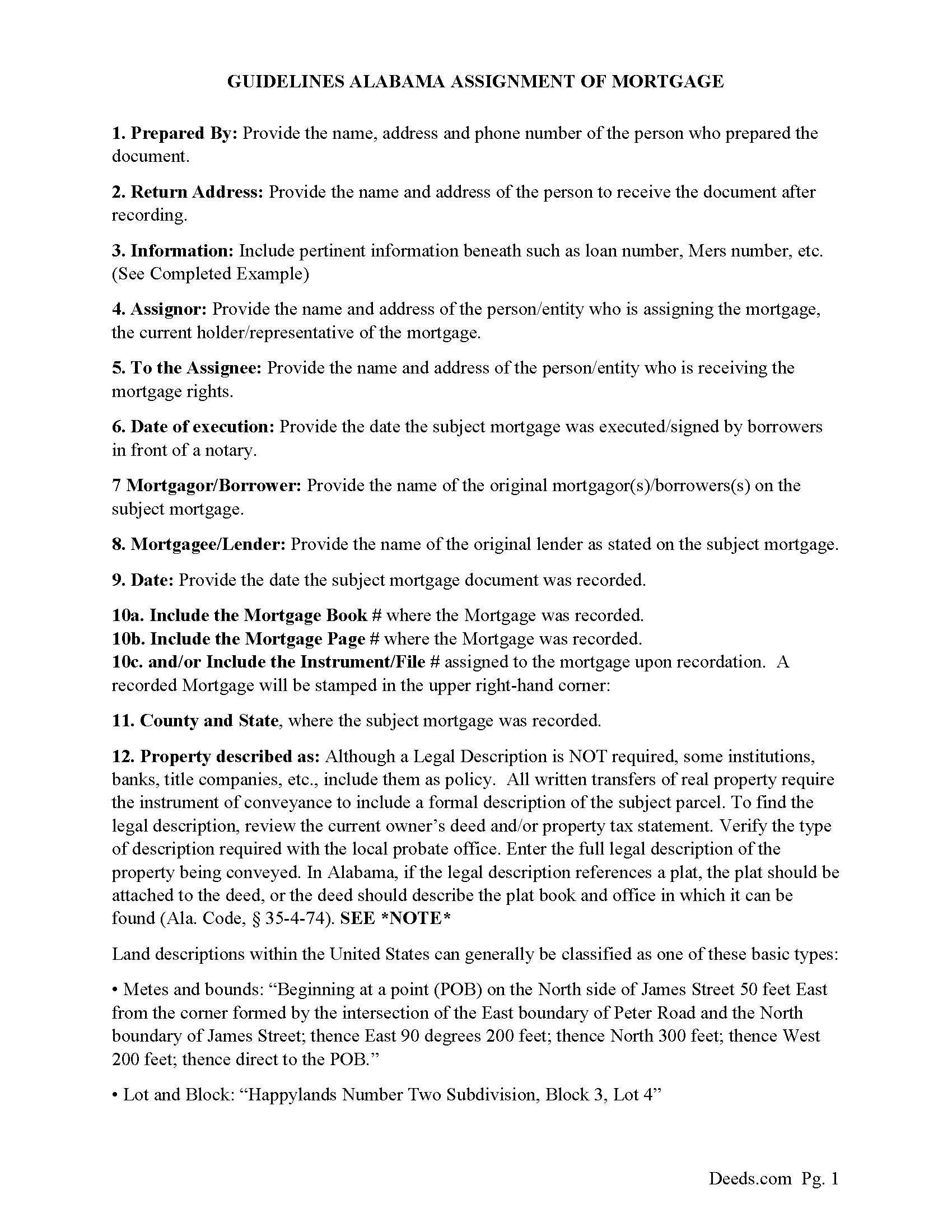
Cullman County Assignment of Mortgage Guidelines
Line by line guide explaining every blank on the form.
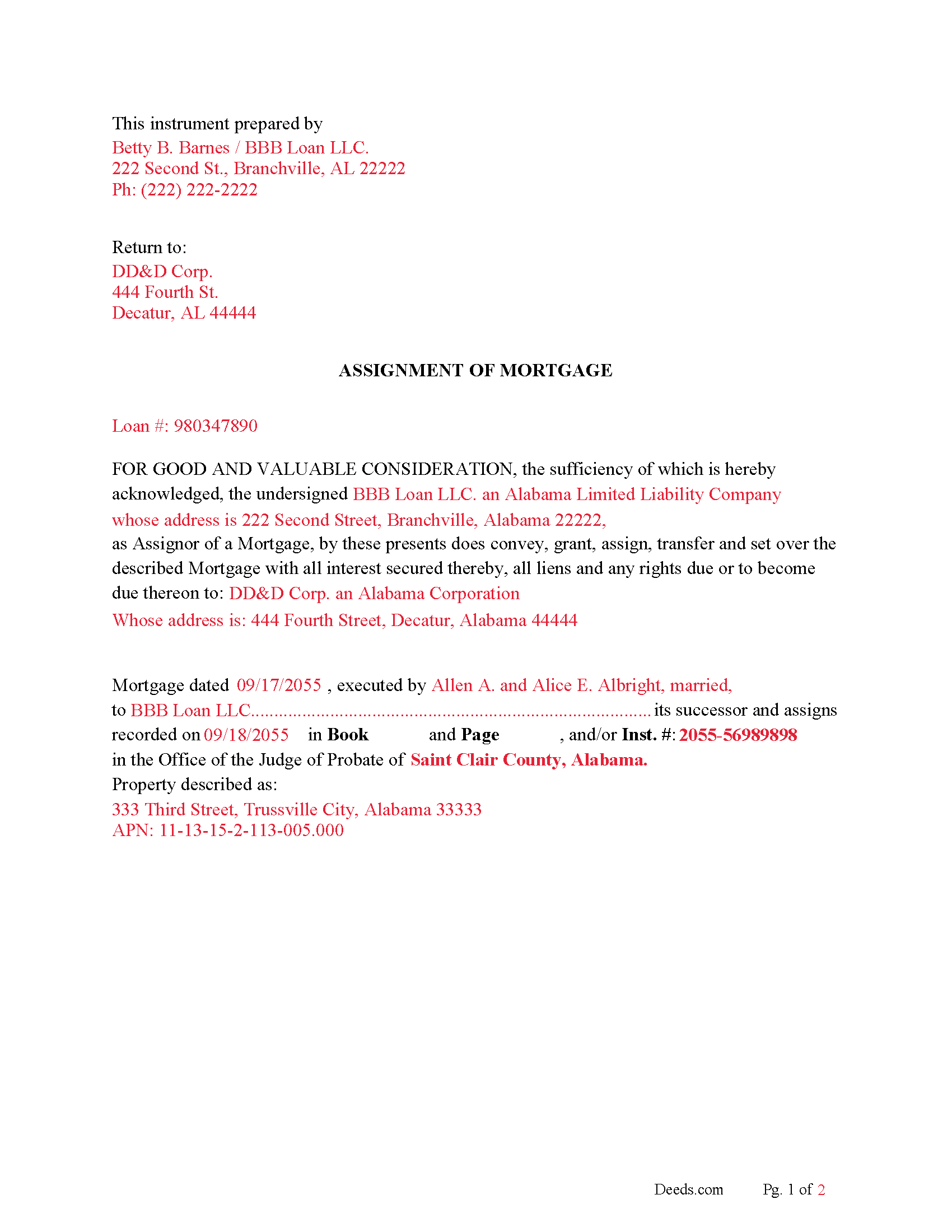
Cullman County Completed Example of an Assignment of Mortgage Document
Example of a properly completed form for reference.
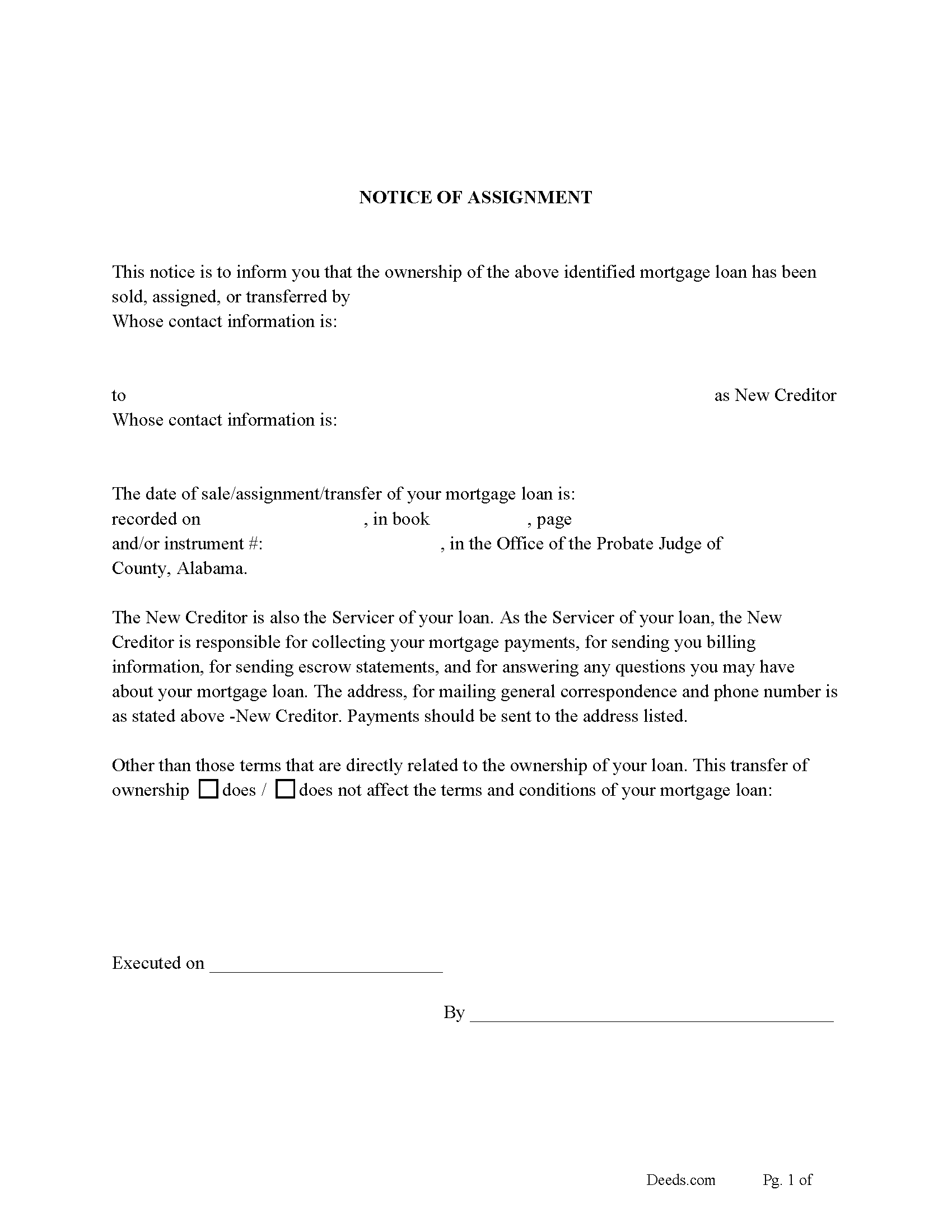
Cullman County Notice of Assignment of Mortgage
Fill in the blank form formatted to comply with all content requirements.
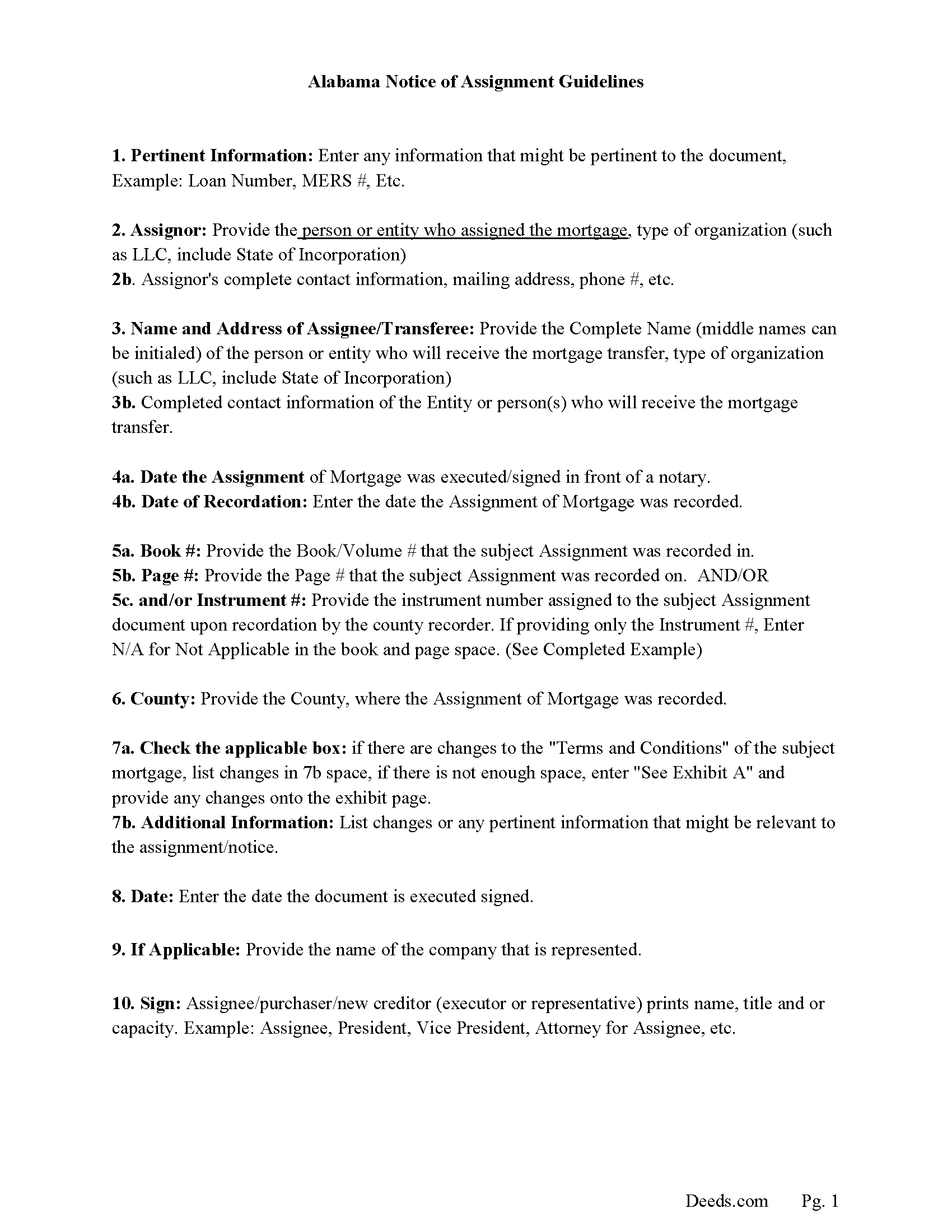
Cullman County Guidelines Notice of Assignment Document
Line by line guide explaining every blank on the form.
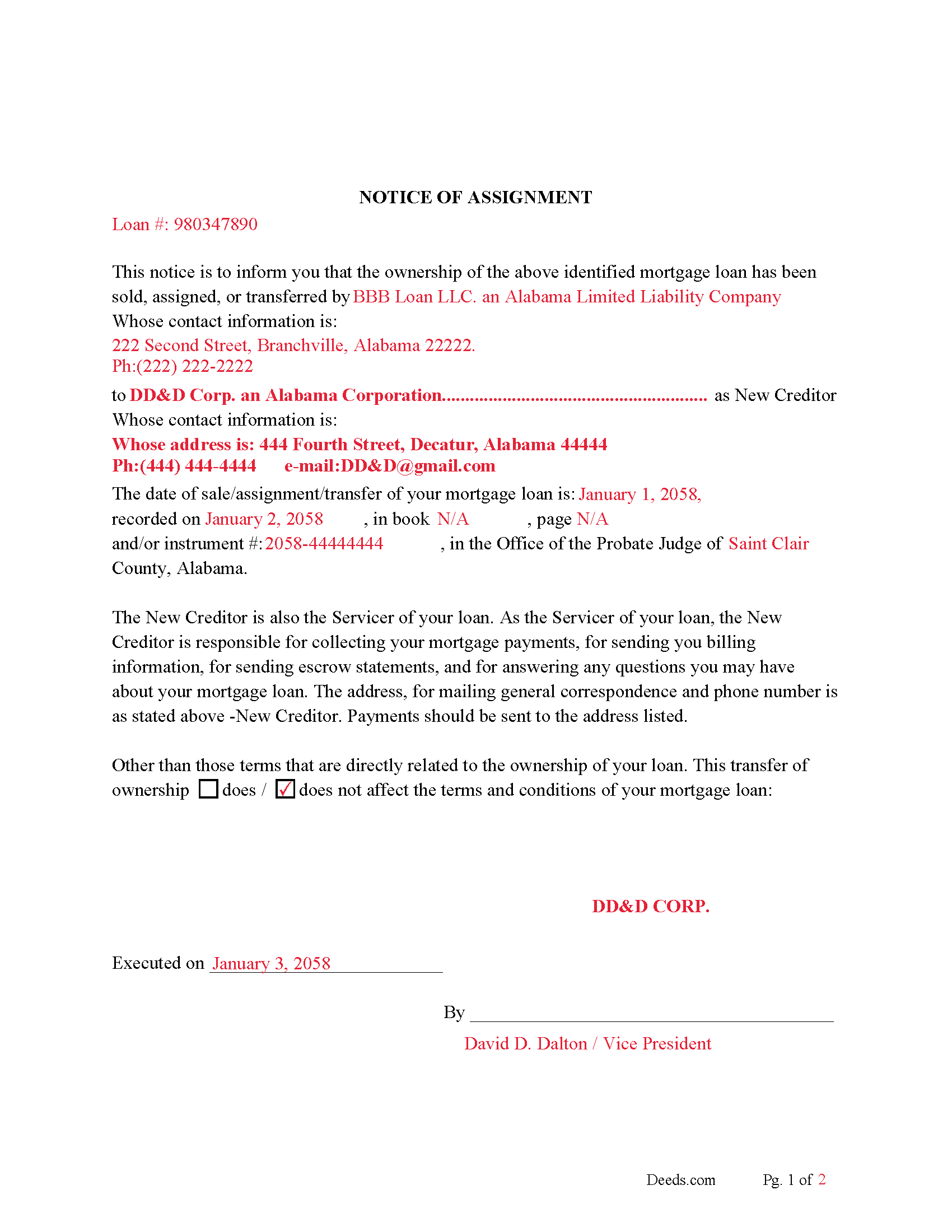
Cullman County Completed Example of the Notice of Assignment Document
Example of a properly completed form for reference.
All 6 documents above included • One-time purchase • No recurring fees
Immediate Download • Secure Checkout
Additional Alabama and Cullman County documents included at no extra charge:
Where to Record Your Documents
Probate Office: Recording Division
Cullman, Alabama 35055 / 35056-0970
Hours: 8:00 to 4:30 M-F
Phone: (256) 775-4808
Recording Tips for Cullman County:
- Bring your driver's license or state-issued photo ID
- Ensure all signatures are in blue or black ink
- Leave recording info boxes blank - the office fills these
- Make copies of your documents before recording - keep originals safe
- Recorded documents become public record - avoid including SSNs
Cities and Jurisdictions in Cullman County
Properties in any of these areas use Cullman County forms:
- Baileyton
- Bremen
- Crane Hill
- Cullman
- Garden City
- Hanceville
- Holly Pond
- Joppa
- Logan
- Vinemont
Hours, fees, requirements, and more for Cullman County
How do I get my forms?
Forms are available for immediate download after payment. The Cullman County forms will be in your account ready to download to your computer. An account is created for you during checkout if you don't have one. Forms are NOT emailed.
Are these forms guaranteed to be recordable in Cullman County?
Yes. Our form blanks are guaranteed to meet or exceed the applicable formatting requirements used for recording in Cullman County, including margin requirements, font requirements, and other layout standards. This guarantee applies to formatting, not to the legal sufficiency of information entered by the user or the suitability of a form for a particular transaction.
Can I reuse these forms?
Yes. You can reuse the forms for your personal use. For example, if you have multiple properties in Cullman County you only need to order once.
What do I need to use these forms?
The forms are PDFs that you fill out on your computer. The free Adobe Acrobat Reader is recommended, and most PDF apps also work. You do NOT enter your property information online - you download the blank forms and complete them privately on your own computer.
Are there any recurring fees?
No. This is a one-time purchase. Nothing to cancel, no memberships, no recurring fees.
How much does it cost to record in Cullman County?
Recording fees in Cullman County vary. Contact the recorder's office at (256) 775-4808 for current fees.
Questions answered? Let's get started!
An Alabama Assignment of Mortgage is used to transfer a lender’s interest in a recorded mortgage from one party to another, typically when a loan is sold, transferred between entities, or handled through an estate. In Alabama, this document must be recorded in the county probate records to reflect the change in ownership of the mortgage, and borrowers are entitled to notice of the assignment. If the assignment is not properly documented and recorded, the public record may still show the original lender, creating confusion over who holds the enforceable lien.
What the Alabama Assignment of Mortgage does
This document transfers the mortgagee’s rights under a recorded mortgage, including the right to receive payments and enforce the lien against the property. In Alabama, mortgages are frequently assigned as part of loan sales, servicing transfers, or estate administration. The assignment updates the public record to show the current holder of the mortgage interest, while the underlying debt obligation remains in place.
Alabama statutory framework and recording status
In Alabama, instruments affecting real property—including assignments of mortgage—may be recorded in the office of the Judge of Probate in the county where the property is located (Ala. Code § 35-4-62). Recording provides constructive notice of the assignment (Ala. Code § 35-4-63), and Alabama’s race-notice statute protects subsequent purchasers and lenders without notice (Ala. Code § 35-4-90). Recording the assignment ensures the public record reflects the current mortgage holder.
Alabama law also allows executors and administrators to assign mortgages and related instruments as part of estate administration, provided statutory conditions are met (Ala. Code § 43-2-420). This is one of the common contexts in which assignments occur outside of routine loan sales.
Execution requirements for an Alabama assignment of mortgage
The Alabama Assignment of Mortgage must be signed by the current mortgagee or its authorized successor or assign. To be recordable, the execution must comply with Alabama law. A conveyance affecting land must be attested by at least one witness if the signer writes his or her name, unless the document is acknowledged before a notary public (Ala. Code § 35-4-20). A proper acknowledgment satisfies the statutory requirement for recording (Ala. Code § 35-4-23).
The assignment should clearly identify the original mortgage by recording information, including book and page or instrument number, and match the names of the parties exactly as they appear in the recorded mortgage.
Alabama-specific traps that cause recording or title problems
- Marital-status recital: Alabama requires that the marital status of the conveying party be stated before recording (Ala. Code § 35-4-73). Missing this recital can delay acceptance.
- Preparer identification: The document must include the name and address of the preparer (Ala. Code § 35-4-110), a frequent issue with non-state-specific forms.
- Reference to the original mortgage: The assignment must include accurate recording information for the original mortgage. Without it, proper indexing may not occur.
- Exact name matching: Any discrepancy between the names in the original mortgage and the assignment can create confusion in Alabama’s grantor-grantee index and affect title searches.
- Borrower notification: Borrowers must be notified of the assignment of their mortgage. Failure to provide notice can lead to disputes regarding payment obligations and servicing.
- County-specific recording: The assignment must be recorded in the county where the property is located. Recording elsewhere does not provide effective notice.
- Successor and estate transfers: When assignments occur through estates or corporate succession, documentation must clearly establish the authority of the assigning party under Alabama law (Ala. Code § 43-2-420).
Recording process in Alabama
The Alabama Assignment of Mortgage is recorded with the Judge of Probate in the county where the property is located. Recording promptly ensures the public record reflects the current holder of the mortgage and helps avoid confusion during title searches or future transactions. Once recorded, the assignment becomes part of the property’s recorded history.
Recording fees apply, and Alabama probate offices determine any applicable charges under Title 40, Chapter 22. Proper formatting, acknowledgment, and required recitals should be in place before submission to avoid delays.
Vesting considerations in Alabama
An assignment of mortgage does not transfer ownership of the property but transfers the secured interest in the mortgage. Alabama requires clear identification of parties in recorded instruments, and survivorship is not presumed in co-ownership unless expressly stated (Ala. Code § 35-4-7). Ensuring that the assignment reflects the correct parties and authority helps maintain a clear chain of title and lien ownership.
What is included in the download package
The Alabama Assignment of Mortgage package includes the form, a Notice of Assignment of Mortgage, detailed instructions, and a completed example. It is designed for Alabama use and addresses probate recording requirements, acknowledgment or witness compliance, preparer identification, marital-status recitals, and proper reference to the original recorded mortgage.
Important: Your property must be located in Cullman County to use these forms. Documents should be recorded at the county recording office listed above.
This Assignment of Mortgage meets all recording requirements specific to Cullman County.
Our Promise
The documents you receive here are guaranteed to meet or exceed the applicable Cullman County recording format requirements. If there is a rejection caused by our formatting, we will correct the issue or refund your payment. This guarantee applies to document formatting only and does not extend to information entered by the user, the selection of the form, or the legal effect of the completed document.
Save Time and Money
Get your Cullman County Assignment of Mortgage form done right the first time with Deeds.com Uniform Conveyancing Blanks. At Deeds.com, we understand that your time and money are valuable resources, and we don't want you to face a penalty fee or rejection imposed by a county recorder for submitting nonstandard documents. We constantly review and update our forms to meet rapidly changing state and county recording requirements for roughly 3,500 counties and local jurisdictions.
4.8 out of 5 - ( 4,833 Reviews )
DONALD S. 5 out of 5 stars
Using the Administrators Deed, pay attention to "Exhibit A". The blank will allow you to type a full legal description BUT it will not save it. Use "Exhibit A" to type the legal description. The form was great and I filed it this morning with no problems.
Thank you for your feedback. We really appreciate it. Have a great day!
Dave W. 5 out of 5 stars
Hello, The instructions were clear and easy to navigate. Thanks, Dr. Dave Wayne
We appreciate your business and value your feedback. Thank you. Have a wonderful day!
Paul B. 5 out of 5 stars
Very efficient and easy to use process
Paul, we’re glad to hear you had a smooth and efficient experience! Making things easy for our customers is always our goal.
Margaret L. 1 out of 5 stars
I was not able to use the form after paying for it. The words in red would not let me type over them and I could not get a blank document. Useless.
Each forms package includes a blank form, a guide, and a completed example. The red text appears in the completed example to show how a finished document may look; the blank form is the editable document intended for customer use. Because our products are do-it-yourself legal forms, we canceled the order and payment when it was clear the customer was not able to identify and use the blank form included in the package.
James R. 5 out of 5 stars
Really Easy site to navigate!
Thank you James, have a great day!
Pat H. 3 out of 5 stars
As good as any of the rip off document services on the internet. Received the documents through download, were as described. Not as cheap as driving to the courthouse and getting them for free, but easier than doing so.
Thank you, Pat. We’re glad the documents were as described and easy to access. Just to clarify — Johnson County doesn’t provide a Transfer on Death Deed form. We make the correct, recordable version available, and any required supplemental forms are free on our site, with or without purchase.
Tram V. 5 out of 5 stars
This is quick, easy, and very reasonably priced. I wish I found this site before doing my living trust. I had the company who does my trust do the transfer deed and they charged an additional $329 for the deed alone.
Thank you for your feedback. We really appreciate it. Have a great day!
Claudia S. 5 out of 5 stars
The site is very user friendly. Where can I get a copy of all the invoices that were paid? Thank you. Claudia
Thank you for your feedback. We really appreciate it. Have a great day!
Martin L. 5 out of 5 stars
Deeds.com is a lifesaver! They are fast and not too expensive. I highly recommend them!
Recognizing the value of your feedback helps us to enhance our services continually. Thank you for sharing your experience with us.
William A B. 5 out of 5 stars
Good service...deed release form as required.
Thank you!
Michael D. 5 out of 5 stars
Your Guide is very good but does not explain precisely where one can find the Instrument Number for the originally filed Claim of Lien.
Thank you for your feedback. We really appreciate it. Have a great day!
Scott s. 5 out of 5 stars
Information requested was provided and time to reply was quick!
Thank you!
Diane C. 5 out of 5 stars
Website is very user friendly and provided a variety of forms to download for use
Thank you!
Audra P. 5 out of 5 stars
Deeds.com was so easy to use and understand. So fairly priced too in my opinion, worth every penny! Thank you deeds.com and I'm grateful my county uses and encourages using them.
We appreciate your business and value your feedback. Thank you. Have a wonderful day!
Robert S. 5 out of 5 stars
Very nice!
Thank you!