Cullman County Mortgage Form
Last validated October 21, 2026 by our Forms Development TeamFormatted for recording in Cullman County, for property anywhere in the county: rural and unincorporated areas as well as Baileyton, Bremen, Crane Hill, Cullman, Garden City, Hanceville, Holly Pond, Joppa and 2 more.
- 7 documents included
- Immediate PDF download
- Formatting guarantee
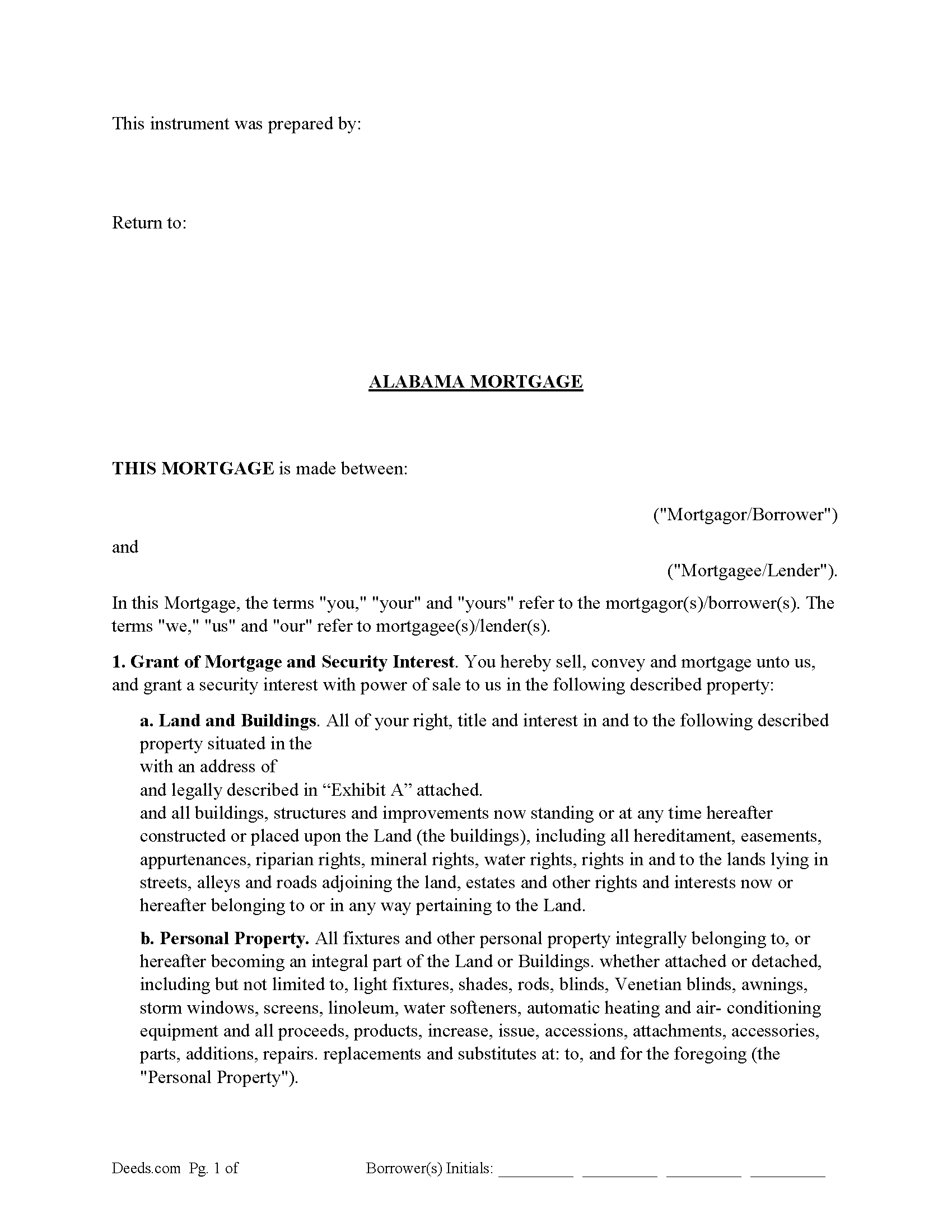
Cullman County Mortgage Form
Fill in the blank form formatted to comply with all recording and content requirements.
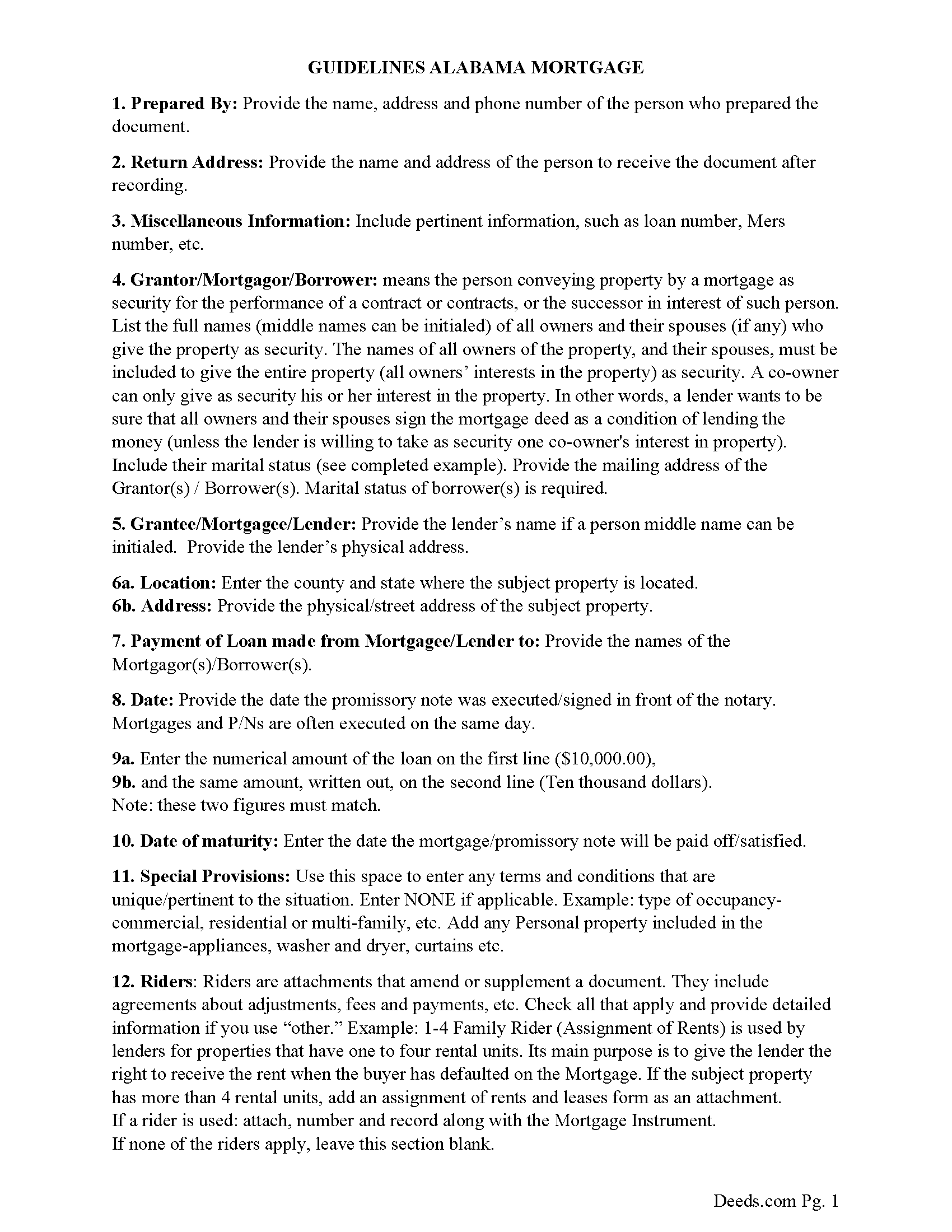
Cullman County Mortgage Guidelines
Line by line guide explaining every blank on the form.
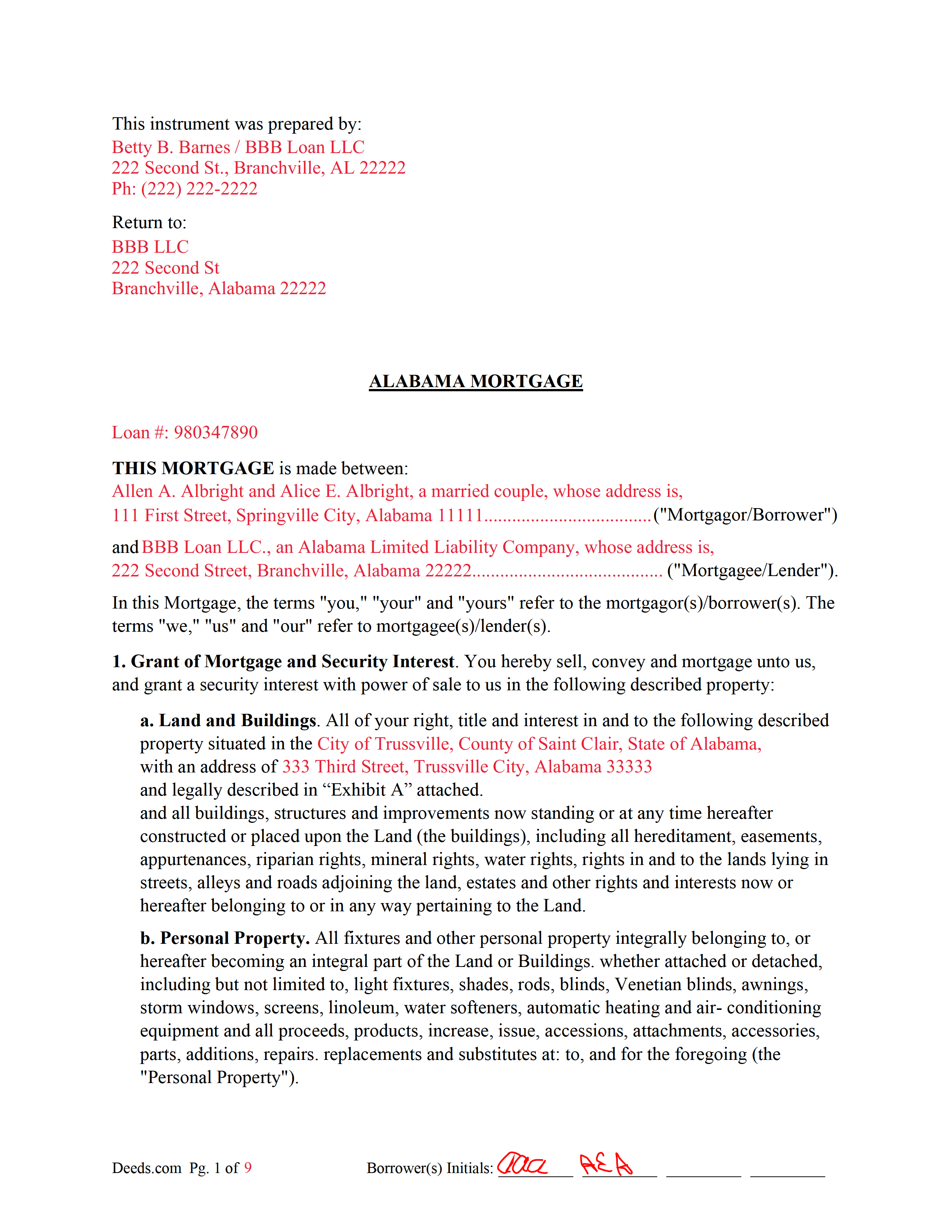
Cullman County Completed Example of the Mortgage Document
Example of a properly completed form for reference.
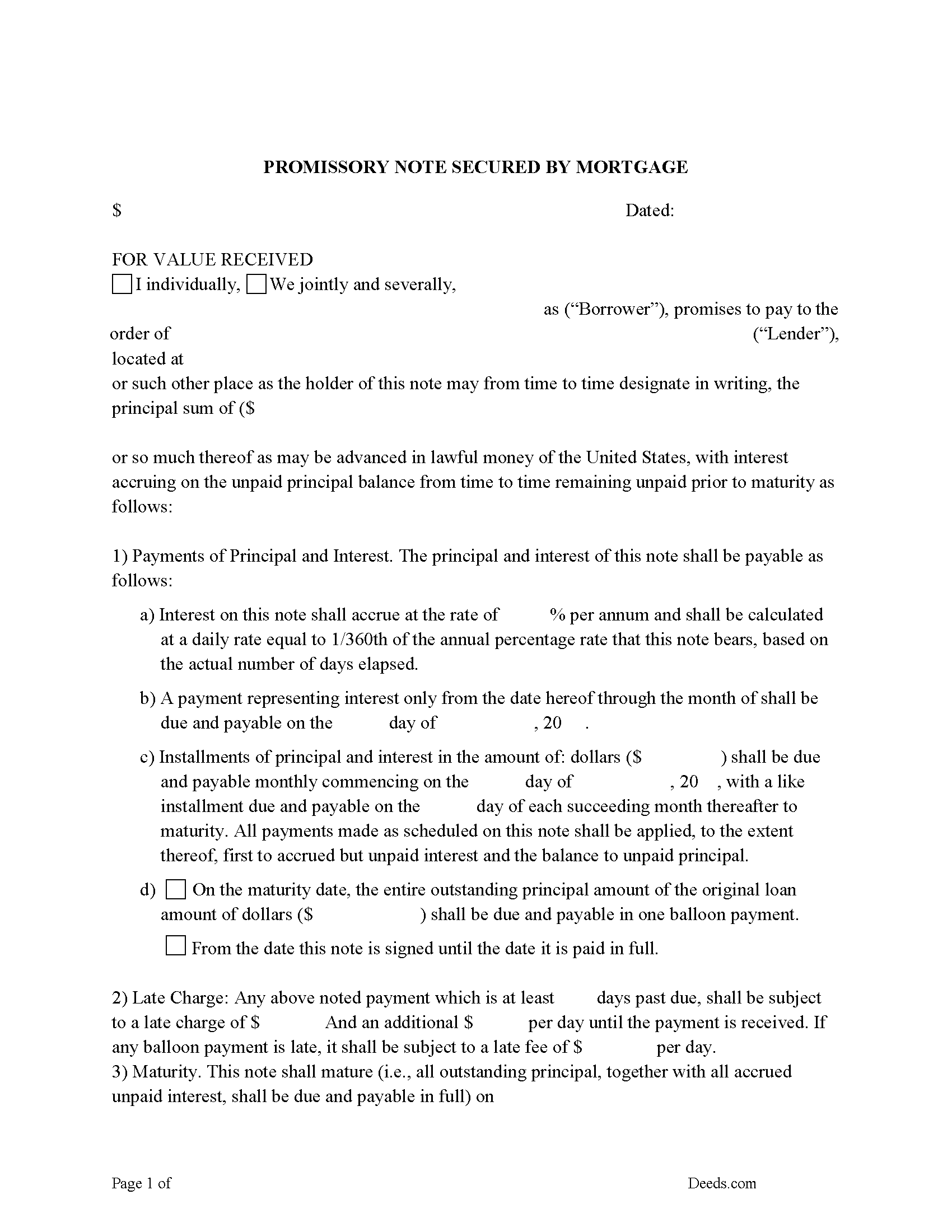
Cullman County Promissory Note Form
Note that is secured by the Mortgage. Can be used for traditional installments or balloon payment.
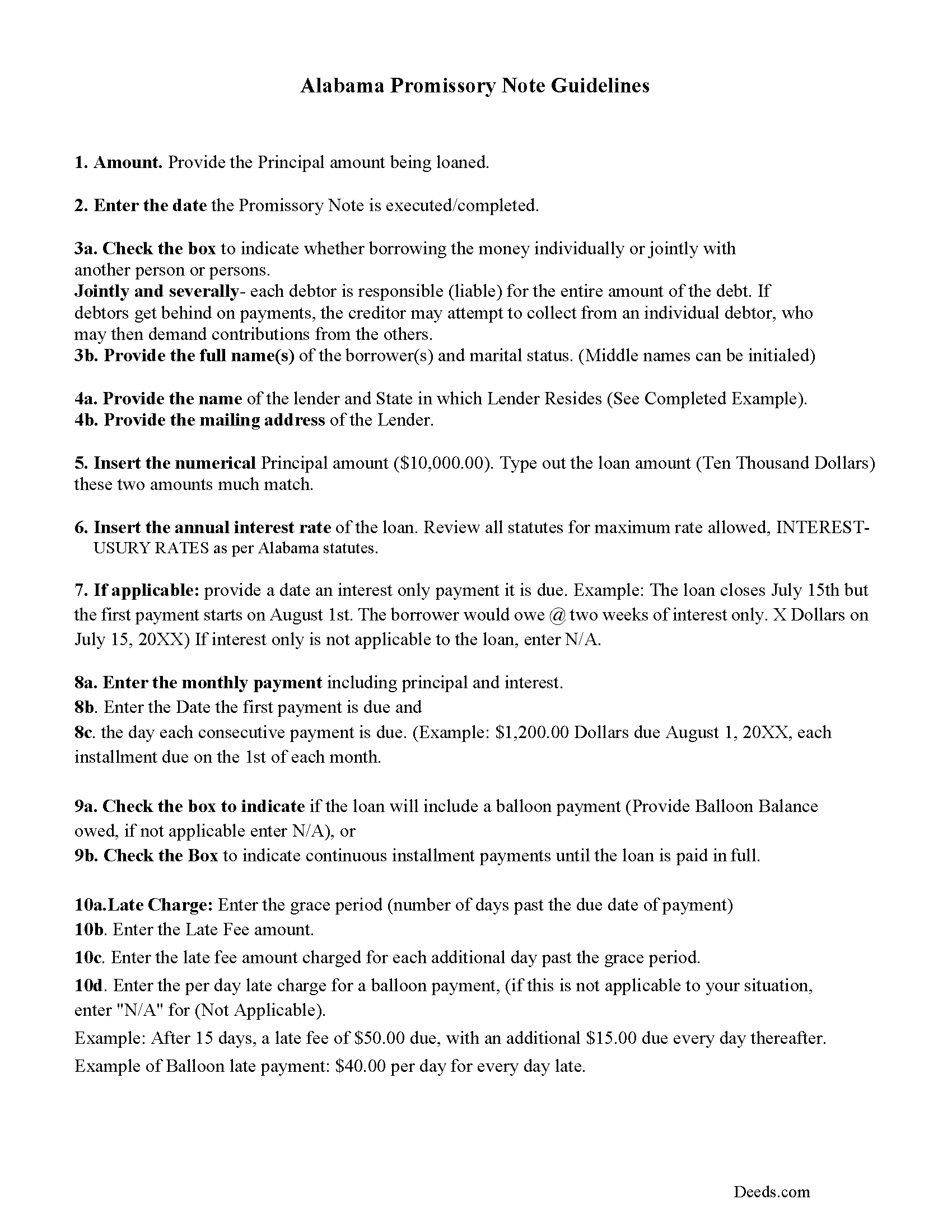
Cullman County Promissory Note Guidelines
Line by line guide explaining every blank on the form.
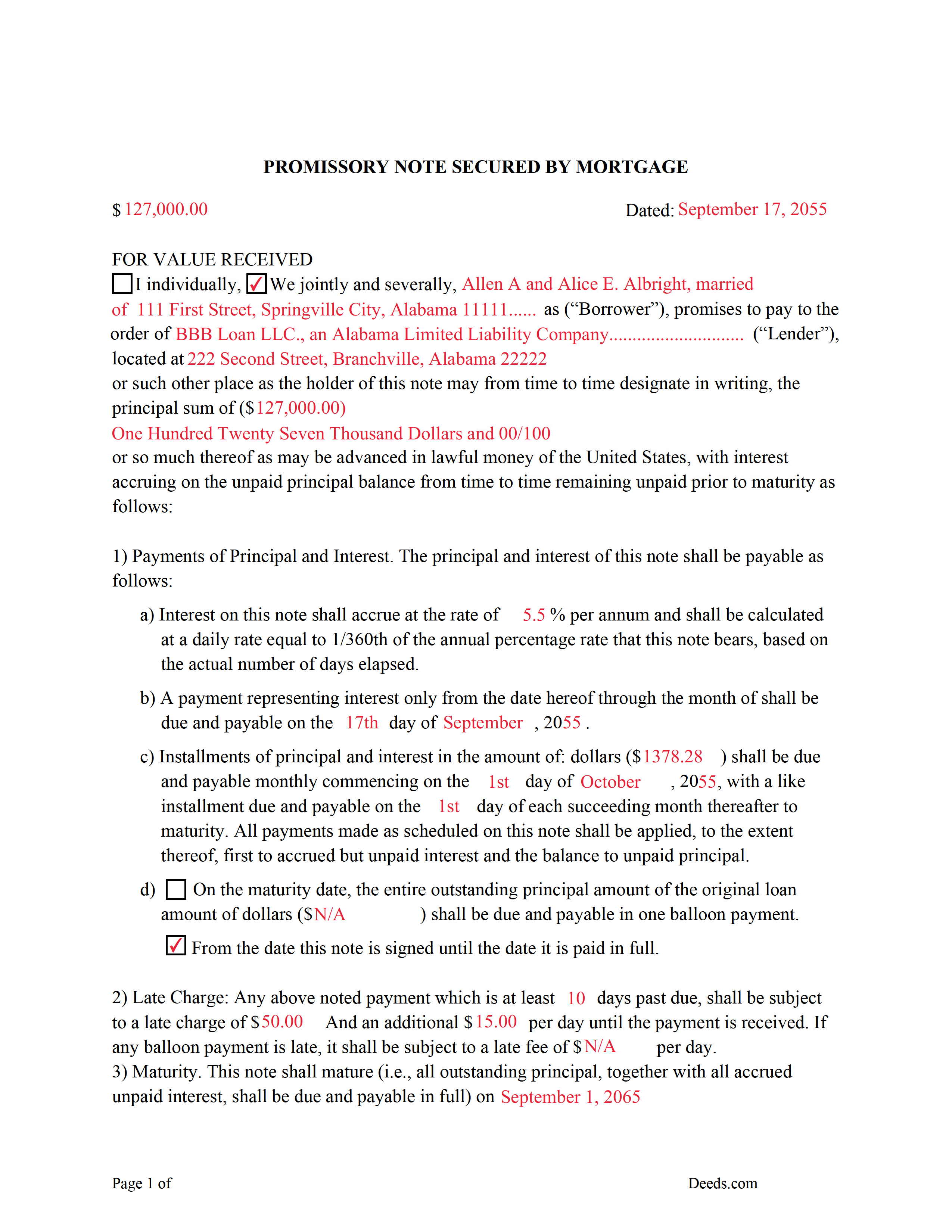
Cullman County Completed Example of the Promissory Note Document
Example of a properly completed form for reference.
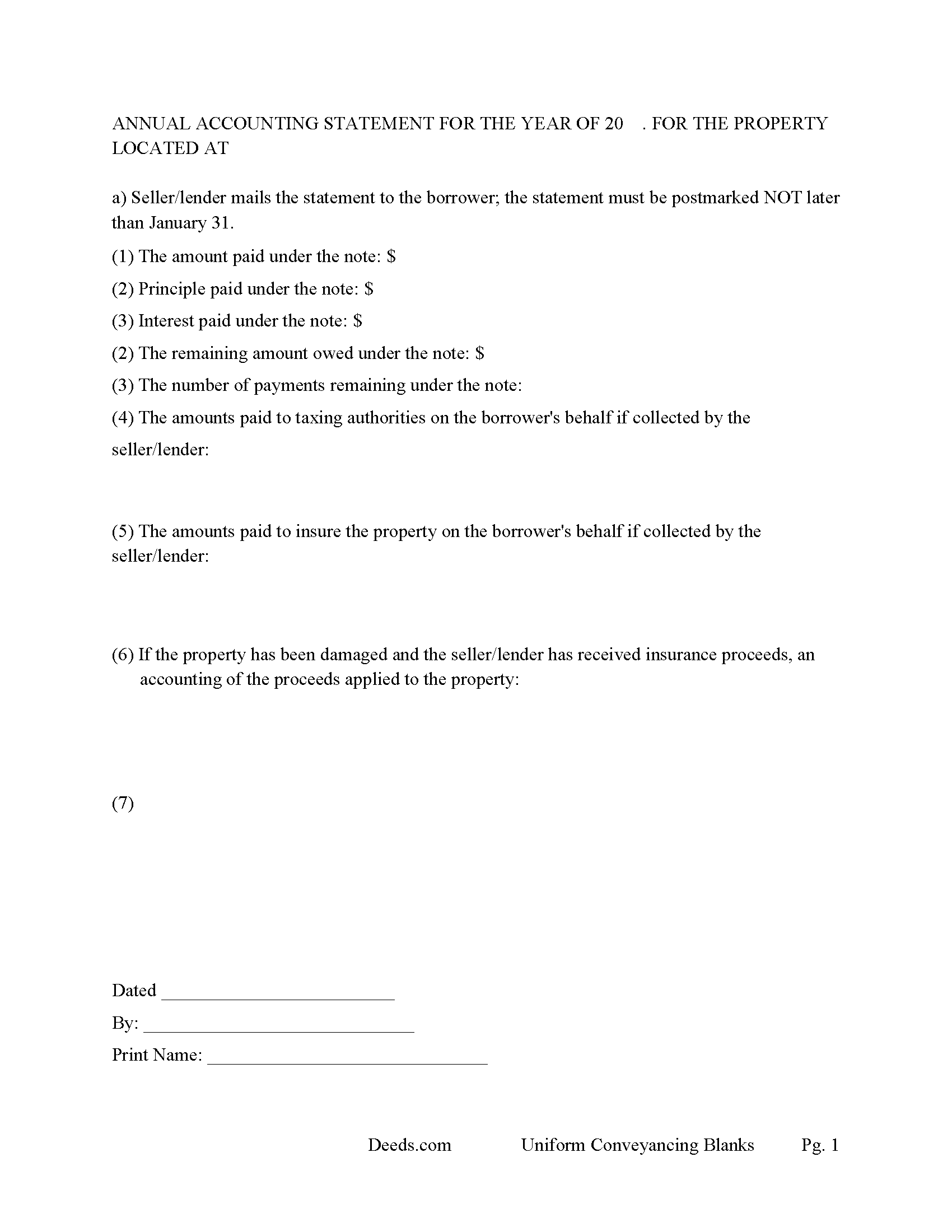
Cullman County Annual Accounting Statement Form
Mail to borrower for fiscal year reporting.
All 7 documents above included • One-time purchase • No recurring fees
Immediate Download • Secure Checkout
Additional Alabama and Cullman County documents included at no extra charge:
Where to Record Your Documents
Probate Office: Recording Division
Cullman, Alabama 35055 / 35056-0970
Hours: 8:00 to 4:30 M-F
Phone: (256) 775-4808
Recording Tips for Cullman County:
- Bring your driver's license or state-issued photo ID
- Ensure all signatures are in blue or black ink
- Make copies of your documents before recording - keep originals safe
- Recorded documents become public record - avoid including SSNs
- Recording fees may differ from what's posted online - verify current rates
Cities and Jurisdictions in Cullman County
Properties in any of these areas use Cullman County forms:
- Baileyton
- Bremen
- Crane Hill
- Cullman
- Garden City
- Hanceville
- Holly Pond
- Joppa
- Logan
- Vinemont
Hours, fees, requirements, and more for Cullman County
How do I get my forms?
Forms are available for immediate download after payment. The Cullman County forms will be in your account ready to download to your computer. An account is created for you during checkout if you don't have one. Forms are NOT emailed.
Are these forms guaranteed to be recordable in Cullman County?
Yes. Our form blanks are guaranteed to meet or exceed the applicable formatting requirements used for recording in Cullman County, including margin requirements, font requirements, and other layout standards. This guarantee applies to formatting, not to the legal sufficiency of information entered by the user or the suitability of a form for a particular transaction.
Can I reuse these forms?
Yes. You can reuse the forms for your personal use. For example, if you have multiple properties in Cullman County you only need to order once.
What do I need to use these forms?
The forms are PDFs that you fill out on your computer. The free Adobe Acrobat Reader is recommended, and most PDF apps also work. You do NOT enter your property information online - you download the blank forms and complete them privately on your own computer.
Are there any recurring fees?
No. This is a one-time purchase. Nothing to cancel, no memberships, no recurring fees.
How much does it cost to record in Cullman County?
Recording fees in Cullman County vary. Contact the recorder's office at (256) 775-4808 for current fees.
Questions answered? Let's get started!
An Alabama Mortgage is the primary security instrument used to finance real property in Alabama, tying a borrower’s repayment obligation to the property itself and creating a recorded lien in favor of the lender. What makes the Alabama mortgage different is how it is treated under state law: it operates as a security instrument tied to a separate promissory note, is recorded in the county probate system, and commonly includes a power of sale clause that allows non-judicial foreclosure. If the mortgage is not properly executed and recorded under Alabama requirements, the lender’s lien position—and the borrower’s title—can be compromised. :contentReference[oaicite:0]{index=0}
What the Alabama Mortgage does
An Alabama Mortgage secures repayment of a loan by placing a lien against the property. The borrower signs both the mortgage (the security instrument) and a promissory note, which contains the actual repayment terms. The borrower typically takes possession and uses the property, while the mortgage creates the lender’s enforceable interest until the debt is paid. Once satisfied, the mortgage is released and removed from the public record. :contentReference[oaicite:1]{index=1}
Alabama statutory framework and mortgage structure
Alabama mortgage law is governed primarily under Title 35, Chapter 10 of the Code of Alabama. The mortgage itself is not a standalone loan document—it works together with the promissory note, which defines the debt and repayment terms. Alabama does not prescribe a single statutory form for mortgages, but the instrument must contain sufficient information to identify the parties, the obligation, and the property being used as collateral. :contentReference[oaicite:2]{index=2}
Most Alabama mortgages include a power of sale provision, which allows the lender to foreclose without filing a court action if the borrower defaults (Ala. Code § 35-10-1). This non-judicial foreclosure framework is a key distinction in Alabama and affects how lenders enforce their rights.
Execution requirements for an Alabama mortgage
To be recordable, an Alabama Mortgage must be signed by each borrower and executed in compliance with state law. Alabama requires that conveyances affecting land be attested by at least one witness if the signer writes his or her name, unless the document is properly acknowledged before a notary public (Ala. Code § 35-4-20). A proper acknowledgment satisfies the statutory requirement for recording (Ala. Code § 35-4-23).
For homestead property—generally a single-family owner-occupied dwelling—Alabama requires the voluntary signature and assent of the spouse, even if the spouse is not a borrower (Ala. Code § 6-10-3). This is a critical execution requirement that differs from many states and must be addressed before recording.
Alabama-specific traps that cause recording or title problems
- Homestead spousal signature: Failure to obtain the spouse’s signature on a homestead mortgage can render the lien defective or unenforceable (Ala. Code § 6-10-3).
- Marital-status recital: Alabama requires the marital status of the conveying party to be stated before recording (Ala. Code § 35-4-73).
- Preparer identification: The mortgage must include the name and address of the preparer (Ala. Code § 35-4-110).
- Legal description accuracy: The property description must be complete and consistent with recorded deeds. If referencing a subdivision, proper plat information must be included (Ala. Code § 35-4-74).
- Power of sale implications: Alabama mortgages commonly include a power of sale clause, allowing non-judicial foreclosure. The terms of this clause directly affect enforcement rights (Ala. Code § 35-10-1).
- Exact name matching: Borrower names must match existing title records. Errors can cause indexing problems or delays in future transactions.
- Riders and attachments: If the mortgage includes riders or additional terms, they must be clearly identified and attached to avoid incomplete recording.
Recording process in Alabama
The Alabama Mortgage is recorded with the Judge of Probate in the county where the property is located. Recording establishes the lender’s lien in the public record and determines priority against other claims under Alabama’s race-notice system (Ala. Code § 35-4-90). Once recorded, the mortgage becomes part of the property’s title history and will be reviewed in any future sale or refinance.
Recording fees apply, and Alabama imposes recordation taxes on mortgages under Title 40, Chapter 22. The probate office calculates the applicable tax based on the amount secured and collects it at the time of recording.
Vesting considerations in Alabama
The mortgage must reflect the current ownership structure of the property. Alabama does not presume survivorship in co-ownership unless expressly stated in the creating instrument (Ala. Code § 35-4-7). Ensuring that all owners of record properly execute the mortgage helps maintain a clear chain of title and enforceable lien.
What is included in the download package
The Alabama Mortgage package includes the mortgage form, detailed instructions, and a completed example, along with guidance for completing a secured promissory note. It is designed for Alabama use and addresses probate recording requirements, acknowledgment or witness compliance, homestead spousal signatures, preparer identification, and proper property description formatting.
Important: Your property must be located in Cullman County to use these forms. Documents should be recorded at the county recording office listed above.
This Mortgage meets all recording requirements specific to Cullman County.
Our Promise
The documents you receive here are guaranteed to meet or exceed the applicable Cullman County recording format requirements. If there is a rejection caused by our formatting, we will correct the issue or refund your payment. This guarantee applies to document formatting only and does not extend to information entered by the user, the selection of the form, or the legal effect of the completed document.
Save Time and Money
Get your Cullman County Mortgage form done right the first time with Deeds.com Uniform Conveyancing Blanks. At Deeds.com, we understand that your time and money are valuable resources, and we don't want you to face a penalty fee or rejection imposed by a county recorder for submitting nonstandard documents. We constantly review and update our forms to meet rapidly changing state and county recording requirements for roughly 3,500 counties and local jurisdictions.
4.8 out of 5 - ( 4,830 Reviews )
Alexander H. 4 out of 5 stars
As an experienced attorney new to estate planning, I attest that this website and its documents were very helpful. Their documents including everything one needed to know and was very comprehensive.
We appreciate your business and value your feedback. Thank you. Have a wonderful day!
Ann C. 5 out of 5 stars
This service is the absolute BOMB! I wish every business ran as fast and efficiently as you all do! Seriously - No joke! Thank you guys!
We appreciate your business and value your feedback. Thank you. Have a wonderful day!
RONALD F. 5 out of 5 stars
Great service. Very reasonable cost. All necessary detailed information provided.
Thank you for your feedback. We really appreciate it. Have a great day!
Jaime H. 5 out of 5 stars
quick and easy
Thank you!
Nora P. 2 out of 5 stars
I'm typing along and suddenly I can't fit anything more into the page and there's plenty of room. This is my 2nd time using this site. No problem the first time years ago. Now it's an issue, looks like I'll need a typewriter to finish the form. Where do I find a typewriter?!! I can't complete the legal description!
Thanks for your feedback Nora. If you are unable to find a typewriter you can always do as the guide suggests and use the included exhibit page.
Giuseppina M. 5 out of 5 stars
Fast, reliable excellent service
Your feedback is greatly appreciated. Thank you for taking the time to share your experience!
Barbara R. 5 out of 5 stars
Thank you for your services My first time to ever print anything from your service or print off of a computer like this so I'm praying that it works I'm doing this to my phone. Thank you
Thank you!
Betty B. 5 out of 5 stars
Thank you . I appreciate your assistance Once again thanks
Thank you!
Doris P. 4 out of 5 stars
Easy to understand and fill out Beneficiary Deed, but when I tried to download finished form, it disappeared! Luckily I had printed it first and had to fill out again.
Thank you!
Jimmy P. 5 out of 5 stars
Works well. Very satisfied.
Thank you!
Robert B. 5 out of 5 stars
Liked the fact that the forms were fill in the blank. Good to have the option of re-doing them if needed, and I needed ;)
Thank you for your feedback. We really appreciate it. Have a great day!
Darrell J. 5 out of 5 stars
Easy to use, rapid response, excellent service.
Thank you for your feedback. We really appreciate it. Have a great day!
Connie L. 5 out of 5 stars
Ordered a Quitclaim deed and worked perfectly at Register of Deed office. Liked the instructions and copy of one example filled out made it so much easier to understand. One price is great as most of other companies wanted a membership to join. Will use Deeds.com again if I ever need different forms. Thanks!!!
We are grateful for your feedback and looking forward to serving you again. Thank you!
Z. L. 5 out of 5 stars
I appreciate a service that can reach any county in Texas to file deed distribution deeds. It is convenient, time and money saving for our clients and takes the headache out of estate administration. Thanks.
Thank you!
Leslie S. 5 out of 5 stars
After over a month of turmoil and feeling like "you can't get there from here",you solved my problem in a little over an hour. Thank you!!
Thank you for your feedback. We really appreciate it. Have a great day!