Colbert County Certificate of Trust Form
Last validated October 16, 2026 by our Forms Development TeamFormatted for recording in Colbert County, for property anywhere in the county: rural and unincorporated areas as well as Cherokee, Leighton, Muscle Shoals, Sheffield, Tuscumbia.
- 3 documents included
- Immediate PDF download
- Formatting guarantee
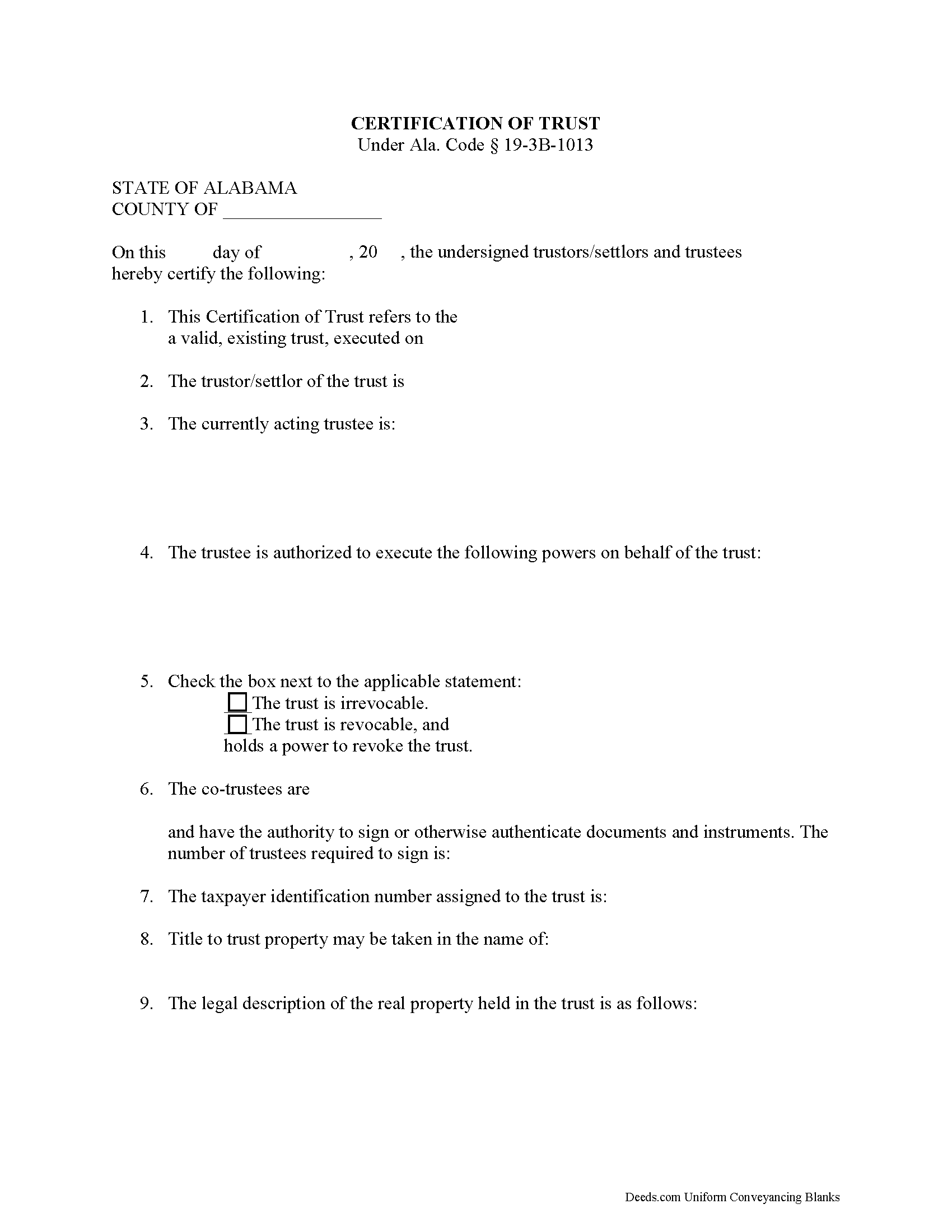
Colbert County Certificate of Trust Form
Fill in the blank form formatted to comply with all recording and content requirements.
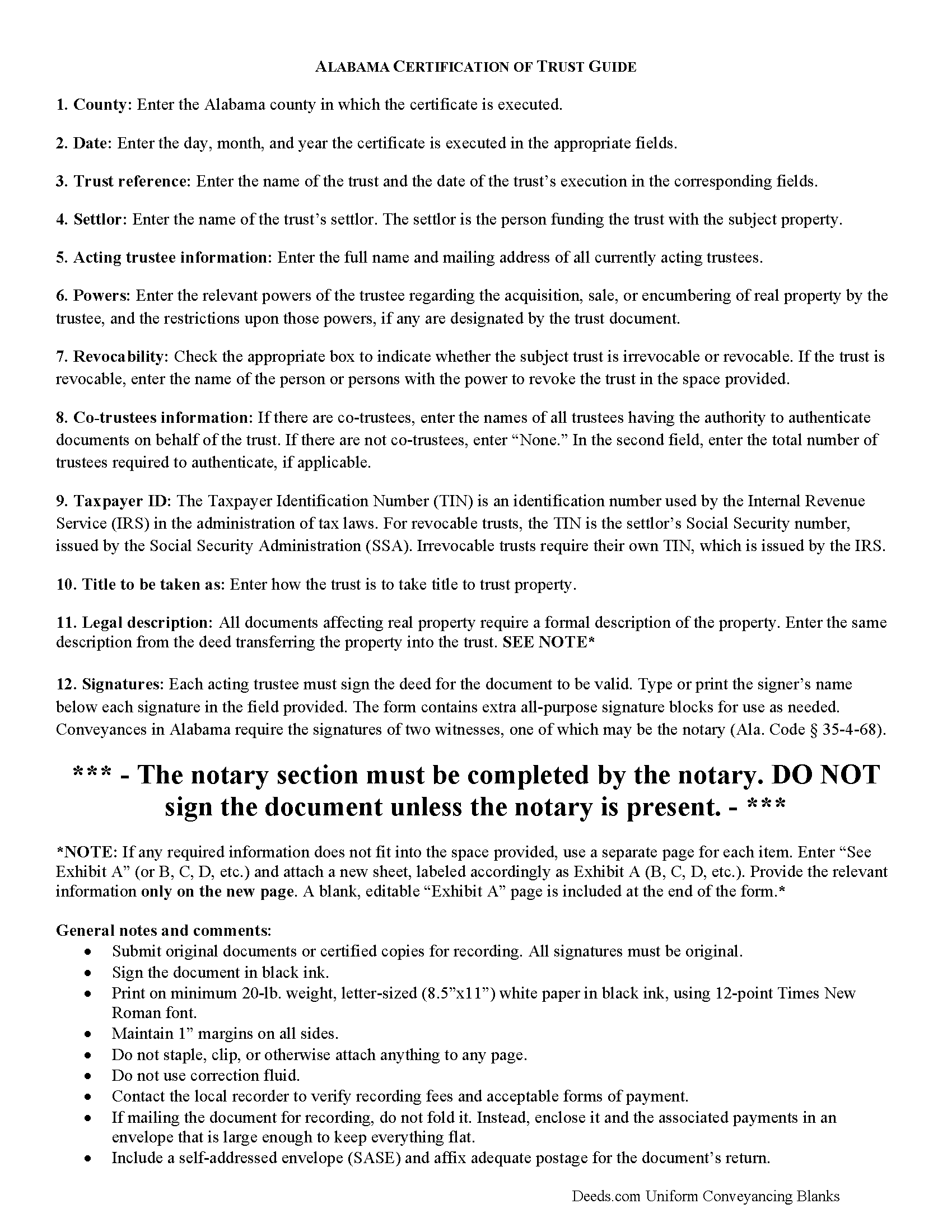
Colbert County Certificate of Trust Guide
Line by line guide explaining every blank on the form.
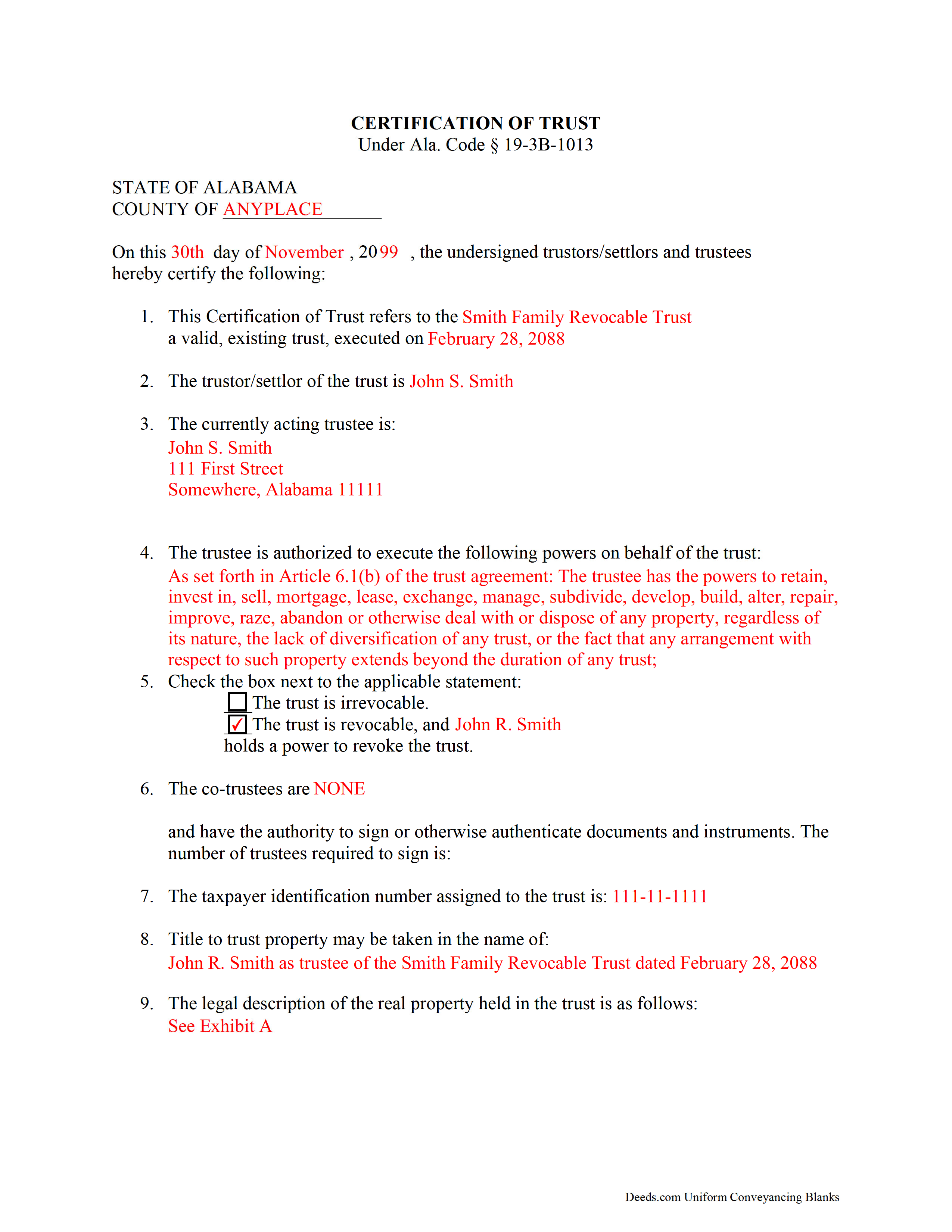
Colbert County Completed Example of the Certificate of Trust Document
Example of a properly completed form for reference.
All 3 documents above included • One-time purchase • No recurring fees
Immediate Download • Secure Checkout
Additional Alabama and Colbert County documents included at no extra charge:
Where to Record Your Documents
Probate Office: Records Department
Tuscumbia, Alabama 35674
Hours: 8:00 to 4:30 M-F
Phone: (256) 386-8546
Recording Tips for Colbert County:
- Bring your driver's license or state-issued photo ID
- Ensure all signatures are in blue or black ink
- Ask if they accept credit cards - many offices are cash/check only
- Check that your notary's commission hasn't expired
- Documents must be on 8.5 x 11 inch white paper
Cities and Jurisdictions in Colbert County
Properties in any of these areas use Colbert County forms:
- Cherokee
- Leighton
- Muscle Shoals
- Sheffield
- Tuscumbia
Hours, fees, requirements, and more for Colbert County
How do I get my forms?
Forms are available for immediate download after payment. The Colbert County forms will be in your account ready to download to your computer. An account is created for you during checkout if you don't have one. Forms are NOT emailed.
Are these forms guaranteed to be recordable in Colbert County?
Yes. Our form blanks are guaranteed to meet or exceed the applicable formatting requirements used for recording in Colbert County, including margin requirements, font requirements, and other layout standards. This guarantee applies to formatting, not to the legal sufficiency of information entered by the user or the suitability of a form for a particular transaction.
Can I reuse these forms?
Yes. You can reuse the forms for your personal use. For example, if you have multiple properties in Colbert County you only need to order once.
What do I need to use these forms?
The forms are PDFs that you fill out on your computer. The free Adobe Acrobat Reader is recommended, and most PDF apps also work. You do NOT enter your property information online - you download the blank forms and complete them privately on your own computer.
Are there any recurring fees?
No. This is a one-time purchase. Nothing to cancel, no memberships, no recurring fees.
How much does it cost to record in Colbert County?
Recording fees in Colbert County vary. Contact the recorder's office at (256) 386-8546 for current fees.
Questions answered? Let's get started!
An Alabama Certificate of Trust is used to verify the existence of a trust and confirm a trustee’s authority to act without disclosing the full trust document. In Alabama, this matters because financial institutions, title companies, and probate offices routinely require proof of a trustee’s authority when property is being acquired, transferred, or encumbered in the name of a trust. Alabama law specifically allows a certificate of trust to be used in place of the full trust agreement, provided it meets statutory requirements, making a compliant certificate essential for real estate transactions involving trusts.
What the Alabama Certificate of Trust does
An Alabama Certificate of Trust provides a summary of key trust information—such as the trust’s existence, the identity of the trustee, and the trustee’s authority—without revealing private terms of the trust. It is commonly used when real property is being purchased, sold, financed, or otherwise transferred into or out of a trust. The certificate allows third parties to rely on the trustee’s authority while limiting disclosure of beneficiaries and internal provisions.
Alabama statutory requirements under Ala. Code § 19-3B-1013
Alabama law governs certifications of trust under Ala. Code § 19-3B-1013. The statute allows a trustee to furnish a certification instead of the full trust instrument and specifies the type of information that may be included. A properly prepared certificate typically identifies the trust, confirms that it exists and is in effect, and states the trustee’s powers relevant to the transaction.
The statute also provides that a person receiving a certification may request excerpts from the trust instrument if necessary to confirm the trustee’s authority, but the certification itself serves as sufficient evidence of the facts it contains. This framework allows transactions to proceed without disclosing sensitive trust details while still providing legal assurance to third parties.
Execution requirements for an Alabama Certificate of Trust
The Alabama Certificate of Trust must be signed by the trustee or trustees acting on behalf of the trust. If the certificate is to be recorded—such as when used in connection with a deed or mortgage—it must comply with Alabama execution standards. Instruments affecting real property must be attested by at least one witness if the signer writes his or her name, unless the document is acknowledged before a notary public (Ala. Code § 35-4-20). A proper acknowledgment satisfies the statutory requirement for recording (Ala. Code § 35-4-23).
The trustee’s name and capacity should match the trust records and any related real estate documents to ensure consistency in the public record.
Alabama-specific traps that cause recording or title problems
- Incomplete statutory content: A certificate that does not include the required elements under Ala. Code § 19-3B-1013 may not be accepted by lenders or title companies.
- Preparer identification: If the certificate is recorded, Alabama requires the name and address of the preparer to appear on the document (Ala. Code § 35-4-110).
- Marital-status recital: When the certificate is used with a recorded conveyance, Alabama may require a marital-status recital for the conveying party (Ala. Code § 35-4-73).
- Name consistency: The trust name and trustee names must match exactly across the certificate, the trust instrument, and any related deed or mortgage.
- Authority limitations: If the certificate does not clearly state the trustee’s authority for the specific transaction, third parties may require additional documentation or delay closing.
- Recording mismatch: If the certificate is recorded in connection with a real estate transaction, it must be filed in the county where the property is located to align with the related instrument.
Recording process in Alabama
An Alabama Certificate of Trust is not always recorded on its own but is often recorded alongside a deed, mortgage, or other instrument involving trust property. When recorded, it is filed with the Judge of Probate in the county where the property is located. Recording provides public notice of the trustee’s authority in connection with the transaction and supports the validity of the recorded instrument.
Recording fees apply, and Alabama probate offices determine any applicable charges under Title 40, Chapter 22. Proper formatting, acknowledgment, and required recitals should be completed before submission to avoid delays.
Vesting considerations in Alabama
When real property is held in trust, title is typically vested in the name of the trustee acting on behalf of the trust. Alabama does not presume survivorship in co-trustee or co-ownership arrangements unless expressly stated (Ala. Code § 35-4-7). The certificate should accurately reflect how the trustee holds and exercises authority to ensure consistency with recorded title.
What is included in the download package
The Alabama Certificate of Trust package includes the certificate form, detailed instructions, and a completed example. It is designed to meet Alabama statutory requirements, including proper identification of the trust and trustee, acknowledgment or witness compliance for recording, and formatting suitable for use with Alabama real estate transactions.
Important: Your property must be located in Colbert County to use these forms. Documents should be recorded at the county recording office listed above.
This Certificate of Trust meets all recording requirements specific to Colbert County.
Our Promise
The documents you receive here are guaranteed to meet or exceed the applicable Colbert County recording format requirements. If there is a rejection caused by our formatting, we will correct the issue or refund your payment. This guarantee applies to document formatting only and does not extend to information entered by the user, the selection of the form, or the legal effect of the completed document.
Save Time and Money
Get your Colbert County Certificate of Trust form done right the first time with Deeds.com Uniform Conveyancing Blanks. At Deeds.com, we understand that your time and money are valuable resources, and we don't want you to face a penalty fee or rejection imposed by a county recorder for submitting nonstandard documents. We constantly review and update our forms to meet rapidly changing state and county recording requirements for roughly 3,500 counties and local jurisdictions.
4.8 out of 5 - ( 4,832 Reviews )
Christina W. 5 out of 5 stars
I stand corrected. I received my report and it was exactly what I requested.
Thank you!
Mikel R. 5 out of 5 stars
Definitely recommend. Superb customer service. Well worth the money! Thanks again!
Thank you for your feedback. We really appreciate it. Have a great day!
Patricia C. 5 out of 5 stars
They had exactly what I was looking for. Easy to follow instructions and very helpful.
We appreciate your business and value your feedback. Thank you. Have a wonderful day!
Stuart C. 5 out of 5 stars
Quit, clear, simple...just the way it shouldbe! Thank you!
We appreciate your business and value your feedback. Thank you. Have a wonderful day!
JORGE S. 5 out of 5 stars
Excelent! I cannot believe I found this company. Thanks!!!
Thank you for your feedback. We really appreciate it. Have a great day!
Gary O. 5 out of 5 stars
Easy to use,makes things easier,Thanks! Great Idea!
We appreciate your business and value your feedback. Thank you. Have a wonderful day!
Ron D. 3 out of 5 stars
The State form I chose was valid and accurate. However, I found the ability to enter information was inadequate and difficult. Converted the form to a Word document and was then able to enter the information I needed to.
Your feedback is valuable to us and helps us improve. Thank you for sharing your thoughts!
Marie A. 5 out of 5 stars
Easy to download, helpful information and forms quick when you need them. Thank you Deeds.com.
Thank you Marie!
Anne G. 5 out of 5 stars
I used deeds.com's services for the first time while the Stay at Home Order is in effect and found it to be very user friendly and seamless. I am very impressed.
Thank you Anne, glad we could help.
Vickie G. 5 out of 5 stars
The form and instruction were perfect. Thank you.
Thank You Vickie!
steven l. 3 out of 5 stars
As a first time user and not having knowledge of how your site worked it was awkward to upload a file and not know what to do next. I found out there is nothing to do next but that after some time looking for a submit button or some kind of confirmation that I was doing the right thing. Ended up being very easy, just wasted time trying to figure out what to do when there was nothing left to do.
Thank you!
Logan S. 5 out of 5 stars
Wonderful experience. Was preapred to wait days, recording was finished in less than an hour.
Thank you!
ronnie y. 5 out of 5 stars
nice to get everything I need for the county that the property is located.
Thank you for your feedback. We really appreciate it. Have a great day!
Peggy D. 5 out of 5 stars
Very helpful in finding the information for me. Quick response. Very easy to use the forms.
Thank you for your feedback. We really appreciate it. Have a great day!
Jesse S. 5 out of 5 stars
I am excited for your service. I'm counting on this working-and calling to see if I can e-file with the County of dealing with, and if so, your service will have saved me more years of stress, worrying about how to correct a deed that was titled incorrectly.
Thank you!