Dale County Quitclaim Deed Form
Last validated October 6, 2026 by our Forms Development TeamFormatted for recording in Dale County, for property anywhere in the county: rural and unincorporated areas as well as Ariton, Daleville, Fort Rucker, Level Plains, Midland City, Newton, Ozark, Pinckard and 1 more.
- 3 documents included
- Immediate PDF download
- Formatting guarantee
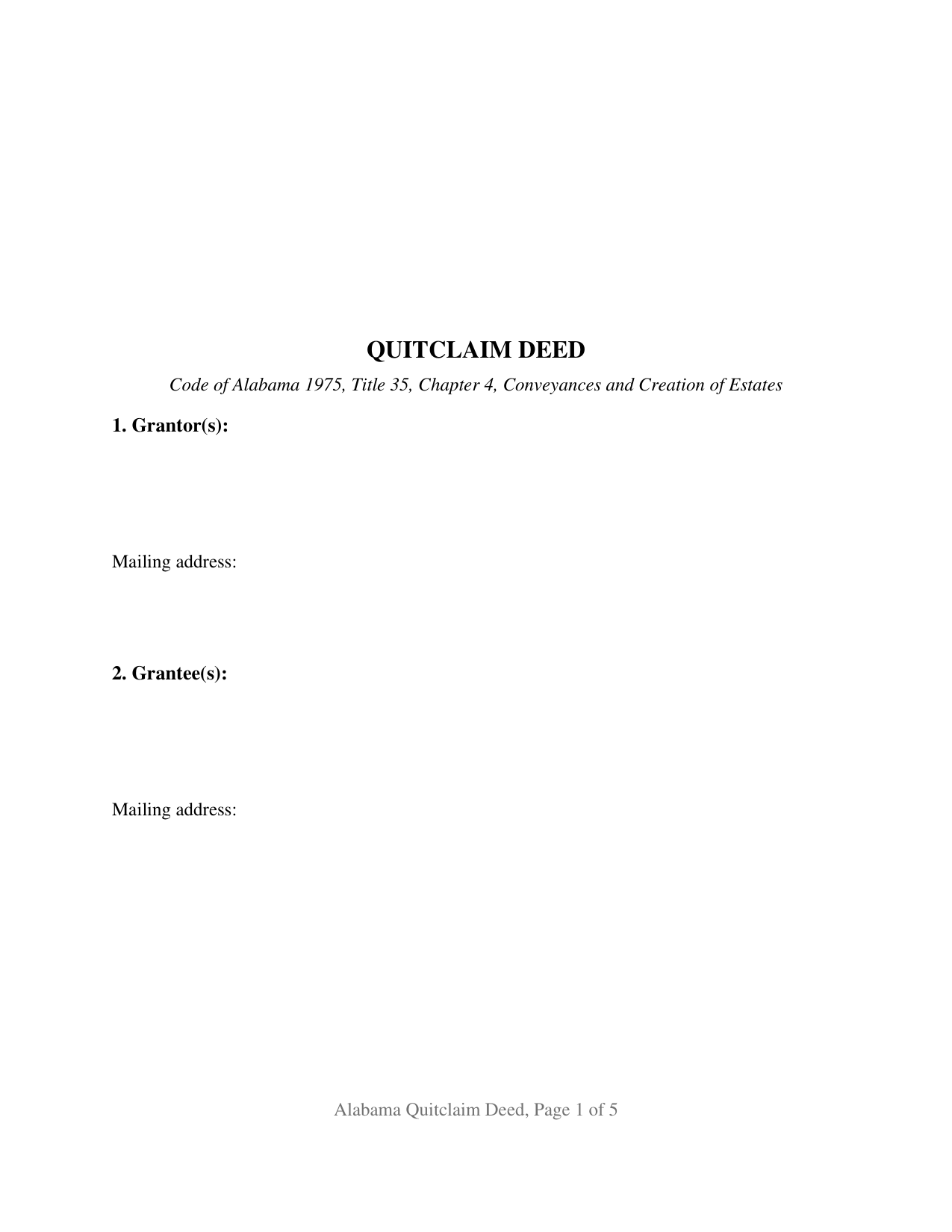
Dale County Quitclaim Deed Form
Fill in the blank Quitclaim Deed form formatted to comply with all Alabama recording and content requirements.
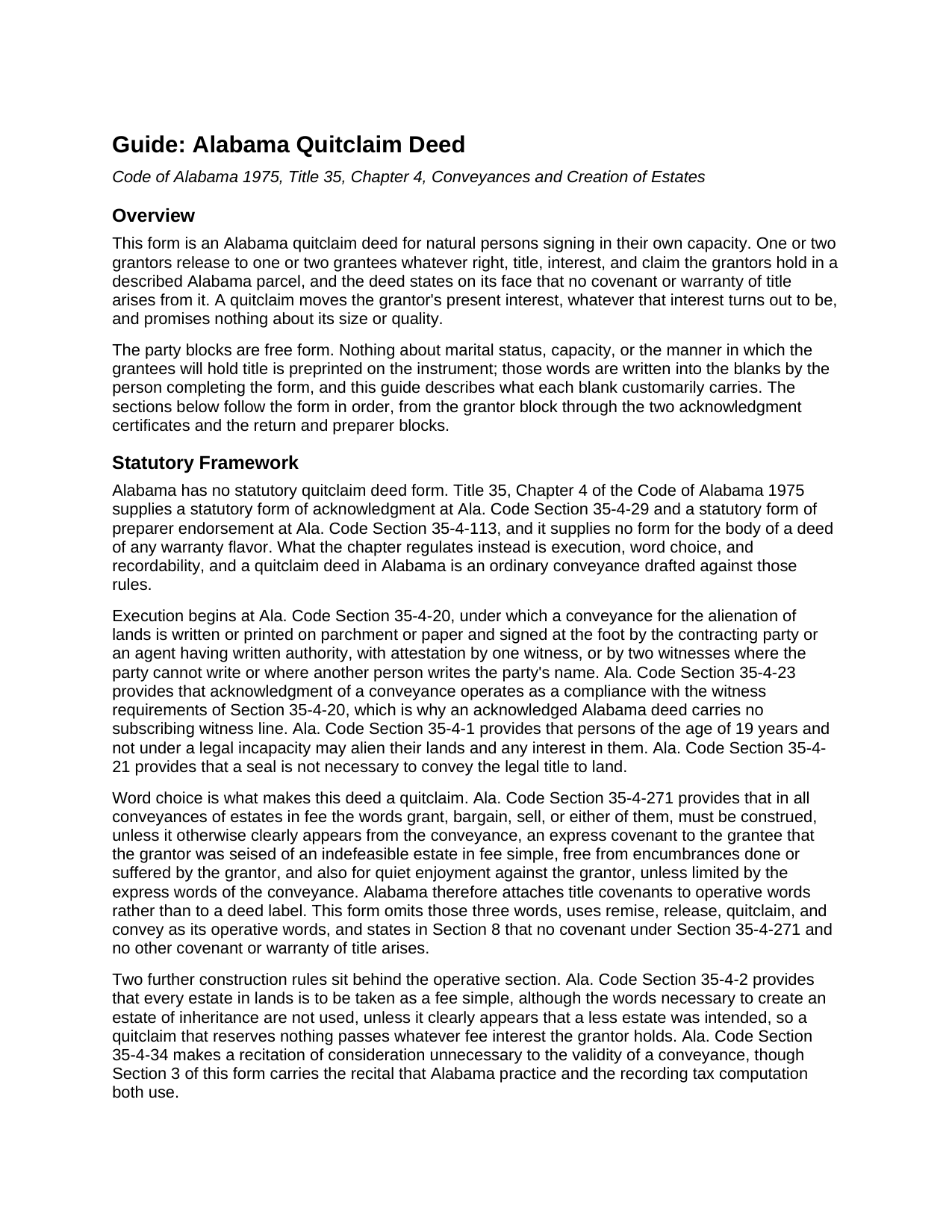
Dale County Quitclaim Deed Guide
Line by line guide explaining every blank on the Quitclaim Deed form.
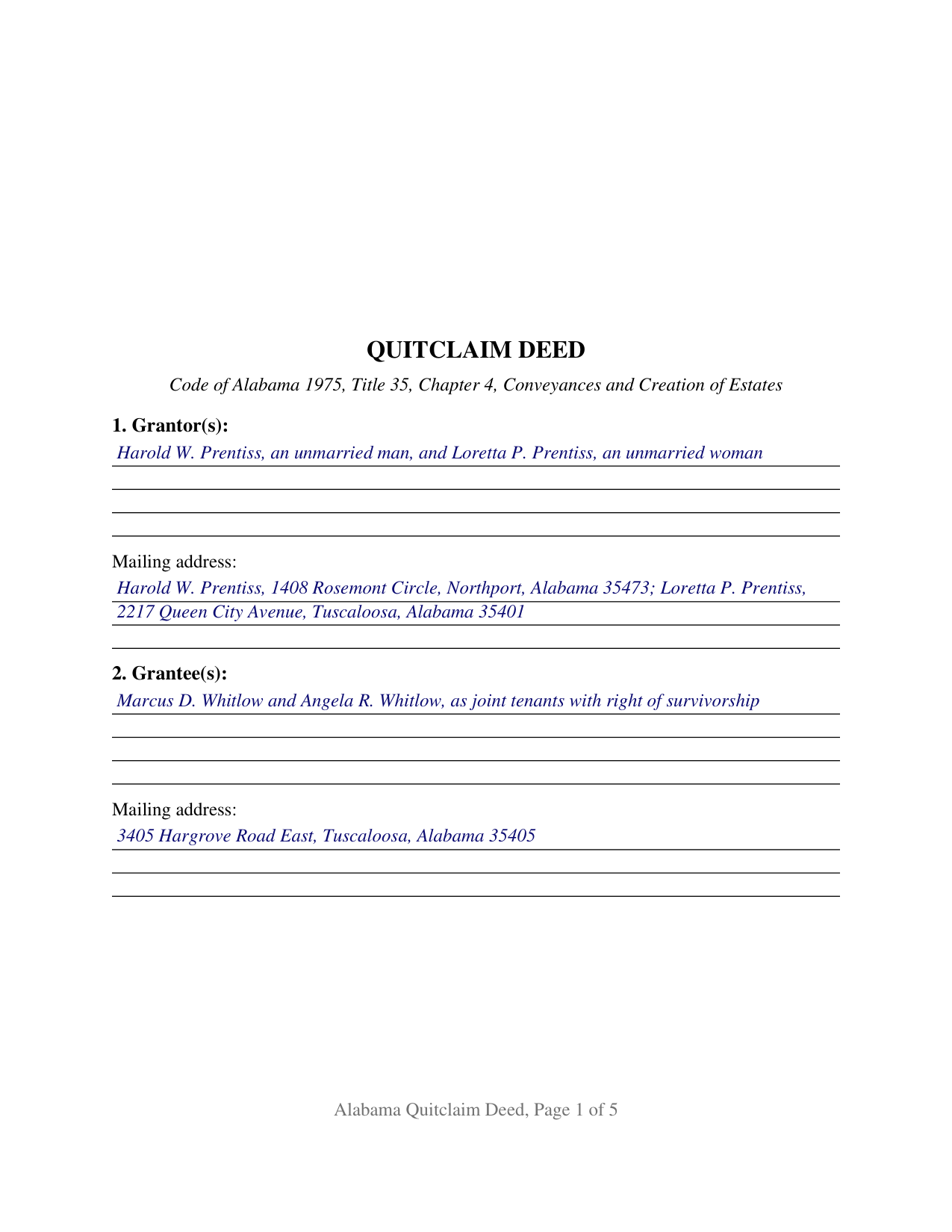
Dale County Completed Example of the Quitclaim Deed Document
Example of a properly completed Alabama Quitclaim Deed document for reference.
All 3 documents above included • One-time purchase • No recurring fees
Immediate Download • Secure Checkout
Additional Alabama and Dale County documents included at no extra charge:
Where to Record Your Documents
Sharon A. Michalic, Judge of Probate
Ozark, Alabama 36360
Hours: Monday-Thursday 7:00AM to 5:00PM. Closed on Friday
Phone: (334) 774-2754
Recording Tips for Dale County:
- Bring your driver's license or state-issued photo ID
- Ensure all signatures are in blue or black ink
- Ask about accepted payment methods when you call ahead
- Ask for certified copies if you need them for other transactions
- Ask if they accept credit cards - many offices are cash/check only
Cities and Jurisdictions in Dale County
Properties in any of these areas use Dale County forms:
- Ariton
- Daleville
- Fort Rucker
- Level Plains
- Midland City
- Newton
- Ozark
- Pinckard
- Skipperville
Hours, fees, requirements, and more for Dale County
How do I get my forms?
Forms are available for immediate download after payment. The Dale County forms will be in your account ready to download to your computer. An account is created for you during checkout if you don't have one. Forms are NOT emailed.
Are these forms guaranteed to be recordable in Dale County?
Yes. Our form blanks are guaranteed to meet or exceed the applicable formatting requirements used for recording in Dale County, including margin requirements, font requirements, and other layout standards. This guarantee applies to formatting, not to the legal sufficiency of information entered by the user or the suitability of a form for a particular transaction.
Can I reuse these forms?
Yes. You can reuse the forms for your personal use. For example, if you have multiple properties in Dale County you only need to order once.
What do I need to use these forms?
The forms are PDFs that you fill out on your computer. The free Adobe Acrobat Reader is recommended, and most PDF apps also work. You do NOT enter your property information online - you download the blank forms and complete them privately on your own computer.
Are there any recurring fees?
No. This is a one-time purchase. Nothing to cancel, no memberships, no recurring fees.
How much does it cost to record in Dale County?
Recording fees in Dale County vary. Contact the recorder's office at (334) 774-2754 for current fees.
Questions answered? Let's get started!
Alabama keeps two of its most distinctive deed rules in the blanks rather than the printed text. A deed does not reach the record unless it states the marital status of each individual grantor, and co-owners take with a right of survivorship only where the instrument says so. Neither answer can be printed in advance. The Alabama Quitclaim Deed is built accordingly: one or two grantors release to one or two grantees whatever right, title, interest, and claim they hold in a described parcel, with no covenant or warranty, and the party blocks stay open.
The status line the probate judge looks for
Ala. Code Section 35-4-73 has barred deeds from the Alabama record since July 21, 1972 unless the marital status of an individual grantor or vendor is recited, and a knowingly false recitation is a misdemeanor. The entry runs a few words and is seldom the same twice: an unmarried man, a widow, a divorced person not since remarried. Section 1 takes it right after the grantor's name, since a printed status would settle a fact belonging to the signer.
Survivorship is something an Alabama deed has to say
Ala. Code Section 35-4-7 reverses an assumption many buyers arrive with. Where a joint tenant dies before severance, that interest does not pass to the others; it descends and vests as though it had been severed. Survivorship attaches only where the creating instrument states that the tenancy carries a right of survivorship, or uses other words showing that intention. The grantee block is therefore as open as the grantor block, and the guide sets out each form the state recognizes and the one it does not.
Three words this deed leaves out
Alabama attaches title covenants to vocabulary, not to a deed's label. Ala. Code Section 35-4-271 reads grant, bargain, and sell, or any one of them, in a fee conveyance as express covenants of an indefeasible fee, of freedom from encumbrances done or suffered by the grantor, and for quiet enjoyment, unless the deed clearly says otherwise. A quitclaim here is defined by the omission: the operative sentence uses remise, release, quitclaim, and convey, and the text adds that no such covenant arises. The grantee takes the interest the grantor holds at delivery, recorded liens and easements traveling with it.
One or two on each side
Two positions on each side, one architecture across every count pattern from one grantor and one grantee up to two of each. Section 1 is a single free-form block taking grantor names with their status wording; Section 2 does the same for grantees, with any designation of how they take. Section 9 gives each grantor position a signature block, and a separate acknowledgment certificate follows each, so two grantors may acknowledge on different dates and before different notaries; on a single-grantor fill the second block and certificate stay blank. Two co-owners who took undivided shares under an estate distribution and release them together to a couple taking with survivorship present the two-on-two pattern this form recites. It is not set up for a company, a trustee, a signer under a power of attorney, or more than two persons on a side, and both signature blocks are captioned for grantors, not for a spouse signing only to give the Ala. Code Section 6-10-3 homestead assent.
At the judge of probate
The deed goes to the judge of probate where the land lies. Recording is notice, not effectiveness: the interest passes on delivery, while Ala. Code Section 35-4-90 leaves an unrecorded conveyance void against a later purchaser for value, mortgagee, or judgment creditor without notice. The Ala. Code Section 40-22-1 tax runs 50 cents per $500.00, or fraction, of the value conveyed, and Alabama's sales value information rides along on Department of Revenue Form RT-1, a one page state form handed over at the counter. The first page keeps its top three inches open for the stamp, and the preparer name and address that Sections 35-4-110 and 35-4-113 make a condition of recordation sit in the text.
Shoppers also search this instrument as a quit claim deed or a quick claim deed. The download holds three files: a blank fillable PDF, a completed example set on a Tuscaloosa County release, and a guide walking every entry, the vesting menu, and both certificates. Nothing here is legal advice; these pages state Alabama law in general terms, and reading it against one parcel and one chain of title is work for an Alabama attorney.
Important: Your property must be located in Dale County to use these forms. Documents should be recorded at the county recording office listed above.
This Quitclaim Deed meets all recording requirements specific to Dale County.
Our Promise
The documents you receive here are guaranteed to meet or exceed the applicable Dale County recording format requirements. If there is a rejection caused by our formatting, we will correct the issue or refund your payment. This guarantee applies to document formatting only and does not extend to information entered by the user, the selection of the form, or the legal effect of the completed document.
Save Time and Money
Get your Dale County Quitclaim Deed form done right the first time with Deeds.com Uniform Conveyancing Blanks. At Deeds.com, we understand that your time and money are valuable resources, and we don't want you to face a penalty fee or rejection imposed by a county recorder for submitting nonstandard documents. We constantly review and update our forms to meet rapidly changing state and county recording requirements for roughly 3,500 counties and local jurisdictions.
4.8 out of 5 - ( 4,836 Reviews )
Lynd P. 5 out of 5 stars
Good
Thanks Lynd.
Robert K. 5 out of 5 stars
Easy site to use. Well worth the time spent to complete the form.
Thank you!
Angela J M. 5 out of 5 stars
Quick turnaround (about 24hrs) easy process.
Thank you for your feedback. We really appreciate it. Have a great day!
Richard H. 5 out of 5 stars
Thank You! Very informative and helpful!
We appreciate your business and value your feedback. Thank you. Have a wonderful day!
Robert D. 5 out of 5 stars
I was trying to register a financial statement (non real estate document). There was no link or statement on the home page to indicate that this could be done. All I had to do was to create an account, name and then upload the document. It took me over a day and several phone calls to the local deed recording office to try to figure this out. A simple link or statement to this effect would have saved me a lot of time
Thank you for your feedback. We really appreciate it. Have a great day!
James W. 5 out of 5 stars
Easy access to forms saving lots of time researching reqmts from a State/Municipal Govt website. I saved 400-500 in lawyer fees but getting these forms, and coordinating with the Property recorders office in another state. Will use you again.
Thank you James. We really appreciate your feedback.
Doris M M. 5 out of 5 stars
EXCELLENT SERVICE. WILL MAINTAIN CONTACT FOR FUTURE REFERENCE. THANK YOU!
We appreciate your business and value your feedback. Thank you. Have a wonderful day!
Frankie A. 4 out of 5 stars
Deeds.com recorded documents for me without any issue. It's a good service and provides a lot of assistance on its web site. However, I asked for a printed receipt (i.e. an pdf copy of one), but after a staff provided me with an obvious answer, they simply ignored my follow up requests. I also asked a simple formatting question that they should have been able to answer; instead, they passed the buck and referred me to the recorder, which currently is a very time-consuming venture. They also have no telephone number for any issue. Generally, the service saves me the time and effort of physically recording a document, but when you think about $19.00 per recording seems like a steep price for the services rendered.
We appreciate your feedback Frankie. We are glad that we were able to submit your documents as requested. Sorry to hear that we let you down in other areas. We do encourage you to shop around for services that may better suit your needs. Have a wonderful day.
Karen S. 5 out of 5 stars
Deeds.com made everything easy, with instructions and samples it was simple to fill out the forms. I loved that it was county specific.
Thank you for your feedback. We really appreciate it. Have a great day!
Nola B. 4 out of 5 stars
I like the form except the title should be ENHANCED LIFE ESTATE DEED and not Quit Claim Deed
Thank you for your feedback. We really appreciate it. Have a great day!
Edith W. 5 out of 5 stars
I was very pleased to be able to get all the legal forms, with instructions, I need to file a beneficiary deed specific to my county in one place. The downloads went smoothly. Deeds.com has saved me time and money by offering this service.
We appreciate your business and value your feedback. Thank you. Have a wonderful day!
Lowell R. 5 out of 5 stars
Awesome. Quick informative and very easy. I made a mistake the first time, emailed you and was able to get it fixed quickly and got it done.
Thank you for your feedback. We really appreciate it. Have a great day!
GEORGE Q. 5 out of 5 stars
Assistance from the associate was good. He told me what I needed to hear and took the time to look up deeds that I was looking for. Though the deed was not available he gave me recommendation on my future calls to ask. Great personality and very helpful.
Thank you for your feedback. We really appreciate it. Have a great day!
BRIAN M. 5 out of 5 stars
Excellent Service, Fast and efficient. Thank You!
Thank you!
John W. 5 out of 5 stars
Wow, I wish that I would have found Deeds.com before! Great service!
Thank you!