Ketchikan Gateway Borough Quitclaim Deed (Corporation Grantor) Form
Last validated September 22, 2026 by our Forms Development TeamFormatted for recording in Ketchikan Gateway Borough, for property anywhere in the borough or census area: rural and unincorporated areas as well as Ketchikan, Ward Cove.
- 3 documents included
- Immediate PDF download
- Formatting guarantee
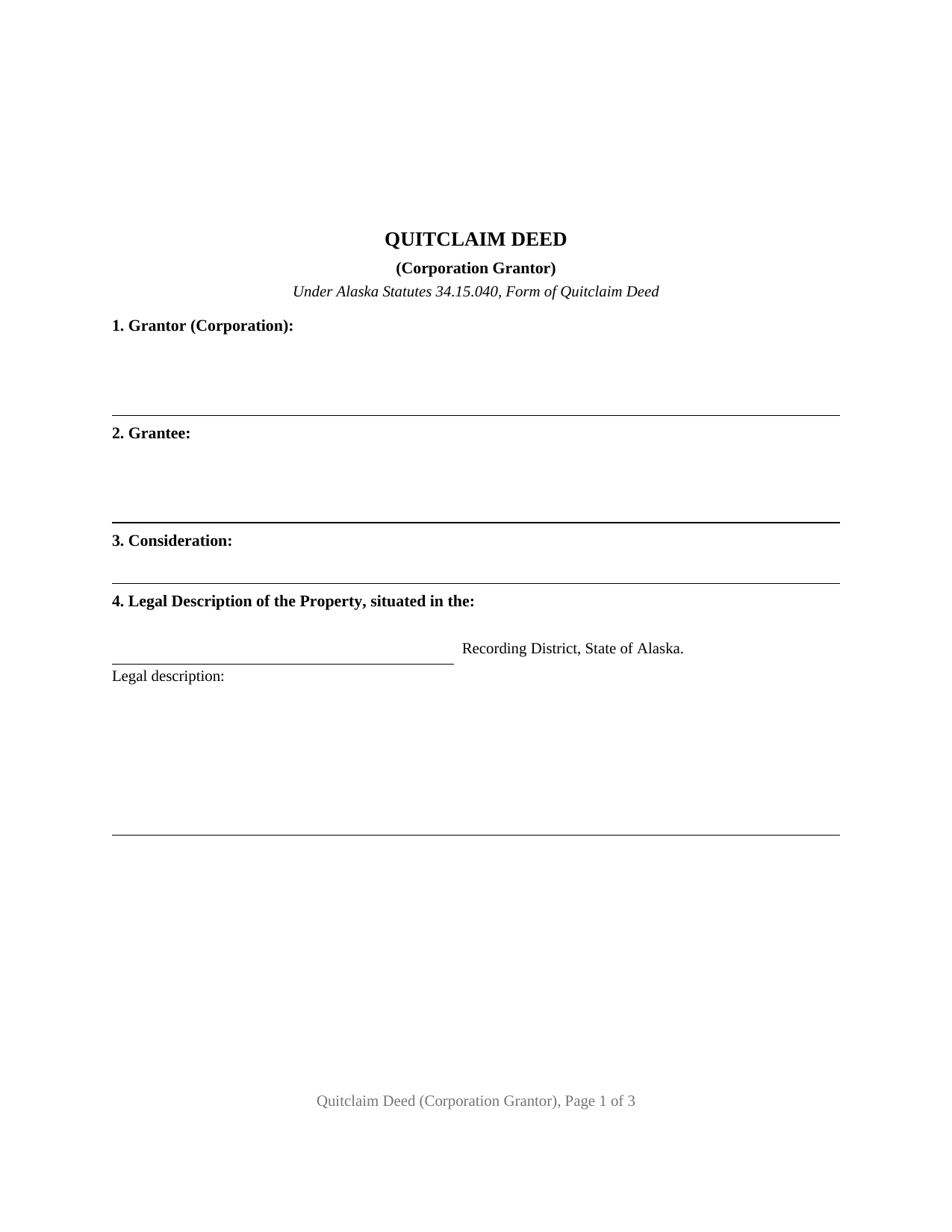
Ketchikan Gateway Borough Quitclaim Deed (Corporation Grantor) Form
Fill in the blank Quitclaim Deed (Corporation Grantor) form formatted to comply with all Alaska recording and content requirements.
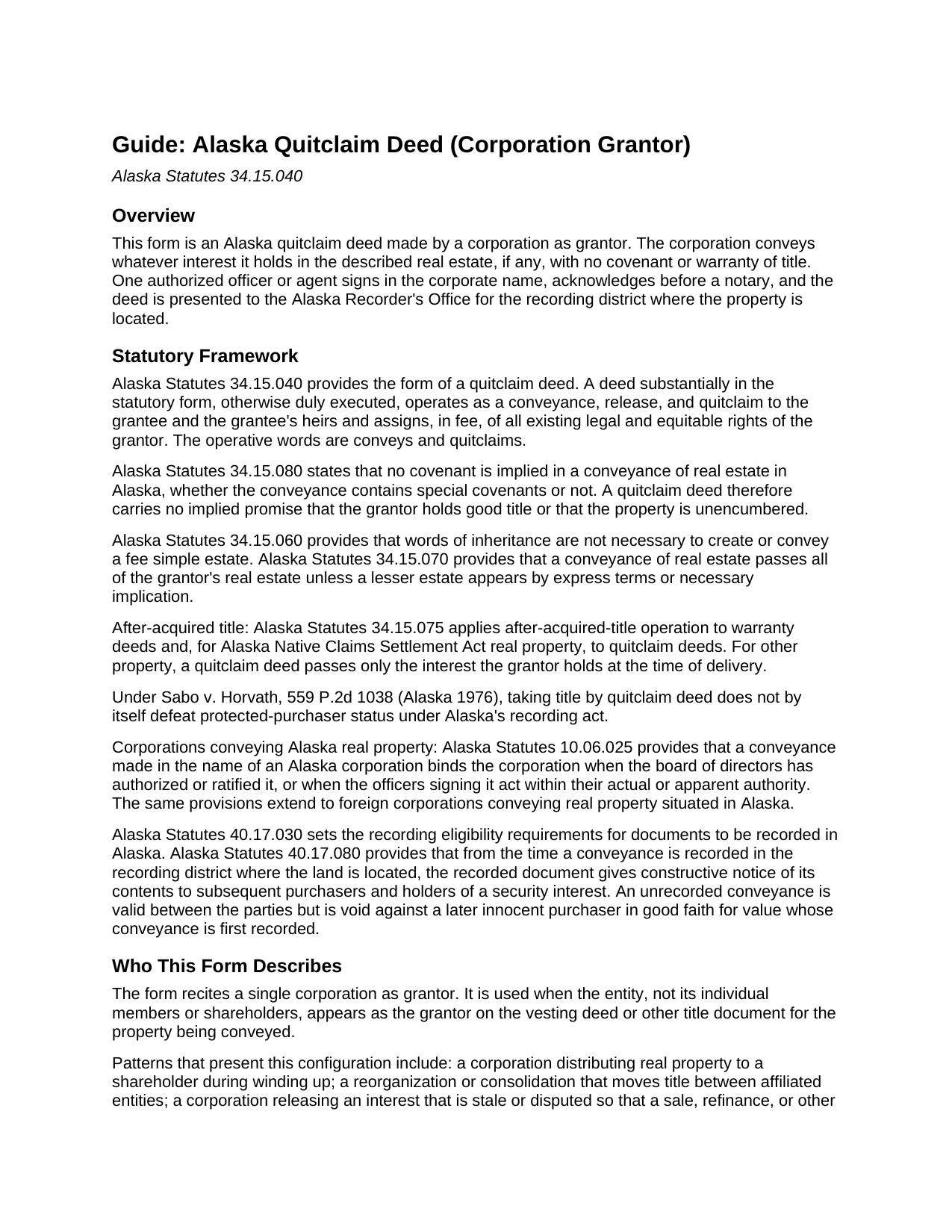
Ketchikan Gateway Borough Quitclaim Deed (Corporation Grantor) Guide
Line by line guide explaining every blank on the Quitclaim Deed (Corporation Grantor) form.
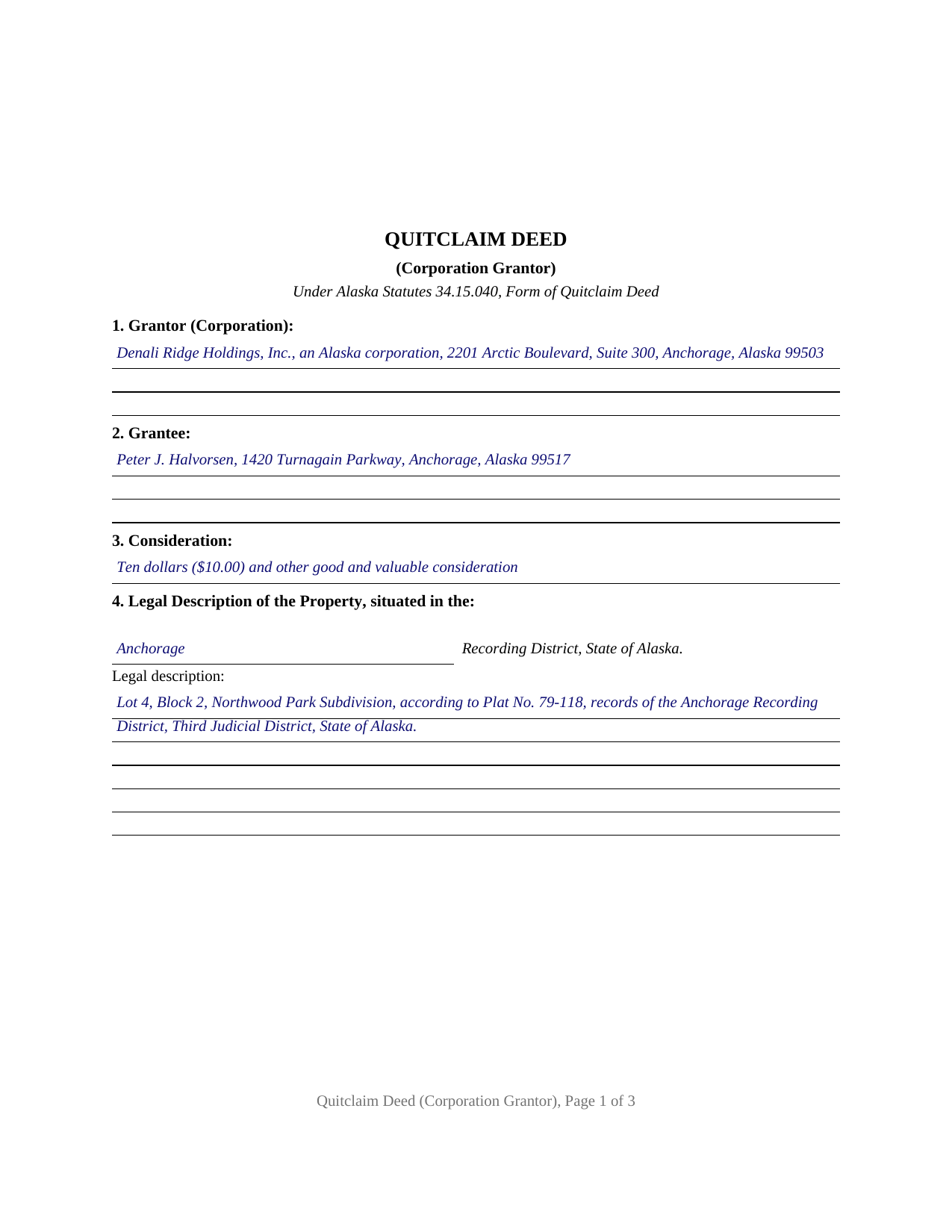
Ketchikan Gateway Borough Completed Example of the Quitclaim Deed (Corporation Grantor) Document
Example of a properly completed Alaska Quitclaim Deed (Corporation Grantor) document for reference.
All 3 documents above included • One-time purchase • No recurring fees
Immediate Download • Secure Checkout
Additional Alaska and Ketchikan Gateway Borough documents included at no extra charge:
Where to Record Your Documents
Juneau Office (for Ketchikan District)
Juneau, Alaska 99801 / 99811-1013
Hours: 8:00 to 12:00 and 1:00 to 3:30 M-F
Phone: (907) 465-2514
Recording Tips for Ketchikan Gateway Borough:
- Bring your driver's license or state-issued photo ID
- Ensure all signatures are in blue or black ink
- Both spouses typically need to sign if property is jointly owned
- Bring extra funds - fees can vary by document type and page count
- Check margin requirements - usually 1-2 inches at top
Cities and Jurisdictions in Ketchikan Gateway Borough
Properties in any of these areas use Ketchikan Gateway Borough forms:
- Ketchikan
- Ward Cove
Hours, fees, requirements, and more for Ketchikan Gateway Borough
How do I get my forms?
Forms are available for immediate download after payment. The Ketchikan Gateway Borough forms will be in your account ready to download to your computer. An account is created for you during checkout if you don't have one. Forms are NOT emailed.
Are these forms guaranteed to be recordable in Ketchikan Gateway Borough?
Yes. Our form blanks are guaranteed to meet or exceed the applicable formatting requirements used for recording in Ketchikan Gateway Borough, including margin requirements, font requirements, and other layout standards. This guarantee applies to formatting, not to the legal sufficiency of information entered by the user or the suitability of a form for a particular transaction.
Can I reuse these forms?
Yes. You can reuse the forms for your personal use. For example, if you have multiple properties in Ketchikan Gateway Borough you only need to order once.
What do I need to use these forms?
The forms are PDFs that you fill out on your computer. The free Adobe Acrobat Reader is recommended, and most PDF apps also work. You do NOT enter your property information online - you download the blank forms and complete them privately on your own computer.
Are there any recurring fees?
No. This is a one-time purchase. Nothing to cancel, no memberships, no recurring fees.
How much does it cost to record in Ketchikan Gateway Borough?
Recording fees in Ketchikan Gateway Borough vary. Contact the recorder's office at (907) 465-2514 for current fees.
Questions answered? Let's get started!
An Alaska quitclaim deed from a corporation grantor puts the entity itself on the grantor line and routes the signature through one authorized officer or agent. This fillable form is built for that configuration: the deed recites the corporate name, entity type, and state of incorporation, the signature block carries the officer's printed name and title beneath the corporate name, and the notary certificate takes the representative form Alaska law supplies for corporations. The conveyance runs on the statutory operative words of AS 34.15.040, conveys and quitclaims, passing whatever interest the corporation holds in the described real estate, if any, with no warranty of title.
One Corporate Grantor, One Signing Officer
The form recites a single entity grantor acting in its own name. Under AS 10.06.025, a conveyance made in the name of an Alaska corporation binds the corporation when the board of directors has authorized or ratified it, or when the officers signing it act within their actual or apparent authority, and the same section reaches foreign corporations conveying real property situated in Alaska. The deed's capacity sentence states that the signer acts for the corporation and not individually, and the Title line places the office held on the record beside the printed name that Alaska's recorder indexes. A family corporation distributing a parcel to a shareholder, related companies consolidating title after a reorganization, an Alaska Native Claims Settlement Act corporation conveying land held in its corporate name, and a dissolving corporation conveying real estate during wind-down all present the single-entity pattern this deed recites. The form is not set up as an individual or co-owner conveyance; a deed signed personally by a natural-person owner presents a different signature and certificate pattern.
Conveys and Quitclaims, from an Entity
Alaska's statutory quitclaim passes all existing legal and equitable rights of the grantor, in fee, to the grantee and the grantee's heirs and assigns, and AS 34.15.080 bars any implied covenant, so the corporation promises nothing about the state of the title. One Alaska wrinkle is specific to corporate land: under AS 34.15.075, after-acquired title passes by operation of law under a quitclaim deed of Alaska Native Claims Settlement Act real property, an exception written around the state's ANCSA corporations; for other property, the deed reaches only what the corporation holds at delivery.
The Representative Acknowledgment
Recording requires acknowledgment, and for an entity signer the certificate does more than witness a signature. The corporate short form in AS 09.63.100(a)(2) names the officer or agent, the office held, the corporation, and its state or place of incorporation, and states that the acknowledgment is made on behalf of the corporation; under AS 09.63.090 that wording means the signer appeared, held the stated position, and acknowledged the deed as the corporation's own act, signed by proper authority. The certificate on this form carries Alaska's judicial-district venue style, works equally where an officer signs before an out-of-state notary, and remote online notarization under AS 44.50.075 is accepted by the state recording system.
Recording the Corporate Conveyance
The deed goes to the Alaska Recorder's Office for the district where the land lies, identified on the face of the document, with the corporation's and the grantee's complete mailing addresses and a return-to name and address, all recording requisites under AS 40.17.030. Fees run $20 for the first page and $5 for each additional page, with $2 for each indexed name over six, and no statewide transfer tax or transfer declaration accompanies an ordinary deed. Recording promptly matters here as everywhere in Alaska: AS 40.17.080 gives the recorded deed constructive-notice priority from the moment of recording.
The download includes the corporation-grantor quitclaim deed as a fillable PDF, a completed example showing the form filled in for a realistic Anchorage Recording District fact pattern, and a plain-language guide covering every section, the signing formalities, and recording. The materials are informational and are not legal advice.
Important: Your property must be located in Ketchikan Gateway Borough to use these forms. Documents should be recorded at the borough or census area recording office listed above.
This Quitclaim Deed (Corporation Grantor) meets all recording requirements specific to Ketchikan Gateway Borough.
Our Promise
The documents you receive here are guaranteed to meet or exceed the applicable Ketchikan Gateway Borough recording format requirements. If there is a rejection caused by our formatting, we will correct the issue or refund your payment. This guarantee applies to document formatting only and does not extend to information entered by the user, the selection of the form, or the legal effect of the completed document.
Save Time and Money
Get your Ketchikan Gateway Borough Quitclaim Deed (Corporation Grantor) form done right the first time with Deeds.com Uniform Conveyancing Blanks. At Deeds.com, we understand that your time and money are valuable resources, and we don't want you to face a penalty fee or rejection imposed by a county recorder for submitting nonstandard documents. We constantly review and update our forms to meet rapidly changing state and county recording requirements for roughly 3,500 counties and local jurisdictions.
4.8 out of 5 - ( 4,839 Reviews )
Judy C. 5 out of 5 stars
Both sets of deeds were complete and easy to understand. Both states accepted the forms to transfer property.
We appreciate your business and value your feedback. Thank you. Have a wonderful day!
MARY LACEY M. 5 out of 5 stars
The service provided by the staff at Deeds.com is consistently excellent with prompt replies and smooth recording transactions. I am grateful to have their service available as driving to downtown Phoenix to record documents is always a daunting prospect. Their assistance in recording our firm's documents has been 100% accurate and a pleasure.
Thank you for your positive words! We’re thrilled to hear about your experience.
Joseph R. 5 out of 5 stars
Deeds.com has saved me quite a bit in attorney fees by making legal forms available on line. Easy to use, just fill in the blanks.
Thank you for your feedback. We really appreciate it. Have a great day!
Fred D. 5 out of 5 stars
At first glance, explanations and guidance to fill out the grant deed seems quite direct and no too difficult. I did not see any reference to a mortgagee which I believe needs to be incorporated in a boundary line adjustment (BLA), though not sure I'll do the actual filling out the form in the next couple of weeks and will be in a better position for a more complete review.
Thank you for your feedback. We really appreciate it. Have a great day!
Marolyn V. 3 out of 5 stars
The booklet is too wordy. Not concise enough for someone who is inexperienced at filling out your form. It would be nice to have a picture example of what you are talking about. When we got to the Registars office we found out they do not have a notary. Would have been nice to know before we went. The form asks for page and book which is no longer needed. So why have it on there?
Thank you, Marolyn, this is useful feedback. A completed sample is actually included with the form, and your note tells us we should make it easier to find and tie it more directly to the instructions, so we'll do that. We'll also add a "before you begin" checklist and a clearer note that the document needs to be notarized in advance, since recording offices don't provide notary service. On the book and page: that reference is required by the Utah statute this affidavit is filed under (§ 57-1-5.1) and still applies to older deeds recorded before counties moved to entry-number-only indexing around 2000. You enter whichever reference appears on your recorded deed and leave the rest blank. Appreciate you taking the time to write in.
KRISSA O. 5 out of 5 stars
Smooth process, no issues.
Thank you!
Pamela M. 5 out of 5 stars
Saved a great deal of time and hassle. THANKS
Thank you!
Theodore K. 2 out of 5 stars
This does the job but we are not able to save this in our account and if you don't pay for Adobe and only have Adobe reader, I cannot save any information on the form online in my account. I do understand why they do this because they would lose money. A huge issue is that when I got to the end of the document and was adding an Exhibit A, as I typed, the page kept jumping back up the to top and I couldn't see what I was typing. I had to type a little then scroll back down and when I would type more, it would jump up again. This was a real problem.
Thank you for your feedback. We really appreciate it. Have a great day!
Marilyn S. 5 out of 5 stars
I was fine. But I don't like surveys.
Thank you!
Patricia N. 5 out of 5 stars
Wonderful fast service, quick thoughtful responses on chat! Files download easily too, great pruces
We are delighted to have been of service. Thank you for the positive review!
Vertina B. 5 out of 5 stars
The website is well established and easy to use. I got everything I was supposed to get. I had no problem downloading the forms. All of the forms printed well.
We appreciate your business and value your feedback. Thank you. Have a wonderful day!
Stephanie P. 5 out of 5 stars
It was a seamless process, inexpensive, and probably saved me thousands by having an attorney draw this same form us. Highly recommend!
Thank you!
Fawn T. 5 out of 5 stars
So easy, forms were great, examples of filled out forms, and instructions guide. Made it way easier, totally worth it!
We appreciate your business and value your feedback. Thank you. Have a wonderful day!
Michael C. 5 out of 5 stars
I would appreciate being able to increase the size of the blocks such as the Grantor block and the legal description block where information is enter on the form and to adjust the font. Otherwise great product,
Thank you for your feedback Michael. We do wish we could make that an option. Unfortunately, adhering to formatting requirements (specifically margin requirements) leaves a finite amount of space available on the page.
Glenda W. 5 out of 5 stars
It is a very helpful and awesome website. I was so glad to hear about it. It is very convenient and saves money as well. I'm sure I will be using it again in the future. Thumbs up to deeds.com!
Thank you for your feedback. We really appreciate it. Have a great day!