Bethel Borough Quitclaim Deed (Married Grantor with Non-Owner Spouse Joinder) Form
Last validated October 6, 2026 by our Forms Development TeamFormatted for recording in Bethel Borough, for property anywhere in the borough or census area: rural and unincorporated areas as well as Akiachak, Akiak, Aniak, Bethel, Chefornak, Crooked Creek, Eek, Goodnews Bay and 19 more.
- 3 documents included
- Immediate PDF download
- Formatting guarantee
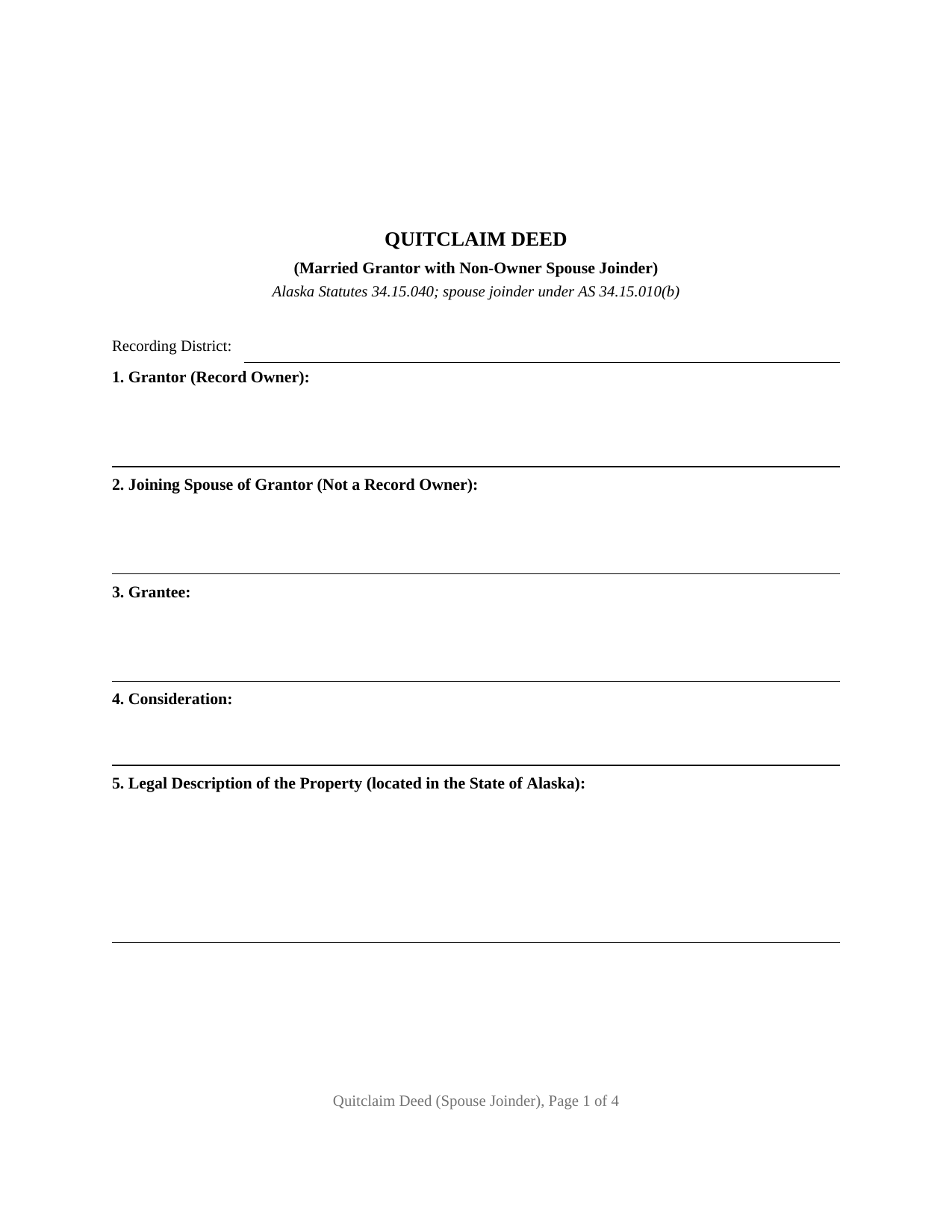
Bethel Borough Quitclaim Deed (Married Grantor with Non-Owner Spouse Joinder) Form
Fill in the blank Quitclaim Deed (Married Grantor with Non-Owner Spouse Joinder) form formatted to comply with all Alaska recording and content requirements.
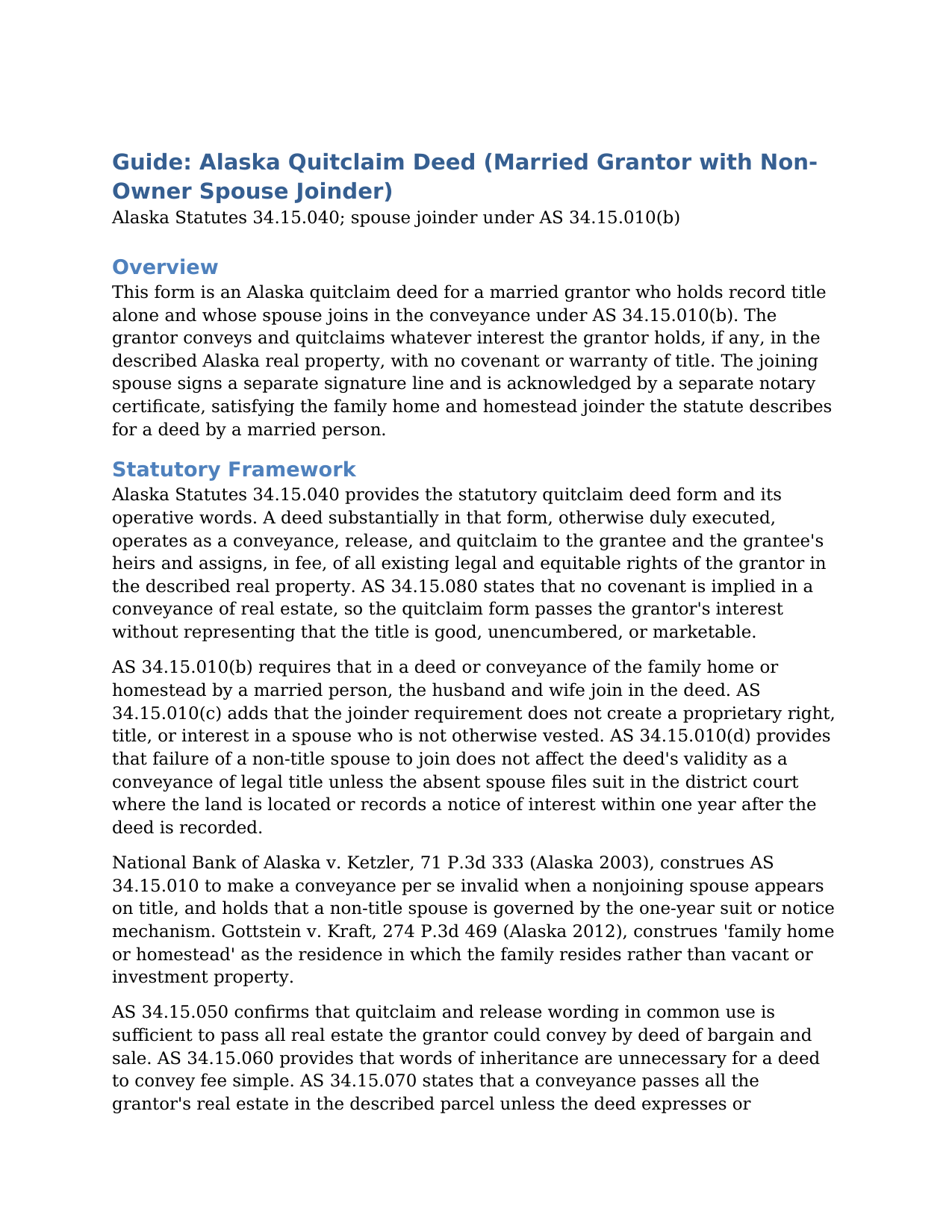
Bethel Borough Quitclaim Deed (Married Grantor with Non-Owner Spouse Joinder) Guide
Line by line guide explaining every blank on the Quitclaim Deed (Married Grantor with Non-Owner Spouse Joinder) form.
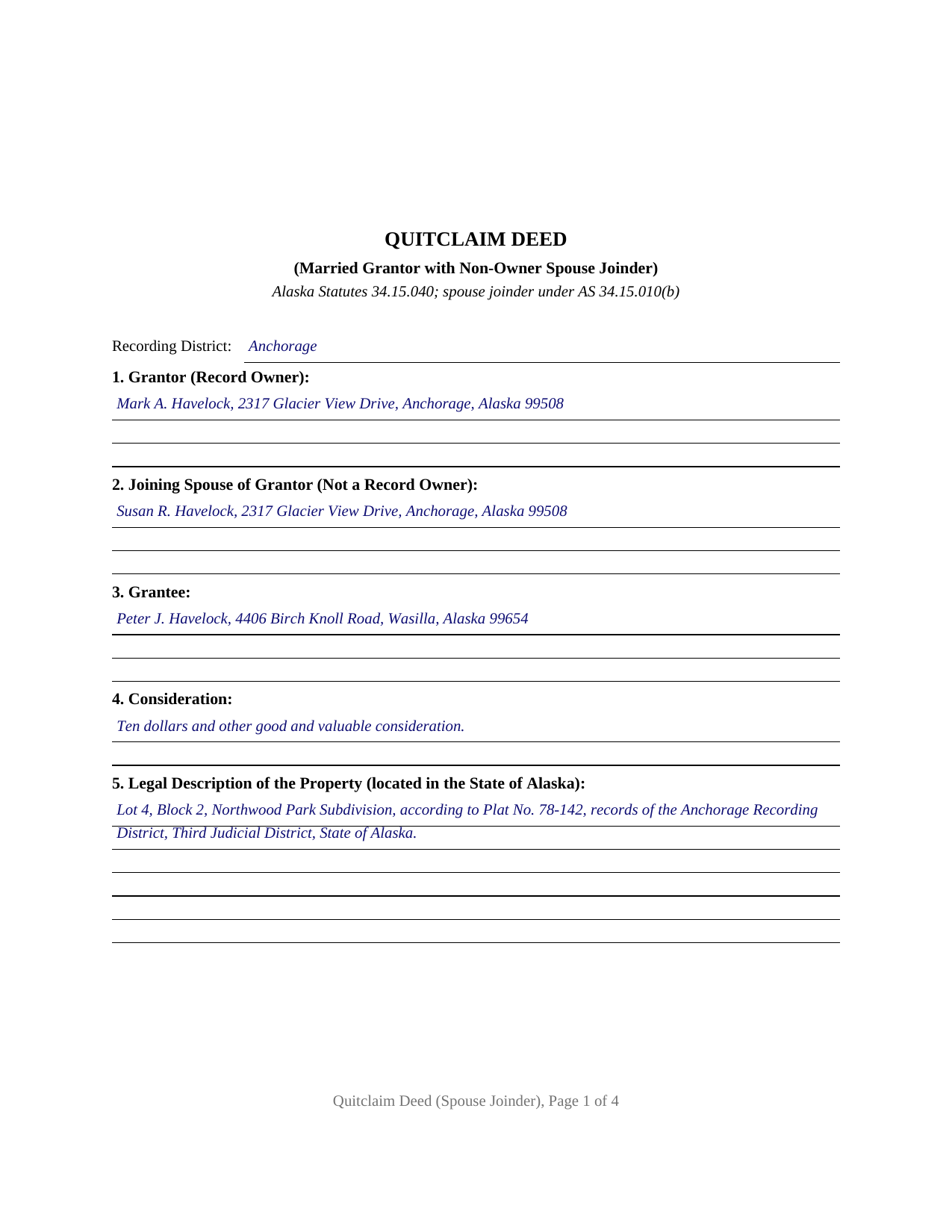
Bethel Borough Completed Example of the Quitclaim Deed (Married Grantor with Non-Owner Spouse Joinder) Document
Example of a properly completed Alaska Quitclaim Deed (Married Grantor with Non-Owner Spouse Joinder) document for reference.
All 3 documents above included • One-time purchase • No recurring fees
Immediate Download • Secure Checkout
Additional Alaska and Bethel Borough documents included at no extra charge:
Where to Record Your Documents
Fairbanks Office
Fairbanks, Alaska 99701-6206
Hours: 8:00am to 3:30pm M-F / Research from 7:30am
Phone: (907) 452-2951 or 452-2298
Recording Tips for Bethel Borough:
- Bring your driver's license or state-issued photo ID
- Ensure all signatures are in blue or black ink
- Both spouses typically need to sign if property is jointly owned
- Bring extra funds - fees can vary by document type and page count
- Check margin requirements - usually 1-2 inches at top
Cities and Jurisdictions in Bethel Borough
Properties in any of these areas use Bethel Borough forms:
- Akiachak
- Akiak
- Aniak
- Bethel
- Chefornak
- Crooked Creek
- Eek
- Goodnews Bay
- Kalskag
- Kasigluk
- Kipnuk
- Kongiganak
- Kwethluk
- Kwigillingok
- Lower Kalskag
- Mekoryuk
- Napakiak
- Nightmute
- Nunapitchuk
- Platinum
- Quinhagak
- Red Devil
- Sleetmute
- Toksook Bay
- Tuluksak
- Tuntutuliak
- Tununak
Hours, fees, requirements, and more for Bethel Borough
How do I get my forms?
Forms are available for immediate download after payment. The Bethel Borough forms will be in your account ready to download to your computer. An account is created for you during checkout if you don't have one. Forms are NOT emailed.
Are these forms guaranteed to be recordable in Bethel Borough?
Yes. Our form blanks are guaranteed to meet or exceed the applicable formatting requirements used for recording in Bethel Borough, including margin requirements, font requirements, and other layout standards. This guarantee applies to formatting, not to the legal sufficiency of information entered by the user or the suitability of a form for a particular transaction.
Can I reuse these forms?
Yes. You can reuse the forms for your personal use. For example, if you have multiple properties in Bethel Borough you only need to order once.
What do I need to use these forms?
The forms are PDFs that you fill out on your computer. The free Adobe Acrobat Reader is recommended, and most PDF apps also work. You do NOT enter your property information online - you download the blank forms and complete them privately on your own computer.
Are there any recurring fees?
No. This is a one-time purchase. Nothing to cancel, no memberships, no recurring fees.
How much does it cost to record in Bethel Borough?
Recording fees in Bethel Borough vary. Contact the recorder's office at (907) 452-2951 or 452-2298 for current fees.
Questions answered? Let's get started!
On this Alaska quitclaim deed, two people sign, but only one of them owns anything of record. The form is configured for a married grantor who holds title alone, and it pairs the owner's conveyance with a labeled signature line and acknowledgment certificate for the grantor's spouse, the joinder Alaska Statutes 34.15.010(b) describes for a deed of the family home or homestead by a married person. Anyone reading the recorded document, from a title examiner to a later purchaser, sees both signatures already in place, with no open question about the non-owner spouse.
The Signature That Owns Nothing
Alaska's joinder statute is unusual in reaching a spouse who does not appear on the title at all. Where the property conveyed is the family home or homestead, AS 34.15.010(b) directs the husband and wife to join in the deed, and the Alaska Supreme Court has applied the rule to a residence titled in one spouse's name alone. The statute balances that reach with two limits. Joinder vests nothing: AS 34.15.010(c) states that the requirement does not create a proprietary right, title, or interest in the joining spouse. And a missing joinder from a non-title spouse does not void the deed outright; instead, AS 34.15.010(d) opens a one-year window after recording during which that spouse may file suit in the judicial district where the land lies, or record a notice of interest, to unwind the conveyance. A deed recorded with the joinder already on it never meets that window.
What This Configuration Carries
The form names one record owner as grantor and names the grantor's spouse in a separate joining-spouse section, with the deed stating that the spouse does not appear on title. The spouse joins in the conveyance and quitclaims any interest that spouse may hold, and the deed repeats the statutory rule that joinder vests nothing in the joining spouse. Two signature lines and two acknowledgment certificates follow, one per signer, so the grantor and the joining spouse may acknowledge on different dates or before different notaries. A married owner who took title before the marriage, conveying the residence the couple occupies, presents the pattern this deed recites. The form is not set up as a deed from co-owning spouses; a conveyance by two record owners carries two grantors, each conveying a vested interest, which is a different configuration.
A Conveyance Without Covenants
The operative language tracks the statutory quitclaim form of AS 34.15.040: the grantor conveys and quitclaims all interest which the grantor has, if any, in the described real estate. A deed substantially in that form passes all the grantor's existing legal and equitable rights, in fee, to the grantee and the grantee's heirs and assigns. Alaska implies no covenants in a conveyance of real estate (AS 34.15.080), so the deed makes no promise that title is good or unencumbered. That bare-bones character is what keeps the quitclaim deed, sometimes searched as a quit claim deed form, in constant service for transfers between relatives, divorce and settlement conveyances, and cleanup of stray interests.
Recording in a State Without Counties
The document is drafted to Alaska's statewide recording standards: the first page holds two inches clear at the top for the recorder, the recording district where the land lies is named on the face of the deed, complete mailing addresses appear for the parties as AS 40.17.030 requires, and a return-to block tells the recorder where to send the original after recording. Fees are uniform across the state, $20 for the first page and $5 for each page after it, and Alaska collects no transfer tax with an ordinary deed. Once recorded, the deed gives constructive notice under AS 40.17.080; an unrecorded conveyance is void against a later innocent purchaser for value who records first.
The download delivers the quitclaim deed as a fillable PDF, a completed example showing the form filled in for an Anchorage fact pattern, and a plain-language guide that walks through every section, the joinder mechanics, and recording. The materials describe Alaska law in general terms and are not legal advice.
Important: Your property must be located in Bethel Borough to use these forms. Documents should be recorded at the borough or census area recording office listed above.
This Quitclaim Deed (Married Grantor with Non-Owner Spouse Joinder) meets all recording requirements specific to Bethel Borough.
Our Promise
The documents you receive here are guaranteed to meet or exceed the applicable Bethel Borough recording format requirements. If there is a rejection caused by our formatting, we will correct the issue or refund your payment. This guarantee applies to document formatting only and does not extend to information entered by the user, the selection of the form, or the legal effect of the completed document.
Save Time and Money
Get your Bethel Borough Quitclaim Deed (Married Grantor with Non-Owner Spouse Joinder) form done right the first time with Deeds.com Uniform Conveyancing Blanks. At Deeds.com, we understand that your time and money are valuable resources, and we don't want you to face a penalty fee or rejection imposed by a county recorder for submitting nonstandard documents. We constantly review and update our forms to meet rapidly changing state and county recording requirements for roughly 3,500 counties and local jurisdictions.
4.8 out of 5 - ( 4,823 Reviews )
Sandra T. 5 out of 5 stars
I hope this will address all I need to make sure my father is not being taken for granted by my siblings and a nephew and his wife. thank you
Thank you!
Roderick S. 2 out of 5 stars
It all started out well, then I was abruptly told that I would have to submit the documents directly to the recording office. No explanation was offered and I wasted a lot of time on your website for nothing. Very disappointing, as the concept of e-recording is what is needed in 2026.
We reviewed your order and our support messages. The document uploaded for recording was a very low-quality scan that did not meet the county’s eRecording image requirements. Our staff asked that a clearer scan be uploaded, but the same image was submitted again.
Because the document could not be processed electronically, we advised recording it directly with the county recorder’s office.
E-recording systems require clear, legible document images that meet county standards. When those requirements cannot be met, recording directly with the recorder is often the fastest option.
Lajeanne F. 5 out of 5 stars
Your service was as you promoted and I was able to get a copy of my deed and find the information on it I needed. Thank you.
Thank you for your feedback. We really appreciate it. Have a great day!
Alberta P. 5 out of 5 stars
form was east to use...instructions came in handy.
Thank you for your feedback. We really appreciate it. Have a great day!
Ismael R. 5 out of 5 stars
Very informative and acess was instant and precise.
Great to hear — thank you for taking the time to write a review.
Maryel T. 4 out of 5 stars
Good site, had the information I needed. Quicker than I expected. Thanks.
We appreciate your business and value your feedback. Thank you. Have a wonderful day!
Gerald C. 2 out of 5 stars
Pros, quick purchase and document availability including instructions and examples. Cons, For the cert. of trust, the form would not accept the length of our trust name with no way to get around. The pdf file printing did not meet the requirements for 2.5" top margin and .5" other margins as well as the 10pt font size as the form information was shrunk down even when normal printing.
Thank you for your feedback. We really appreciate it. Have a great day!
Ismael I. 5 out of 5 stars
The service was fast and outstanding. Thank you.
Thank you!
Alexander H. 4 out of 5 stars
As an experienced attorney new to estate planning, I attest that this website and its documents were very helpful. Their documents including everything one needed to know and was very comprehensive.
We appreciate your business and value your feedback. Thank you. Have a wonderful day!
Kathleen M. 5 out of 5 stars
I am very happy with this service
Your kind words have brightened our teams day! Thank you for the positive feedback.
Anne G. 5 out of 5 stars
I used deeds.com's services for the first time while the Stay at Home Order is in effect and found it to be very user friendly and seamless. I am very impressed.
Thank you Anne, glad we could help.
Ernest K. 5 out of 5 stars
Im an out of state realtor, but couldnt believe how quick and easy the process was. Recieved my deed within 15 min of submission. I will be referring clients to this service.
Thank you!
Holly K. 5 out of 5 stars
This is the simplest way to record a deed ever. Just uploaded the deed and the professionals at deed.com did the rest. Within 8 hours, I had my recorded deed back. The price is fantastic. It would have cost me more in gas to drive to the county where I had to record the deed.
We appreciate your business and value your feedback. Thank you. Have a wonderful day!
Steve V. 5 out of 5 stars
This service is an amazing time saver. No more trips to the recorder's office. Well worth the service fee.
We are delighted to have been of service. Thank you for the positive review!
John F. 5 out of 5 stars
The document I purchased was perfect for what I needed done. Very easy to obtain the document. Website very easy to navigate. Would use again and would recommend to anyone who needs the documents.
Thank you for your feedback. We really appreciate it. Have a great day!