Fairbanks North Star Borough Quitclaim Deed (Married Grantor with Non-Owner Spouse Joinder) Form
Last validated October 6, 2026 by our Forms Development TeamFormatted for recording in Fairbanks North Star Borough, for property anywhere in the borough or census area: rural and unincorporated areas as well as Eielson Afb, Ester, Fairbanks, Fort Wainwright, North Pole, Salcha, Two Rivers.
- 3 documents included
- Immediate PDF download
- Formatting guarantee
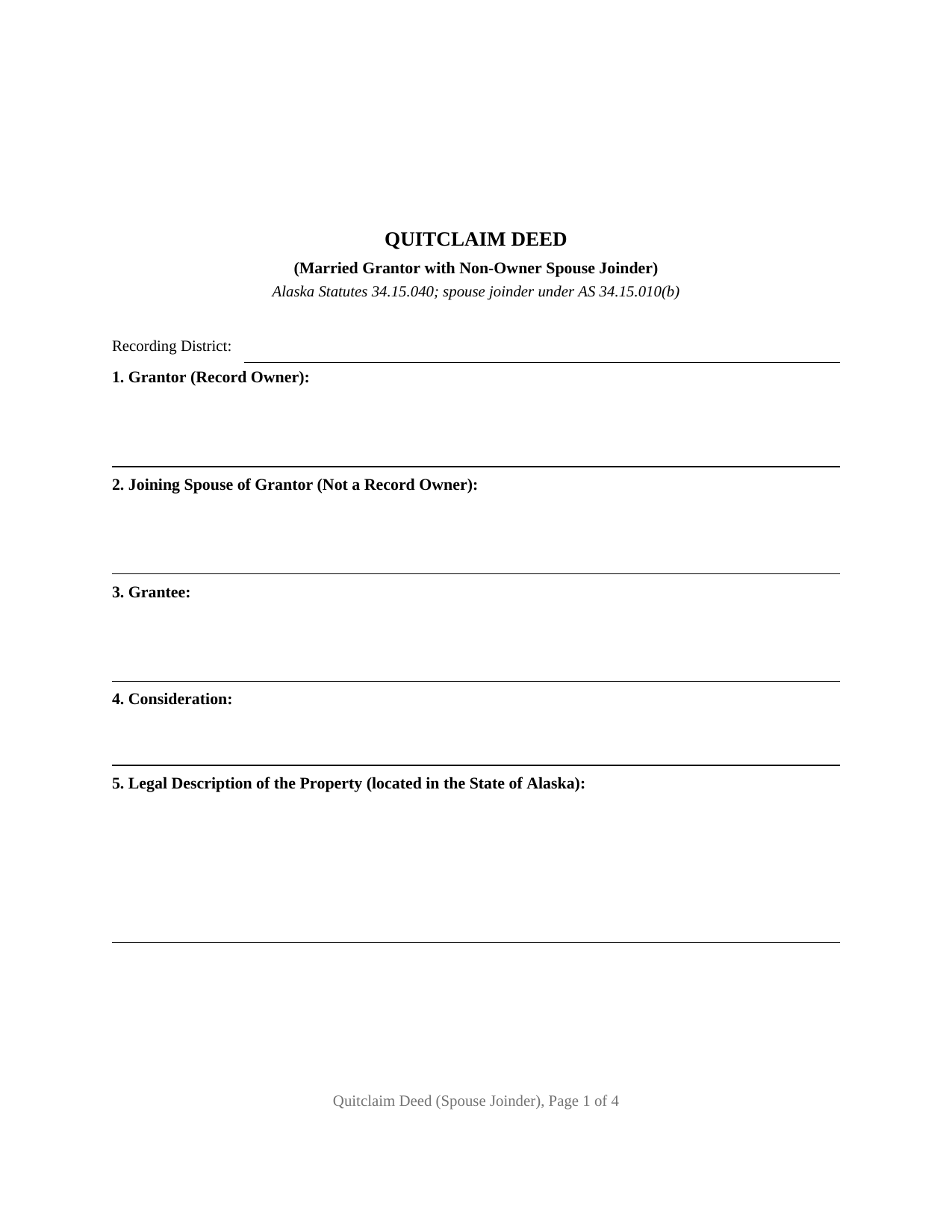
Fairbanks North Star Borough Quitclaim Deed (Married Grantor with Non-Owner Spouse Joinder) Form
Fill in the blank Quitclaim Deed (Married Grantor with Non-Owner Spouse Joinder) form formatted to comply with all Alaska recording and content requirements.
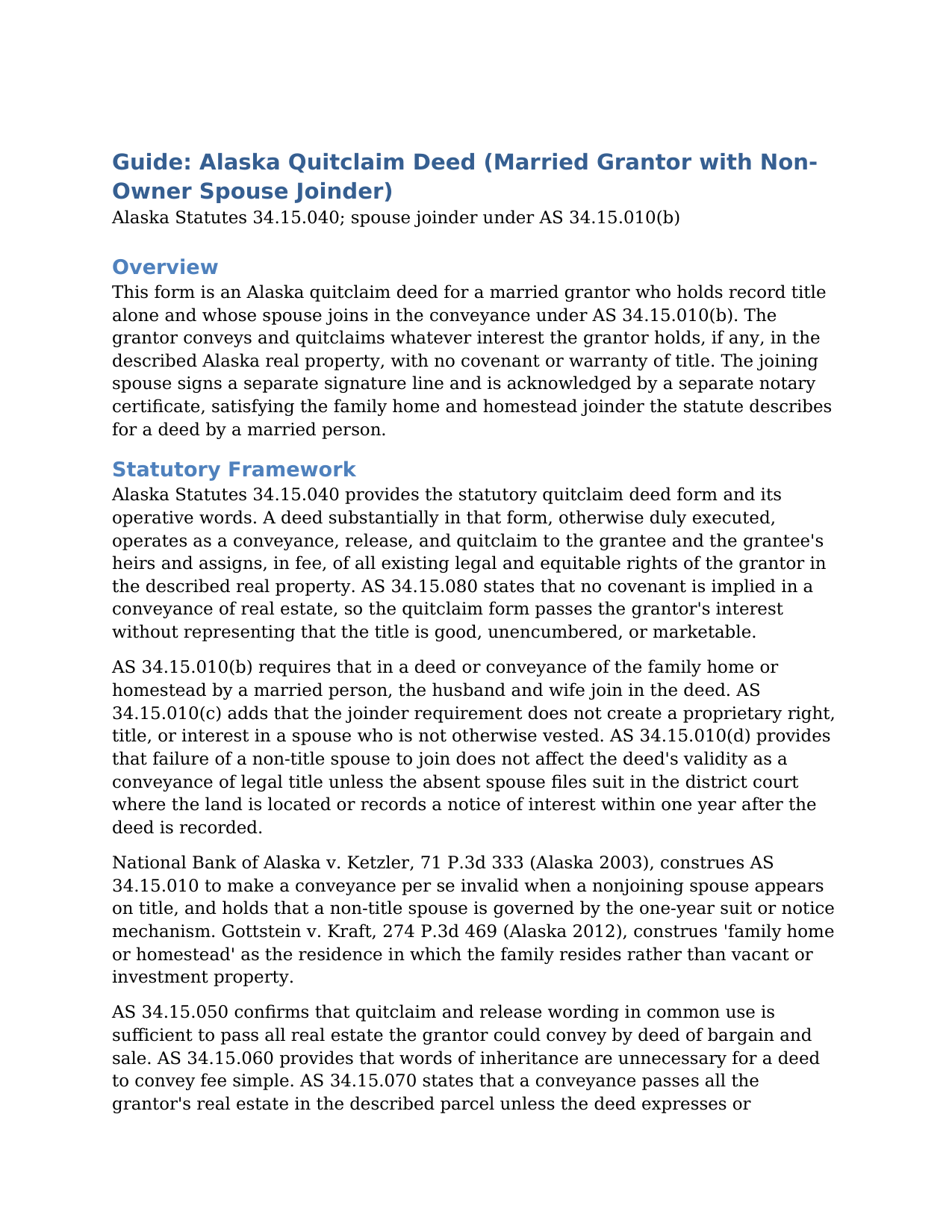
Fairbanks North Star Borough Quitclaim Deed (Married Grantor with Non-Owner Spouse Joinder) Guide
Line by line guide explaining every blank on the Quitclaim Deed (Married Grantor with Non-Owner Spouse Joinder) form.
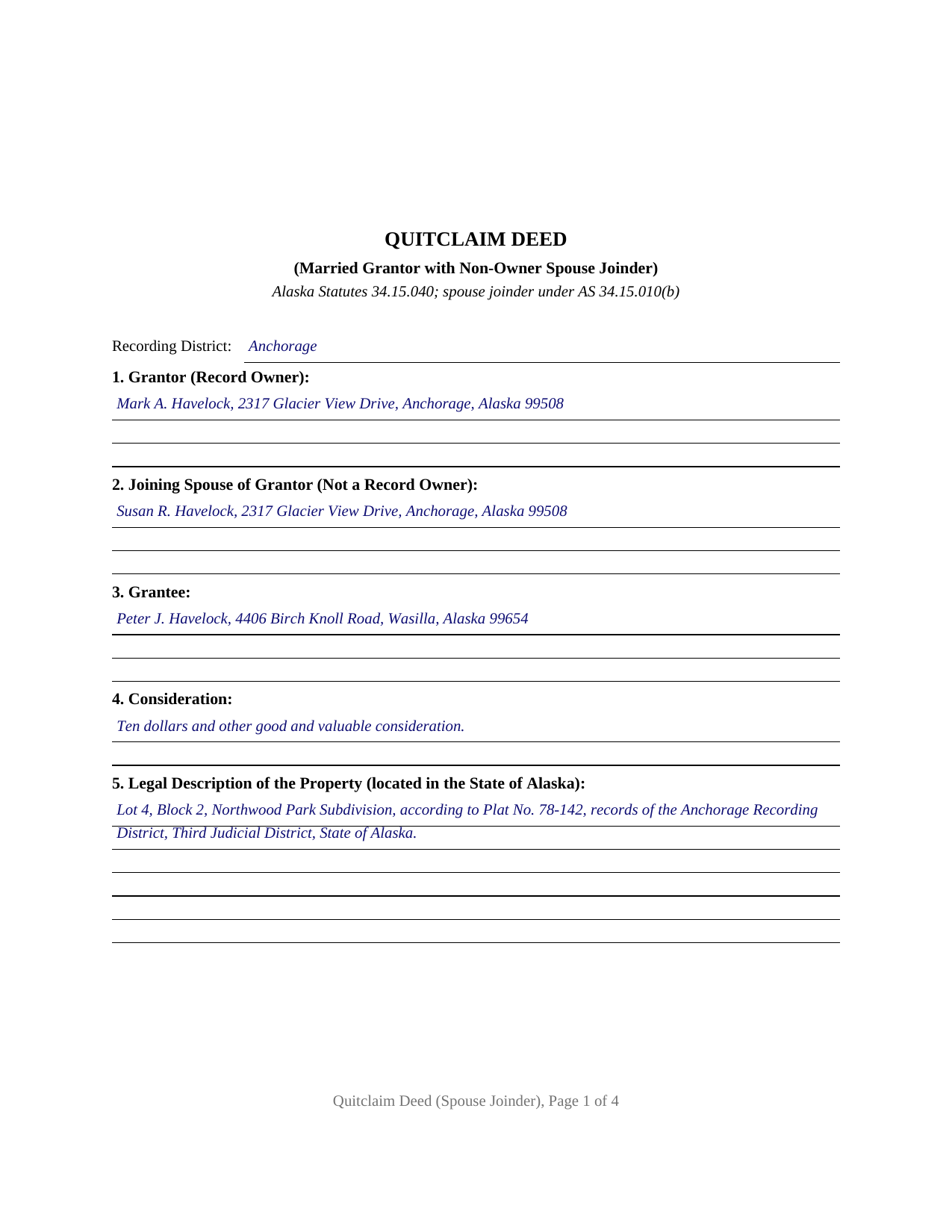
Fairbanks North Star Borough Completed Example of the Quitclaim Deed (Married Grantor with Non-Owner Spouse Joinder) Document
Example of a properly completed Alaska Quitclaim Deed (Married Grantor with Non-Owner Spouse Joinder) document for reference.
All 3 documents above included • One-time purchase • No recurring fees
Immediate Download • Secure Checkout
Additional Alaska and Fairbanks North Star Borough documents included at no extra charge:
Where to Record Your Documents
Fairbanks District Office
Fairbanks, Alaska 99709-4699
Hours: 8:00 to 3:30 M-F / Research from 7:30am
Phone: (907) 452-2298 or 452-3521
Recording Tips for Fairbanks North Star Borough:
- Bring your driver's license or state-issued photo ID
- Ensure all signatures are in blue or black ink
- Recorded documents become public record - avoid including SSNs
- Recording fees may differ from what's posted online - verify current rates
- Request a receipt showing your recording numbers
Cities and Jurisdictions in Fairbanks North Star Borough
Properties in any of these areas use Fairbanks North Star Borough forms:
- Eielson Afb
- Ester
- Fairbanks
- Fort Wainwright
- North Pole
- Salcha
- Two Rivers
Hours, fees, requirements, and more for Fairbanks North Star Borough
How do I get my forms?
Forms are available for immediate download after payment. The Fairbanks North Star Borough forms will be in your account ready to download to your computer. An account is created for you during checkout if you don't have one. Forms are NOT emailed.
Are these forms guaranteed to be recordable in Fairbanks North Star Borough?
Yes. Our form blanks are guaranteed to meet or exceed the applicable formatting requirements used for recording in Fairbanks North Star Borough, including margin requirements, font requirements, and other layout standards. This guarantee applies to formatting, not to the legal sufficiency of information entered by the user or the suitability of a form for a particular transaction.
Can I reuse these forms?
Yes. You can reuse the forms for your personal use. For example, if you have multiple properties in Fairbanks North Star Borough you only need to order once.
What do I need to use these forms?
The forms are PDFs that you fill out on your computer. The free Adobe Acrobat Reader is recommended, and most PDF apps also work. You do NOT enter your property information online - you download the blank forms and complete them privately on your own computer.
Are there any recurring fees?
No. This is a one-time purchase. Nothing to cancel, no memberships, no recurring fees.
How much does it cost to record in Fairbanks North Star Borough?
Recording fees in Fairbanks North Star Borough vary. Contact the recorder's office at (907) 452-2298 or 452-3521 for current fees.
Questions answered? Let's get started!
On this Alaska quitclaim deed, two people sign, but only one of them owns anything of record. The form is configured for a married grantor who holds title alone, and it pairs the owner's conveyance with a labeled signature line and acknowledgment certificate for the grantor's spouse, the joinder Alaska Statutes 34.15.010(b) describes for a deed of the family home or homestead by a married person. Anyone reading the recorded document, from a title examiner to a later purchaser, sees both signatures already in place, with no open question about the non-owner spouse.
The Signature That Owns Nothing
Alaska's joinder statute is unusual in reaching a spouse who does not appear on the title at all. Where the property conveyed is the family home or homestead, AS 34.15.010(b) directs the husband and wife to join in the deed, and the Alaska Supreme Court has applied the rule to a residence titled in one spouse's name alone. The statute balances that reach with two limits. Joinder vests nothing: AS 34.15.010(c) states that the requirement does not create a proprietary right, title, or interest in the joining spouse. And a missing joinder from a non-title spouse does not void the deed outright; instead, AS 34.15.010(d) opens a one-year window after recording during which that spouse may file suit in the judicial district where the land lies, or record a notice of interest, to unwind the conveyance. A deed recorded with the joinder already on it never meets that window.
What This Configuration Carries
The form names one record owner as grantor and names the grantor's spouse in a separate joining-spouse section, with the deed stating that the spouse does not appear on title. The spouse joins in the conveyance and quitclaims any interest that spouse may hold, and the deed repeats the statutory rule that joinder vests nothing in the joining spouse. Two signature lines and two acknowledgment certificates follow, one per signer, so the grantor and the joining spouse may acknowledge on different dates or before different notaries. A married owner who took title before the marriage, conveying the residence the couple occupies, presents the pattern this deed recites. The form is not set up as a deed from co-owning spouses; a conveyance by two record owners carries two grantors, each conveying a vested interest, which is a different configuration.
A Conveyance Without Covenants
The operative language tracks the statutory quitclaim form of AS 34.15.040: the grantor conveys and quitclaims all interest which the grantor has, if any, in the described real estate. A deed substantially in that form passes all the grantor's existing legal and equitable rights, in fee, to the grantee and the grantee's heirs and assigns. Alaska implies no covenants in a conveyance of real estate (AS 34.15.080), so the deed makes no promise that title is good or unencumbered. That bare-bones character is what keeps the quitclaim deed, sometimes searched as a quit claim deed form, in constant service for transfers between relatives, divorce and settlement conveyances, and cleanup of stray interests.
Recording in a State Without Counties
The document is drafted to Alaska's statewide recording standards: the first page holds two inches clear at the top for the recorder, the recording district where the land lies is named on the face of the deed, complete mailing addresses appear for the parties as AS 40.17.030 requires, and a return-to block tells the recorder where to send the original after recording. Fees are uniform across the state, $20 for the first page and $5 for each page after it, and Alaska collects no transfer tax with an ordinary deed. Once recorded, the deed gives constructive notice under AS 40.17.080; an unrecorded conveyance is void against a later innocent purchaser for value who records first.
The download delivers the quitclaim deed as a fillable PDF, a completed example showing the form filled in for an Anchorage fact pattern, and a plain-language guide that walks through every section, the joinder mechanics, and recording. The materials describe Alaska law in general terms and are not legal advice.
Important: Your property must be located in Fairbanks North Star Borough to use these forms. Documents should be recorded at the borough or census area recording office listed above.
This Quitclaim Deed (Married Grantor with Non-Owner Spouse Joinder) meets all recording requirements specific to Fairbanks North Star Borough.
Our Promise
The documents you receive here are guaranteed to meet or exceed the applicable Fairbanks North Star Borough recording format requirements. If there is a rejection caused by our formatting, we will correct the issue or refund your payment. This guarantee applies to document formatting only and does not extend to information entered by the user, the selection of the form, or the legal effect of the completed document.
Save Time and Money
Get your Fairbanks North Star Borough Quitclaim Deed (Married Grantor with Non-Owner Spouse Joinder) form done right the first time with Deeds.com Uniform Conveyancing Blanks. At Deeds.com, we understand that your time and money are valuable resources, and we don't want you to face a penalty fee or rejection imposed by a county recorder for submitting nonstandard documents. We constantly review and update our forms to meet rapidly changing state and county recording requirements for roughly 3,500 counties and local jurisdictions.
4.8 out of 5 - ( 4,837 Reviews )
Brian M. 1 out of 5 stars
The document had all the information needed but could have been presented with a more professional look for the price.
We appreciate you highlighting the balance between compliance and presentation. While our main focus is on the legal correctness and statutory compliance of the documents, we also strive to present this information in a clear and accessible manner.
Amanda W. 5 out of 5 stars
Very helpful.
Thank you!
Filomena G. 5 out of 5 stars
very helpful
Thank you!
Rosie R. 5 out of 5 stars
LOVE THIS!! I am a REALTORand from time to time I have had to take documents for filing. I'm so glad I invested some time online researching eFiling services. The first few search results that populated required an expensive annual or monthly subscription. Luckily I continued to scroll and found Deeds.com. No annual or monthly subscription required. Just pay per use. I uploaded a ROL late one night and Deed.com had it eFiled the very next morning!!! They keep you updated throughout the process via email notifications which you click on the link provided in the email that directs you to your online portal to view the status and once your documents have been filed you can immediately download the filed of record documents including the receipt from the county in which the documents were filed. SO SIMPLE, CONVENIENT, & QUICK-THANK YOU DEEDS.com!!!
We appreciate your business and value your feedback. Thank you. Have a wonderful day!
Theresa S. 5 out of 5 stars
So far everything ive had to do is very simple and easy. Thanks
Thank you for your kind words and for choosing us.
Kenny H. 5 out of 5 stars
The forms are extremely helpful. They could use some updating. Promissory note "...in the form of cash, check or money order." is a bit outdated. My note is with my son and we have an automatic bank transfer set up for payments. He could Venmo me. There are many other options and likely to be more changes in the future, so I know this is difficult to maintain.
Thank you for your feedback. We really appreciate it. Have a great day!
Robert V. 5 out of 5 stars
Website seems to work great and documents are very clear and easy to review and download, thank you. Regards, Bob
We appreciate your business and value your feedback. Thank you. Have a wonderful day!
Herbert W. 5 out of 5 stars
The service was fast and professional. So much easier than going to the courthouse. I recommend this to anyone who has to record documents at the Clerk's office.
We appreciate your business and value your feedback. Thank you. Have a wonderful day!
Rebecca M. 4 out of 5 stars
EASY DOWNLOAD AND PRINT AND / OR SAVE TO YOU PC WHICH SHOULD BE DONE BEFORE FILLING OUT. AFTER I actually use them I'll let you know if its all good, Thanks
Your feedback is greatly appreciated. Thank you for taking the time to share your experience!
Karen C. 5 out of 5 stars
Quick and easy download. Got everything I needed. I would recommend deeds.com
We appreciate your business and value your feedback. Thank you. Have a wonderful day!
Kimberly M. 5 out of 5 stars
Great service. Very helpful and quick. Love Deeds.com and will be using their services again.
Thank you for your feedback Kimberly, we really appreciate it!
Claudia S. 5 out of 5 stars
Very user friendly! Processing is very fast. I would highly recommend using Deed's.
We appreciate your business and value your feedback. Thank you. Have a wonderful day!
Thomas G. 5 out of 5 stars
A few parts are confusing'.Like sending Tax statements to WHO ?/ The rest is simple I hope.Have not tried to record yet
Thank you!
John T. 5 out of 5 stars
Amazing! Very helpful. Very specific.
Thank you for your feedback. We really appreciate it. Have a great day!
Lois B. 5 out of 5 stars
It works pretty well, had trouble with the word December. It printed out Decedmber with weird spacing but I think it will be ok.
Thank you for the feedback. We will take a look at the date field to see if there are any issues. Have a great day!