Faulkner County Assignment of Mortgage or Deed of Trust Form
Last validated November 23, 2026 by our Forms Development TeamFormatted for recording in Faulkner County, for property anywhere in the county: rural and unincorporated areas as well as Conway, Enola, Greenbrier, Guy, Mayflower, Mount Vernon, Vilonia, Wooster.
- 6 documents included
- Immediate PDF download
- Formatting guarantee
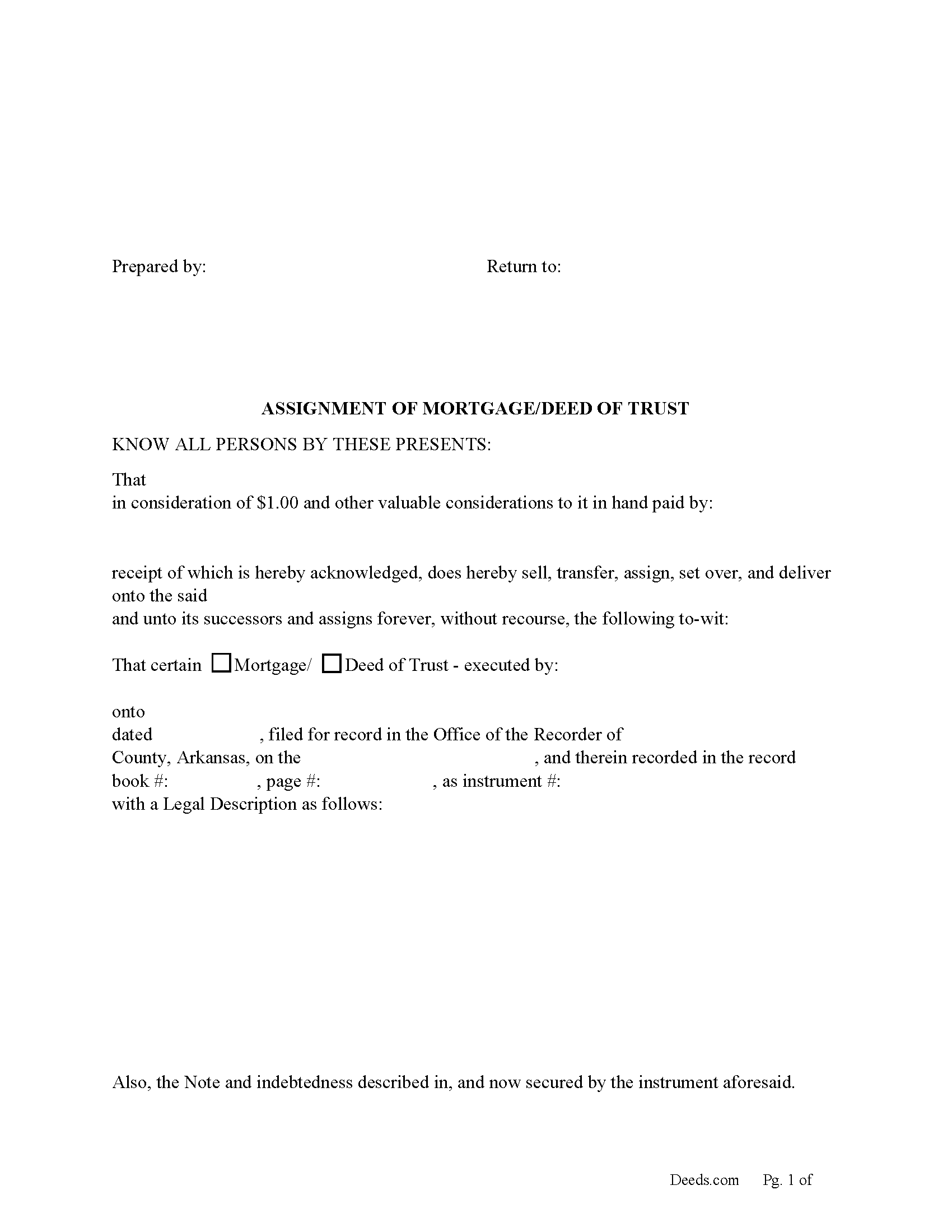
Faulkner County Assignment of Mortgage or Deed of Trust form
Fill in the blank form formatted to comply with all recording and content requirements.
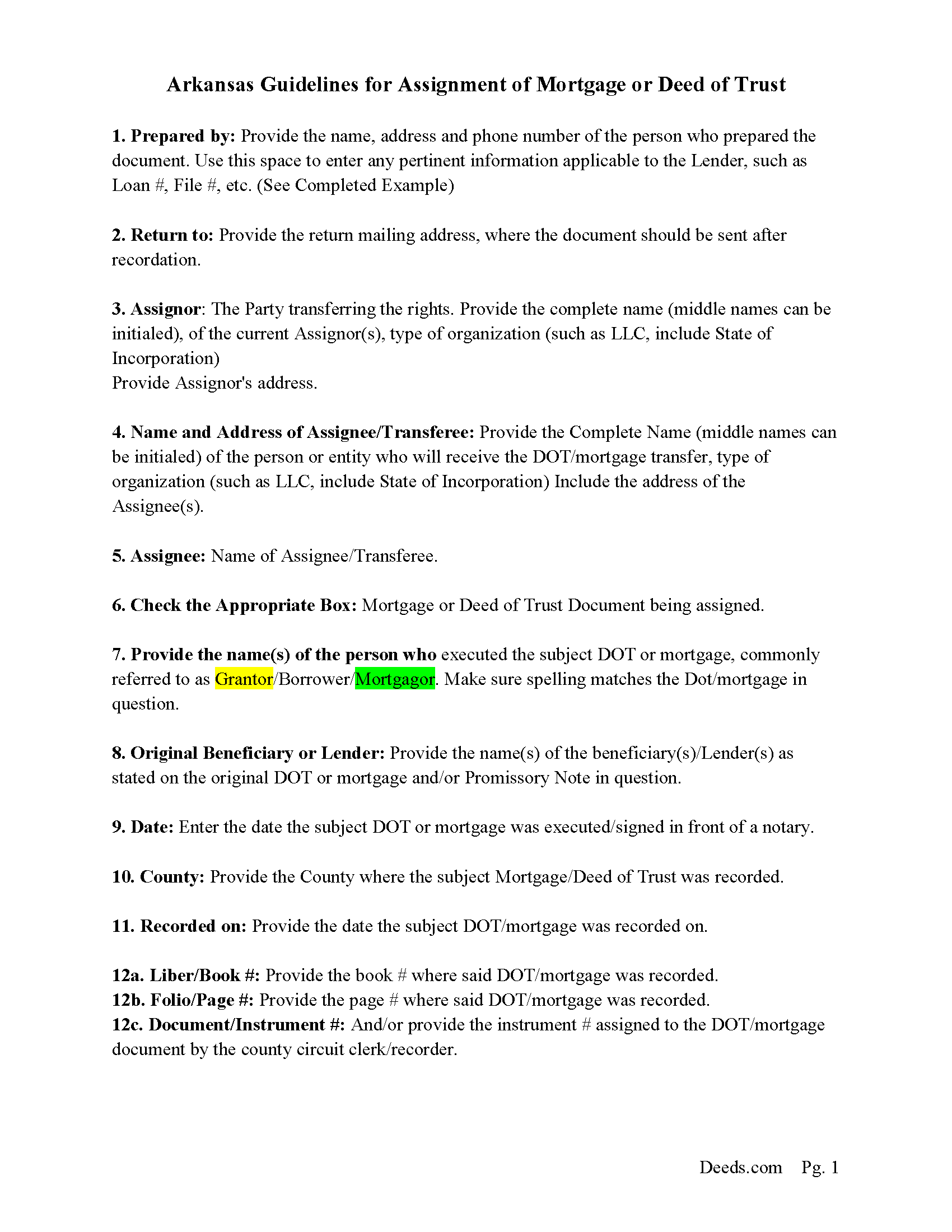
Faulkner County Assignment Guidelines
Line by line guide explaining every blank on the form.
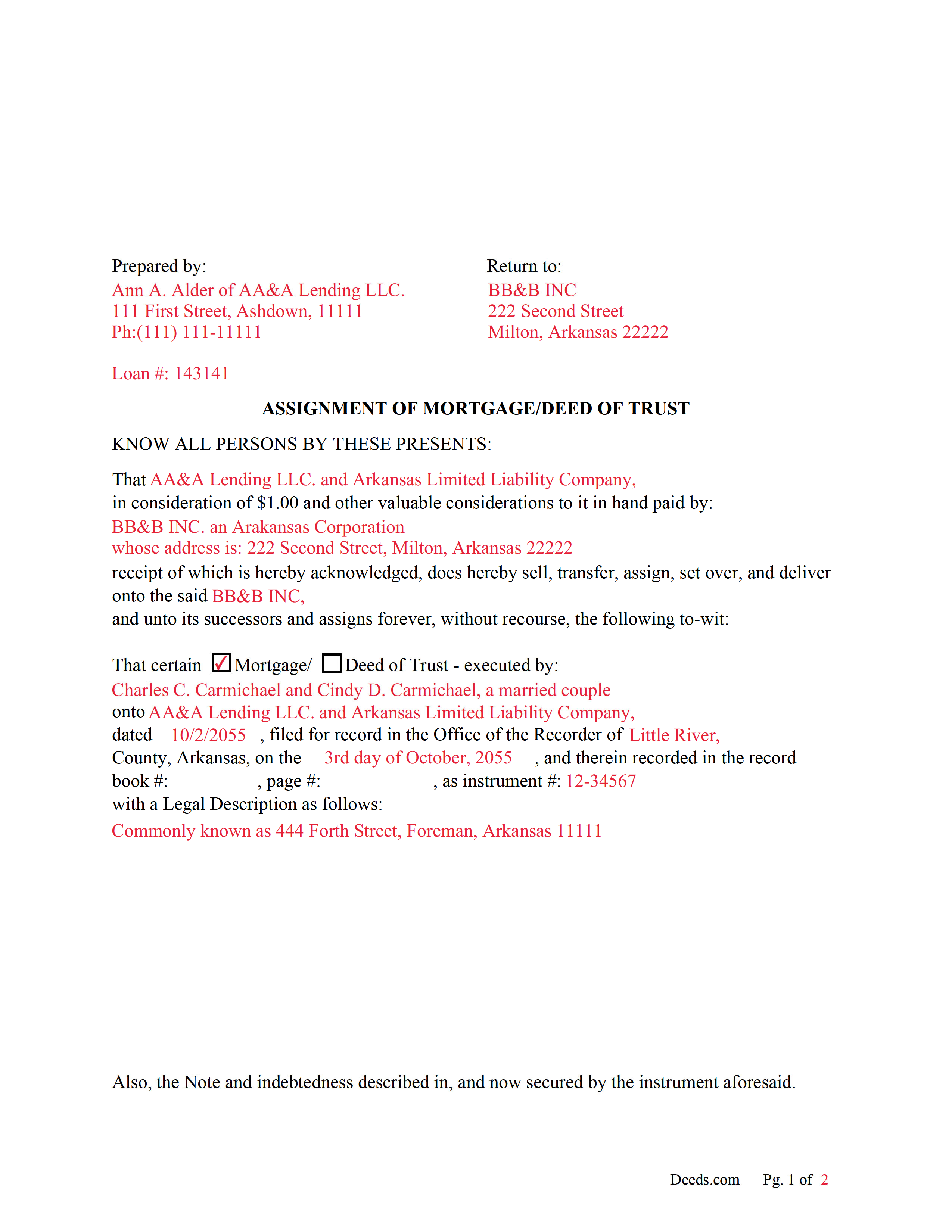
Faulkner County Completed Example of an Assignment Document
Example of a properly completed form for reference.
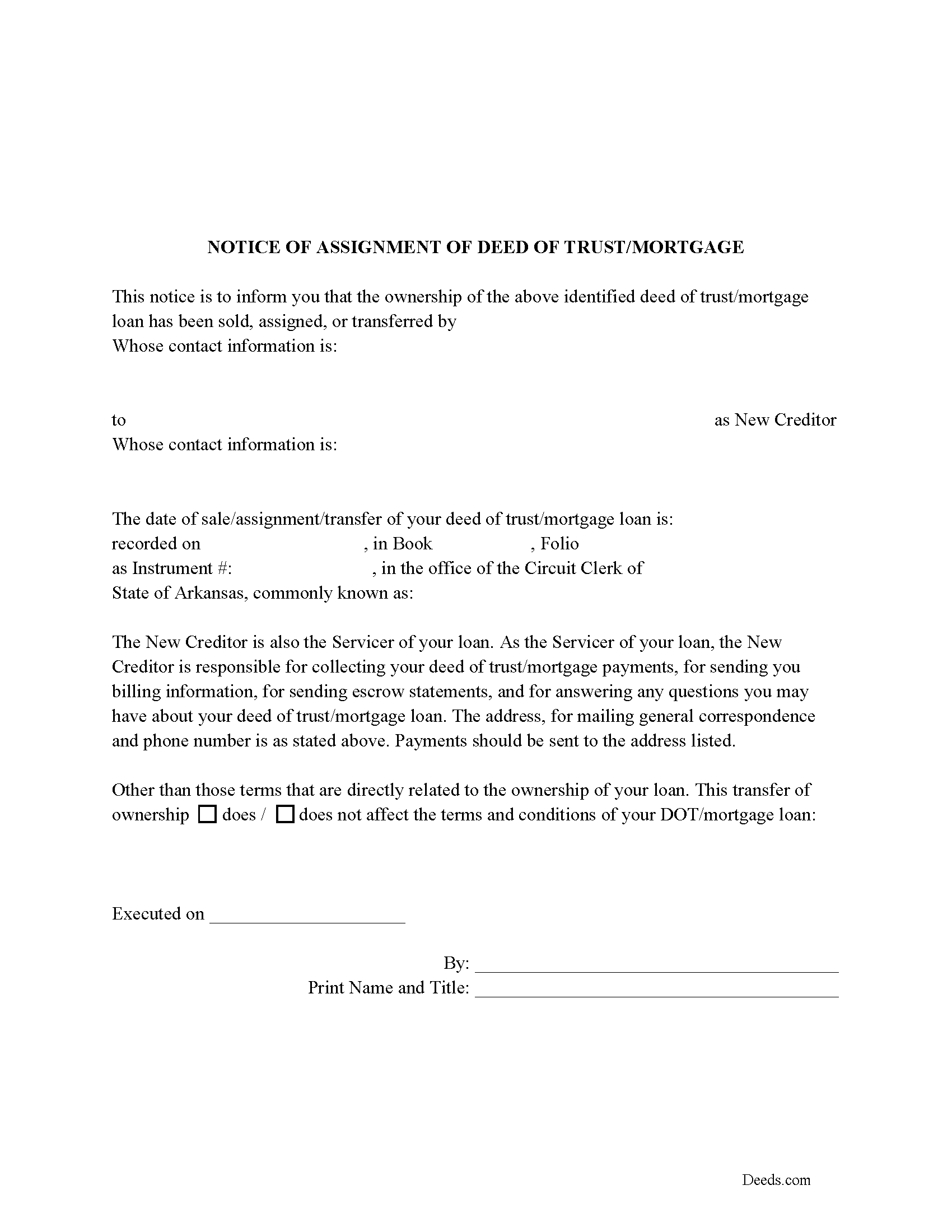
Faulkner County Notice of Assignment of Mortgage or DOT
Required form notifies borrowers of the recorded Assignment.
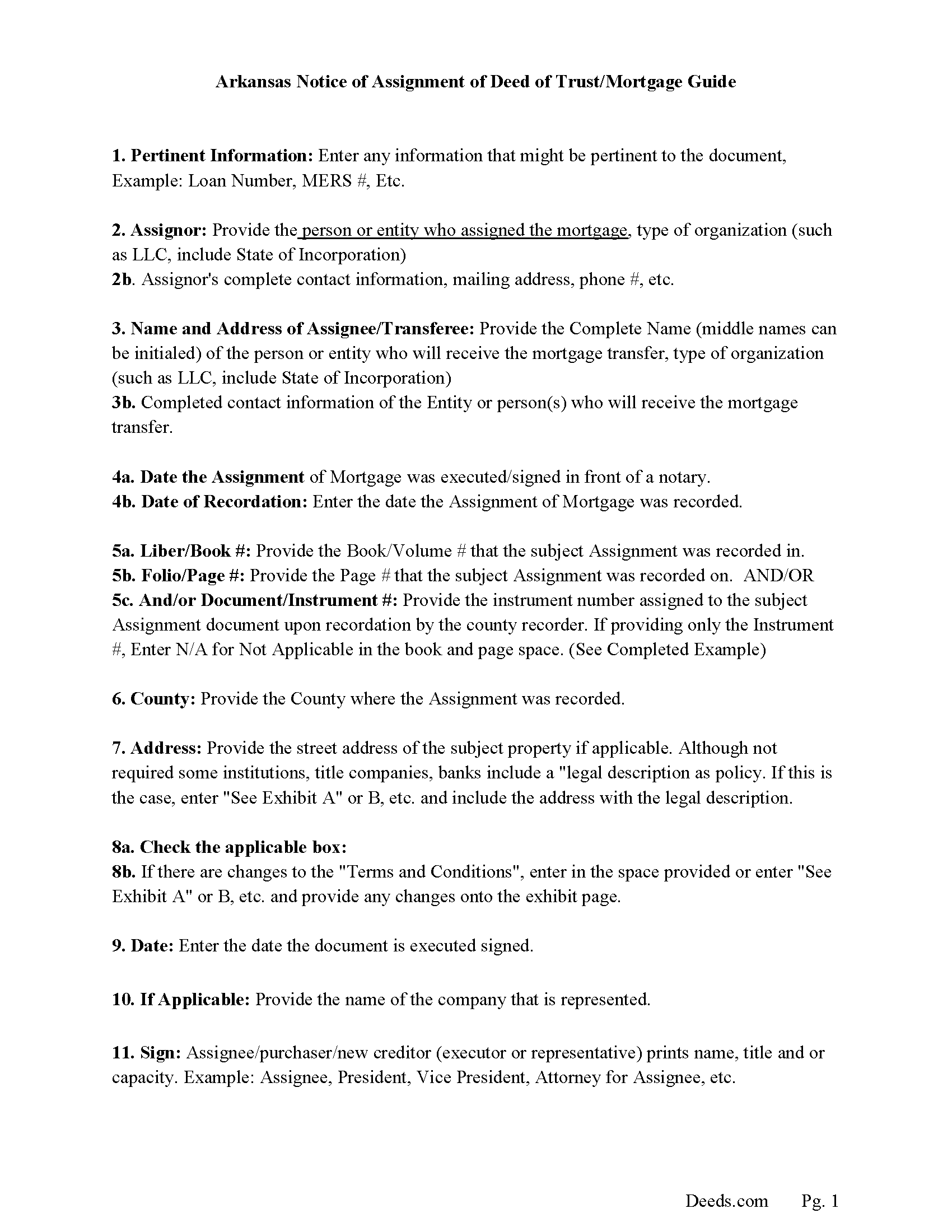
Faulkner County Notice of Assignment Guidelines
Line by line guide explaining every blank on the form.
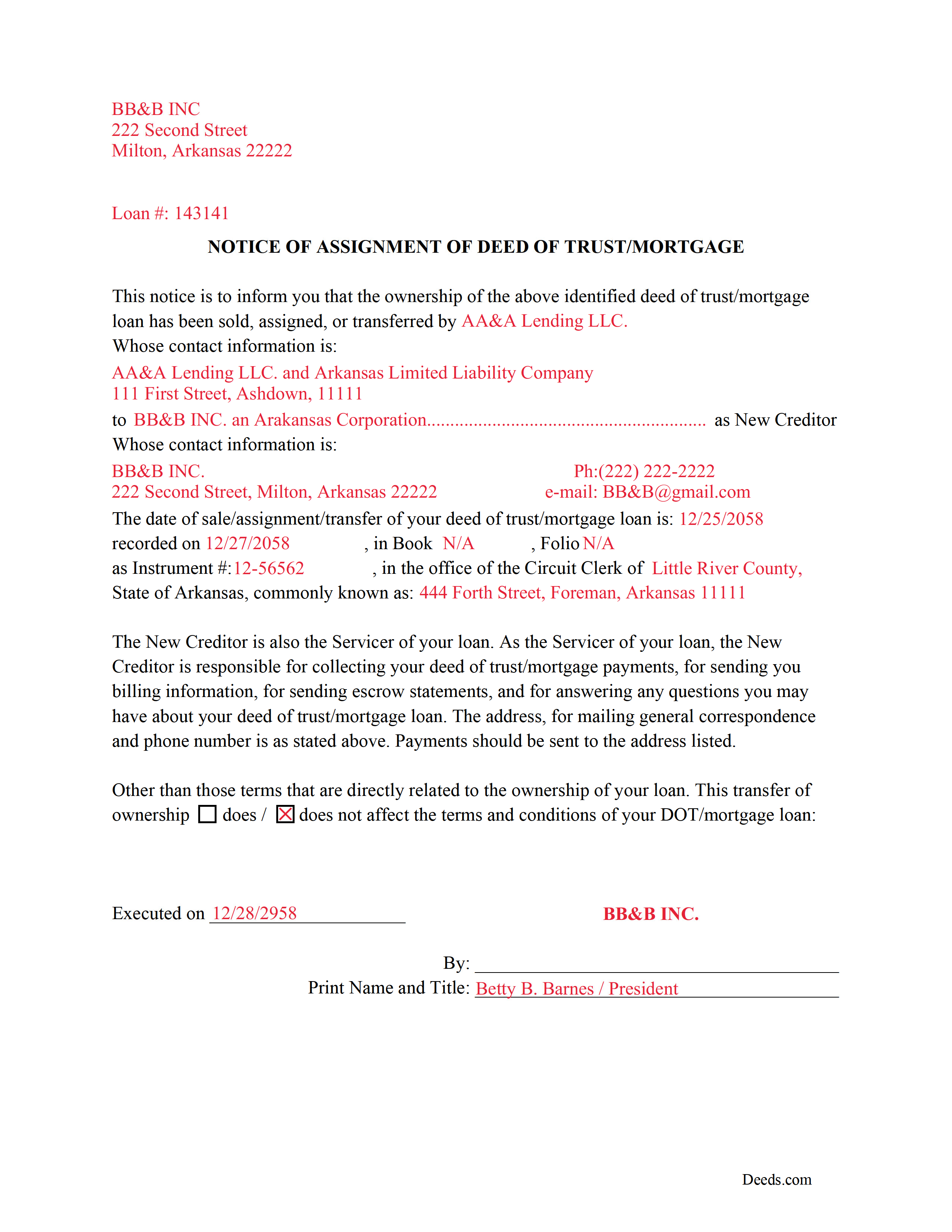
Faulkner County Completed Example of a Notice of Assignment Document
Example of a properly completed form for reference.
All 6 documents above included • One-time purchase • No recurring fees
Immediate Download • Secure Checkout
Additional Arkansas and Faulkner County documents included at no extra charge:
Where to Record Your Documents
Faulkner County Circuit Clerk
Conway, Arkansas 72034 /72033
Hours: 8:00am to 4:30pm M-F
Phone: (501) 450-4911
Recording Tips for Faulkner County:
- Bring your driver's license or state-issued photo ID
- Ensure all signatures are in blue or black ink
- Make copies of your documents before recording - keep originals safe
- Recorded documents become public record - avoid including SSNs
- Recording fees may differ from what's posted online - verify current rates
Cities and Jurisdictions in Faulkner County
Properties in any of these areas use Faulkner County forms:
- Conway
- Enola
- Greenbrier
- Guy
- Mayflower
- Mount Vernon
- Vilonia
- Wooster
Hours, fees, requirements, and more for Faulkner County
How do I get my forms?
Forms are available for immediate download after payment. The Faulkner County forms will be in your account ready to download to your computer. An account is created for you during checkout if you don't have one. Forms are NOT emailed.
Are these forms guaranteed to be recordable in Faulkner County?
Yes. Our form blanks are guaranteed to meet or exceed the applicable formatting requirements used for recording in Faulkner County, including margin requirements, font requirements, and other layout standards. This guarantee applies to formatting, not to the legal sufficiency of information entered by the user or the suitability of a form for a particular transaction.
Can I reuse these forms?
Yes. You can reuse the forms for your personal use. For example, if you have multiple properties in Faulkner County you only need to order once.
What do I need to use these forms?
The forms are PDFs that you fill out on your computer. The free Adobe Acrobat Reader is recommended, and most PDF apps also work. You do NOT enter your property information online - you download the blank forms and complete them privately on your own computer.
Are there any recurring fees?
No. This is a one-time purchase. Nothing to cancel, no memberships, no recurring fees.
How much does it cost to record in Faulkner County?
Recording fees in Faulkner County vary. Contact the recorder's office at (501) 450-4911 for current fees.
Questions answered? Let's get started!
Use these forms to assign/transfer a previously recorded mortgage or deed of trust onto a new party, this is frequently done when a mortgage/deed of trust has been sold.
Notice of Assignment Form Included.
The Truth and lending act requires that borrowers be notified when their Mortgage/Deed of Trust debt has been sold, transferred, or assigned to a new creditor.
Title 18 - Property
Subtitle 4 - Mortgages and Liens
Chapter 40 - Mortgages
18-40-109. Transfer, etc., by separate instrument
(a)
(1) No provision contained in 18-40-103, 18-40-106, 18-40-107, and this section shall prevent any mortgagee, trustee, agent of owner of record, or the owner of record, transferee, or assignee appearing of record, from selling, transferring, or assigning any deed of trust, mortgage, or vendor's lien retained in deed by separate instrument duly acknowledged and recorded.
(2) At the time of recording any separate instrument transferring any mortgage, deed of trust, vendor's lien, or lien retained in deed, note, bond, or other instrument, the clerk and ex officio recorder in the office in which the transfer or assignment shall appear shall note on the margin of the record of the original mortgage, deed of trust, or deed retaining vendor's lien a memorandum noting that the lien contained in the instrument, and the notes or other instruments evidenced thereby, have been transferred, to whom transferred, the date of the transfer, and the book and page where the separate instrument and transfer may be found.
(3) The failure of the clerk and ex officio recorder to make the marginal entry or notation shall not invalidate the sale, transfer, or assignment recorded as provided in this section.
(b)
(1) The clerks in counties which use other than paper recording systems shall not allow any assignment by marginal notation after December 31, 1995.
(2) Any such marginal notation entered after December 31, 1995, is void
(Arkansas Assignment Package includes form, guidelines, and completed example) For use in Arkansas only.
Important: Your property must be located in Faulkner County to use these forms. Documents should be recorded at the county recording office listed above.
This Assignment of Mortgage or Deed of Trust meets all recording requirements specific to Faulkner County.
Our Promise
The documents you receive here are guaranteed to meet or exceed the applicable Faulkner County recording format requirements. If there is a rejection caused by our formatting, we will correct the issue or refund your payment. This guarantee applies to document formatting only and does not extend to information entered by the user, the selection of the form, or the legal effect of the completed document.
Save Time and Money
Get your Faulkner County Assignment of Mortgage or Deed of Trust form done right the first time with Deeds.com Uniform Conveyancing Blanks. At Deeds.com, we understand that your time and money are valuable resources, and we don't want you to face a penalty fee or rejection imposed by a county recorder for submitting nonstandard documents. We constantly review and update our forms to meet rapidly changing state and county recording requirements for roughly 3,500 counties and local jurisdictions.
4.8 out of 5 - ( 4,864 Reviews )
John M. 5 out of 5 stars
Easy to use site with a good selection of documents
Thank you!
Jeanette S. 5 out of 5 stars
Easy to use and instructions were very clear. If possible, it would be nice to be able to download the entire package at one time - it was a little cumbersome to download each item separately. (Of course, I didn't know which of the items I needed, so downloaded them all)
Thank you for your feedback. We really appreciate it. Have a great day!
Kari G. 5 out of 5 stars
The service was prompt and attentive to my questions. I would've just appreciated a heads up that I also needed to contact the county directly (and provide contact info) to receive a certified copy of the document (Notice of Commencement) in order to submit the certified copy to the Building Department. This was an extra step that I haven't had to complete before using another eRecording service. Even if this extra step is a result of the county's system. I would still have expected a head's up (since there wasn't any info regarding this on the county's site for eRecording).
Thank you for your feedback. We really appreciate it. Have a great day!
Jay R. 5 out of 5 stars
First time user. Great service, a little costly though
Thank you!
Charles C. 5 out of 5 stars
This was my first experience with e-recording. Deeds.com was AWESOME! Within one hour, I signed up with Deeds.com, recorded a deed in a neighboring county and had access to a copy of the recorded deed. I also appreciate the fact that there are no monthly or annual fees. Thanks Deeds.com!
Thank you for your feedback. We really appreciate it. Have a great day!
Sharon M. 5 out of 5 stars
Purchasing the real estate deed form from your platform was a breeze. The form was easy to fill out and the instructions provided were clear and concise. I was able to quickly complete my property transaction without any hitches. I highly recommend your services to anyone in need of real estate documentation. Thank you for making this process so straightforward!
Thanks a million for the positive feedback! It truly means a lot to us.
James J. 5 out of 5 stars
Thank you for service. The deed process was easy to complete. My new deed was accepted by the county clerk and the tax assessors office.
Thank you for your feedback. We really appreciate it. Have a great day!
Lucinda E. 5 out of 5 stars
I thought this form was great and easy to complete but the instructions were unclear as to whether the grantee- beneficiaries needed to sign and notarize their signatures as well. It did not appear to be the case but it would be helpful if the instructions spelled this out better.
Thank you for your feedback. We really appreciate it. Have a great day!
Sheila P. 5 out of 5 stars
My first time using Deeds.com. Loved the process. It was quick, easy and Deeds.com provided timely responses. Definitely appreciate not having to make a trip to the recorder of deeds.
Thank you for your feedback. We really appreciate it. Have a great day!
Dreama R. 5 out of 5 stars
Awesome! I had to correct a quit claim deed and the form on your site made it very easy. Thank you
We appreciate your business and value your feedback. Thank you. Have a wonderful day!
Monica U. 5 out of 5 stars
Thank You. Good Service. Questions were answered.
Thank you for your feedback. We really appreciate it. Have a great day!
Thomas E. 5 out of 5 stars
Great, immediate access to everything I needed to assist my client! This is truly a great resource for a Notary Public! I will surely keep my account open, and will refer others as well!
Thank you for the Kind words Thomas. We really appreciate you! Have a great day.
DONALD L P. 5 out of 5 stars
HAD WRONG PASSWORD; PROGRAM MADE CHANGE EASY.
Thank you!
Cathleen H. 5 out of 5 stars
The pdf form is good; however, the input boxes merge into the line above so the text is hard to read when complete. I added a return before entering my data and this solved the problem.
Thank you for your feedback Cathleen. We will have staff take a look at the document for issues with the text fields. Have a great day!
Kathryn M. 5 out of 5 stars
Never know an online service was available for recording county documents. It was so easy and simple and FAST! Within a matter of a couple hours it's done. I would definitely recommend Deeds.com to anyone.
Thank you Kathryn, we really appreciate that.