Montgomery County Assignment of Mortgage or Deed of Trust Form
Last validated October 20, 2026 by our Forms Development TeamFormatted for recording in Montgomery County, for property anywhere in the county: rural and unincorporated areas as well as Caddo Gap, Mount Ida, Norman, Oden, Pencil Bluff, Sims, Story.
- 6 documents included
- Immediate PDF download
- Formatting guarantee
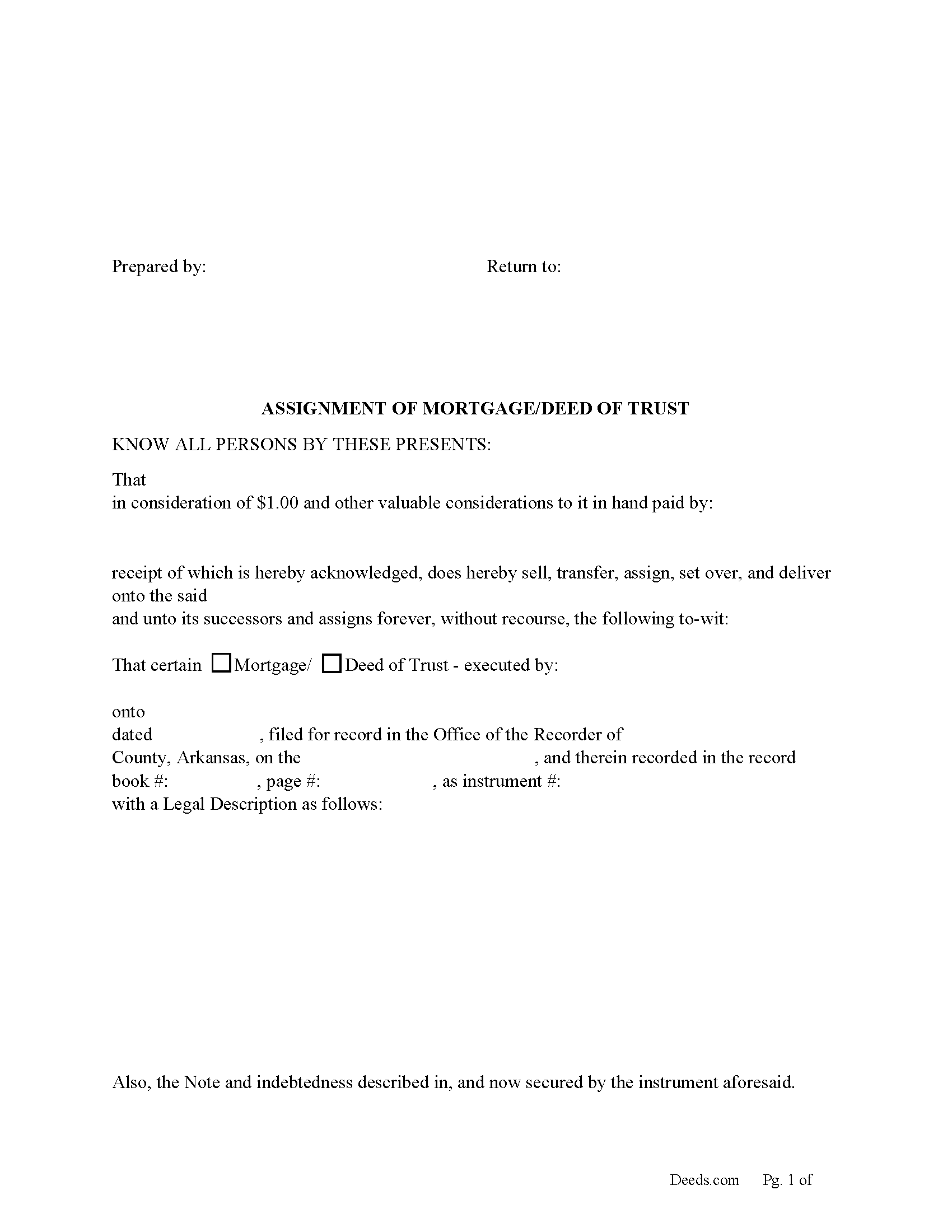
Montgomery County Assignment of Mortgage or Deed of Trust form
Fill in the blank form formatted to comply with all recording and content requirements.
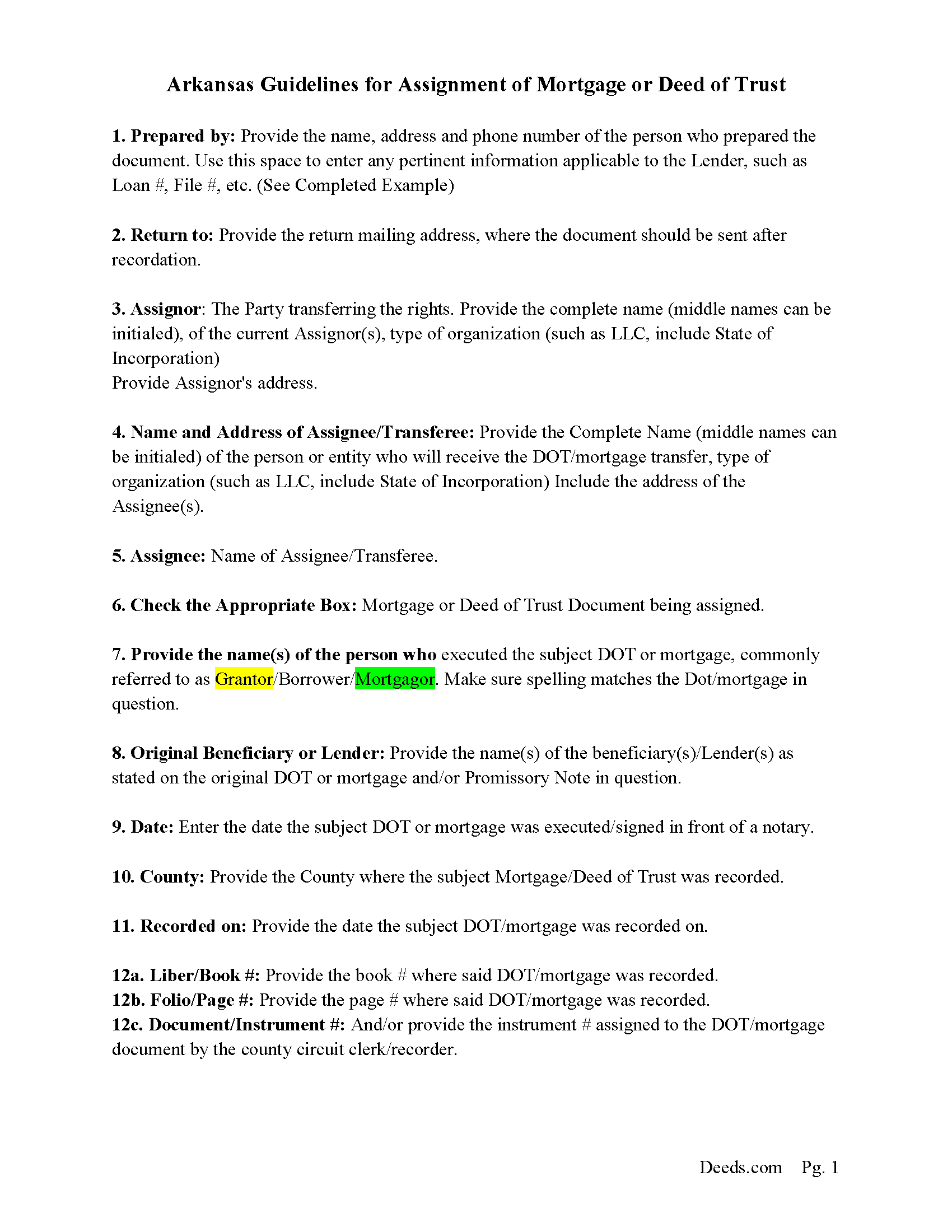
Montgomery County Assignment Guidelines
Line by line guide explaining every blank on the form.
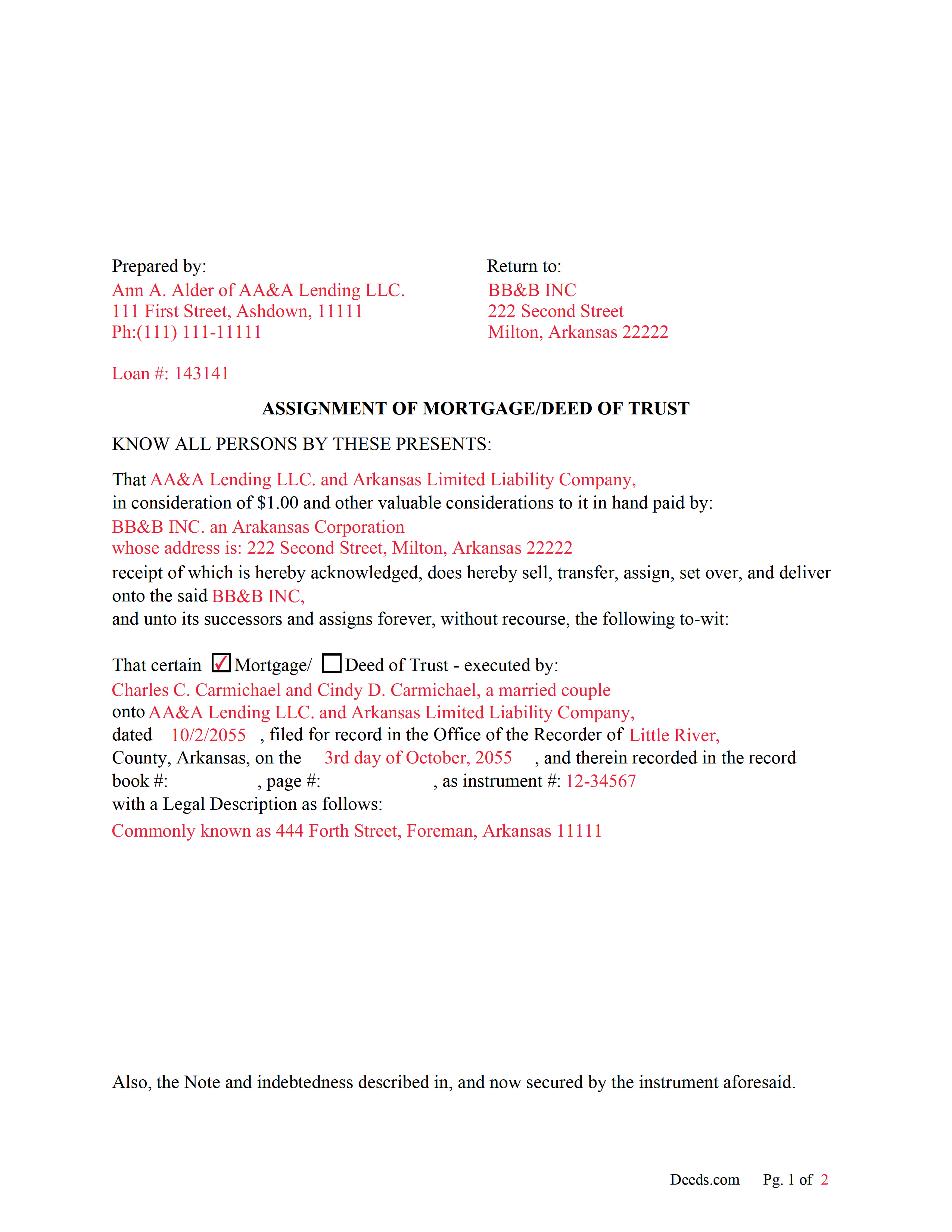
Montgomery County Completed Example of an Assignment Document
Example of a properly completed form for reference.
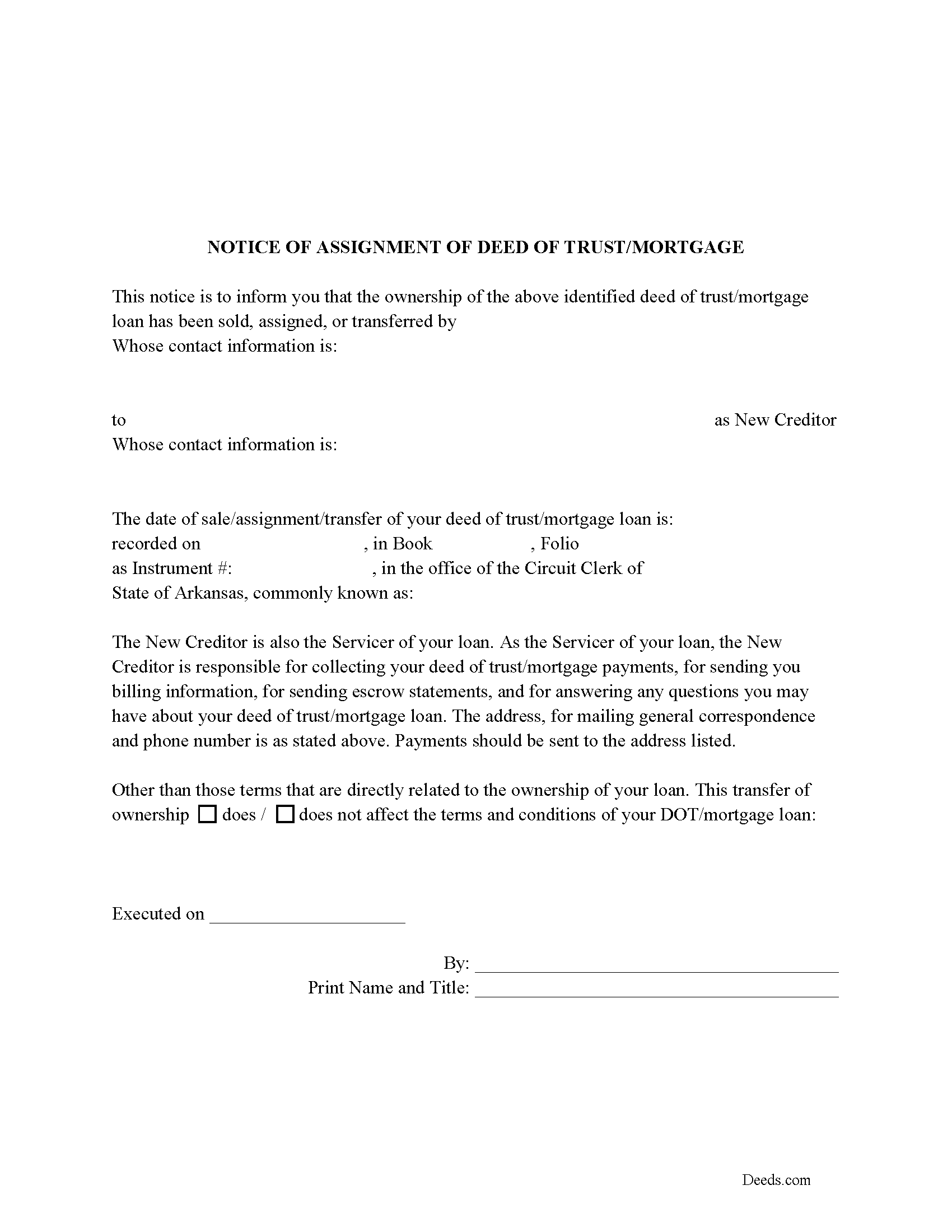
Montgomery County Notice of Assignment of Mortgage or DOT
Required form notifies borrowers of the recorded Assignment.
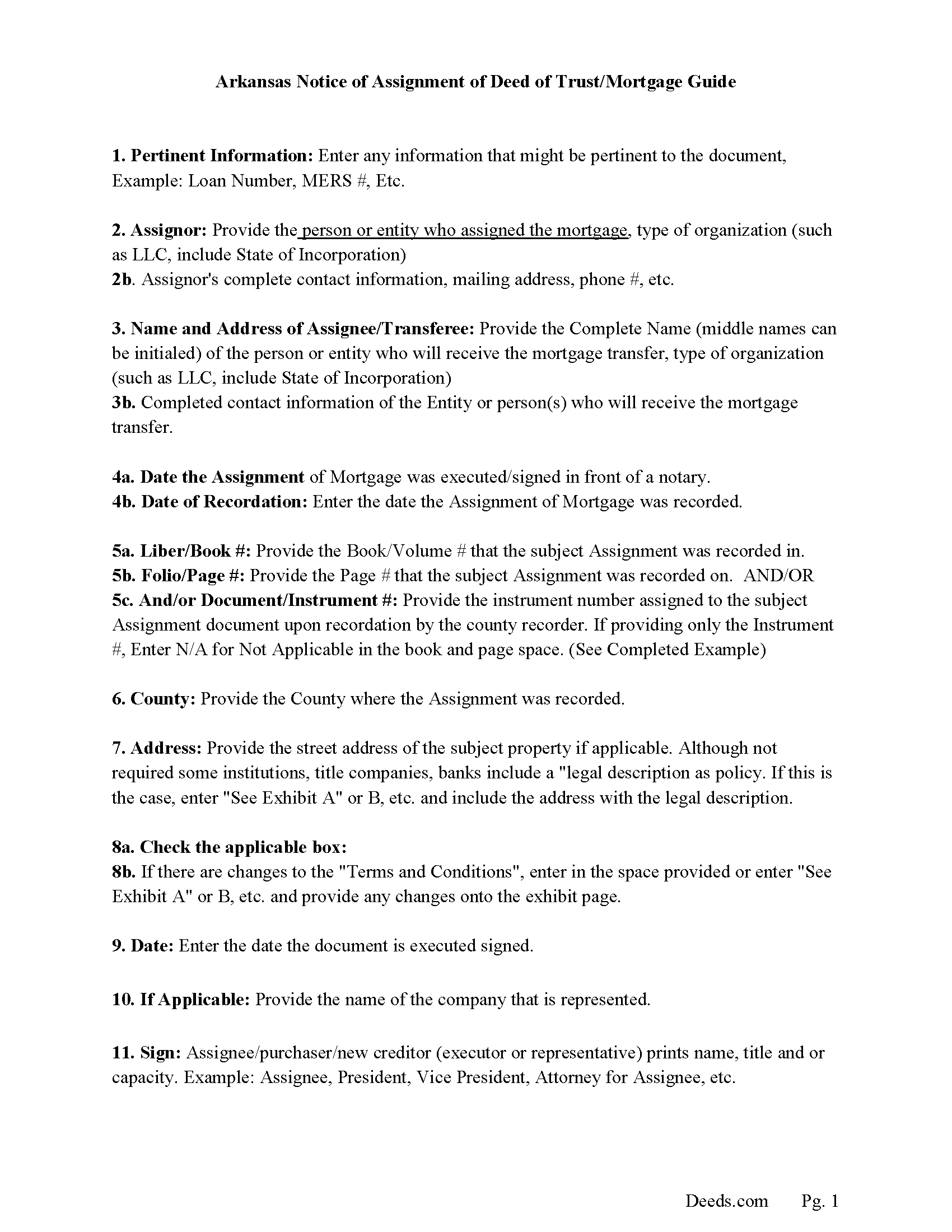
Montgomery County Notice of Assignment Guidelines
Line by line guide explaining every blank on the form.
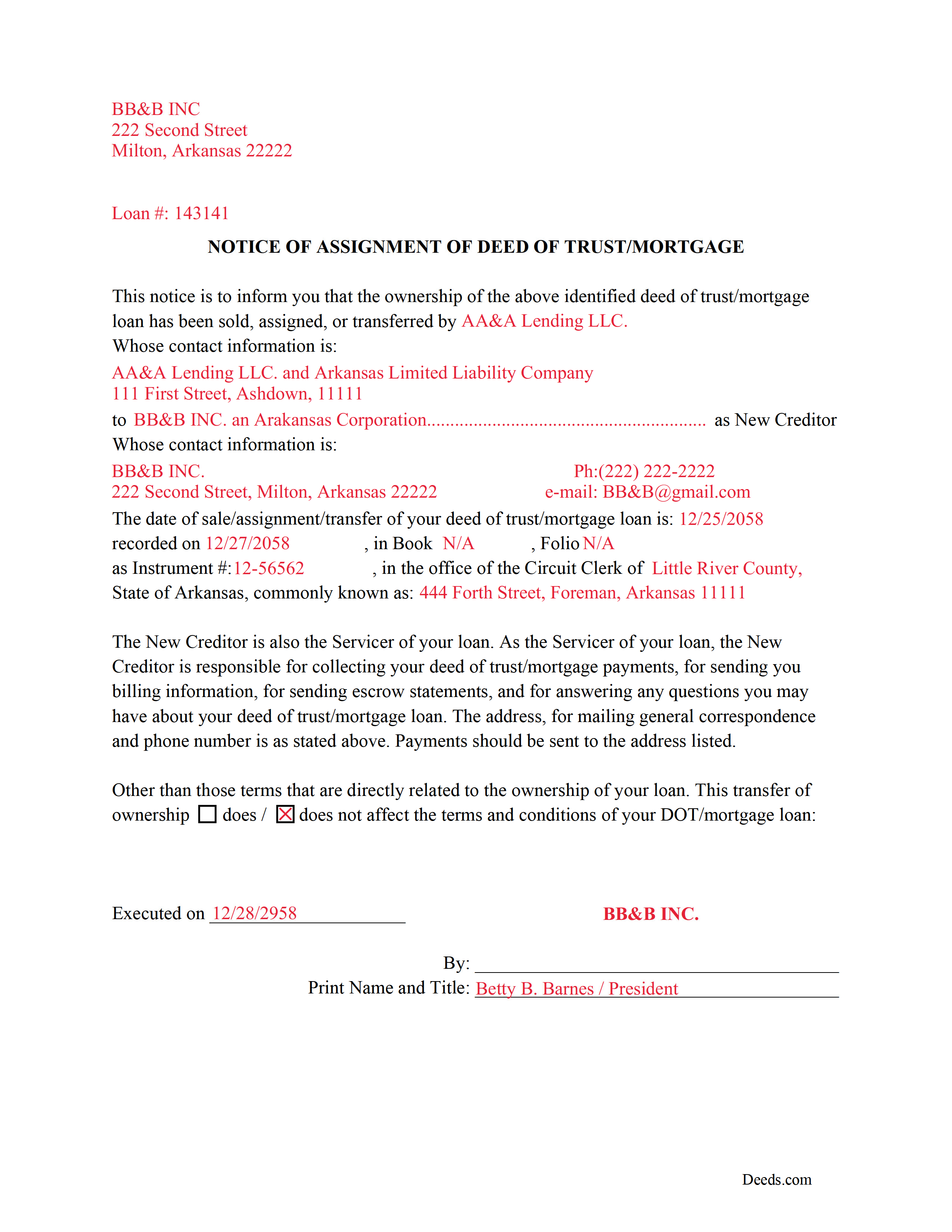
Montgomery County Completed Example of a Notice of Assignment Document
Example of a properly completed form for reference.
All 6 documents above included • One-time purchase • No recurring fees
Immediate Download • Secure Checkout
Additional Arkansas and Montgomery County documents included at no extra charge:
Where to Record Your Documents
Circuit and County Clerk
Mount Ida, Arkansas 71957
Hours: 8:00am to 4:30pm M-F
Phone: (870) 867-3521
Recording Tips for Montgomery County:
- Bring your driver's license or state-issued photo ID
- Ensure all signatures are in blue or black ink
- Ask about their eRecording option for future transactions
- Avoid the last business day of the month when possible
- Both spouses typically need to sign if property is jointly owned
Cities and Jurisdictions in Montgomery County
Properties in any of these areas use Montgomery County forms:
- Caddo Gap
- Mount Ida
- Norman
- Oden
- Pencil Bluff
- Sims
- Story
Hours, fees, requirements, and more for Montgomery County
How do I get my forms?
Forms are available for immediate download after payment. The Montgomery County forms will be in your account ready to download to your computer. An account is created for you during checkout if you don't have one. Forms are NOT emailed.
Are these forms guaranteed to be recordable in Montgomery County?
Yes. Our form blanks are guaranteed to meet or exceed the applicable formatting requirements used for recording in Montgomery County, including margin requirements, font requirements, and other layout standards. This guarantee applies to formatting, not to the legal sufficiency of information entered by the user or the suitability of a form for a particular transaction.
Can I reuse these forms?
Yes. You can reuse the forms for your personal use. For example, if you have multiple properties in Montgomery County you only need to order once.
What do I need to use these forms?
The forms are PDFs that you fill out on your computer. The free Adobe Acrobat Reader is recommended, and most PDF apps also work. You do NOT enter your property information online - you download the blank forms and complete them privately on your own computer.
Are there any recurring fees?
No. This is a one-time purchase. Nothing to cancel, no memberships, no recurring fees.
How much does it cost to record in Montgomery County?
Recording fees in Montgomery County vary. Contact the recorder's office at (870) 867-3521 for current fees.
Questions answered? Let's get started!
Use these forms to assign/transfer a previously recorded mortgage or deed of trust onto a new party, this is frequently done when a mortgage/deed of trust has been sold.
Notice of Assignment Form Included.
The Truth and lending act requires that borrowers be notified when their Mortgage/Deed of Trust debt has been sold, transferred, or assigned to a new creditor.
Title 18 - Property
Subtitle 4 - Mortgages and Liens
Chapter 40 - Mortgages
18-40-109. Transfer, etc., by separate instrument
(a)
(1) No provision contained in 18-40-103, 18-40-106, 18-40-107, and this section shall prevent any mortgagee, trustee, agent of owner of record, or the owner of record, transferee, or assignee appearing of record, from selling, transferring, or assigning any deed of trust, mortgage, or vendor's lien retained in deed by separate instrument duly acknowledged and recorded.
(2) At the time of recording any separate instrument transferring any mortgage, deed of trust, vendor's lien, or lien retained in deed, note, bond, or other instrument, the clerk and ex officio recorder in the office in which the transfer or assignment shall appear shall note on the margin of the record of the original mortgage, deed of trust, or deed retaining vendor's lien a memorandum noting that the lien contained in the instrument, and the notes or other instruments evidenced thereby, have been transferred, to whom transferred, the date of the transfer, and the book and page where the separate instrument and transfer may be found.
(3) The failure of the clerk and ex officio recorder to make the marginal entry or notation shall not invalidate the sale, transfer, or assignment recorded as provided in this section.
(b)
(1) The clerks in counties which use other than paper recording systems shall not allow any assignment by marginal notation after December 31, 1995.
(2) Any such marginal notation entered after December 31, 1995, is void
(Arkansas Assignment Package includes form, guidelines, and completed example) For use in Arkansas only.
Important: Your property must be located in Montgomery County to use these forms. Documents should be recorded at the county recording office listed above.
This Assignment of Mortgage or Deed of Trust meets all recording requirements specific to Montgomery County.
Our Promise
The documents you receive here are guaranteed to meet or exceed the applicable Montgomery County recording format requirements. If there is a rejection caused by our formatting, we will correct the issue or refund your payment. This guarantee applies to document formatting only and does not extend to information entered by the user, the selection of the form, or the legal effect of the completed document.
Save Time and Money
Get your Montgomery County Assignment of Mortgage or Deed of Trust form done right the first time with Deeds.com Uniform Conveyancing Blanks. At Deeds.com, we understand that your time and money are valuable resources, and we don't want you to face a penalty fee or rejection imposed by a county recorder for submitting nonstandard documents. We constantly review and update our forms to meet rapidly changing state and county recording requirements for roughly 3,500 counties and local jurisdictions.
4.8 out of 5 - ( 4,830 Reviews )
Carl T. 5 out of 5 stars
Very simple to download and manage. very Impressed!
We appreciate your business and value your feedback. Thank you. Have a wonderful day!
Joan S. 5 out of 5 stars
Thanks for providing this service. We had searched for weeks for the correct documents. It might help clients to find you soon if the banks and mortgage companies can refer clients to you. They require the forms but offer no direct source to obtain them. You are 5 star in every way.
Thank you!
Kristen H. 5 out of 5 stars
This was such a money saver. I was told by someone at the courthouse that I had to have a lawyer prepare the paper work for my mom. They stated that family members couldn't prepare the papers. I was hopeful when I found that I could prepare the survivorship affidavit on Deeds. I was able to prepare everything myself and had no issues today when at the courthouse for all the changes. Thank you!
We appreciate your business and value your feedback. Thank you. Have a wonderful day!
David M. 5 out of 5 stars
Extremely easy to use. The sample completed document was very helpful. I really appreciated not having to spend a few hundred dollars for a lawyer to generate a document that I can produce myself for a small fraction of the cost.
We appreciate your business and value your feedback. Thank you. Have a wonderful day!
Nancy E. 3 out of 5 stars
Took me awhile to figure out and get the information printed so I can use it later. Thank you.
Your insights are invaluable to us and help us strive for better service. Thank you for taking the time to share your thoughts.
Sean D. 5 out of 5 stars
I am new to needing this type of service, and the Deeds.Com team has been fantastic. Responsive, professional, and thorough are the first 3 words that come to mind. Deeds.Com will be my first choice for all of our county recorder needs.
Thank you!
Kenneth H. 5 out of 5 stars
Easy download, informative examples. Very good experience.
We appreciate your business and value your feedback. Thank you. Have a wonderful day!
Ralph L. 5 out of 5 stars
Thank you.Very good.
Thank you for your feedback. We really appreciate it. Have a great day!
Larry M. 5 out of 5 stars
Everything went well except that any information that I typed in on the computer download moves upward so that the letters or numbers are somewhat elevated above the line that should be even with the words on the form. I think it will be acceptable to the county recorder, but I don't especially like to submit things that appear uneven. I asked for help but just received a robotic reply that said to take steps that I already had done. So unless you know a way to correct this I likely won't use your forms again.
Thank you!
Doreen A. 5 out of 5 stars
Easy to navigate Efficient Service
Your kind words warm our hearts. Thank you for sharing your experience!
Philip C. 5 out of 5 stars
The product I purchased looks great and I added Adobe to be able to copy it, but for some reason I can't,so I will delete Adobe and then try again to copy what i paid for. I have all the PDFS' and my computer and printer are fairly new (windows 10),I should have tried to copy it first, I'll get it! Thanks
Thank you for your feedback. We really appreciate it. Have a great day!
Maria D. 5 out of 5 stars
Deeds.com has done a great job. I really recommend to everyone who needs this service, fast & reliable. Thank you
We appreciate your business and value your feedback. Thank you. Have a wonderful day!
LINDA S. 5 out of 5 stars
This was SO much easier than having to go down to the county recorder's office. I would definitely use this company again!
Thank you for your feedback. We really appreciate it. Have a great day!
Richelle B. 5 out of 5 stars
Thanks!
Thank you!
Lara C. 5 out of 5 stars
Love it! It was super easy. Will be back!
Thank you for your feedback. We really appreciate it. Have a great day!