Montgomery County Certificate of Trust Form
Last validated October 5, 2026 by our Forms Development TeamFormatted for recording in Montgomery County, for property anywhere in the county: rural and unincorporated areas as well as Caddo Gap, Mount Ida, Norman, Oden, Pencil Bluff, Sims, Story.
- 3 documents included
- Immediate PDF download
- Formatting guarantee
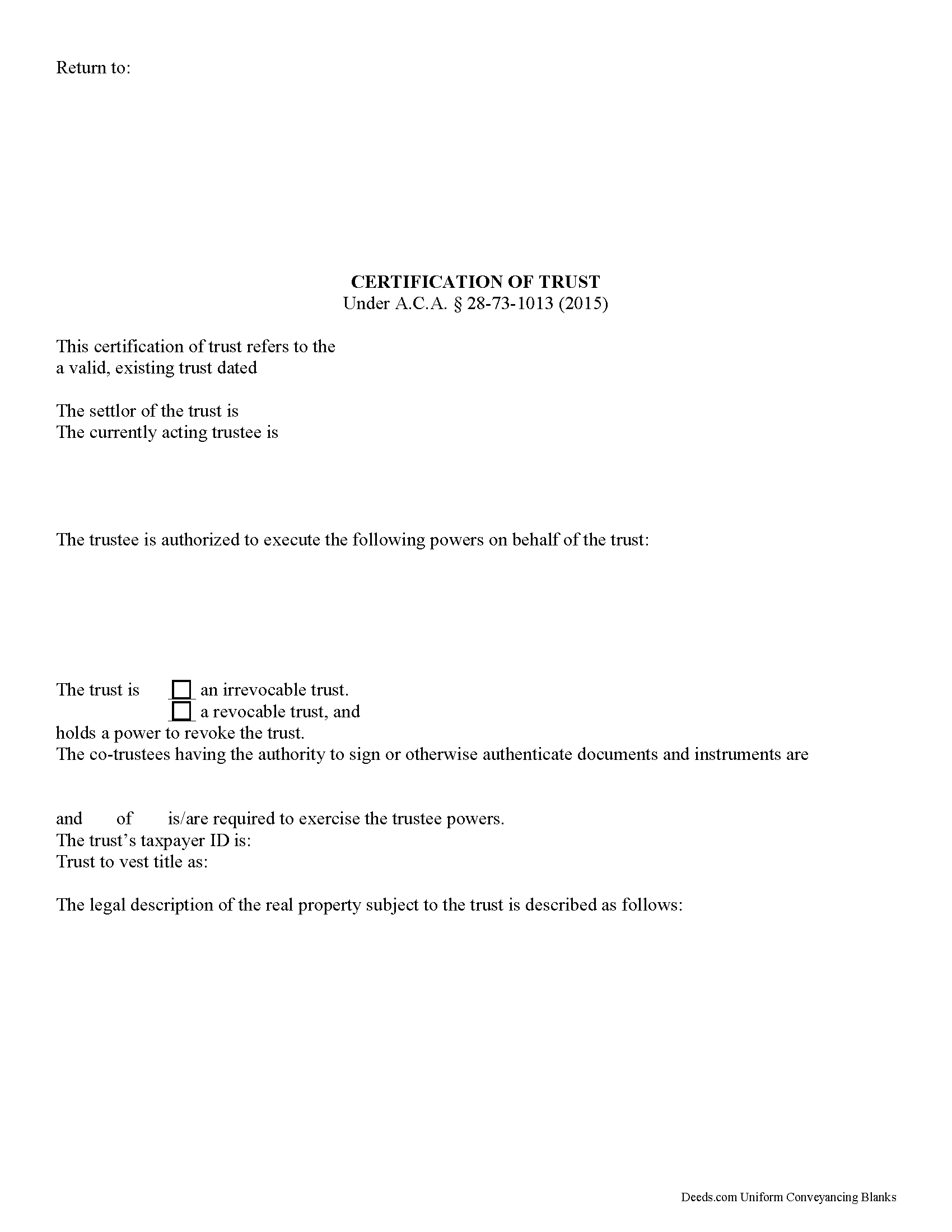
Montgomery County Certificate of Trust Form
Fill in the blank form formatted to comply with all recording and content requirements.
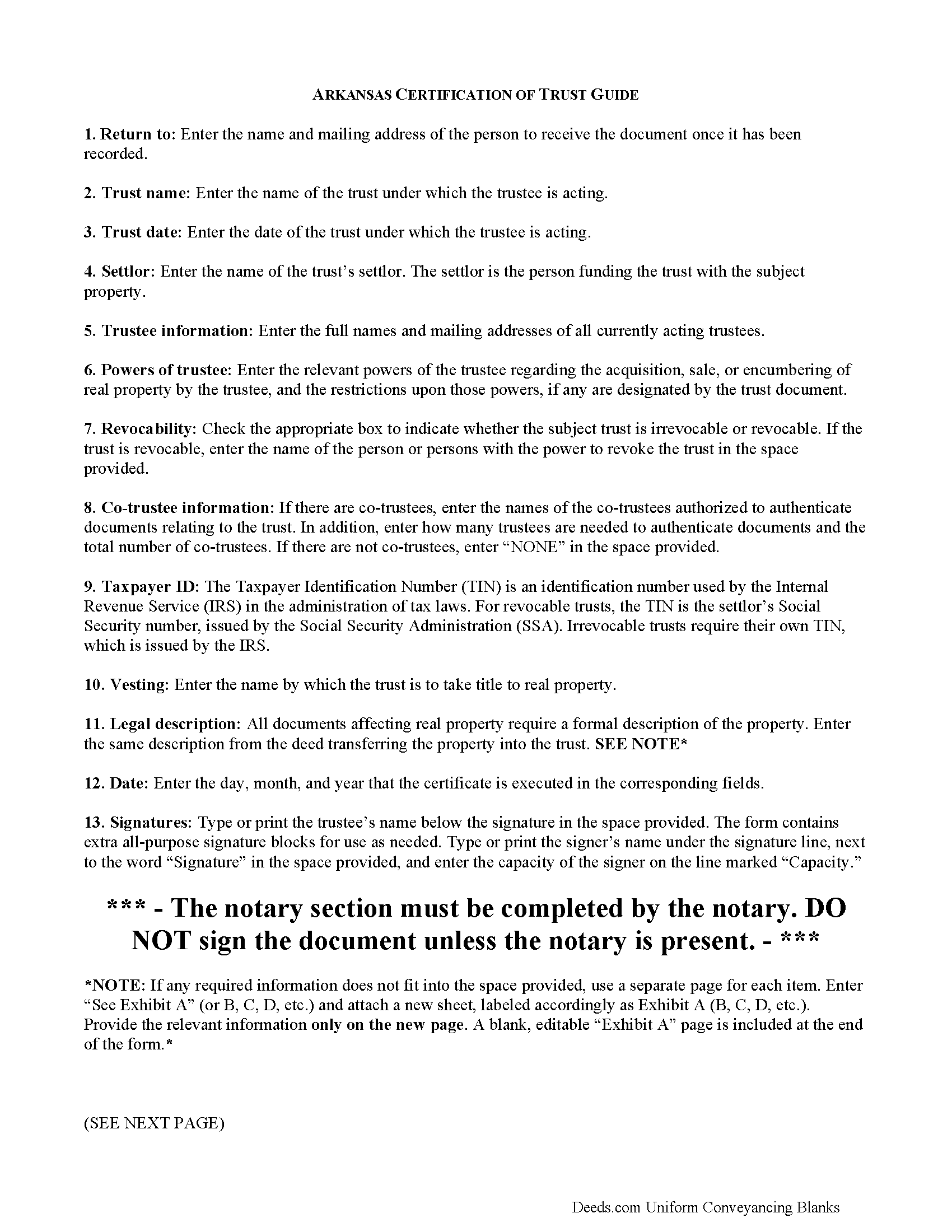
Montgomery County Certificate of Trust Guide
Line by line guide explaining every blank on the form.
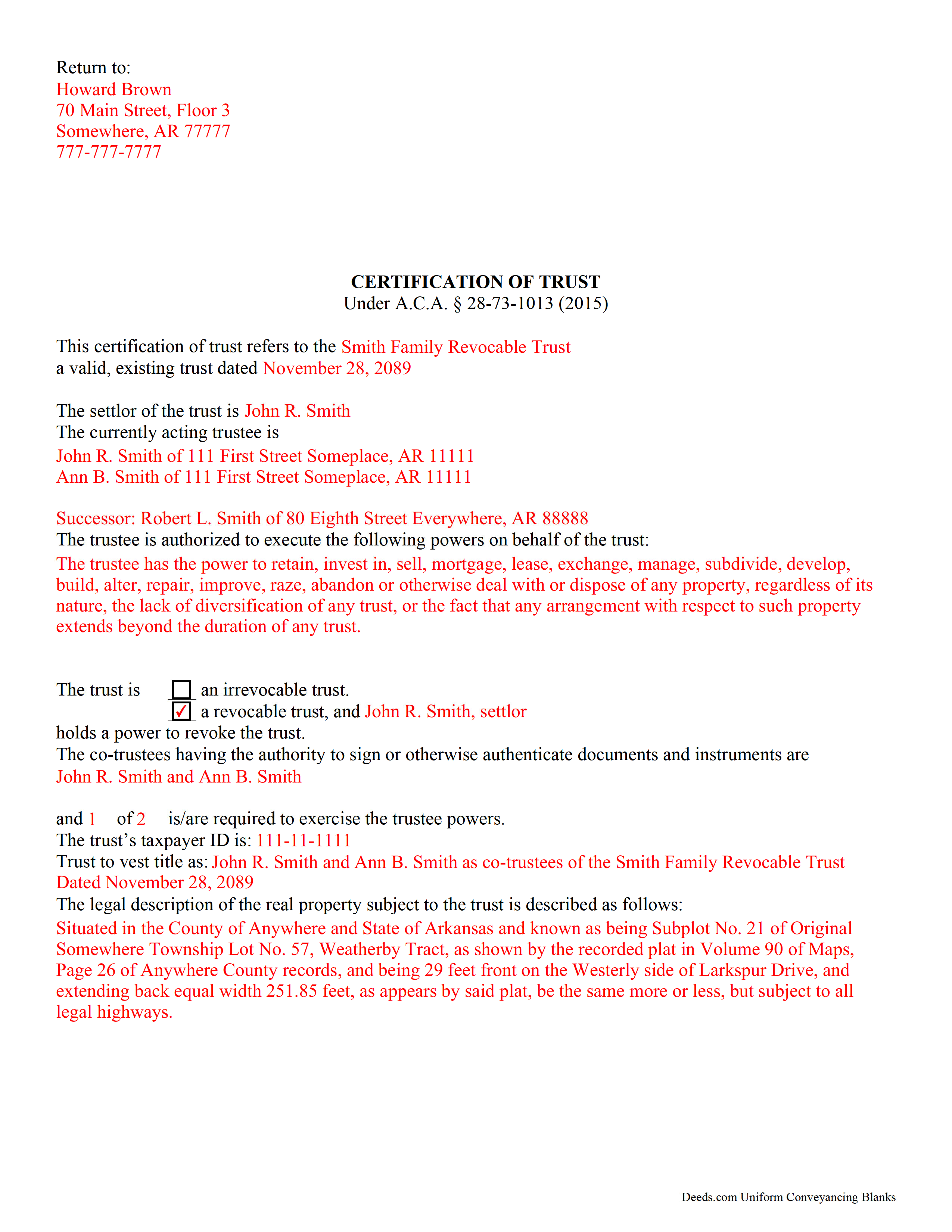
Montgomery County Completed Example of the Certificate of Trust Document
Example of a properly completed form for reference.
All 3 documents above included • One-time purchase • No recurring fees
Immediate Download • Secure Checkout
Additional Arkansas and Montgomery County documents included at no extra charge:
Where to Record Your Documents
Circuit and County Clerk
Mount Ida, Arkansas 71957
Hours: 8:00am to 4:30pm M-F
Phone: (870) 867-3521
Recording Tips for Montgomery County:
- Bring your driver's license or state-issued photo ID
- Ensure all signatures are in blue or black ink
- Ask about their eRecording option for future transactions
- Avoid the last business day of the month when possible
- Both spouses typically need to sign if property is jointly owned
Cities and Jurisdictions in Montgomery County
Properties in any of these areas use Montgomery County forms:
- Caddo Gap
- Mount Ida
- Norman
- Oden
- Pencil Bluff
- Sims
- Story
Hours, fees, requirements, and more for Montgomery County
How do I get my forms?
Forms are available for immediate download after payment. The Montgomery County forms will be in your account ready to download to your computer. An account is created for you during checkout if you don't have one. Forms are NOT emailed.
Are these forms guaranteed to be recordable in Montgomery County?
Yes. Our form blanks are guaranteed to meet or exceed the applicable formatting requirements used for recording in Montgomery County, including margin requirements, font requirements, and other layout standards. This guarantee applies to formatting, not to the legal sufficiency of information entered by the user or the suitability of a form for a particular transaction.
Can I reuse these forms?
Yes. You can reuse the forms for your personal use. For example, if you have multiple properties in Montgomery County you only need to order once.
What do I need to use these forms?
The forms are PDFs that you fill out on your computer. The free Adobe Acrobat Reader is recommended, and most PDF apps also work. You do NOT enter your property information online - you download the blank forms and complete them privately on your own computer.
Are there any recurring fees?
No. This is a one-time purchase. Nothing to cancel, no memberships, no recurring fees.
How much does it cost to record in Montgomery County?
Recording fees in Montgomery County vary. Contact the recorder's office at (870) 867-3521 for current fees.
Questions answered? Let's get started!
Under A.C.A. 28-73-1013, a trustee can furnish a certification of trust in lieu of the trust instrument to prove his or her authority to act on behalf of an established trust.
The certification is an official document a recipient can rely upon, and assume without inquiry the existence of the facts contained within (28-73-1013(f)(1)). The document contains only information about the trust deemed relevant to the immediate transaction for which it is requested. The recipient has the right to request excerpts from the trust document containing the information presented in the certificate, but this opens the recipient to certain liabilities (e),(h).
The certification includes basic information such as the name, date, and type (revocable or irrevocable) of the subject trust, and verifies that the trust has not been revoked, modified, or amended in any manner that would cause the representations contained in the certification of trust to be incorrect (c). It discloses the identities of the trust's settlor and all acting trustees, but maintains the confidentiality of anyone having a beneficial interest in the trust. The powers of the trustee relevant to the conveyance of trust property are enumerated, as well as any requirements for authenticating documents in the case that there are multiple trustees. Finally, the certificate establishes the name by which a trust will vest title to real property.
As with all documents relating to real estate, the certification should contain a legal description of the subject property. This is the same legal description found on the deed conveying the property into the trust. The certification of trust is signed by any trustee in front of a notary public before it is recorded in the county in which the subject property is situated.
Each case is unique, so contact an attorney with any questions regarding certifications of trust or for complex situations.
(Arkansas Certificate of Trust Package includes form, guidelines, and completed example)
Important: Your property must be located in Montgomery County to use these forms. Documents should be recorded at the county recording office listed above.
This Certificate of Trust meets all recording requirements specific to Montgomery County.
Our Promise
The documents you receive here are guaranteed to meet or exceed the applicable Montgomery County recording format requirements. If there is a rejection caused by our formatting, we will correct the issue or refund your payment. This guarantee applies to document formatting only and does not extend to information entered by the user, the selection of the form, or the legal effect of the completed document.
Save Time and Money
Get your Montgomery County Certificate of Trust form done right the first time with Deeds.com Uniform Conveyancing Blanks. At Deeds.com, we understand that your time and money are valuable resources, and we don't want you to face a penalty fee or rejection imposed by a county recorder for submitting nonstandard documents. We constantly review and update our forms to meet rapidly changing state and county recording requirements for roughly 3,500 counties and local jurisdictions.
4.8 out of 5 - ( 4,828 Reviews )
Michaela D. 1 out of 5 stars
I purchased this form to add my boyfriend to the deed of our home. He owns his own business so he cannot be on our mortgage. The guide doesn't clearly explain adding a person rather than focusing on transferring during a purchase or selling of a home. For future, I'd recommend make a few different examples for those who are trying to use this for the other options a Quit Claim Deed is needed for.
Thank you for your feedback. We really appreciate it. Have a great day!
DARRYL B. 5 out of 5 stars
Professional and convenient.
Thank you for your feedback. We really appreciate it. Have a great day!
NANETTE G. 5 out of 5 stars
I was so Happy to find a website that had deeds for property, reasonable price, helpful directions for diy flling out the deed info, no surprise hidden fees at checkout...what a relief. Saved hundreds because I can do it myself! Great service here!!
Thank you for your feedback. We really appreciate it. Have a great day!
Charles F. 5 out of 5 stars
Quick and Easy
Thank you for your feedback. We really appreciate it. Have a great day!
Beata K. 5 out of 5 stars
Loved it! Extremely easy to use. Quick and efficient. I was able to officially record my documents within a day.
We appreciate your business and value your feedback. Thank you. Have a wonderful day!
Susan Mary S. 5 out of 5 stars
Thank you for the thorough assortment of forms!
Thank you for your feedback. We really appreciate it. Have a great day!
Raymond N. 4 out of 5 stars
The process of obtaining the forms that I wanted was very easy and the cost reasonable. The site is easy to follow and explains everything. Thank you for being here.
We appreciate your business and value your feedback. Thank you. Have a wonderful day!
John B. 4 out of 5 stars
I purchased the Notice of Completion form because the City of Chula Vista did not have a "fillable" version of this form on their website. The Deeds.com version of this form is somewhat different than the City's version (8 numbered paragraphs vs. 11 numbered paragraphs.) However, it contains the same information in a different format. This form provided more blank space to fill in important items- like a long ownership name- than the version on the City's website. The recorder's office was satisfied with this form as I hand-delivered it to the Recorder's Office and they approved it for recording. Overall, I found this form easy to use and found the extra blank space for writing on the form helpful. My one comment for possible improvement is: it would be even more helpful (particularly for attorney users) to have strike-out capability. I would have liked having the ability to strike-out inapplicable portions of long awkward sentences. Still, I would use this form again.
Your feedback means a lot to us. Thank you.
Richard C. 5 out of 5 stars
There was not much info available but what you produced confirmed what I needed to know.
Thank you for your feedback. We really appreciate it. Have a great day!
Robert D. 5 out of 5 stars
These forms made it so easy to update the property deed and the instructions and sample filled out form were most helpful. You might want to add some brief information on when or why to use the Acknowledgment in Individual Capacity notary form. In my case the notary was required to use it but also filled in the brief notarize section on the Affidavit as well. She said the one on the Affidavit had some value because it showed she had witnessed the my signature. But this was only after I suggested both be filled in as she initially thought to just strike through it and just use the Acknowledgment in Individual Capacity form.
Thank you for your feedback. We really appreciate it. Have a great day!
Betty J W. 5 out of 5 stars
Was Totally Amazed, it was so easy to follow the example and I am 75 years old. I took my paper work in and it passed with flying colors. Thank-You So much saved me $665.00. BJW
Thank you!
STANLEY K. 5 out of 5 stars
I AM DELIGHTED TO BE PARTY TO DEEDS.COM. THE PROCESS IS DOWN-TO-EARTH AND VERY USER FRIENDLY. I MUST SAY THAT JUST THE SAVINGS IN TRAVEL TIME AND MONEY IS IN ITSELF VERY REFRESHING. THIS ON LINE PROCESS IS SO CONVENIENT FOR MY OVERALL EFFORT AND OF COURSE FOR OUR CLIENTS AS WELL. I GOT BACKED UP IN RECORDING WHEN THE VIRUS BEGAN RAGING AND PERSONAL VISITS TO LAND RECORDS BECAME A THING OF THE PAST.I FOUND THE SITE WITH A SUGGESTION FROM DC LAND RECORDS' ASSISTANT BY PHONE. I ONLY WISH I'D KNOWN ABOUT THIS AWESOME SERVICE BEFORE 2020. HATS OFF TO DEEDS.COM!
Thank you for your feedback. We really appreciate it. Have a great day!
Duane L. 4 out of 5 stars
Easy to use with very helpful directions.
Thank you!
Robert L. 5 out of 5 stars
Fairly easy to use process and somewhat reasonably priced. Printed guide and sample filled in can be very helpful, too.
Thank you for your feedback. We really appreciate it. Have a great day!
Robert B. 5 out of 5 stars
Excellent service. Very efficient. Electronic filing was far faster and less stress than doing it in person.
We appreciate your business and value your feedback. Thank you. Have a wonderful day!