Hot Spring County Revocation of Beneficiary Deed Form
Last validated November 9, 2026 by our Forms Development TeamFormatted for recording in Hot Spring County, for property anywhere in the county: rural and unincorporated areas as well as Bismarck, Bonnerdale, Donaldson, Friendship, Jones Mill, Malvern.
- 3 documents included
- Immediate PDF download
- Formatting guarantee
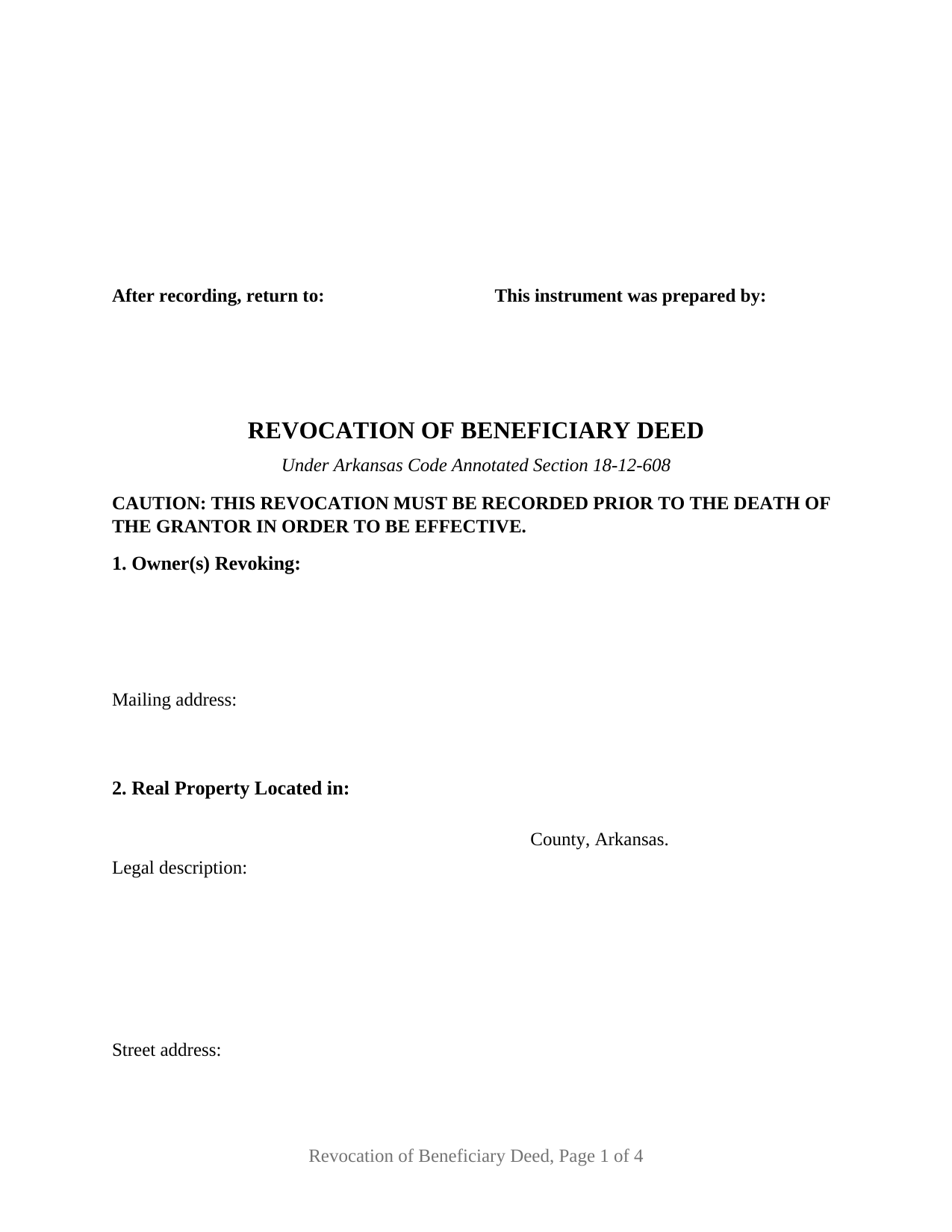
Hot Spring County Revocation of Beneficiary Deed Form
Fill in the blank Revocation of Beneficiary Deed form formatted to comply with all Arkansas recording and content requirements.
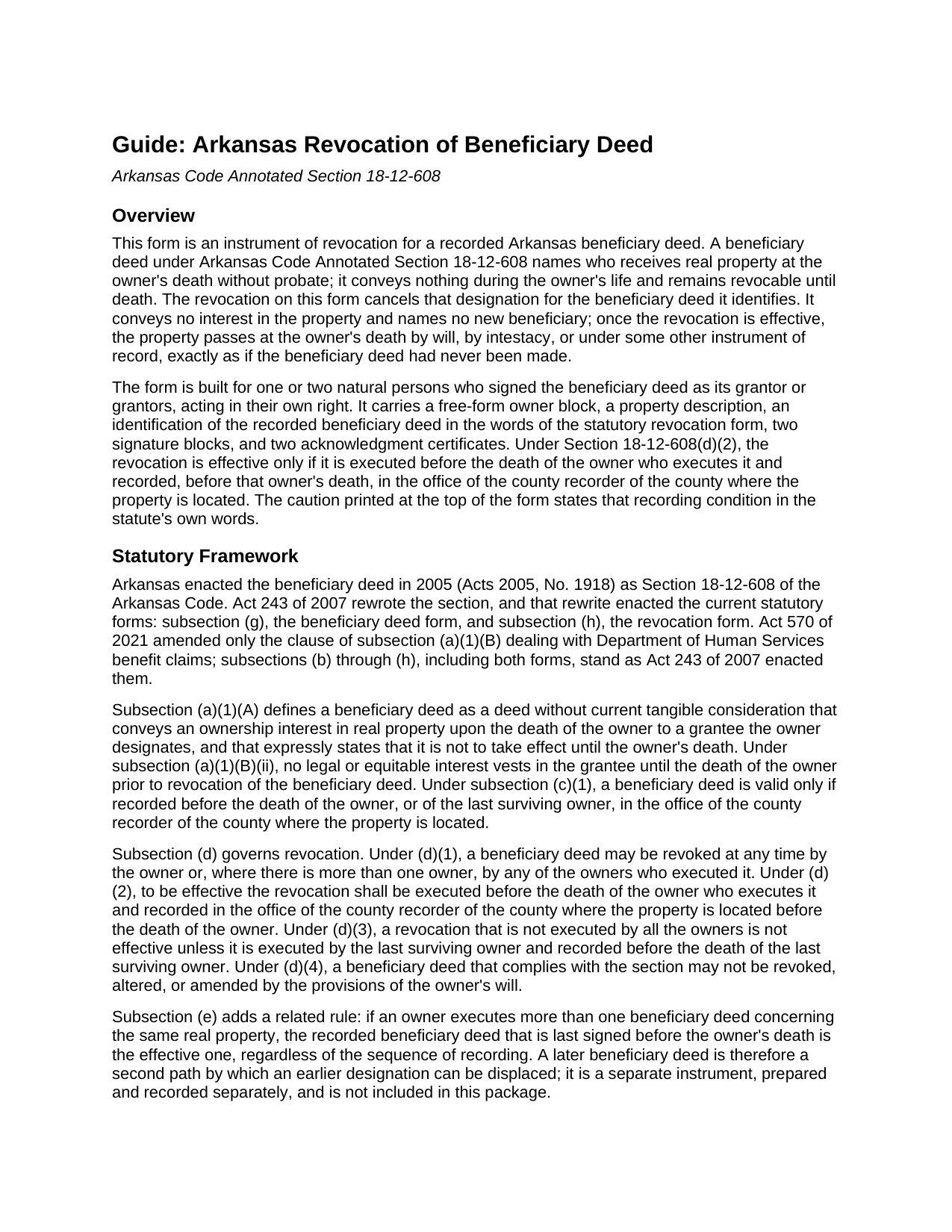
Hot Spring County Revocation of Beneficiary Deed Guide
Line by line guide explaining every blank on the Revocation of Beneficiary Deed form.
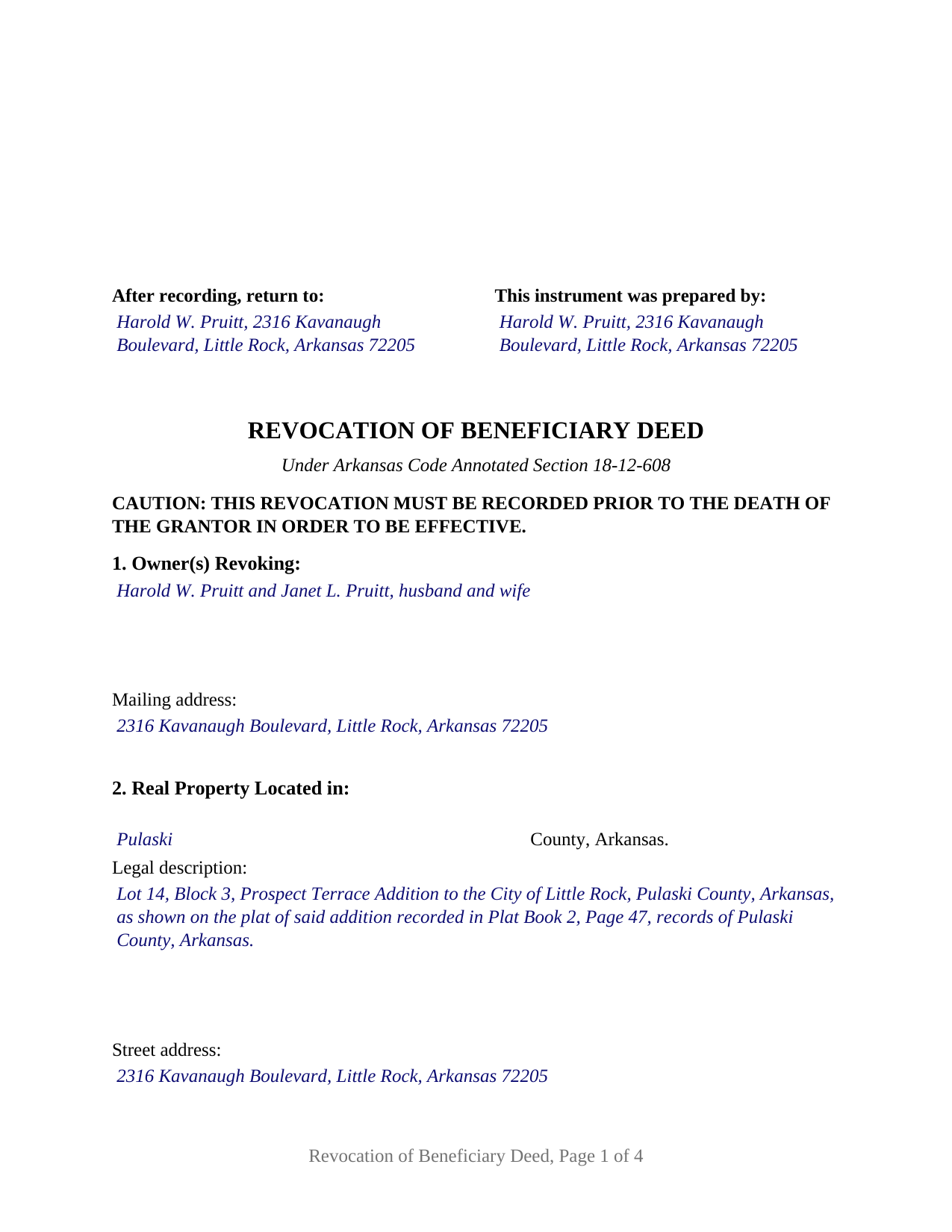
Hot Spring County Completed Example of the Revocation of Beneficiary Deed Document
Example of a properly completed Arkansas Revocation of Beneficiary Deed document for reference.
All 3 documents above included • One-time purchase • No recurring fees
Immediate Download • Secure Checkout
Additional Arkansas and Hot Spring County documents included at no extra charge:
Where to Record Your Documents
Hot Spring County Circuit Clerk
Malvern, Arkansas 72104
Hours: 8:30 to 4:00 M-F
Phone: (501) 332-2281
Recording Tips for Hot Spring County:
- Bring your driver's license or state-issued photo ID
- Ensure all signatures are in blue or black ink
- Check margin requirements - usually 1-2 inches at top
- Leave recording info boxes blank - the office fills these
- Make copies of your documents before recording - keep originals safe
Cities and Jurisdictions in Hot Spring County
Properties in any of these areas use Hot Spring County forms:
- Bismarck
- Bonnerdale
- Donaldson
- Friendship
- Jones Mill
- Malvern
Hours, fees, requirements, and more for Hot Spring County
How do I get my forms?
Forms are available for immediate download after payment. The Hot Spring County forms will be in your account ready to download to your computer. An account is created for you during checkout if you don't have one. Forms are NOT emailed.
Are these forms guaranteed to be recordable in Hot Spring County?
Yes. Our form blanks are guaranteed to meet or exceed the applicable formatting requirements used for recording in Hot Spring County, including margin requirements, font requirements, and other layout standards. This guarantee applies to formatting, not to the legal sufficiency of information entered by the user or the suitability of a form for a particular transaction.
Can I reuse these forms?
Yes. You can reuse the forms for your personal use. For example, if you have multiple properties in Hot Spring County you only need to order once.
What do I need to use these forms?
The forms are PDFs that you fill out on your computer. The free Adobe Acrobat Reader is recommended, and most PDF apps also work. You do NOT enter your property information online - you download the blank forms and complete them privately on your own computer.
Are there any recurring fees?
No. This is a one-time purchase. Nothing to cancel, no memberships, no recurring fees.
How much does it cost to record in Hot Spring County?
Recording fees in Hot Spring County vary. Contact the recorder's office at (501) 332-2281 for current fees.
Questions answered? Let's get started!
An Arkansas beneficiary deed stays revocable for the owner's whole life, but taking it back is a recorded act: Arkansas Code Annotated Section 18-12-608(d) makes a revocation effective only when it is executed before the death of the owner who signs it and recorded, before that death, in the county where the property is located. This form prepares that instrument of revocation for a recorded Arkansas beneficiary deed signed by one or two owners, in the words the statute itself supplies.
A designation that ends only on the record
Under Section 18-12-608, a beneficiary deed conveys nothing while the owner lives; no legal or equitable interest vests in the grantee until the owner dies without having revoked it. That is what makes revocation a matter of record rather than intent. A signed revocation kept in a drawer at the owner's death revokes nothing, and the beneficiary deed operates exactly as recorded. A will cannot do the job either: subsection (d)(4) provides that a beneficiary deed that complies with the section may not be revoked, altered, or amended by the provisions of the owner's will. The one recorded path the chapter writes for an owner who wants no designation at all is the instrument of revocation this form prepares; the statute separately recognizes that a later beneficiary deed concerning the same property, last signed before death and recorded, displaces an earlier one, and that later deed is a separate instrument prepared and recorded separately and not included in this package.
The statute's own sentence does the revoking
Subsection (h) of Section 18-12-608 prints a revocation form and declares an instrument sufficient when it follows that form substantially. This product carries the form's two fixed passages word for word. The caution at the head of the instrument reads, in capital letters, that the revocation must be recorded prior to the death of the grantor in order to be effective. The operative sentence then revokes the beneficiary deed recorded on a stated date, in a stated docket or book and page or under a stated instrument number, in the records of a named Arkansas county, with each of those references drawn as a fillable entry in the order the statute prints them. Around those passages the form adds what the recording statutes and a clear chain of title call for: an owner block, the county and legal description copied from the beneficiary deed, the date the beneficiary deed was signed and the grantees it named, and the preparer statement that Section 14-15-403 places on the face of the first page of every instrument affecting title to Arkansas real estate.
One or two owners on a single instrument
The form recites no marital status, no vesting, and no capacity. Its owner block is free form and receives one or two natural persons who signed the beneficiary deed as its grantors, named as the recorded deed names them, with whatever status recital the owners state. Two signature blocks follow, headed OWNER and SECOND OWNER (if applicable), each with its own acknowledgment certificate; where one owner revokes, the second block and its certificate are simply left blank. The patterns that appear in the record are a sole owner revoking a deed that owner alone signed, two co-owners revoking together, one tenant in common revoking as to that owner's own interest, and the last surviving owner revoking alone a deed two owners signed. Section 18-12-608(d)(1) lets any owner who executed the beneficiary deed revoke it, and (d)(3) provides that a revocation not executed by all the owners is effective only when executed by the last surviving owner and recorded before that owner's death. The form is not set up for an owner signing through an attorney-in-fact, for a trustee or entity owner, or for three or more owners; each of those involves capacity recitals or representative certificates this instrument does not carry.
The Arkansas acknowledgment, in the statutory form
Each certificate on the form is the individual acknowledgment of Arkansas Code Annotated Section 16-47-107(b), the form the statute deems a valid acknowledgment and sufficient for recording: the officer certifies that the named owner, personally well known or satisfactorily proven, appeared and acknowledged signing, executing, and delivering the instrument for the consideration, uses, and purposes stated, closing with the officer's hand and official seal. The certificate's own words admit a notary public or any officer within or without the state qualified under existing law to take acknowledgments, so an owner living outside Arkansas acknowledges before a local officer. The two certificates are the form's architecture, allowing two owners to appear on different dates or before different officers; Arkansas law prints a certificate that can name more than one acknowledging person and sets no separate-certificate rule.
Recording where the beneficiary deed was recorded
The revocation goes to the circuit clerk and ex officio recorder of the county where the property lies, the same office that recorded the beneficiary deed. The instrument is built to Section 14-15-402(b)(1): letter size pages, the top of the first page reserved for the recorder's file mark, margins inside the statutory minimums, and the bottom of the last page left clear. The revocation conveys nothing and recites no consideration, and the real property transfer tax of Section 26-60-105 is levied on instruments conveying realty for consideration above one hundred dollars; the guide describes how county recorders handle the transfer tax affidavit and the exemption statement on an instrument of this kind, along with the photo identification step Act 752 of 2025 added for deeds to real estate presented in person or by mail.
The package includes the fillable revocation form, a completed example filled in for a realistic Pulaski County fact pattern, and a guide that walks through every numbered section, the signing and notarization steps, and the recording process. This description and the guide describe the form and the governing Arkansas statutes in general terms; they are not legal advice.
Important: Your property must be located in Hot Spring County to use these forms. Documents should be recorded at the county recording office listed above.
This Revocation of Beneficiary Deed meets all recording requirements specific to Hot Spring County.
Our Promise
The documents you receive here are guaranteed to meet or exceed the applicable Hot Spring County recording format requirements. If there is a rejection caused by our formatting, we will correct the issue or refund your payment. This guarantee applies to document formatting only and does not extend to information entered by the user, the selection of the form, or the legal effect of the completed document.
Save Time and Money
Get your Hot Spring County Revocation of Beneficiary Deed form done right the first time with Deeds.com Uniform Conveyancing Blanks. At Deeds.com, we understand that your time and money are valuable resources, and we don't want you to face a penalty fee or rejection imposed by a county recorder for submitting nonstandard documents. We constantly review and update our forms to meet rapidly changing state and county recording requirements for roughly 3,500 counties and local jurisdictions.
4.8 out of 5 - ( 4,847 Reviews )
Jean B. 5 out of 5 stars
Thank you for this service. Saved a lot of my time and money. The guide and sample was very helpful. Jean
We appreciate your business and value your feedback. Thank you. Have a wonderful day!
Timothy C. 5 out of 5 stars
The process was all very clear and easy -- pay the fee online and download the state and county forms onto my computer. I will do as instructed for the Revocable Transfer on Death Deed, then update my review after I file this with the office of the Sandoval County (New Mexico) Clerk.
We appreciate your business and value your feedback. Thank you. Have a wonderful day!
Ed C. 5 out of 5 stars
I purchased the DIY quitclaim deed forms for Florida and couldn’t be happier. The forms were clear, professional, and easy to follow. I had everything filled out and recorded without a single issue. Worth every penny — the site is great, and the forms are exactly what I needed. Highly recommend!
Thanks so much, Ed! We’re thrilled to hear that the Florida quitclaim deed forms worked perfectly for you and that the recording process went smoothly. We appreciate your trust and recommendation!
Rodrigo M. 5 out of 5 stars
Excellent service
Thank you!
Courtney V. 3 out of 5 stars
I didn't have a chance to judge your services because I received a message saying that my requested title could not be searched. I will say, the website is easy to navigate. I'm not sure how many who use these services are laymen, but I would suggest adding a detailed explanation of each service. I had to Google the difference between each type of title search, but I might just be more uninformed than the average person, or I just didn't see it on your website
Thank you for your feedback. We really appreciate it. Have a great day!
Aleksander M. 5 out of 5 stars
So far all is perfect! Thank you for all your help!
Thank you!
Charles F. 5 out of 5 stars
Hi Please do not take time to respond to my previous inquiry - - - I figured it out. Deeds.com is a great tool for those of us who have occasional need for your type of services. Thanks ! Chuck
Thank you!
Timothy L. 5 out of 5 stars
It was very simple and easy to fill out the information need to do the warranty deed.
Thank you for your feedback. We really appreciate it. Have a great day!
Freda S. 5 out of 5 stars
Excellent Services!
Thank you!
Joseph R. 3 out of 5 stars
The form and instructions were easy enough to follow if you had all the information.
The only drawback to the form was the length of text allowed for the name of the document (#4). The form self populates in multiple locations but when printed truncated the name if too many characters were used. I kept having to update the name of the document to allow for proper printing.
Your insights are invaluable to us and help us strive for better service. Thank you for taking the time to share your thoughts.
Rene S. 5 out of 5 stars
Amazing forms and great value. That may sound like hyperbole talking about legal forms but it's not, you really are getting way more than you pay for here.
Thank you for your feedback. We really appreciate it. Have a great day!
Brian S. 3 out of 5 stars
PDF fields change font sizes leading to an unprofessional-appearing printed page. The examples for "Convey to" section don't include how to specify just one person instead of a married couple. Maybe that is simple but it would help to spell it out in an example. Haven't submitted to County Recorder yet, so will find out if it is acceptable.
Thank you for the feedback Brian.
The font issue is caused by using a PDF viewer other than Adobe Acrobat Reader. Our form fields are set to a uniform 12-point font, but non-Adobe viewers often render form fields inconsistently. Opening and printing the form with the free Adobe Acrobat Reader will resolve that.
Regarding the examples, that's a fair point, we'll look at expanding them.
Robert W. 5 out of 5 stars
Perfect timing. Everything was consistent and timely.
Thank you Robert, we appreciate your feedback.
Yosvany D. 5 out of 5 stars
Very easy and fast service for legal forms.
Thank you for your feedback. We really appreciate it. Have a great day!
Suzy I. 5 out of 5 stars
I was overwhelmed with information about what forms I needed to complete the probate process, and this site was very helpful! Everything was in one place to download. Thanks!
We appreciate your business and value your feedback. Thank you. Have a wonderful day!