Riverside County Affidavit Death of Joint Tenant Form
Last validated September 14, 2026 by our Forms Development TeamFormatted for recording in Riverside County, for property anywhere in the county: rural and unincorporated areas as well as Aguanga, Anza, Banning, Beaumont, Blythe, Cabazon, Calimesa, Cathedral City and 34 more.
- 3 documents included
- Immediate PDF download
- Formatting guarantee
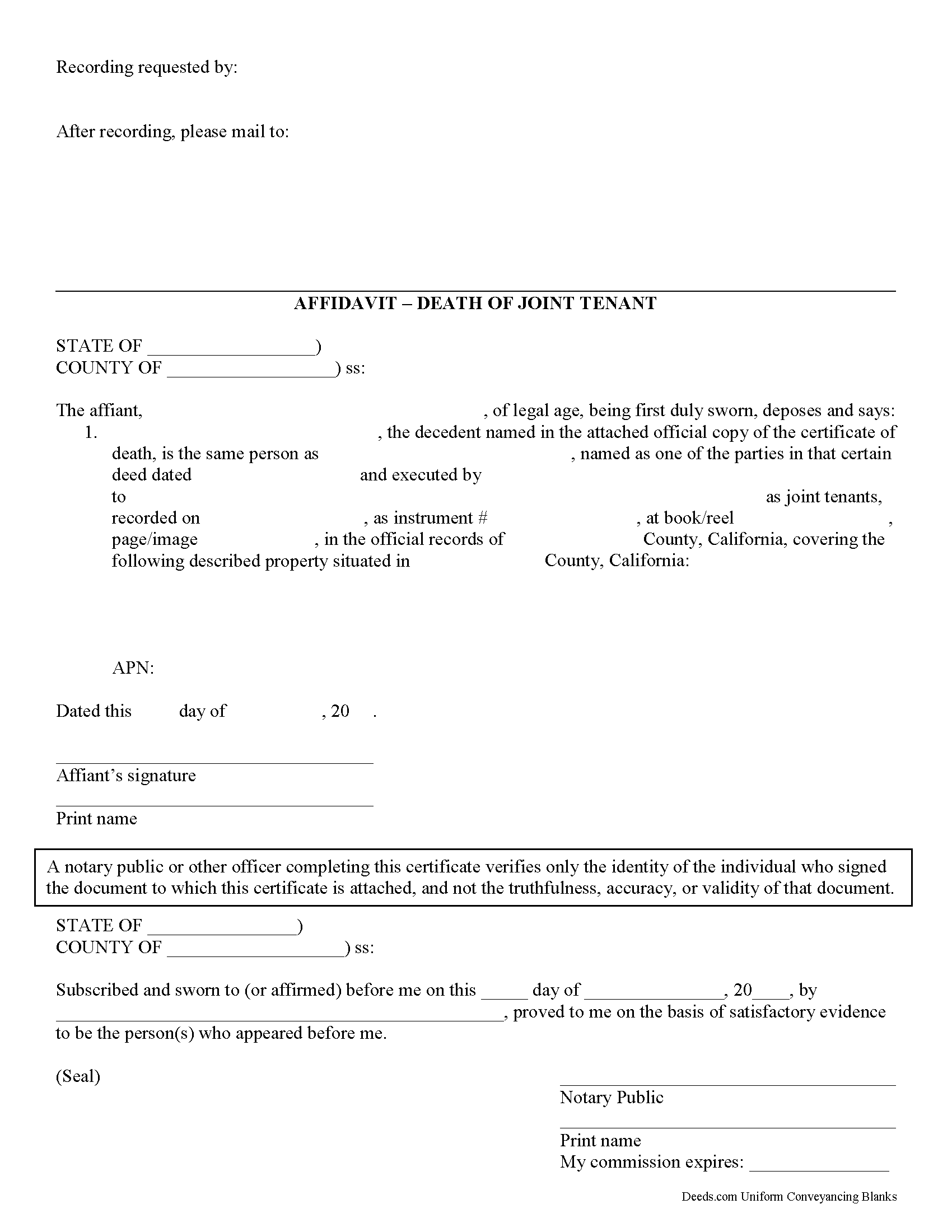
Riverside County Affidavit of Death of a Joint Tenant Form
Fill in the blank form formatted to comply with all recording and content requirements.
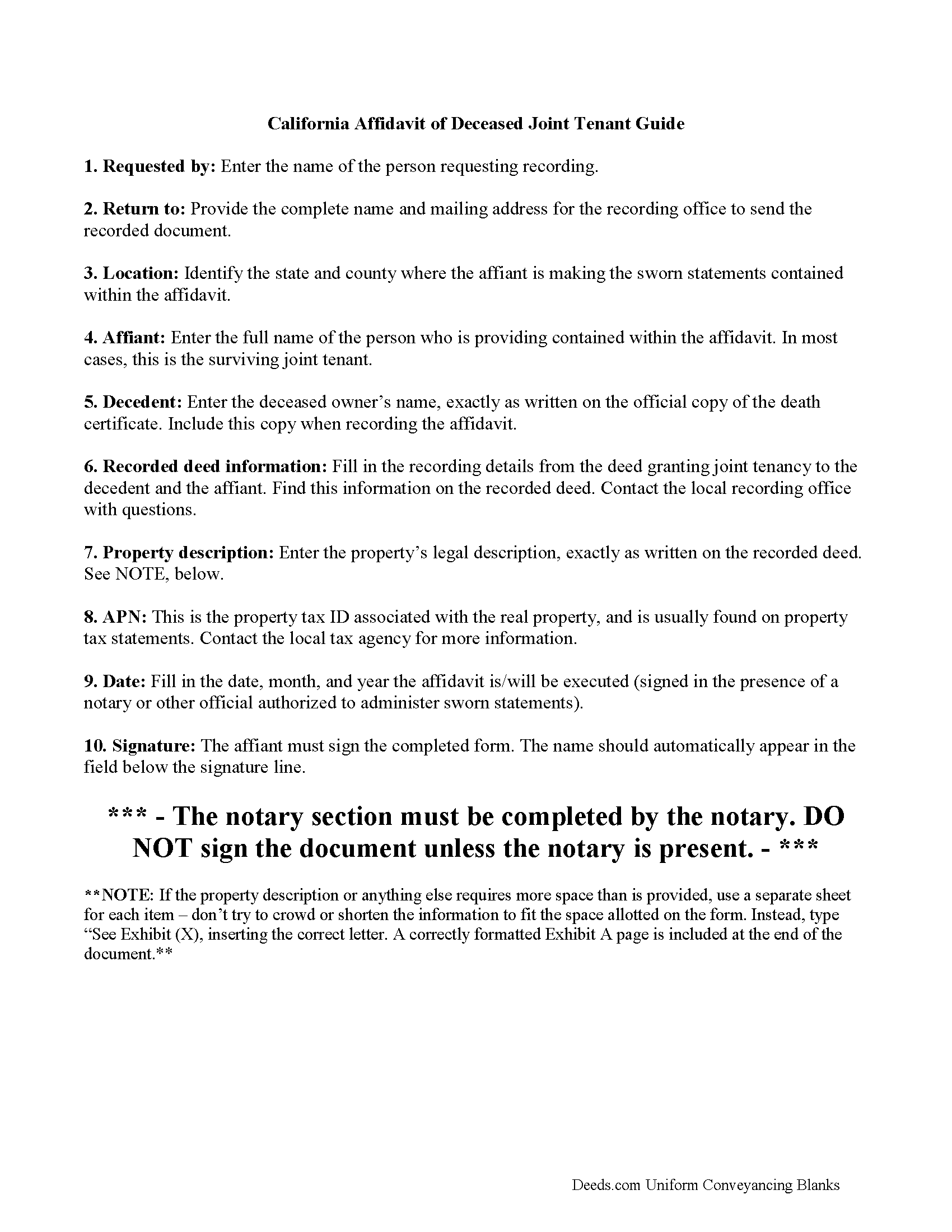
Riverside County Affidavit of Death of a Joint Tenant Guide
Line by line guide explaining every blank on the form.
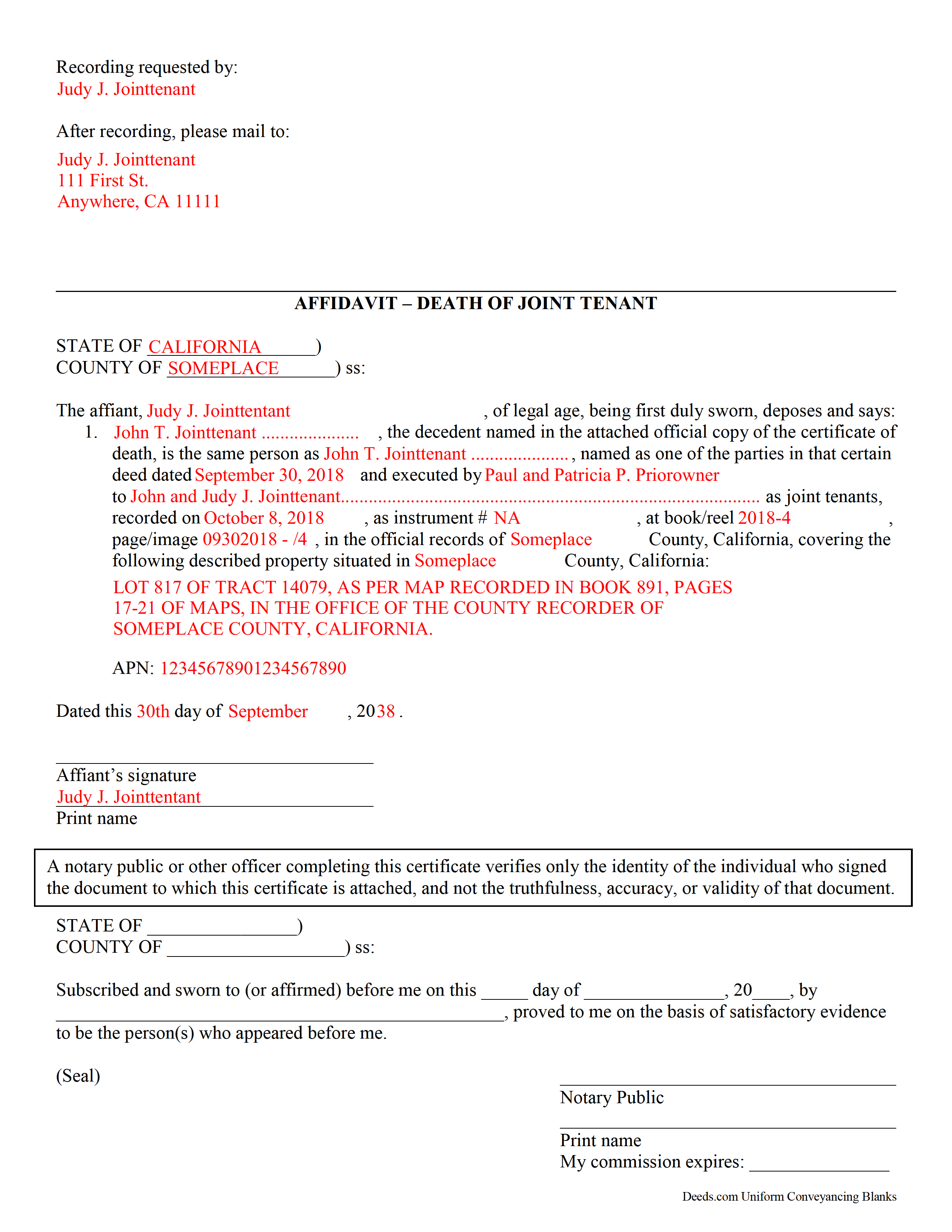
Riverside County Completed Example of a Affidavit of Death of Joint Tenant Document
Example of a properly completed form for reference.
All 3 documents above included • One-time purchase • No recurring fees
Immediate Download • Secure Checkout
Additional California and Riverside County documents included at no extra charge:
Where to Record Your Documents
County Administrative Center
Riverside, California 92501 / 92502-0751
Hours: Monday through Friday 8:00 am to 5:00 pm
Phone: (951) 486-7000 or (800) 696-9144 from within county
Gateway Office
Riverside, California 92507
Hours: Monday through Friday 8:00 am to 5:00 pm
Phone: (951) 486-7000 or (800) 696-9144
Hemet Office
Hemet, California 92543-1496
Hours: Monday through Friday 8:00 to 12:00 & 1:00 to 4:30
Phone: (951) 486-7000 or (800) 696-9144 from within county
Palm Desert Office
Palm Desert, California 92211
Hours: Monday through Friday 8:00 to 5:00 Phone / Counter & Recording until 4:30
Phone: (760) 863-8732 or (800) 696-9144
Temecula Office
Temecula, California 92591-6027
Hours: Monday through Friday 8:00 am to 4:30 pm
Phone: (951) 486-7000 or (800) 696-9144
Blythe Office
Blythe, California 92225
Hours: Recorder Services: First Wednesday of the month 10:00 to 12:00 & 1:00 to 3:00
Phone: (760) 921-5050 or (800) 696-9144
Recording Tips for Riverside County:
- Bring your driver's license or state-issued photo ID
- Ensure all signatures are in blue or black ink
- Recording fees may differ from what's posted online - verify current rates
- Request a receipt showing your recording numbers
- Ask about accepted payment methods when you call ahead
Cities and Jurisdictions in Riverside County
Properties in any of these areas use Riverside County forms:
- Aguanga
- Anza
- Banning
- Beaumont
- Blythe
- Cabazon
- Calimesa
- Cathedral City
- Coachella
- Corona
- Desert Center
- Desert Hot Springs
- Hemet
- Homeland
- Idyllwild
- Indian Wells
- Indio
- La Quinta
- Lake Elsinore
- March Air Reserve Base
- Mecca
- Menifee
- Mira Loma
- Moreno Valley
- Mountain Center
- Murrieta
- Norco
- North Palm Springs
- Nuevo
- Palm Desert
- Palm Springs
- Perris
- Rancho Mirage
- Riverside
- San Jacinto
- Sun City
- Temecula
- Thermal
- Thousand Palms
- Whitewater
- Wildomar
- Winchester
Hours, fees, requirements, and more for Riverside County
How do I get my forms?
Forms are available for immediate download after payment. The Riverside County forms will be in your account ready to download to your computer. An account is created for you during checkout if you don't have one. Forms are NOT emailed.
Are these forms guaranteed to be recordable in Riverside County?
Yes. Our form blanks are guaranteed to meet or exceed the applicable formatting requirements used for recording in Riverside County, including margin requirements, font requirements, and other layout standards. This guarantee applies to formatting, not to the legal sufficiency of information entered by the user or the suitability of a form for a particular transaction.
Can I reuse these forms?
Yes. You can reuse the forms for your personal use. For example, if you have multiple properties in Riverside County you only need to order once.
What do I need to use these forms?
The forms are PDFs that you fill out on your computer. The free Adobe Acrobat Reader is recommended, and most PDF apps also work. You do NOT enter your property information online - you download the blank forms and complete them privately on your own computer.
Are there any recurring fees?
No. This is a one-time purchase. Nothing to cancel, no memberships, no recurring fees.
How much does it cost to record in Riverside County?
Recording fees in Riverside County vary. Contact the recorder's office at (951) 486-7000 or (800) 696-9144 from within county for current fees.
Questions answered? Let's get started!
When real estate in California is owned by joint tenants and one of the owners dies, the remaining owner(s) can clear the title by recording an affidavit of Death of a Joint Tenant.
Joint tenancy is a way for two or more people to own property in equal shares so that when one of the joint tenants dies, the property can pass to the surviving joint tenant(s) without having to go through probate court.
The affidavit should be recorded in order to be binding on others. Take a certified copy of the death certificate of the deceased joint tenant and your affidavit to the recorder's office in the county where the real property is located.
(California Affidavit of Death of Joint Tenant Package includes form, guidelines, and completed example)
Important: Your property must be located in Riverside County to use these forms. Documents should be recorded at the county recording office listed above.
This Affidavit Death of Joint Tenant meets all recording requirements specific to Riverside County.
Our Promise
The documents you receive here are guaranteed to meet or exceed the applicable Riverside County recording format requirements. If there is a rejection caused by our formatting, we will correct the issue or refund your payment. This guarantee applies to document formatting only and does not extend to information entered by the user, the selection of the form, or the legal effect of the completed document.
Save Time and Money
Get your Riverside County Affidavit Death of Joint Tenant form done right the first time with Deeds.com Uniform Conveyancing Blanks. At Deeds.com, we understand that your time and money are valuable resources, and we don't want you to face a penalty fee or rejection imposed by a county recorder for submitting nonstandard documents. We constantly review and update our forms to meet rapidly changing state and county recording requirements for roughly 3,500 counties and local jurisdictions.
4.8 out of 5 - ( 4,790 Reviews )
John V. B. 5 out of 5 stars
I have not yet used the site however, I feel that this site could be a big asset to the genealogical community. It is well laid out thus easy to use.
Thank you for your feedback. We really appreciate it. Have a great day!
Kelly W. 5 out of 5 stars
Great resource! Wish you could expand to more than just deeds, but then you would have to rename it. :) Thanks! Kelly
Thank you!
candy h. 5 out of 5 stars
service was great!
Thank you!
Lori F. 5 out of 5 stars
These folks are so amazing! They were very kind, patient and the communication was above and beyond. Basically, THEY ROCK!
Thank you!
Corinne S. 5 out of 5 stars
Did not need power to "serve" contractor. All work done well, paid for, nothing more. Worth noting when things could go awry!
Thank you!
Susan K. 5 out of 5 stars
They were unable to complete the task and my money was immediately refunded.
Thank you for your feedback Susan, sorry we were unable to assist.
Johannah H. 5 out of 5 stars
Deeds.com made my experience recording a Deed in Weld County, CO so easy! The representative went above and beyond by assisting me with the preparation of a high-quality digital document for recording. Highly Recommend!
We appreciate your business and value your feedback. Thank you. Have a wonderful day!
Alison L. 5 out of 5 stars
Wonderful and easy to use platform. I was using a more complicated platform that wouldn't load half the time. Makes for filing deeds in the pandemic quick and easy.
We appreciate your business and value your feedback. Thank you. Have a wonderful day!
Elizabeth H. 5 out of 5 stars
You had just what I was looking for. It was explained well and easy to find. Will recommend you.
We appreciate your business and value your feedback. Thank you. Have a wonderful day!
Richard H. 5 out of 5 stars
Thank You! Very informative and helpful!
We appreciate your business and value your feedback. Thank you. Have a wonderful day!
Evelia G. 5 out of 5 stars
I love this guide. Thank you for having this available.
Thanks so much for your feedback Evelia, have a fantastic day!
Karen K. 5 out of 5 stars
Deeds was very easy to use. I thought it might take weeks to complete, but the whole process was completed in just a few hours. I am very satisfied with my experience and would use them again
Thank you for your feedback. We really appreciate it. Have a great day!
James A. 5 out of 5 stars
Good.
Thank you!
Michael N. 5 out of 5 stars
This is an extremely helpful and very fast way to file with property recorders. It saved me time away from work and provided a receipt for the filing
Thank you, Michael! We're glad to hear the process was fast and efficient for you—and that it saved you time from work. Appreciate you sharing your experience!
Lew B. 3 out of 5 stars
The forms look great, but I received an Error message when downloading.
We are sincerely grateful for your feedback and are committed to providing the highest quality service. Thank you for your trust in us.