El Dorado County Affidavit of Death of Transferor Form
Last validated October 23, 2026 by our Forms Development TeamFormatted for recording in El Dorado County, for property anywhere in the county: rural and unincorporated areas as well as Camino, Coloma, Cool, Diamond Springs, Echo Lake, El Dorado, El Dorado Hills, Garden Valley and 15 more.
- 3 documents included
- Immediate PDF download
- Formatting guarantee
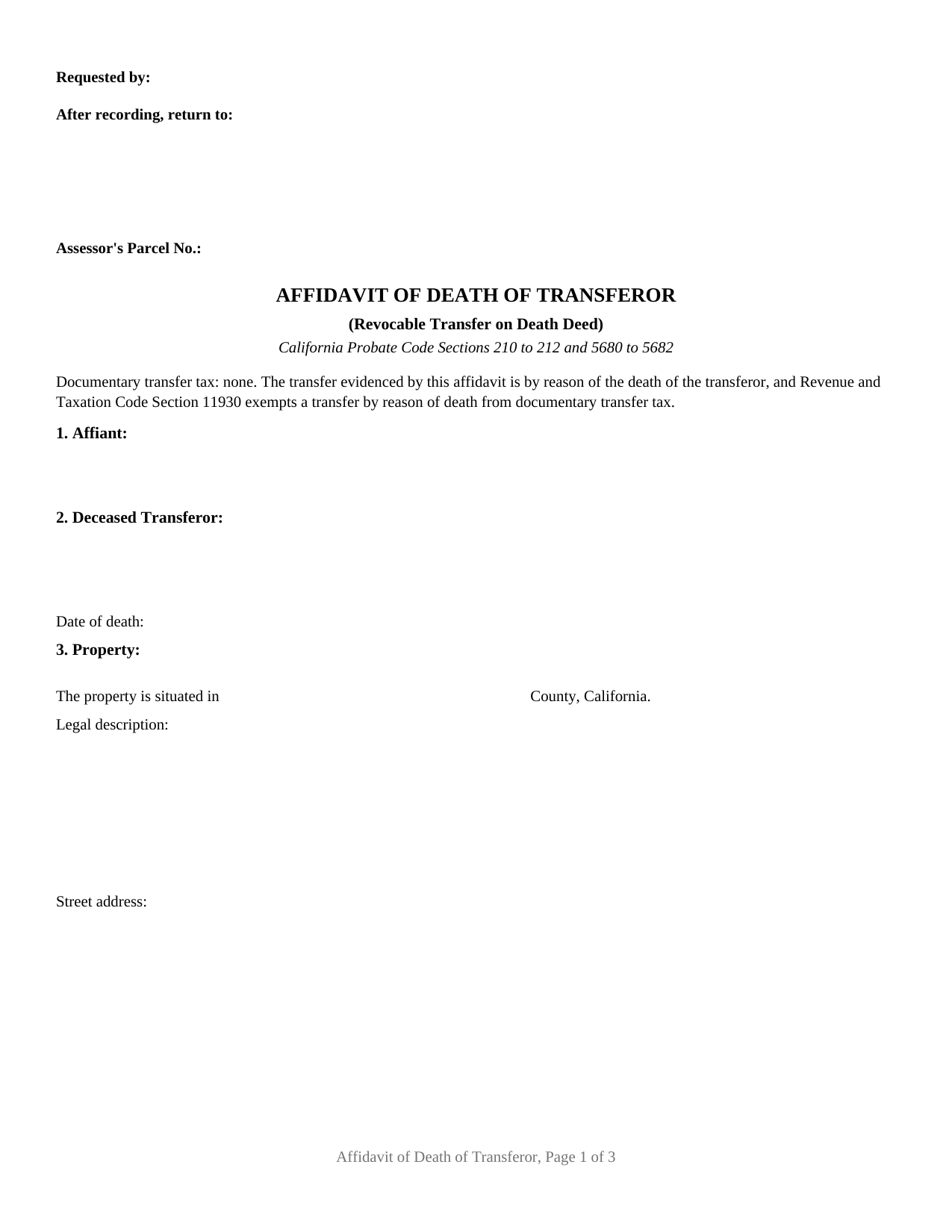
El Dorado County Affidavit of Death of Transferor Form
Fill in the blank Affidavit of Death of Transferor form formatted to comply with all California recording and content requirements.
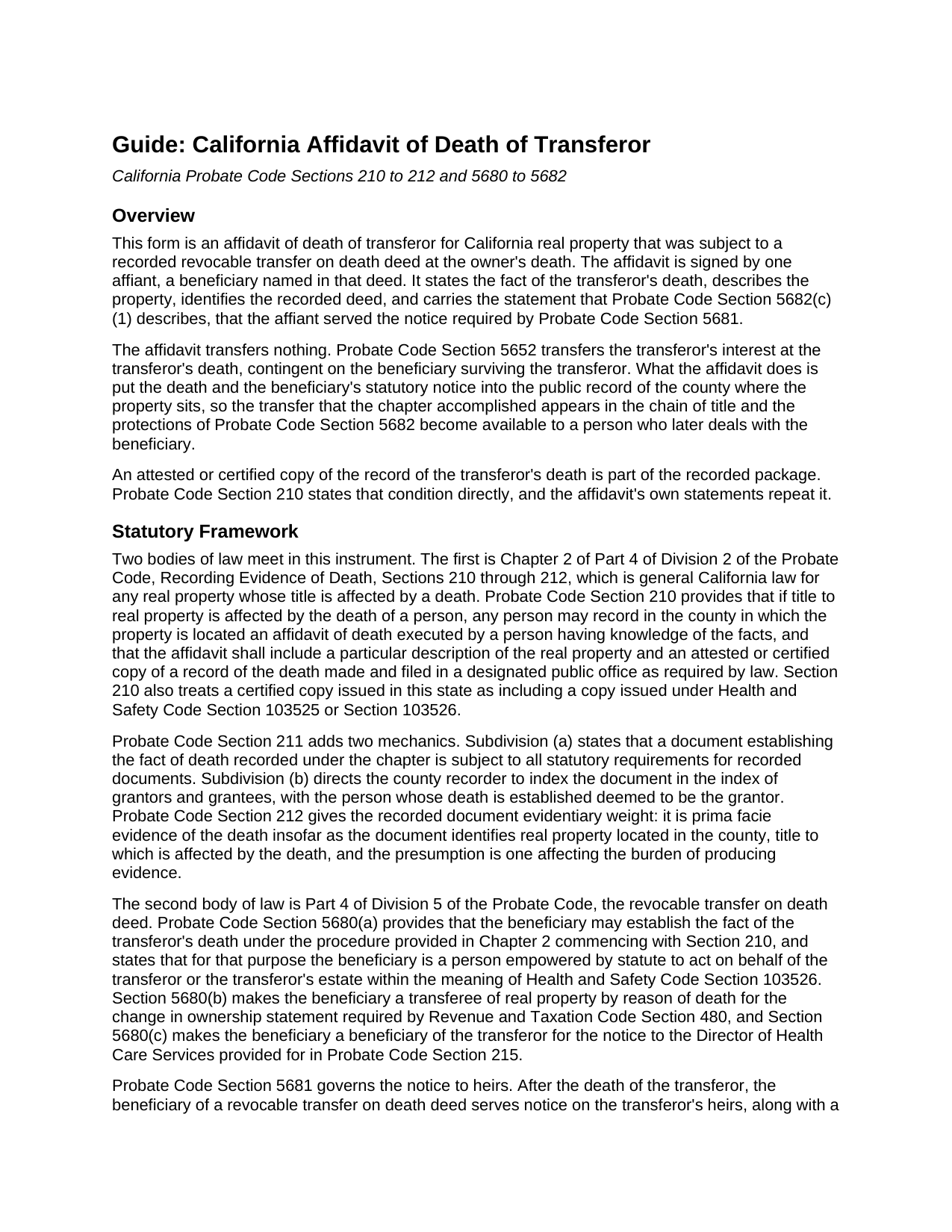
El Dorado County Affidavit of Death of Transferor Guide
Line by line guide explaining every blank on the Affidavit of Death of Transferor form.
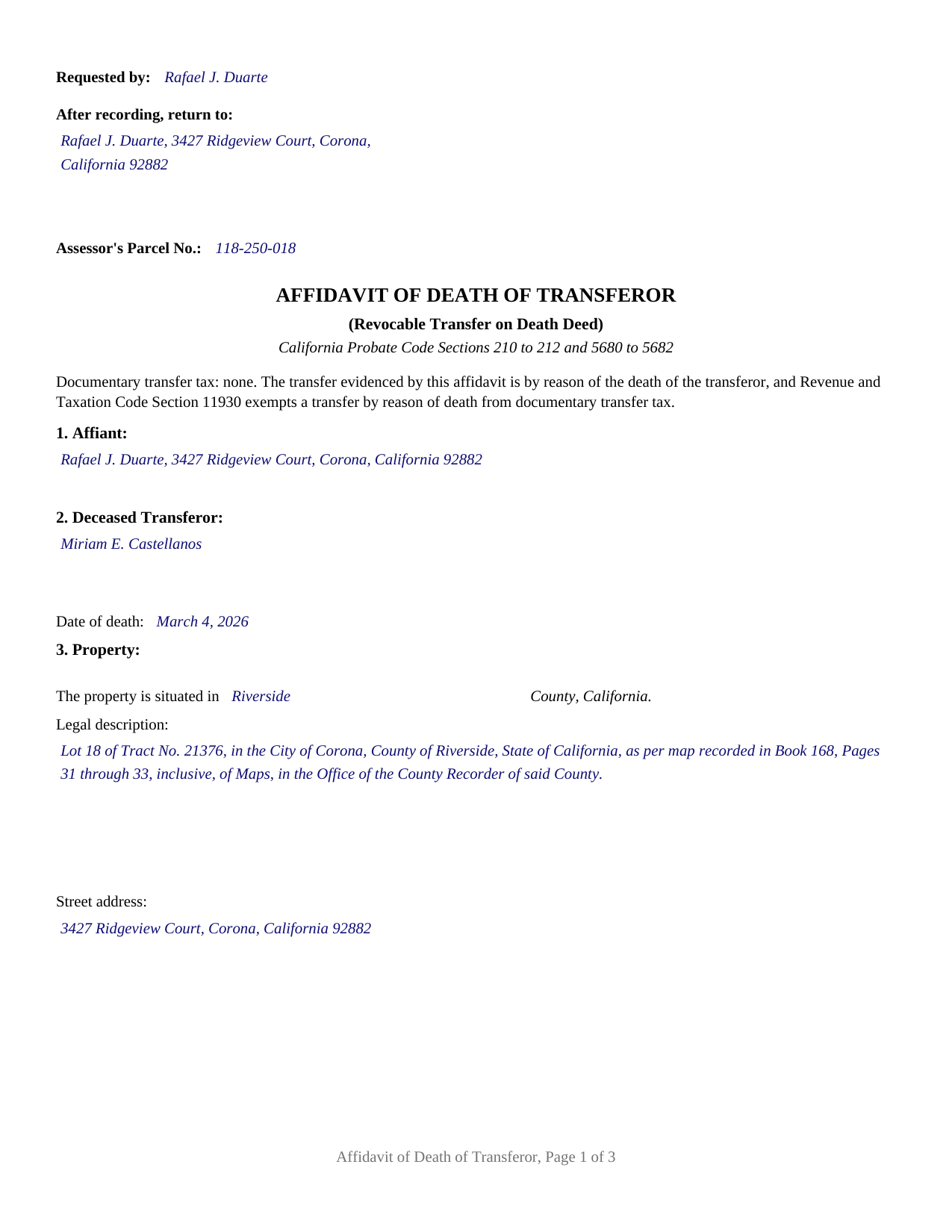
El Dorado County Completed Example of the Affidavit of Death of Transferor Document
Example of a properly completed California Affidavit of Death of Transferor document for reference.
All 3 documents above included • One-time purchase • No recurring fees
Immediate Download • Secure Checkout
Additional California and El Dorado County documents included at no extra charge:
Where to Record Your Documents
El Dorado Recorder-Clerk
Placerville, California 95667
Hours: 8:00 am to 5:00 pm / Recording until 4:00 pm
Phone: (530) 621-5490 or numbers to the right
South Lake Tahoe Office
South Lake Tahoe, California 96150
Hours: By Appointment
Phone: (530) 621-5490
Recording Tips for El Dorado County:
- Bring your driver's license or state-issued photo ID
- Ensure all signatures are in blue or black ink
- Recording fees may differ from what's posted online - verify current rates
- Request a receipt showing your recording numbers
- Ask about accepted payment methods when you call ahead
Cities and Jurisdictions in El Dorado County
Properties in any of these areas use El Dorado County forms:
- Camino
- Coloma
- Cool
- Diamond Springs
- Echo Lake
- El Dorado
- El Dorado Hills
- Garden Valley
- Georgetown
- Greenwood
- Grizzly Flats
- Kyburz
- Lotus
- Mount Aukum
- Pilot Hill
- Placerville
- Pollock Pines
- Rescue
- Shingle Springs
- Somerset
- South Lake Tahoe
- Tahoma
- Twin Bridges
Hours, fees, requirements, and more for El Dorado County
How do I get my forms?
Forms are available for immediate download after payment. The El Dorado County forms will be in your account ready to download to your computer. An account is created for you during checkout if you don't have one. Forms are NOT emailed.
Are these forms guaranteed to be recordable in El Dorado County?
Yes. Our form blanks are guaranteed to meet or exceed the applicable formatting requirements used for recording in El Dorado County, including margin requirements, font requirements, and other layout standards. This guarantee applies to formatting, not to the legal sufficiency of information entered by the user or the suitability of a form for a particular transaction.
Can I reuse these forms?
Yes. You can reuse the forms for your personal use. For example, if you have multiple properties in El Dorado County you only need to order once.
What do I need to use these forms?
The forms are PDFs that you fill out on your computer. The free Adobe Acrobat Reader is recommended, and most PDF apps also work. You do NOT enter your property information online - you download the blank forms and complete them privately on your own computer.
Are there any recurring fees?
No. This is a one-time purchase. Nothing to cancel, no memberships, no recurring fees.
How much does it cost to record in El Dorado County?
Recording fees in El Dorado County vary. Contact the recorder's office at (530) 621-5490 or numbers to the right for current fees.
Questions answered? Let's get started!
A California revocable transfer on death deed does its work the moment the transferor dies. Probate Code Section 5652 passes the transferor's interest to the surviving beneficiary at that instant, without probate and without anyone signing anything. The county record still shows the deceased transferor as the owner, and nothing in the chapter moves the record by itself. The affidavit of death of transferor closes that gap: a beneficiary's sworn statement, recorded where the property sits, that the transferor named in a recorded TOD deed has died.
Two statements, one recorded affidavit
Probate Code Section 5682 is the reason this affidavit exists in the shape it does. A person who later buys from or lends to the beneficiary gets the rights and protections of a distributee under a final order of distribution only when two things have reached the record: an affidavit of death recorded under Probate Code Section 210, and an affidavit containing a statement in substantially these words, that the named beneficiary served the notice required by Probate Code Section 5681. This form carries both. Section 5 states the death, the identity of the transferor named in the deed, the beneficiary's survival, and the certified copy attached; Section 6 carries the statement of service in the statute's own words, with the beneficiary's name in the blank. Where a deed named several beneficiaries, Section 5682(c)(2) provides that one beneficiary's compliance is enough.
The certified copy that travels with it
Probate Code Section 210 is general California death-of-owner law rather than TOD deed law, and it sets two conditions that shape the page. The affidavit includes a particular description of the real property, which is why the legal description block is sized for a full metes-and-bounds or platted description rather than a street address, and it includes an attested or certified copy of a record of the death, which is recorded with the affidavit. Section 211 sends the recorded document into the grantor and grantee index with the deceased transferor deemed the grantor, and Section 212 makes it prima facie evidence of the death for the property it identifies.
A recording date that starts a clock
The recording date matters beyond tidiness. Probate Code Section 5652(b) subjects the property to limitations recorded no later than 120 days after the Section 5682(c) affidavit is recorded, and Probate Code Section 5694 gives a contest commenced with a lis pendens recorded inside that same 120 days the power to void the deed and send the property to whoever is entitled to it. After that window, relief in a successful contest does not disturb a good faith purchaser or encumbrancer for value who acted first. The affidavit is the event those periods are measured from.
Signing, notarizing, and what follows at the counter
The affidavit is signed by one affiant. Its sworn quality comes from the declaration under penalty of perjury under the laws of the State of California that Code of Civil Procedure Section 2015.5 gives the force of an affidavit, and its recordability comes from the notarial acknowledgment that Government Code Section 27287 requires before an instrument is recorded. The certificate is the Civil Code Section 1189 form, opening with the boxed notice that the officer verifies only the identity of the signer, and printing State of California as the statute prints it, leaving the county of the notarial act open. Probate Code Section 211(a) makes the affidavit answer to every ordinary recording requirement: the 2.5 inch first-page reserve, the requester and return entries in the left 3.5 inches, and the half inch side margins. No documentary transfer tax is due, because Revenue and Taxation Code Section 11930 exempts a transfer by reason of death, and the form says so on its face.
Two filings follow the death separately, outside this package: the change in ownership statement that Revenue and Taxation Code Section 480 calls for within 150 days of death, and the notice to the Director of Health Care Services under Probate Code Section 215 where the transferor received Medi-Cal benefits. This package contains the fill-in-the-blank affidavit, a completed example filled with a Riverside County fact pattern, and a guide that walks the form section by section and describes recording. It is a form package, not legal advice.
Important: Your property must be located in El Dorado County to use these forms. Documents should be recorded at the county recording office listed above.
This Affidavit of Death of Transferor meets all recording requirements specific to El Dorado County.
Our Promise
The documents you receive here are guaranteed to meet or exceed the applicable El Dorado County recording format requirements. If there is a rejection caused by our formatting, we will correct the issue or refund your payment. This guarantee applies to document formatting only and does not extend to information entered by the user, the selection of the form, or the legal effect of the completed document.
Save Time and Money
Get your El Dorado County Affidavit of Death of Transferor form done right the first time with Deeds.com Uniform Conveyancing Blanks. At Deeds.com, we understand that your time and money are valuable resources, and we don't want you to face a penalty fee or rejection imposed by a county recorder for submitting nonstandard documents. We constantly review and update our forms to meet rapidly changing state and county recording requirements for roughly 3,500 counties and local jurisdictions.
4.8 out of 5 - ( 4,837 Reviews )
Richard L. 5 out of 5 stars
very useful
Thank you!
Kristina M. 5 out of 5 stars
deeds.com has been an easy and efficient way for my organization to file deeds on behalf of older DC residents. KVH especially has been wonderfully helpful in providing guidance about the submission process. Appreciate the professionalism and patience
Thank you for the kind words Kristina.
Peggy R. 5 out of 5 stars
Thank you it was quick and easy
Thank you!
Helen L. 5 out of 5 stars
The website was easy to navigate but only needed one form. The guide was helpful also. Cost want high but contains many documents that I didn't need but may someday. Could not save form after completed but printed copies that needed to be court filed.
We appreciate your business and value your feedback. Thank you. Have a wonderful day!
Anne J. 5 out of 5 stars
I could not be happier with the service. Shortly after I uploaded my documents, my package was prepared and invoiced. It was only minutes before the document was recorded with the County I selected and returned to me with their seal for download.
We appreciate your business and value your feedback. Thank you. Have a wonderful day!
Brian C. 5 out of 5 stars
***** so easy thanks.
Thanks Brian, we appreciate your feedback.
Patrick A. 5 out of 5 stars
Real value. Excellent forms, guidance & samples. Included Homestead Exemption form & info are also valuable & greatly appreciated.
Thank you for your feedback. We really appreciate it. Have a great day!
Mike F. 5 out of 5 stars
The explanation sheet and example was very handy.
Thank you!
Lucus S. 5 out of 5 stars
I tried to do it myself by copying an old deed and ended up with a bunch of headaches (expensive ones) wish I would have used these documents first. Live and learn.
Thank you!
Candace K. 5 out of 5 stars
I was able to find the Certificate of Trust after a little searching. Once found, the remainder of the process was easy. My task was done in no time. It's a great site.
Thank you for your feedback. We really appreciate it. Have a great day!
Marina M. 4 out of 5 stars
Very easy to choose template and download. The price seems fair. Not sure the section on the deed for 6 witnesses is necessary....
Thank you for your feedback. We really appreciate it. Have a great day!
Hayley C. 5 out of 5 stars
Love this site, so easy to work with and customer service is amazing.
We appreciate your business and value your feedback. Thank you. Have a wonderful day!
Wendy S. 4 out of 5 stars
Good template that met my needs. Much better than another draft template that I found on another site. Would have been helpful if the template had been provided in a Word format instead of PDF so that I could remove the sections that are not applicable.
We appreciate your business and value your feedback. Thank you. Have a wonderful day!
Keri C. 5 out of 5 stars
It was confusing at first, but the customer service was excellent and fast and I got everything taken care of right away. I'll use Deeds.com even after the recorder's office is open to the public.
Thank you for your feedback. We really appreciate it. Have a great day!
Coby A. 5 out of 5 stars
great service and quick filing.
Thank you!