Modoc County Assignment of Leases and Rents Form
Last validated November 12, 2026 by our Forms Development TeamFormatted for recording in Modoc County, for property anywhere in the county: rural and unincorporated areas as well as Adin, Alturas, Canby, Cedarville, Davis Creek, Eagleville, Fort Bidwell, Lake City and 2 more.
- 5 documents included
- Immediate PDF download
- Formatting guarantee
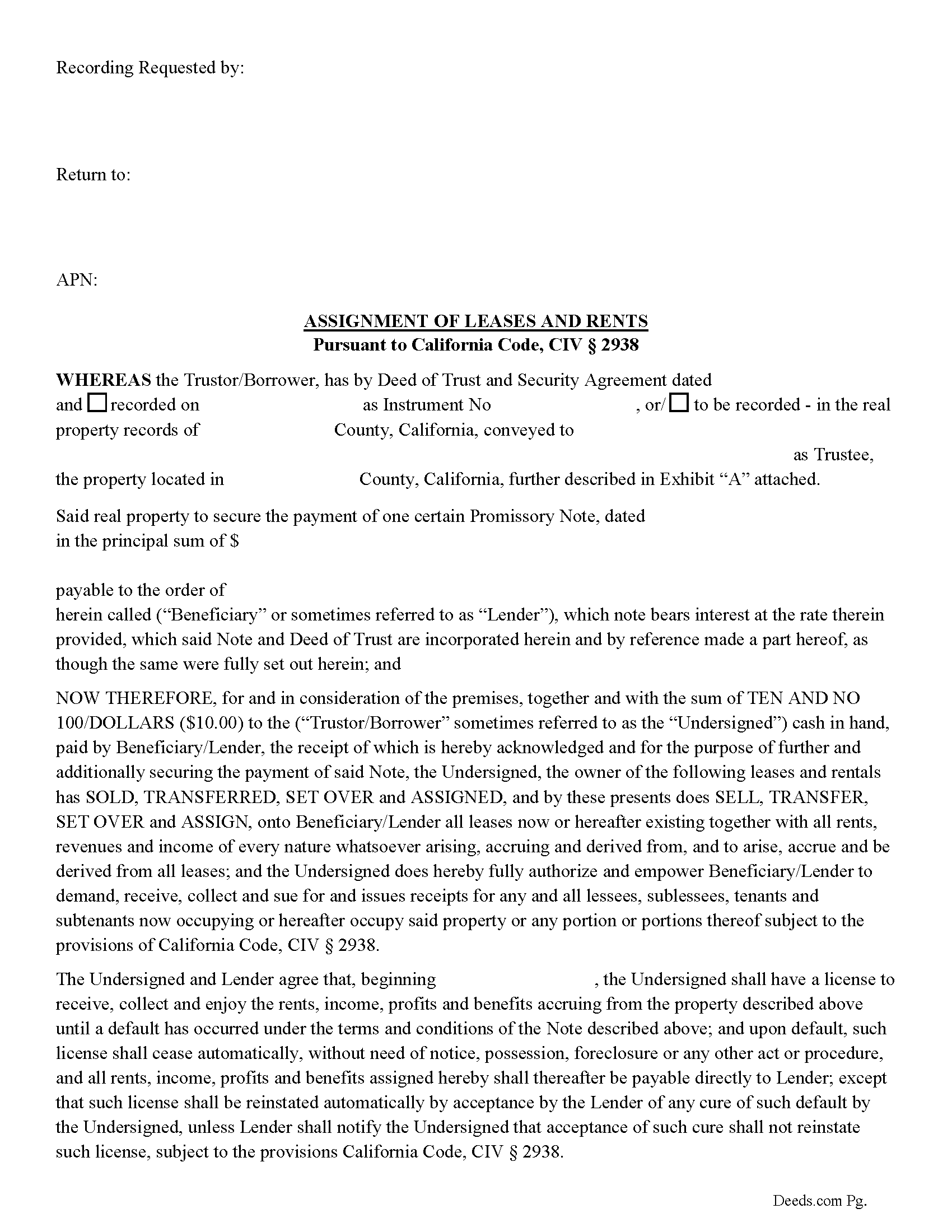
Modoc County Assignment of Leases and Rents Form
Fill in the blank form formatted to comply with all recording and content requirements.
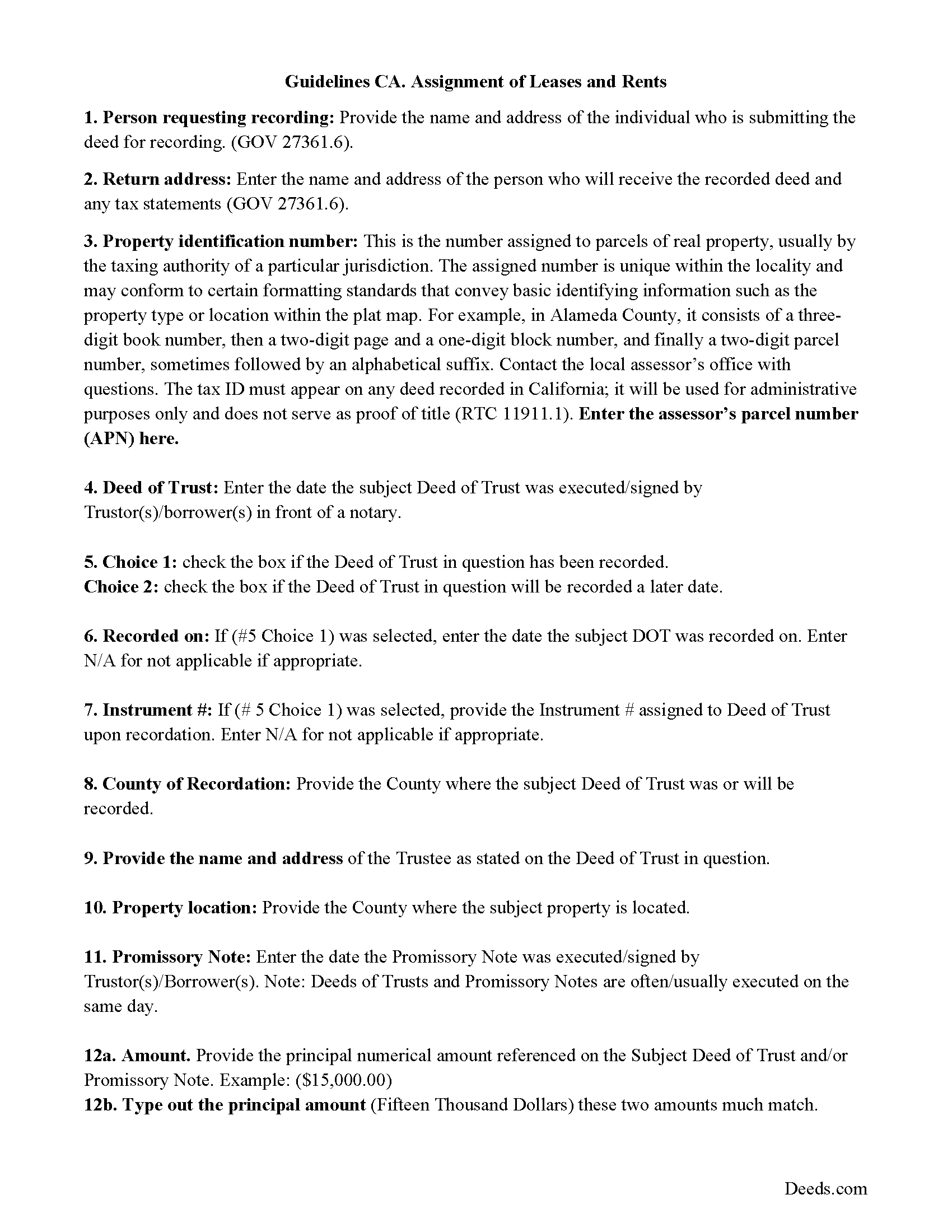
Modoc County Assignment of Leases and Rents Guidelines
Line by line guide explaining every blank on the form.
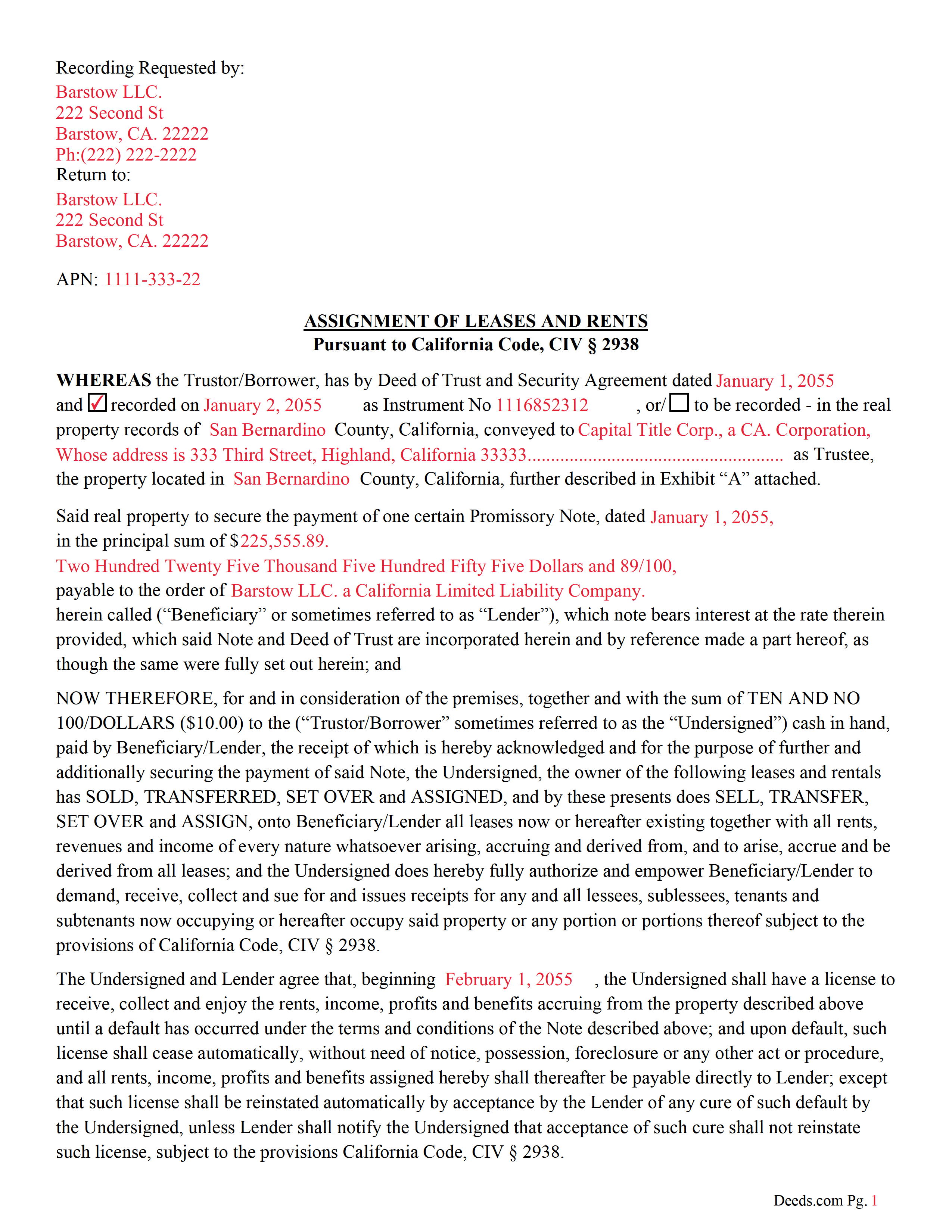
Modoc County Completed Example of the Assignment of Leases and Rents Document
Example of a properly completed form for reference.
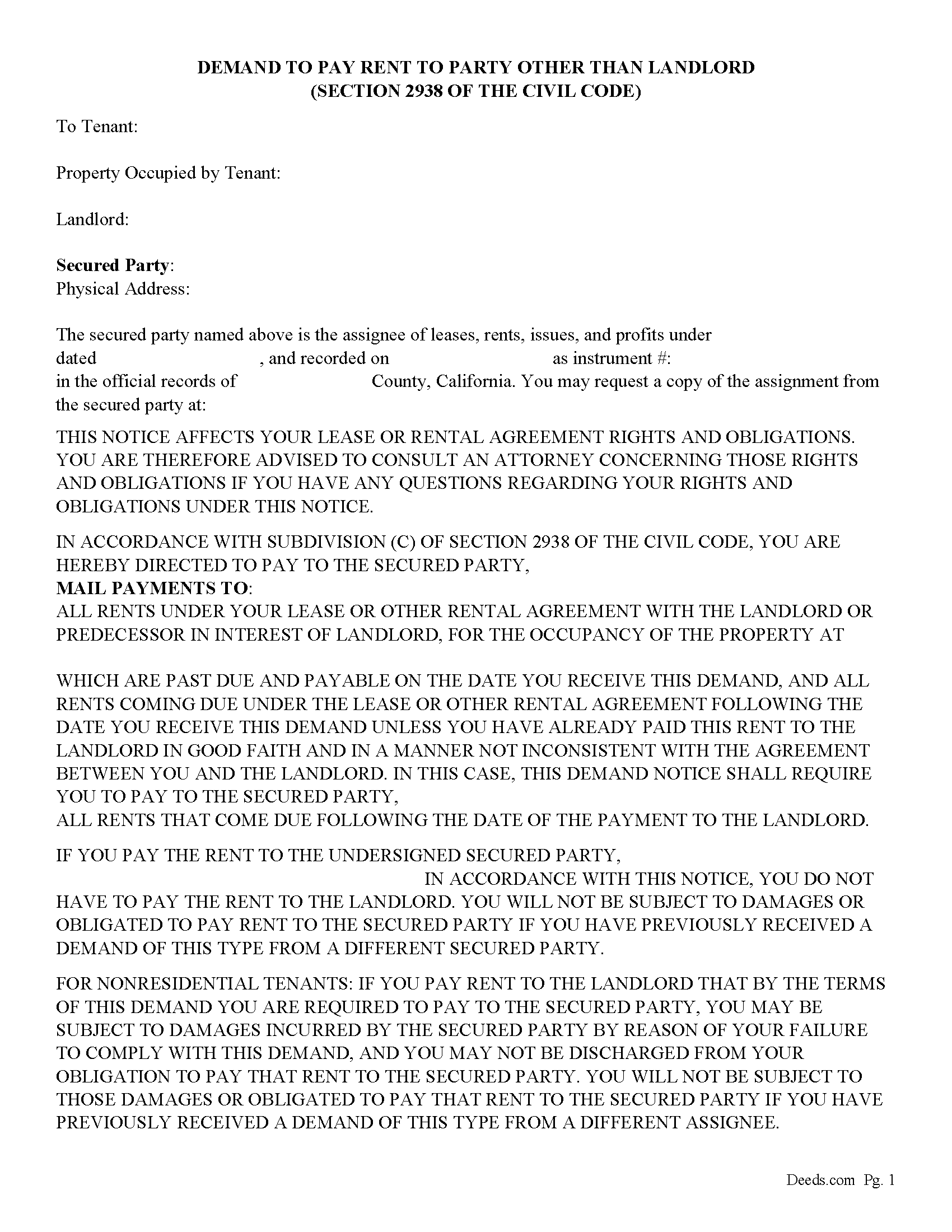
Modoc County Demand to Pay Form
Fill in the blank form formatted to comply with all content requirements.
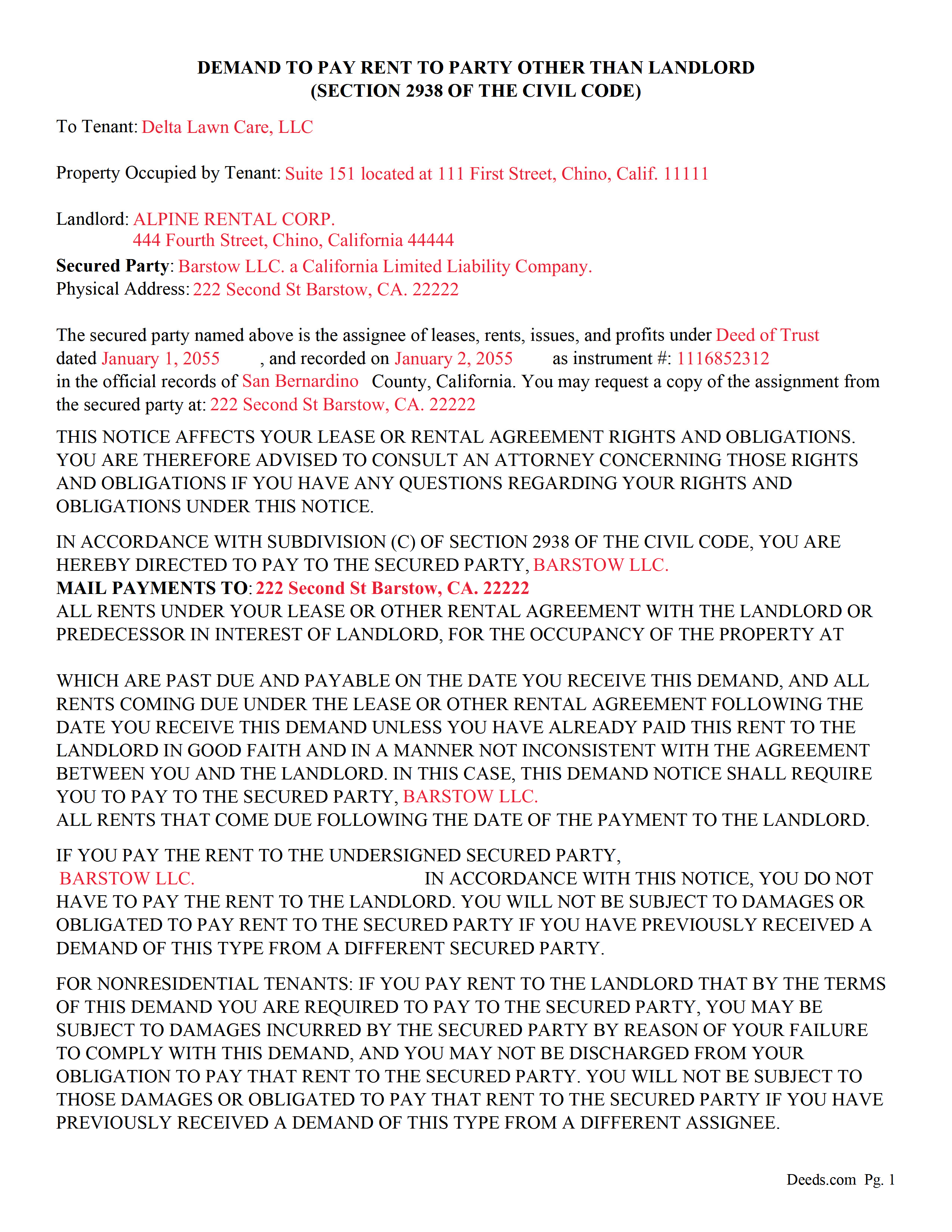
Modoc County Completed Example of the Demand to Pay Document
Example of a properly completed form for reference.
All 5 documents above included • One-time purchase • No recurring fees
Immediate Download • Secure Checkout
Additional California and Modoc County documents included at no extra charge:
Where to Record Your Documents
Modoc County Recorder
Alturas, California 96101
Hours: Mon - Fri 8:30 - 12:00, 1:00 - 5:00
Phone: (530) 233-6217
Recording Tips for Modoc County:
- Bring your driver's license or state-issued photo ID
- Ensure all signatures are in blue or black ink
- Make copies of your documents before recording - keep originals safe
- Recorded documents become public record - avoid including SSNs
- Recording fees may differ from what's posted online - verify current rates
Cities and Jurisdictions in Modoc County
Properties in any of these areas use Modoc County forms:
- Adin
- Alturas
- Canby
- Cedarville
- Davis Creek
- Eagleville
- Fort Bidwell
- Lake City
- Likely
- Lookout
Hours, fees, requirements, and more for Modoc County
How do I get my forms?
Forms are available for immediate download after payment. The Modoc County forms will be in your account ready to download to your computer. An account is created for you during checkout if you don't have one. Forms are NOT emailed.
Are these forms guaranteed to be recordable in Modoc County?
Yes. Our form blanks are guaranteed to meet or exceed the applicable formatting requirements used for recording in Modoc County, including margin requirements, font requirements, and other layout standards. This guarantee applies to formatting, not to the legal sufficiency of information entered by the user or the suitability of a form for a particular transaction.
Can I reuse these forms?
Yes. You can reuse the forms for your personal use. For example, if you have multiple properties in Modoc County you only need to order once.
What do I need to use these forms?
The forms are PDFs that you fill out on your computer. The free Adobe Acrobat Reader is recommended, and most PDF apps also work. You do NOT enter your property information online - you download the blank forms and complete them privately on your own computer.
Are there any recurring fees?
No. This is a one-time purchase. Nothing to cancel, no memberships, no recurring fees.
How much does it cost to record in Modoc County?
Recording fees in Modoc County vary. Contact the recorder's office at (530) 233-6217 for current fees.
Questions answered? Let's get started!
This Form can be attached to a deed of trust document upon recordation or recorded separately to reference a previously recorded deed of trust. The undersigned (typically the borrower) shall have a license to receive, collect and enjoy the rents, income, profits and benefits accruing from the property described above until a default has occurred under the terms and conditions of the promissory note described. Upon default the Beneficiary/Lender delivers a "demand to pay form", to existing tenants/lessees pursuant to (SECTION 2938 OF THE CA. CIVIL CODE)
An assignment of an interest in leases, rents, issues, or profits of real property may be recorded in the records of the county recorder in the county in which the underlying real property is located in the same manner as any other conveyance of an interest in real property, whether the assignment is in a separate document or part of a mortgage or deed of trust, and when so duly recorded in accordance with the methods, procedures, and requirements for recordation of conveyances of other interests in real property, (1) the assignment shall be deemed to give constructive notice of the content of the assignment with the same force and effect as any other duly recorded conveyance of an interest in real property and (2) the interest granted by the assignment shall be deemed fully perfected as of the time of recordation with the same force and effect as any other duly recorded conveyance of an interest in real property, notwithstanding a provision of the assignment or a provision of law that would otherwise preclude or defer enforcement of the rights granted the assignee under the assignment until the occurrence of a subsequent event, including, but not limited to, a subsequent default of the assignor, or the assignee's obtaining possession of the real property or the appointment of a receiver. California Code, Civil Code - CIV 2938(b)
(c) Upon default of the assignor under the obligation secured by the assignment of leases, rents, issues, and profits, the assignee shall be entitled to enforce the assignment in accordance with this section. On and after the date the assignee takes one or more of the enforcement steps described in this subdivision, the assignee shall be entitled to collect and receive all rents, issues, and profits that have accrued but remain unpaid and uncollected by the assignor or its agent or for the assignor's benefit on that date, and all rents, issues, and profits that accrue on or after the date. The assignment shall be enforced by one or more of the following:
(1) The appointment of a receiver.
(2) Obtaining possession of the rents, issues, or profits.
(3) Delivery to any one or more of the tenants of a written demand for turnover of rents, issues, and profits in the form specified in subdivision (k), a copy of which demand shall also be delivered to the assignor; and a copy of which shall be mailed to all other assignees of record of the leases, rents, issues, and profits of the real property at the address for notices provided in the assignment or, if none, to the address to which the recorded assignment was to be mailed after recording.
(4) Delivery to the assignor of a written demand for the rents, issues, or profits, a copy of which shall be mailed to all other assignees of record of the leases, rents, issues, and profits of the real property at the address for notices provided in the assignment or, if none, to the address to which the recorded assignment was to be mailed after recording.
Moneys received by the assignee pursuant to this subdivision, net of amounts paid pursuant to subdivision (g), if any, shall be applied by the assignee to the debt or otherwise in accordance with the assignment or the promissory note, deed of trust, or other instrument evidencing the obligation, provided, however, that neither the application nor the failure to so apply the rents, issues, or profits shall result in a loss of any lien or security interest that the assignee may have in the underlying real property or any other collateral, render the obligation unenforceable, constitute a violation of Section 726 of the Code of Civil Procedure , or otherwise limit a right available to the assignee with respect to its security.
(California Assignment of Leases and Rents Package includes form, guidelines, and completed example) For use in California only.
Important: Your property must be located in Modoc County to use these forms. Documents should be recorded at the county recording office listed above.
This Assignment of Leases and Rents meets all recording requirements specific to Modoc County.
Our Promise
The documents you receive here are guaranteed to meet or exceed the applicable Modoc County recording format requirements. If there is a rejection caused by our formatting, we will correct the issue or refund your payment. This guarantee applies to document formatting only and does not extend to information entered by the user, the selection of the form, or the legal effect of the completed document.
Save Time and Money
Get your Modoc County Assignment of Leases and Rents form done right the first time with Deeds.com Uniform Conveyancing Blanks. At Deeds.com, we understand that your time and money are valuable resources, and we don't want you to face a penalty fee or rejection imposed by a county recorder for submitting nonstandard documents. We constantly review and update our forms to meet rapidly changing state and county recording requirements for roughly 3,500 counties and local jurisdictions.
4.8 out of 5 - ( 4,858 Reviews )
Edwart D. 5 out of 5 stars
I tend to not pay attention to the details and then blame other people. Thankfully Deeds.com has my back when I make silly mistakes.
Thank you!
willie B. 5 out of 5 stars
I love how you can get information you need online great program ,outstanding just love it....
Thank you!
Norma J H. 5 out of 5 stars
Your forms have been very helpful. I thank you very much for making them easy to use.
Thank you for your feedback. We really appreciate it. Have a great day!
Antonia J. 5 out of 5 stars
Great Family Planner
Thank you!
Greg R. 5 out of 5 stars
Great service especially living out of state for the documents in the state I required. Easy to use, understand forms with instructions and examples.
Thank you for your feedback. We really appreciate it. Have a great day!
Terry M. 4 out of 5 stars
Application is not well laid out. I guess it does the job but leaves a lot to be desired. Hard to follow
Thank you for your feedback. We really appreciate it. Have a great day!
JOHN H. 5 out of 5 stars
It was simple and fast thanks so much.
We appreciate your business and value your feedback. Thank you. Have a wonderful day!
Helen L. 5 out of 5 stars
The website was easy to navigate but only needed one form. The guide was helpful also. Cost want high but contains many documents that I didn't need but may someday. Could not save form after completed but printed copies that needed to be court filed.
We appreciate your business and value your feedback. Thank you. Have a wonderful day!
Alexis R. 5 out of 5 stars
Excellent service and reasonable fees. Highly recommend this company.
We appreciate your business and value your feedback. Thank you. Have a wonderful day!
Maria S. 3 out of 5 stars
The paperwork/forms are fine, but there isn't enough explanation for me to figure out how to file the extra forms (which I do need in my case). The main form, Deed Upon Death is fine. I think the price is pretty high for these forms. I wouldn't have purchased it because there are places to get them for much cheaper (about 6 dollars), but this site had the extra forms I wanted (property in a trust and another form). Unfortunately these were included as a "courtesy" and there are no instructions for them. So three stars for being clear about what was in the package, having the right forms that I need, but instructions for putting them to use and price took a couple of stars off. Downloading was easy and once you download you can type the info into the PDF--that makes working with the forms much easier.
Thank you for the feedback Maria. Regarding the supplement documents, it is best to get assistance from the agency that requires them. These are not legal documents, they should provide full support and guidance for them.
Ronney O. 5 out of 5 stars
Great Experience
We appreciate your business and value your feedback. Thank you. Have a wonderful day!
Judi W. 5 out of 5 stars
Great website! Well organized, easy to navigate and put to practical use. Would use again.
Thank you!
Doris I. 5 out of 5 stars
My grandaughter in law got the info for me and it looks very help ul nThanks Doris
Thank you!
James R. 5 out of 5 stars
Really Easy site to navigate!
Thank you James, have a great day!
Jennifer K. 5 out of 5 stars
Thank you!
Thank you for your feedback. We really appreciate it. Have a great day!