Modoc County Full Release of Memorandum and Notice of Agreement Form
Last validated October 15, 2026 by our Forms Development TeamFormatted for recording in Modoc County, for property anywhere in the county: rural and unincorporated areas as well as Adin, Alturas, Canby, Cedarville, Davis Creek, Eagleville, Fort Bidwell, Lake City and 2 more.
- 3 documents included
- Immediate PDF download
- Formatting guarantee
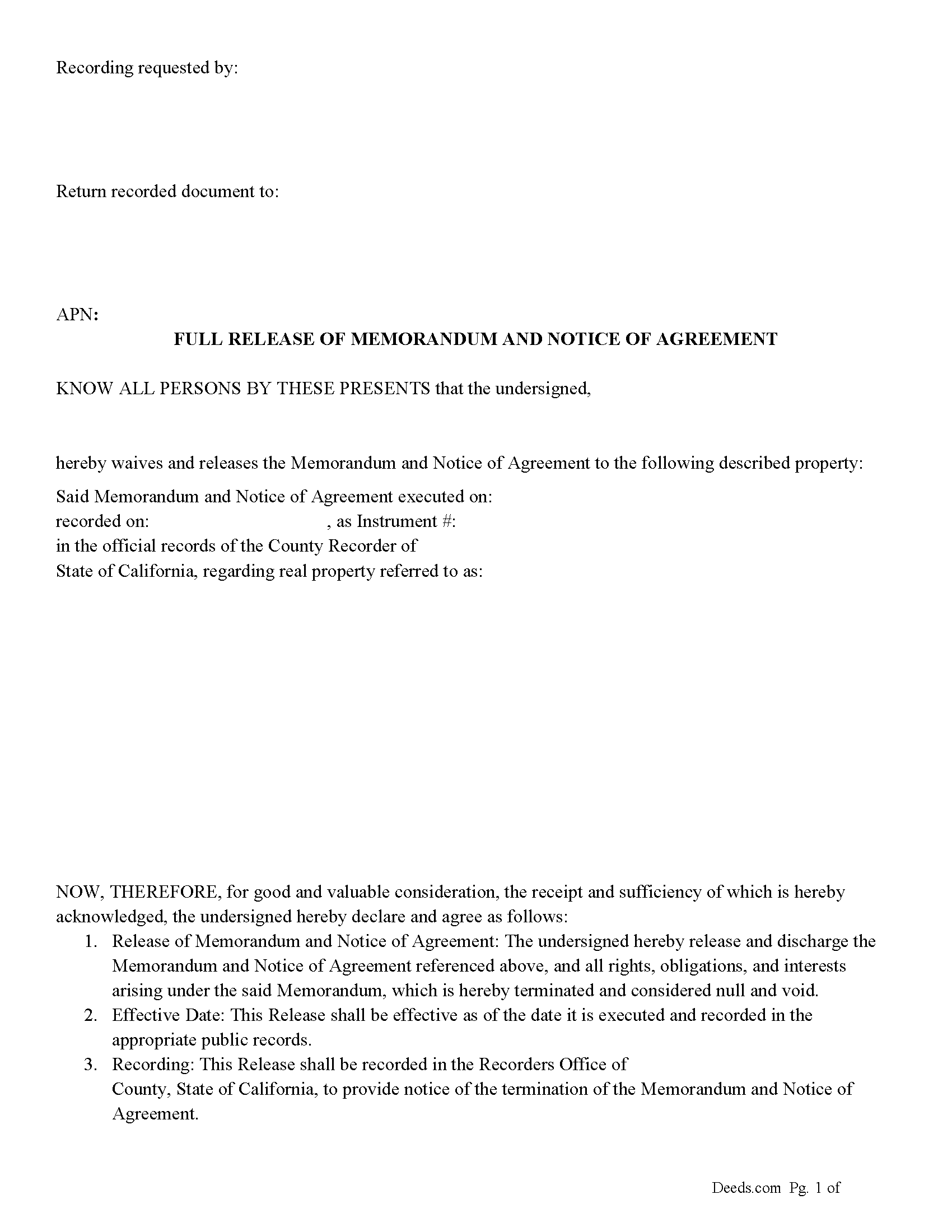
Modoc County Full Release of Memorandum and Notice of Agreement Form
Fill in the blank Full Release of Memorandum and Notice of Agreement form formatted to comply with all California recording and content requirements.
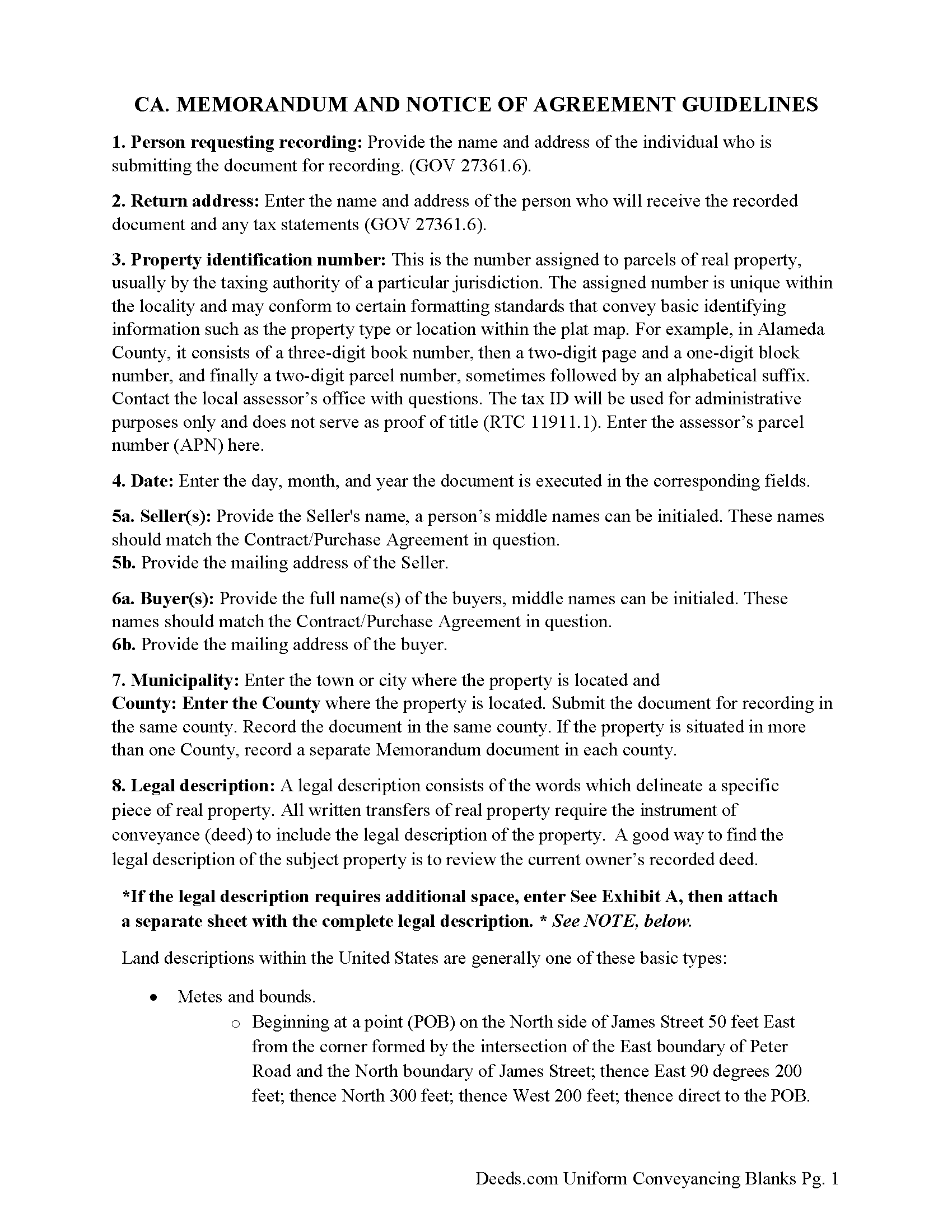
Modoc County Full Release of Memorandum and Notice of Agreement Guide
Line by line guide explaining every blank on the Full Release of Memorandum and Notice of Agreement form.
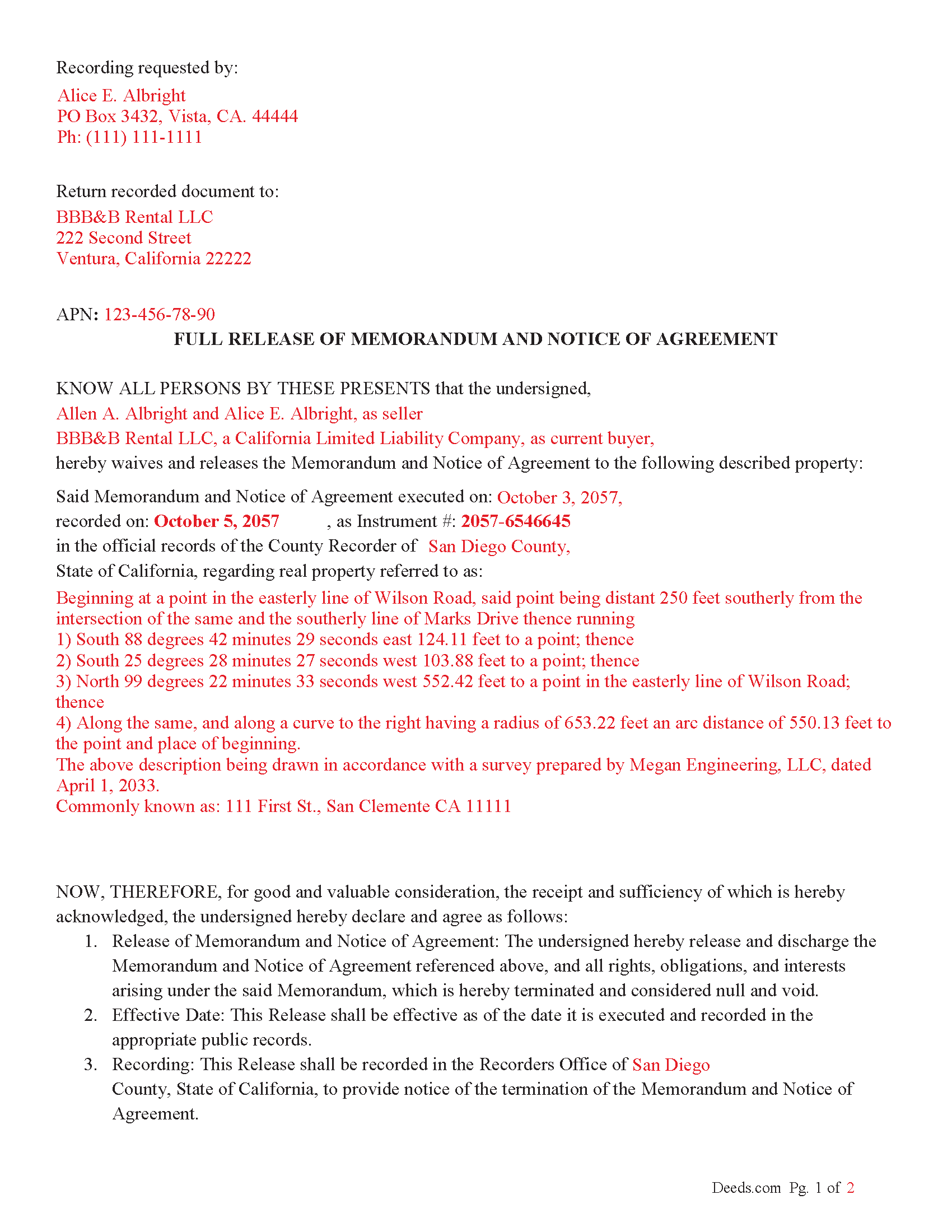
Modoc County Completed Example of the Full Release of Memorandum and Notice of Agreement Document
Example of a properly completed California Full Release of Memorandum and Notice of Agreement document for reference.
All 3 documents above included • One-time purchase • No recurring fees
Immediate Download • Secure Checkout
Additional California and Modoc County documents included at no extra charge:
Where to Record Your Documents
Modoc County Recorder
Alturas, California 96101
Hours: Mon - Fri 8:30 - 12:00, 1:00 - 5:00
Phone: (530) 233-6217
Recording Tips for Modoc County:
- Bring your driver's license or state-issued photo ID
- Ensure all signatures are in blue or black ink
- Recorded documents become public record - avoid including SSNs
- Recording fees may differ from what's posted online - verify current rates
- Request a receipt showing your recording numbers
Cities and Jurisdictions in Modoc County
Properties in any of these areas use Modoc County forms:
- Adin
- Alturas
- Canby
- Cedarville
- Davis Creek
- Eagleville
- Fort Bidwell
- Lake City
- Likely
- Lookout
Hours, fees, requirements, and more for Modoc County
How do I get my forms?
Forms are available for immediate download after payment. The Modoc County forms will be in your account ready to download to your computer. An account is created for you during checkout if you don't have one. Forms are NOT emailed.
Are these forms guaranteed to be recordable in Modoc County?
Yes. Our form blanks are guaranteed to meet or exceed the applicable formatting requirements used for recording in Modoc County, including margin requirements, font requirements, and other layout standards. This guarantee applies to formatting, not to the legal sufficiency of information entered by the user or the suitability of a form for a particular transaction.
Can I reuse these forms?
Yes. You can reuse the forms for your personal use. For example, if you have multiple properties in Modoc County you only need to order once.
What do I need to use these forms?
The forms are PDFs that you fill out on your computer. The free Adobe Acrobat Reader is recommended, and most PDF apps also work. You do NOT enter your property information online - you download the blank forms and complete them privately on your own computer.
Are there any recurring fees?
No. This is a one-time purchase. Nothing to cancel, no memberships, no recurring fees.
How much does it cost to record in Modoc County?
Recording fees in Modoc County vary. Contact the recorder's office at (530) 233-6217 for current fees.
Questions answered? Let's get started!
In California, a "Release of Memorandum and Notice of Agreement' is a legal document used to terminate or release a previously recorded "Memorandum of Contract" (or Memorandum of Agreement) related to real property. This release document essentially removes the contractual notice recorded in county records, releasing any claims, rights, or interests initially claimed in the Memorandum of Agreement. Here's a breakdown of the key aspects, statutes, and guidelines involved:
Key Points
1. Purpose of Memorandum of Contract:
A Memorandum of Contract is often recorded in real estate transactions to publicly record that a contract exists for the property. It typically doesn't disclose the full details of the contract but serves as notice to third parties.
Recording this memorandum protects the buyer's or tenant's interest against third parties by establishing a public record of the contract.
2. Purpose of Release of Memorandum of Contract:
When the obligations or interests under the original contract have been fulfilled, or the contract is canceled or terminated, a "Release of Memorandum of Contract" is filed.
This release formally withdraws the recorded notice, which may be necessary to clear title issues for future property sales or transfers.
Statutory Guidelines and Procedures
California Civil Code and Code of Civil Procedure
Recording Statutes: California's recording laws generally fall under the California Civil Code (Sections 1213 to 1227) and Government Code (Sections 27201 et seq.). These statutes require that real property documents, including memoranda and releases, be recorded with the county recorder’s office where the property is located.
Acknowledgment and Notarization: As with many documents affecting real property, a Release of Memorandum of Contract typically requires acknowledgment before a notary public (Civil Code Section 1185). The notarized document is then suitable for recording.
Key Steps and Considerations
Drafting and Execution: The parties who originally signed the Memorandum of Contract are often the ones who execute the release. The release should specifically reference the original Memorandum of Contract by date and recording information.
Recordation Requirements: The Release of Memorandum of Contract should meet all local county recorder’s formatting requirements, which can vary but often include standard margins, font sizes, and page numbering.
Effect of Recording: Once recorded, the release removes the notice of the original contract from the county records, effectively clearing any encumbrances related to that contract from the title.
California Code of Civil Procedure
Enforcement and Quiet Title Actions: Under California Code of Civil Procedure Section 760.010 et seq., if there is a dispute regarding an improperly recorded or unreleased Memorandum of Contract, parties can seek court relief through a quiet title action or specific performance.
Important: Your property must be located in Modoc County to use these forms. Documents should be recorded at the county recording office listed above.
This Full Release of Memorandum and Notice of Agreement meets all recording requirements specific to Modoc County.
Our Promise
The documents you receive here are guaranteed to meet or exceed the applicable Modoc County recording format requirements. If there is a rejection caused by our formatting, we will correct the issue or refund your payment. This guarantee applies to document formatting only and does not extend to information entered by the user, the selection of the form, or the legal effect of the completed document.
Save Time and Money
Get your Modoc County Full Release of Memorandum and Notice of Agreement form done right the first time with Deeds.com Uniform Conveyancing Blanks. At Deeds.com, we understand that your time and money are valuable resources, and we don't want you to face a penalty fee or rejection imposed by a county recorder for submitting nonstandard documents. We constantly review and update our forms to meet rapidly changing state and county recording requirements for roughly 3,500 counties and local jurisdictions.
4.8 out of 5 - ( 4,837 Reviews )
Curtis G. 5 out of 5 stars
Easy to use.
Thank you!
Nancy J. 5 out of 5 stars
Forms were not to hard to fill out, Will go to Douglas County Oregon Recorders office in a few weeks and hope I filled them out correctly.
Thank you for your feedback. We really appreciate it. Have a great day!
LINDA C. 5 out of 5 stars
EASY, FAST, AND CONVENIENT.
Thank you!
Roy W. 5 out of 5 stars
It's fine
Thank you!
Lisa M. 5 out of 5 stars
Excellent service!!
We appreciate your business and value your feedback. Thank you. Have a wonderful day!
Terry S. 5 out of 5 stars
Forms were very easy to use using the completed form as an example.
Thank you for your feedback. We really appreciate it. Have a great day!
LEVELL H. 5 out of 5 stars
I was very pleased with the ease in use of the forms. I suggest making sure the sample copy is totally aligned with the exact same parts. I was a little confused about the portion "Subject to.." It was easy to make corrections, additions, etc because the page remained open, and I didn't have to re=open the forms continuously.
Thank you!
Christine M. 5 out of 5 stars
Forms were top notch, easy to complete, printed beautifully, recorded with no revisions. Highly recommend for anyone preparing their own deeds.
Thank you for the kind words Christine. Have an amazing day!
Sherri S. 5 out of 5 stars
Easy to access forms, and reasonably priced. I'll definitely use again in the future.
We appreciate your business and value your feedback. Thank you. Have a wonderful day!
Kevin M. 5 out of 5 stars
good so far. will wait to see what happens
Thank you!
Laverne C. 5 out of 5 stars
Great service. The issue I had was uploading the file of several pages. Once I learned, everything became clear and easier. The support group have been extremely prompt and helpful, I would surely use the service again and recommend the serivce.
Thank you!
Todd W. 2 out of 5 stars
Communication is hard. The reps need to be empowered and encouraged to call the customers when necessary. They encourage 300 dpi resolution and under 2 MB PDF file, which is not even possible with our scanner. They made a vague comment about a legal description looking abbreviated but did not explain. They refused to call me. They said the county said "Image is light please darken", but the image looked fine to me. Maybe not their fault, but they refused to help work with the county on that for me. I followed their suggestion though and re-scanned at 300 dpi, but they misunderstood me and did not re-submit it right away. Over 48 hours later, it's still not recorded yet. I hope it will be today.
Thank you for your feedback Todd.
Rebecca V. 5 out of 5 stars
The staff is Great to work with, Thank You
Thank you!
RUSSELL E. 5 out of 5 stars
Awesome and quick service again, just like always from KvH. Thanks!
We are sincerely grateful for your feedback and are committed to providing the highest quality service. Thank you for your trust in us.
William N. 5 out of 5 stars
Every thing worked perfectly.
Thank you!