Sonoma County Deed Corrective Affidavit Form
Last validated September 11, 2026 by our Forms Development TeamFormatted for recording in Sonoma County, for property anywhere in the county: rural and unincorporated areas as well as Annapolis, Bodega, Bodega Bay, Boyes Hot Springs, Camp Meeker, Cazadero, Cloverdale, Cotati and 27 more.
- 3 documents included
- Immediate PDF download
- Formatting guarantee
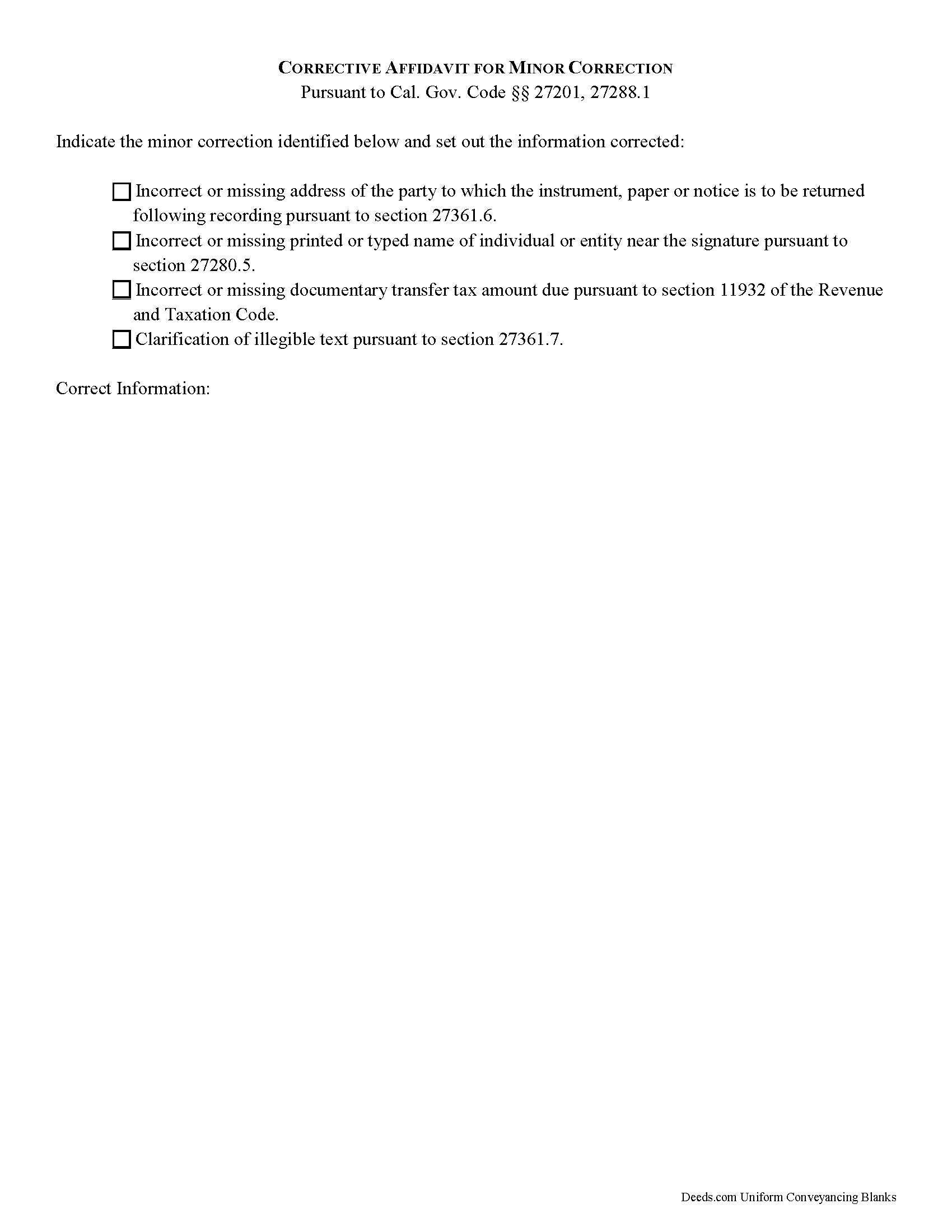
Sonoma County Deed Corrective Affidavit Form
Fill in the blank Deed Corrective Affidavit form formatted to comply with all California recording and content requirements.
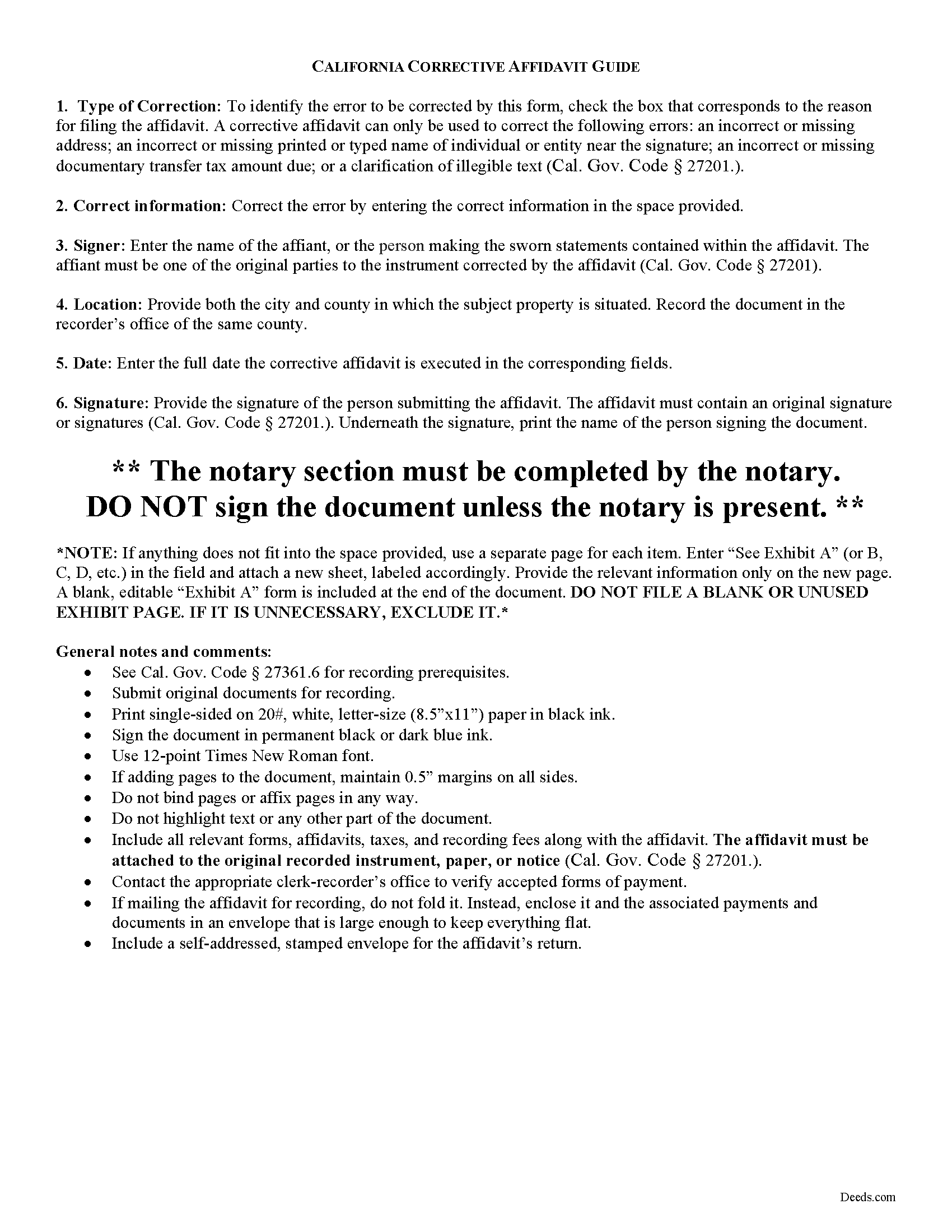
Sonoma County Corrective Affidavit Guide
Line by line guide explaining every blank on the form.
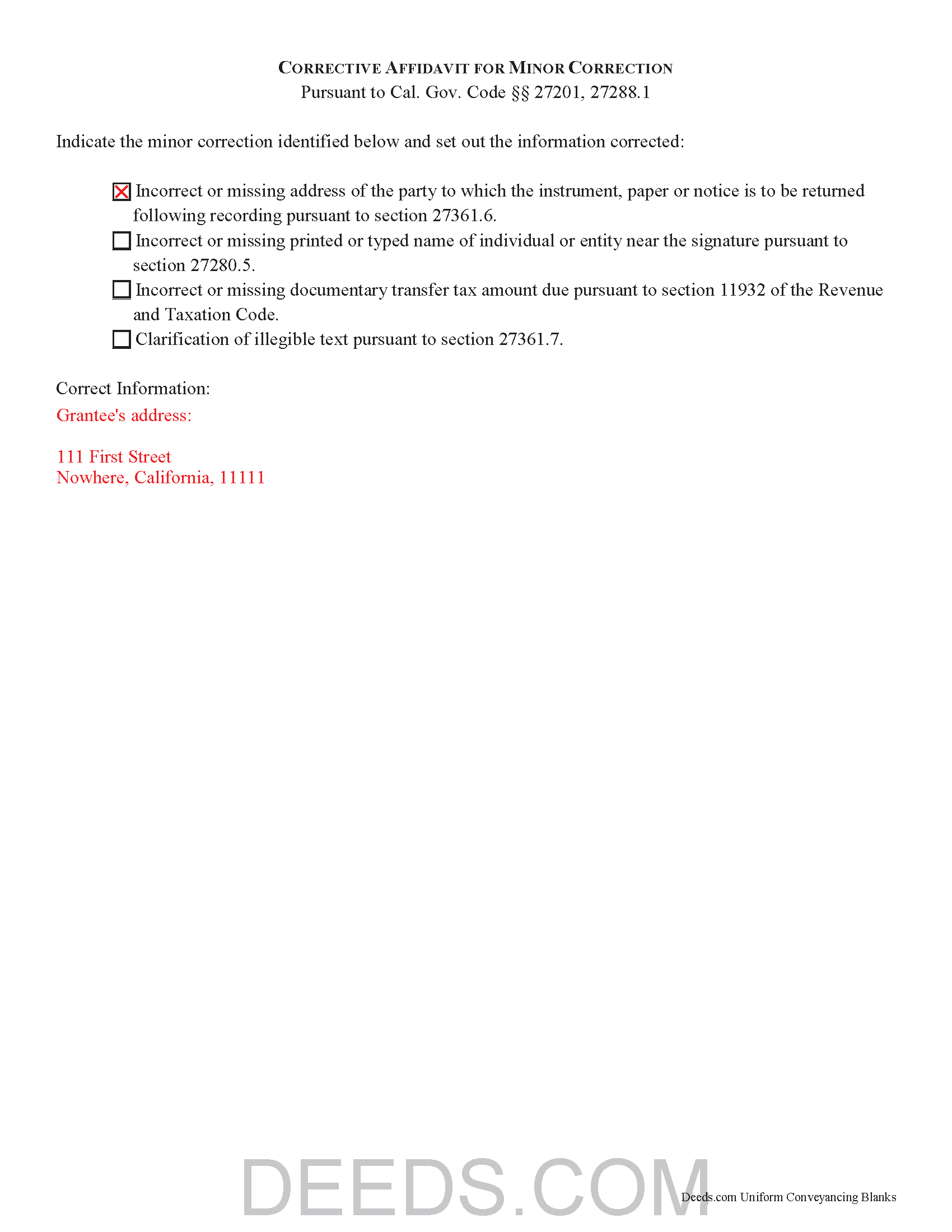
Sonoma County Completed Example of the Deed Corrective Affidavit Document
Example of a properly completed California Deed Corrective Affidavit document for reference.
All 3 documents above included • One-time purchase • No recurring fees
Immediate Download • Secure Checkout
Additional California and Sonoma County documents included at no extra charge:
Where to Record Your Documents
Clerk-Recorder-Assessor-Registrar
Santa Rosa, California 95403 / 95402
Hours: 8:00 to 5:00, Wed until 4:00 / Same-day Recording until 4:00
Phone: (707) 565-2651
Recording Tips for Sonoma County:
- Bring your driver's license or state-issued photo ID
- Ensure all signatures are in blue or black ink
- Both spouses typically need to sign if property is jointly owned
- Bring extra funds - fees can vary by document type and page count
- Check margin requirements - usually 1-2 inches at top
Cities and Jurisdictions in Sonoma County
Properties in any of these areas use Sonoma County forms:
- Annapolis
- Bodega
- Bodega Bay
- Boyes Hot Springs
- Camp Meeker
- Cazadero
- Cloverdale
- Cotati
- Duncans Mills
- El Verano
- Eldridge
- Forestville
- Fulton
- Geyserville
- Glen Ellen
- Graton
- Guerneville
- Healdsburg
- Jenner
- Kenwood
- Monte Rio
- Occidental
- Penngrove
- Petaluma
- Rio Nido
- Rohnert Park
- Santa Rosa
- Sebastopol
- Sonoma
- Stewarts Point
- The Sea Ranch
- Valley Ford
- Villa Grande
- Vineburg
- Windsor
Hours, fees, requirements, and more for Sonoma County
How do I get my forms?
Forms are available for immediate download after payment. The Sonoma County forms will be in your account ready to download to your computer. An account is created for you during checkout if you don't have one. Forms are NOT emailed.
Are these forms guaranteed to be recordable in Sonoma County?
Yes. Our form blanks are guaranteed to meet or exceed the applicable formatting requirements used for recording in Sonoma County, including margin requirements, font requirements, and other layout standards. This guarantee applies to formatting, not to the legal sufficiency of information entered by the user or the suitability of a form for a particular transaction.
Can I reuse these forms?
Yes. You can reuse the forms for your personal use. For example, if you have multiple properties in Sonoma County you only need to order once.
What do I need to use these forms?
The forms are PDFs that you fill out on your computer. The free Adobe Acrobat Reader is recommended, and most PDF apps also work. You do NOT enter your property information online - you download the blank forms and complete them privately on your own computer.
Are there any recurring fees?
No. This is a one-time purchase. Nothing to cancel, no memberships, no recurring fees.
How much does it cost to record in Sonoma County?
Recording fees in Sonoma County vary. Contact the recorder's office at (707) 565-2651 for current fees.
Questions answered? Let's get started!
Corrective Affidavits in California
Typically, any rerecorded document must be resigned and acknowledged as a new document. However, an erroneous document will not be recorded as a new document if it is presented with a corrective affidavit (Cal. Gov. Code 27201.). A corrective affidavit is a statutory device under Cal. Gov. Code 27201, used to correct a minor error in a document that has been recorded at an earlier date.
Minor errors are those that, when corrected, cause no actual change in the substance of the document. Section 27201 of the Government Code states that a corrective affidavit can only be used to correct the following: an incorrect or missing return address; a clarification of illegible text; an incorrect or missing printed or typed name near the signature; or an incorrect or missing documentary transfer tax amount due.
More extensive corrections to recorded documents typically require a new deed. Adding or removing a grantee, for example, or making material changes to the legal description, may all require a new document of conveyance. When in doubt about the appropriate vehicle to address the error, consult with a lawyer.
A correction deed is exempt from transfer tax because no transfer is being made, and no consideration is exchanged (Cal. Rev. and Tax. Code 11911). Some counties demand a documentary transfer tax affidavit stating the reason for the exemption, to be filed in addition to the other documents being recorded, so check the county recorder's website to confirm any local requirements.
For the correction to be valid, the affidavit must be attached to the original recorded document with a cover sheet complying with Cal. Gov. Code 27361.6, stating the reason for rerecording on the cover sheet, by the person who submitted the original document for recording (Cal. Gov. Code 27201.).
The affidavit itself must include the information corrected, be certified by the party submitting the affidavit under penalty of perjury, and be acknowledged pursuant to Cal. Gov. Code 27287. The affidavit can be acknowledged by any one of the officials listed in Cal. Civ. Code 1181. Finally, the form must meet all state and local standards for recorded documents. Submit the completed affidavit, along with any necessary supporting materials, to the local recording office to correct and update the public data.
This article is provided for informational purposes only and is not a substitute for legal advice. Contact an attorney with questions about corrective affidavits, or for any other issues related to real property in California.
(California Correction Deed Package includes form, guidelines, and completed example)
Important: Your property must be located in Sonoma County to use these forms. Documents should be recorded at the county recording office listed above.
This Deed Corrective Affidavit meets all recording requirements specific to Sonoma County.
Our Promise
The documents you receive here are guaranteed to meet or exceed the applicable Sonoma County recording format requirements. If there is a rejection caused by our formatting, we will correct the issue or refund your payment. This guarantee applies to document formatting only and does not extend to information entered by the user, the selection of the form, or the legal effect of the completed document.
Save Time and Money
Get your Sonoma County Deed Corrective Affidavit form done right the first time with Deeds.com Uniform Conveyancing Blanks. At Deeds.com, we understand that your time and money are valuable resources, and we don't want you to face a penalty fee or rejection imposed by a county recorder for submitting nonstandard documents. We constantly review and update our forms to meet rapidly changing state and county recording requirements for roughly 3,500 counties and local jurisdictions.
4.8 out of 5 - ( 4,836 Reviews )
Thomas F. 5 out of 5 stars
Haven't filed yet but it seems everything I need is here. Easy process
Thank you!
Diana D. 5 out of 5 stars
I was very pleased as to how fast and easy the service was. I recommend this service to any one. It's not expensive and it was worth it. Thank you.
Thank you for your feedback. We really appreciate it. Have a great day!
Bertha V. G. 5 out of 5 stars
Great information and very easy to understand.
Thank you for your feedback. We really appreciate it. Have a great day!
Yvonne R. 5 out of 5 stars
Quick and easy, however, I couldn't get the guide to download.
Thank you for your feedback. We really appreciate it. Have a great day!
William C. 5 out of 5 stars
Great service and fast also
Thank you!
Kenneth R. 5 out of 5 stars
Thank you. After searching for the correct forms and instructions on my county website, and finding nothing, I was very pleased with the Pinal County, AZ, acceptable forms and instructions I was able to download at a very reasonable cost from Deeds.com.
Thank you!
Lindsey B. 5 out of 5 stars
The e-recording service was invaluable. This was my first experience recording a document in any capacity. The feedback I received was useful, concise, and presented kindly. I cannot imagine having to try to record by mail, or without the guidance that was provided to me.
We are delighted to have been of service. Thank you for the positive review!
Shari W. 5 out of 5 stars
Fast and easy. Great service. Thanks.
Thank you!
Daniel M. 5 out of 5 stars
It was quick and easy!! I recommend this site for your needs!!
Really appreciate you Daniel, thanks for the kind words.
Ismael I. 5 out of 5 stars
The service was fast and outstanding. Thank you.
Thank you!
Nicolette C. 5 out of 5 stars
Deeds.com was a wealth of information and easy to navigate through the myriad of forms to choose from. During a time of family tragedy, this site was a valuable resource to complete necessary paperwork and ensure assets were in proper names and titles.
We are sincerely grateful for your feedback and are committed to providing the highest quality service. Thank you for your trust in us.
Caroline M. L. 5 out of 5 stars
Hopefully, I am on the correct site to transfer ownership of a time share to my son. I am a senior, and this site is easy to follow if I am on the correct site. : )
Thank you for your feedback. We really appreciate it. Have a great day!
Ronald M. 5 out of 5 stars
Easy to use but can't seem to find LOGOUT control????
Thank you for the feedback Ronald. (The Sign Out control is on the top right of the account page)
MARIO D S. 5 out of 5 stars
Well worth the $20.00 for the Transfer on Death Deed, if you are willing to do the leg work to notarize and record the deed. Money well spent and money well saved. The value is in the short, bullet type instructions and State specific forms and requirements.
Thank you!
Michael S. 5 out of 5 stars
Thanks for making what I thought would be complicated, so easy. I loved being able to avoid getting a lawyer along with their high fees.
Glad to hear the process was straightforward for you, Michael. Thanks for choosing us—we appreciate your feedback!