Yuba County Full Release of Memorandum and Notice of Agreement Form
Last validated October 15, 2026 by our Forms Development TeamFormatted for recording in Yuba County, for property anywhere in the county: rural and unincorporated areas as well as Beale Afb, Browns Valley, Brownsville, Camptonville, Challenge, Dobbins, Marysville, Olivehurst and 4 more.
- 3 documents included
- Immediate PDF download
- Formatting guarantee
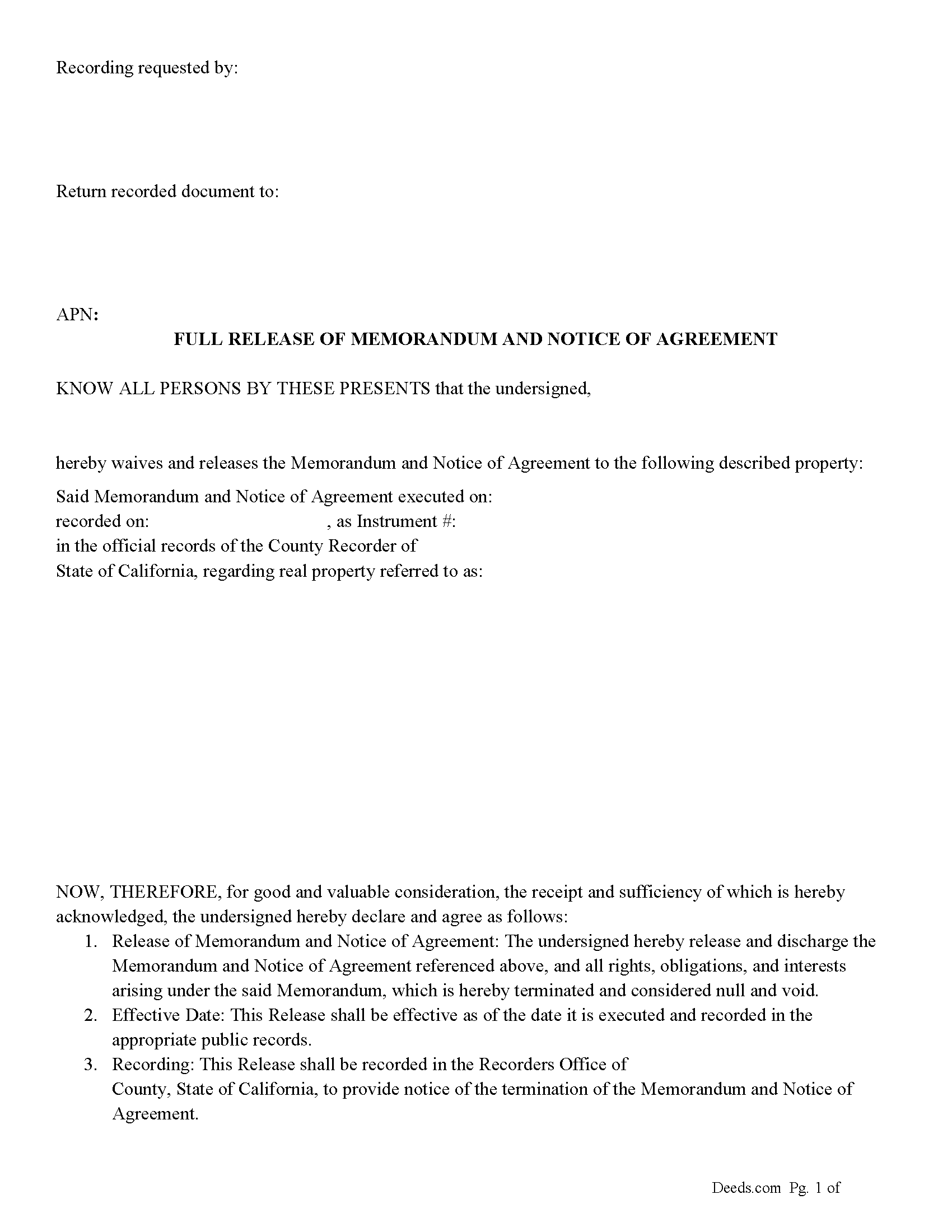
Yuba County Full Release of Memorandum and Notice of Agreement Form
Fill in the blank Full Release of Memorandum and Notice of Agreement form formatted to comply with all California recording and content requirements.
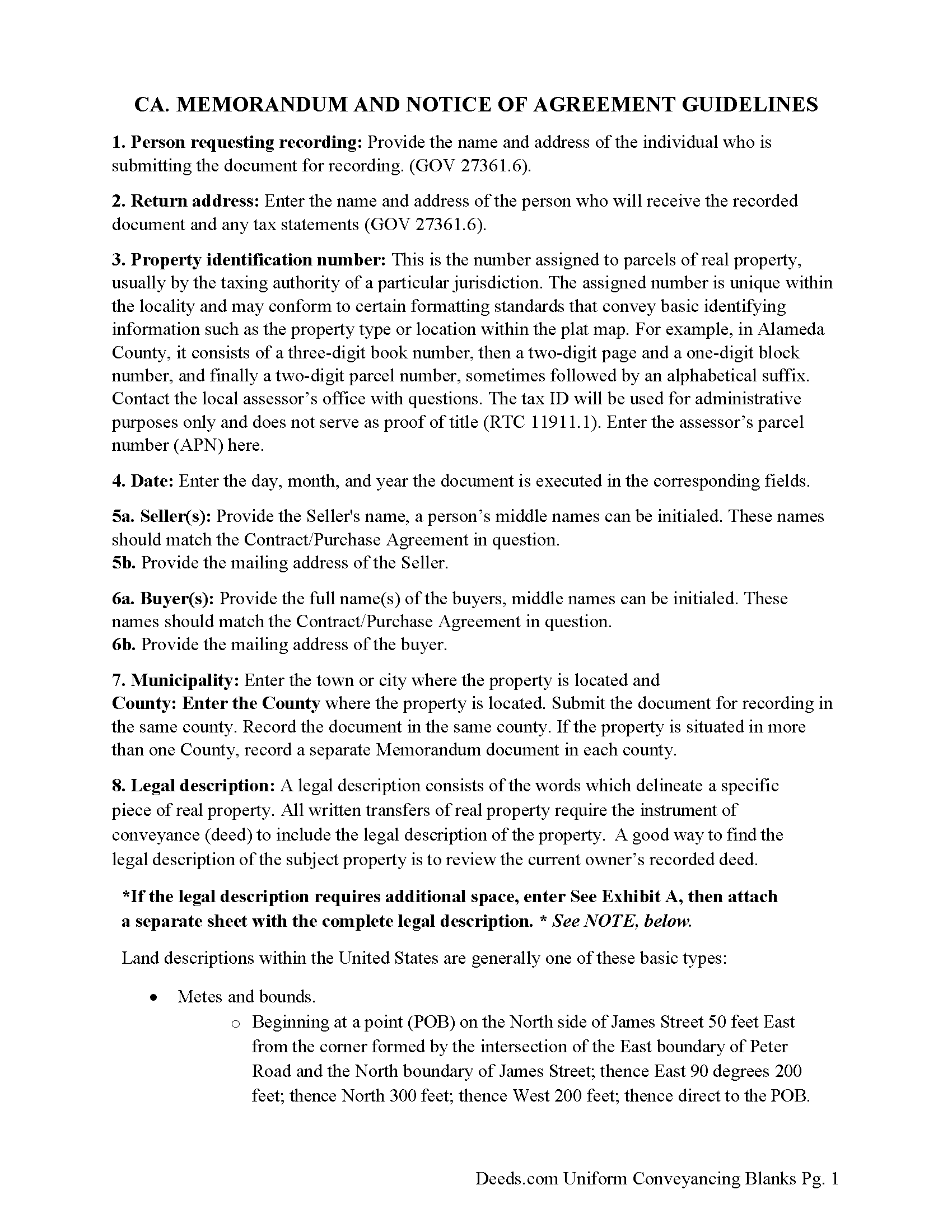
Yuba County Full Release of Memorandum and Notice of Agreement Guide
Line by line guide explaining every blank on the Full Release of Memorandum and Notice of Agreement form.
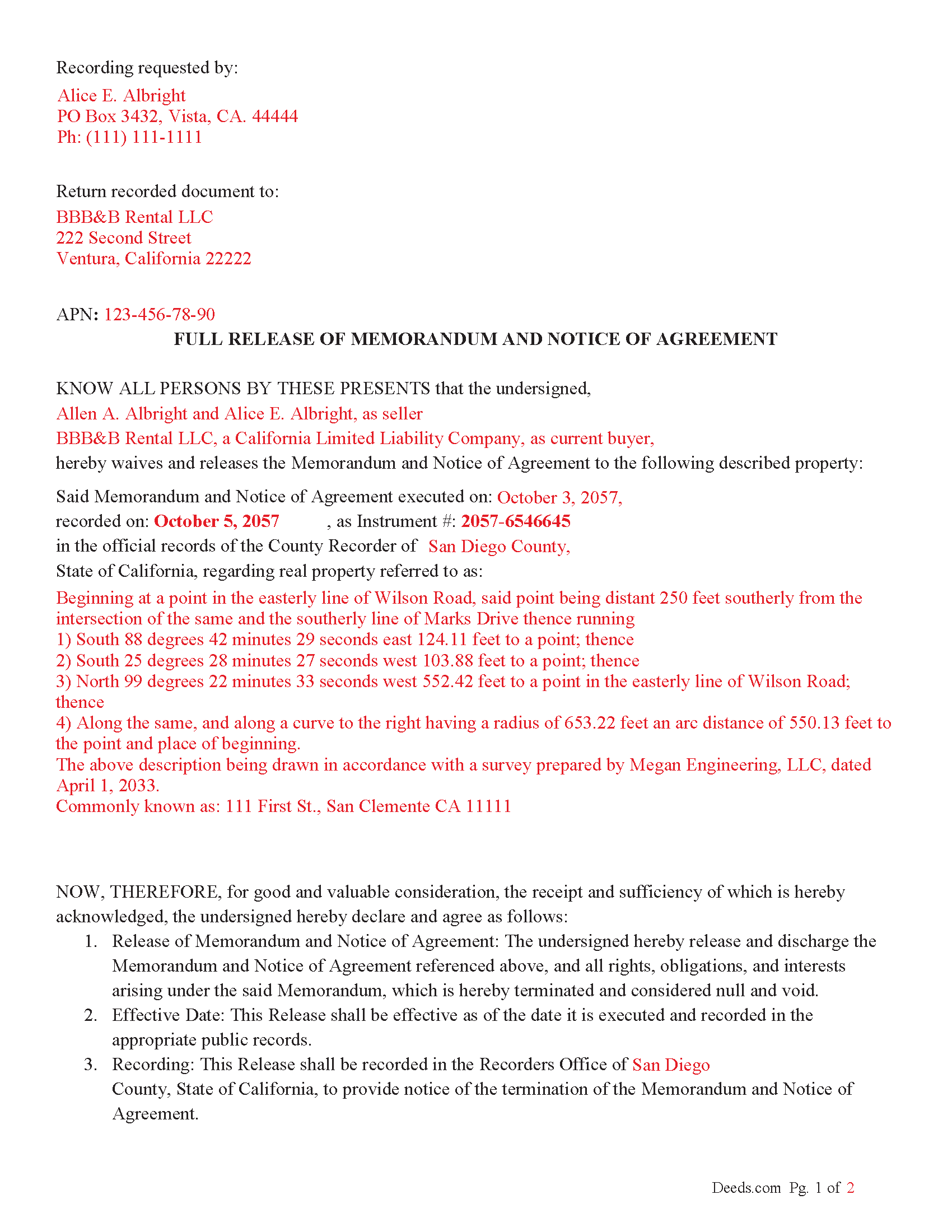
Yuba County Completed Example of the Full Release of Memorandum and Notice of Agreement Document
Example of a properly completed California Full Release of Memorandum and Notice of Agreement document for reference.
All 3 documents above included • One-time purchase • No recurring fees
Immediate Download • Secure Checkout
Additional California and Yuba County documents included at no extra charge:
Where to Record Your Documents
Yuba County Recorder
Marysville, California 95901-5273
Hours: 8:00am - 5:00pm / Recording: until 4:00
Phone: (530) 749-7850
Recording Tips for Yuba County:
- Bring your driver's license or state-issued photo ID
- Ensure all signatures are in blue or black ink
- Recording fees may differ from what's posted online - verify current rates
- Request a receipt showing your recording numbers
- Ask about accepted payment methods when you call ahead
Cities and Jurisdictions in Yuba County
Properties in any of these areas use Yuba County forms:
- Beale Afb
- Browns Valley
- Brownsville
- Camptonville
- Challenge
- Dobbins
- Marysville
- Olivehurst
- Oregon House
- Rackerby
- Strawberry Valley
- Wheatland
Hours, fees, requirements, and more for Yuba County
How do I get my forms?
Forms are available for immediate download after payment. The Yuba County forms will be in your account ready to download to your computer. An account is created for you during checkout if you don't have one. Forms are NOT emailed.
Are these forms guaranteed to be recordable in Yuba County?
Yes. Our form blanks are guaranteed to meet or exceed the applicable formatting requirements used for recording in Yuba County, including margin requirements, font requirements, and other layout standards. This guarantee applies to formatting, not to the legal sufficiency of information entered by the user or the suitability of a form for a particular transaction.
Can I reuse these forms?
Yes. You can reuse the forms for your personal use. For example, if you have multiple properties in Yuba County you only need to order once.
What do I need to use these forms?
The forms are PDFs that you fill out on your computer. The free Adobe Acrobat Reader is recommended, and most PDF apps also work. You do NOT enter your property information online - you download the blank forms and complete them privately on your own computer.
Are there any recurring fees?
No. This is a one-time purchase. Nothing to cancel, no memberships, no recurring fees.
How much does it cost to record in Yuba County?
Recording fees in Yuba County vary. Contact the recorder's office at (530) 749-7850 for current fees.
Questions answered? Let's get started!
In California, a "Release of Memorandum and Notice of Agreement' is a legal document used to terminate or release a previously recorded "Memorandum of Contract" (or Memorandum of Agreement) related to real property. This release document essentially removes the contractual notice recorded in county records, releasing any claims, rights, or interests initially claimed in the Memorandum of Agreement. Here's a breakdown of the key aspects, statutes, and guidelines involved:
Key Points
1. Purpose of Memorandum of Contract:
A Memorandum of Contract is often recorded in real estate transactions to publicly record that a contract exists for the property. It typically doesn't disclose the full details of the contract but serves as notice to third parties.
Recording this memorandum protects the buyer's or tenant's interest against third parties by establishing a public record of the contract.
2. Purpose of Release of Memorandum of Contract:
When the obligations or interests under the original contract have been fulfilled, or the contract is canceled or terminated, a "Release of Memorandum of Contract" is filed.
This release formally withdraws the recorded notice, which may be necessary to clear title issues for future property sales or transfers.
Statutory Guidelines and Procedures
California Civil Code and Code of Civil Procedure
Recording Statutes: California's recording laws generally fall under the California Civil Code (Sections 1213 to 1227) and Government Code (Sections 27201 et seq.). These statutes require that real property documents, including memoranda and releases, be recorded with the county recorder’s office where the property is located.
Acknowledgment and Notarization: As with many documents affecting real property, a Release of Memorandum of Contract typically requires acknowledgment before a notary public (Civil Code Section 1185). The notarized document is then suitable for recording.
Key Steps and Considerations
Drafting and Execution: The parties who originally signed the Memorandum of Contract are often the ones who execute the release. The release should specifically reference the original Memorandum of Contract by date and recording information.
Recordation Requirements: The Release of Memorandum of Contract should meet all local county recorder’s formatting requirements, which can vary but often include standard margins, font sizes, and page numbering.
Effect of Recording: Once recorded, the release removes the notice of the original contract from the county records, effectively clearing any encumbrances related to that contract from the title.
California Code of Civil Procedure
Enforcement and Quiet Title Actions: Under California Code of Civil Procedure Section 760.010 et seq., if there is a dispute regarding an improperly recorded or unreleased Memorandum of Contract, parties can seek court relief through a quiet title action or specific performance.
Important: Your property must be located in Yuba County to use these forms. Documents should be recorded at the county recording office listed above.
This Full Release of Memorandum and Notice of Agreement meets all recording requirements specific to Yuba County.
Our Promise
The documents you receive here are guaranteed to meet or exceed the applicable Yuba County recording format requirements. If there is a rejection caused by our formatting, we will correct the issue or refund your payment. This guarantee applies to document formatting only and does not extend to information entered by the user, the selection of the form, or the legal effect of the completed document.
Save Time and Money
Get your Yuba County Full Release of Memorandum and Notice of Agreement form done right the first time with Deeds.com Uniform Conveyancing Blanks. At Deeds.com, we understand that your time and money are valuable resources, and we don't want you to face a penalty fee or rejection imposed by a county recorder for submitting nonstandard documents. We constantly review and update our forms to meet rapidly changing state and county recording requirements for roughly 3,500 counties and local jurisdictions.
4.8 out of 5 - ( 4,837 Reviews )
Johanna R. 5 out of 5 stars
As soon as payment was received the forms were downloaded, printed and were useable. The guide was helpful and I was able to get my forms filled out and filed with no problem here in Linn County Oregon. I would recommend the site to anyone.
Thank you for your feedback. We really appreciate it. Have a great day!
Robert L. 5 out of 5 stars
Fairly easy to use process and somewhat reasonably priced. Printed guide and sample filled in can be very helpful, too.
Thank you for your feedback. We really appreciate it. Have a great day!
Dennis F. 4 out of 5 stars
The release of mortgage form was OK, and accepted at the recorder's office, but there were some problems. Many of the fields to type in were too small to accept the data, and I could not find a way to change the field size or use a smaller font. Otherwise I was satisfied.
Your feedback is a crucial part of our dedication to ongoing improvement. Thank you for your insightful comments.
James D. 5 out of 5 stars
I had a satisfying experience very informative and easy to navigate.
Thank you!
Ralf J. 5 out of 5 stars
PDF documents extremely helpful, documents user friendly and easy to navigate.
Thanks for the kind words, Ralf. Glad everything was easy to navigate. We appreciate your business.
John G. 5 out of 5 stars
Great on line help with the recording process!
We appreciate your business and value your feedback. Thank you. Have a wonderful day!
Christina H. 5 out of 5 stars
The process was straightforward, quick and reasonably priced. The agents provided updates every step of the way.
Thank you!
Frank C. 3 out of 5 stars
Great experience and online account service
Thank you for your feedback. We really appreciate it. Have a great day!
Stephen W. 5 out of 5 stars
It provided the forms I could not find elsewhere. Thank you.
Thank you!
Annette H. 5 out of 5 stars
Clear directions. Giving a sample filled-in set of forms was great! Economical cost. Will refer others & use Deeds.com again.
We appreciate your business and value your feedback. Thank you. Have a wonderful day!
MARIA G. 5 out of 5 stars
I tried 3 local attorneys and got no where , wrong information, to busy and another one was very rude. One said he'd do it then didn't. I was so stressed and tried a different online form company advertising an in person attorney within hours. They did call back but gave me the wrong answer. I needed a form used in NC and knew about it from the clerk of the court. The deadline was approaching, I looked one more time and found Deeds.com. They have the form and the much need instructions and for less than $30.00. I am so pleased and also relived!
Thank you for your feedback. We really appreciate it. Have a great day!
Shirley R J. 5 out of 5 stars
Great website.....fast and easy access!
We appreciate your business and value your feedback. Thank you. Have a wonderful day!
Cheryl L. 5 out of 5 stars
So very easy to deal with and purchase. It was exactly what I was looking for. Thank you
Thank you, Cheryl! Glad the form was exactly what you needed and the process was straightforward. We appreciate you taking the time to share your experience.
Clarence O. 5 out of 5 stars
Very easy process to record a Quit Claim Deed. Would definitely recommend!
Thank you!
Omar F. 5 out of 5 stars
Great! Thank you!
Thank you!