Yuba County Affidavit of Notice Served (Revocable Transfer on Death Deed) Form
Last validated October 13, 2026 by our Forms Development TeamFormatted for recording in Yuba County, for property anywhere in the county: rural and unincorporated areas as well as Beale Afb, Browns Valley, Brownsville, Camptonville, Challenge, Dobbins, Marysville, Olivehurst and 4 more.
- 3 documents included
- Immediate PDF download
- Formatting guarantee
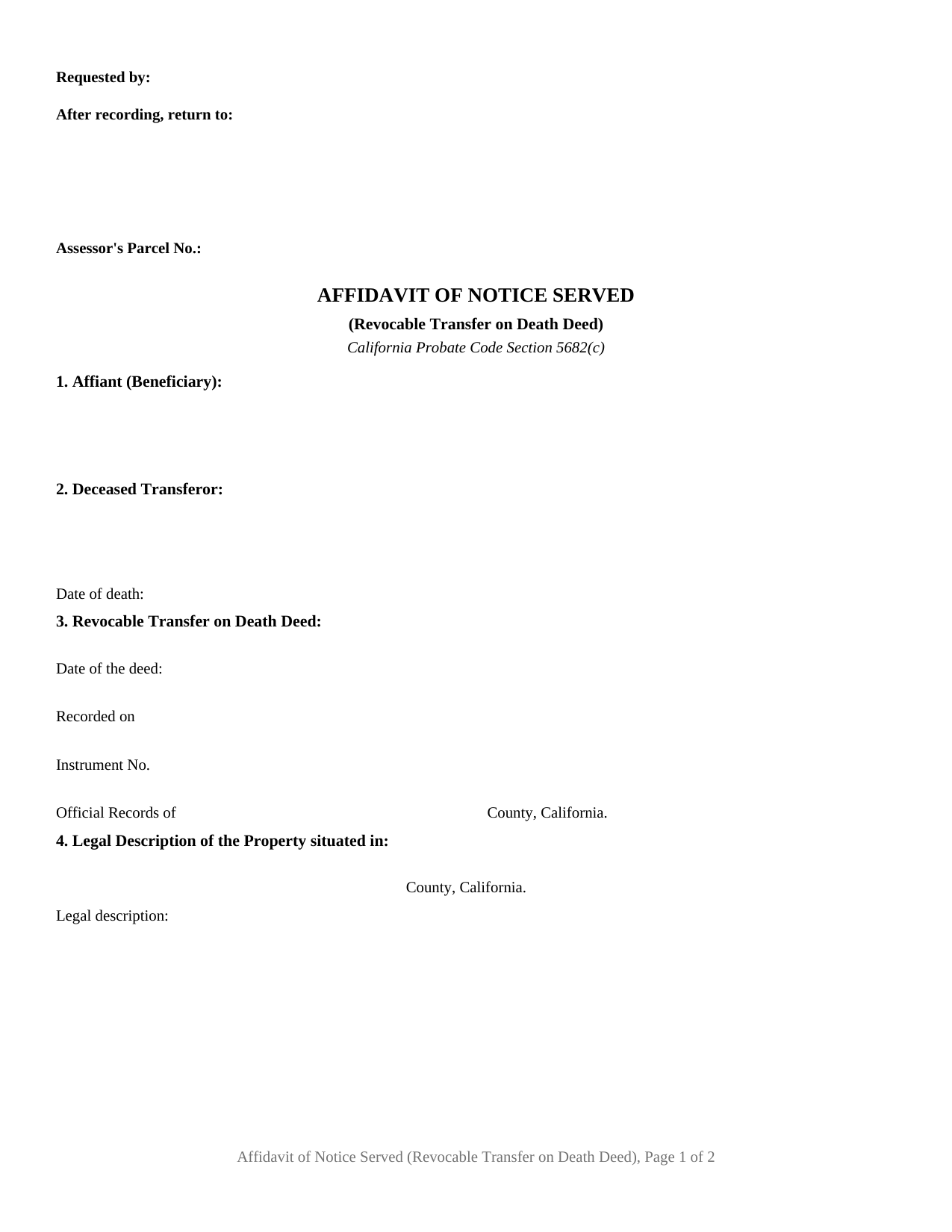
Yuba County Affidavit of Notice Served (Revocable Transfer on Death Deed) Form
Fill in the blank Affidavit of Notice Served (Revocable Transfer on Death Deed) form formatted to comply with all California recording and content requirements.
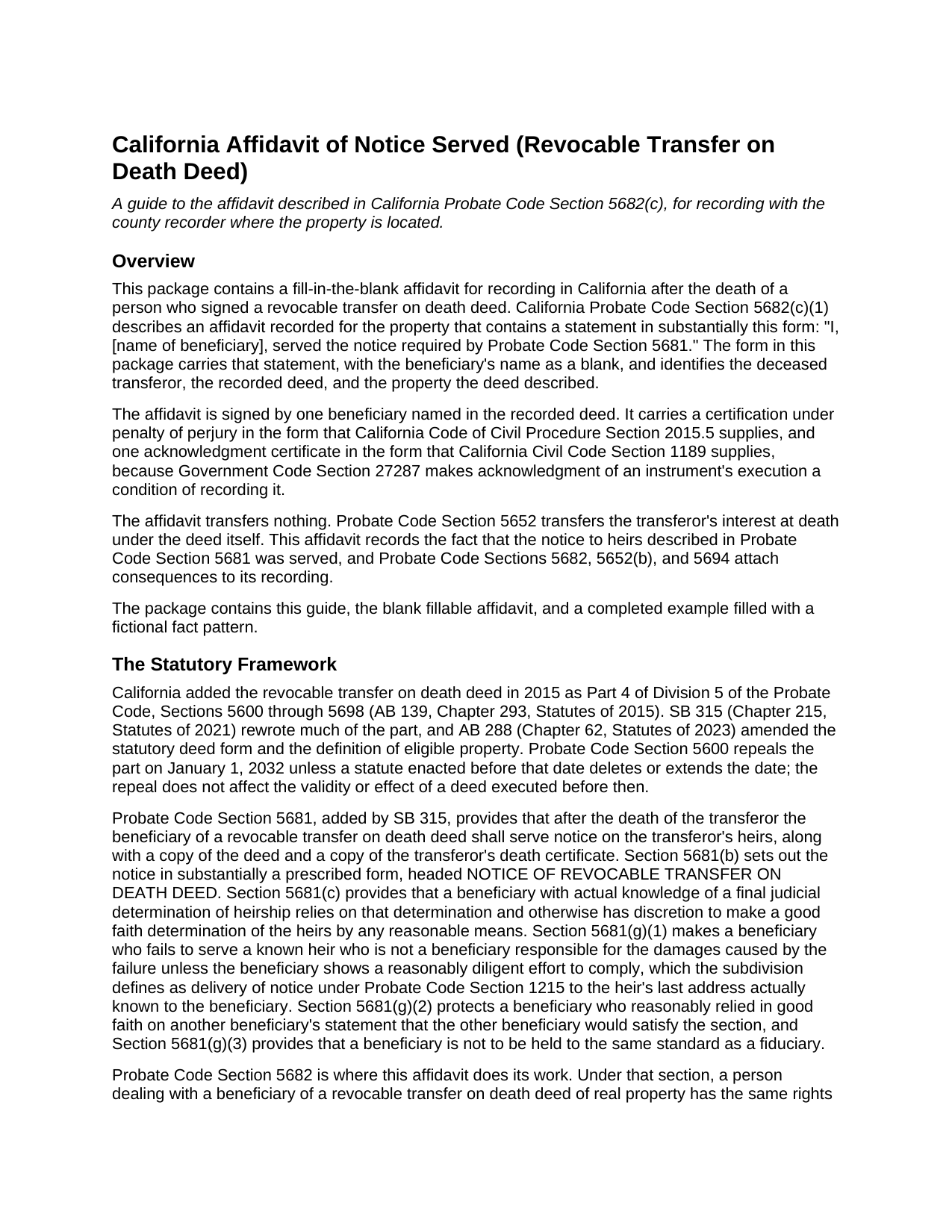
Yuba County Affidavit of Notice Served (Revocable Transfer on Death Deed) Guide
Line by line guide explaining every blank on the Affidavit of Notice Served (Revocable Transfer on Death Deed) form.
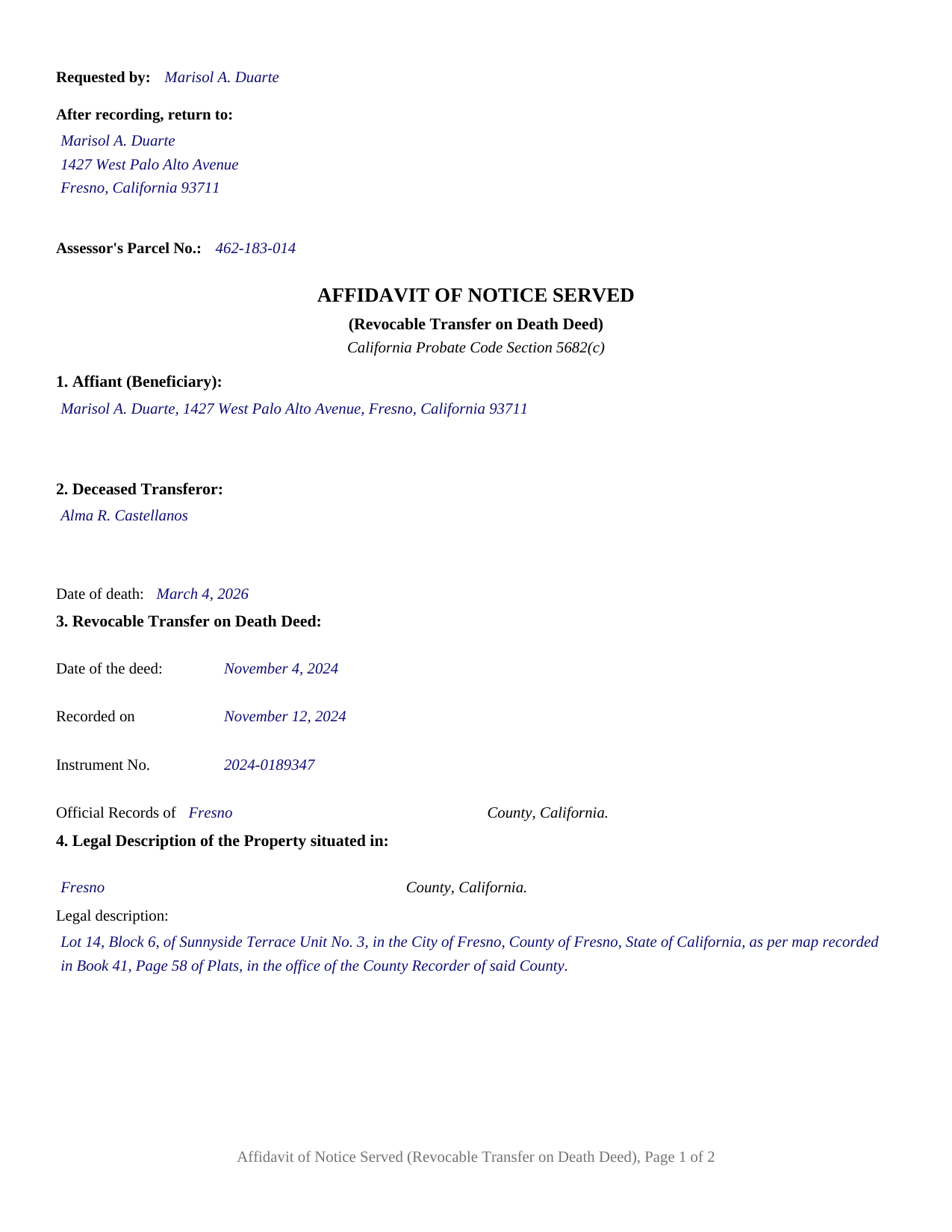
Yuba County Completed Example of the Affidavit of Notice Served (Revocable Transfer on Death Deed) Document
Example of a properly completed California Affidavit of Notice Served (Revocable Transfer on Death Deed) document for reference.
All 3 documents above included • One-time purchase • No recurring fees
Immediate Download • Secure Checkout
Additional California and Yuba County documents included at no extra charge:
Where to Record Your Documents
Yuba County Recorder
Marysville, California 95901-5273
Hours: 8:00am - 5:00pm / Recording: until 4:00
Phone: (530) 749-7850
Recording Tips for Yuba County:
- Bring your driver's license or state-issued photo ID
- Ensure all signatures are in blue or black ink
- Recording fees may differ from what's posted online - verify current rates
- Request a receipt showing your recording numbers
- Ask about accepted payment methods when you call ahead
Cities and Jurisdictions in Yuba County
Properties in any of these areas use Yuba County forms:
- Beale Afb
- Browns Valley
- Brownsville
- Camptonville
- Challenge
- Dobbins
- Marysville
- Olivehurst
- Oregon House
- Rackerby
- Strawberry Valley
- Wheatland
Hours, fees, requirements, and more for Yuba County
How do I get my forms?
Forms are available for immediate download after payment. The Yuba County forms will be in your account ready to download to your computer. An account is created for you during checkout if you don't have one. Forms are NOT emailed.
Are these forms guaranteed to be recordable in Yuba County?
Yes. Our form blanks are guaranteed to meet or exceed the applicable formatting requirements used for recording in Yuba County, including margin requirements, font requirements, and other layout standards. This guarantee applies to formatting, not to the legal sufficiency of information entered by the user or the suitability of a form for a particular transaction.
Can I reuse these forms?
Yes. You can reuse the forms for your personal use. For example, if you have multiple properties in Yuba County you only need to order once.
What do I need to use these forms?
The forms are PDFs that you fill out on your computer. The free Adobe Acrobat Reader is recommended, and most PDF apps also work. You do NOT enter your property information online - you download the blank forms and complete them privately on your own computer.
Are there any recurring fees?
No. This is a one-time purchase. Nothing to cancel, no memberships, no recurring fees.
How much does it cost to record in Yuba County?
Recording fees in Yuba County vary. Contact the recorder's office at (530) 749-7850 for current fees.
Questions answered? Let's get started!
After a California revocable transfer on death deed takes effect, one recorded page carries a sentence the Probate Code wrote out word for word. This is the California affidavit of notice served, described in Probate Code Section 5682(c)(1), signed by one beneficiary named in the recorded TOD deed and recorded where the property sits. It states that the notice to heirs required by Probate Code Section 5681 went out, and two 120 day periods run from the date it reaches the record.
The one sentence the statute wrote out
Section 5682(c)(1) describes an affidavit recorded for the property containing a statement in substantially this form: I, name of beneficiary, served the notice required by Probate Code Section 5681. That is the affidavit's operative language, printed here verbatim with the beneficiary's name as a blank. The Probate Code prescribes a complete statutory form for the transfer on death deed in Section 5642 and for a revocation in Section 5644, and none for this affidavit. The form closes that gap with the statutory sentence, the data a recorder indexes, the certification under penalty of perjury in the Code of Civil Procedure Section 2015.5 wording, and the Civil Code Section 1189 certificate of acknowledgment.
One of three conditions in Section 5682
Section 5682 sets out what a person dealing with a TOD deed beneficiary receives. Where three conditions are satisfied, that person has the same rights and protections as if the beneficiary had been named a distributee of the property in an order for distribution of the transferor's estate that had become final. The three are good faith and valuable consideration under subdivision (a), a recorded affidavit of death under the chapter beginning at Probate Code Section 210 under subdivision (b), and this recorded affidavit under subdivision (c)(1). That affidavit of death is prepared and recorded separately and is not in this package. Where the deed named more than one beneficiary, Section 5682(c)(2) provides that only one beneficiary is required to comply with subdivision (c), and the form carries one affiant.
Two 120 day clocks start at recording
Probate Code Section 5694 provides that where a court determines a TOD deed transfer invalid, it voids the deed and orders the property transferred to the person entitled to it if the contest proceeding was commenced and a lis pendens recorded no later than 120 days after the Section 5682(c) affidavit was recorded, and otherwise grants relief that does not reach a purchaser or encumbrancer for value and in good faith. Probate Code Section 5652(b) runs the same 120 days from the other side: the property passes subject to any limitation of record at the transferor's death and to any recorded within that window. Section 5682 states the recording as a condition and sets no deadline for it.
What the form recites
The form recites one affiant, a beneficiary named in the recorded deed, with one signature block and one acknowledgment certificate. Numbered sections collect the affiant's name and address, the transferor's name and date of death, the deed's recording data, and the property description. Section 5 prints the statutory statement and recites that the notice went out with a copy of the deed and the death certificate, as Section 5681(a) describes. The form recites no representative capacity and no marital status, and prints no witness block: the two witnesses Probate Code Section 5624(b) requires belong to the deed, not to this affidavit.
Signing and recording in California
Government Code Section 27287 makes acknowledgment of execution a condition of recording, so the affiant signs and a notary public completes the Civil Code Section 1189 certificate, boxed notice and all, printed here with State of California as fixed text because the statute prints its venue that way. Page one reserves the top two and one half inches that Government Code Section 27361.6 requires, holding the requester line, the return address, and the assessor's parcel number, with the Government Code Section 27324 indexing title immediately below. Fees under Government Code Sections 27361, 27388.1, and 27388 follow the recorder's schedule. Documentary transfer tax belongs to the death transfer, which Revenue and Taxation Code Section 11930 exempts, not to this affidavit.
The package includes the fillable affidavit, a completed example filled with a fictional Fresno County fact pattern, and a guide that walks the form section by section and covers the Probate Code sequence, the acknowledgment rules, and the recording mechanics in full. These materials describe California law and this form, and are not legal advice.
Important: Your property must be located in Yuba County to use these forms. Documents should be recorded at the county recording office listed above.
This Affidavit of Notice Served (Revocable Transfer on Death Deed) meets all recording requirements specific to Yuba County.
Our Promise
The documents you receive here are guaranteed to meet or exceed the applicable Yuba County recording format requirements. If there is a rejection caused by our formatting, we will correct the issue or refund your payment. This guarantee applies to document formatting only and does not extend to information entered by the user, the selection of the form, or the legal effect of the completed document.
Save Time and Money
Get your Yuba County Affidavit of Notice Served (Revocable Transfer on Death Deed) form done right the first time with Deeds.com Uniform Conveyancing Blanks. At Deeds.com, we understand that your time and money are valuable resources, and we don't want you to face a penalty fee or rejection imposed by a county recorder for submitting nonstandard documents. We constantly review and update our forms to meet rapidly changing state and county recording requirements for roughly 3,500 counties and local jurisdictions.
4.8 out of 5 - ( 4,837 Reviews )
Denise B. 5 out of 5 stars
Quick and easy!
Thank you Denise. We appreciate you.
Timothy G. 5 out of 5 stars
Very happy with the cost and with the speed in which the deed was recorded.
We appreciate your business and value your feedback. Thank you. Have a wonderful day!
Pamela J. 5 out of 5 stars
Thank you the service was prompt and efficient.
Thank you!
Vickie W. 5 out of 5 stars
Very easy to download and appreciated the other information and affidavits.
We appreciate your business and value your feedback. Thank you. Have a wonderful day!
Linda M. 5 out of 5 stars
The form I purchased along with the instructions and completed sample were easy to use. I downloaded them on my iPad. I had to also download the free adobe reader app from the App Store. I had no problem getting the beneficiary deed recorded at the recorder’s office. I am pleased with my purchase.
Thanks so much for the kind words, Linda! Glad the sample and instructions made the process smooth, and that tip about the Adobe Reader app for iPad is genuinely helpful for other customers too. Congrats on getting the deed recorded!
Roberta H. 5 out of 5 stars
Awesome service, amazing speed Thanks
We appreciate your business and value your feedback. Thank you. Have a wonderful day!
Mark & Linda W. 4 out of 5 stars
Quite simple and easy. Only one critique: It would be easier if the names of the PDF would reflect the name of the deed/form such as 'Controlling tax return' rather than '1579101185SF56863.pdf'. However I love downloading forms rather than mail.
Thank you for your feedback. We really appreciate it. Have a great day!
Dorothy S. 4 out of 5 stars
Great service and documents that solved my legal issues I was frustrated with my inability to safe my information on the template and add an extra field box. Please make those instructions more clear for future customers.
Thank you for your feedback. We really appreciate it. Have a great day!
Zina J. 5 out of 5 stars
Deeds.com supplied exactly what I needed to complete a quitclaim. Deeds.com saved me $180, supplied the necessary forms, and a sample page to use as a guide. I recommend Deeds.com.
Thank you!
Christine L. 5 out of 5 stars
I was very pleased with your service. You got me the information I required within one day. Thank you!
Thank you!
Kevin M. 5 out of 5 stars
All I can say is WOW. They were so fast and professional. I received my copy of my deed that same day I requested it. There was some confusion on my part but within minutes it was explained.
We appreciate your business and value your feedback. Thank you. Have a wonderful day!
Charles Z. 5 out of 5 stars
I am very happy with the service and would use again. Super fast, efficient, and very helpful friendly staff. I would recommend and would use again.
Thank you for your feedback. We really appreciate it. Have a great day!
Nawal F. 5 out of 5 stars
Friendly user
Thank you!
James P. 5 out of 5 stars
I wish I used this site more often. The format is pretty easy but the messages were invaluable and the staff were great. I was able to complete my transaction in a Covid environment from the security of my own home. Great service and tools!
Thank you for your feedback. We really appreciate it. Have a great day!
Jason James H. 5 out of 5 stars
Th forms were correct, exactly what I needed.
Thanks Jason, we appreciate the feedback.