Yuba County Trustee Deed Form
Last validated September 17, 2026 by our Forms Development TeamFormatted for recording in Yuba County, for property anywhere in the county: rural and unincorporated areas as well as Beale Afb, Browns Valley, Brownsville, Camptonville, Challenge, Dobbins, Marysville, Olivehurst and 4 more.
- 3 documents included
- Immediate PDF download
- Formatting guarantee
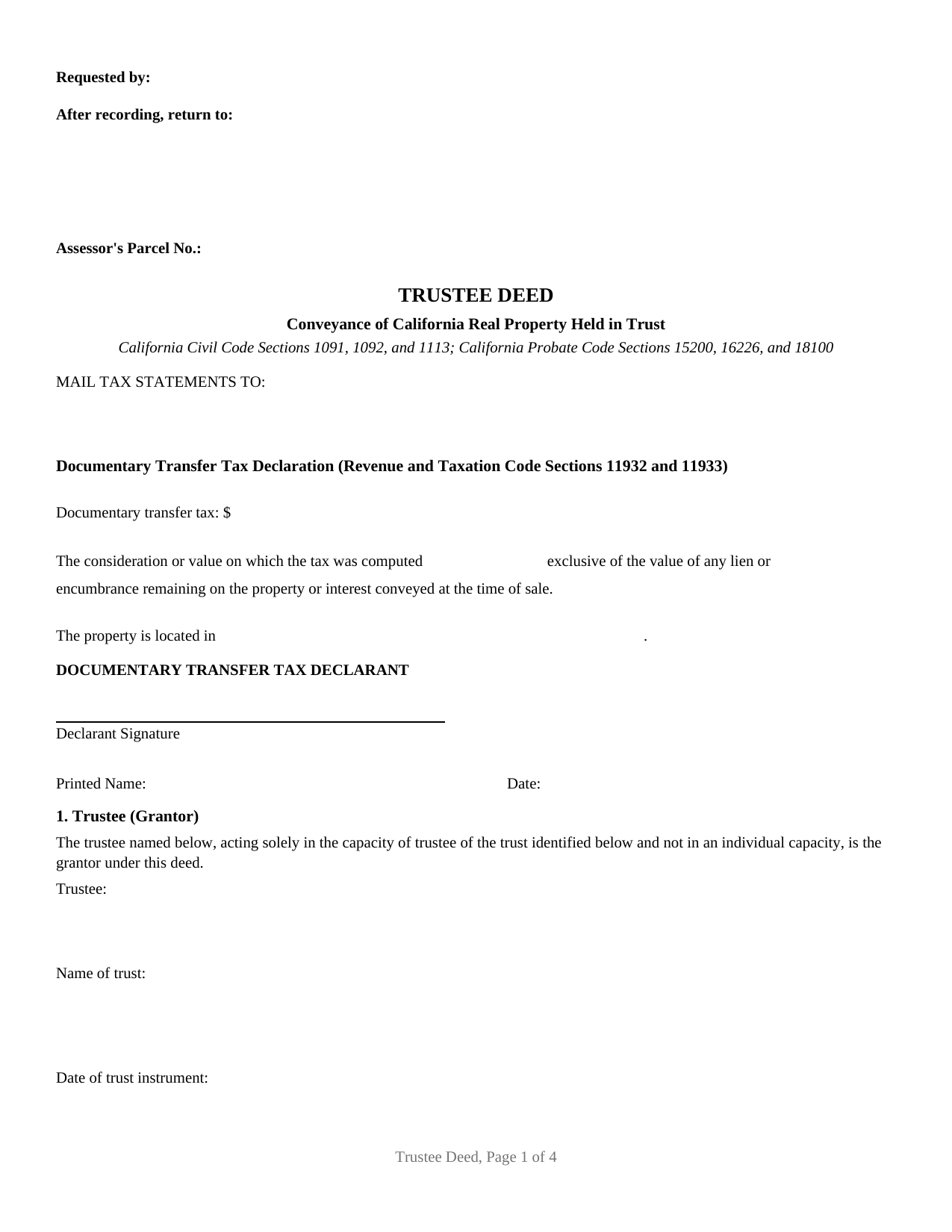
Yuba County Trustee Deed Form
Fill in the blank Trustee Deed form formatted to comply with all California recording and content requirements.
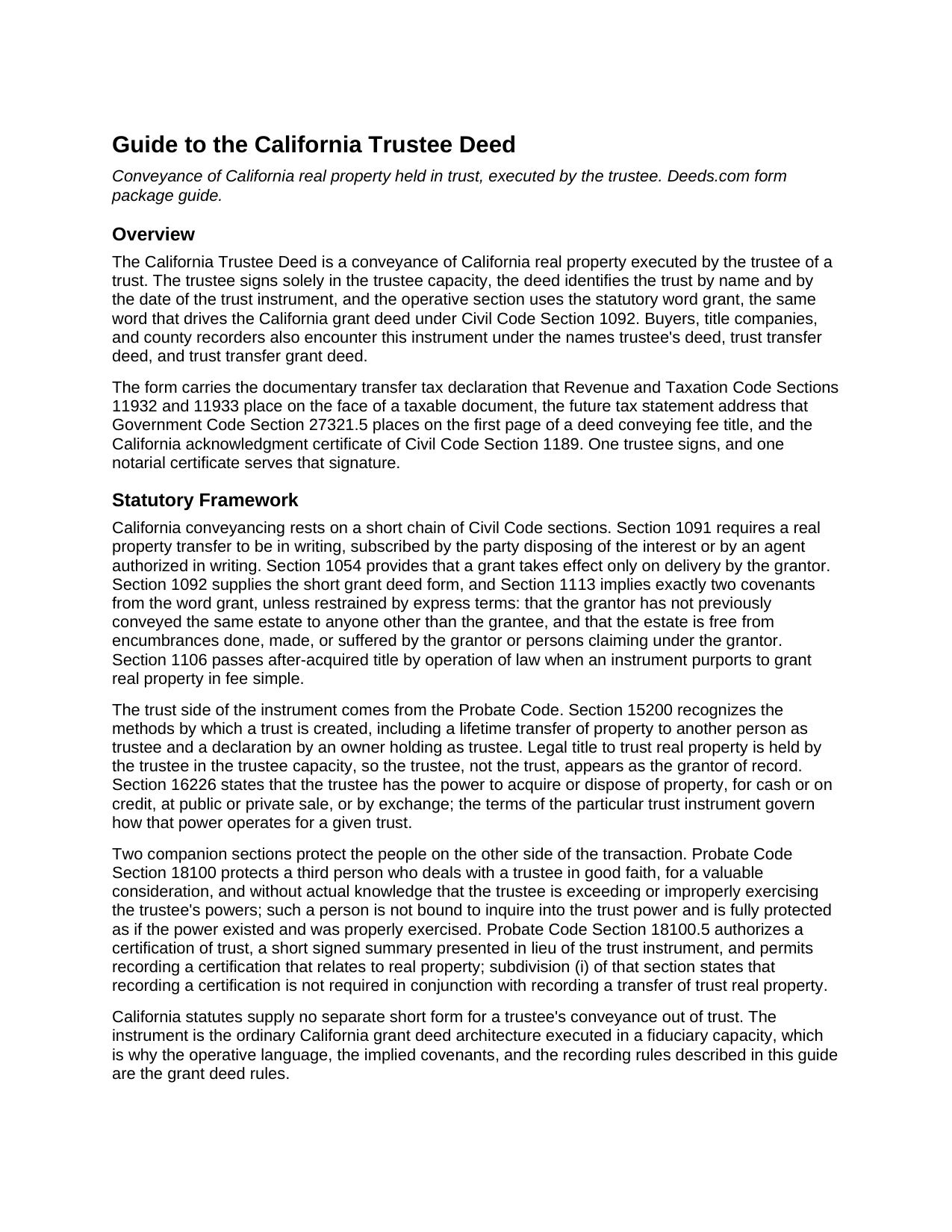
Yuba County Trustee Deed Guide
Line by line guide explaining every blank on the Trustee Deed form.
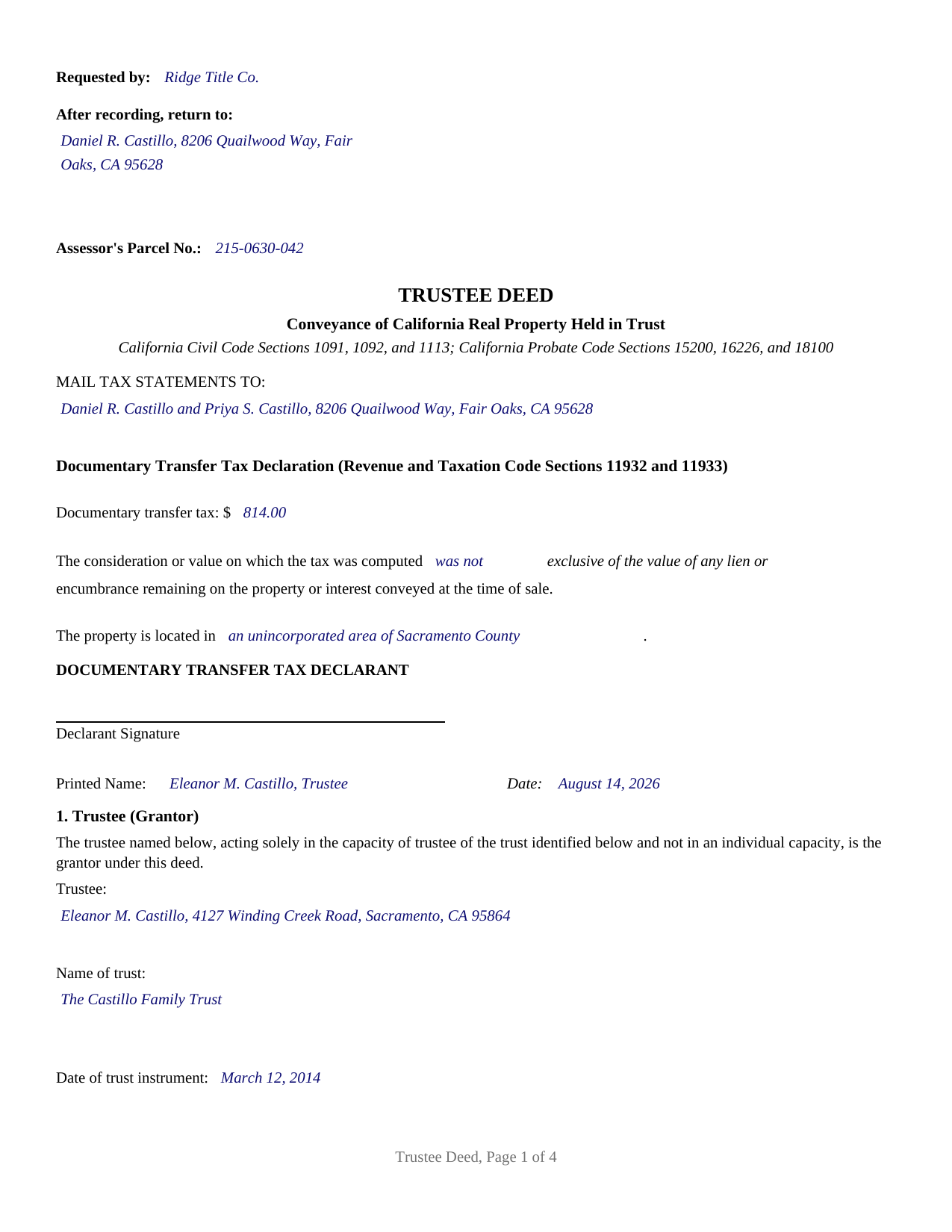
Yuba County Completed Example of the Trustee Deed Document
Example of a properly completed California Trustee Deed document for reference.
All 3 documents above included • One-time purchase • No recurring fees
Immediate Download • Secure Checkout
Additional California and Yuba County documents included at no extra charge:
Where to Record Your Documents
Yuba County Recorder
Marysville, California 95901-5273
Hours: 8:00am - 5:00pm / Recording: until 4:00
Phone: (530) 749-7850
Recording Tips for Yuba County:
- Bring your driver's license or state-issued photo ID
- Ensure all signatures are in blue or black ink
- Double-check legal descriptions match your existing deed
- Verify all names are spelled correctly before recording
- White-out or correction fluid may cause rejection
Cities and Jurisdictions in Yuba County
Properties in any of these areas use Yuba County forms:
- Beale Afb
- Browns Valley
- Brownsville
- Camptonville
- Challenge
- Dobbins
- Marysville
- Olivehurst
- Oregon House
- Rackerby
- Strawberry Valley
- Wheatland
Hours, fees, requirements, and more for Yuba County
How do I get my forms?
Forms are available for immediate download after payment. The Yuba County forms will be in your account ready to download to your computer. An account is created for you during checkout if you don't have one. Forms are NOT emailed.
Are these forms guaranteed to be recordable in Yuba County?
Yes. Our form blanks are guaranteed to meet or exceed the applicable formatting requirements used for recording in Yuba County, including margin requirements, font requirements, and other layout standards. This guarantee applies to formatting, not to the legal sufficiency of information entered by the user or the suitability of a form for a particular transaction.
Can I reuse these forms?
Yes. You can reuse the forms for your personal use. For example, if you have multiple properties in Yuba County you only need to order once.
What do I need to use these forms?
The forms are PDFs that you fill out on your computer. The free Adobe Acrobat Reader is recommended, and most PDF apps also work. You do NOT enter your property information online - you download the blank forms and complete them privately on your own computer.
Are there any recurring fees?
No. This is a one-time purchase. Nothing to cancel, no memberships, no recurring fees.
How much does it cost to record in Yuba County?
Recording fees in Yuba County vary. Contact the recorder's office at (530) 749-7850 for current fees.
Questions answered? Let's get started!
A California trustee deed conveys real property held in trust, signed by the trustee rather than by an individual owner. This fillable form prepares that conveyance for California recording: one trustee, identified by name, by trust, and by the date of the trust instrument, granting trust real property to the grantee named in the deed.
A grant signed in a fiduciary capacity
California builds its conveyances around the word grant. Civil Code Section 1092 supplies the grant deed pattern, and Section 1113 implies two covenants from that one word: that the grantor has not already conveyed the same estate to someone else, and that the estate is free of encumbrances the grantor placed or suffered. The trustee deed keeps that machinery and changes the signer. The deed recites that the trustee acts solely in the capacity of trustee of an identified trust and not individually, so the record shows a fiduciary conveyance of trust property rather than a personal one, and its encumbrance section expressly restrains the implied covenants to the matters the deed does not except. That posture serves the transactions trust administration actually produces: a sale by a settlor serving as trustee, a sale by a successor trustee after the settlor's death, and a distribution of trust real property to a beneficiary.
Authority the record can rely on
Legal title to trust real property stands in the trustee's name, and the Probate Code supplies the working powers. Section 16226 states the trustee's power to acquire or dispose of property at public or private sale or by exchange, operating within the terms of the particular trust. Section 18100 then protects a person who deals with the trustee in good faith, for valuable consideration, and without actual knowledge of any problem with the trustee's authority. Where a title company or escrow asks about the trust itself, Probate Code Section 18100.5 supplies the certification of trust, a short signed summary of the trust's existence, trustees, and powers that is prepared separately and is not included in this package.
The recorder's first page, built in
A California deed does a surprising amount of work before its granting clause. This form reserves the top of page one for the recorder, places the recording request, return address, and assessor parcel number entries in the left column of that space, and prints the documentary transfer tax declaration that Revenue and Taxation Code Sections 11932 and 11933 put on the face of a taxable document, signed by the party determining the tax. A trust transfer made as a gift, or property moved in trust for a beneficiary's benefit by reason of a gift or death, falls under the Section 11930 exemption, and the guide walks through how county practice states an exemption on the tax line. The first page also carries the future tax statement address that Government Code Section 27321.5 requires on a deed conveying fee title.
One trustee, one certificate
The form recites exactly one trustee. It carries one trustee signature block, one California acknowledgment certificate with the boxed notary notice of Civil Code Section 1189, a separate declarant signature for the transfer tax declaration, and fixed deed text identifying the fiduciary capacity, with the trust's name and instrument date completed as facts. A settlor conveying out of a revocable living trust, a successor trustee completing a sale, and a trustee deeding property to a beneficiary or back to the settlor individually present the single-trustee pattern this deed recites. The form is not set up as a joint instrument for co-trustees whose trust requires them to act together, and it is not the trustee's deed upon sale that concludes a foreclosure under a deed of trust; this instrument belongs to ordinary trust ownership, the trustee's deed or trust transfer deed of everyday California title work.
The purchase delivers the fillable California Trustee Deed form, a completed example showing the deed filled in for a realistic Sacramento County fact pattern, and a guide that explains every section, the signing and notarization formalities, and the recording process. The materials describe California law in general terms and are not legal advice.
Important: Your property must be located in Yuba County to use these forms. Documents should be recorded at the county recording office listed above.
This Trustee Deed meets all recording requirements specific to Yuba County.
Our Promise
The documents you receive here are guaranteed to meet or exceed the applicable Yuba County recording format requirements. If there is a rejection caused by our formatting, we will correct the issue or refund your payment. This guarantee applies to document formatting only and does not extend to information entered by the user, the selection of the form, or the legal effect of the completed document.
Save Time and Money
Get your Yuba County Trustee Deed form done right the first time with Deeds.com Uniform Conveyancing Blanks. At Deeds.com, we understand that your time and money are valuable resources, and we don't want you to face a penalty fee or rejection imposed by a county recorder for submitting nonstandard documents. We constantly review and update our forms to meet rapidly changing state and county recording requirements for roughly 3,500 counties and local jurisdictions.
4.8 out of 5 - ( 4,836 Reviews )
MARIO D S. 5 out of 5 stars
Well worth the $20.00 for the Transfer on Death Deed, if you are willing to do the leg work to notarize and record the deed. Money well spent and money well saved. The value is in the short, bullet type instructions and State specific forms and requirements.
Thank you!
Glenn H. 5 out of 5 stars
Searched online 3 hours until I found Deeds.com, afterwards smooth sailing definitely 5 stars
Thank you for your feedback. We really appreciate it. Have a great day!
Seth T. 5 out of 5 stars
THE BEST WEBSITE I HAVE EVER SEEN FOR LEGAL DOCUMENTS!!! THANKS
Thanks Seth, we appreciate your feedback.
Tramelle O. 5 out of 5 stars
This is perfect! Thank you!
We appreciate your business and value your feedback. Thank you. Have a wonderful day!
Jorge F. 3 out of 5 stars
It would be helpful for documents to be in word format as well and for PDF version not to be locked.
Thank you for your feedback. We really appreciate it. Have a great day!
James S. 5 out of 5 stars
The affidavit guidance was a great help and helped reduce the stress that usually comes with dealing with legalese. The Preliminary Change of Ownership that CA requires is quite complex since it covers a hoard of situations. I was left with a bit of uncertainty, but I definitely wouldn't want to try it without guidance.
Thank you for your feedback. We really appreciate it. Have a great day!
Nick A. 5 out of 5 stars
Easy to use website. Found what I was looking for.
Thank you for your feedback. We really appreciate it. Have a great day!
Jonathan F. 5 out of 5 stars
An excellent service. Makes filing deeds so much easier than having to go to the courthouse or use FedEx. I will be a customer for the rest of my legal career.
Thank you!
Dee R. 5 out of 5 stars
Quick, Simple order process with many options of forms to download!
We appreciate your business and value your feedback. Thank you. Have a wonderful day!
Duane R. 5 out of 5 stars
Your site was very easy to use and provided all the information needed.
Thank you for your feedback. We really appreciate it. Have a great day!
Daniel L. 5 out of 5 stars
so far appears to meet my needs!
Thank you for your feedback. We really appreciate it. Have a great day!
Larry G. 5 out of 5 stars
After purchasing the Quit Claim Deed, I felt I had purchased something I could have gotten free somewhere else. But after reviewing all the other information Deed.com provided, I realized you saved me a lot of time that would have been wasted on research. Money well spent.
Thank you for your feedback. We really appreciate it. Have a great day!
Yvette G. 5 out of 5 stars
We were extremely satisfied with DEEDS.COM. We spent countless hours trying to contact the Queens County Clerk's Office without succeeding to get through. We needed to obtain an Executor's Deed to transfer the name on my beloved deceased father's property to my name as the executrix of his will. DEEDS.COM is the most efficient and painless way to get the forms you need. To top it all off, they send you, free of charge, additional forms that you may need for your filing purposes. We are truly thankful for their kind assistance!!
We appreciate your business and value your feedback. Thank you. Have a wonderful day!
Rox Ann S. 5 out of 5 stars
Very impressed with how fast the service was. Got what I needed within 20 to 30 minutes.
We appreciate your business and value your feedback. Thank you. Have a wonderful day!
leslie w. 5 out of 5 stars
Easy to use! Thanks for saving the time and expense of an attorney!
Thank you for your feedback. We really appreciate it. Have a great day!