Trinity County Grant Deed (Trust Transfer) Form
Last validated October 14, 2026 by our Forms Development TeamFormatted for recording in Trinity County, for property anywhere in the county: rural and unincorporated areas as well as Big Bar, Burnt Ranch, Douglas City, Hayfork, Hyampom, Junction City, Lewiston, Mad River and 4 more.
- 3 documents included
- Immediate PDF download
- Formatting guarantee
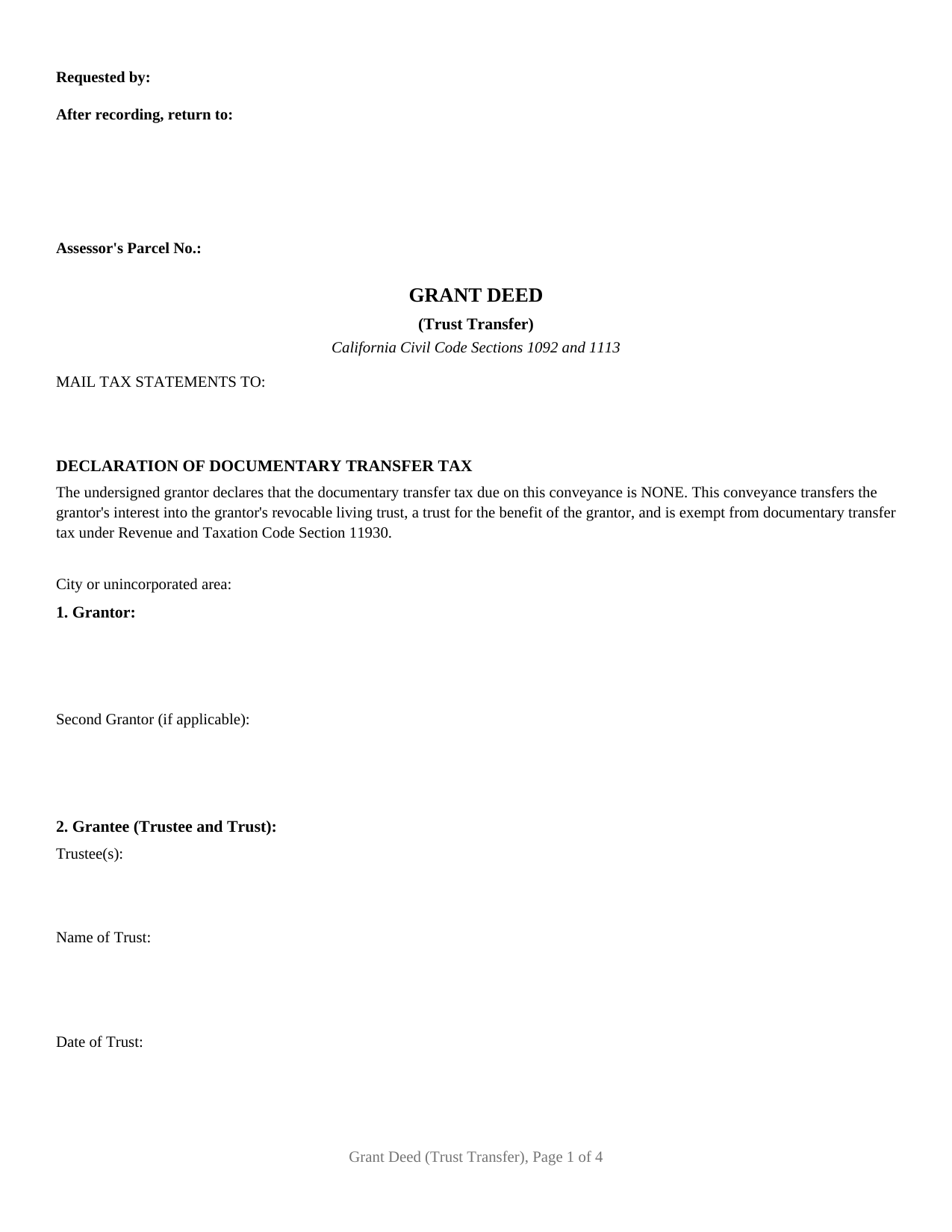
Trinity County Grant Deed (Trust Transfer) Form
Fill in the blank Grant Deed (Trust Transfer) form formatted to comply with all California recording and content requirements.
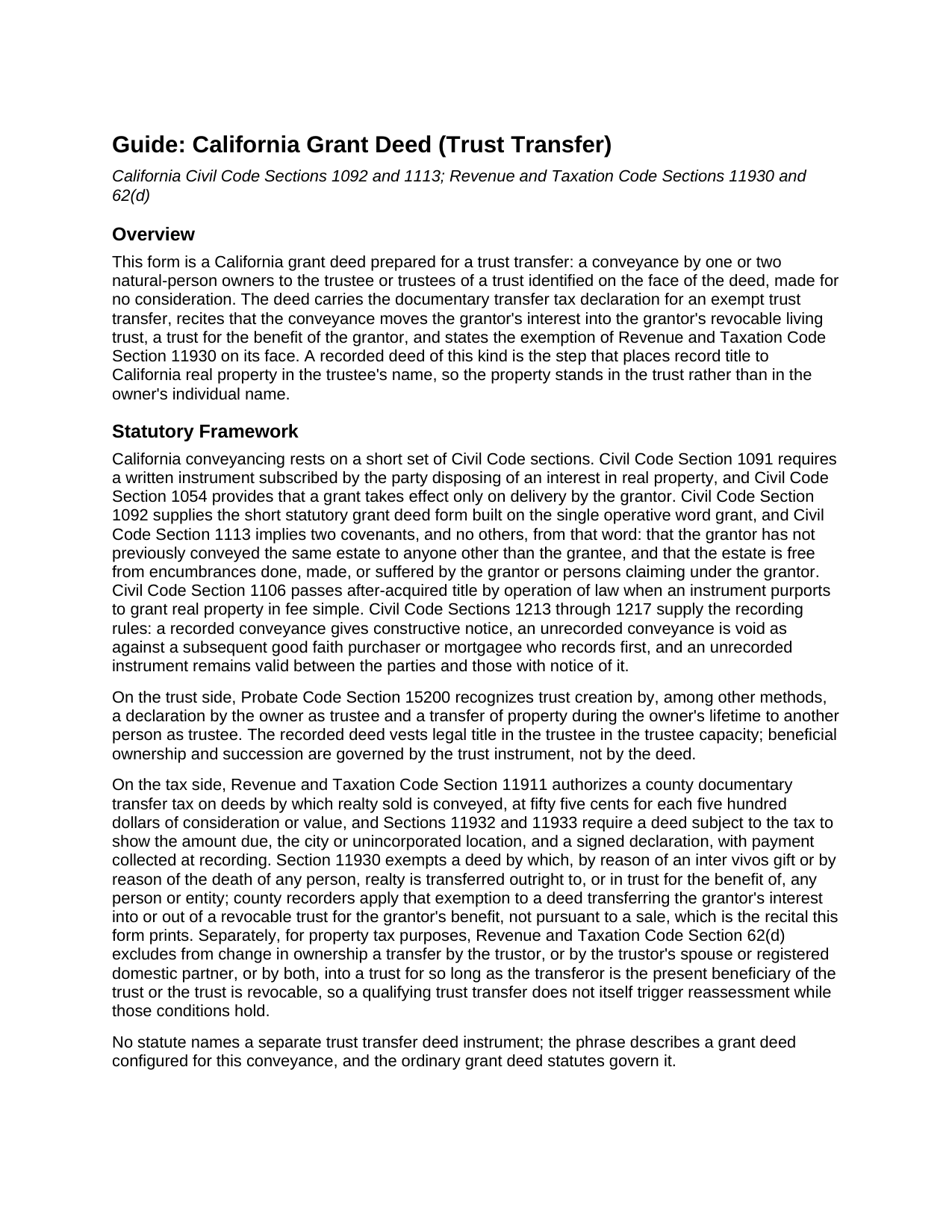
Trinity County Grant Deed (Trust Transfer) Guide
Line by line guide explaining every blank on the Grant Deed (Trust Transfer) form.
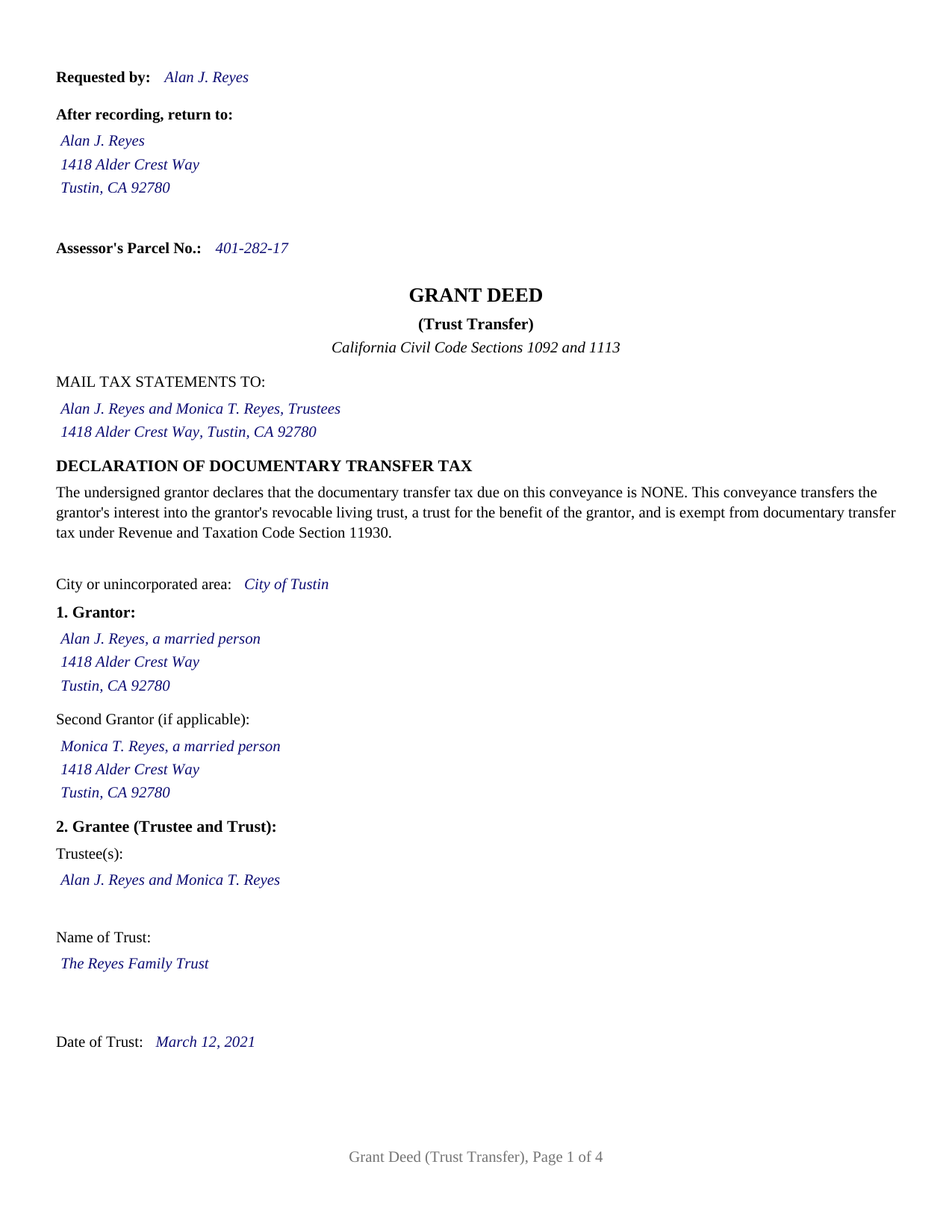
Trinity County Completed Example of the Grant Deed (Trust Transfer) Document
Example of a properly completed California Grant Deed (Trust Transfer) document for reference.
All 3 documents above included • One-time purchase • No recurring fees
Immediate Download • Secure Checkout
Additional California and Trinity County documents included at no extra charge:
Where to Record Your Documents
County Clerk-Recorder
Weaverville, California 96093
Hours: 9:00 to 1:00 & 2:00 to 4:00 / Telephone Hours: 8:00 to 5:00
Phone: (530) 623-1215
Recording Tips for Trinity County:
- Bring your driver's license or state-issued photo ID
- Ensure all signatures are in blue or black ink
- Bring extra funds - fees can vary by document type and page count
- Check margin requirements - usually 1-2 inches at top
- Leave recording info boxes blank - the office fills these
Cities and Jurisdictions in Trinity County
Properties in any of these areas use Trinity County forms:
- Big Bar
- Burnt Ranch
- Douglas City
- Hayfork
- Hyampom
- Junction City
- Lewiston
- Mad River
- Salyer
- Trinity Center
- Weaverville
- Zenia
Hours, fees, requirements, and more for Trinity County
How do I get my forms?
Forms are available for immediate download after payment. The Trinity County forms will be in your account ready to download to your computer. An account is created for you during checkout if you don't have one. Forms are NOT emailed.
Are these forms guaranteed to be recordable in Trinity County?
Yes. Our form blanks are guaranteed to meet or exceed the applicable formatting requirements used for recording in Trinity County, including margin requirements, font requirements, and other layout standards. This guarantee applies to formatting, not to the legal sufficiency of information entered by the user or the suitability of a form for a particular transaction.
Can I reuse these forms?
Yes. You can reuse the forms for your personal use. For example, if you have multiple properties in Trinity County you only need to order once.
What do I need to use these forms?
The forms are PDFs that you fill out on your computer. The free Adobe Acrobat Reader is recommended, and most PDF apps also work. You do NOT enter your property information online - you download the blank forms and complete them privately on your own computer.
Are there any recurring fees?
No. This is a one-time purchase. Nothing to cancel, no memberships, no recurring fees.
How much does it cost to record in Trinity County?
Recording fees in Trinity County vary. Contact the recorder's office at (530) 623-1215 for current fees.
Questions answered? Let's get started!
California puts one recorded step between signing a living trust and having the trust actually hold the real estate: a deed from the owner to the trustee. This form is that step, a California grant deed configured as a trust transfer deed, conveying property from one or two individual owners to the trustee of the trust named on its face, with the documentary transfer tax exemption of Revenue and Taxation Code Section 11930 and the trust transfer recital printed on the first page. Recorded with the county recorder, it moves record title into the trustee's name so the trust, rather than the individual, holds the property.
Title follows the deed, not the trust binder
A living trust controls only the assets titled in the trustee's name. Probate Code Section 15200 recognizes a trust funded by a lifetime transfer to the trustee, and for real property that transfer is a deed, executed, acknowledged, and recorded like any other California conveyance. Until the deed records, the county index still shows the owner individually, and property standing outside the trust at death is administered outside it. The trust transfer deed exists for exactly this handoff: the grantor and the trustee are usually the same people wearing two hats, the deed changes the name on the title rather than who enjoys the property, and the trust instrument then governs what happens to the property during incapacity and at death.
Two tax recitals, printed rather than improvised
The deed's first page declares that no documentary transfer tax is due and recites the Section 11930 exemption for a conveyance that moves the grantor's interest into the grantor's revocable living trust, a trust for the grantor's benefit, which is the recital California recorders look for on a trust funding deed; the single tax entry left to complete is the city or unincorporated area line that Revenue and Taxation Code Section 11932 requires. Property taxes follow a separate rule with a matching result: under Revenue and Taxation Code Section 62(d), a transfer by the trustor into a trust is excluded from change in ownership for as long as the trust is revocable or the transferor remains its present beneficiary, so a qualifying trust transfer does not itself reset the assessed value. The Preliminary Change of Ownership Report that accompanies the deed under Section 480.3 asks about that trust relationship directly, and the guide walks through the report alongside the recording fees, including how the Government Code Section 27388.1 Building Homes and Jobs Act fee interacts with an untaxed conveyance.
The configuration this deed recites
The form identifies one or two natural-person grantors signing in their individual capacity, and its grantee section is built for the trust: a line for the trustee or trustees, a line for the trust's full name, and a line for the trust's date as shown on its signature page. Two signature blocks follow, each with its own acknowledgment certificate in the complete Civil Code Section 1189 statutory form, boxed notary notice included, so spouses moving community real property into a shared family trust both sign, as Family Code Section 1102 provides, while a single owner funding an individual trust leaves the second block empty. The deed recites a conveyance into the grantor's own revocable living trust; a trustee deeding property out of a trust signs in a trustee capacity this form does not recite, and a transfer into an irrevocable trust for another person's benefit carries tax character the printed recitals do not cover.
Underneath, still a grant deed
The operative word is grant, so the two implied covenants of Civil Code Section 1113 travel with the conveyance: the grantor has not already conveyed the same interest away, and the property is free of encumbrances the grantor created. That matters even between an owner and the owner's own trustee, because the deed enters the permanent county record where later purchasers and title examiners read it. The form reserves the statutory recording space atop page one, carries the requester, return address, and assessor parcel number entries inside it, and prints the mail tax statements entry on the first page as Government Code Section 27321.5 directs.
The purchase delivers the trust transfer deed as a fillable PDF, a completed example showing two Orange County spouses deeding their home to themselves as trustees of a family trust, and a plain language guide to completing, signing, notarizing, and recording the deed. The materials are informational only and are not legal advice; a California attorney or the trust's drafter can confirm how a specific title and trust work together.
Important: Your property must be located in Trinity County to use these forms. Documents should be recorded at the county recording office listed above.
This Grant Deed (Trust Transfer) meets all recording requirements specific to Trinity County.
Our Promise
The documents you receive here are guaranteed to meet or exceed the applicable Trinity County recording format requirements. If there is a rejection caused by our formatting, we will correct the issue or refund your payment. This guarantee applies to document formatting only and does not extend to information entered by the user, the selection of the form, or the legal effect of the completed document.
Save Time and Money
Get your Trinity County Grant Deed (Trust Transfer) form done right the first time with Deeds.com Uniform Conveyancing Blanks. At Deeds.com, we understand that your time and money are valuable resources, and we don't want you to face a penalty fee or rejection imposed by a county recorder for submitting nonstandard documents. We constantly review and update our forms to meet rapidly changing state and county recording requirements for roughly 3,500 counties and local jurisdictions.
4.8 out of 5 - ( 4,837 Reviews )
Colleen P. 3 out of 5 stars
It was frustrating to get the scans done but that might have been due to a learning curve. After 4 tries they were accepted. I couldn't figure out how to delete or close the failed attempts. Waiting to see if Recorder office has changed the title.
Thank you for your feedback. We really appreciate it. Have a great day!
DOUGLAS H. 5 out of 5 stars
Just as promised My quitclaim deed went through the county recorders office with no problem.
Thank you for your feedback. We really appreciate it. Have a great day!
David H. 5 out of 5 stars
Exceeded expectations; bundle included not only the form but also detailed instructions and definitions and a completed "John Doe" example.
We appreciate your business and value your feedback. Thank you. Have a wonderful day!
Nancy B. 5 out of 5 stars
Deeds.com is a godsend! Being able to download the pertinent state and county specific forms reassured me of having the correct t forms in which to proceed. The cost was most reasonable. Thanks for this service.
Thank you!
Maria-Luisa: M. 5 out of 5 stars
So far so good!
Thank you!
Angel C. 5 out of 5 stars
Solid forms hitting all the marks (statutory requirements) Fairly simple to accomplish what I was looking to do with minimal research. Would certainly use again when needed.
Thank you!
Maria S. 3 out of 5 stars
The paperwork/forms are fine, but there isn't enough explanation for me to figure out how to file the extra forms (which I do need in my case). The main form, Deed Upon Death is fine. I think the price is pretty high for these forms. I wouldn't have purchased it because there are places to get them for much cheaper (about 6 dollars), but this site had the extra forms I wanted (property in a trust and another form). Unfortunately these were included as a "courtesy" and there are no instructions for them. So three stars for being clear about what was in the package, having the right forms that I need, but instructions for putting them to use and price took a couple of stars off. Downloading was easy and once you download you can type the info into the PDF--that makes working with the forms much easier.
Thank you for the feedback Maria. Regarding the supplement documents, it is best to get assistance from the agency that requires them. These are not legal documents, they should provide full support and guidance for them.
Crystal P. 5 out of 5 stars
This service is amazing! We have tried several other online recording services which all disappointed. Deeds.com got all three of our documents recorded same day as invoice payment. Thank you for the quick turn around! We will be using this service often.
We are sincerely grateful for your feedback and are committed to providing the highest quality service. Thank you for your trust in us.
Ellen D. 5 out of 5 stars
Fantastic service! The forms were available to download instantly and they were perfect for my situation. Easy to use on my older computer. Thanks!
Thank you for your feedback. We really appreciate it. Have a great day!
Janice L. 5 out of 5 stars
The forms were easy to request. I'm assuming that the download will be as well. Im so glad that I can upload the information without having to leave my home.
Thank you for your feedback. We really appreciate it. Have a great day!
Robert B. 5 out of 5 stars
The forms were easy to download and fill.
Thank you!
Joshua A. 5 out of 5 stars
It was fast, secure, and reliable, and for the cost it saved me time, and driving four hours to the courthouse and back. It really saved me. Thank You.
Thank you Joshua, glad we could help.
Chuck M. 5 out of 5 stars
Easy to use service. However, the product that I purchased did not meet my needs. No fault of the company.
Thank you for your feedback Chuck. We certainly don't want you to purchase something you can not use. We have canceled your order and payment. Have a wonderful day.
Tyler B. 5 out of 5 stars
Great!
Thank you!
Veronica T. 5 out of 5 stars
Great Service! Thank you
We appreciate your business and value your feedback. Thank you. Have a wonderful day!