Riverside County Release of Notice of Pending Action Form
Last validated September 8, 2026 by our Forms Development TeamFormatted for recording in Riverside County, for property anywhere in the county: rural and unincorporated areas as well as Aguanga, Anza, Banning, Beaumont, Blythe, Cabazon, Calimesa, Cathedral City and 34 more.
- 3 documents included
- Immediate PDF download
- Formatting guarantee
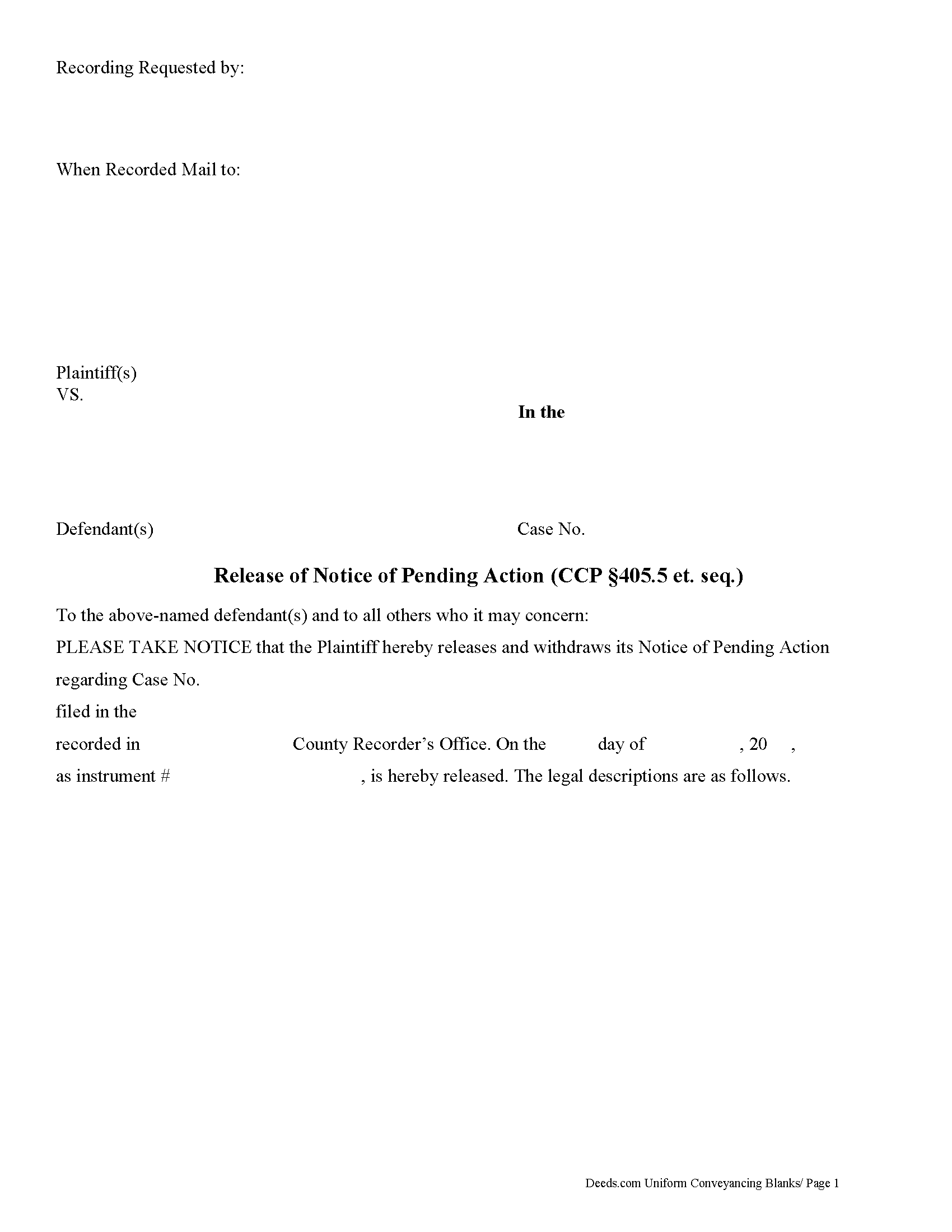
Riverside County Release of Notice of Pending Action Form
Fill in the blank form formatted to comply with all recording and content requirements.
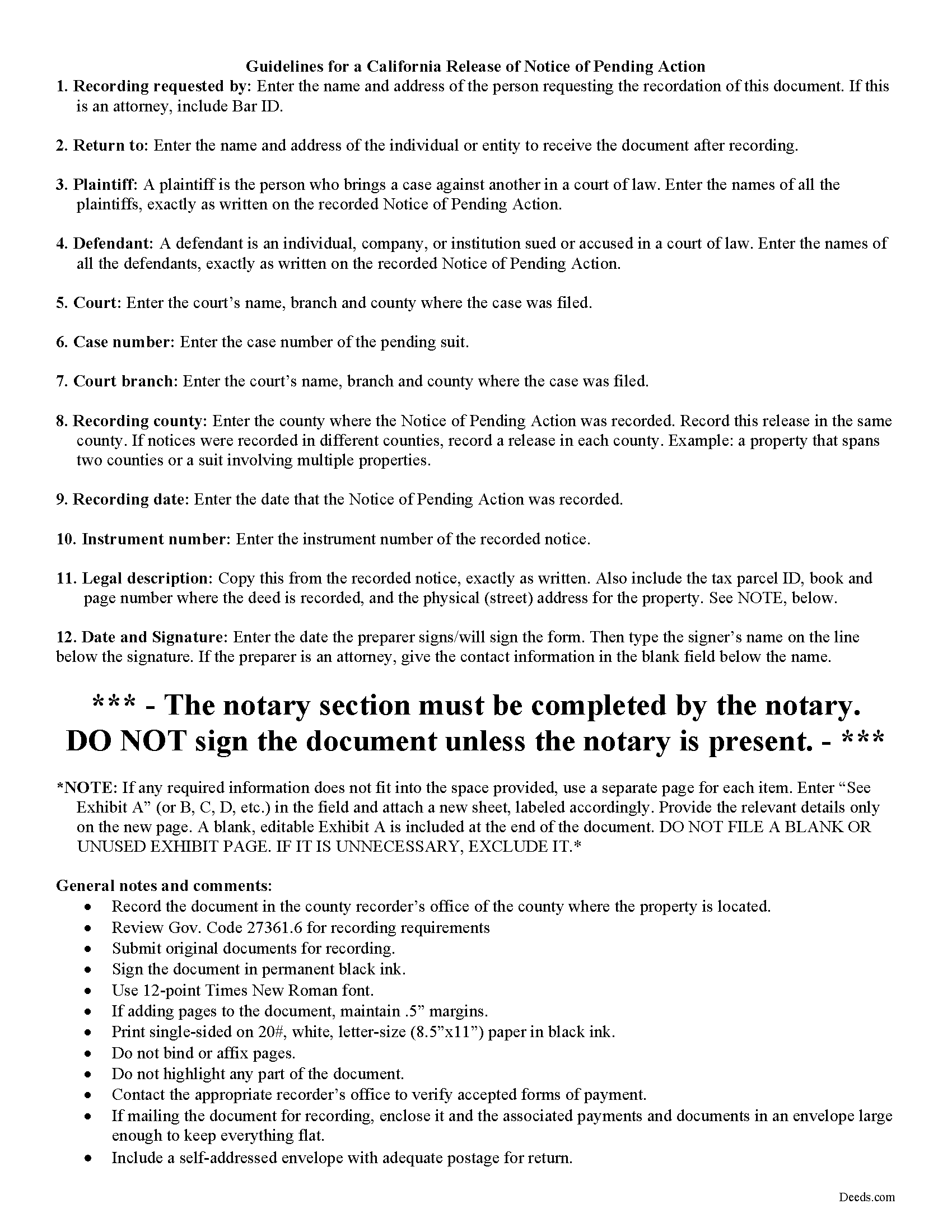
Riverside County Release of Notice of Pending Action Guide
Line by line guide explaining every blank on the form.
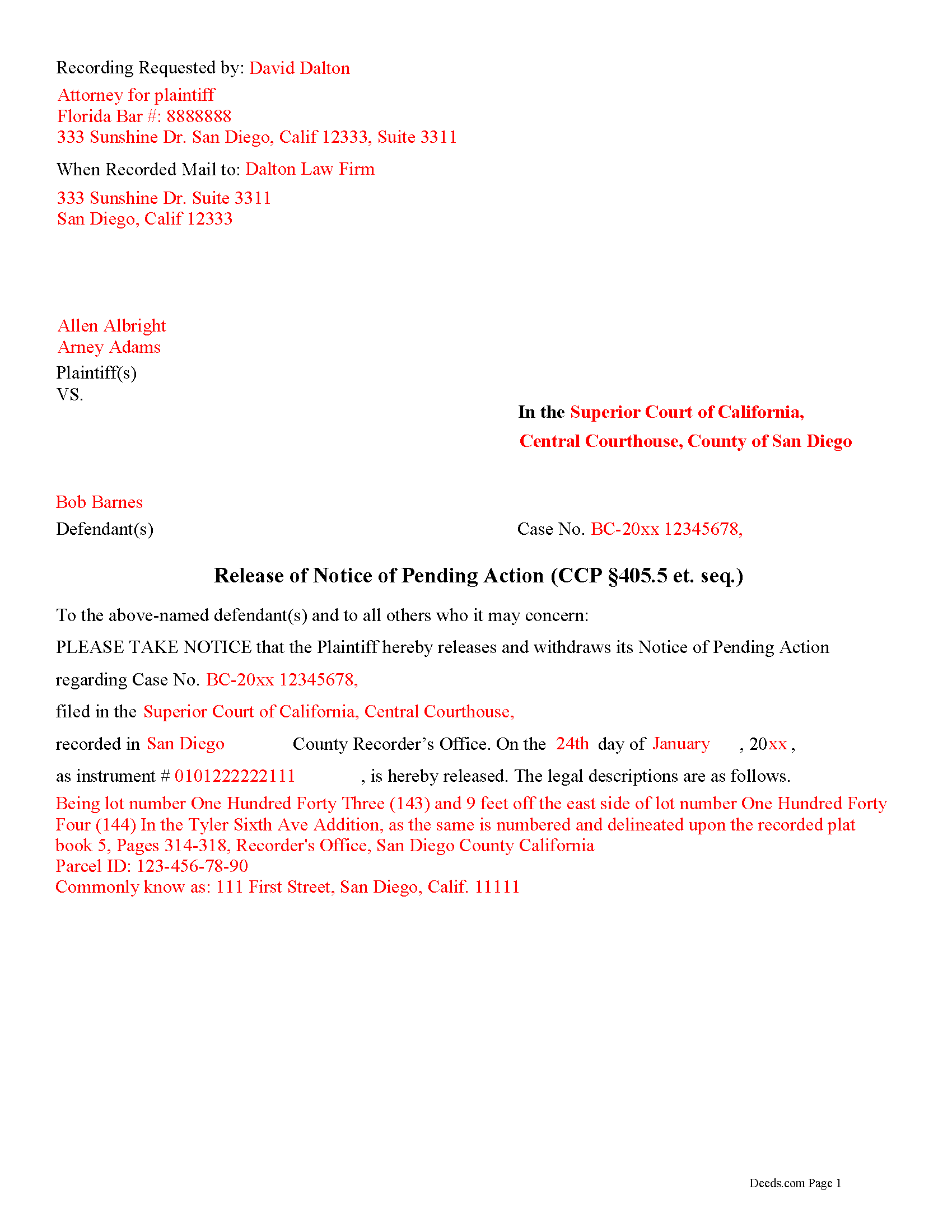
Riverside County Completed Example of the Release of Notice of Pending Action Document
Example of a properly completed form for reference.
All 3 documents above included • One-time purchase • No recurring fees
Immediate Download • Secure Checkout
Additional California and Riverside County documents included at no extra charge:
Where to Record Your Documents
County Administrative Center
Riverside, California 92501 / 92502-0751
Hours: Monday through Friday 8:00 am to 5:00 pm
Phone: (951) 486-7000 or (800) 696-9144 from within county
Gateway Office
Riverside, California 92507
Hours: Monday through Friday 8:00 am to 5:00 pm
Phone: (951) 486-7000 or (800) 696-9144
Hemet Office
Hemet, California 92543-1496
Hours: Monday through Friday 8:00 to 12:00 & 1:00 to 4:30
Phone: (951) 486-7000 or (800) 696-9144 from within county
Palm Desert Office
Palm Desert, California 92211
Hours: Monday through Friday 8:00 to 5:00 Phone / Counter & Recording until 4:30
Phone: (760) 863-8732 or (800) 696-9144
Temecula Office
Temecula, California 92591-6027
Hours: Monday through Friday 8:00 am to 4:30 pm
Phone: (951) 486-7000 or (800) 696-9144
Blythe Office
Blythe, California 92225
Hours: Recorder Services: First Wednesday of the month 10:00 to 12:00 & 1:00 to 3:00
Phone: (760) 921-5050 or (800) 696-9144
Recording Tips for Riverside County:
- Bring your driver's license or state-issued photo ID
- Ensure all signatures are in blue or black ink
- Check margin requirements - usually 1-2 inches at top
- Leave recording info boxes blank - the office fills these
- Make copies of your documents before recording - keep originals safe
Cities and Jurisdictions in Riverside County
Properties in any of these areas use Riverside County forms:
- Aguanga
- Anza
- Banning
- Beaumont
- Blythe
- Cabazon
- Calimesa
- Cathedral City
- Coachella
- Corona
- Desert Center
- Desert Hot Springs
- Hemet
- Homeland
- Idyllwild
- Indian Wells
- Indio
- La Quinta
- Lake Elsinore
- March Air Reserve Base
- Mecca
- Menifee
- Mira Loma
- Moreno Valley
- Mountain Center
- Murrieta
- Norco
- North Palm Springs
- Nuevo
- Palm Desert
- Palm Springs
- Perris
- Rancho Mirage
- Riverside
- San Jacinto
- Sun City
- Temecula
- Thermal
- Thousand Palms
- Whitewater
- Wildomar
- Winchester
Hours, fees, requirements, and more for Riverside County
How do I get my forms?
Forms are available for immediate download after payment. The Riverside County forms will be in your account ready to download to your computer. An account is created for you during checkout if you don't have one. Forms are NOT emailed.
Are these forms guaranteed to be recordable in Riverside County?
Yes. Our form blanks are guaranteed to meet or exceed the applicable formatting requirements used for recording in Riverside County, including margin requirements, font requirements, and other layout standards. This guarantee applies to formatting, not to the legal sufficiency of information entered by the user or the suitability of a form for a particular transaction.
Can I reuse these forms?
Yes. You can reuse the forms for your personal use. For example, if you have multiple properties in Riverside County you only need to order once.
What do I need to use these forms?
The forms are PDFs that you fill out on your computer. The free Adobe Acrobat Reader is recommended, and most PDF apps also work. You do NOT enter your property information online - you download the blank forms and complete them privately on your own computer.
Are there any recurring fees?
No. This is a one-time purchase. Nothing to cancel, no memberships, no recurring fees.
How much does it cost to record in Riverside County?
Recording fees in Riverside County vary. Contact the recorder's office at (951) 486-7000 or (800) 696-9144 from within county for current fees.
Questions answered? Let's get started!
In California, the document notifying a property owner and the public about a pending lawsuit regarding that property, is called a Notice of Pending Action. The statutes primarily governing the recording of a notice of pendency of action are found at Code Civil Procedure, sections 405--405.61.
What happens, though, when the case is resolved? At that point, the plaintiff (individual who filed the suit) files a release. This action serves as notice of the resolution and clears the title. The Release of Notice of Pending Action in California is governed by the provisions of Code of Civ. Proc. section 405.50.
The release form identifies the parties and the property. It includes references to the pending lawsuit and the relevant dates. Before recording, the release form must be signed, in the presence of a notary public or other authorized official, by the party that recorded the original notice of pending action, or their successor in interest. Submit the release to the office of the recorder for the county in which the original lis pendens was recorded.
Lawsuits can be complicated, and even small errors can affect the outcome of a case. Please contact an attorney with questions about using the Release of Notice of Pending Action, or for any other issues related to real property in California.
(California Release of Pending Action Package includes form, guidelines, and completed example)
Important: Your property must be located in Riverside County to use these forms. Documents should be recorded at the county recording office listed above.
This Release of Notice of Pending Action meets all recording requirements specific to Riverside County.
Our Promise
The documents you receive here are guaranteed to meet or exceed the applicable Riverside County recording format requirements. If there is a rejection caused by our formatting, we will correct the issue or refund your payment. This guarantee applies to document formatting only and does not extend to information entered by the user, the selection of the form, or the legal effect of the completed document.
Save Time and Money
Get your Riverside County Release of Notice of Pending Action form done right the first time with Deeds.com Uniform Conveyancing Blanks. At Deeds.com, we understand that your time and money are valuable resources, and we don't want you to face a penalty fee or rejection imposed by a county recorder for submitting nonstandard documents. We constantly review and update our forms to meet rapidly changing state and county recording requirements for roughly 3,500 counties and local jurisdictions.
4.8 out of 5 - ( 4,828 Reviews )
Debra D. 5 out of 5 stars
Really good forms, easy to understand and use. The guide was a must have, made the process very simple.
Thank you!
Regina S. 5 out of 5 stars
5 STARS!!! YOU WERE AWESOME!
We appreciate your business and value your feedback. Thank you. Have a wonderful day!
Laura J. 5 out of 5 stars
Very satisfied. Highly recommend!
Thank you!
Susie k. 5 out of 5 stars
No complaints
Thank you!
Joseph R. 5 out of 5 stars
Wonderful service! Things changed for me on my side and the company saw this and closed my account with ease.
Thank you!
Bernadette K. 2 out of 5 stars
Your system is completely unfriendly to the user. There is no clear way, unless you are a lawyer, to go through the the process without making mistakes. Very disappointed attempted user
Sorry to hear that we failed you Bernadette. We do hope that you were able to find something more suitable to your needs elsewhere.
Christina H. 5 out of 5 stars
I appreciate having forms available and not having to go to a business supply or attorney. This is great. However, there are two individual quit claim deed forms and I don't know which one is appropriate.
Thank you for your feedback. We really appreciate it. Have a great day!
wendell s. 5 out of 5 stars
The forms were everything promised. The guide was very helpful and made the process painless.
We appreciate your business and value your feedback. Thank you. Have a wonderful day!
Johnna G. 5 out of 5 stars
Fantastic experience. Deeds.com worked with me on any corrections required by the county. Filing was super easy.
We appreciate your business and value your feedback. Thank you. Have a wonderful day!
Shannon D. 5 out of 5 stars
Extremely easy site to use. We had our document e-recorded the same day and we didn't have to make a trip downtow!
Thank you!
Beverly L J. 3 out of 5 stars
The process for receiving the quitclaim document worked well. I couldn't use the document. If I had been able to view the document before I had to pay for it, I would have known, but that isn't how your process works. However, that's the only snag I found. Otherwise the process for paying and downloading the document worked well. Thank you.
Thank you for your feedback Beverly. We certainly do not want you to pay for something you are unable to use. To that end we have canceled your order and refunded your payment. We do hope that you find something more suitable to your needs. Have a wonderful day.
James J. 5 out of 5 stars
I couldn't be more pleased or more impressed with the e-recording services I received from deeds.com and from my service representative, KVH. I was able to record documents in approximately half a dozen different counties easily and seamlessly, with a minimum of fuss. The turn around time was incredibly fast. The pricing was incredibly reasonable. I know I have alternatives because, in the past, I have used a competitor service for my recording needs. I won't do that again -- this was an exceptional experience. Thank you for your help!
We appreciate your business and value your feedback. Thank you. Have a wonderful day!
Taylor W. 5 out of 5 stars
This was the quickest NOC recording i have ever done. I will definitely be using deeds.com from here on out for recordings!
We appreciate your business and value your feedback. Thank you. Have a wonderful day!
JERRY M. 2 out of 5 stars
Had to modify the document form fill field to accept the information required. Had limited number of characters.
Thank you for your feedback. We really appreciate it. Have a great day!
Chris D. 5 out of 5 stars
Easy and affordable. I would recommend deeds.com
Thank you!