San Luis Obispo County Revocable Transfer on Death Deed (Multiple Individual Beneficiaries) Form
Last validated November 11, 2026 by our Forms Development TeamFormatted for recording in San Luis Obispo County, for property anywhere in the county: rural and unincorporated areas as well as Arroyo Grande, Atascadero, Avila Beach, Cambria, Cayucos, Creston, Grover Beach, Harmony and 12 more.
- 3 documents included
- Immediate PDF download
- Formatting guarantee
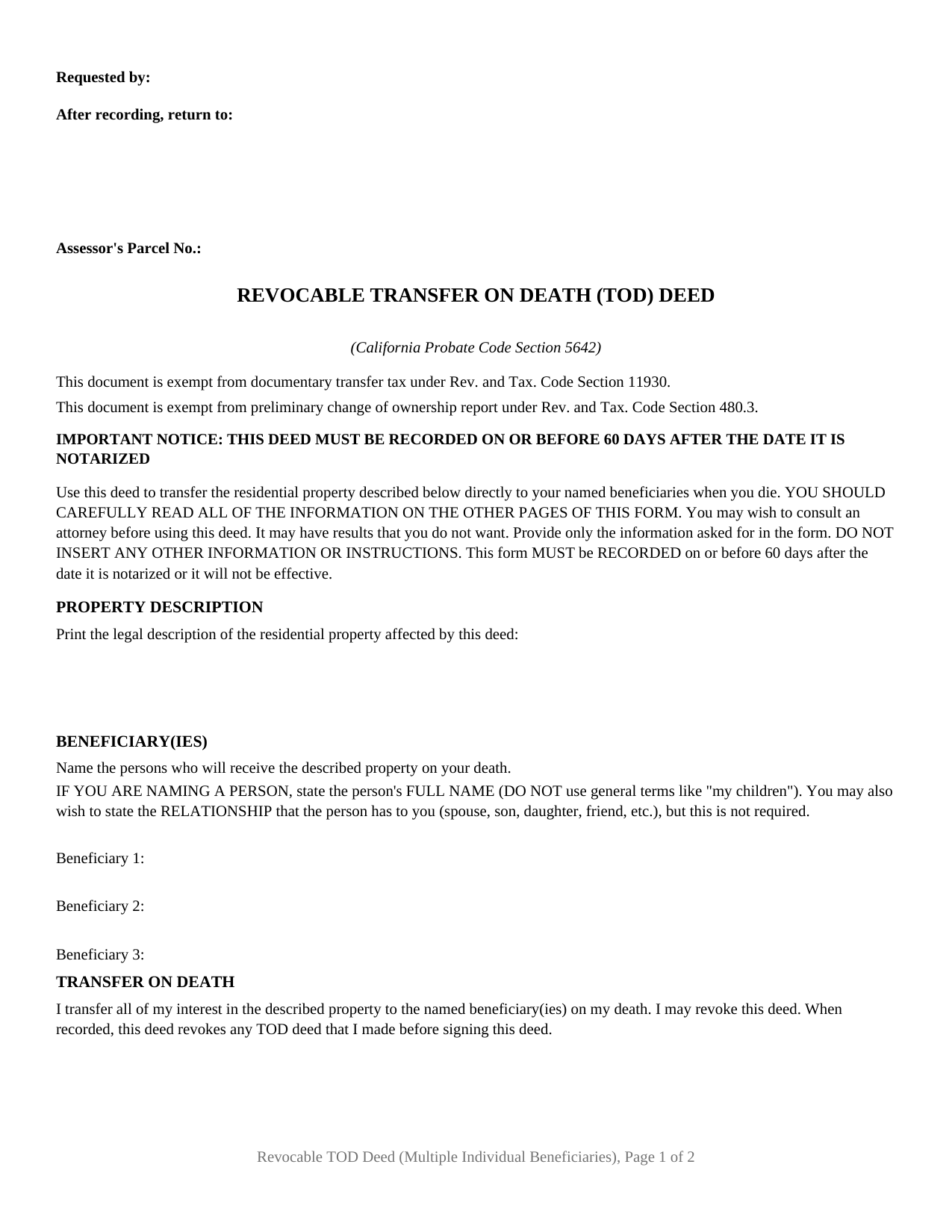
San Luis Obispo County Revocable Transfer on Death Deed (Multiple Individual Beneficiaries) Form
Fill in the blank Revocable Transfer on Death Deed (Multiple Individual Beneficiaries) form formatted to comply with all California recording and content requirements.
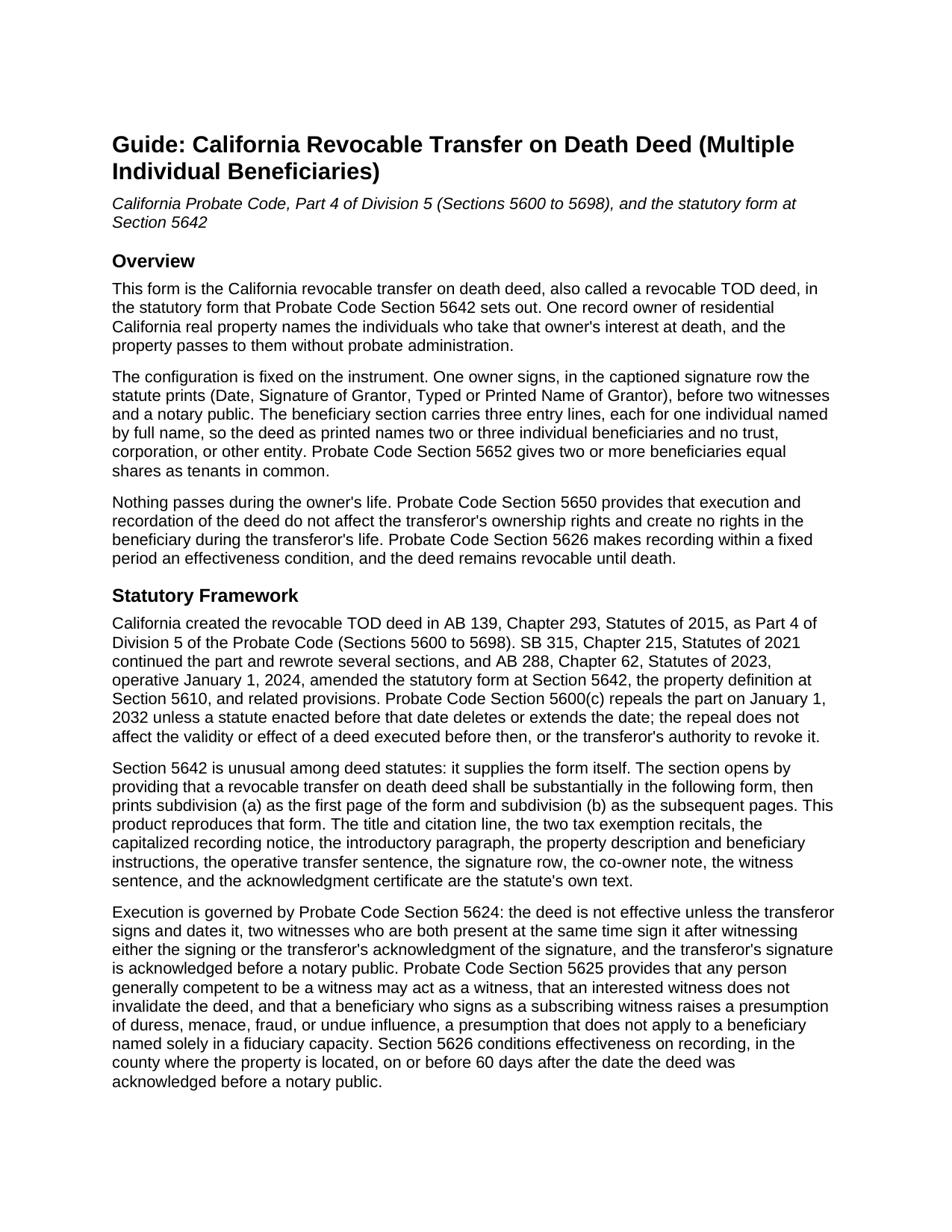
San Luis Obispo County Revocable Transfer on Death Deed (Multiple Individual Beneficiaries) Guide
Line by line guide explaining every blank on the Revocable Transfer on Death Deed (Multiple Individual Beneficiaries) form.
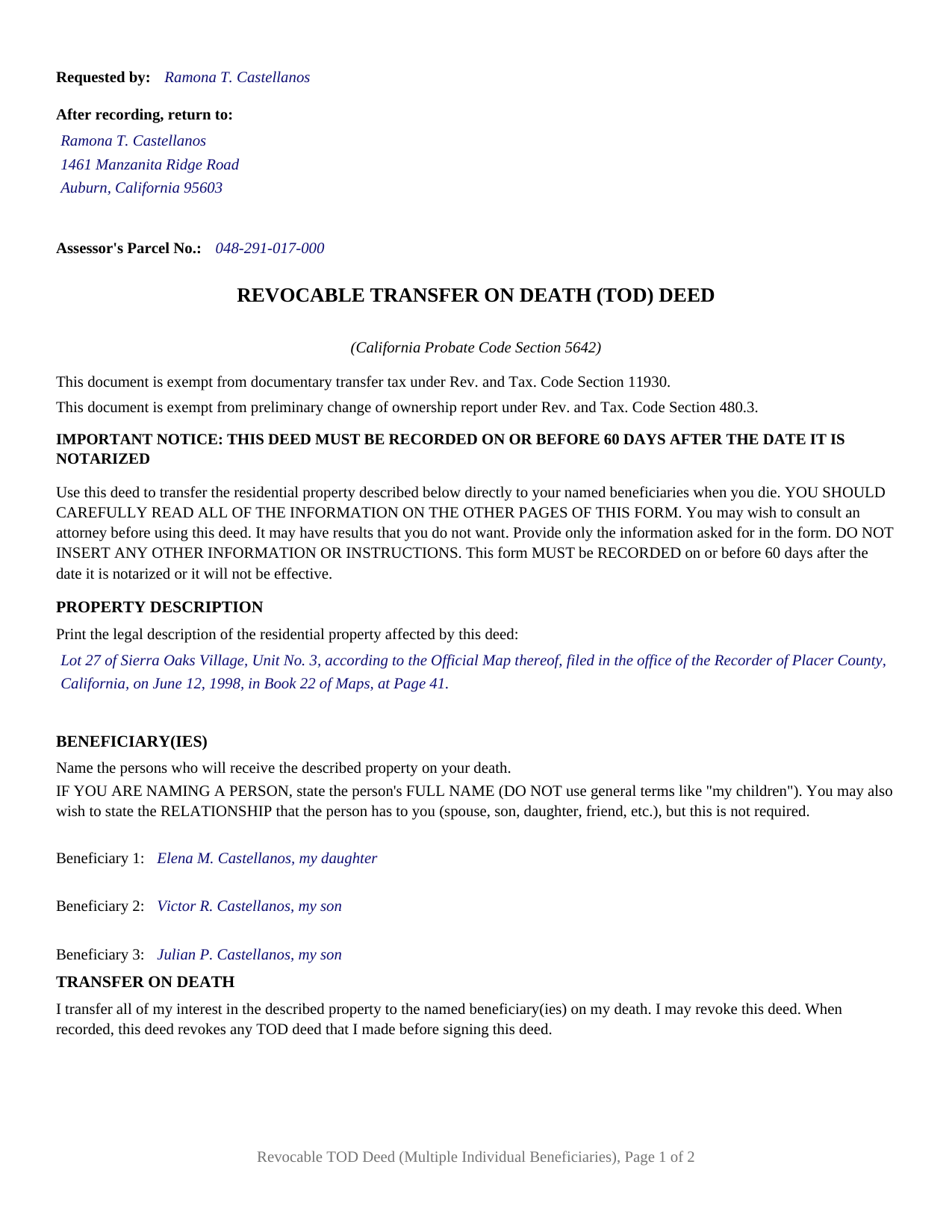
San Luis Obispo County Completed Example of the Revocable Transfer on Death Deed (Multiple Individual Beneficiaries) Document
Example of a properly completed California Revocable Transfer on Death Deed (Multiple Individual Beneficiaries) document for reference.
All 3 documents above included • One-time purchase • No recurring fees
Immediate Download • Secure Checkout
Additional California and San Luis Obispo County documents included at no extra charge:
Where to Record Your Documents
San Luis Obispo Office
San Luis Obispo, California 93408-1003
Hours: Monday through Friday 8:00am to 5:00pm
Phone: (805) 781-5080
Atascadero Office
Atascadero, California 93422
Hours: Monday through Friday 7:30am to 4:00pm
Phone: (805) 461-6041
Recording Tips for San Luis Obispo County:
- Bring your driver's license or state-issued photo ID
- Ensure all signatures are in blue or black ink
- Bring extra funds - fees can vary by document type and page count
- Check margin requirements - usually 1-2 inches at top
- Leave recording info boxes blank - the office fills these
Cities and Jurisdictions in San Luis Obispo County
Properties in any of these areas use San Luis Obispo County forms:
- Arroyo Grande
- Atascadero
- Avila Beach
- Cambria
- Cayucos
- Creston
- Grover Beach
- Harmony
- Los Osos
- Morro Bay
- Nipomo
- Oceano
- Paso Robles
- Pismo Beach
- San Luis Obispo
- San Miguel
- San Simeon
- Santa Margarita
- Shandon
- Templeton
Hours, fees, requirements, and more for San Luis Obispo County
How do I get my forms?
Forms are available for immediate download after payment. The San Luis Obispo County forms will be in your account ready to download to your computer. An account is created for you during checkout if you don't have one. Forms are NOT emailed.
Are these forms guaranteed to be recordable in San Luis Obispo County?
Yes. Our form blanks are guaranteed to meet or exceed the applicable formatting requirements used for recording in San Luis Obispo County, including margin requirements, font requirements, and other layout standards. This guarantee applies to formatting, not to the legal sufficiency of information entered by the user or the suitability of a form for a particular transaction.
Can I reuse these forms?
Yes. You can reuse the forms for your personal use. For example, if you have multiple properties in San Luis Obispo County you only need to order once.
What do I need to use these forms?
The forms are PDFs that you fill out on your computer. The free Adobe Acrobat Reader is recommended, and most PDF apps also work. You do NOT enter your property information online - you download the blank forms and complete them privately on your own computer.
Are there any recurring fees?
No. This is a one-time purchase. Nothing to cancel, no memberships, no recurring fees.
How much does it cost to record in San Luis Obispo County?
Recording fees in San Luis Obispo County vary. Contact the recorder's office at (805) 781-5080 for current fees.
Questions answered? Let's get started!
Three names on one page, and the California Probate Code settles the rest. This California revocable transfer on death deed is the Probate Code Section 5642 statutory form in its multiple individual beneficiary configuration: one record owner, a beneficiary section of three entry lines, one named individual to a line, and nothing to fill in about shares, alternates, or conditions. The instrument is also searched as a California TOD deed or a beneficiary deed.
Three lines, three names, one signature
The beneficiary section is where this deed parts company with the rest of its family. It prints three individual entry lines under the statute's own naming instruction for a person: full name, no general term such as a reference to children, and the relationship to the owner stated or left out. Two names fill the section as readily as three, and an unused line simply stays empty. On the signing side there is exactly one of everything. Section 5642 prints its signature block as a captioned row, Date and Signature of Grantor and Typed or Printed Name of Grantor, and one acknowledgment certificate follows it. A parent dividing a residence among adult children, and an owner naming two siblings, present the pattern this deed recites. A designation naming a trust or an entity is outside what this form carries, and a co-owner's share travels on its own deed, as the note under the signature row says.
Equal shares, fixed by the chapter rather than by the deed
Because the form states no fractions, Probate Code Section 5652 supplies them: two or more beneficiaries take as tenants in common in equal shares. Three named individuals become three co-owners of undivided thirds at the owner's death, each share then passing under its own owner's estate plan, with no survivorship running among them. Nothing on the form sets a different split, and the statutory common questions say plainly that the form produces no other result.
What the chapter does when a beneficiary dies first
The same section answers the question that naming several people raises. Each interest is contingent on surviving the transferor. A share that lapses is divided equally among the beneficiaries who do survive, which is why the deed carries no alternate line: with two or three names on the instrument, the substitution the statute writes already runs among them. Where none of the named individuals outlives the owner, the deed has no effect.
Formalities the names do not change
Two signing requirements ride with this instrument whatever the beneficiary count. Under Probate Code Section 5624 two witnesses, together at one time, sign after watching the owner sign or hearing the owner acknowledge that signature, and no notary touches their signatures. Under Probate Code Section 5626 the deed takes effect only on recording within 60 days measured from the notarial acknowledgment. The two tax recitals the form prints rest on Probate Code Section 5656: recording this deed is no change in ownership, so no transfer tax declaration and no preliminary change of ownership report accompany it.
Limits every taker inherits
Each named individual takes the title as it stands. Section 5652 passes the property without covenant or warranty and subject to recorded liens, encumbrances, easements, and leases, so a mortgage rides along and is shared among the takers. Section 5664 voids the deed where title is held in joint tenancy or as community property with right of survivorship at the owner's death, and survivorship controls in its place. Section 5610 keeps the chapter to residential property of one to four dwelling units, or a residential unit in a common interest development, and shuts out agricultural parcels over 40 acres. Section 5672 reaches the takers for the transferor's unsecured debts, capped by Section 5674 at the value of what each received less the liens then on the property, and lifted under Section 5674(a) where estate administration is opened and the beneficiary satisfies Section 5677 or Section 5678.
Recording happens with the recorder of the county where the property sits, on a first page built to the reserve Government Code Section 27361.6 sets aside, the statutory title printed below it for indexing under Section 27324. Fees vary by county. The package holds the fillable form, a completed example worked through a Placer County fact pattern with three named individuals, and the guide that covers the form part by part. This description and that guide describe the form and the governing California statutes in general terms; they are not legal advice.
Important: Your property must be located in San Luis Obispo County to use these forms. Documents should be recorded at the county recording office listed above.
This Revocable Transfer on Death Deed (Multiple Individual Beneficiaries) meets all recording requirements specific to San Luis Obispo County.
Our Promise
The documents you receive here are guaranteed to meet or exceed the applicable San Luis Obispo County recording format requirements. If there is a rejection caused by our formatting, we will correct the issue or refund your payment. This guarantee applies to document formatting only and does not extend to information entered by the user, the selection of the form, or the legal effect of the completed document.
Save Time and Money
Get your San Luis Obispo County Revocable Transfer on Death Deed (Multiple Individual Beneficiaries) form done right the first time with Deeds.com Uniform Conveyancing Blanks. At Deeds.com, we understand that your time and money are valuable resources, and we don't want you to face a penalty fee or rejection imposed by a county recorder for submitting nonstandard documents. We constantly review and update our forms to meet rapidly changing state and county recording requirements for roughly 3,500 counties and local jurisdictions.
4.8 out of 5 - ( 4,851 Reviews )
Ginger O. 5 out of 5 stars
Thank you for making this so easy to use. I had looked all over the internet and yours was the most user friendly and for a reasonable price.
We appreciate your business and value your feedback. Thank you. Have a wonderful day!
Judy C. 5 out of 5 stars
Both sets of deeds were complete and easy to understand. Both states accepted the forms to transfer property.
We appreciate your business and value your feedback. Thank you. Have a wonderful day!
Thomas G. 1 out of 5 stars
Wasn’t what I expected
Sorry to hear that your expectations were missed. Your order has been canceled. We do hope that you find something more suitable to your expectations elsewhere. Do keep in mind that purchasing legal forms should not be an exploratory endeavor.
Alan C. 5 out of 5 stars
The Transfer on Death Deed paperwork was easy to complete, as it included a detailed guide and a completed example. We encountered no issues recording the document with our County. Thanks to Deeds.com, we were also able to save time and money by utilizing a DIY approach for our situation.
We are delighted to have been of service. Thank you for the positive review!
Jason P. 5 out of 5 stars
Price is fair and system is so user friendly. Highly recommend
We appreciate your business and value your feedback. Thank you. Have a wonderful day!
Deborah V. 5 out of 5 stars
Helpful and informative.
We appreciate your business and value your feedback. Thank you. Have a wonderful day!
Boyd B. 5 out of 5 stars
I had an issue because of what I was doing, thanks to these guys. I received an email and lickety-split done no more problems.
We appreciate your business and value your feedback. Thank you. Have a wonderful day!
Joseph R. 5 out of 5 stars
Deeds.com has saved me quite a bit in attorney fees by making legal forms available on line. Easy to use, just fill in the blanks.
Thank you for your feedback. We really appreciate it. Have a great day!
Cynthia H. 5 out of 5 stars
Thank you for having these forms so reasonable and easy to access. I only WISH I would have looked here 1st, spent way to much valuable time trying to get help with this deed. This was so EASY and quick... THANK YOU THANK YOU Highly Recommend
Thank you!
Nancy E. 5 out of 5 stars
Easy to complete. I would suggest, since it is 2 pages, make a bigger space for land descriptions & sources.
Thank you for your feedback. We really appreciate it. Have a great day!
Thomas K. 5 out of 5 stars
I never did this before and I found the service easy however confusing about the process and expectations. I had a trust prepared and needed to record our home deed to the trust. Now that I am almost finished waiting for the Maricopa county record the deed it seems so easy.
Thank you!
Robert B. 5 out of 5 stars
Liked the fact that the forms were fill in the blank. Good to have the option of re-doing them if needed, and I needed ;)
Thank you for your feedback. We really appreciate it. Have a great day!
Thomas D. 2 out of 5 stars
The documents themselves are fine and the information provided with them is helpful. I find the actual processing of the documents, however, to be difficult particularly once the document has been saved. First, I note that the box for the date only allows entry of the last 2 digits of the year. Unfortunately, my download only allows me to enter one of the 2 digits required. When I delete it repeatedly, it eventually allows both digits to be entered but puts them in extremely small text and in superscrypt. I have not found a solution to this problem and am not sure the deed can even be recorded with this problem. Another problem is that if you try to revise the document after you have saved it the curser goes to the end of the line after each key entry. This means that there basically is no way to efficiently save the document for reworking later since you will have to delete everything you have entered in the text box unless you only need to make a single keystroke change or are willing to replace the curser after each entry. Try that with a long property description! Please note that I am using a Mac to prepare my documents and perhaps this is part of an "incompatibility problem". However, I didn't see a disclaimer regarding Mac use and so would expect the documents to perform correctly. Overall, I give the program a "2 star" rating because I am experiencing significant difficulties in entering dates in the documents even before saving them and because saving your work for later revision appears to be basically unworkable.
Thank you for your feedback Thomas, we appreciate you being specific about the issues you encountered. Adobe and Mac have a fairly long history of issues working together.
Robert D. 5 out of 5 stars
These forms made it so easy to update the property deed and the instructions and sample filled out form were most helpful. You might want to add some brief information on when or why to use the Acknowledgment in Individual Capacity notary form. In my case the notary was required to use it but also filled in the brief notarize section on the Affidavit as well. She said the one on the Affidavit had some value because it showed she had witnessed the my signature. But this was only after I suggested both be filled in as she initially thought to just strike through it and just use the Acknowledgment in Individual Capacity form.
Thank you for your feedback. We really appreciate it. Have a great day!
ROBERET D. 5 out of 5 stars
after a poor start was able to get to the forms page and find what I was looking for and every thing worked good. Just getting to the right area was a struggle but we made thanks Bob
Thank you for your feedback. We really appreciate it. Have a great day!