Santa Cruz County Substitution of Trustee and Full Reconveyance Form
Last validated October 30, 2026 by our Forms Development TeamFormatted for recording in Santa Cruz County, for property anywhere in the county: rural and unincorporated areas as well as Aptos, Ben Lomond, Boulder Creek, Brookdale, Capitola, Davenport, Felton, Freedom and 6 more.
- 3 documents included
- Immediate PDF download
- Formatting guarantee
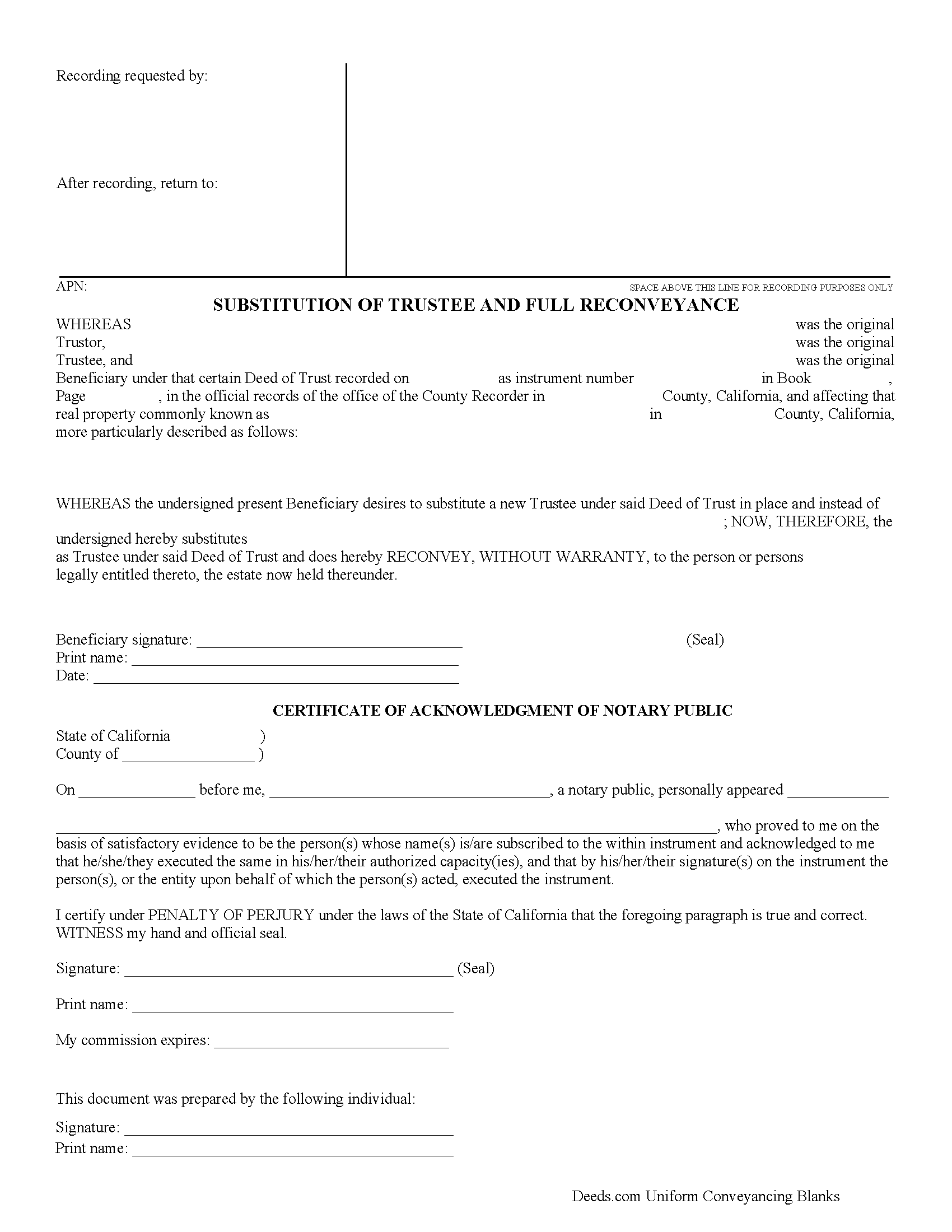
Santa Cruz County Substitution of Trustee and Full Reconveyance Form
Fill in the blank form formatted to comply with all recording and content requirements.
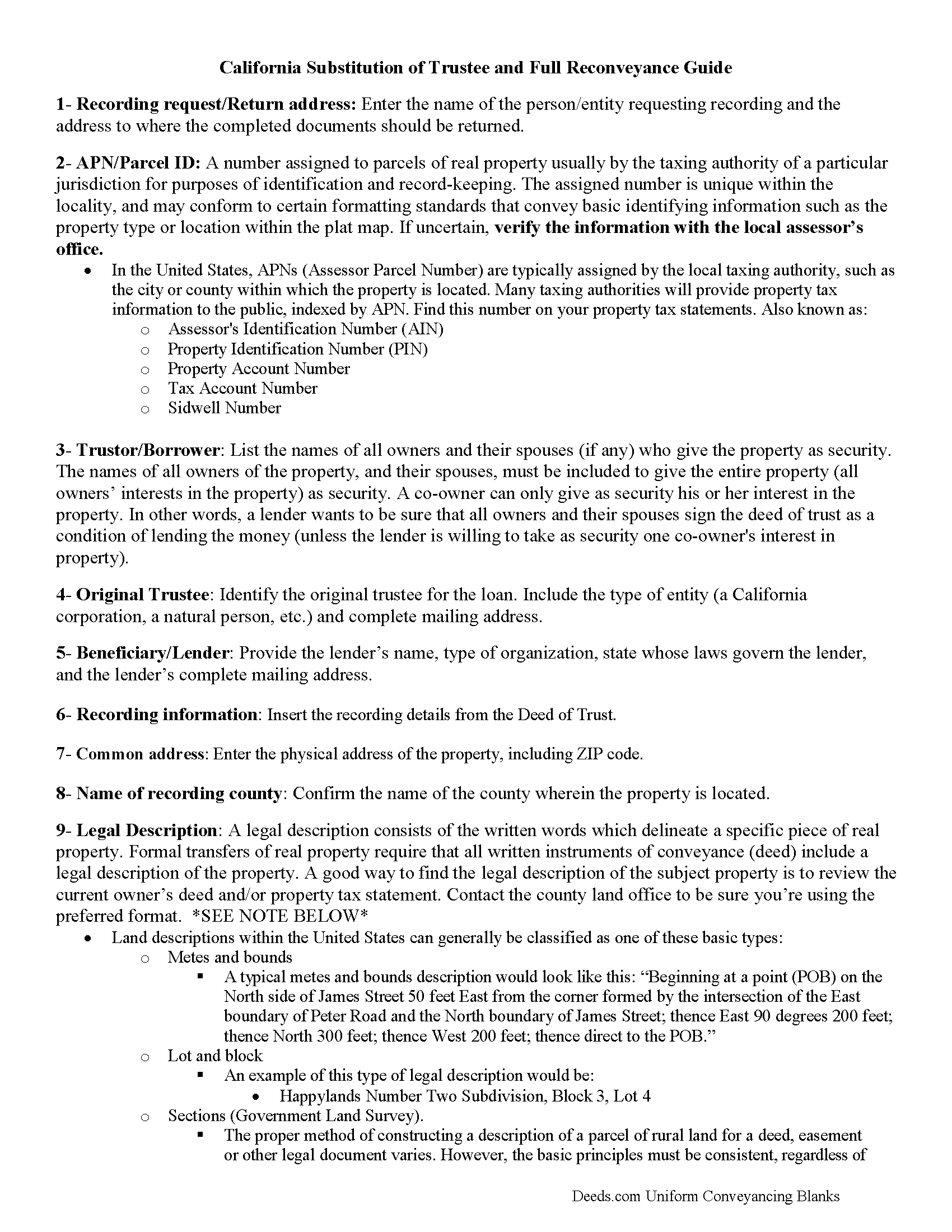
Santa Cruz County Substitution of Trustee and Full Reconveyance Guide
Line by line guide explaining every blank on the form.
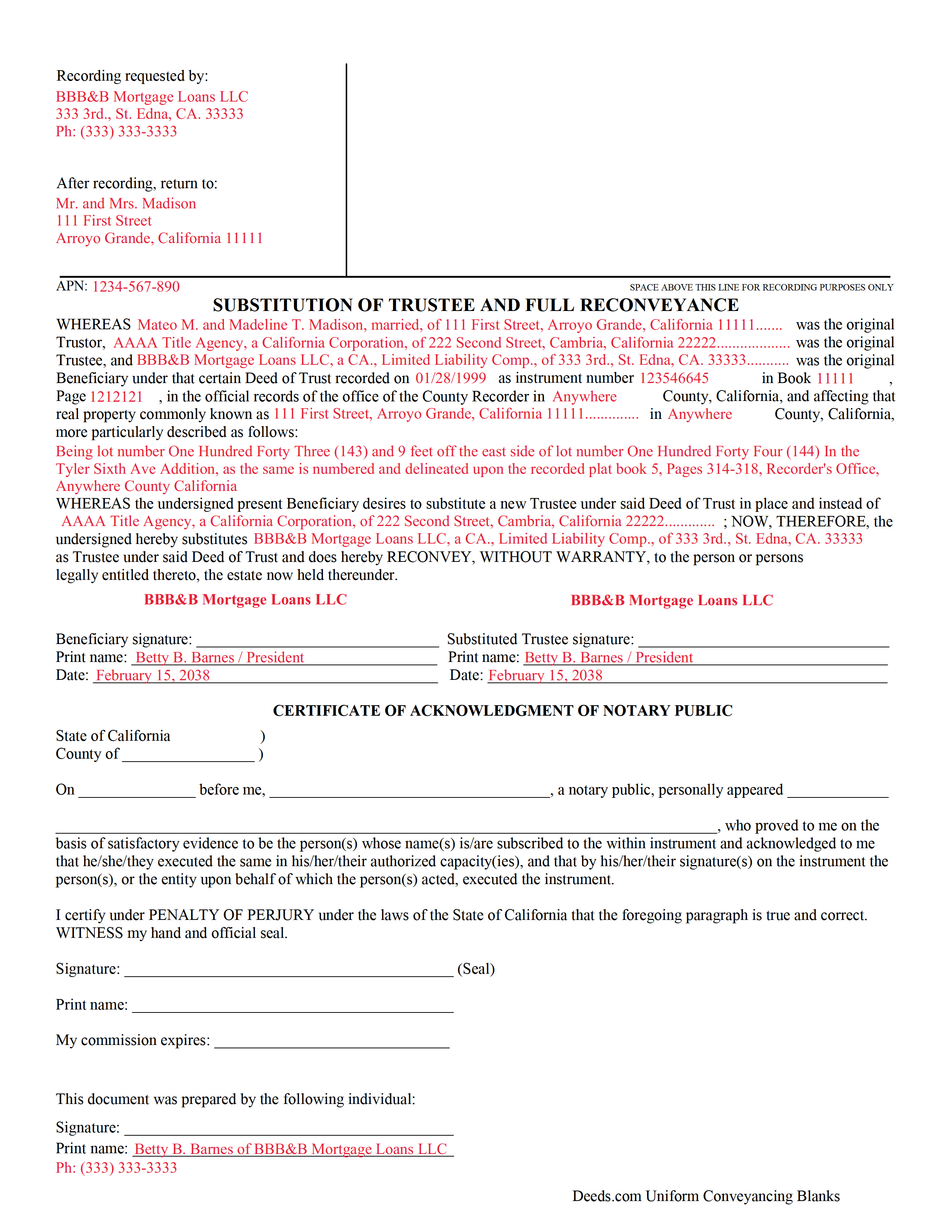
Santa Cruz County Completed Example of the Substitution of Trustee and Full Reconveyance Document
Example of a properly completed form for reference.
All 3 documents above included • One-time purchase • No recurring fees
Immediate Download • Secure Checkout
Additional California and Santa Cruz County documents included at no extra charge:
Where to Record Your Documents
County Recorder
Santa Cruz, California 95060
Hours: 8:00am to 12:00 and 1:00 to 4:00pm
Phone: (831) 454-2800
Recording Tips for Santa Cruz County:
- Bring your driver's license or state-issued photo ID
- Ensure all signatures are in blue or black ink
- Both spouses typically need to sign if property is jointly owned
- Bring extra funds - fees can vary by document type and page count
- Check margin requirements - usually 1-2 inches at top
Cities and Jurisdictions in Santa Cruz County
Properties in any of these areas use Santa Cruz County forms:
- Aptos
- Ben Lomond
- Boulder Creek
- Brookdale
- Capitola
- Davenport
- Felton
- Freedom
- Los Gatos
- Mount Hermon
- Santa Cruz
- Scotts Valley
- Soquel
- Watsonville
Hours, fees, requirements, and more for Santa Cruz County
How do I get my forms?
Forms are available for immediate download after payment. The Santa Cruz County forms will be in your account ready to download to your computer. An account is created for you during checkout if you don't have one. Forms are NOT emailed.
Are these forms guaranteed to be recordable in Santa Cruz County?
Yes. Our form blanks are guaranteed to meet or exceed the applicable formatting requirements used for recording in Santa Cruz County, including margin requirements, font requirements, and other layout standards. This guarantee applies to formatting, not to the legal sufficiency of information entered by the user or the suitability of a form for a particular transaction.
Can I reuse these forms?
Yes. You can reuse the forms for your personal use. For example, if you have multiple properties in Santa Cruz County you only need to order once.
What do I need to use these forms?
The forms are PDFs that you fill out on your computer. The free Adobe Acrobat Reader is recommended, and most PDF apps also work. You do NOT enter your property information online - you download the blank forms and complete them privately on your own computer.
Are there any recurring fees?
No. This is a one-time purchase. Nothing to cancel, no memberships, no recurring fees.
How much does it cost to record in Santa Cruz County?
Recording fees in Santa Cruz County vary. Contact the recorder's office at (831) 454-2800 for current fees.
Questions answered? Let's get started!
California Substitution of Trustee and Full Reconveyance
Sometimes the original trustee on a deed of trust is unable or unwilling to perform his/her responsibilities. In that case, the beneficiary/lender uses this form to authorize a substitute trustee, who, by recording it, will release the lien and convey the land with a clear title.
California Code, Civil Code - CIV 2941
(2) If the trustee has failed to execute and record, or cause to be recorded, the full reconveyance within 60 calendar days of satisfaction of the obligation, the beneficiary, upon receipt of a written request by the trustor or trustor's heirs, successor in interest, agent, or assignee, shall execute and acknowledge a document pursuant to Section 2934a substituting itself or another as trustee and issue a full reconveyance.
(California Reconveyance Package includes form, guidelines, and completed example)
Important: Your property must be located in Santa Cruz County to use these forms. Documents should be recorded at the county recording office listed above.
This Substitution of Trustee and Full Reconveyance meets all recording requirements specific to Santa Cruz County.
Our Promise
The documents you receive here are guaranteed to meet or exceed the applicable Santa Cruz County recording format requirements. If there is a rejection caused by our formatting, we will correct the issue or refund your payment. This guarantee applies to document formatting only and does not extend to information entered by the user, the selection of the form, or the legal effect of the completed document.
Save Time and Money
Get your Santa Cruz County Substitution of Trustee and Full Reconveyance form done right the first time with Deeds.com Uniform Conveyancing Blanks. At Deeds.com, we understand that your time and money are valuable resources, and we don't want you to face a penalty fee or rejection imposed by a county recorder for submitting nonstandard documents. We constantly review and update our forms to meet rapidly changing state and county recording requirements for roughly 3,500 counties and local jurisdictions.
4.8 out of 5 - ( 4,847 Reviews )
Jennifer A. 5 out of 5 stars
All I needed to do was changed from my previously married name to my now maiden name and a Quit Claim Deed was all I needed. I loved that they offered a sample along with very detailed directions. Great site! Thank you!
We appreciate your business and value your feedback. Thank you. Have a wonderful day!
LINDA J M. 5 out of 5 stars
NO PROBLEMS. I LIKE THE DEED DOCUMENT AND INSTRUCTIONS. MADE IT EASY.
We appreciate your business and value your feedback. Thank you. Have a wonderful day!
Roger V. 5 out of 5 stars
Very easy to use.
Thank you Roger, we appreciate your feedback.
Anne-Marie B. 5 out of 5 stars
This was the first time I have ever e-recorded a document. The process was smooth and simple. I loved being informed at each step along the way. I am glad I chose deeds.com and plan to use them in the future for all my electronic recording of legal documents.
Thank you!
CARRIE T. 5 out of 5 stars
Thought it was pretty simple to use.
Thank you!
Richard C. 5 out of 5 stars
Amazing from start to finish!
Thank you for your feedback. We really appreciate it. Have a great day!
Jean K. 4 out of 5 stars
The website worked fine and I would have been happy to pay the extra money except the deed I needed was "not available". Ended up calling the courthouse anyway.
Thank you for your feedback. We really appreciate it. Have a great day!
Lisa B. 5 out of 5 stars
Awesome service. User friendly, simple, easy and quick to fill out with instructions and sample copy and print.
Thank you Lisa, we appreciate your feedback.
Christine B. B. 4 out of 5 stars
The Personal Representatives Deed is definitely a helpful document for my files. I find it need just a little tweaking by deeds.com , There should be more space for the legal description. I did see in the FAQ's you recommend putting it in the Exhibit and this is what I did. Also I couldn't get the year to be accepted and had to write it in. These are just some minor suggestions, on the whole I was grateful to find this document. Thank you.
Thank you for your feedback. Sorry to hear that you had trouble with the date field, we will have it reviewed.
David R. 5 out of 5 stars
Very straightfoward and simple process. The submission of my artifact was completed within a half hour. The best part for me was the coverage/service-area that it included my jurisdiction
We are delighted to have been of service. Thank you for the positive review!
Marvin G. 5 out of 5 stars
I found exactly the perfect forms that I needed with Deeds, and much more. I definitely will be using Deeds com from this day going forward.
We appreciate your comments and your trust in us. Thank you.
Roman F. 5 out of 5 stars
You form was good the only thing that did not work was the download to fill it out !!! I use a Mac system and maybe that's what the issue was. I filled it out by hand and it worked for the purpose .
Thanks for the kind words, Roman. Glad the form worked for you. For the fillable fields, the PDF opens best in a dedicated reader like Preview or Adobe Acrobat rather than inside a browser window, which can sometimes flatten them out. We appreciate your business.
Paula B. 4 out of 5 stars
I'm transferring a property into a trust and ordered the QuitClaim Deed. Everything was pretty straight forward and user friendly. However, the Additional Information/Instructions for the Preliminary Change of Ownership Report skips from Section "I" to "M" and does not address "K". It would have been very helpful to have an explanation of the difference between the three options in that section. Thank you.
Thank you for your feedback. We really appreciate it. Have a great day!
Bernice L. 5 out of 5 stars
Finally able to print out the forms after a few tries. Honestly, I think it could have been designed a little better. I am almost 80; however, very computer savvy, but finally managed to get what I needed.
Thank you for your feedback. We really appreciate it. Have a great day!
Kate J. 5 out of 5 stars
Easy to use.
Thank you!