Custer County Conditional Lien Waiver Form
Last validated October 19, 2026 by our Forms Development TeamFormatted for recording in Custer County, for property anywhere in the county: rural and unincorporated areas as well as Westcliffe, Wetmore.
- 3 documents included
- Immediate PDF download
- Formatting guarantee
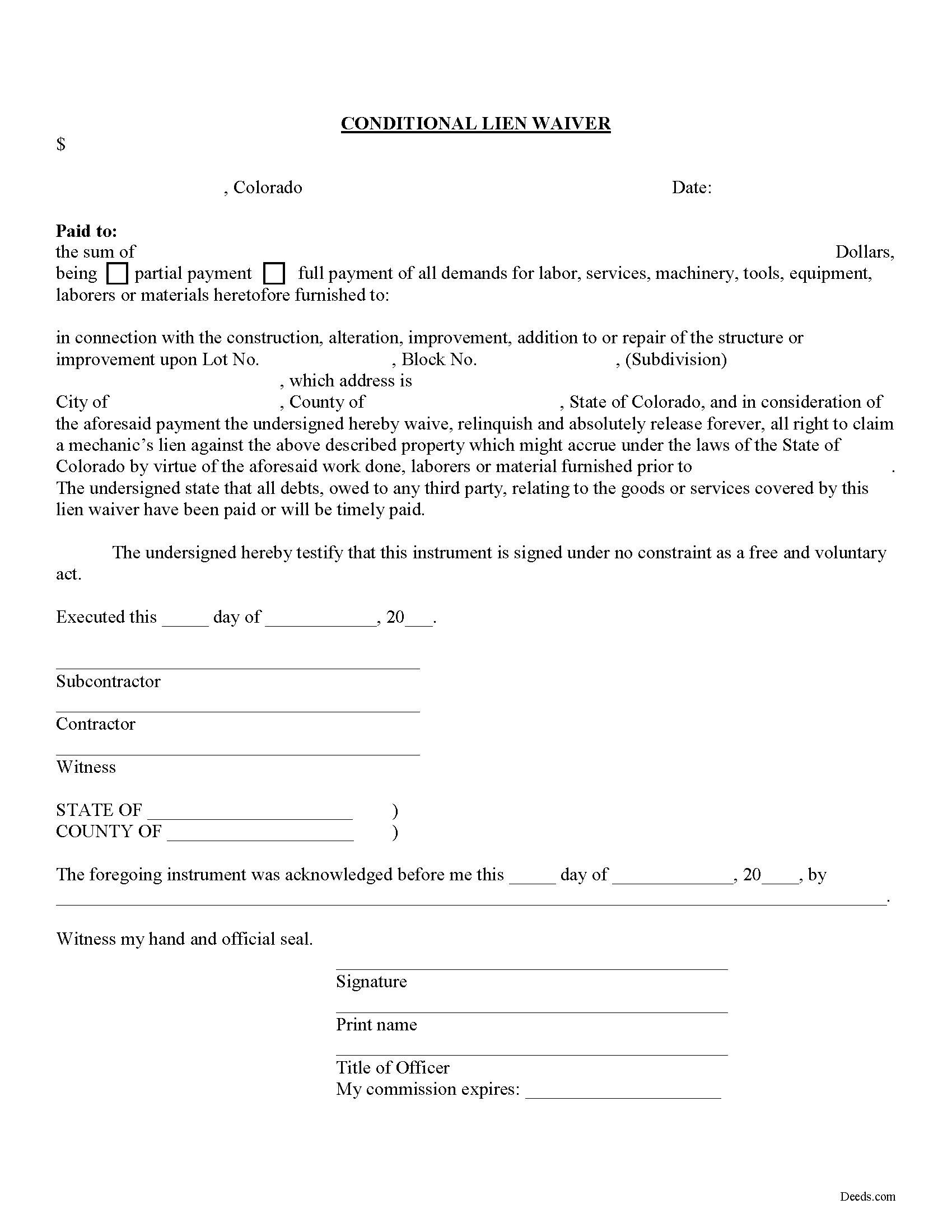
Custer County Conditional Lien Waiver Form
Fill in the blank Conditional Lien Waiver form formatted to comply with all Colorado recording and content requirements.
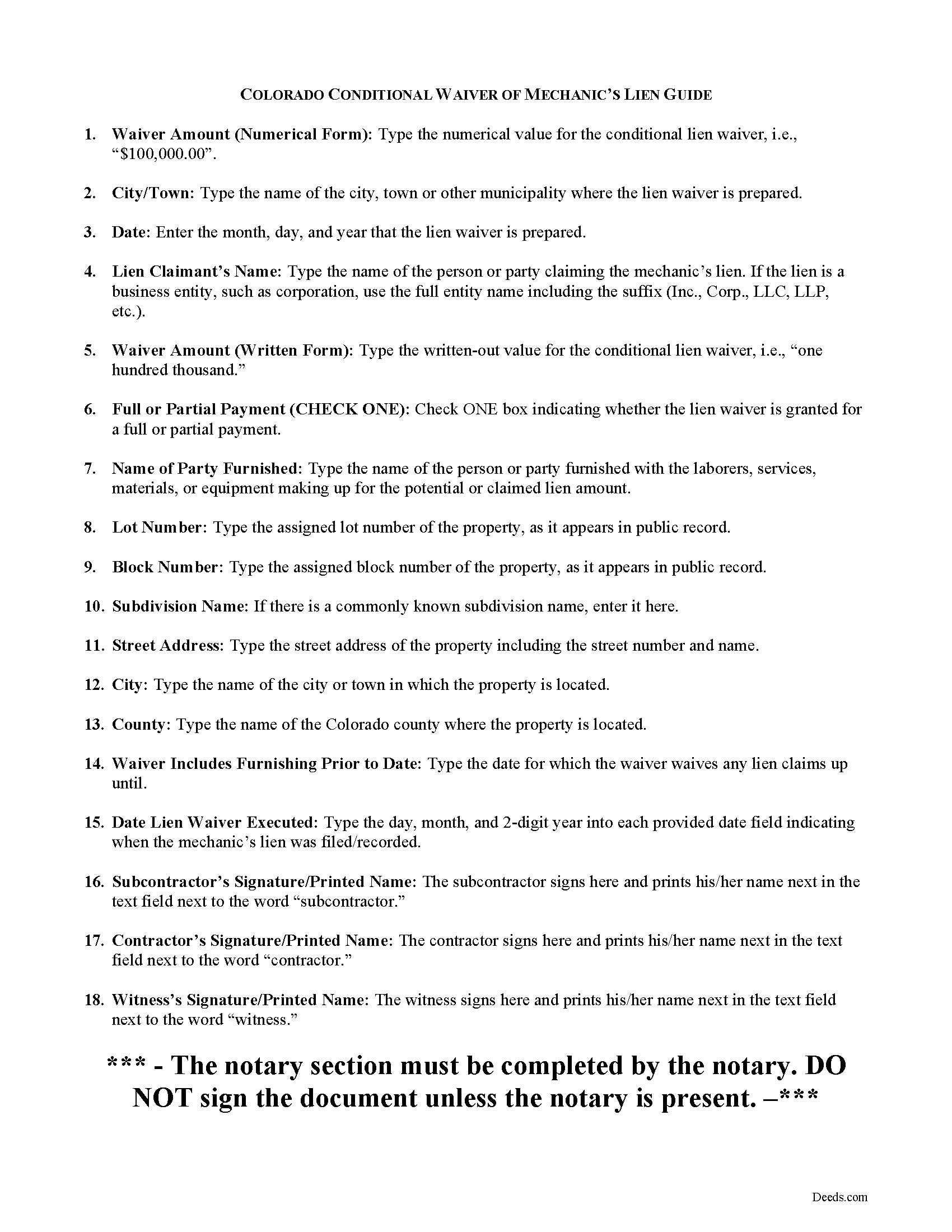
Custer County Conditional Lien Waiver Guide
Line by line guide explaining every blank on the form.
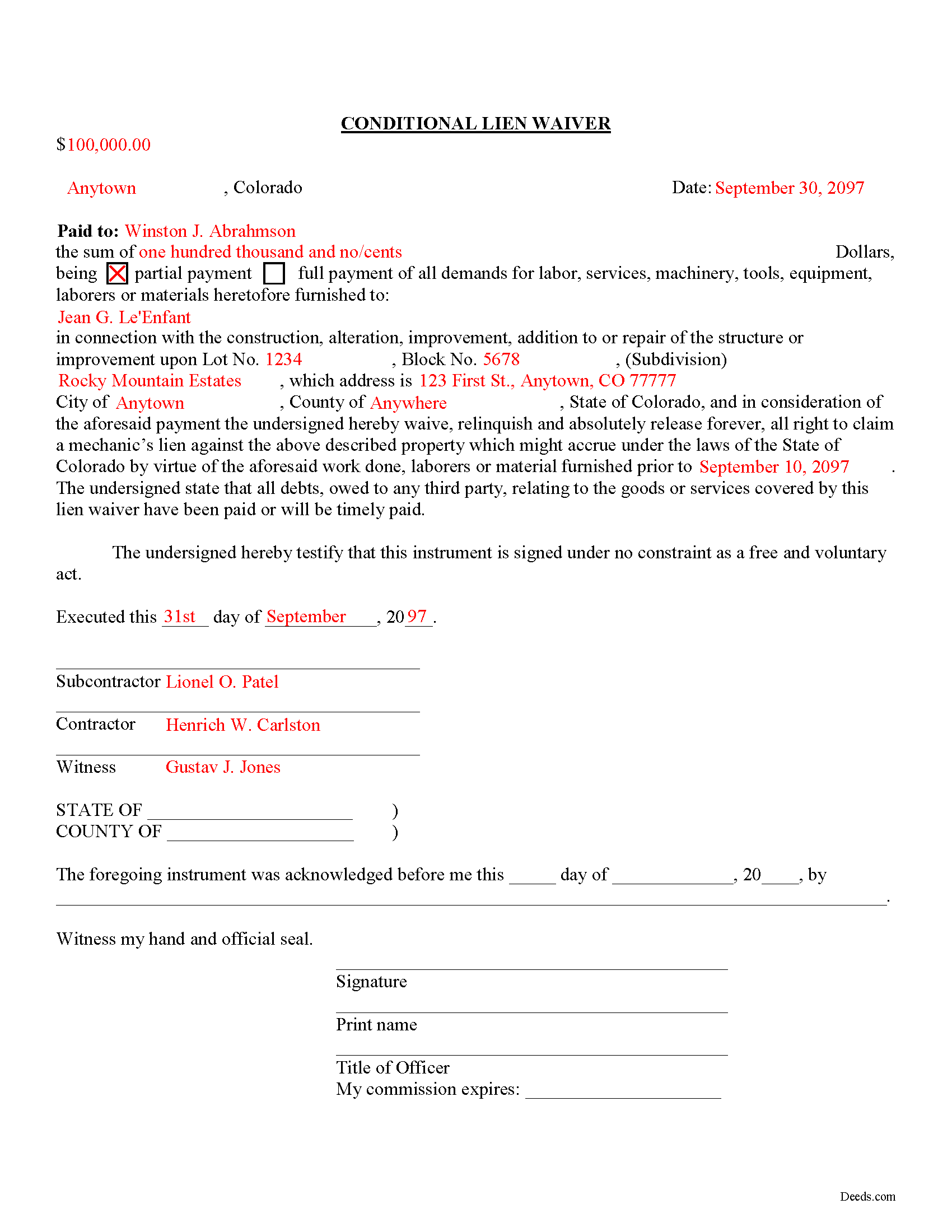
Custer County Completed Example of the Conditional Lien Waiver Document
All 3 documents above included • One-time purchase • No recurring fees
Immediate Download • Secure Checkout
Additional Colorado and Custer County documents included at no extra charge:
Where to Record Your Documents
Custer County Clerk and Recorder
Westcliffe, Colorado 81252
Hours: 8:00 to 4:00 M-F
Phone: (719) 783-2441 or 783-0441
Recording Tips for Custer County:
- Bring your driver's license or state-issued photo ID
- Ensure all signatures are in blue or black ink
- Double-check legal descriptions match your existing deed
- Verify all names are spelled correctly before recording
- White-out or correction fluid may cause rejection
Cities and Jurisdictions in Custer County
Properties in any of these areas use Custer County forms:
- Westcliffe
- Wetmore
Hours, fees, requirements, and more for Custer County
How do I get my forms?
Forms are available for immediate download after payment. The Custer County forms will be in your account ready to download to your computer. An account is created for you during checkout if you don't have one. Forms are NOT emailed.
Are these forms guaranteed to be recordable in Custer County?
Yes. Our form blanks are guaranteed to meet or exceed the applicable formatting requirements used for recording in Custer County, including margin requirements, font requirements, and other layout standards. This guarantee applies to formatting, not to the legal sufficiency of information entered by the user or the suitability of a form for a particular transaction.
Can I reuse these forms?
Yes. You can reuse the forms for your personal use. For example, if you have multiple properties in Custer County you only need to order once.
What do I need to use these forms?
The forms are PDFs that you fill out on your computer. The free Adobe Acrobat Reader is recommended, and most PDF apps also work. You do NOT enter your property information online - you download the blank forms and complete them privately on your own computer.
Are there any recurring fees?
No. This is a one-time purchase. Nothing to cancel, no memberships, no recurring fees.
How much does it cost to record in Custer County?
Recording fees in Custer County vary. Contact the recorder's office at (719) 783-2441 or 783-0441 for current fees.
Questions answered? Let's get started!
There are two types of lien waivers -- conditional and unconditional. A conditional waiver depends on a triggering event occurring, which activates the waiver clause. The event is usually the payment of the due amount or the clearing of an issued check. A conditional waiver offers more protection for the contractor or subcontractor and less for the owner.
The second type of waiver is an unconditional waiver and is effective upon its issue to waive a lien claim for all or part of the potential claim amount. This waiver offers the owner stronger protection and the contractor or subcontractor less assurance of payment. Therefore, it should only be granted when the contractor or sub is close to 100% certain that payment will clear.
So, use the conditional waiver when receiving a check or some other form of payment that might not clear the bank. It is also useful when the owner promises to pay by a specific date in the future, say next Wednesday, but wants a waiver regardless.
Find Colorado's General Mechanic's Lien laws at C.R.S. 38-22.
This article is provided for informational purposes only and should not be relied upon as a substitute for an attorney's advice. Please contact a Colorado attorney with any specific question about lien waivers.
Important: Your property must be located in Custer County to use these forms. Documents should be recorded at the county recording office listed above.
This Conditional Lien Waiver meets all recording requirements specific to Custer County.
Our Promise
The documents you receive here are guaranteed to meet or exceed the applicable Custer County recording format requirements. If there is a rejection caused by our formatting, we will correct the issue or refund your payment. This guarantee applies to document formatting only and does not extend to information entered by the user, the selection of the form, or the legal effect of the completed document.
Save Time and Money
Get your Custer County Conditional Lien Waiver form done right the first time with Deeds.com Uniform Conveyancing Blanks. At Deeds.com, we understand that your time and money are valuable resources, and we don't want you to face a penalty fee or rejection imposed by a county recorder for submitting nonstandard documents. We constantly review and update our forms to meet rapidly changing state and county recording requirements for roughly 3,500 counties and local jurisdictions.
4.8 out of 5 - ( 4,830 Reviews )
Guadalupe G. 5 out of 5 stars
Easy but why charge???
Thank you!
Tim R. 5 out of 5 stars
Quick and efficient
Thank you Tim, we appreciate your feedback.
ZENOBIA D. 5 out of 5 stars
I Love Deeds.com. They have all of the documents you need to take care of your needs. IT is also safe and convenient way to send your documents safely and secure.
Thank you!
Leslie P. 5 out of 5 stars
Fantastic deed forms, formatting was spot on, nice not to have to worry about it considering how picky our clerk is. Great job you guys and gals!
Thank you for the kind words Leslie!
Chad N. 5 out of 5 stars
Thank you for taking care of a recording very quickly. I am very impressed by your service an would recommend to anyone. Easy to navigate.
Thank you for your feedback. We really appreciate it. Have a great day!
Sylvia H. 5 out of 5 stars
Deeds.com really made the process of completing and submitting the Lien application easy. Thank you, and I will be using you whenever I need a real estate document that you carry.
We appreciate your business and value your feedback. Thank you. Have a wonderful day!
Cynthia S. 5 out of 5 stars
Great service got everything I needed with a click of a tab. Thank You...
Thank you for your feedback. We really appreciate it. Have a great day!
Michael M. 5 out of 5 stars
Amazing time saver, fantastic resource if you have an idea of what you are looking for and you can read. No one is going to hold your hand so be prepared to do the research yourself... it is DIY after all.
Thanks for the kind words Michael. Have a wonderful day.
Turto T. 5 out of 5 stars
The documents were accurate and event well packaged. They contained all the information that was needed to establish revocable trusts and transfer the property into the trusts. All of this with decent price.
Thank you for your feedback. We really appreciate it. Have a great day!
Debby R. 5 out of 5 stars
Very easy to use
Thank you!
Rachel E. 5 out of 5 stars
Our firm is working remotely and a lot of court services are limited with the corona-virus shutdowns, but we needed to record a Deed at the last minute. There was no other way we'd could get it done that quick without Deeds.com (staff) helped us work out some kinks and we got it recorded in less than 1 business day! Thank you!
Thank you for your feedback, we really appreciate it. Glad we could help.
Caroline W. 5 out of 5 stars
They didn't have what I needed, but they were very quick in responding to let me know and where I needed to go to receive the desired information.
Thank you for your feedback Caroline.
Renata L. 3 out of 5 stars
Was a bit difficult to navigate. I feel a fee to access the site and a fee to print is a bit much. I am in the real estate business and find the deeds very useful
Thank you for your feedback. We really appreciate it. Have a great day!
Richard R. 5 out of 5 stars
Kind of expensive for a 3 page item...but I received it pronto and it will fill the bill.
Thank you!
Diane D. 5 out of 5 stars
. I purchased 3 different items yesterday. Truthfully, it was a bit annoying, I could not figure out how to put them in a cart and had to do 3 transactions. I'm in the process of reviewing my purchases. Thank you! .
Thank you for your feedback. We really appreciate it. Have a great day!