Custer County Affidavit of Deceased Grantor Form
Last validated October 20, 2026 by our Forms Development TeamFormatted for recording in Custer County, for property anywhere in the county: rural and unincorporated areas as well as Westcliffe, Wetmore.
- 3 documents included
- Immediate PDF download
- Formatting guarantee
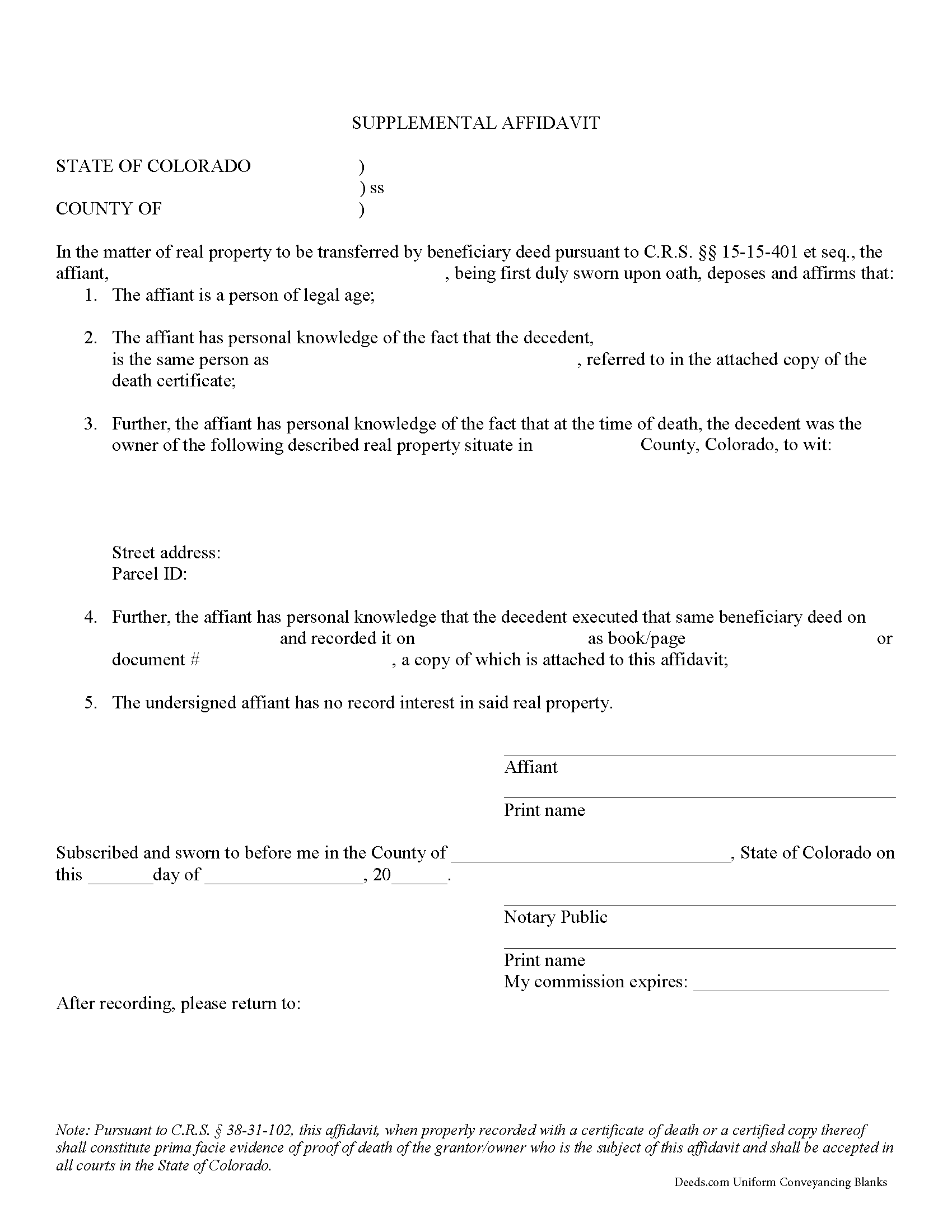
Custer County Affidavit of Deceased Grantor Form
Fill in the blank form formatted to comply with all recording and content requirements.
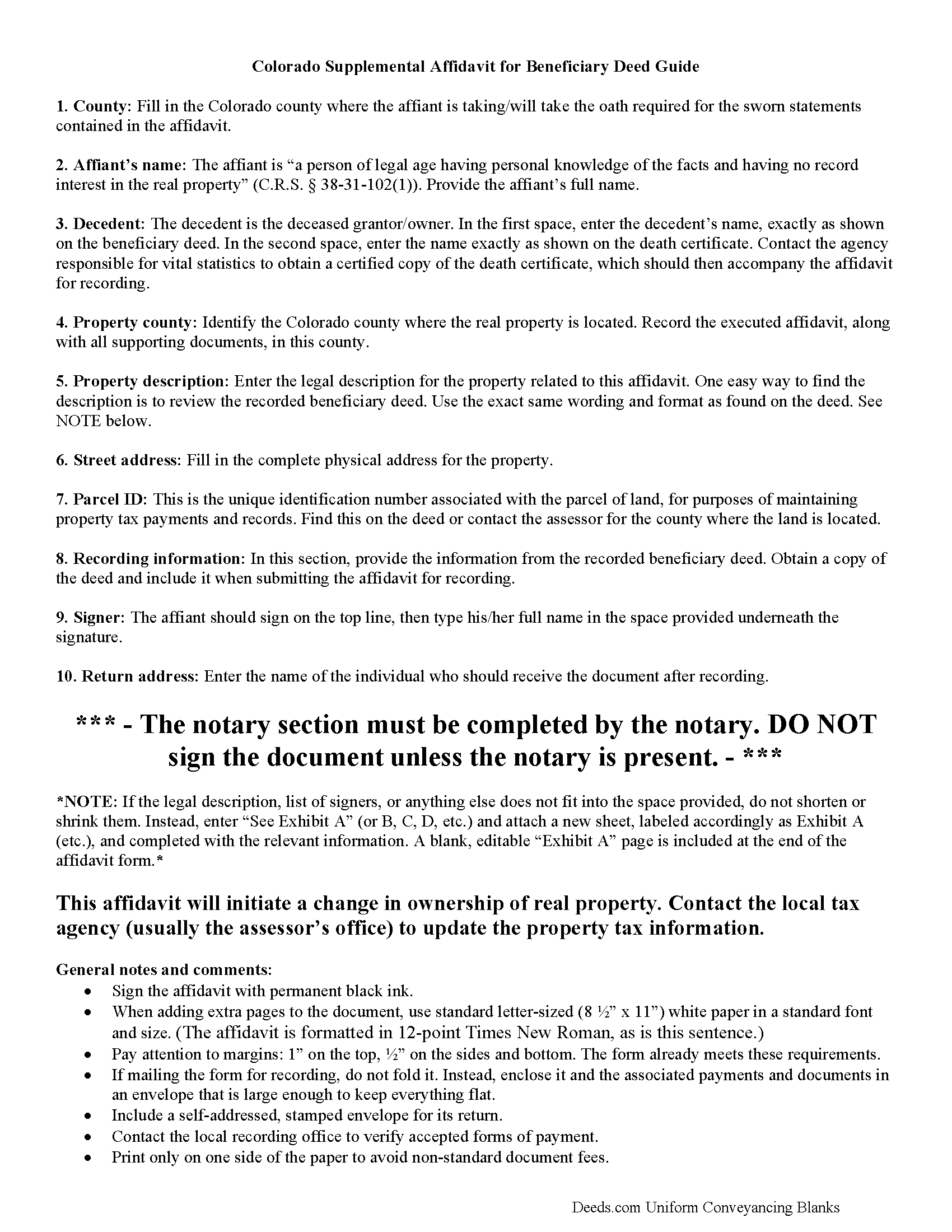
Custer County Affidavit of Deceased Grantor Guide
Line by line guide explaining every blank on the form.
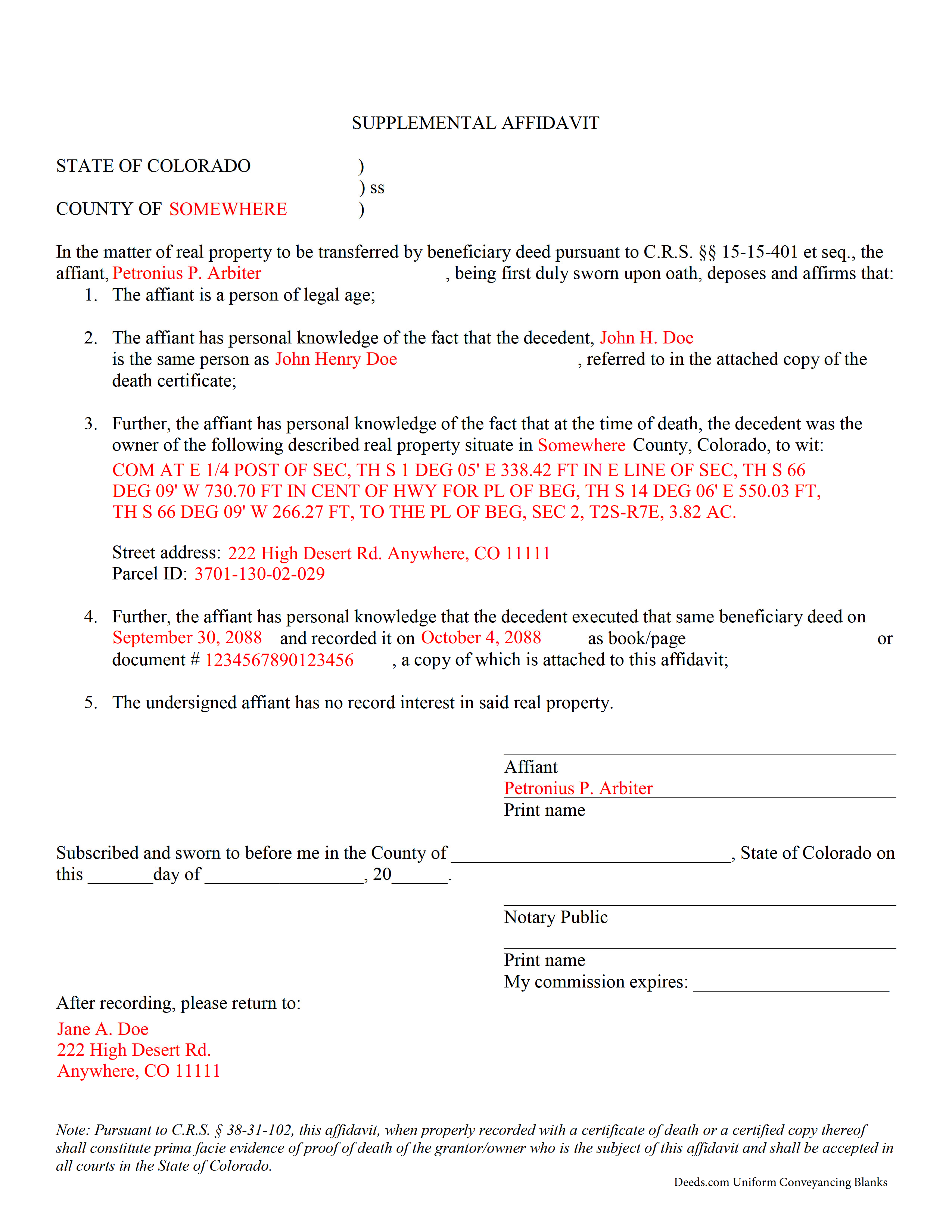
Custer County Completed Example of the Affidavit of Deceased Grantor Document
Example of a properly completed form for reference.
All 3 documents above included • One-time purchase • No recurring fees
Immediate Download • Secure Checkout
Additional Colorado and Custer County documents included at no extra charge:
Where to Record Your Documents
Custer County Clerk and Recorder
Westcliffe, Colorado 81252
Hours: 8:00 to 4:00 M-F
Phone: (719) 783-2441 or 783-0441
Recording Tips for Custer County:
- Bring your driver's license or state-issued photo ID
- Ensure all signatures are in blue or black ink
- Ask if they accept credit cards - many offices are cash/check only
- Check that your notary's commission hasn't expired
- Documents must be on 8.5 x 11 inch white paper
Cities and Jurisdictions in Custer County
Properties in any of these areas use Custer County forms:
- Westcliffe
- Wetmore
Hours, fees, requirements, and more for Custer County
How do I get my forms?
Forms are available for immediate download after payment. The Custer County forms will be in your account ready to download to your computer. An account is created for you during checkout if you don't have one. Forms are NOT emailed.
Are these forms guaranteed to be recordable in Custer County?
Yes. Our form blanks are guaranteed to meet or exceed the applicable formatting requirements used for recording in Custer County, including margin requirements, font requirements, and other layout standards. This guarantee applies to formatting, not to the legal sufficiency of information entered by the user or the suitability of a form for a particular transaction.
Can I reuse these forms?
Yes. You can reuse the forms for your personal use. For example, if you have multiple properties in Custer County you only need to order once.
What do I need to use these forms?
The forms are PDFs that you fill out on your computer. The free Adobe Acrobat Reader is recommended, and most PDF apps also work. You do NOT enter your property information online - you download the blank forms and complete them privately on your own computer.
Are there any recurring fees?
No. This is a one-time purchase. Nothing to cancel, no memberships, no recurring fees.
How much does it cost to record in Custer County?
Recording fees in Custer County vary. Contact the recorder's office at (719) 783-2441 or 783-0441 for current fees.
Questions answered? Let's get started!
Use a Colorado supplemental affidavit of deceased grantor owner to complete the transfer of real property initiated by recording a Colorado beneficiary deed.
Completing the Transfer from a Colorado Beneficiary Deed
Beneficiary deeds provide a relatively straightforward, effective way for Colorado land owners to convey real estate, after death, to one or more named beneficiaries without the need for probate. See C.R.S. 15-15-401 et seq.
State law provides that title "to the interest in real property transferred by a beneficiary deed shall vest in the designated grantee-beneficiary only on the death of the owner" (15-15-407(1)). The beneficiary should offer proof "of the death of the owner or a grantee-beneficiary... in the same manner as for proving the death of a joint tenant" (15-15-413). That process is specified in 38-31-102, and it involves completing and filing a supplemental affidavit, along with a copy of the decedent's death certificate, with the recorder or register of deeds for the county where the land is located. While not specifically required, it is also a good idea to include a copy of the recorded beneficiary deed.
By recording the supplemental affidavit, the beneficiary provides public notice of the change in ownership. This is important because it preserves the chain of title (ownership history), which should simplify future sales of the land.
(Colorado Affidavit of Deceased Grantor Package includes form, guidelines, and completed example)
Important: Your property must be located in Custer County to use these forms. Documents should be recorded at the county recording office listed above.
This Affidavit of Deceased Grantor meets all recording requirements specific to Custer County.
Our Promise
The documents you receive here are guaranteed to meet or exceed the applicable Custer County recording format requirements. If there is a rejection caused by our formatting, we will correct the issue or refund your payment. This guarantee applies to document formatting only and does not extend to information entered by the user, the selection of the form, or the legal effect of the completed document.
Save Time and Money
Get your Custer County Affidavit of Deceased Grantor form done right the first time with Deeds.com Uniform Conveyancing Blanks. At Deeds.com, we understand that your time and money are valuable resources, and we don't want you to face a penalty fee or rejection imposed by a county recorder for submitting nonstandard documents. We constantly review and update our forms to meet rapidly changing state and county recording requirements for roughly 3,500 counties and local jurisdictions.
4.8 out of 5 - ( 4,839 Reviews )
Nanette G. 5 out of 5 stars
The Website was easy to use. I live in Houston Texas and mother recently passed away in California and I need affidavit of joint tenant forms. I was provided all the forms necessary to complete the documents. I had been a legal secretary in California about 20 years ago and just need the current forms and received them all very quickly.
Thank you!
Cecelia S. 5 out of 5 stars
I was looking for a copy of my deed and was able to complete the request and get copy fast.
Thank you!
Robert B. 5 out of 5 stars
Fast and easy and Jefferson County Colorado excepted the forms.
Thank you!
Roberta M. 5 out of 5 stars
I found a lot of useful information regarding the Lady Bird Deed and feel it will serve my needs as opposed to a Revocable Living Trust. The information was easy to understand and very helpful. The forms seem easy to complete and I plan to get them notarized and filed at the courthouse very soon.
Thank you for your feedback. We really appreciate it. Have a great day!
Kristi L. 5 out of 5 stars
Fantastic Experience! I have been through several different companies offering to do the same thing but only offering subscriptions. I have no negative reviews, took 1 business day from submission, professional and timely updates and extremely fair pricing considering the amount of time it saves you.
Thank you!
Carl T. 5 out of 5 stars
Awesome! Quick service and well worth the very minimal fee for the convenience of being able to quickly record my mothers will without having to leave the house. Also, our court is currently closed due to Covid. So happy to have found Deeds.com
We appreciate your business and value your feedback. Thank you. Have a wonderful day!
John S. 5 out of 5 stars
The website is very user-friendly. Easily to download forms.
Thank you!
Mary-Ann K. 5 out of 5 stars
Very pleasantly pleased so far. Hope to hear from the town registrar Transfer On Death Deed accepted. Wish all legal proceedings were so simple . . .
Thank you for your feedback. We really appreciate it. Have a great day!
GAYNELL G. 5 out of 5 stars
THANKS
Thank you!
Kris D. 5 out of 5 stars
The Executor's Guide needs more info about what to put for grantee (estate of deceased or my name as executor?) and the price (something nominal like $10?) before there is a buyer. The guide seems to use only one example.
Thank you for your feedback. We really appreciate it. Have a great day!
Donald C. 5 out of 5 stars
As promised, my forms were immediately ready for download. The forms were exactly what i wanted. I couldnt be happier and i cant even guess how much money i saved. They were even formatted to the exact font, spacing and margin used by my county. It is obvious a lot of time and effort was put into the preparation of these documents. They are absolutely perfect. Check it out, you wont be disappointed and the price is much less than i expected. Don caldwell
We appreciate your business and value your feedback. Thank you. Have a wonderful day!
Rodney K. 5 out of 5 stars
I need more time to review the vast number of documents received for such a good price. Hoping your info allows me to meet with and talk intelligently with a lawyer.
Thank you!
Marion R. 4 out of 5 stars
YOU WERE NOT ABLE TO PROVIDE SERVICE IN THE COUNTY WE NEEDED IN NEW MEXICO. YOUR RESPONSE WAS QUICK SO I APPRECIATE THAT. THANK YOU
Thank you for your feedback Marion.
Bonnie A. 5 out of 5 stars
I wish you could send copy in mail
Thank you for your feedback. We really appreciate it. Have a great day!
JENNIE W. 5 out of 5 stars
This is so much easier than going downtown to file paperwork! Thanks deeds.com!
Thank you!