Chaffee County Mechanics Lien Release Form
Last validated October 26, 2026 by our Forms Development TeamFormatted for recording in Chaffee County, for property anywhere in the county: rural and unincorporated areas as well as Buena Vista, Granite, Monarch, Nathrop, Poncha Springs, Salida.
- 3 documents included
- Immediate PDF download
- Formatting guarantee
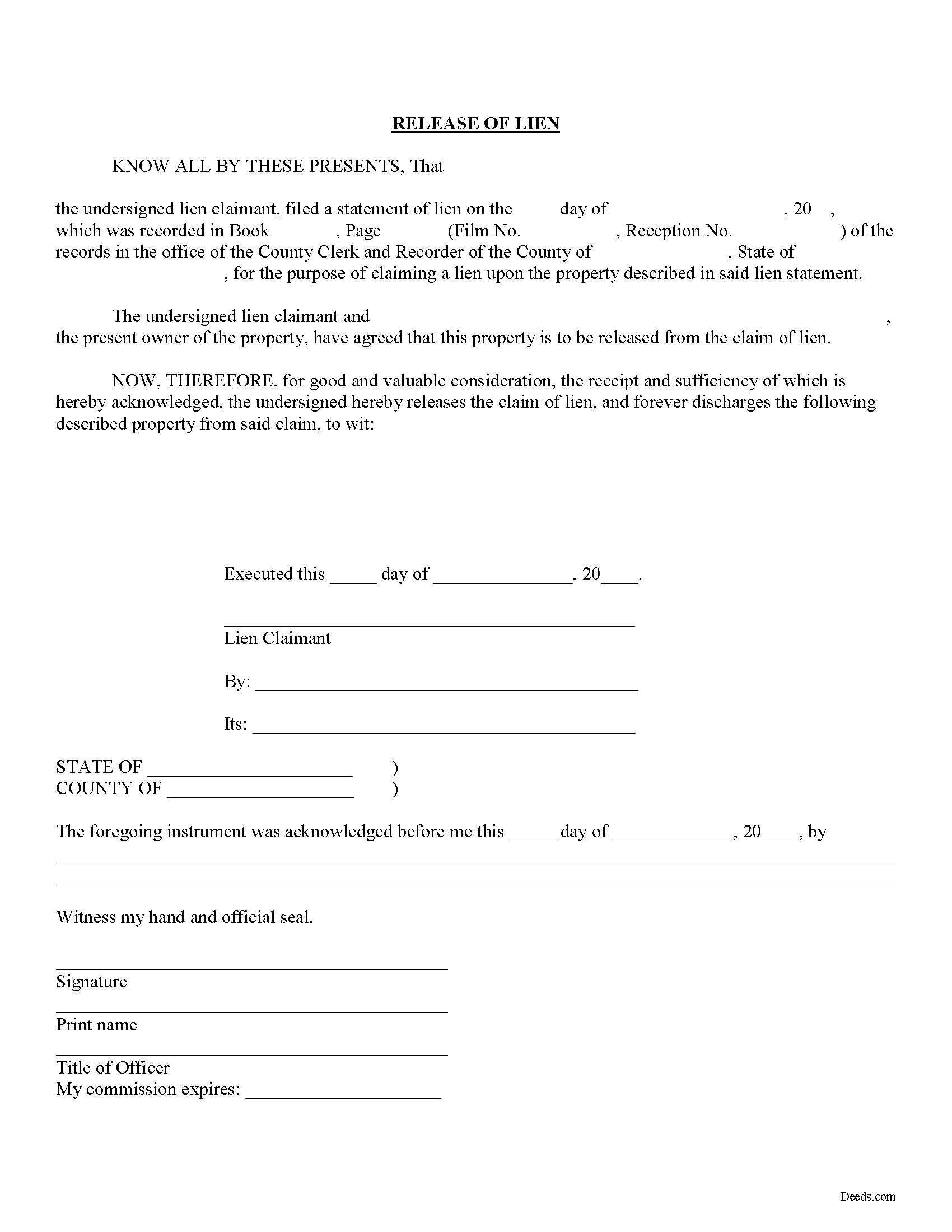
Chaffee County Mechanics Lien Release Form
Fill in the blank Mechanics Lien Release form formatted to comply with all Colorado recording and content requirements.
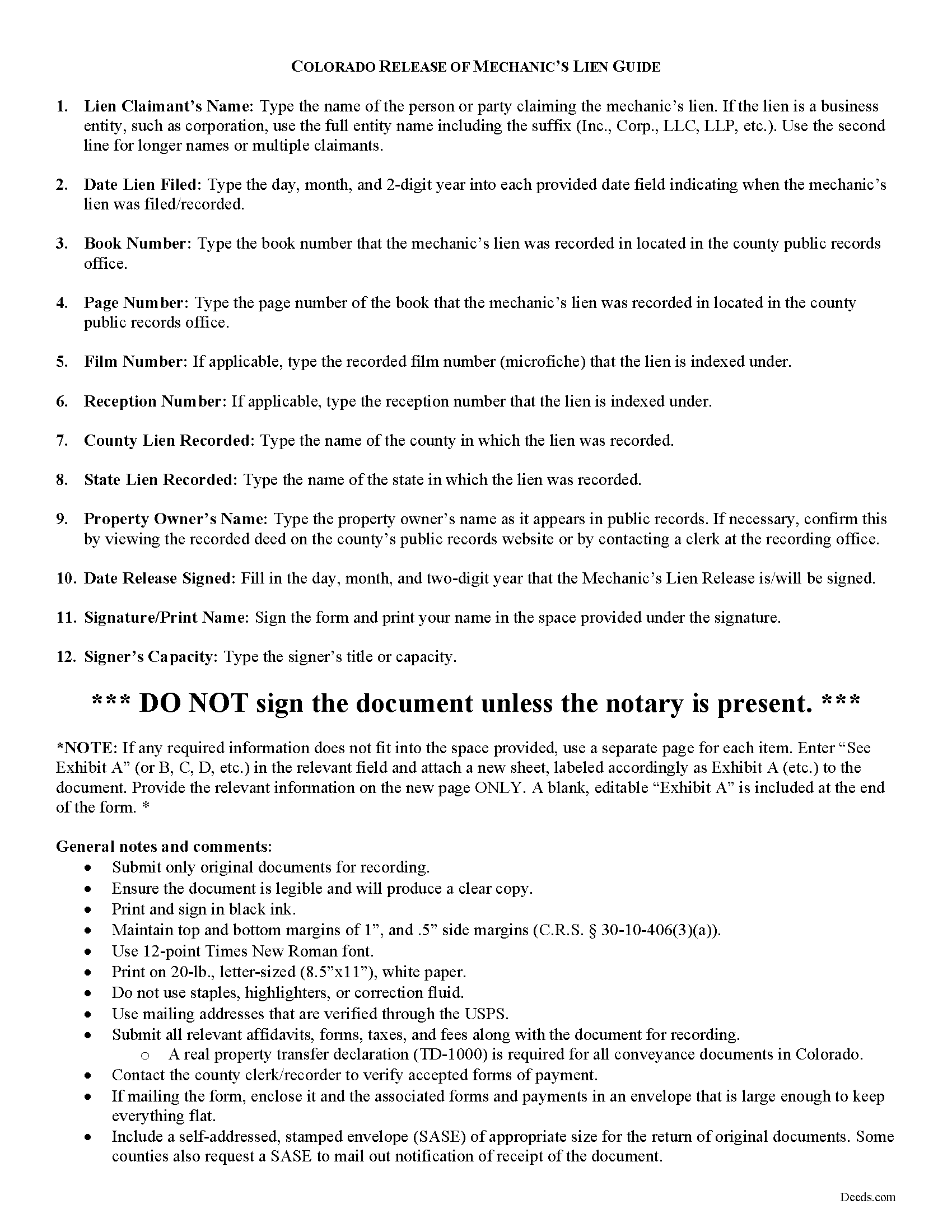
Chaffee County Mechanics Lien Release Guide
Line by line guide explaining every blank on the form.
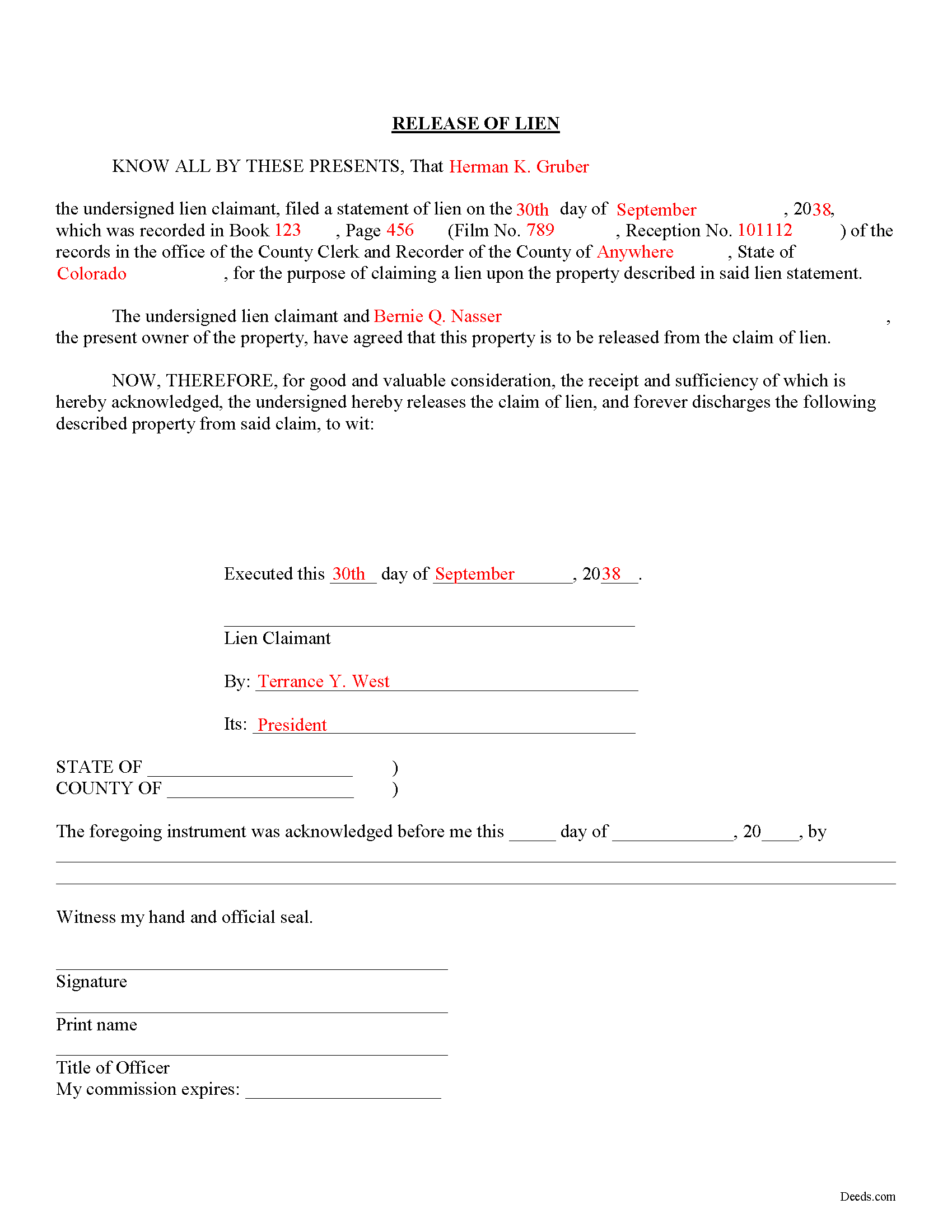
Chaffee County Completed Example of the Mechanics Lien Release Document
Example of a properly completed form for reference.
All 3 documents above included • One-time purchase • No recurring fees
Immediate Download • Secure Checkout
Additional Colorado and Chaffee County documents included at no extra charge:
Where to Record Your Documents
Chaffee County Clerk and Recorder
Salida, Colorado 81201
Hours: 8:00 - 5:00 M-F
Phone: 719-539-4004
Buena Vista Office
Buena Vista , Colorado 81211
Hours: 8:00 - 4:00 M-F
Phone: 719-395-8296
Recording Tips for Chaffee County:
- Bring your driver's license or state-issued photo ID
- Ensure all signatures are in blue or black ink
- Avoid the last business day of the month when possible
- Both spouses typically need to sign if property is jointly owned
- Bring extra funds - fees can vary by document type and page count
Cities and Jurisdictions in Chaffee County
Properties in any of these areas use Chaffee County forms:
- Buena Vista
- Granite
- Monarch
- Nathrop
- Poncha Springs
- Salida
Hours, fees, requirements, and more for Chaffee County
How do I get my forms?
Forms are available for immediate download after payment. The Chaffee County forms will be in your account ready to download to your computer. An account is created for you during checkout if you don't have one. Forms are NOT emailed.
Are these forms guaranteed to be recordable in Chaffee County?
Yes. Our form blanks are guaranteed to meet or exceed the applicable formatting requirements used for recording in Chaffee County, including margin requirements, font requirements, and other layout standards. This guarantee applies to formatting, not to the legal sufficiency of information entered by the user or the suitability of a form for a particular transaction.
Can I reuse these forms?
Yes. You can reuse the forms for your personal use. For example, if you have multiple properties in Chaffee County you only need to order once.
What do I need to use these forms?
The forms are PDFs that you fill out on your computer. The free Adobe Acrobat Reader is recommended, and most PDF apps also work. You do NOT enter your property information online - you download the blank forms and complete them privately on your own computer.
Are there any recurring fees?
No. This is a one-time purchase. Nothing to cancel, no memberships, no recurring fees.
How much does it cost to record in Chaffee County?
Recording fees in Chaffee County vary. Contact the recorder's office at 719-539-4004 for current fees.
Questions answered? Let's get started!
Releasing a Lien in Colorado
Colorado law doesn't provide for any mandated documents to release a lien, so how can a claimant (someone who filed a claim for lien against a property owner) accomplish this? When a lien has been satisfied, or needs to be released for any other purpose, use a lien release form.
The lien release form contains information about the lien claimant, the underlying mechanic's lien, and the property charged with the lien. By recording the document, the clerk at the recorder's office can locate the original lien and mark it as "discharged."
Find Colorado's General Mechanic's Lien laws at C.R.S. 38-22.
This article is provided for informational purposes only and should not be relied upon as a substitute for the advice of an attorney. If you have specific questions about releasing a lien, please speak with a Colorado attorney.
Important: Your property must be located in Chaffee County to use these forms. Documents should be recorded at the county recording office listed above.
This Mechanics Lien Release meets all recording requirements specific to Chaffee County.
Our Promise
The documents you receive here are guaranteed to meet or exceed the applicable Chaffee County recording format requirements. If there is a rejection caused by our formatting, we will correct the issue or refund your payment. This guarantee applies to document formatting only and does not extend to information entered by the user, the selection of the form, or the legal effect of the completed document.
Save Time and Money
Get your Chaffee County Mechanics Lien Release form done right the first time with Deeds.com Uniform Conveyancing Blanks. At Deeds.com, we understand that your time and money are valuable resources, and we don't want you to face a penalty fee or rejection imposed by a county recorder for submitting nonstandard documents. We constantly review and update our forms to meet rapidly changing state and county recording requirements for roughly 3,500 counties and local jurisdictions.
4.8 out of 5 - ( 4,839 Reviews )
GARY S. 5 out of 5 stars
I thought your forms are great. Easy to use with instructions provided.
We appreciate your business and value your feedback. Thank you. Have a wonderful day!
Ethan N. 5 out of 5 stars
Quick, responsive service always!! Preferred way to record documents. Thanks Deeds.com!!
Thank you!
charles b. 5 out of 5 stars
The product I needed was available, easy to download, access and complete. The instructions were very helpful. I had previously purchased another product which was terrible. I highly recommend Deeds.com
We appreciate your business and value your feedback. Thank you. Have a wonderful day!
Sierra S. 5 out of 5 stars
Thank you so much for making this process seemless. We are very pleased with the service.
Thank you!
Pamela W. 5 out of 5 stars
Signing up was easy and the form was amazing. The ability to type on it (I am on a MAC) was beyond my expectations, the ability to save a blank, save my two documents, save the instructions and sample was excellent. The documents are in the mail and we are hopefully they will be approved. Blessings,
Thank you for your feedback. We really appreciate it. Have a great day!
Sander G. 4 out of 5 stars
Good but knocked off a star because the download file names are mostly numbers instead of recognizable names of the file contents (e.g., Promissory_Note_blank.pdf). Renaming would be a great help!
Thank you for your feedback. We really appreciate it. Have a great day!
Alan S. 5 out of 5 stars
Very easy. Worked well. Will be glad to use the service again.
We appreciate your business and value your feedback. Thank you. Have a wonderful day!
Jeannine G. 5 out of 5 stars
Very helpful and just what I needed for the job I was doing.
Thank you!
MARILYN T. 5 out of 5 stars
Deed.com was so easy to use to file my Quit Claim deed. They instructed me on how to send them my documents and it was a breeze. The cost was minimal and saved me tons of time.
Thank you!
Kari G. 5 out of 5 stars
The service was prompt and attentive to my questions. I would've just appreciated a heads up that I also needed to contact the county directly (and provide contact info) to receive a certified copy of the document (Notice of Commencement) in order to submit the certified copy to the Building Department. This was an extra step that I haven't had to complete before using another eRecording service. Even if this extra step is a result of the county's system. I would still have expected a head's up (since there wasn't any info regarding this on the county's site for eRecording).
Thank you for your feedback. We really appreciate it. Have a great day!
Dexter Lamar H. 5 out of 5 stars
Quick service!
Thank you!
Gene L. 5 out of 5 stars
Worked perfect. Thanks.
Thank you!
ray r. 5 out of 5 stars
excellent service
Thank you!
James R. 5 out of 5 stars
Useful and quick.
Thank you!
Gerald C. 2 out of 5 stars
Pros, quick purchase and document availability including instructions and examples. Cons, For the cert. of trust, the form would not accept the length of our trust name with no way to get around. The pdf file printing did not meet the requirements for 2.5" top margin and .5" other margins as well as the 10pt font size as the form information was shrunk down even when normal printing.
Thank you for your feedback. We really appreciate it. Have a great day!