Montrose County Mechanics Lien Release Form
Last validated September 17, 2026 by our Forms Development TeamFormatted for recording in Montrose County, for property anywhere in the county: rural and unincorporated areas as well as Bedrock, Cimarron, Montrose, Naturita, Nucla, Olathe, Paradox, Redvale.
- 3 documents included
- Immediate PDF download
- Formatting guarantee
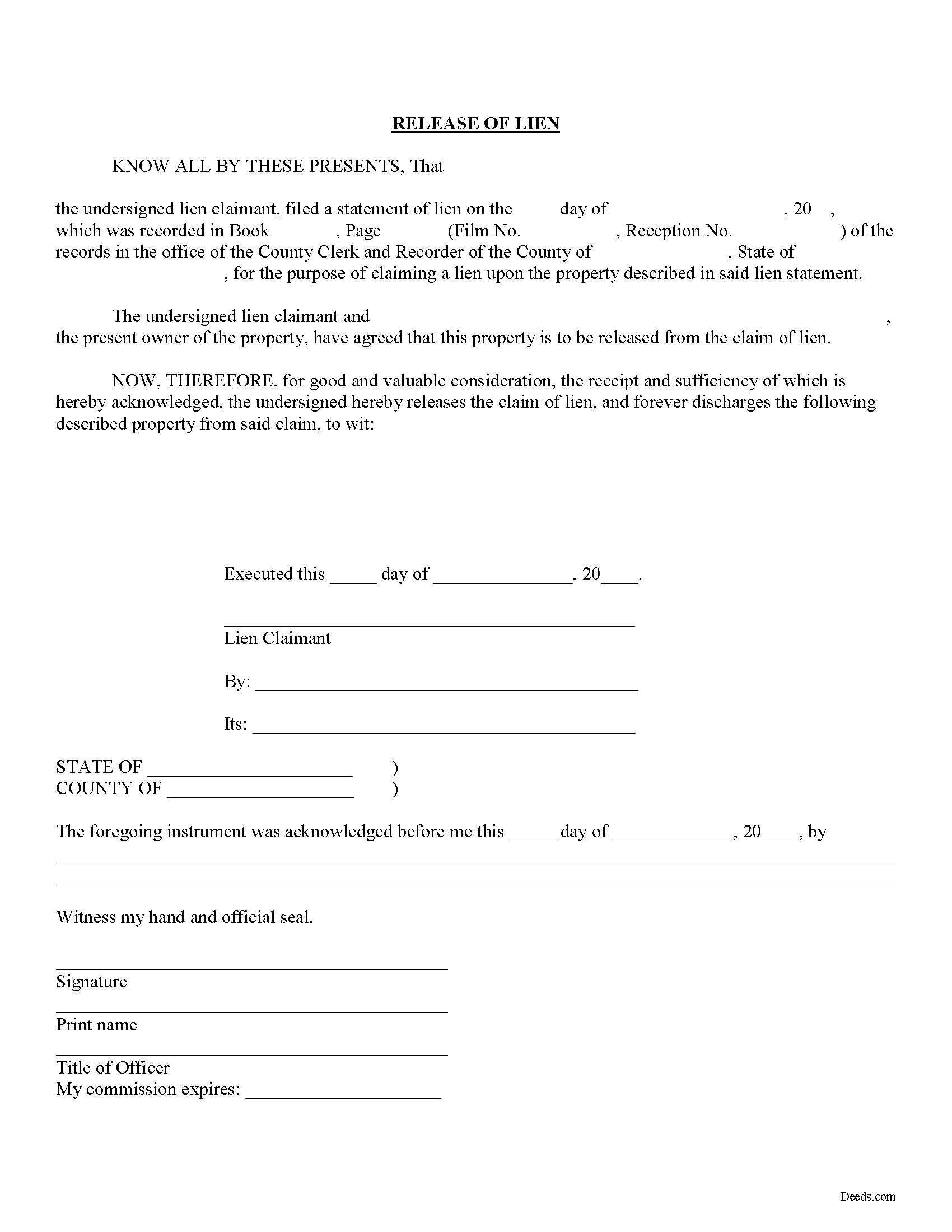
Montrose County Mechanics Lien Release Form
Fill in the blank Mechanics Lien Release form formatted to comply with all Colorado recording and content requirements.
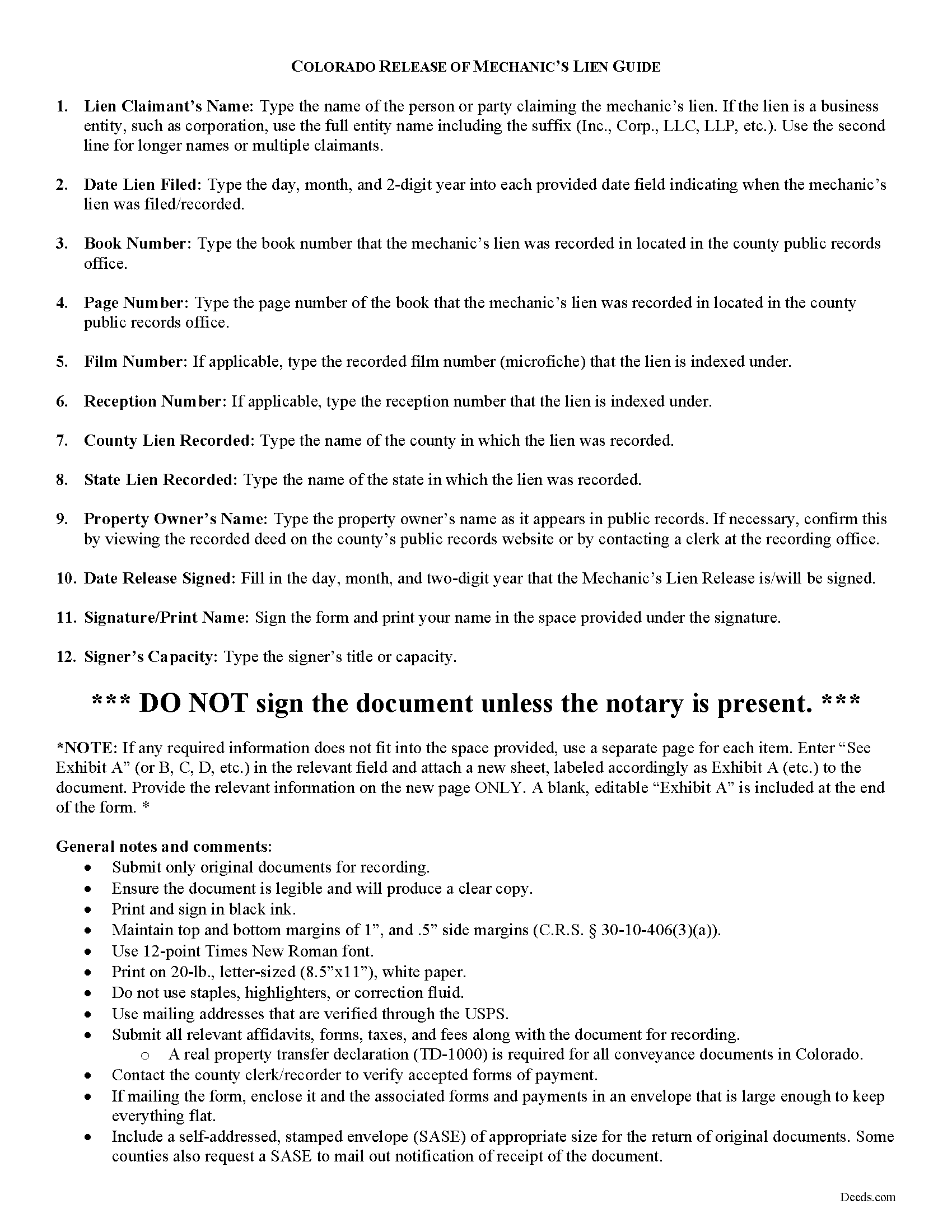
Montrose County Mechanics Lien Release Guide
Line by line guide explaining every blank on the form.
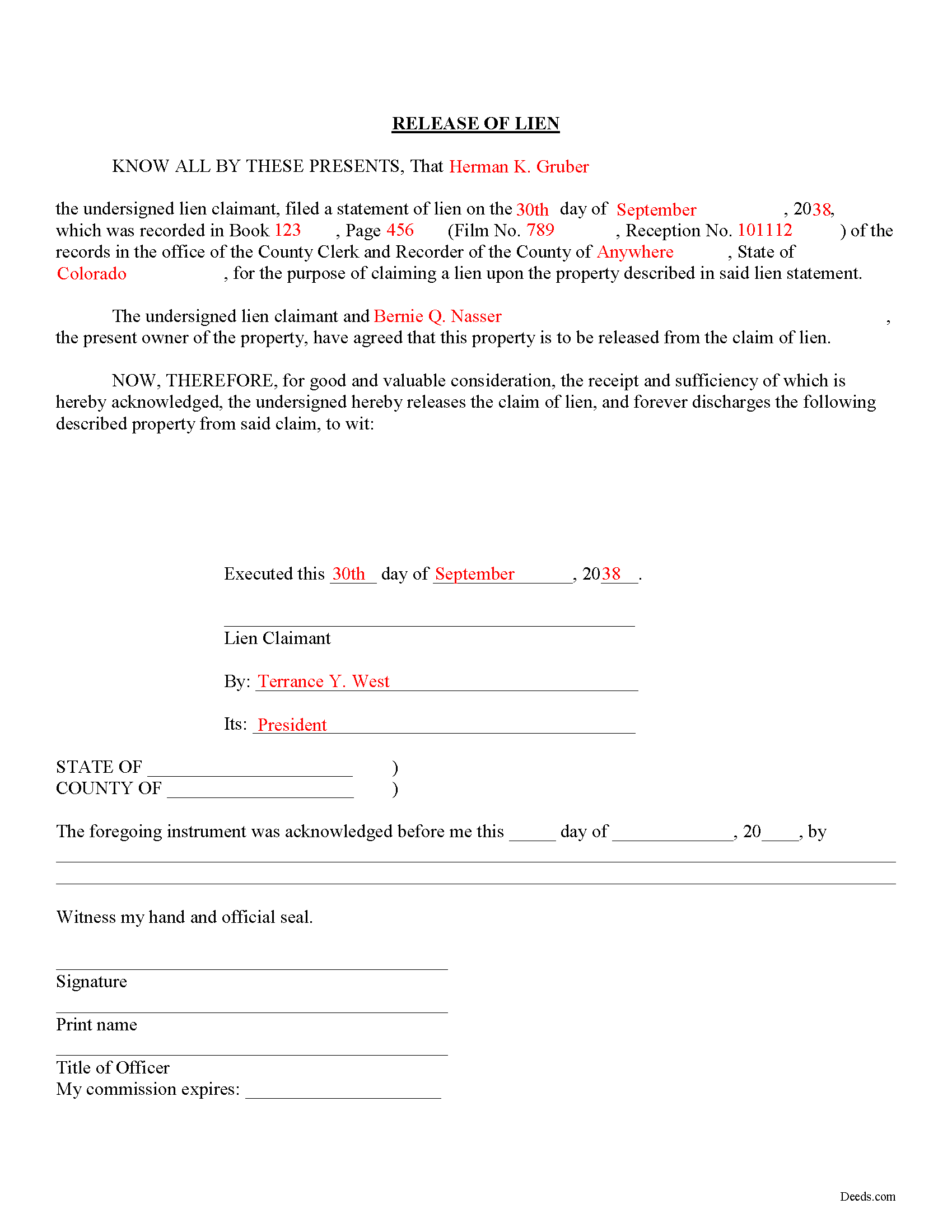
Montrose County Completed Example of the Mechanics Lien Release Document
Example of a properly completed form for reference.
All 3 documents above included • One-time purchase • No recurring fees
Immediate Download • Secure Checkout
Additional Colorado and Montrose County documents included at no extra charge:
Where to Record Your Documents
Montrose County Clerk and Recorder
Montrose, Colorado 81401
Hours: 8:00am to 4:30pm Monday - Friday
Phone: (970) 249-3362 x2
Recording Tips for Montrose County:
- Bring your driver's license or state-issued photo ID
- Ensure all signatures are in blue or black ink
- Check margin requirements - usually 1-2 inches at top
- Leave recording info boxes blank - the office fills these
- Make copies of your documents before recording - keep originals safe
Cities and Jurisdictions in Montrose County
Properties in any of these areas use Montrose County forms:
- Bedrock
- Cimarron
- Montrose
- Naturita
- Nucla
- Olathe
- Paradox
- Redvale
Hours, fees, requirements, and more for Montrose County
How do I get my forms?
Forms are available for immediate download after payment. The Montrose County forms will be in your account ready to download to your computer. An account is created for you during checkout if you don't have one. Forms are NOT emailed.
Are these forms guaranteed to be recordable in Montrose County?
Yes. Our form blanks are guaranteed to meet or exceed the applicable formatting requirements used for recording in Montrose County, including margin requirements, font requirements, and other layout standards. This guarantee applies to formatting, not to the legal sufficiency of information entered by the user or the suitability of a form for a particular transaction.
Can I reuse these forms?
Yes. You can reuse the forms for your personal use. For example, if you have multiple properties in Montrose County you only need to order once.
What do I need to use these forms?
The forms are PDFs that you fill out on your computer. The free Adobe Acrobat Reader is recommended, and most PDF apps also work. You do NOT enter your property information online - you download the blank forms and complete them privately on your own computer.
Are there any recurring fees?
No. This is a one-time purchase. Nothing to cancel, no memberships, no recurring fees.
How much does it cost to record in Montrose County?
Recording fees in Montrose County vary. Contact the recorder's office at (970) 249-3362 x2 for current fees.
Questions answered? Let's get started!
Releasing a Lien in Colorado
Colorado law doesn't provide for any mandated documents to release a lien, so how can a claimant (someone who filed a claim for lien against a property owner) accomplish this? When a lien has been satisfied, or needs to be released for any other purpose, use a lien release form.
The lien release form contains information about the lien claimant, the underlying mechanic's lien, and the property charged with the lien. By recording the document, the clerk at the recorder's office can locate the original lien and mark it as "discharged."
Find Colorado's General Mechanic's Lien laws at C.R.S. 38-22.
This article is provided for informational purposes only and should not be relied upon as a substitute for the advice of an attorney. If you have specific questions about releasing a lien, please speak with a Colorado attorney.
Important: Your property must be located in Montrose County to use these forms. Documents should be recorded at the county recording office listed above.
This Mechanics Lien Release meets all recording requirements specific to Montrose County.
Our Promise
The documents you receive here are guaranteed to meet or exceed the applicable Montrose County recording format requirements. If there is a rejection caused by our formatting, we will correct the issue or refund your payment. This guarantee applies to document formatting only and does not extend to information entered by the user, the selection of the form, or the legal effect of the completed document.
Save Time and Money
Get your Montrose County Mechanics Lien Release form done right the first time with Deeds.com Uniform Conveyancing Blanks. At Deeds.com, we understand that your time and money are valuable resources, and we don't want you to face a penalty fee or rejection imposed by a county recorder for submitting nonstandard documents. We constantly review and update our forms to meet rapidly changing state and county recording requirements for roughly 3,500 counties and local jurisdictions.
4.8 out of 5 - ( 4,828 Reviews )
Richard N. 5 out of 5 stars
It went well. The proof will be when I complete the forms and submit to the County Clerk.
We appreciate your business and value your feedback. Thank you. Have a wonderful day!
Sun H. 5 out of 5 stars
It was great working with deeds.com. I needed to record quickclaim deed and the staff was very responsive and communicative throughout the process where I needed to modify the documents repeated. Thank you for making the recording much easy by setting up the e-recording service!
Your feedback is greatly appreciated. Thank you for taking the time to share your experience!
Tim P. 5 out of 5 stars
Super easy and they filed my paperwork the same day
Thank you for your feedback. We really appreciate it. Have a great day!
Michael O. 5 out of 5 stars
Received everything that was promised.
We appreciate your business and value your feedback. Thank you. Have a wonderful day!
Michael S. 5 out of 5 stars
Recording a Warranty Deed with Mohave County AZ was easy and efficient by using Deeds.com. I will be using their service for all of my e-filing going forward. Thank you Deeds.com!!!!
We are delighted to have been of service. Thank you for the positive review!
Abdel M. 5 out of 5 stars
Easy to use and they are very responsive.
We appreciate your business and value your feedback. Thank you. Have a wonderful day!
Ruthea M. 4 out of 5 stars
It was easy to download, but you need to open an account before doing so. That was not clear.
Your insights are invaluable to us and help us strive for better service. Thank you for taking the time to share your thoughts.
Norbert C. 5 out of 5 stars
Great resource and everything went smoothly except email was performed through autofill prompted by the system but the autofill added a letter that gave wrong email. I can still sign in with wrong email since the system recognizes it as mine even though it is wrong. May be my fault and not the system since I did not catch the discrepancy in time. I would suggest a field that allows a correction to any misinformation prior to signing out from the initial sign on. Still think it is a great resource if all documents are processed and accepted by the pwers to be. Thanks.
Thank you!
Kristopher K. 3 out of 5 stars
Process is easy but system would not accept 3 different credit cards on first day. No phone number to call. Sent message and response was all 3 cards must have been declined. However, next day one of those cards went through with no problem.
Thank you for your feedback. Unfortunately we have no control over which payment get approved or declined.
Joshua M. 5 out of 5 stars
Fast service, very responsive. Thank you!
We appreciate your business and value your feedback. Thank you. Have a wonderful day!
Lori A. 5 out of 5 stars
It was quick and easy. A little expensive but convient
We appreciate your business and value your feedback. Thank you. Have a wonderful day!
Robert B. 4 out of 5 stars
This suited my purposes just fine. Instructions were clear and easy to follow. But,I would like to have had the ability to delete the many extra spaces on the final document ... for readability purposes.
We appreciate your business and value your feedback. Thank you. Have a wonderful day!
John P. 4 out of 5 stars
Working with one document at a time every thing was great, but the program will not let multiple documents save independently. When I saved a document and created another document the changes I made on the second document were on the 1st document. No big deal if your printing, but if your saving to email later, its an issue.
Thank you for your feedback. We really appreciate it. Have a great day!
Gary F. 5 out of 5 stars
5 star review. Was able to order and download what I wanted in just a few minutes without any glitches.
Thank you for your feedback. We really appreciate it. Have a great day!
Janet M. 5 out of 5 stars
Deed.com is an amazing site. After calling many places and going on many websites to figure out what I needed to submit (most counties cannot help with questions and the place I needed to turn the documents into could not help either, they are not allowed to give legal advice) I came across Deeds.com. It has been so helpful and I was able to research what documents I needed. I purchased one document and after more research I realized I needed a different document. Deed.com refunded my first purchase. I then purchased an Affidavit of Death and a Deed for the county and state I needed them for. Both the example and guide were very helpful and I will be submitting my documents after I have them notarized. I give five stars
Your feedback is greatly appreciated. Thank you for taking the time to share your experience!