Grand County Quitclaim Deed (Divorce) Form
Last validated October 19, 2026 by our Forms Development TeamFormatted for recording in Grand County, for property anywhere in the county: rural and unincorporated areas as well as Fraser, Granby, Grand Lake, Hot Sulphur Springs, Kremmling, Parshall, Tabernash, Winter Park.
- 3 documents included
- Immediate PDF download
- Formatting guarantee
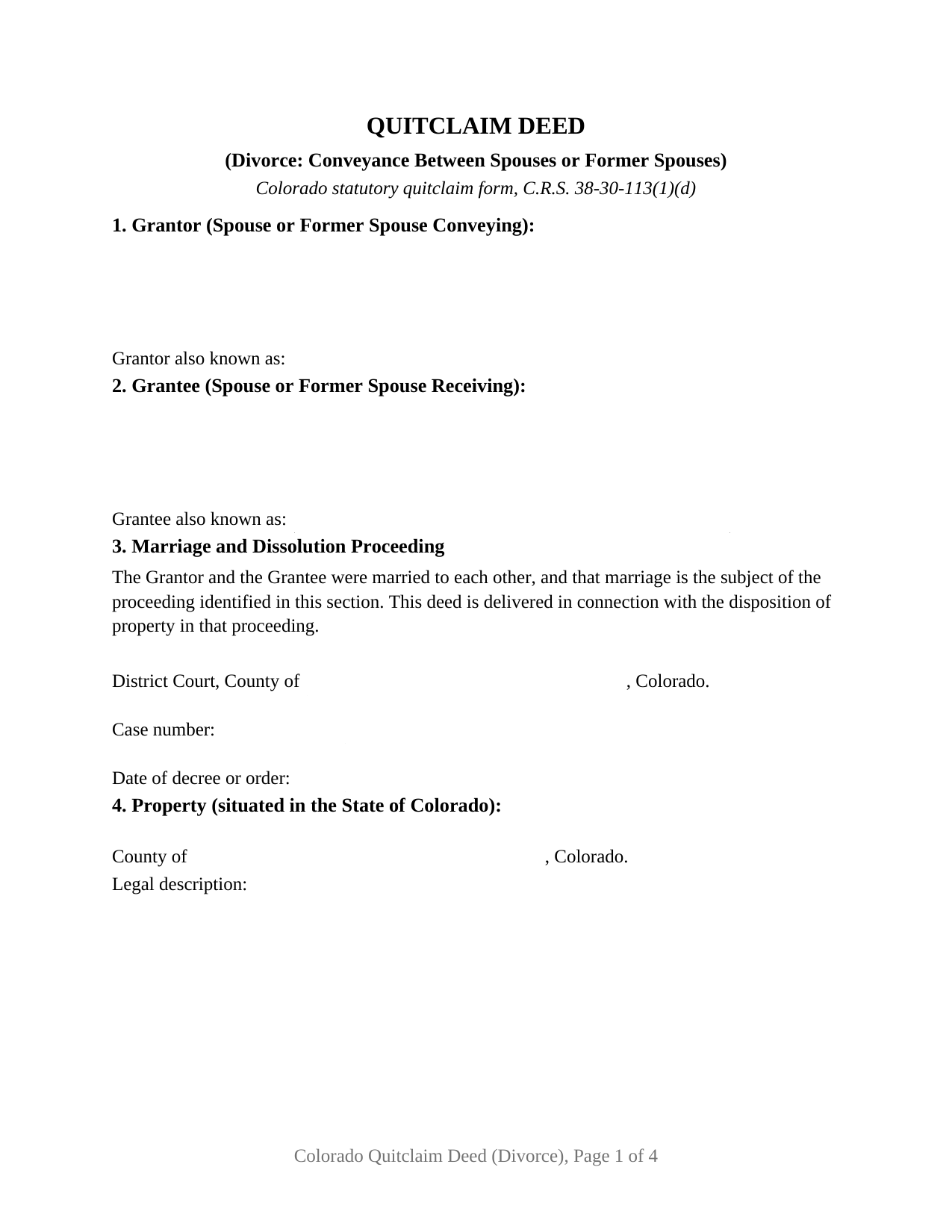
Grand County Quitclaim Deed (Divorce) Form
Fill in the blank Quitclaim Deed (Divorce) form formatted to comply with all Colorado recording and content requirements.
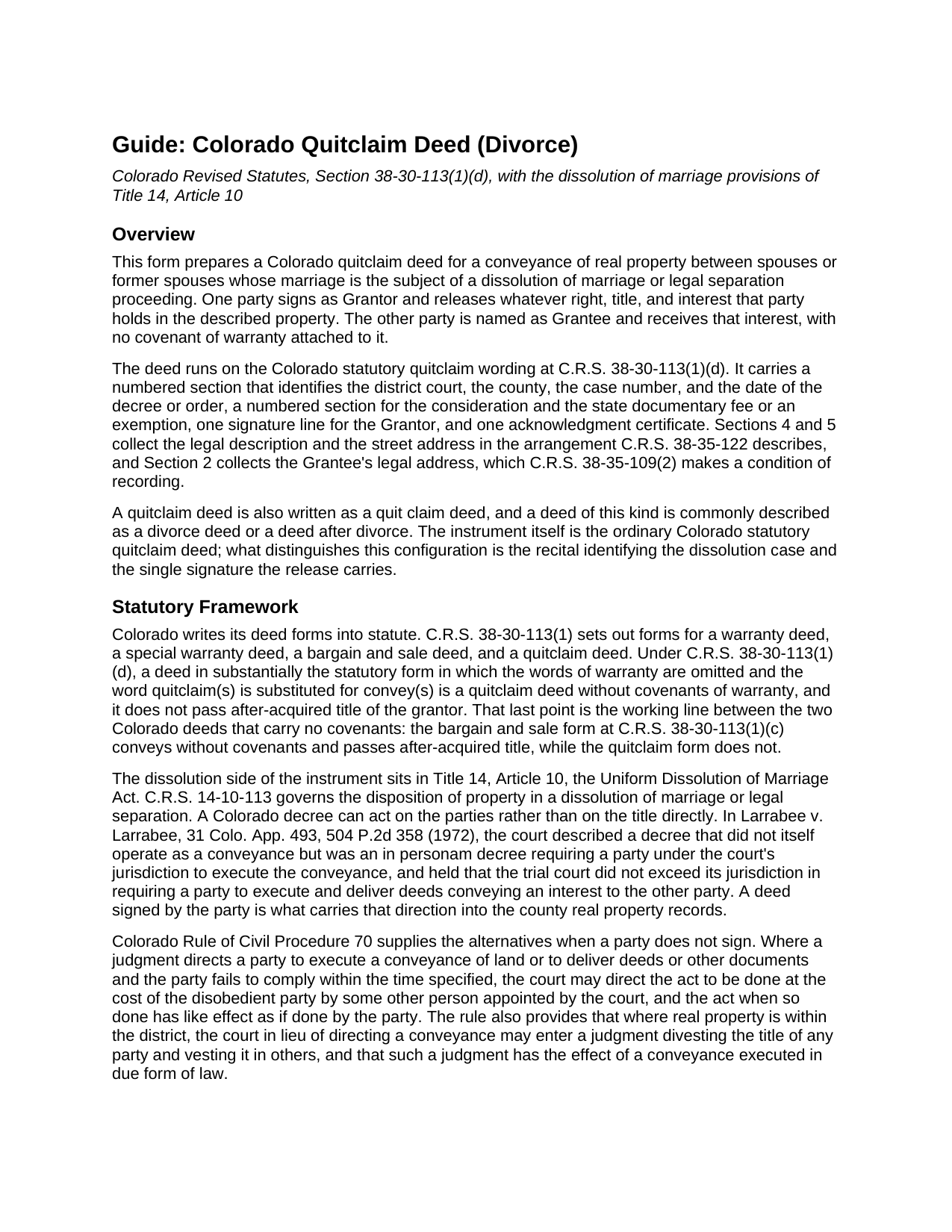
Grand County Quitclaim Deed (Divorce) Guide
Line by line guide explaining every blank on the Quitclaim Deed (Divorce) form.
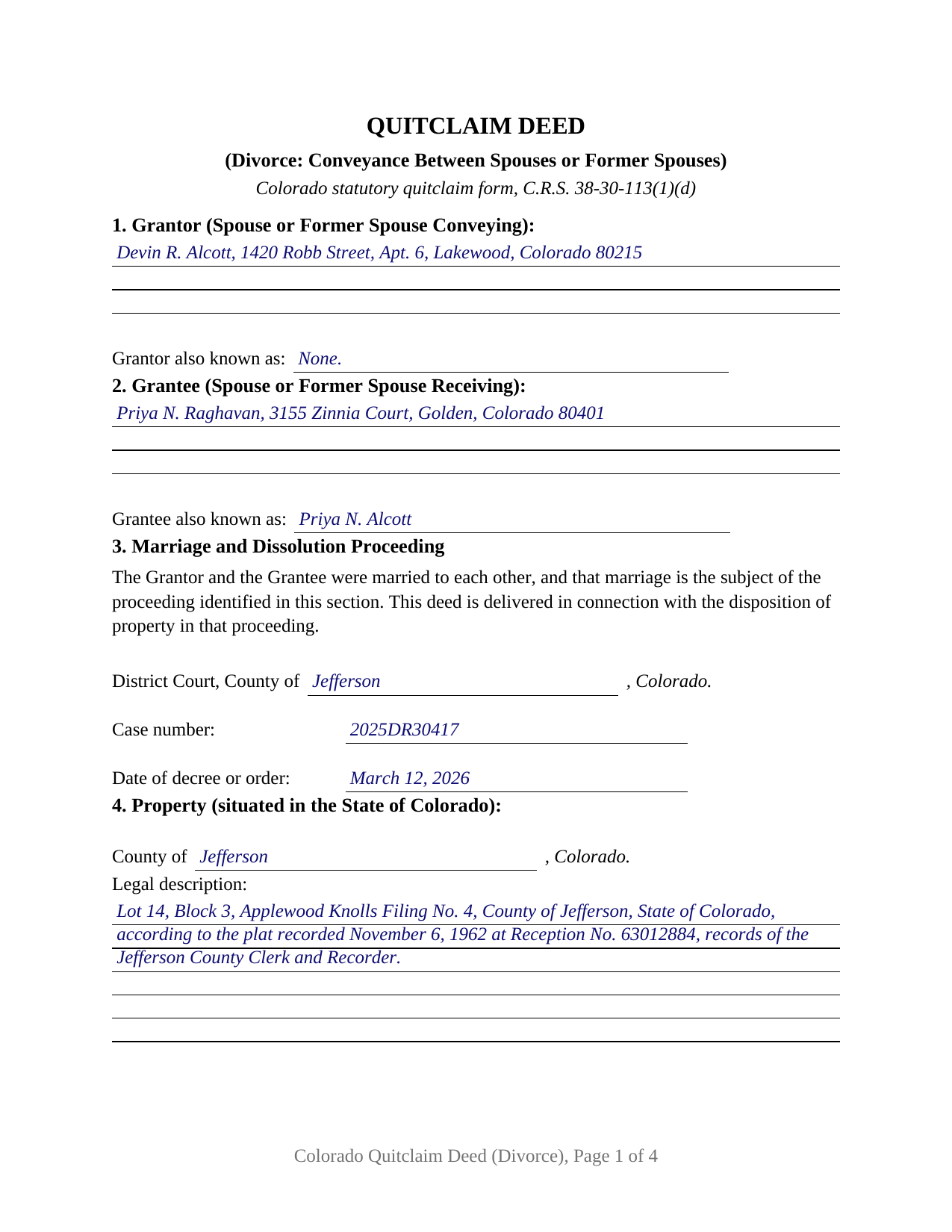
Grand County Completed Example of the Quitclaim Deed (Divorce) Document
Example of a properly completed Colorado Quitclaim Deed (Divorce) document for reference.
All 3 documents above included • One-time purchase • No recurring fees
Immediate Download • Secure Checkout
Additional Colorado and Grand County documents included at no extra charge:
Where to Record Your Documents
Grand County Clerk and Recorder
Hot Sulphur Springs, Colorado 80451
Hours: 8:30am to 5:00pm Monday through Friday
Phone: (970) 725-3064
Recording Tips for Grand County:
- Bring your driver's license or state-issued photo ID
- Ensure all signatures are in blue or black ink
- Recorded documents become public record - avoid including SSNs
- Recording fees may differ from what's posted online - verify current rates
- Request a receipt showing your recording numbers
Cities and Jurisdictions in Grand County
Properties in any of these areas use Grand County forms:
- Fraser
- Granby
- Grand Lake
- Hot Sulphur Springs
- Kremmling
- Parshall
- Tabernash
- Winter Park
Hours, fees, requirements, and more for Grand County
How do I get my forms?
Forms are available for immediate download after payment. The Grand County forms will be in your account ready to download to your computer. An account is created for you during checkout if you don't have one. Forms are NOT emailed.
Are these forms guaranteed to be recordable in Grand County?
Yes. Our form blanks are guaranteed to meet or exceed the applicable formatting requirements used for recording in Grand County, including margin requirements, font requirements, and other layout standards. This guarantee applies to formatting, not to the legal sufficiency of information entered by the user or the suitability of a form for a particular transaction.
Can I reuse these forms?
Yes. You can reuse the forms for your personal use. For example, if you have multiple properties in Grand County you only need to order once.
What do I need to use these forms?
The forms are PDFs that you fill out on your computer. The free Adobe Acrobat Reader is recommended, and most PDF apps also work. You do NOT enter your property information online - you download the blank forms and complete them privately on your own computer.
Are there any recurring fees?
No. This is a one-time purchase. Nothing to cancel, no memberships, no recurring fees.
How much does it cost to record in Grand County?
Recording fees in Grand County vary. Contact the recorder's office at (970) 725-3064 for current fees.
Questions answered? Let's get started!
A Colorado dissolution decree can order one party to sign a deed, and Colorado case law describes an order of that kind as acting on the person rather than on the title. The signed instrument is what the county records read. This fillable quitclaim deed prepares it: one spouse or former spouse signs as Grantor, the other is named as Grantee, and a numbered section carries the court, the case number, and the date of the decree or order.
Why a decree usually arrives with a deed behind it
C.R.S. 14-10-113 hands the district court the division of property in a dissolution of marriage or legal separation, and moving that division into the grantor and grantee index is a separate act. In Larrabee v. Larrabee, 31 Colo. App. 493, 504 P.2d 358 (1972), the court described a decree that did not itself operate as a conveyance but was an in personam decree requiring a party under the court's jurisdiction to execute it. Colorado Rule of Civil Procedure 70 covers the signature that never comes, letting the court appoint someone to sign at the disobedient party's cost, or enter a judgment divesting title and vesting it in others with the effect of a conveyance executed in due form of law.
The injunction that runs while the case is open
Every Colorado dissolution and legal separation case carries an automatic temporary injunction under C.R.S. 14-10-107(4)(b)(I)(A), restraining both parties from transferring, encumbering, or in any way disposing of marital property without the consent of the other party or an order of the court, except in the usual course of business or for the necessities of life. It runs until the final decree, a dismissal, or a further order. Section 3 records the case and the decree or order the conveyance answers to.
A release, and a boundary printed on its face
C.R.S. 38-30-113(1)(d) reaches the quitclaim by subtraction: the warranty words come out, quitclaim replaces convey, and what remains is a deed with no covenant of title that picks up nothing the grantor acquires afterward. The Grantee takes what the Grantor holds at delivery, an undivided half, the entire record title, or nothing. A printed sentence marks the line the deed cannot cross: it conveys the Grantor's interest and does not release, assume, or alter an obligation under a promissory note or deed of trust. Title and debt travel on separate tracks.
One signer, one certificate, and two names for one person
The form recites exactly one Grantor, a natural person signing in an individual capacity, and exactly one Grantee, the other party to the marriage, who signs nothing. One signature and date line and one acknowledgment certificate follow, on the individual short form at C.R.S. 24-21-516(1)(a). Both party entries carry an also known as line, which earns its place here: C.R.S. 14-10-120.2 lets a party ask the court at any time after the decree to restore a prior full name, while C.R.S. 38-35-116, the section that keeps two instruments reading to the same person across a name variance, lists first name and middle name variances rather than a changed surname. A joint tenant releasing that interest after the decree, a departing party signing in performance of a numbered paragraph of a separation agreement, and a conveyance signed while the case is open with the other party's consent all present the record posture this deed recites. The form is not set up for two grantors, for an entity or trustee grantor, for an attorney-in-fact signature, or for a grantee who is not the other party to the marriage.
The fee the deed pays, and the exemption that belongs to the court
Colorado's statewide charge on a conveyance is the documentary fee rather than a transfer tax. C.R.S. 39-13-104(1)(l) exempts any decree or order of a court of record determining or vesting title, the court's own instrument; a deed signed by a party is that party's instrument, and Section 6 holds either the computed figure or an exemption claimed at the counter under C.R.S. 39-13-104(2). The fee runs at a penny per hundred dollars of consideration above 500 dollars, or 3 dollars and 75 cents against the example's 37,500 dollar equity payment.
The purchase delivers this divorce quitclaim deed as a fillable PDF, a completed example filled in for a Jefferson County conveyance between former spouses after a decree, and a guide covering the numbered sections, the notarization, and the recording steps. The materials are informational and are not legal advice.
Important: Your property must be located in Grand County to use these forms. Documents should be recorded at the county recording office listed above.
This Quitclaim Deed (Divorce) meets all recording requirements specific to Grand County.
Our Promise
The documents you receive here are guaranteed to meet or exceed the applicable Grand County recording format requirements. If there is a rejection caused by our formatting, we will correct the issue or refund your payment. This guarantee applies to document formatting only and does not extend to information entered by the user, the selection of the form, or the legal effect of the completed document.
Save Time and Money
Get your Grand County Quitclaim Deed (Divorce) form done right the first time with Deeds.com Uniform Conveyancing Blanks. At Deeds.com, we understand that your time and money are valuable resources, and we don't want you to face a penalty fee or rejection imposed by a county recorder for submitting nonstandard documents. We constantly review and update our forms to meet rapidly changing state and county recording requirements for roughly 3,500 counties and local jurisdictions.
4.8 out of 5 - ( 4,830 Reviews )
carrie m. 5 out of 5 stars
I was excited because I really wanted to see and get a copy of the Deed to my property. The personal/Staff responsible for setting up that plan did an excellent/outstanding job. Thanks so much and keep up the great work. Carrie
Thank you for your feedback. We really appreciate it. Have a great day!
Renu A. 5 out of 5 stars
The service was very reliable and they even helped with filling out the paperwork properly. Very quick turn around and efficient!
Thank you!
Victor K. 3 out of 5 stars
The form I needed was correct and paginated as required. It was accepted w/o penalties. I was not happy about the information which I found way too scant. One sample form does not cover enough possibilities, more would be helpful. The instruction page is a bit better but sometimes it is not clear enough - sometimes it is not clear what the numbered items in the form correspond to. There is no guidance about the process and it would take very little to provide it. Example about "description", say where to find. There is a bunch of "free forms" attached but no guide on which are needed and when. Example: at the counter I was given a paper "conveyance" form and asked to fill it - I did not know it was needed and what it did and so I had not d
Thank you for your feedback. We really appreciate it. Have a great day!
James J. 5 out of 5 stars
I couldn't be more pleased or more impressed with the e-recording services I received from deeds.com and from my service representative, KVH. I was able to record documents in approximately half a dozen different counties easily and seamlessly, with a minimum of fuss. The turn around time was incredibly fast. The pricing was incredibly reasonable. I know I have alternatives because, in the past, I have used a competitor service for my recording needs. I won't do that again -- this was an exceptional experience. Thank you for your help!
We appreciate your business and value your feedback. Thank you. Have a wonderful day!
Myrna P. 5 out of 5 stars
Easy to download, form very user friendly, and its customized to our county. Very much worth the money.
Thank you Myrna. Have a fantastic day!
James V. 5 out of 5 stars
Easy, quick and very proficient. I am glad I used Deeds.
Thank you!
Dee S. 5 out of 5 stars
This was easy and much cheaper than getting a lawyer. Thanks! - From alabama
We appreciate your business and value your feedback. Thank you. Have a wonderful day!
Lahoma G. 5 out of 5 stars
Got it very fast !! Thanks
Thank you for your feedback. We really appreciate it. Have a great day!
Matthew T. 5 out of 5 stars
I am a litigator based in Lee County that rarely needs to record deeds or mortgages. However, at times, the settlement or resolution of a dispute results in the conveyance of real property. I ended up in a situation where a deed to real property in Bradford County needed to be recorded on behalf of a client. My usual e-recording vendor does not include that County. Registering with Bradford County's regular e-recording vendor would have required an expensive and unnecessary annual fee. Deeds.com was easy to use, inexpensive and fast. I highly encourage its use, especially for lawyers that occasionally need to record instruments but do not do so regularly.
We appreciate your business and value your feedback. Thank you. Have a wonderful day!
Linda G. 5 out of 5 stars
I like it so far- now I just need to complete my filing in the County seat!
We appreciate your business and value your feedback. Thank you. Have a wonderful day!
sheila B. 5 out of 5 stars
awesome
Thank you!
Bea Lou H. 5 out of 5 stars
easy access and easy to find what I was looking for. Thank you
Thank you for your feedback. We really appreciate it. Have a great day!
George S. 5 out of 5 stars
Excellent product- very easy to use. Will use again...
Thank you for your feedback. We really appreciate it. Have a great day!
michael o. 5 out of 5 stars
After trying to get help locally I found your website. Very easy
Thank you for your feedback. We really appreciate it. Have a great day!
Jean S. 5 out of 5 stars
Service was outstanding. I had the results very quickly. Definitely will use this service again
Thank you!