Saint Johns County Conditional Waiver and Release of Lien upon Progress Payment Form
Last validated November 5, 2026 by our Forms Development TeamFormatted for recording in Saint Johns County, for property anywhere in the county: rural and unincorporated areas as well as Elkton, Hastings, Jacksonville, Ponte Vedra, Ponte Vedra Beach, Saint Augustine, Saint Johns.
- 3 documents included
- Immediate PDF download
- Formatting guarantee
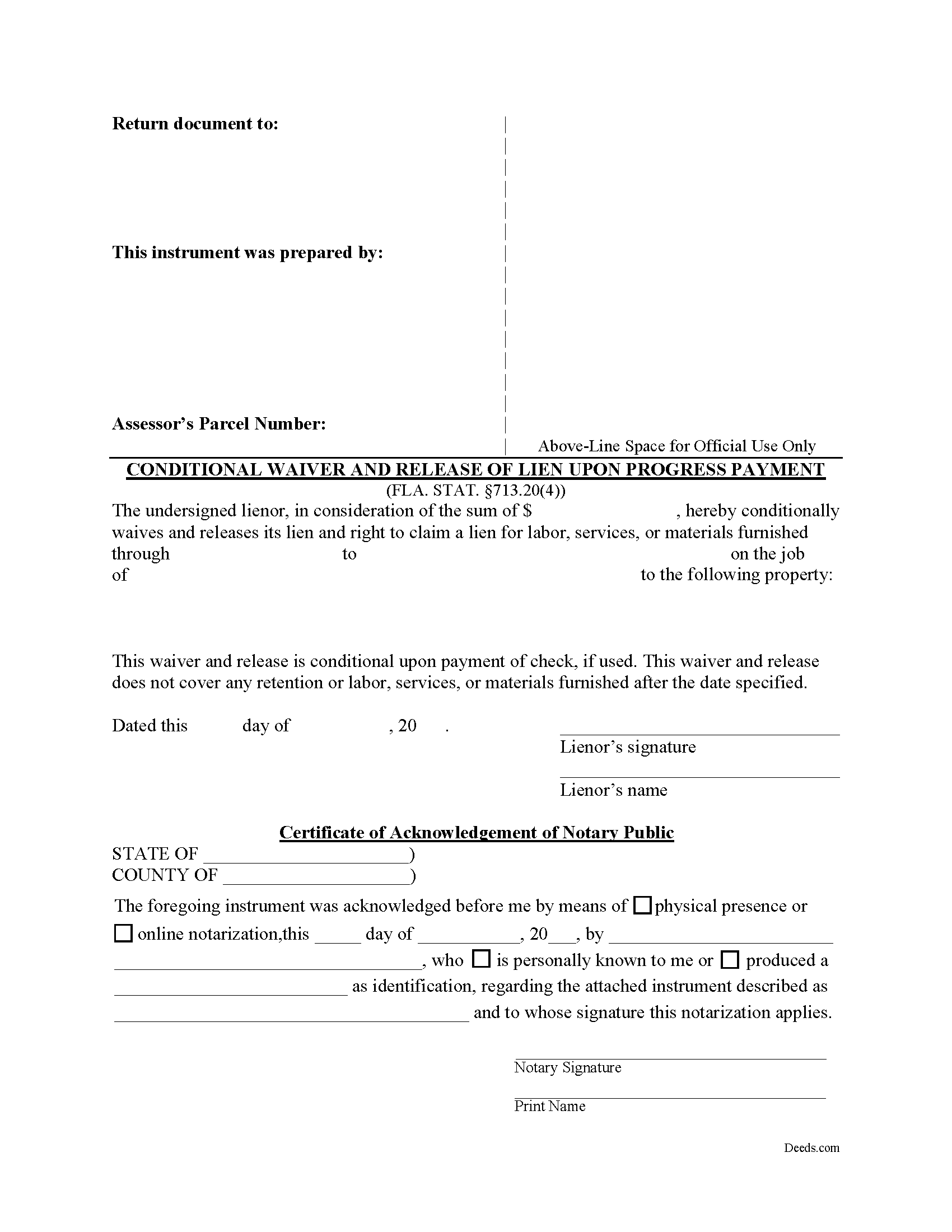
Saint Johns County Conditional Waiver and Release of Lien upon Progress Payment Form
Fill in the blank form formatted to comply with all recording and content requirements.
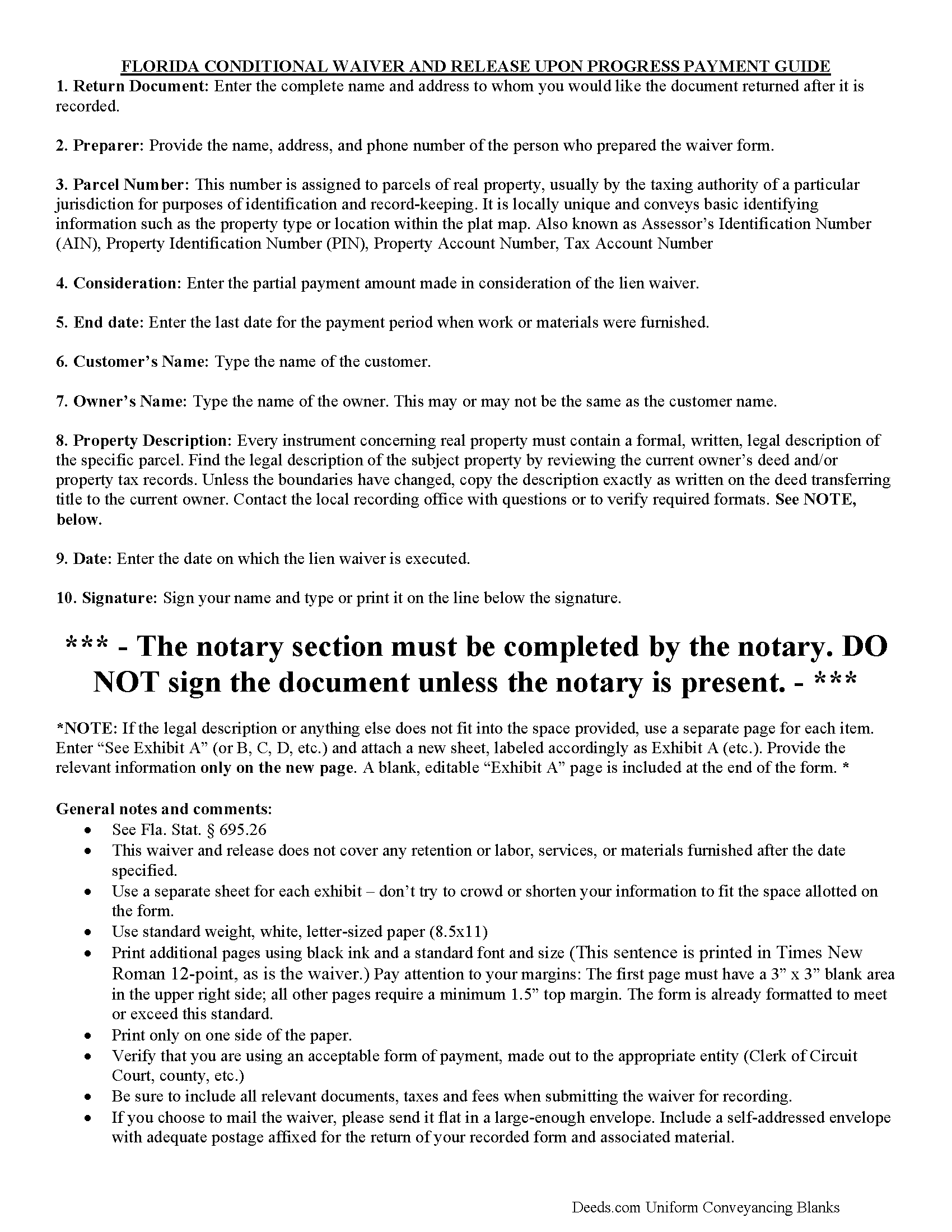
Saint Johns County Conditional Waiver and Release of Lien upon Progress Payment Guide
Line by line guide explaining every blank on the form.
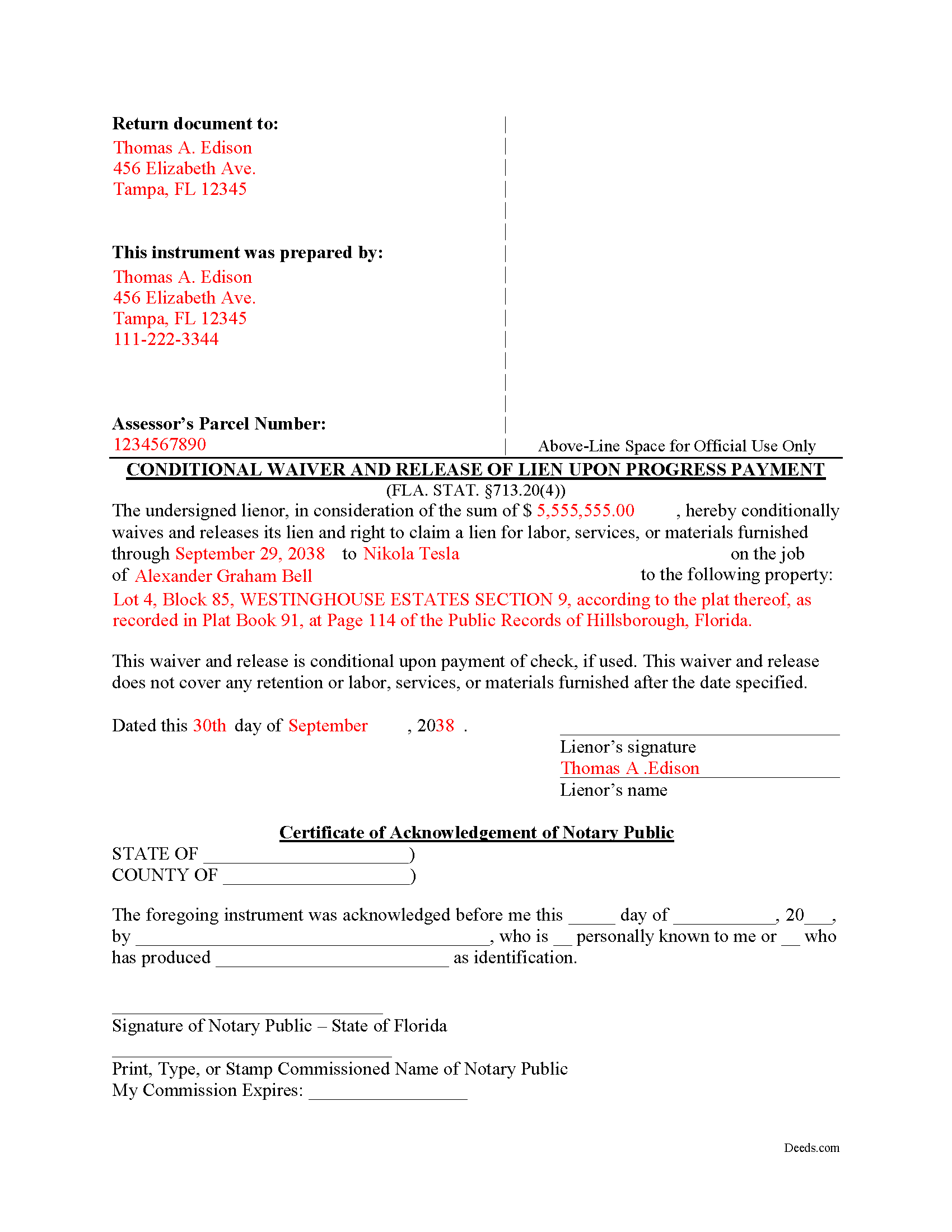
Saint Johns County Completed Example of the Conditional Waiver and Release of Lien upon Progress Payment Form
Example of a properly completed form for reference.
All 3 documents above included • One-time purchase • No recurring fees
Immediate Download • Secure Checkout
Additional Florida and Saint Johns County documents included at no extra charge:
Where to Record Your Documents
St. Johns County Clerk of Courts
St. Augustine, Florida 32084
Hours: 8:00am-5:00pm M-F
Phone: (904) 819-3600 Press 6 for Recording
Recording Tips for Saint Johns County:
- Bring your driver's license or state-issued photo ID
- Ensure all signatures are in blue or black ink
- Ask for certified copies if you need them for other transactions
- Ask if they accept credit cards - many offices are cash/check only
- Check that your notary's commission hasn't expired
Cities and Jurisdictions in Saint Johns County
Properties in any of these areas use Saint Johns County forms:
- Elkton
- Hastings
- Jacksonville
- Ponte Vedra
- Ponte Vedra Beach
- Saint Augustine
- Saint Johns
Hours, fees, requirements, and more for Saint Johns County
How do I get my forms?
Forms are available for immediate download after payment. The Saint Johns County forms will be in your account ready to download to your computer. An account is created for you during checkout if you don't have one. Forms are NOT emailed.
Are these forms guaranteed to be recordable in Saint Johns County?
Yes. Our form blanks are guaranteed to meet or exceed the applicable formatting requirements used for recording in Saint Johns County, including margin requirements, font requirements, and other layout standards. This guarantee applies to formatting, not to the legal sufficiency of information entered by the user or the suitability of a form for a particular transaction.
Can I reuse these forms?
Yes. You can reuse the forms for your personal use. For example, if you have multiple properties in Saint Johns County you only need to order once.
What do I need to use these forms?
The forms are PDFs that you fill out on your computer. The free Adobe Acrobat Reader is recommended, and most PDF apps also work. You do NOT enter your property information online - you download the blank forms and complete them privately on your own computer.
Are there any recurring fees?
No. This is a one-time purchase. Nothing to cancel, no memberships, no recurring fees.
How much does it cost to record in Saint Johns County?
Recording fees in Saint Johns County vary. Contact the recorder's office at (904) 819-3600 Press 6 for Recording for current fees.
Questions answered? Let's get started!
The Florida Conditional Waiver and Release of Lien upon Progress Payment is the lienor-protective counterpart to the unconditional progress waiver in section 713.20 of the Florida Statutes. With this version, the release is contingent: the lien rights described in the form are released only when the identified progress payment is actually received and clears. If the customer's check bounces, is stopped, or never arrives, the waiver does not take effect and the lienor's lien rights remain intact. Florida codified four statutory waiver scenarios precisely so that lienors and payors can match the right risk allocation to the situation, and the conditional progress waiver is the standard choice when a contractor, subcontractor, or supplier wants to deliver a release simultaneously with the act of being paid without taking on the credit risk of the payment instrument.
What the Florida Conditional Waiver and Release of Lien upon Progress Payment Does
This form is exchanged on a Florida construction project by a lienor — anyone with a right to claim a construction lien under chapter 713 — for a specific interim payment toward labor, services, or materials furnished through a stated date. Calling it "conditional" means the lien release is contingent on actual receipt and clearance of the payment; calling it "progress" means it covers a partial billing during an ongoing job, not the closeout. It is the form most commonly used to accompany a monthly pay application, because it lets the lienor deliver a signed waiver alongside the request for payment without losing the leverage of the underlying lien rights if the funds never land.
Florida Statutory Requirements Under Section 713.20
Florida is one of a handful of states that legislates the wording of construction lien waivers. Section 713.20 sets out specific statutory text for four scenarios — conditional or unconditional, paired with progress or final payment — and instructs that any waiver "substantially follow" the language of the matching statutory form. A waiver that materially deviates from the statutory wording, or that mixes language from a different scenario, may not be treated as a section 713.20 waiver at all. That distinction matters because the statute supplies the conditional language that ties the release to receipt of the payment; rewriting it can quietly convert a conditional waiver into something that operates as an unconditional release, or into a generic contractual document with uncertain effect.
The form must identify the lienor, the customer, the property owner, the amount of the conditional payment, the date through which the waiver applies, and a description of the property — typically the parcel identifier and legal description (§ 713.20).
Execution: No Witnesses, No Notary Required
Statutory waiver forms under section 713.20 do not require witnesses, notarization, or an acknowledgment to be effective. The lienor signs and dates the form, and it is delivered as part of the payment exchange. This is a deliberate departure from the formality required for Florida deeds, which need two witnesses and a notary; lien waivers move with the payment cycle on a job, and the legislature kept the execution requirements light. Some construction lenders and large general contractors require notarized waivers as a matter of internal policy. A notarized waiver is not invalid — the statute simply does not require notarization to make a section 713.20 waiver effective.
Florida-Specific Traps
Several features of the conditional progress waiver routinely surprise out-of-state contractors and owners:
- Advance waivers are void. Florida law prohibits waiving the right to claim a lien before the underlying labor, services, or materials are furnished. A waiver tied to work the lienor has not yet performed is unenforceable to that extent (§ 713.20).
- "Substantially follow" is a real test. A waiver missing a required field, or with the conditional language watered down, may not function as a section 713.20 conditional waiver. The customer who accepts a non-conforming waiver may have to pay twice if the underlying check is dishonored and the lienor's lien rights were never actually released.
- The condition is automatic. The customer does not have a clean release in hand until the payment actually clears. This is the trade-off baked into a conditional waiver — the lienor stays protected, but the payor cannot use the waiver alone as proof that lien exposure has been eliminated for the period covered. Final closeouts and lender funding reviews often demand unconditional waivers for that reason.
- Through date discipline. The form covers work through a stated date. A blank, postdated, or sloppily chosen through date can release more or less than the parties intended and creates evidentiary problems if the project later goes into dispute.
- Notice of Commencement alignment. Florida requires the owner to record a Notice of Commencement on most private projects before construction begins (§ 713.13). The property described in the waiver should match the property described in the Notice of Commencement so that waivers can be tied back to the underlying job.
- Joint check timing. If the progress payment is delivered by joint check, the conditional waiver only takes effect when the lienor is actually paid its share. A signed waiver does not bypass the joint payee's endorsement requirement.
How the Waiver Is Used
The conditional progress waiver is not recorded in the county's official records. It is delivered to the party making the payment — typically the general contractor, owner, or construction lender — and kept with the draw documentation. Because the release is contingent on payment receipt, owners and lenders often track conditional waivers against bank confirmations of cleared funds, and may swap them for unconditional waivers once the check has actually cleared. That two-step approach is common on jobs where the lender insists on documenting unconditional releases for audit purposes.
Download Package
The download package includes the Florida Conditional Waiver and Release of Lien upon Progress Payment, drafted to follow the statutory wording at section 713.20, a completed example showing how each field is filled in, and a guide explaining the form's conditional structure, the statutory framework, and how the four section 713.20 waiver scenarios fit together. The forms are prepared by Deeds.com's forms development team and are delivered as instant downloads.
Important: Your property must be located in Saint Johns County to use these forms. Documents should be recorded at the county recording office listed above.
This Conditional Waiver and Release of Lien upon Progress Payment meets all recording requirements specific to Saint Johns County.
Our Promise
The documents you receive here are guaranteed to meet or exceed the applicable Saint Johns County recording format requirements. If there is a rejection caused by our formatting, we will correct the issue or refund your payment. This guarantee applies to document formatting only and does not extend to information entered by the user, the selection of the form, or the legal effect of the completed document.
Save Time and Money
Get your Saint Johns County Conditional Waiver and Release of Lien upon Progress Payment form done right the first time with Deeds.com Uniform Conveyancing Blanks. At Deeds.com, we understand that your time and money are valuable resources, and we don't want you to face a penalty fee or rejection imposed by a county recorder for submitting nonstandard documents. We constantly review and update our forms to meet rapidly changing state and county recording requirements for roughly 3,500 counties and local jurisdictions.
4.8 out of 5 - ( 4,847 Reviews )
Nicole w. 5 out of 5 stars
Awesome and very fast service!!!
Thank you!
Billy A. 5 out of 5 stars
Documents were as described, Will not be able to tell if it works or not.. Will be Dead, but easy enough to fill out.
Thank you for taking a moment to share your thoughts.
Lourdes O. 5 out of 5 stars
Extremely efficient website. Beats going to Court House to record documents. My document was recorded in less then 24 hours! Amazing! I will be using deeds.com from now on.
We appreciate your business and value your feedback. Thank you. Have a wonderful day!
Matthew M. 5 out of 5 stars
Needed copy of deed in trust. Found info here, paid on line and then printed the docs. Easy to use, no driving to city offices, No parking fees, no waiting in line. Done fast and easy. Love it.
Thank you for your feedback. We really appreciate it. Have a great day!
Bethany F. 5 out of 5 stars
quick and easy to use
Thank you!
Don R. 3 out of 5 stars
From Pennsylvania here. Documents are great and easy to fill out however you are lacking a couple of things. You only provide the option for a Grant Deed when you purchase by your county which is Mercer County for me. Why not give the ability to get a Warranty Deed that better protects the Grantee? Also, being from Pennsylvania and in a county that mined Buituminous Coal we are required to include the Coal Severance Notice and Bituminous Mine Subsidence and Land Conservation Act Notice. You can check the box on your Deed form that they are required and attached but you do not provide the verbiage or form for this. You state that you know what each county requires and include everything required but you do not include these two required Notices. This has been a requirement for years and the wording never changes. I had to look for these Notices and hand type this information and include it on another seperate page after the Notary section on the Deed. The Grantor has to sign the Coal Severance Notice and be witnessed by a Notary so I had to add another place for the Notary and will have to pay twice for witnessed signatures when it could have been included in your document. My Deed from 2003 was done that way and then the Notary statement after that so it was only one notarized witness of signature.
Thank you for your feedback. We really appreciate it. Have a great day!
Thomas B. 5 out of 5 stars
My deeds were filed with Pinellas County Florida with a simple process and with no problems. 5 star for sure.
We appreciate your business and value your feedback. Thank you. Have a wonderful day!
Claude F. 5 out of 5 stars
quick and easy to use, thank you
Thank you!
Janet R. 5 out of 5 stars
The site was easy to navigate...all the information needed to fill in the forms was included, which was very helpful and a pleasant surprise...form completed in short order...made taking care of business quick and easy...Thanks for the thoughtful and excellent help, I will share the link with others and I will use the site again...Thanks
We appreciate your business and value your feedback. Thank you. Have a wonderful day!
Pat K. 5 out of 5 stars
It has been very easy. Like that the recording is so fast.
Thank you for your feedback. We really appreciate it. Have a great day!
David S. 3 out of 5 stars
I downloaded the quit claim deed form and saved it on my computer. I opened it with Adobe and filled it out. The space for the legal description was too small (2 lines only) which did not allow enough room for the long property description that I had.
Thank you for your feedback. We really appreciate it. Have a great day!
William M. 5 out of 5 stars
I got what I needed and did exactly what I needed. All legal and no hassle. Thanks Deeds.com, you made the job much easier.
Thank you!
DONNA F. 5 out of 5 stars
very easy and fast thank you would recommend
We appreciate your business and value your feedback. Thank you. Have a wonderful day!
Beverly D. 5 out of 5 stars
Deeds.com was a great experience in helping me get some important documents recorded.I would recommend them to anyone wanting documents recorded in a timely manner.
We appreciate your business and value your feedback. Thank you. Have a wonderful day!
Ron D. 3 out of 5 stars
The State form I chose was valid and accurate. However, I found the ability to enter information was inadequate and difficult. Converted the form to a Word document and was then able to enter the information I needed to.
Your feedback is valuable to us and helps us improve. Thank you for sharing your thoughts!