Saint Johns County Notice of Lien Prohibition Form
Last validated October 27, 2026 by our Forms Development TeamFormatted for recording in Saint Johns County, for property anywhere in the county: rural and unincorporated areas as well as Elkton, Hastings, Jacksonville, Ponte Vedra, Ponte Vedra Beach, Saint Augustine, Saint Johns.
- 3 documents included
- Immediate PDF download
- Formatting guarantee
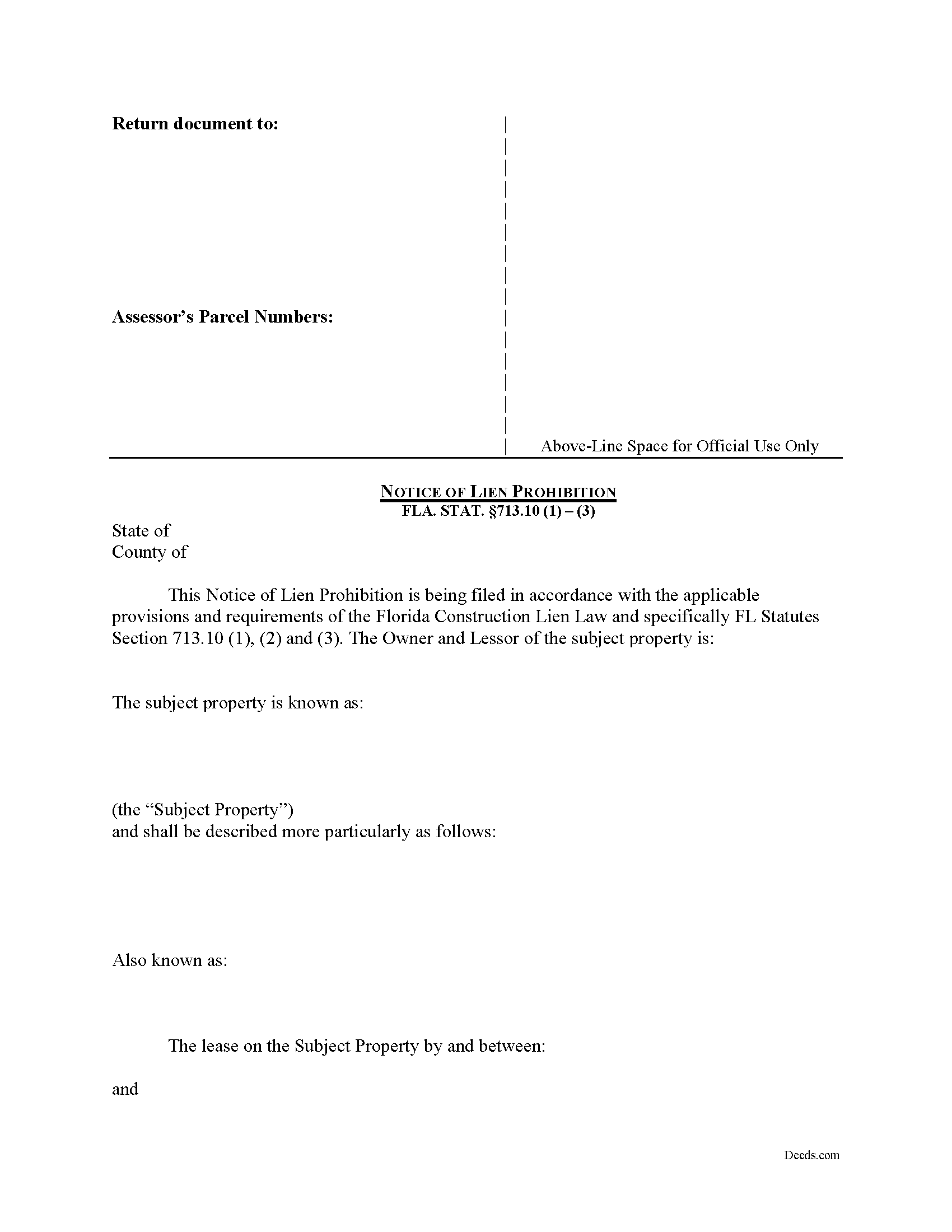
Saint Johns County Notice of Lien Prohibition Form
Fill in the blank form formatted to comply with all recording and content requirements.
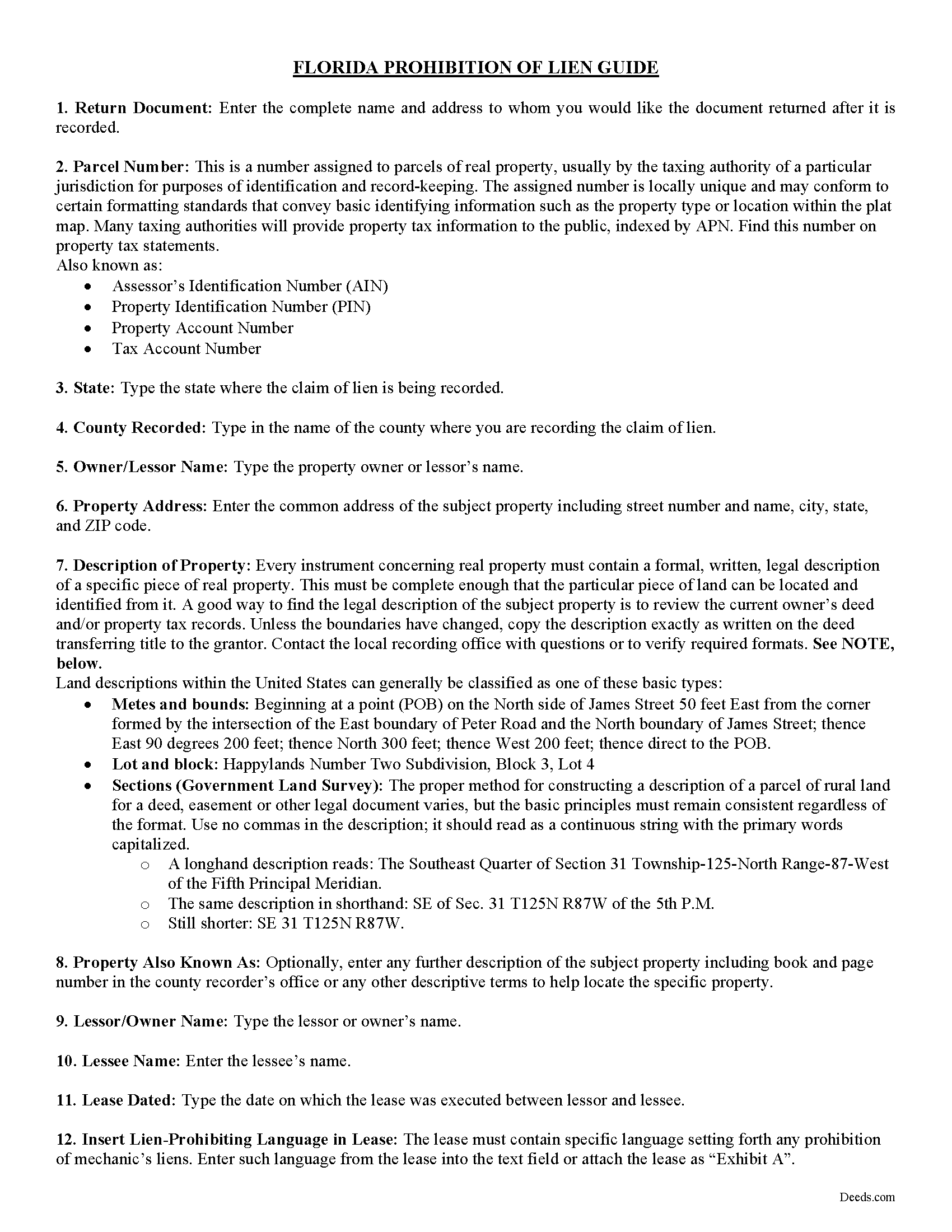
Saint Johns County Notice of Lien Prohibition Guide
Line by line guide explaining every blank on the form.
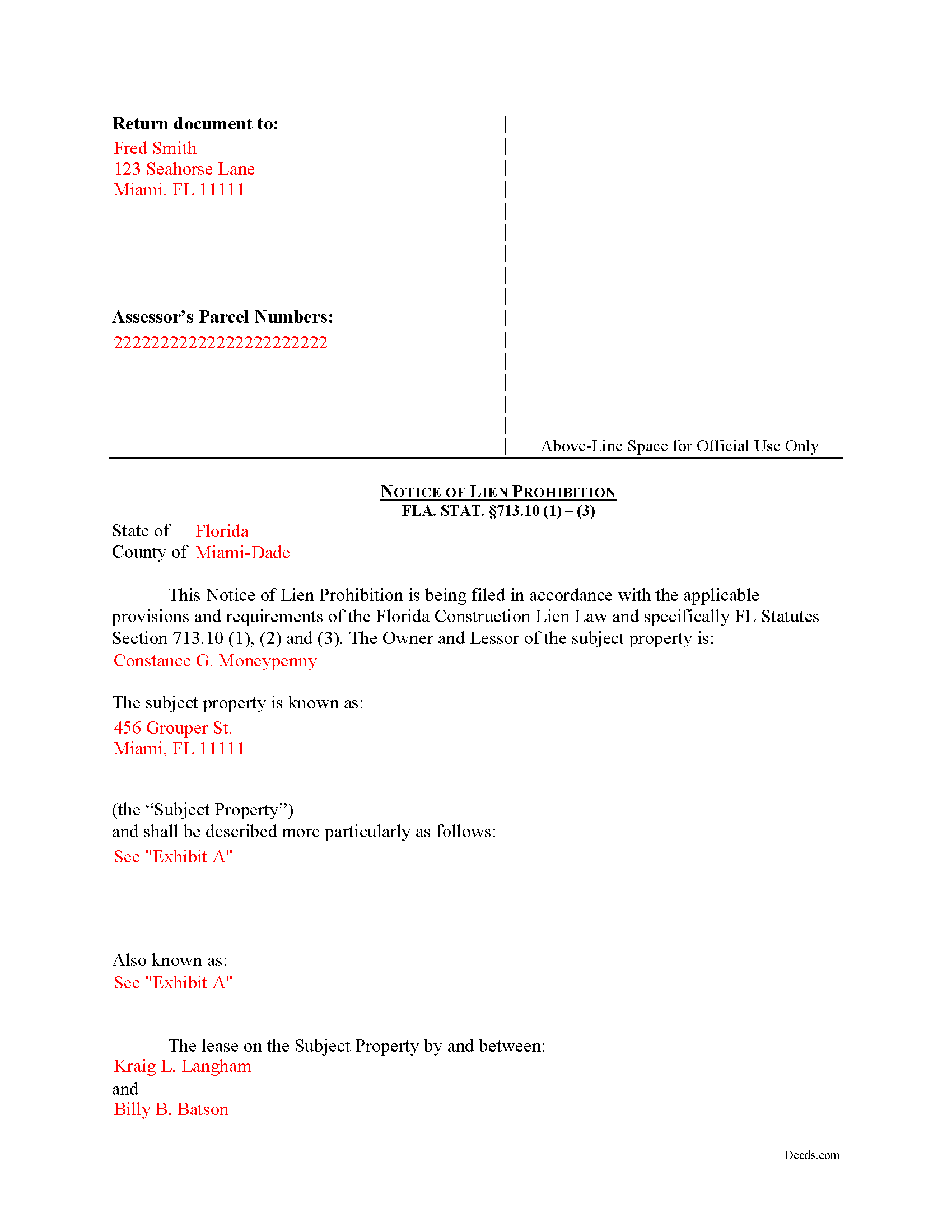
Saint Johns County Completed Example of the Notice of Lien Prohibition Document
Example of a properly completed form for reference.
All 3 documents above included • One-time purchase • No recurring fees
Immediate Download • Secure Checkout
Additional Florida and Saint Johns County documents included at no extra charge:
Where to Record Your Documents
St. Johns County Clerk of Courts
St. Augustine, Florida 32084
Hours: 8:00am-5:00pm M-F
Phone: (904) 819-3600 Press 6 for Recording
Recording Tips for Saint Johns County:
- Bring your driver's license or state-issued photo ID
- Ensure all signatures are in blue or black ink
- Ask if they accept credit cards - many offices are cash/check only
- Check that your notary's commission hasn't expired
- Documents must be on 8.5 x 11 inch white paper
Cities and Jurisdictions in Saint Johns County
Properties in any of these areas use Saint Johns County forms:
- Elkton
- Hastings
- Jacksonville
- Ponte Vedra
- Ponte Vedra Beach
- Saint Augustine
- Saint Johns
Hours, fees, requirements, and more for Saint Johns County
How do I get my forms?
Forms are available for immediate download after payment. The Saint Johns County forms will be in your account ready to download to your computer. An account is created for you during checkout if you don't have one. Forms are NOT emailed.
Are these forms guaranteed to be recordable in Saint Johns County?
Yes. Our form blanks are guaranteed to meet or exceed the applicable formatting requirements used for recording in Saint Johns County, including margin requirements, font requirements, and other layout standards. This guarantee applies to formatting, not to the legal sufficiency of information entered by the user or the suitability of a form for a particular transaction.
Can I reuse these forms?
Yes. You can reuse the forms for your personal use. For example, if you have multiple properties in Saint Johns County you only need to order once.
What do I need to use these forms?
The forms are PDFs that you fill out on your computer. The free Adobe Acrobat Reader is recommended, and most PDF apps also work. You do NOT enter your property information online - you download the blank forms and complete them privately on your own computer.
Are there any recurring fees?
No. This is a one-time purchase. Nothing to cancel, no memberships, no recurring fees.
How much does it cost to record in Saint Johns County?
Recording fees in Saint Johns County vary. Contact the recorder's office at (904) 819-3600 Press 6 for Recording for current fees.
Questions answered? Let's get started!
The Florida Notice of Lien Prohibition is a recorded instrument that shields a lessor's interest from mechanic's liens arising out of tenant-funded improvements. Florida's construction lien statute, Chapter 713, gives lessors a specific opt-out mechanism that does not exist in most other states: by recording the right notice or lease language in the official records before any notice of commencement is filed for the parcel, a lessor can publicly establish that leasehold improvements made by tenants will not encumber the underlying fee. Without that recording, the lessor's interest can be reached when an improvement is made by a lessee in accordance with an agreement between the lessee and the lessor (Fla. Stat. 713.10(1)), even when the lease itself prohibits liens.
What the Florida Notice of Lien Prohibition Does
The notice is filed by a landlord whose tenants will, or may, contract for improvements to leased premises. Florida law treats work performed at a tenant's direction as potentially extending to the lessor's interest whenever there is an agreement requiring the improvement, so a written lease prohibition alone does not always insulate the lessor's title. The recorded notice converts a private contract term into a matter of public record, giving contractors and material suppliers constructive notice that they cannot encumber the lessor's estate. It is most often used by owners of office and retail centers, ground lessors, mobile home park owners, and any landlord whose tenants are likely to undertake build-outs, tenant improvements, or trade-fixture installations.
Two Methods of Protection Under Fla. Stat. 713.10
Florida lessors have two routes to insulate their interest from liens for tenant-ordered improvements (Fla. Stat. 713.10(2)(b)):
- Record the lease itself, or a short form or memorandum that contains the specific lien-prohibition language, in the official records of the county where the property is located before the notice of commencement is recorded.
- Record a single notice covering the parcel that meets the statutory content requirements before the notice of commencement is recorded, when the lease terms expressly prohibit liability and a majority of the leases on the parcel contain that prohibition.
The blanket-notice option is the more efficient route for landlords with multiple tenants on a single parcel because it avoids recording each individual lease.
What the Notice Must Contain
To be effective, the recorded notice must include the four items specified by Fla. Stat. 713.10(2)(b)(2):
- The name of the lessor.
- The legal description of the parcel of land to which the notice applies.
- The specific language contained in the various leases prohibiting liability for improvements.
- A statement that all or a majority of the leases entered into for premises on the parcel expressly prohibit such liability.
The "all or a majority" representation is unique to the Florida statute. A notice that omits this statement, or that is recorded for a parcel where most leases lack the prohibition language, will not deliver the protection the lessor expects.
Timing: Record Before the Notice of Commencement
Florida's lien framework runs on the notice of commencement under Fla. Stat. 713.13. The lien-prohibition notice must reach the official records before any notice of commencement is recorded for improvements to the premises. A notice filed after work begins, or after a notice of commencement is already on file, does not retroactively protect the lessor's interest from contractors who relied on the public record at the start of the project. Landlords who acquire property mid-project, or who execute new leases after a tenant's build-out has started, should treat the timing requirement as a hard deadline rather than a formality.
The Mobile Home Park Exception
Fla. Stat. 713.10(2)(b)(3) carves out a separate rule for mobile home park lessors. When the lessee is a mobile home owner leasing a lot in a mobile home park, the lessor's interest is automatically not subject to liens for improvements made by the lessee, and no recorded notice is required to obtain that protection. Many mobile home park operators still record the notice for clarity and for a clean public record, but the statutory baseline is more generous than in other landlord-tenant settings.
Tenant's Duty to Notify the Contractor
When a lease prohibits liens against the lessor's interest, the lessee must inform any contractor performing improvements of that prohibition (Fla. Stat. 713.10(2)(a)). A knowing or willful failure to provide that notice makes the contract between the lessee and the contractor voidable at the contractor's option. The recorded notice does not eliminate this tenant duty. It operates alongside the lease prohibition by providing constructive notice through the public record, while the tenant retains the obligation to give actual notice to anyone the tenant hires.
The 30-Day Demand Procedure
Any contractor or lienor furnishing labor, services, or materials to a lessee may serve a written demand on the lessor for a copy of the lease provision prohibiting liability (Fla. Stat. 713.10(3)). The demand must identify the lessee and the premises being improved, and it must be a separate document from any notice to owner. The lessor has 30 days to respond with a verified copy of the lease provision. A lessor who ignores the demand, responds late, or serves a false or fraudulent copy loses the lien protection, and the contractor's lien can then attach to the lessor's interest. Any demand letter should be routed to the right person on receipt and treated as a hard deadline.
Execution and Recording in Florida
The notice is signed by the lessor and acknowledged before a notary public for recording in the official records of the county where the property is located. Florida recording statutes require the instrument to identify the parties, include the name and post office address of the person who prepared it, print or type names beneath each signature, and reserve a three-inch by three-inch blank space at the top right of the first page for the clerk's recording stamp (Fla. Stat. 695.26). A notice that omits these elements can be rejected at the recording counter. Recording fees in Florida are set by Fla. Stat. 28.24 and vary with page count. Documentary stamp tax under Fla. Stat. 201.02 does not apply to a notice of lien prohibition because no real property interest is being conveyed.
What's Included in the Download Package
The Florida Notice of Lien Prohibition package includes a fillable PDF form drafted to meet the content requirements of Fla. Stat. 713.10(2)(b)(2), a completed example showing how each section should be filled in, and a guide explaining the statutory framework, the timing rule tied to the notice of commencement, and the demand-response procedure under Fla. Stat. 713.10(3). The forms are prepared by the Deeds.com forms development team and formatted to satisfy Florida recording requirements, including the clerk's space and preparer identification under Fla. Stat. 695.26.
Important: Your property must be located in Saint Johns County to use these forms. Documents should be recorded at the county recording office listed above.
This Notice of Lien Prohibition meets all recording requirements specific to Saint Johns County.
Our Promise
The documents you receive here are guaranteed to meet or exceed the applicable Saint Johns County recording format requirements. If there is a rejection caused by our formatting, we will correct the issue or refund your payment. This guarantee applies to document formatting only and does not extend to information entered by the user, the selection of the form, or the legal effect of the completed document.
Save Time and Money
Get your Saint Johns County Notice of Lien Prohibition form done right the first time with Deeds.com Uniform Conveyancing Blanks. At Deeds.com, we understand that your time and money are valuable resources, and we don't want you to face a penalty fee or rejection imposed by a county recorder for submitting nonstandard documents. We constantly review and update our forms to meet rapidly changing state and county recording requirements for roughly 3,500 counties and local jurisdictions.
4.8 out of 5 - ( 4,839 Reviews )
BRIAN B. 5 out of 5 stars
This site makes filing documents so easy and effortless. The response time is phenomenally fast, which saves time and frustration. Thank you!
We appreciate your business and value your feedback. Thank you. Have a wonderful day!
Catherine J S. 5 out of 5 stars
Did not like that the lines aren't lining up smoothly to make the document look more professional.
Thank you for your feedback. We really appreciate it. Have a great day!
Dawn Y. 1 out of 5 stars
Obtaining a copy of a deed is FAR too expensive.
Thank you for your feedback Dawn. Have a wonderful day.
Elizabeth C. 5 out of 5 stars
Very happy, thank you!
We appreciate your business and value your feedback. Thank you. Have a wonderful day!
Zina J. 5 out of 5 stars
Deeds.com supplied exactly what I needed to complete a quitclaim. Deeds.com saved me $180, supplied the necessary forms, and a sample page to use as a guide. I recommend Deeds.com.
Thank you!
Jackson J. 5 out of 5 stars
Thank you for your help the website is simple and easy to use and dealing with this county for the 1st time there were a few things i was not too sure about but your staff was prompt and responsive and anytime there was a glitch we were promptly able to resolve the issue until the deed was accepted and recorded by the county great service thanks again.
We appreciate your business and value your feedback. Thank you. Have a wonderful day!
Thomas N. 5 out of 5 stars
TODD Form would not print surveyor degrees character (superscript "o") in Exhibit A. It also would not print the "Return Address" or "Prepared By" entries with my middle name as your example showed.
Thank you for your feedback. We really appreciate it. Have a great day!
Melody M. 5 out of 5 stars
Thank you Deeds.com for making our Quit Deed process easy and efficient. The instructions and example forms are a must! Excellent value for the price.
Thank you for your feedback. We really appreciate it. Have a great day!
Ernest E. 5 out of 5 stars
No problem whatsoever navigating the forms. I hope the filing is this easy.
Thanks, Ernest! We’re glad the forms were easy to navigate. Recording in Virginia Beach City is typically straightforward, but it’s always a good idea to confirm any local requirements with the clerk before filing.
Susan E. 5 out of 5 stars
Great experience from a great staff at Deeds.com. Highly recommended!
So glad we could help Susan. Thanks for the kind words.
Yvette D. 5 out of 5 stars
Excellent service and customer support. Thank you for your help and time.
Thank you!
Sharla B. 5 out of 5 stars
Was very helpful it helped me find out everything I needed for the deed.
Thank you!
Randi J. 5 out of 5 stars
Everything was so easy and self explanatory and very inexpensive. Thank you.
Thank you for your feedback. We really appreciate it. Have a great day!
Linda K C. 5 out of 5 stars
I wanted to do an Enhancement Life Quitclaim deed and the county government lady didn’t know what I was even talking about. I ordered the deed from Deeds.com and filled it all in,submitted to the county clerk who took 10 minutes to study it before she accepted the deed. This was the easiest transaction I’ve ever made! I actually felt smarter than the clerk who worked at the count office over 20 years.
Thank you, Linda! We’re glad the process went smoothly and that our forms helped you complete your recording with confidence. We appreciate you taking the time to share your experience!
Stephen K. 5 out of 5 stars
The forms were correct and the instructions and Completed sample were very helpful. I filled it out and filed it at the county office, they didn't question anything. Thank you.
Thank you!