Saint Johns County Notice of Nonpayment Form
Last validated August 24, 2026 by our Forms Development TeamFormatted for recording in Saint Johns County, for property anywhere in the county: rural and unincorporated areas as well as Elkton, Hastings, Jacksonville, Ponte Vedra, Ponte Vedra Beach, Saint Augustine, Saint Johns.
- 3 documents included
- Immediate PDF download
- Formatting guarantee
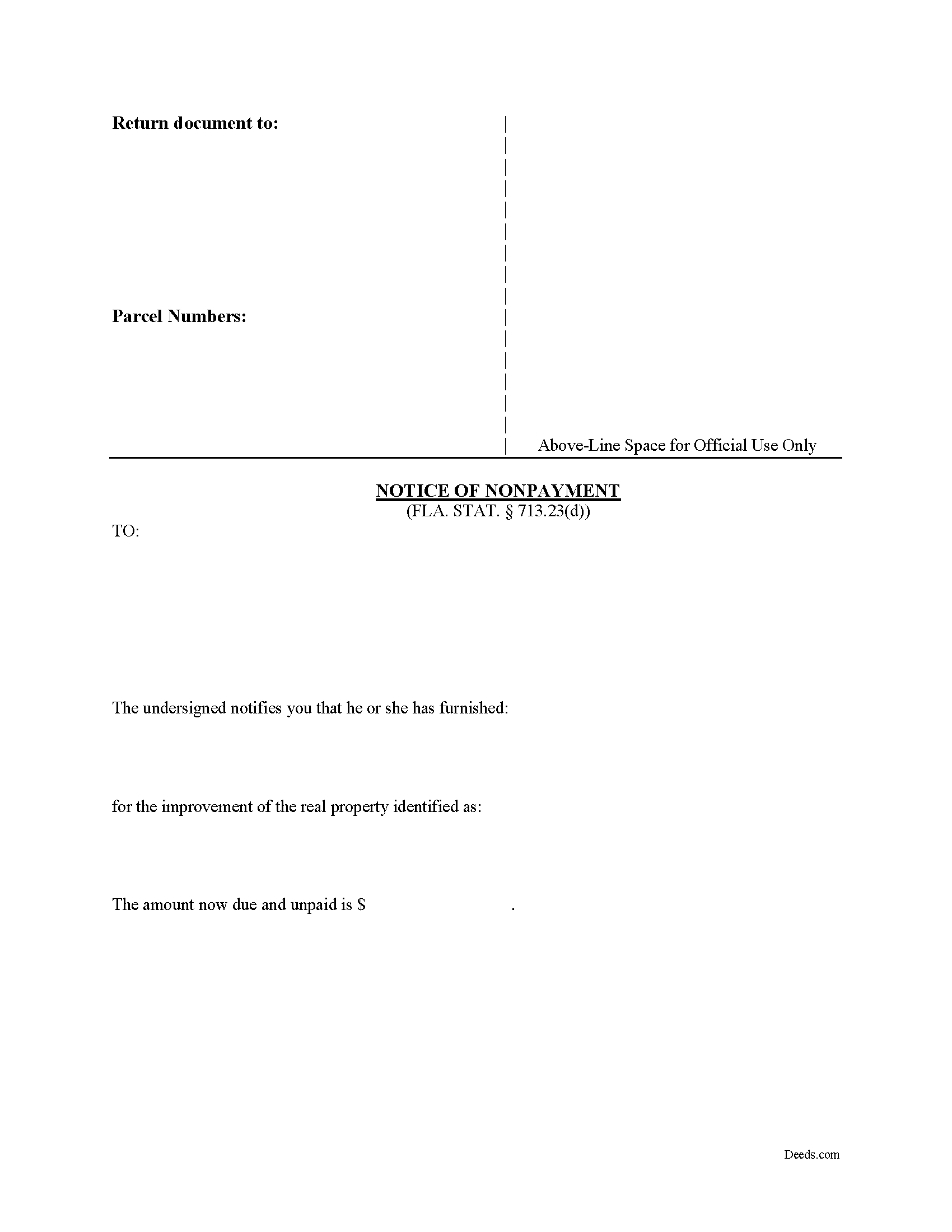
Saint Johns County Notice of Nonpayment Form
Fill in the blank form formatted to comply with all recording and content requirements.
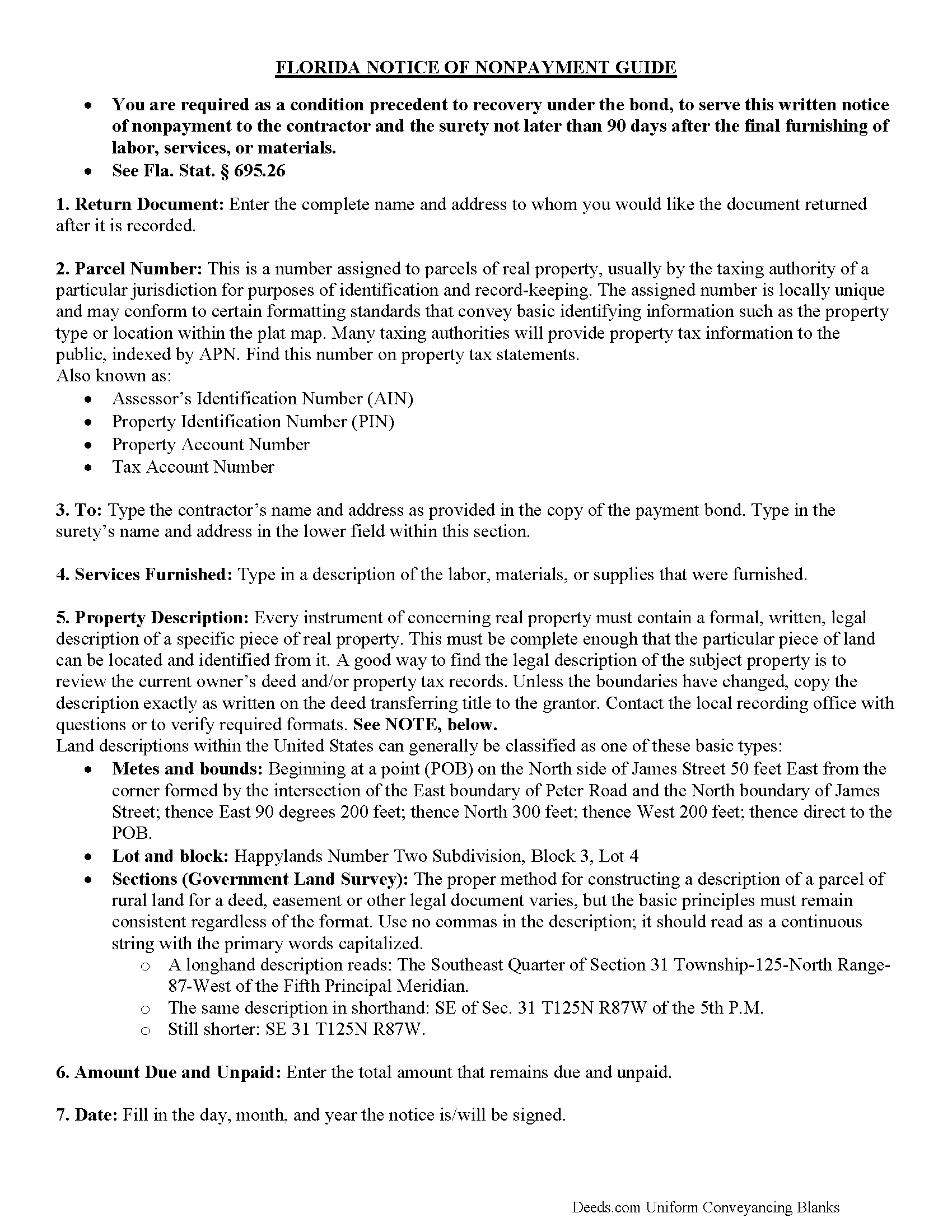
Saint Johns County Notice of Nonpayment Guide
Line by line guide explaining every blank on the form.
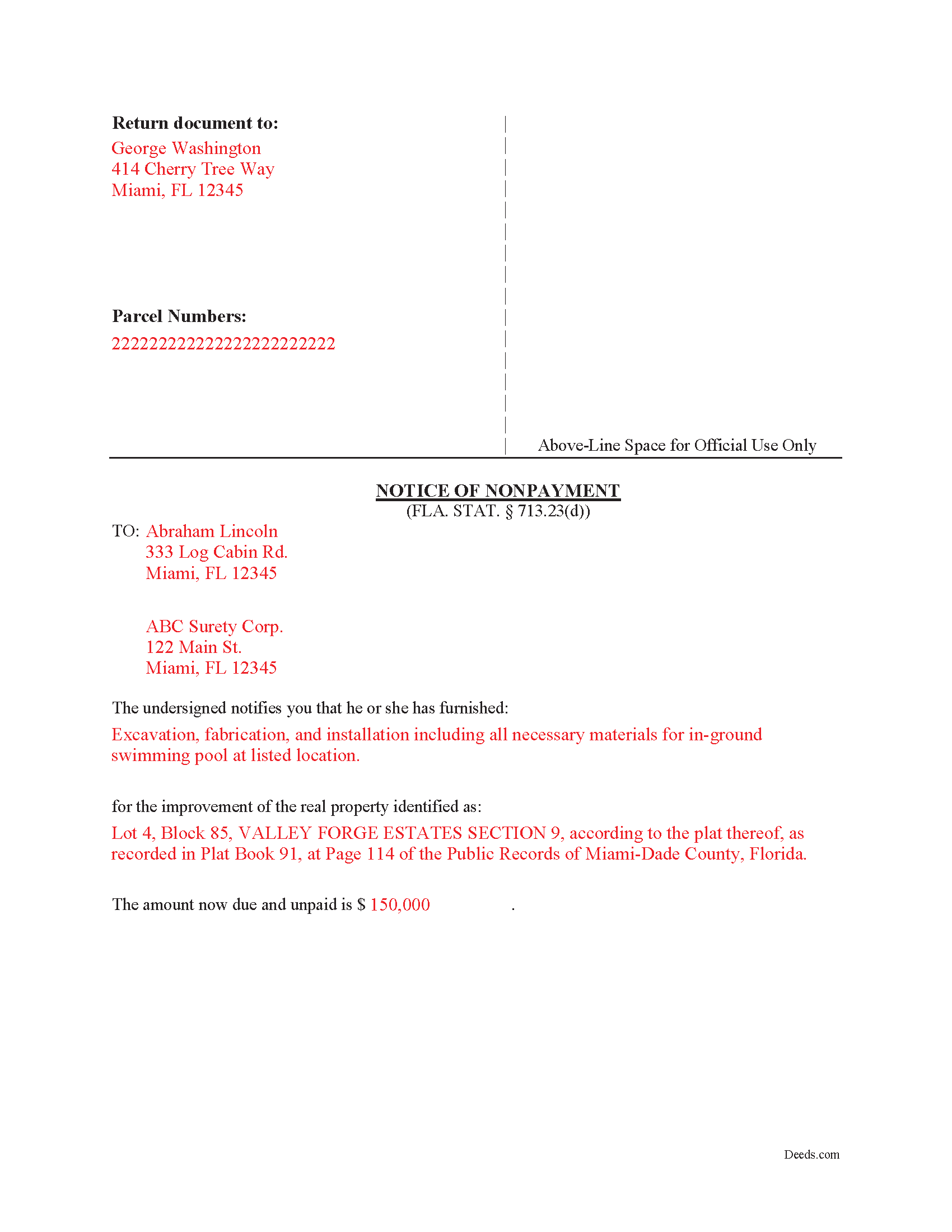
Saint Johns County Completed Example of the Notice of Nonpayment Document
Example of a properly completed form for reference.
All 3 documents above included • One-time purchase • No recurring fees
Immediate Download • Secure Checkout
Additional Florida and Saint Johns County documents included at no extra charge:
Where to Record Your Documents
St. Johns County Clerk of Courts
St. Augustine, Florida 32084
Hours: 8:00am-5:00pm M-F
Phone: (904) 819-3600 Press 6 for Recording
Recording Tips for Saint Johns County:
- Bring your driver's license or state-issued photo ID
- Ensure all signatures are in blue or black ink
- Leave recording info boxes blank - the office fills these
- Make copies of your documents before recording - keep originals safe
- Recorded documents become public record - avoid including SSNs
Cities and Jurisdictions in Saint Johns County
Properties in any of these areas use Saint Johns County forms:
- Elkton
- Hastings
- Jacksonville
- Ponte Vedra
- Ponte Vedra Beach
- Saint Augustine
- Saint Johns
Hours, fees, requirements, and more for Saint Johns County
How do I get my forms?
Forms are available for immediate download after payment. The Saint Johns County forms will be in your account ready to download to your computer. An account is created for you during checkout if you don't have one. Forms are NOT emailed.
Are these forms guaranteed to be recordable in Saint Johns County?
Yes. Our form blanks are guaranteed to meet or exceed the applicable formatting requirements used for recording in Saint Johns County, including margin requirements, font requirements, and other layout standards. This guarantee applies to formatting, not to the legal sufficiency of information entered by the user or the suitability of a form for a particular transaction.
Can I reuse these forms?
Yes. You can reuse the forms for your personal use. For example, if you have multiple properties in Saint Johns County you only need to order once.
What do I need to use these forms?
The forms are PDFs that you fill out on your computer. The free Adobe Acrobat Reader is recommended, and most PDF apps also work. You do NOT enter your property information online - you download the blank forms and complete them privately on your own computer.
Are there any recurring fees?
No. This is a one-time purchase. Nothing to cancel, no memberships, no recurring fees.
How much does it cost to record in Saint Johns County?
Recording fees in Saint Johns County vary. Contact the recorder's office at (904) 819-3600 Press 6 for Recording for current fees.
Questions answered? Let's get started!
The Florida Notice of Nonpayment is the document an unpaid subcontractor, sub-subcontractor, laborer, or material supplier must serve to preserve a claim against the contractor's payment bond on a private bonded construction project in Florida. It exists because of Florida's particular approach to private bonded work under Chapter 713 of the Florida Statutes: when a contractor records a payment bond under § 713.23, the lien rights that would otherwise attach to the property are transferred to the bond, and the lienor's path to payment runs through a strict statutory notice sequence rather than through a recorded mechanic's lien. Miss a deadline in that sequence and the bond claim is gone, regardless of how solid the underlying debt is.
Florida's version of this notice differs from bond claim notices in many other states. Florida demands a sworn statement, imposes a fixed 90-day deadline measured from the lienor's final furnishing, requires service on both the contractor and the surety, and treats willful exaggeration of the amount owed as forfeiture of the bond claim. Those features come from § 713.23(1)(d) and the related provisions of Chapter 713; they are not optional drafting preferences.
When the Florida Notice of Nonpayment Is Used
This notice applies to private construction projects in Florida where the contractor has recorded a payment bond that conditionally exempts the property from mechanic's liens under § 713.23. After the lienor has finished furnishing labor, services, or materials and remains unpaid, the notice tells the contractor and surety that money is still owed, identifies the work, and triggers the surety's obligation to evaluate and pay the claim. Public projects bonded under § 255.05 use a different notice scheme. This form is for the private payment bond context governed by § 713.23.
What Section 713.23(1)(d) Requires in the Notice
The statute is specific about content. A Florida Notice of Nonpayment must state, under oath:
- The name of the lienor and the address to which the contractor or surety should respond
- The name of the person for whom the labor, services, or materials were furnished
- A description of the labor, services, or materials furnished and the contract price or value
- The amount paid, if any, on account of the labor, services, or materials
- The amount due and unpaid as of the date of the notice
The "under oath" requirement is not a formality. The form must be acknowledged before a notary or other officer authorized to administer oaths, and Florida courts have rejected bond claims where the verification was missing or technically defective.
The 90-Day Deadline and What "Final Furnishing" Means
Section 713.23(1)(d) requires the lienor to serve the notice within 90 days after the final furnishing of labor, services, or materials by the lienor. Florida courts and the statute itself have narrowed what counts as final furnishing in ways that catch lienors off guard. Punchlist work, warranty repairs, returning to fix defective work, and minor correctional items generally do not restart the clock. The 90 days runs from the last day of substantive contract work, and sending a worker back to the site to extend a deadline is a recognized trap that contractors and sureties routinely challenge. The deadline is firm, and courts do not extend it for equitable reasons.
Service Requirements Under Florida Law
Section 713.23(1)(d) requires service on both the contractor and the surety. Service on one without the other is a defective notice. Section 713.18 controls the manner of service and accepts personal delivery, certified or registered mail with return receipt requested, and the other methods listed in that section. Certified mail with return receipt is standard practice because it produces the proof of delivery a lienor will need if the claim ends up in litigation. The contractor's address and the surety's address are typically found on the recorded Notice of Commencement and on the recorded payment bond itself, and a lienor relying on stale or informal addresses without verifying them against the recorded documents is taking an unnecessary risk.
Florida-Specific Traps Beyond the Basic Requirements
- The prerequisite Notice to Contractor. A Notice of Nonpayment alone does not preserve bond rights. Subcontractors and suppliers who do not have a direct contract with the contractor must also have served a Notice to Contractor under § 713.23(1)(c), generally within 45 days of first furnishing. The Notice of Nonpayment does not cure a missed Notice to Contractor.
- Willfully exaggerated amounts. Under § 713.23, a fraudulent notice of nonpayment forfeits the lienor's rights under the bond, and the consequence falls on the entire claim rather than only on the inflated portion. Padding the figure to include disputed change orders the lienor knows are not yet owed is a high-risk move.
- Confusing the private bond statute with the public project statute. Section 713.23 governs private bonds. Section 255.05 governs bonds on public projects. The notices, deadlines, and procedures are not interchangeable, and using the wrong form is a frequent source of denied claims.
- Treating service of the notice as collection. Service preserves the right to sue on the bond, but it does not by itself produce payment. The lienor must still bring an action on the bond within the limitations period set by § 713.23(1)(e), which runs from final furnishing.
- Earliest-service rule. A Notice of Nonpayment given before 45 days after the lienor began to furnish labor, services, or materials is premature under § 713.23(1)(d). The 90-day window is the back end; there is also a front-end restriction.
What's Included in the Download Package
The download package contains the Florida Notice of Nonpayment form drafted to the requirements of § 713.23(1)(d), a completed example showing how each field should be populated, and a guide that walks through service options under § 713.18, the 90-day deadline, and the prerequisite Notice to Contractor for parties without a direct contract with the contractor. The forms are prepared by the Deeds.com forms development team and are formatted for service on the contractor and surety. Files are delivered as an instant download upon purchase.
Important: Your property must be located in Saint Johns County to use these forms. Documents should be recorded at the county recording office listed above.
This Notice of Nonpayment meets all recording requirements specific to Saint Johns County.
Our Promise
The documents you receive here are guaranteed to meet or exceed the applicable Saint Johns County recording format requirements. If there is a rejection caused by our formatting, we will correct the issue or refund your payment. This guarantee applies to document formatting only and does not extend to information entered by the user, the selection of the form, or the legal effect of the completed document.
Save Time and Money
Get your Saint Johns County Notice of Nonpayment form done right the first time with Deeds.com Uniform Conveyancing Blanks. At Deeds.com, we understand that your time and money are valuable resources, and we don't want you to face a penalty fee or rejection imposed by a county recorder for submitting nonstandard documents. We constantly review and update our forms to meet rapidly changing state and county recording requirements for roughly 3,500 counties and local jurisdictions.
4.8 out of 5 - ( 4,823 Reviews )
Patricia G. 5 out of 5 stars
Very easy to order and download all the promised forms and instructions
We appreciate your business and value your feedback. Thank you. Have a wonderful day!
Debra M. 5 out of 5 stars
Since the recorder's office is closed, due to Covid, this worked well to submit my Quit Claim Deed. I was a bit confused with the direction and download. But, I think I got her done! We'll see if I get recorded and confirmation is received. I may be back
Thank you for your feedback. We really appreciate it. Have a great day!
Lori G. 5 out of 5 stars
thank you for all your help and patience. I would highly recommend Deeds.com to everyone. Sincerely, Lori G.
Thank you!
Gary M. 5 out of 5 stars
This was such an easy experience
We are grateful for your feedback and looking forward to serving you again. Thank you!
Dale V. 5 out of 5 stars
Great site good price everything easy to use and correct.. Thanks
We appreciate your business and value your feedback. Thank you. Have a wonderful day!
AKILAH S. 4 out of 5 stars
It was a little challenging and I had to call to speak to someone a few time but I got it done and and over with so I'm happy.
It was a pleasure serving you. Thank you for the positive feedback!
David P. 5 out of 5 stars
Easy to use, all the information I wanted. Took about a minute to get it.
Thank you for your feedback. We really appreciate it. Have a great day!
Louise D. 5 out of 5 stars
It was easy to complete the form and I appreciated the sample form.
We appreciate your business and value your feedback. Thank you. Have a wonderful day!
Kristi L. 5 out of 5 stars
Fantastic Experience! I have been through several different companies offering to do the same thing but only offering subscriptions. I have no negative reviews, took 1 business day from submission, professional and timely updates and extremely fair pricing considering the amount of time it saves you.
Thank you!
Earnestine C. 5 out of 5 stars
Informative and instruction clear and concise, which made it easy for a person without real estate knowledge to acquire needed information. Thank you.
Thank you for your feedback. We really appreciate it. Have a great day!
CLIVE R. 4 out of 5 stars
The instructions were really clear and the site user friendly
We appreciate your comments and your trust in us. Thank you.
Leo H. 5 out of 5 stars
The deed was very easy to use and the material provided were helpful in completing the form. We haven't filed it yet, but I assume that all will go well.
We appreciate your business and value your feedback. Thank you. Have a wonderful day!
Darrell C. 5 out of 5 stars
Excellent Service
Thank you!
Santos V. 5 out of 5 stars
Great and easy to understand.
We appreciate your business and value your feedback. Thank you. Have a wonderful day!
Claudia S. 5 out of 5 stars
The site is very user friendly. Where can I get a copy of all the invoices that were paid? Thank you. Claudia
Thank you for your feedback. We really appreciate it. Have a great day!