De Soto County Quitclaim Deed (Partnership or Limited Partnership Grantor) Form
Last validated November 3, 2026 by our Forms Development TeamFormatted for recording in De Soto County, for property anywhere in the county: rural and unincorporated areas as well as Arcadia, Fort Ogden, Nocatee.
- 3 documents included
- Immediate PDF download
- Formatting guarantee
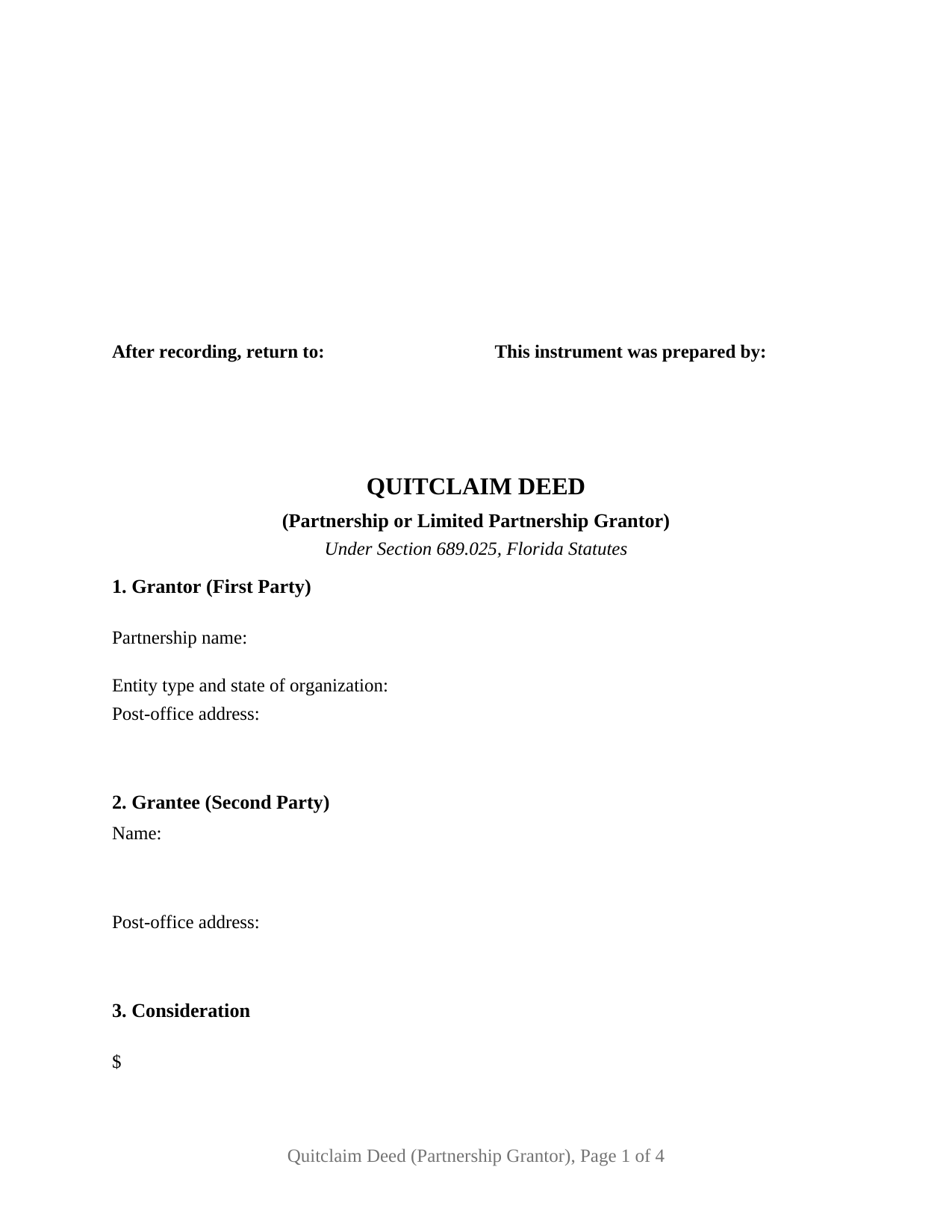
De Soto County Quitclaim Deed (Partnership or Limited Partnership Grantor) Form
Fill in the blank Quitclaim Deed (Partnership or Limited Partnership Grantor) form formatted to comply with all Florida recording and content requirements.
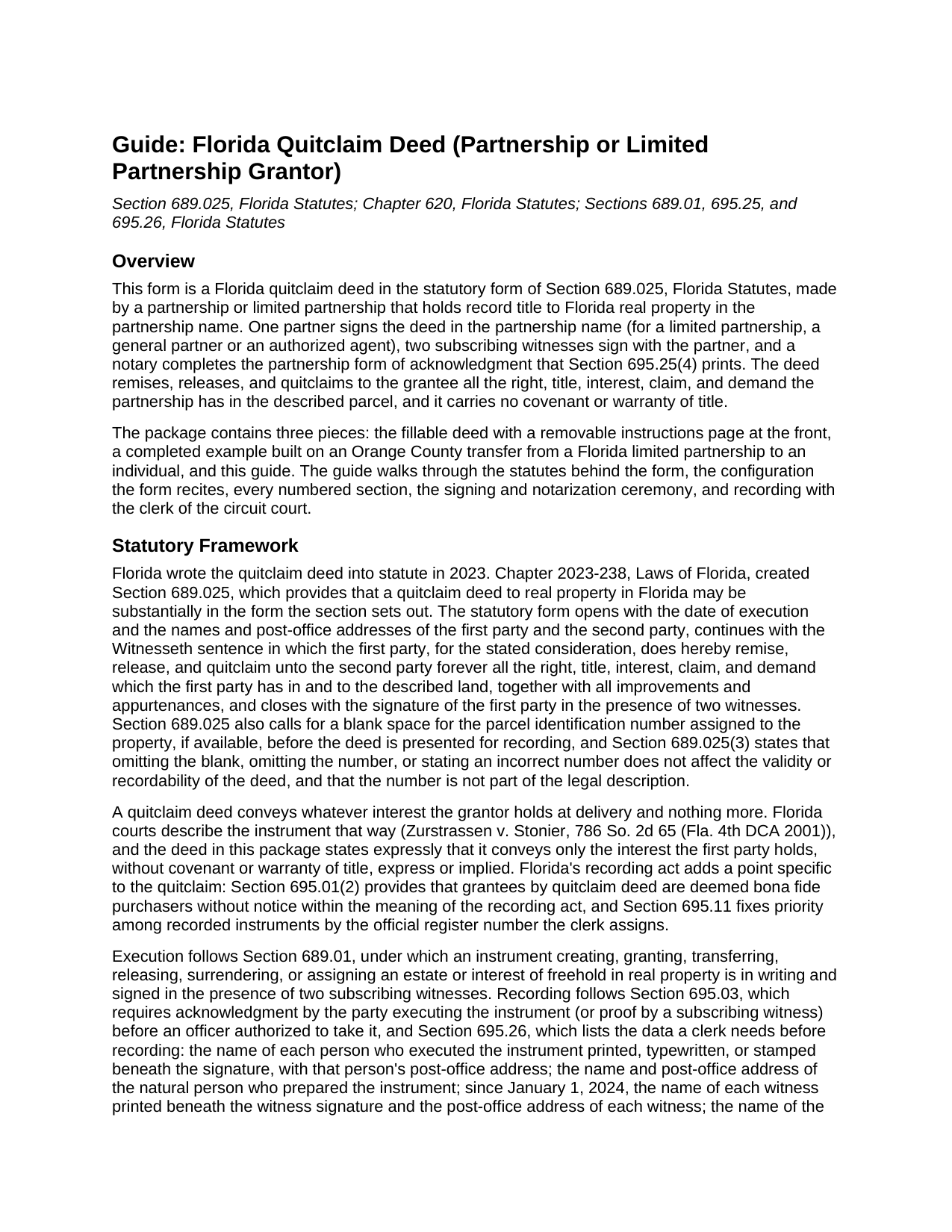
De Soto County Quitclaim Deed (Partnership or Limited Partnership Grantor) Guide
Line by line guide explaining every blank on the Quitclaim Deed (Partnership or Limited Partnership Grantor) form.

De Soto County Completed Example of the Quitclaim Deed (Partnership or Limited Partnership Grantor) Document
Example of a properly completed Florida Quitclaim Deed (Partnership or Limited Partnership Grantor) document for reference.
All 3 documents above included • One-time purchase • No recurring fees
Immediate Download • Secure Checkout
Additional Florida and De Soto County documents included at no extra charge:
Where to Record Your Documents
Clerk of the Circuit Court - County Courthouse
Arcadia, Florida 34266
Hours: 8:00 to 4:30 M-F
Phone: (863) 993-4876
Recording Tips for De Soto County:
- Bring your driver's license or state-issued photo ID
- Ensure all signatures are in blue or black ink
- Ask about accepted payment methods when you call ahead
- Ask for certified copies if you need them for other transactions
- Ask if they accept credit cards - many offices are cash/check only
Cities and Jurisdictions in De Soto County
Properties in any of these areas use De Soto County forms:
- Arcadia
- Fort Ogden
- Nocatee
Hours, fees, requirements, and more for De Soto County
How do I get my forms?
Forms are available for immediate download after payment. The De Soto County forms will be in your account ready to download to your computer. An account is created for you during checkout if you don't have one. Forms are NOT emailed.
Are these forms guaranteed to be recordable in De Soto County?
Yes. Our form blanks are guaranteed to meet or exceed the applicable formatting requirements used for recording in De Soto County, including margin requirements, font requirements, and other layout standards. This guarantee applies to formatting, not to the legal sufficiency of information entered by the user or the suitability of a form for a particular transaction.
Can I reuse these forms?
Yes. You can reuse the forms for your personal use. For example, if you have multiple properties in De Soto County you only need to order once.
What do I need to use these forms?
The forms are PDFs that you fill out on your computer. The free Adobe Acrobat Reader is recommended, and most PDF apps also work. You do NOT enter your property information online - you download the blank forms and complete them privately on your own computer.
Are there any recurring fees?
No. This is a one-time purchase. Nothing to cancel, no memberships, no recurring fees.
How much does it cost to record in De Soto County?
Recording fees in De Soto County vary. Contact the recorder's office at (863) 993-4876 for current fees.
Questions answered? Let's get started!
A Florida partnership can place its signing authority on the public record before it signs a deed. Section 620.8303, Florida Statutes, lets a partnership file a statement of partnership authority naming the partners authorized to execute an instrument transferring real property held in the partnership name, and a certified copy recorded where the land lies is conclusive in favor of a person who gives value without knowledge to the contrary. This fillable form prepares the deed that follows: a Florida quitclaim deed in the statutory form of Section 689.025, made by a partnership or limited partnership and signed by one partner in the partnership name.
One signature, in the partnership name
Section 620.8302(1)(a) supplies the rule the signature block is built around: property held in the partnership name may be transferred by an instrument executed by a partner in the partnership name, subject to a recorded statement of partnership authority. For a limited partnership, Section 620.1402 makes each general partner an agent of the entity, including for the signing of a record in the partnership's name. The execution block prints the partnership name above a By line, with entries for the signer's printed name, title, date, and post-office address beneath it, and the operative paragraph recites the same arrangement: the first party holds record title in the partnership name and acts by the undersigned partner or, for a limited partnership, by the undersigned general partner or authorized agent.
The partnership configuration
The form recites one first party, a partnership or limited partnership holding record title in its own name, and one second party. Section 1 takes the partnership name as the vesting deed spells it, the entity type and state of organization, and the partnership's post-office address; Section 2 takes the grantee's name and post-office address, with room for two grantees and a vesting designation. One signature block, two subscribing witness blocks, and one acknowledgment certificate serve the single signature the deed collects, and no joining spouse block appears, because the owner of record is an entity. Records presenting this configuration include a limited partnership distributing a parcel to a partner as a project winds down, a family limited partnership conveying a parcel to a successor partnership, and a partnership releasing to an adjoining owner its record interest in a strip the surveys left in doubt. The form is not set up as a deed by individual partners in whose own names a parcel stands of record, which Section 620.8302(1)(b) and (c) assign to those persons' signatures, nor as a conveyance by a limited liability company, a corporation, a trustee, or a natural person.
Two witnesses and the partnership certificate
The partner signs before two subscribing witnesses under Section 689.01, and the witness blocks carry the printed name and post-office address that Section 695.26 has made recording data for each witness since January 1, 2024. The certificate is the partnership short form of Section 695.25(4): the officer names the acknowledging partner or agent as partner (or agent) on behalf of the named partnership, marks whether the signer appeared by physical presence or online notarization, and records whether the signer was personally known or produced identification. A reserved area below the officer's signature lines holds the rubber stamp seal Section 117.05 requires on a paper document.
What passes, and what the clerk collects
The deed passes whatever the partnership holds, with no covenant of title; mortgages, liens, easements, and restrictions of record continue against the land. Section 695.01(2) nonetheless deems a grantee by quitclaim deed a bona fide purchaser without notice within the recording act. Documentary stamp tax under Section 201.02 is computed on consideration as chapter 201 measures it, 70 cents per 100 dollars outside Miami-Dade County, with any mortgage balance counted even where the deed recites ten dollars; a distribution to a partner is measured under the same rules. The first page keeps its top right 3-inch square clear for the clerk, and the parcel identification number blank Section 689.025 calls for sits beside the legal description.
The download holds the blank deed as a fillable PDF with a removable instructions page, a completed example built on an Orange County distribution from a Florida limited partnership to an individual, and a guide covering every entry, the chapter 620 signing rules, the witness and notary blocks, and recording with the clerk of the circuit court. The materials are informational and are not legal advice.
Important: Your property must be located in De Soto County to use these forms. Documents should be recorded at the county recording office listed above.
This Quitclaim Deed (Partnership or Limited Partnership Grantor) meets all recording requirements specific to De Soto County.
Our Promise
The documents you receive here are guaranteed to meet or exceed the applicable De Soto County recording format requirements. If there is a rejection caused by our formatting, we will correct the issue or refund your payment. This guarantee applies to document formatting only and does not extend to information entered by the user, the selection of the form, or the legal effect of the completed document.
Save Time and Money
Get your De Soto County Quitclaim Deed (Partnership or Limited Partnership Grantor) form done right the first time with Deeds.com Uniform Conveyancing Blanks. At Deeds.com, we understand that your time and money are valuable resources, and we don't want you to face a penalty fee or rejection imposed by a county recorder for submitting nonstandard documents. We constantly review and update our forms to meet rapidly changing state and county recording requirements for roughly 3,500 counties and local jurisdictions.
4.8 out of 5 - ( 4,845 Reviews )
Denise P. 5 out of 5 stars
Seamless transaction. Was pleased with the additional information that was provided. Thank you!
Thank you for your feedback. We really appreciate it. Have a great day!
MANUEL O. 5 out of 5 stars
great service Loved!
Thank you!
Charles F. 5 out of 5 stars
Hi Please do not take time to respond to my previous inquiry - - - I figured it out. Deeds.com is a great tool for those of us who have occasional need for your type of services. Thanks ! Chuck
Thank you!
Frank K. 5 out of 5 stars
One thing I suggest is use the nomenclature Borrower / Lender / instead of Mortgatator / Mortgatee… Had to google which is which ? !
Thank you for your feedback. We really appreciate it. Have a great day!
Becky B. 1 out of 5 stars
Terrible form format
Thank you for taking the time to leave your feedback Becky. We do hope that you found something more suitable to your needs elsewhere. Have a wonderful day.
Joseph B. 5 out of 5 stars
All very good
Thank you!
Regina W. 5 out of 5 stars
So glad I found this form. Very easy to download and looks like all the instructions are there to correctly fill out my paperwork. Thanks.
We appreciate your business and value your feedback. Thank you. Have a wonderful day!
Remi W. 4 out of 5 stars
Submitting documents electronically through Deeds.com saved me time and provided the best possible service for me in the comfort of my own home. There's no faster, better way to record documents than e-recording with Deeds.com.
Thank you for your feedback. We really appreciate it. Have a great day!
Tanya H. 5 out of 5 stars
Could not be happier with deeds.com forms. The guide helped more than one can imagine, great resource.
We appreciate your business and value your feedback. Thank you. Have a wonderful day!
Nancy N. 5 out of 5 stars
Very easy to use. Appreicate the sample filled out forms and the guide book. Thank you!
Thank you for your feedback. We really appreciate it. Have a great day!
Joseph B. 5 out of 5 stars
Awesome!
Thank you!
Sandra A. 5 out of 5 stars
This site couldn't be any easier to use. Very pleased.
Great to hear — thank you for taking the time to write a review.
STEVEN T. 5 out of 5 stars
New customer....submitted 2 packages for erecording....very easy to do and good price....still waiting on documents to be recorded but I expect that to go smooth too. Nice to work with for sure
Thank you, Steven. We appreciate your business and the kind words. We will keep things moving and look forward to a smooth recording process for both packages.
Linda M L. 3 out of 5 stars
Easy to use, documents look good, but pretty expensive.
Thank you for your feedback. We really appreciate it. Have a great day!
David T. 5 out of 5 stars
This is a great service and terrific value. The form package provided (blank form, example form & set of instructions) was clear and easy to follow. Being able to complete the forms using the computer to insert the needed information saved countless hours. My completed form was accepted by the Clerk & Recorder office without any issue. Well worth the investment
We appreciate your business and value your feedback. Thank you. Have a wonderful day!