Highlands County Quitclaim Deed Form
Last validated October 9, 2026 by our Forms Development TeamFormatted for recording in Highlands County, for property anywhere in the county: rural and unincorporated areas as well as Avon Park, Lake Placid, Lorida, Sebring, Venus.
- 3 documents included
- Immediate PDF download
- Formatting guarantee
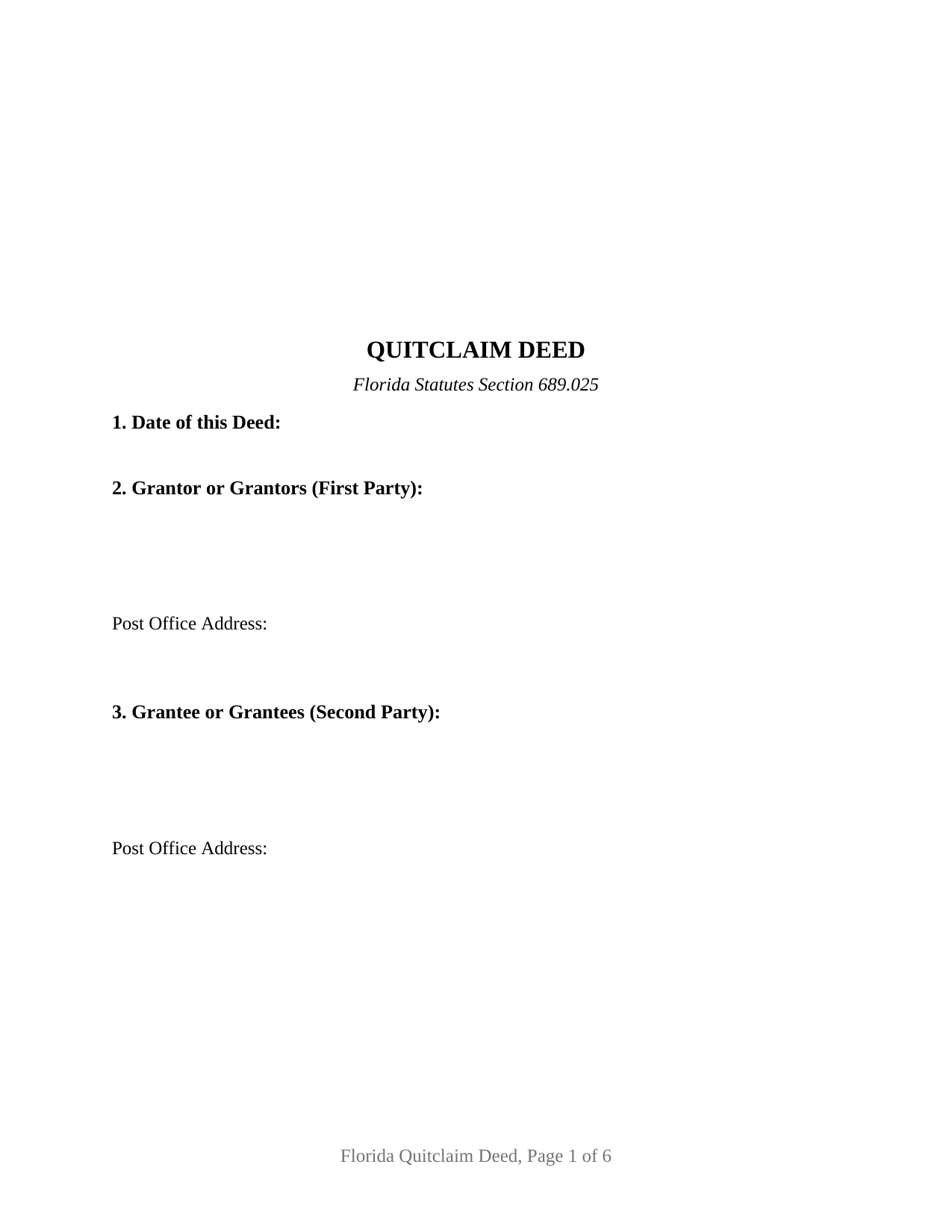
Highlands County Quitclaim Deed Form
Fill in the blank Quitclaim Deed form formatted to comply with all Florida recording and content requirements.
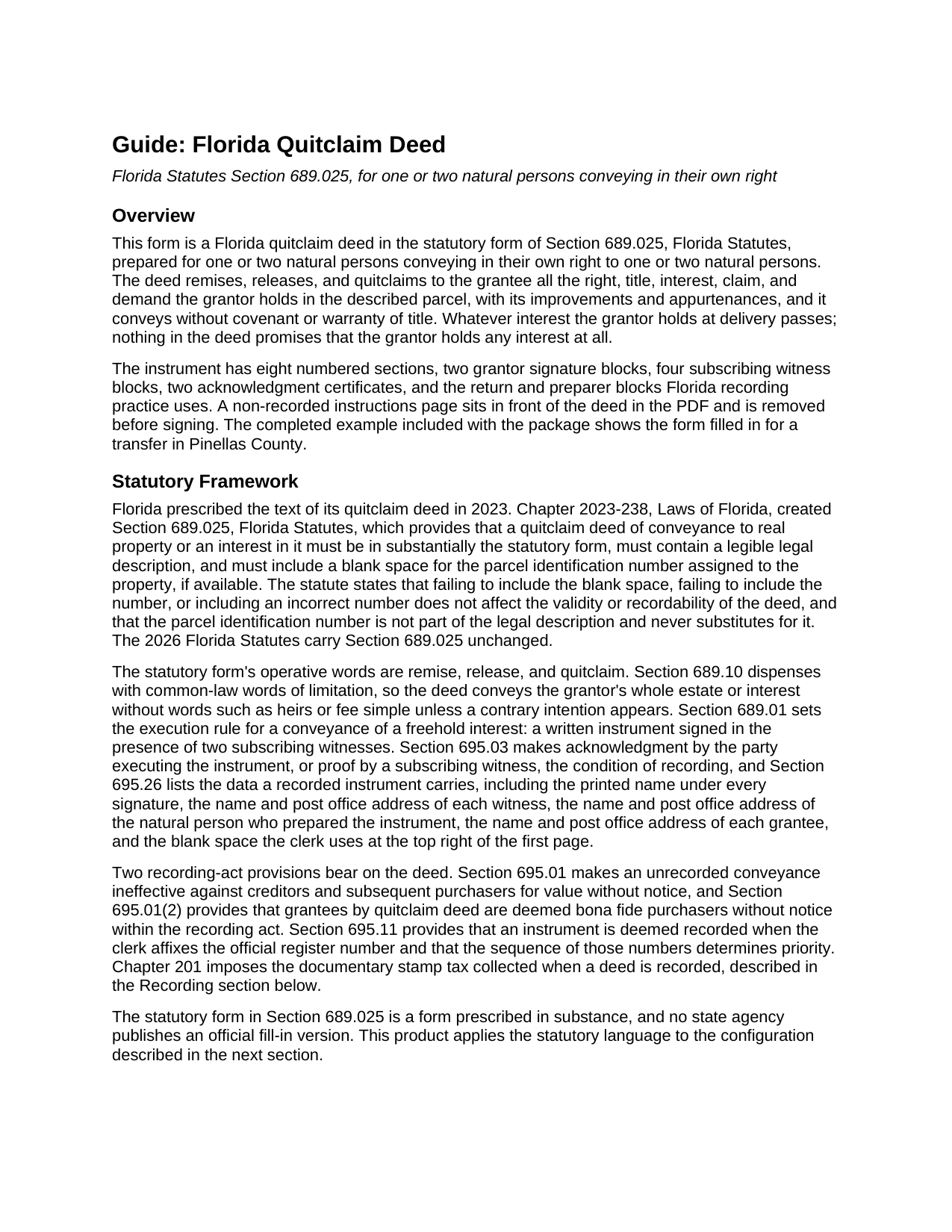
Highlands County Quitclaim Deed Guide
Line by line guide explaining every blank on the Quitclaim Deed form.
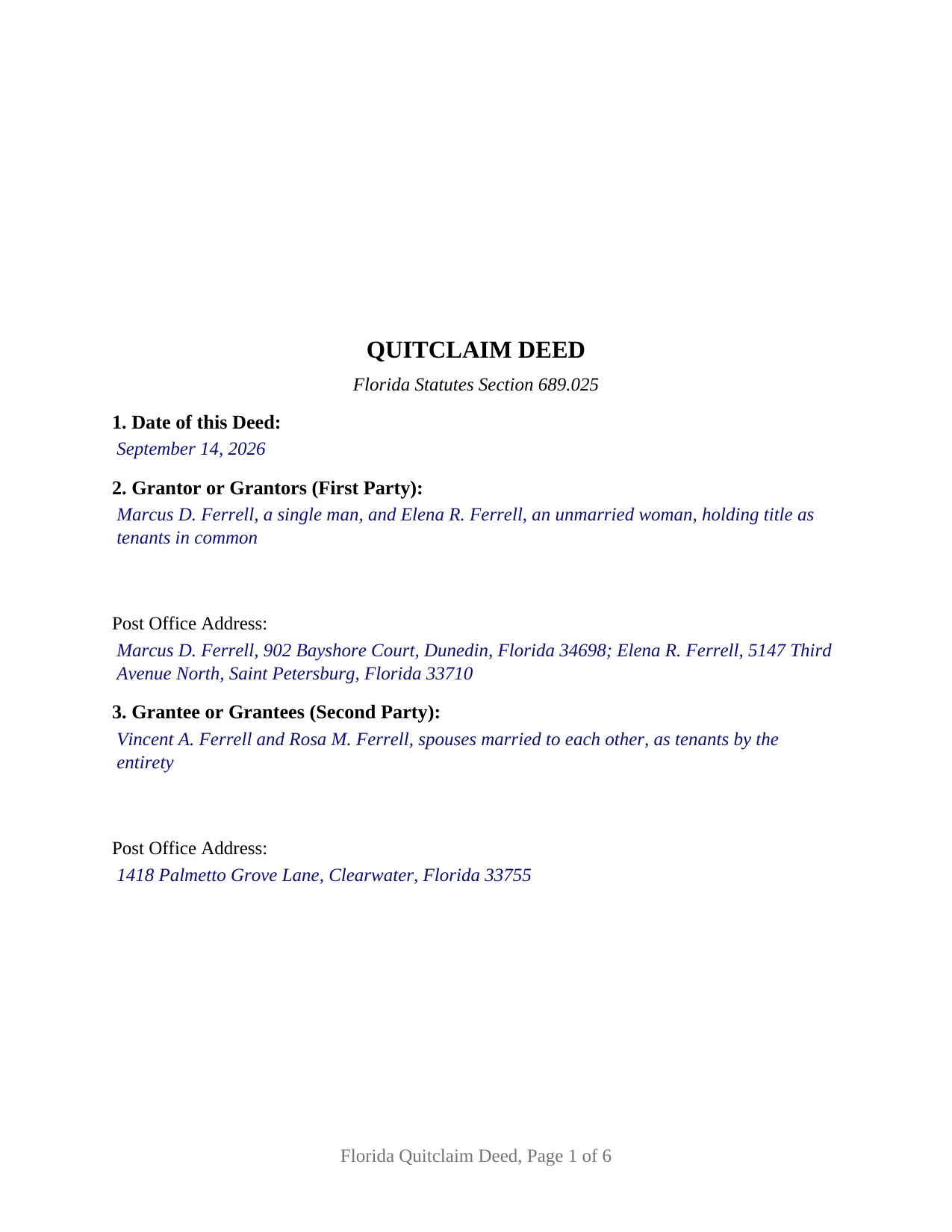
Highlands County Completed Example of the Quitclaim Deed Document
Example of a properly completed Florida Quitclaim Deed document for reference.
All 3 documents above included • One-time purchase • No recurring fees
Immediate Download • Secure Checkout
Additional Florida and Highlands County documents included at no extra charge:
Where to Record Your Documents
Highlands County Clerk of Courts
Sebring, Florida 33870-3867
Hours: 8:00am to 5:00pm M-F
Phone: (863) 402-6596
Recording Tips for Highlands County:
- Bring your driver's license or state-issued photo ID
- Ensure all signatures are in blue or black ink
- Recorded documents become public record - avoid including SSNs
- Recording fees may differ from what's posted online - verify current rates
- Request a receipt showing your recording numbers
Cities and Jurisdictions in Highlands County
Properties in any of these areas use Highlands County forms:
- Avon Park
- Lake Placid
- Lorida
- Sebring
- Venus
Hours, fees, requirements, and more for Highlands County
How do I get my forms?
Forms are available for immediate download after payment. The Highlands County forms will be in your account ready to download to your computer. An account is created for you during checkout if you don't have one. Forms are NOT emailed.
Are these forms guaranteed to be recordable in Highlands County?
Yes. Our form blanks are guaranteed to meet or exceed the applicable formatting requirements used for recording in Highlands County, including margin requirements, font requirements, and other layout standards. This guarantee applies to formatting, not to the legal sufficiency of information entered by the user or the suitability of a form for a particular transaction.
Can I reuse these forms?
Yes. You can reuse the forms for your personal use. For example, if you have multiple properties in Highlands County you only need to order once.
What do I need to use these forms?
The forms are PDFs that you fill out on your computer. The free Adobe Acrobat Reader is recommended, and most PDF apps also work. You do NOT enter your property information online - you download the blank forms and complete them privately on your own computer.
Are there any recurring fees?
No. This is a one-time purchase. Nothing to cancel, no memberships, no recurring fees.
How much does it cost to record in Highlands County?
Recording fees in Highlands County vary. Contact the recorder's office at (863) 402-6596 for current fees.
Questions answered? Let's get started!
A quitclaim deed promises nothing, so everything about its value turns on the record it enters. Section 695.11, Florida Statutes, fixes that moment precisely: an instrument is deemed recorded when the clerk affixes the official register number, and the order of those numbers settles priority, the lower number taking precedence. This fillable form prepares the instrument Florida prescribes for that filing, the statutory quitclaim deed of section 689.025, for natural persons conveying in their own right.
A deed measured by the record, not by a covenant
The statutory operative words are remise, release, and quitclaim. They pass to the second party all the right, title, interest, claim, and demand the first party holds in the described parcel, together with its improvements and appurtenances, and they stop there. Whatever the first party owns at delivery is what moves: an entire fee, an undivided share, or nothing at all. Mortgages, judgment liens, unpaid taxes, easements, and plat restrictions stay attached to the land, and the deed's express no-warranty line means no covenant of title stands behind the transfer. Florida then adds a twist that surprises readers who know quit claim deed practice in other states: under section 695.01(2), a grantee taking by quitclaim is deemed a bona fide purchaser without notice for recording act purposes, so the deed carries the recording act's full protection despite promising nothing.
One or two names on either side
This is the base configuration of the Florida quitclaim deed, and its party architecture is deliberately open. Section 2 receives one or two individuals as first party; section 3 receives one or two individuals as second party. Four count patterns therefore print without alteration, from one signer and one recipient through two of each. Nothing about marital status, capacity, or co-ownership is preprinted: the names, any status words, and any vesting designation for two grantees are entries the filler supplies. The guide covers what each blank can carry, including Florida's rule in section 689.15 that survivorship among co-owners arises only where the instrument expressly provides it, apart from the estate by the entirety between spouses. The execution architecture matches the party blocks. Two signature blocks, four subscribing witness blocks, and two acknowledgment certificates print on every copy, and a one-grantor conveyance simply leaves the second signature block, its witnesses, and its certificate blank. A married owner conveying constitutional homestead uses that second block for the spouse's joinder under article X, section 4(c) of the Florida Constitution. What the form is not set up to recite is a company or trustee as titleholder, an agent signing under a power of attorney, or three or more owners on either side.
Two witnesses, with an address for each
Florida deeds carry a signing ceremony many states dropped. Section 689.01 requires the instrument to be signed before two subscribing witnesses, and since January 1, 2024, section 695.26 has made the witness data recording data: a printed name under each witness signature and a post office address for each witness, somewhere on the face of the deed. The form draws labeled lines for all of it, two witness blocks per grantor signature. Each certificate then records what section 117.05 asks a Florida notary to state, the exact date, the person acknowledging, the identification method, and whether the appearance was by physical presence or online notarization, the remote option section 117.265 opens to a Florida online notary.
At the recording counter
The deed is recorded with the clerk of the circuit court in the county where the land lies. It keeps the top right three inch square of its first page clear for the clerk, names the natural person who prepared it, and states the grantee's post office address, all recording data section 695.26 lists. Documentary stamp tax falls due at recording, 70 cents per 100 dollars of consideration in every county but Miami-Dade, which runs its own rate and surtax. Consideration is measured by chapter 201 rather than by the deed, and it counts a mortgage riding on the property even where no money changes hands, which is what makes a family transfer of financed property taxable.
The download holds the blank deed as a fillable PDF with a removable instructions page, a completed example built on a Pinellas County transfer between relatives, and a plain language guide covering every numbered entry, the vesting choices open to two grantees, the signing ceremony, and recording. The materials are informational and are not legal advice.
Important: Your property must be located in Highlands County to use these forms. Documents should be recorded at the county recording office listed above.
This Quitclaim Deed meets all recording requirements specific to Highlands County.
Our Promise
The documents you receive here are guaranteed to meet or exceed the applicable Highlands County recording format requirements. If there is a rejection caused by our formatting, we will correct the issue or refund your payment. This guarantee applies to document formatting only and does not extend to information entered by the user, the selection of the form, or the legal effect of the completed document.
Save Time and Money
Get your Highlands County Quitclaim Deed form done right the first time with Deeds.com Uniform Conveyancing Blanks. At Deeds.com, we understand that your time and money are valuable resources, and we don't want you to face a penalty fee or rejection imposed by a county recorder for submitting nonstandard documents. We constantly review and update our forms to meet rapidly changing state and county recording requirements for roughly 3,500 counties and local jurisdictions.
4.8 out of 5 - ( 4,833 Reviews )
Richard O. 4 out of 5 stars
It has an easy-to-use interface and well-formatted, detailed forms. Consider adding AI agents to assist in completing these forms from data provided or available from public sources. Overall, I am very satisfied!
Your feedback is greatly appreciated. Thank you for taking the time to share your experience!
Erika H. 5 out of 5 stars
The service was fast and efficient. So glad I stumbled upon this website!
Thank you for your feedback. We really appreciate it. Have a great day!
Valerie B. 5 out of 5 stars
I had no clue how to write an easement termination, and I did not want to pay an attorney for it, so I ordered the instructions and form. It was very helpful to have a completed sample. I am satisfied and confident in the document I produced.
We appreciate your business and value your feedback. Thank you. Have a wonderful day!
Susan N. 5 out of 5 stars
Very easy to use and I received the information in a timely manner. I will use this service again.
Thank you!
Bobby J. 5 out of 5 stars
Good document as expected
We’re glad to hear things went well. Thank you for the review.
Laurie S. 5 out of 5 stars
This was amazingly easy to access.
We appreciate your business and value your feedback. Thank you. Have a wonderful day!
EILEEN K. 5 out of 5 stars
I received my product in great condition and it works ok. Thankyou!!!
Thank you!
Fred A. 5 out of 5 stars
Extremely easy to find what you need and get the documents downloaded.
Thanks so much, Fred! We really appreciate your kind words and are glad you had a smooth experience.
Kathyren O. 5 out of 5 stars
Very helpful and I will be using your services in the near future. Thank you Kathyren Oleary
Thanks Kathyren, we really appreciate your feedback.
Doris S. 5 out of 5 stars
Pleased with efficiency and expediency of website. Added value is the respective county requirements for Florida. I needed a quitclaim deed between family members. Highly recommended. We hope to record signed and executed document next week in Florida. Thank you.
We appreciate your business and value your feedback. Thank you. Have a wonderful day!
Steve F. 5 out of 5 stars
Fast Service, Easy to use. Highly Recommend!
Thank you!
Elaine L. 5 out of 5 stars
5 STAR, THIS WAS A GREAT EXPERIENCE, FAST VERY RESOURCEFUL TOOL TO PROVIDE FOR MY CLIENTS. Thank you
Thank you!
Chastity S. 1 out of 5 stars
Very confusing and a waste of money, Now I will have to pay for another service from another site. Very disappointed.
Thank you for your feedback. Sorry to hear about your disappointment. It is certainly a good idea to seek a more full service route if you are not completely sure of what you are doing. We have canceled your order and payment.
Michelle G. 5 out of 5 stars
This was a great service! I was having trouble recording something and found this was the best, and quickest, way to get it completed. Excellent service! Will definitely use them again!
Thank you for your feedback. We really appreciate it. Have a great day!
Gary K. 5 out of 5 stars
Easy to use site. Good job, it works with no stress.
Thank you!