Highlands County Quitclaim Deed (Interspousal) Form
Last validated October 9, 2026 by our Forms Development TeamFormatted for recording in Highlands County, for property anywhere in the county: rural and unincorporated areas as well as Avon Park, Lake Placid, Lorida, Sebring, Venus.
- 3 documents included
- Immediate PDF download
- Formatting guarantee
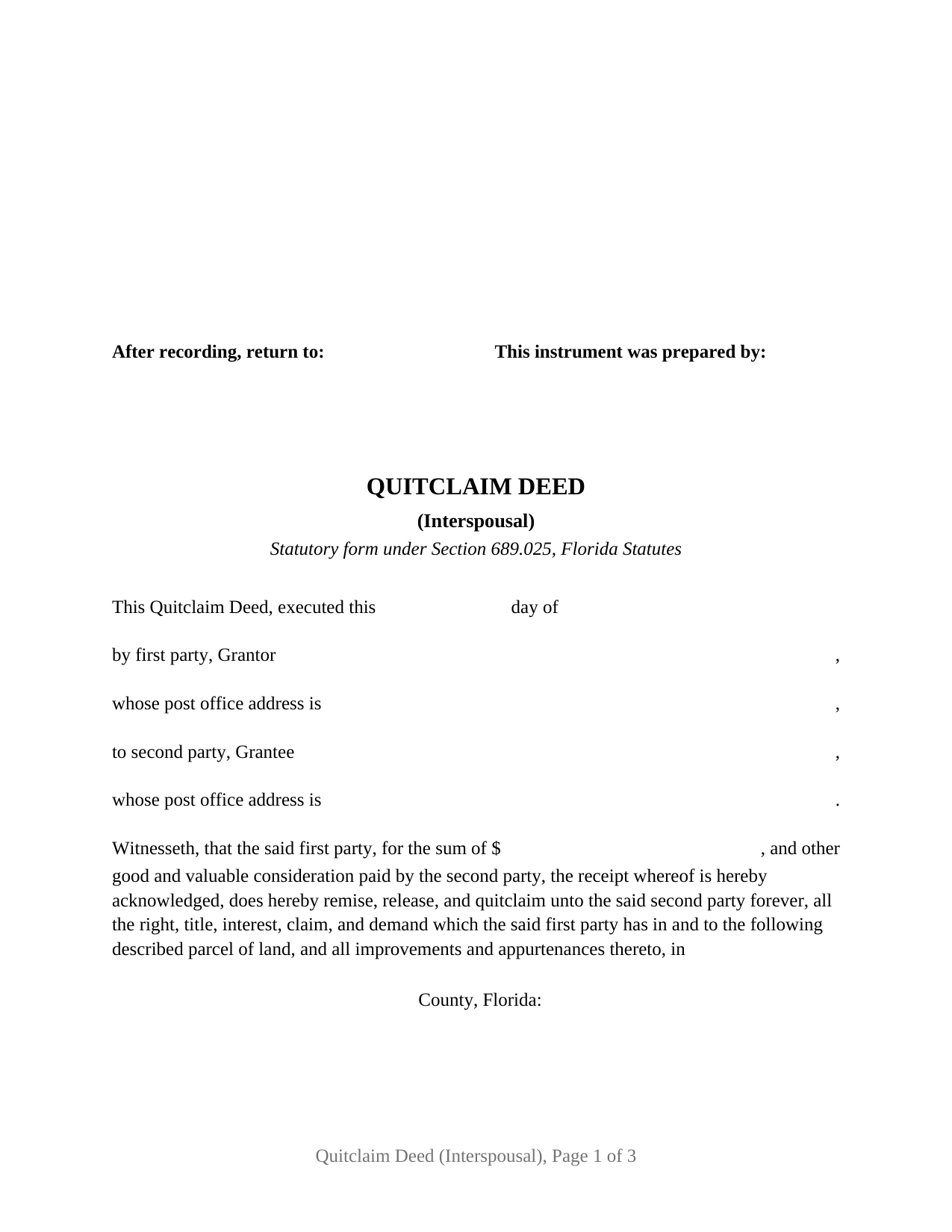
Highlands County Quitclaim Deed (Interspousal) Form
Fill in the blank Quitclaim Deed (Interspousal) form formatted to comply with all Florida recording and content requirements.
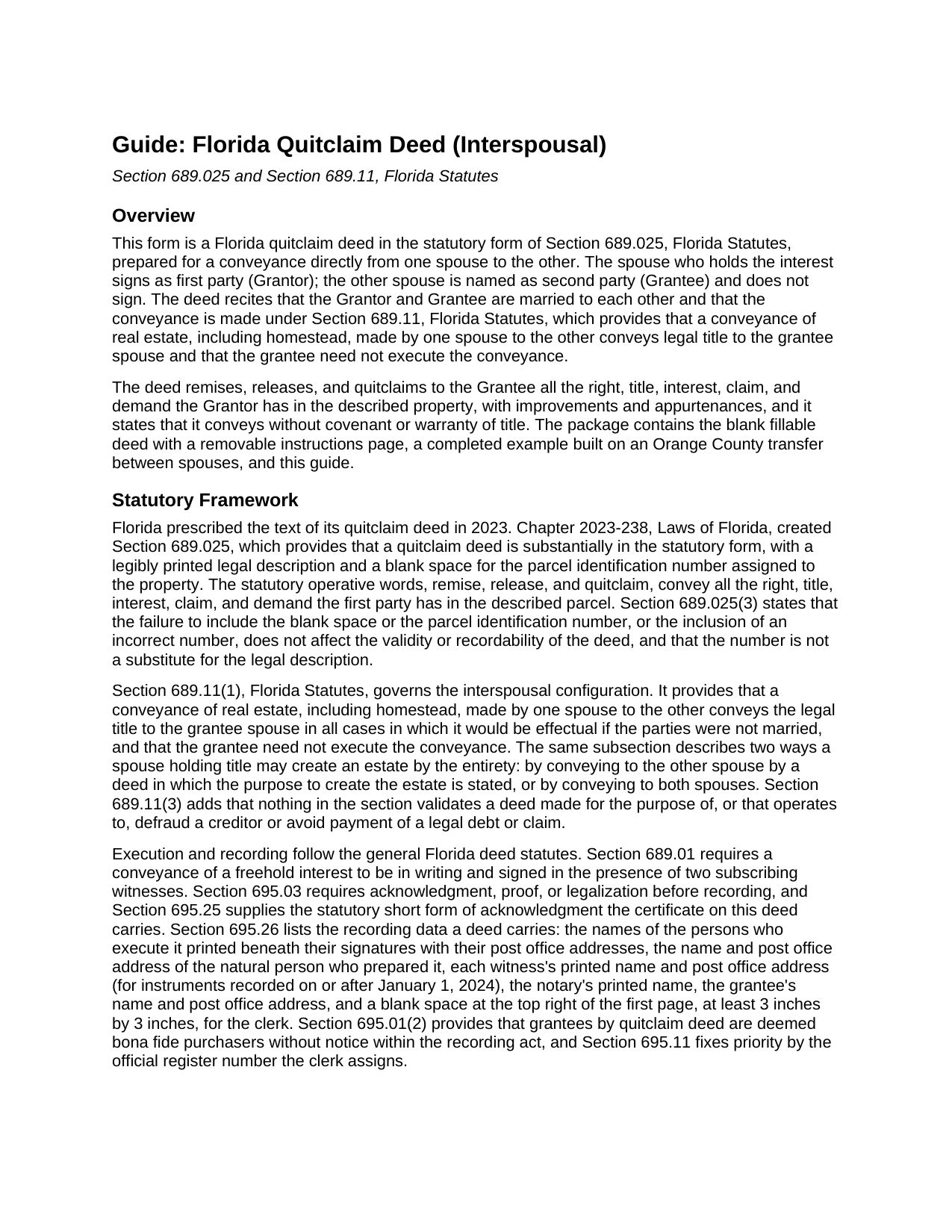
Highlands County Quitclaim Deed (Interspousal) Guide
Line by line guide explaining every blank on the Quitclaim Deed (Interspousal) form.
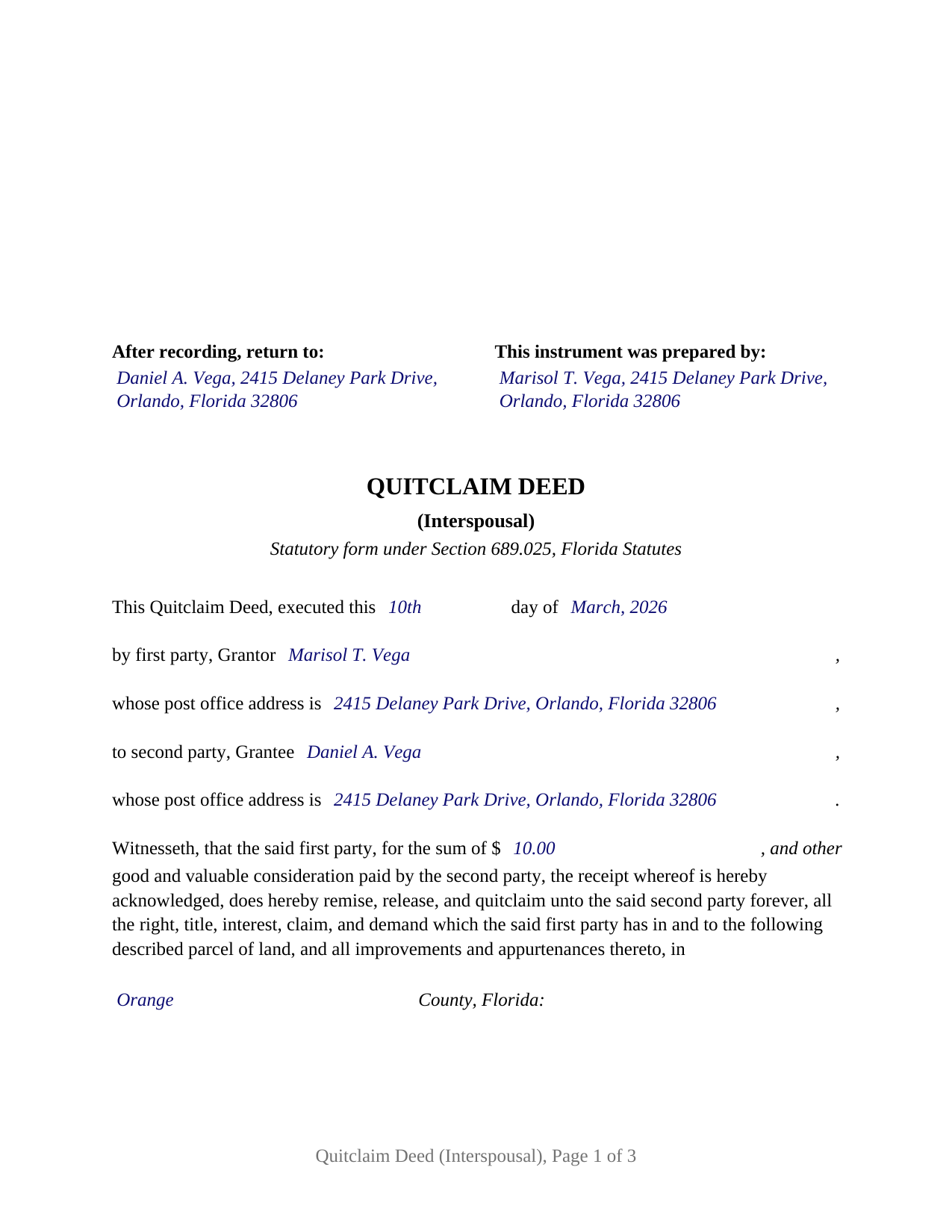
Highlands County Completed Example of the Quitclaim Deed (Interspousal) Document
Example of a properly completed Florida Quitclaim Deed (Interspousal) document for reference.
All 3 documents above included • One-time purchase • No recurring fees
Immediate Download • Secure Checkout
Additional Florida and Highlands County documents included at no extra charge:
Where to Record Your Documents
Highlands County Clerk of Courts
Sebring, Florida 33870-3867
Hours: 8:00am to 5:00pm M-F
Phone: (863) 402-6596
Recording Tips for Highlands County:
- Bring your driver's license or state-issued photo ID
- Ensure all signatures are in blue or black ink
- Both spouses typically need to sign if property is jointly owned
- Bring extra funds - fees can vary by document type and page count
- Check margin requirements - usually 1-2 inches at top
Cities and Jurisdictions in Highlands County
Properties in any of these areas use Highlands County forms:
- Avon Park
- Lake Placid
- Lorida
- Sebring
- Venus
Hours, fees, requirements, and more for Highlands County
How do I get my forms?
Forms are available for immediate download after payment. The Highlands County forms will be in your account ready to download to your computer. An account is created for you during checkout if you don't have one. Forms are NOT emailed.
Are these forms guaranteed to be recordable in Highlands County?
Yes. Our form blanks are guaranteed to meet or exceed the applicable formatting requirements used for recording in Highlands County, including margin requirements, font requirements, and other layout standards. This guarantee applies to formatting, not to the legal sufficiency of information entered by the user or the suitability of a form for a particular transaction.
Can I reuse these forms?
Yes. You can reuse the forms for your personal use. For example, if you have multiple properties in Highlands County you only need to order once.
What do I need to use these forms?
The forms are PDFs that you fill out on your computer. The free Adobe Acrobat Reader is recommended, and most PDF apps also work. You do NOT enter your property information online - you download the blank forms and complete them privately on your own computer.
Are there any recurring fees?
No. This is a one-time purchase. Nothing to cancel, no memberships, no recurring fees.
How much does it cost to record in Highlands County?
Recording fees in Highlands County vary. Contact the recorder's office at (863) 402-6596 for current fees.
Questions answered? Let's get started!
Florida lets one spouse deed real estate directly to the other. Section 689.11 of the Florida Statutes validates a conveyance of real estate, including homestead, made by one spouse to the other, passes legal title to the grantee spouse, and states that the grantee need not execute the conveyance. No intermediary, no straw-man transfer, and only one signature line: the grantor's. This form pairs that rule with Florida's statutory quitclaim deed language, producing an interspousal deed built for the county recording counter.
The statutory quitclaim form, word for word
Since 2023, Florida has prescribed the text of a quitclaim deed. Chapter 2023-238, Laws of Florida, created Section 689.025, which prescribes the deed's text, a legible legal description, and a blank space for the parcel identification number. This form follows the statutory language exactly: the deed remises, releases, and quitclaims to the second party all the right, title, interest, claim, and demand which the first party has in and to the described parcel, together with its improvements and appurtenances. Those words convey whatever interest the grantor holds at delivery, and nothing more; a quitclaim deed carries no covenant or warranty of title, and the deed says so in its own text.
Built around a married grantor and grantee
The deed recites that the grantor and grantee are married to each other and invokes Section 689.11, so the recorded instrument shows on its face why the grantee's signature is absent, even where the property is constitutional homestead. The architecture follows that recital: one grantor signature block, two subscribing witness blocks, and a single acknowledgment certificate, with no joinder line and no second grantor block anywhere on the deed. Transfers of this shape appear in the record when title held in one spouse's name is moved into the other spouse's name, when a spouse releases an undivided interest so the record stands in a single name, and when a marital or premarital agreement calls for a conveyance between the spouses. The form names one grantee alone, so it moves an interest into that spouse's sole name; a deed placing title in both spouses, or one stating the purpose to create a tenancy by the entirety, is a different structure that Section 689.11 also describes and that this deed does not recite. It likewise does not recite former spouses after a dissolution, an entity or trustee as grantor, or an agent signing under a power of attorney.
Documentary stamps: where the mortgage matters
Florida taxes deeds at 70 cents per 100 dollars of consideration (Miami-Dade County has its own rate structure), and consideration includes a mortgage on the property even when nobody assumes it. That rule reaches deeds between spouses, so a transfer of mortgaged property can be taxable on the share of the loan that travels with the interest conveyed. Section 201.02(7)(b), Florida Statutes, carves out the transfer most interspousal deeds involve: homestead property moving between spouses with nothing but the existing mortgage or lien as consideration is exempt, whether the deed runs from one spouse to the other, from one spouse to both, or from both to one. The guide walks through the computation, the minimum tax on an unencumbered transfer, and the exemption.
Two witnesses, a notary, and the clerk's blank square
A Florida deed is signed before two subscribing witnesses and acknowledged before a notary, and since January 1, 2024, each witness's printed name and post office address belong on the instrument. The form carries dedicated witness blocks, a notary certificate in the words of the Section 695.25 short form with the physical presence or online notarization boxes Florida certificates now state and a reserved area for the notary's rubber stamp seal, a preparer block, and the 3 inch by 3 inch space the clerk claims at the top right of the first page. After recording, title stands in the grantee spouse's name alone, and the grantor becomes the spouse whose joinder the Florida Constitution calls for on any later sale, gift, or mortgage of the homestead.
The package includes the blank deed as a fillable PDF with a removable instructions page, a completed example showing a realistic Orange County transfer between spouses, and a plain-language guide that treats every blank, the homestead angle, and the recording costs; the materials are informational and are not legal advice.
Important: Your property must be located in Highlands County to use these forms. Documents should be recorded at the county recording office listed above.
This Quitclaim Deed (Interspousal) meets all recording requirements specific to Highlands County.
Our Promise
The documents you receive here are guaranteed to meet or exceed the applicable Highlands County recording format requirements. If there is a rejection caused by our formatting, we will correct the issue or refund your payment. This guarantee applies to document formatting only and does not extend to information entered by the user, the selection of the form, or the legal effect of the completed document.
Save Time and Money
Get your Highlands County Quitclaim Deed (Interspousal) form done right the first time with Deeds.com Uniform Conveyancing Blanks. At Deeds.com, we understand that your time and money are valuable resources, and we don't want you to face a penalty fee or rejection imposed by a county recorder for submitting nonstandard documents. We constantly review and update our forms to meet rapidly changing state and county recording requirements for roughly 3,500 counties and local jurisdictions.
4.8 out of 5 - ( 4,827 Reviews )
Mylika M. 5 out of 5 stars
Deed.com has been an amazing resource for my solo practice. Very timely communication and quick results!
We truly value your business and appreciate your review.
Robert W. 5 out of 5 stars
Easier than I thought. No problem Nice service
Thank you!
ROBERET D. 5 out of 5 stars
after a poor start was able to get to the forms page and find what I was looking for and every thing worked good. Just getting to the right area was a struggle but we made thanks Bob
Thank you for your feedback. We really appreciate it. Have a great day!
Martha V. 5 out of 5 stars
Great service!
We appreciate your business and value your feedback. Thank you. Have a wonderful day!
Donna B. 5 out of 5 stars
Got exactly what I was looking for and for one price! Accessing the documents was super easy! Love this site and will definitely recommend to family and friends!
Thank you!
John T. 5 out of 5 stars
Great site, I was able to navigate with ease. We appreciate all those who contributed in making this possible
Thank you!
Tressa P. 5 out of 5 stars
This online service was very easy to use. I highly recommend Deeds.com. The quick response from the representative upon submitting your document is quick. If something needed to be adjusted they will send you message and you can in turn respond right away with a message. The pricing of this service is very reasonable.
Thank you!
Woody P. 5 out of 5 stars
I was informed that a quit Claim Deed that I had submitted, did not meet county requirements. I ordered the correct form and was surprised that the form included instructions and a sample "completed" form for me to follow. I found it al very helpful. Thank you !!!
Thank you!
Steven S. 5 out of 5 stars
Accurate and informative, great site for deed forms.
Thank you for your feedback. We really appreciate it. Have a great day!
Don M. 5 out of 5 stars
The process was easy going. The process is one thing, the results another. I have attempting to resolve this matter, of claiming sole ownership of the property for several YEARS. I lost my Bride of 65 years in 2015. A lawyer I hired failed in his attempt, so I'm waiting to see the actual results. I also have two parcels in New Mexico under the same situation, so if this is successful, I'll gladly be back. Thank You so very much. Don Martin
We appreciate your business and value your feedback. Thank you. Have a wonderful day!
Jacqueline T. 5 out of 5 stars
Worth it for the time saved as the supplemental forms required were included the purchase. First time user, easy peasy. 5 stars from me.
We appreciate your business and value your feedback. Thank you. Have a wonderful day!
Marion B. 5 out of 5 stars
As far as I know all is in order as far as my transfer on death instrument for Illinois. Thank you so much!
Thank you for your feedback. We really appreciate it. Have a great day!
Donna R. 5 out of 5 stars
This was a seamless process. It probably took one minute to fill out my information and upload the document. It was formatted and sent immediately. It was processed the next day at the county recorders office. I have zero complaints. Before finding this company I spent an entire day calling and leaving messages at other e-filing companies like simplfile and others but they all required subscriptions. I just needed to file a single document now and then so that was not a good fit. (And those companies I found out still require the customer to do all the work!). Deeds.com kept me informed throughout the process every step. I'm happy to write this review. Thank you
Thank you for your feedback. We really appreciate it. Have a great day!
RAYMOND W. 5 out of 5 stars
Thank you for the comprehensive forms - very much appreciated!
Thank you Raymond.
Maria W. 5 out of 5 stars
Really, the best and easiest service given us to complete a process for recorder office! Thank you!!
Thank you!