Gilchrist County Special Warranty Deed (Two Grantors by Attorney-in-Fact) Form
Last validated October 11, 2026 by our Forms Development TeamFormatted for recording in Gilchrist County, for property anywhere in the county: rural and unincorporated areas as well as Bell, Trenton.
- 3 documents included
- Immediate PDF download
- Formatting guarantee
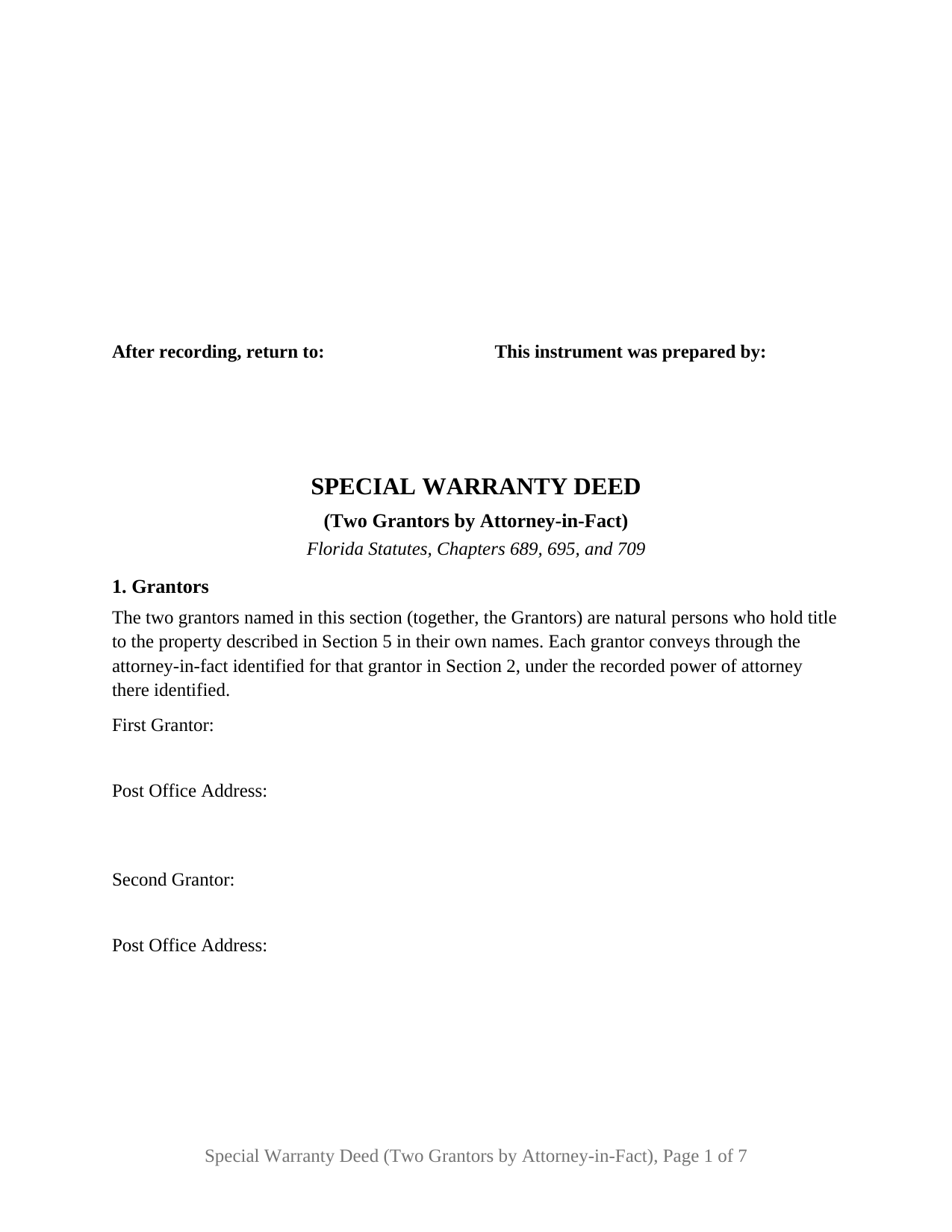
Gilchrist County Special Warranty Deed (Two Grantors by Attorney-in-Fact) Form
Fill in the blank Special Warranty Deed (Two Grantors by Attorney-in-Fact) form formatted to comply with all Florida recording and content requirements.
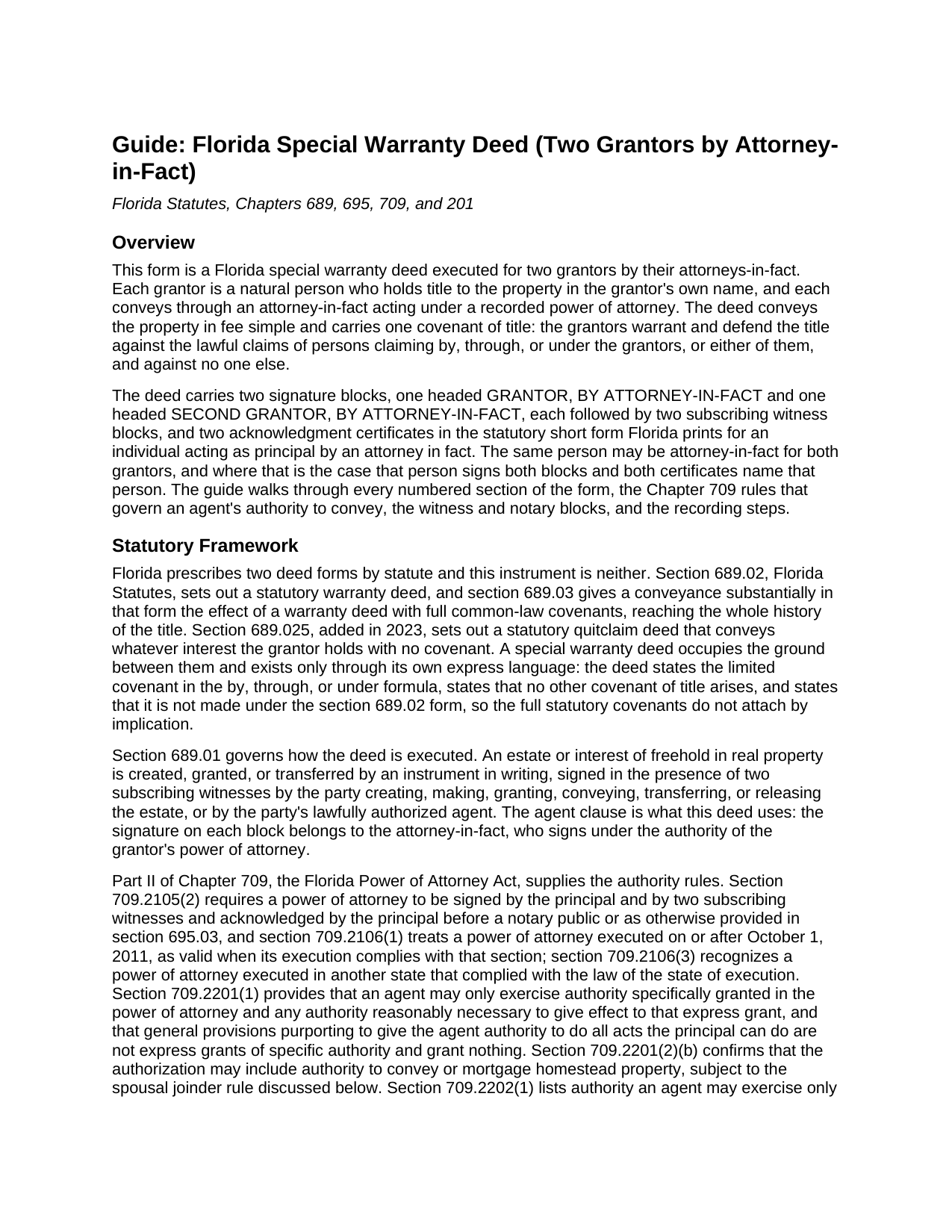
Gilchrist County Special Warranty Deed (Two Grantors by Attorney-in-Fact) Guide
Line by line guide explaining every blank on the Special Warranty Deed (Two Grantors by Attorney-in-Fact) form.
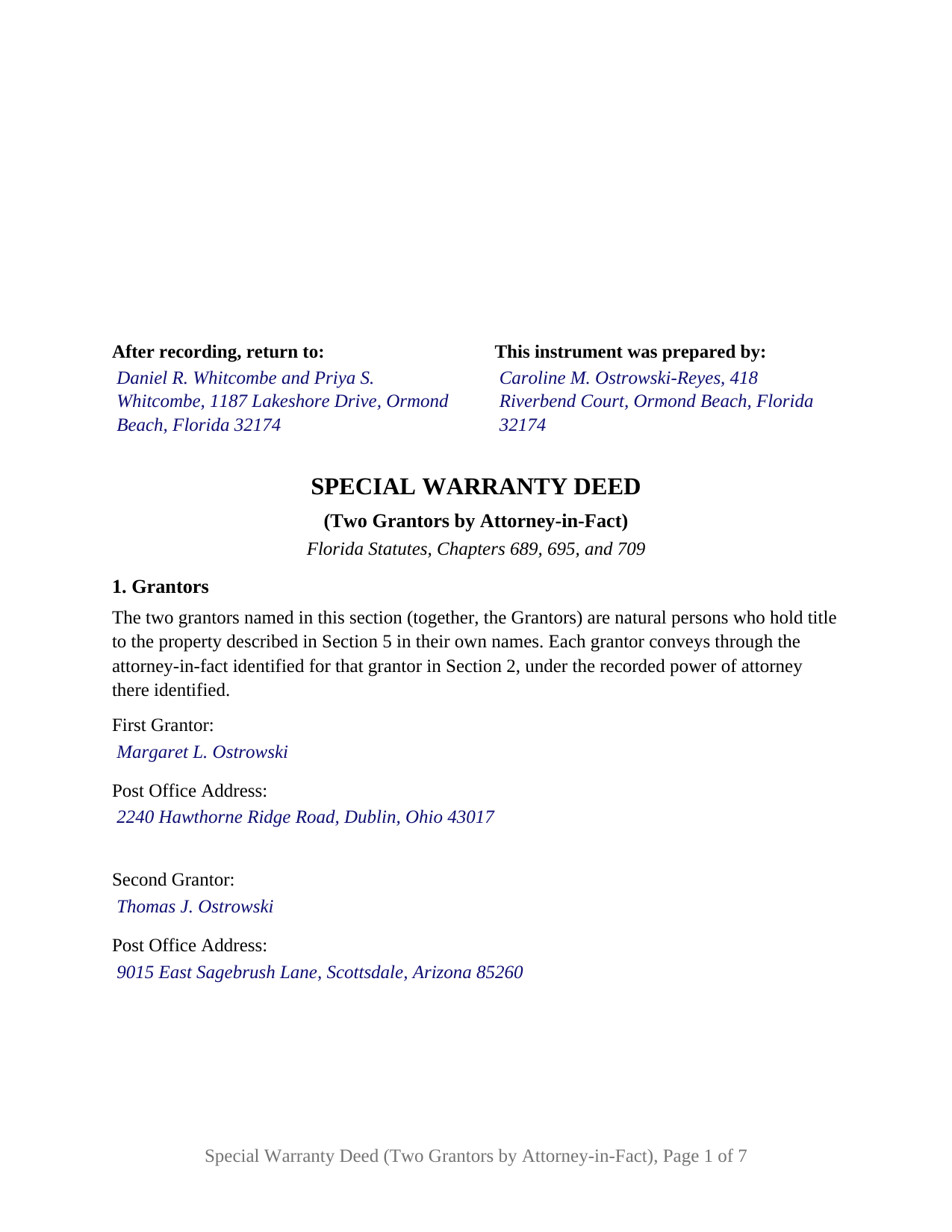
Gilchrist County Completed Example of the Special Warranty Deed (Two Grantors by Attorney-in-Fact) Document
Example of a properly completed Florida Special Warranty Deed (Two Grantors by Attorney-in-Fact) document for reference.
All 3 documents above included • One-time purchase • No recurring fees
Immediate Download • Secure Checkout
Additional Florida and Gilchrist County documents included at no extra charge:
Where to Record Your Documents
Gilchrist County Clerk of Court
Trenton, Florida 32693
Hours: 8:30 a.m.- 5:00 p.m
Phone: (352) 463-3170
Recording Tips for Gilchrist County:
- Bring your driver's license or state-issued photo ID
- Ensure all signatures are in blue or black ink
- Bring extra funds - fees can vary by document type and page count
- Check margin requirements - usually 1-2 inches at top
- Leave recording info boxes blank - the office fills these
Cities and Jurisdictions in Gilchrist County
Properties in any of these areas use Gilchrist County forms:
- Bell
- Trenton
Hours, fees, requirements, and more for Gilchrist County
How do I get my forms?
Forms are available for immediate download after payment. The Gilchrist County forms will be in your account ready to download to your computer. An account is created for you during checkout if you don't have one. Forms are NOT emailed.
Are these forms guaranteed to be recordable in Gilchrist County?
Yes. Our form blanks are guaranteed to meet or exceed the applicable formatting requirements used for recording in Gilchrist County, including margin requirements, font requirements, and other layout standards. This guarantee applies to formatting, not to the legal sufficiency of information entered by the user or the suitability of a form for a particular transaction.
Can I reuse these forms?
Yes. You can reuse the forms for your personal use. For example, if you have multiple properties in Gilchrist County you only need to order once.
What do I need to use these forms?
The forms are PDFs that you fill out on your computer. The free Adobe Acrobat Reader is recommended, and most PDF apps also work. You do NOT enter your property information online - you download the blank forms and complete them privately on your own computer.
Are there any recurring fees?
No. This is a one-time purchase. Nothing to cancel, no memberships, no recurring fees.
How much does it cost to record in Gilchrist County?
Recording fees in Gilchrist County vary. Contact the recorder's office at (352) 463-3170 for current fees.
Questions answered? Let's get started!
Two Florida owners can convey a parcel by one special warranty deed without either of them signing it. Each grantor's name appears in the deed, and each signature belongs to an attorney-in-fact acting under that grantor's recorded power of attorney. Two grantors, natural persons holding title in their own names, convey in fee simple through two signature blocks and two certificates, warranting title only against claims arising by, through, or under them.
Two principals, two powers, two signatures
Under section 709.2201(1) of the Florida Power of Attorney Act an agent exercises only authority specifically granted in the power of attorney, and a general grant to do all acts the principal could do grants nothing. Because each grantor's authority is separate, the deed keeps the two chains separate. Section 2 names each grantor's attorney-in-fact with the date and recording reference of that grantor's power of attorney, and the operative paragraph conveys by and through those agents. One person holding powers from both grantors appears twice and signs both blocks.
Why the powers of attorney reach the record first
Section 695.01(1) ties the deed's protection to the recording of each power of attorney: against creditors and later purchasers for value without notice, a deed made under a power of attorney is effectual only if that power was of record before their rights accrued. A power not yet of record is recorded in the county of the land before or with the deed.
A certificate for each agent
Each certificate follows the section 695.25(5) short form for a principal acting by an attorney in fact: the officer names the agent, states that the agent acknowledged as attorney in fact and was personally known or produced the identification stated, and names the principal. Two certificates let the agents acknowledge on different dates or before different officers; the completed example shows acknowledgments in Volusia County and Orange County two days apart. A labeled area under each certificate is reserved for the rubber-stamp seal section 117.05 requires.
The covenant the grantors give, and the agents do not
The warranty belongs to the grantors and is measured by their own tenure. They warrant and defend title against lawful claims of persons claiming by, through, or under the grantors, or either of them, and against none other; no other covenant of title arises, and the deed states that it is not made under the section 689.02 statutory form, so the section 689.03 covenants stay off it. Section 7 identifies the instrument by which the grantors took title, where the covenant begins, and Section 8 lists the recorded matters the conveyance is subject to. Each attorney-in-fact acts only in a representative capacity and makes no personal covenant.
Exactly two grantors, each by agent
The form recites exactly two grantors, each a natural person holding title in the grantor's own name, and one attorney-in-fact and one recorded power of attorney for each. Two siblings who co-own an inherited Florida house from other states, each having given a durable power of attorney to a relative near the property, and spouses abroad who co-own a condominium and named the same adult child as agent, present the pattern this deed recites. One or two grantees may be named, with any designation of how they hold. The form is not set up as a deed by a single owner conveying through an agent, as a deed the grantors sign personally, or as a deed from a corporation, limited liability company, partnership, or trustee. It carries no joining-spouse block: where a married grantor's spouse is not a grantor and the property is that grantor's homestead, the joinder the Florida Constitution and section 709.2201(2)(b) call for is a signature the form does not carry, while two spouses who both convey join each other by conveying.
Each agent signs before two subscribing witnesses under section 689.01, with the agent's own printed name and post office address beneath the signature and each witness's printed name and post office address, recording data under section 695.26 since January 1, 2024. The first page leaves the clerk's 3 inch by 3 inch space blank, and section 201.02 documentary stamp tax is collected at recording.
The download includes the deed as a fillable PDF, a completed example worked through a Volusia County sale by two out-of-state siblings acting through their attorneys-in-fact, and a plain-language guide covering each section, the Chapter 709 authority rules, signing, and recording. The materials describe Florida law in general terms and are not legal advice.
Important: Your property must be located in Gilchrist County to use these forms. Documents should be recorded at the county recording office listed above.
This Special Warranty Deed (Two Grantors by Attorney-in-Fact) meets all recording requirements specific to Gilchrist County.
Our Promise
The documents you receive here are guaranteed to meet or exceed the applicable Gilchrist County recording format requirements. If there is a rejection caused by our formatting, we will correct the issue or refund your payment. This guarantee applies to document formatting only and does not extend to information entered by the user, the selection of the form, or the legal effect of the completed document.
Save Time and Money
Get your Gilchrist County Special Warranty Deed (Two Grantors by Attorney-in-Fact) form done right the first time with Deeds.com Uniform Conveyancing Blanks. At Deeds.com, we understand that your time and money are valuable resources, and we don't want you to face a penalty fee or rejection imposed by a county recorder for submitting nonstandard documents. We constantly review and update our forms to meet rapidly changing state and county recording requirements for roughly 3,500 counties and local jurisdictions.
4.8 out of 5 - ( 4,839 Reviews )
Angela M. 5 out of 5 stars
Great communication and always on timely manner unless issue appears with the document. I like their customer service, very helpful and assisting when necessary.
We are sincerely grateful for your feedback and are committed to providing the highest quality service. Thank you for your trust in us.
Kathy R. 5 out of 5 stars
I was very pleased with the quick turn around on a response to my inquiry. Further guidance was direct and I appreciate the professionalism from deeds.com.
Thank you!
Tamica D. 5 out of 5 stars
Exceptional service. Thank you for your assistance.
Thank you!
Sylvia S. 5 out of 5 stars
Thank you for making my life easier!!
Thank you for your feedback. We really appreciate it. Have a great day!
Angela L. 5 out of 5 stars
AWESOME!
Thank you!
Dawn M. 5 out of 5 stars
So helpful and quick! The response time and kindness was amazing! The steps were easy to follow as well. We will definitely be using Deeds.com in the future!
Thank you for your feedback. We really appreciate it. Have a great day!
elizabeth m. 5 out of 5 stars
Wonderful service, forms were great. Completed and ready for recording. Will check back in after recorded.
We appreciate your business and value your feedback. Thank you. Have a wonderful day!
Glenn H. 5 out of 5 stars
Searched online 3 hours until I found Deeds.com, afterwards smooth sailing definitely 5 stars
Thank you for your feedback. We really appreciate it. Have a great day!
Brooksye G. 5 out of 5 stars
Very helpful. I live in Arkansas and needed information and documents for a Missouri transaction. I got everything I needed without any hassle.
Thank you Brooksye, we really appreciate your feedback.
Shana D. 5 out of 5 stars
I ordered the wrong forms because I didn't do enough research to understand what I needed. Their customer service was more understanding than I deserved.
Thank you!
Mary S. 5 out of 5 stars
Very helpful and an easy site to use so far.
Thank you for your feedback. We really appreciate it. Have a great day!
Regina S. 4 out of 5 stars
Delivered as promised but the explanation of how to complete the form is very basic. I'd like to see a few broader explanations such as if the spouse isn't the affiant, etc.
Thank you, Regina. We’re glad the forms were delivered as promised, and we appreciate the suggestion. We’ll keep that feedback in mind as we continue improving our guides and examples.
Kwaku A. 5 out of 5 stars
Excellent service ! Came through in the clutch! Easy to use and understand ! Exceptional service ! 10/10
Thank you!
Donna M. 5 out of 5 stars
Appreciated the ability to not only download the form but the instruction's AND a sample.
Thank you for your feedback. We really appreciate it. Have a great day!
Andrea R. 5 out of 5 stars
I was pleasantly surprised as I didn't even know you can record a quit claim deed digitally. I am in the mortgage business so I will gladly refer all my clients to this website! Deeds.com was prompt and fast with the entire process. My document was recorded and completed in less than 24 hours! Thank you again!
We appreciate your business and value your feedback. Thank you. Have a wonderful day!