Newton County Cancellation of Security Deed Form
Last validated October 6, 2026 by our Forms Development TeamFormatted for recording in Newton County, for property anywhere in the county: rural and unincorporated areas as well as Covington, Mansfield, Newborn, Oxford, Porterdale.
- 3 documents included
- Immediate PDF download
- Formatting guarantee
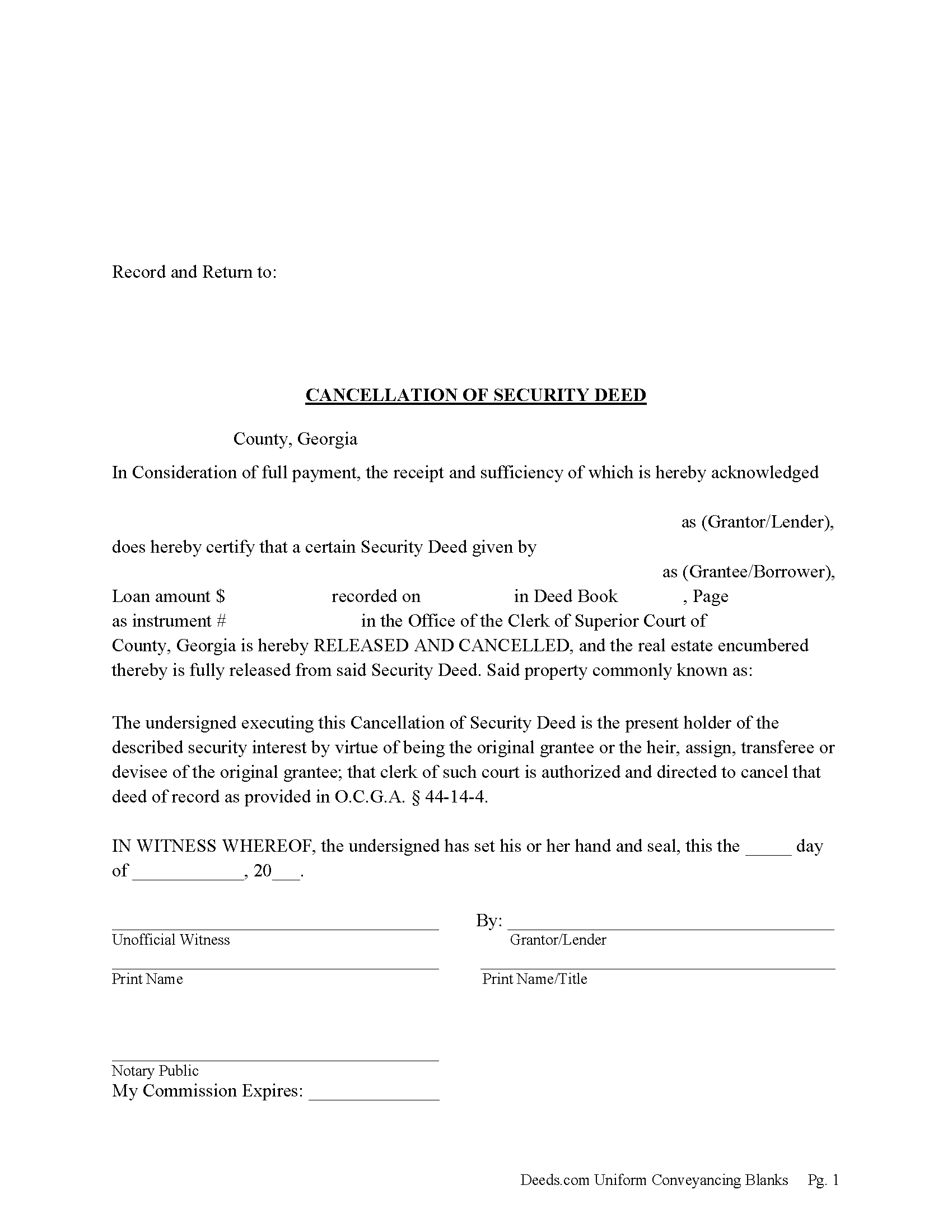
Newton County Cancellation of Security Deed Form
Fill in the blank form formatted to comply with all recording and content requirements.
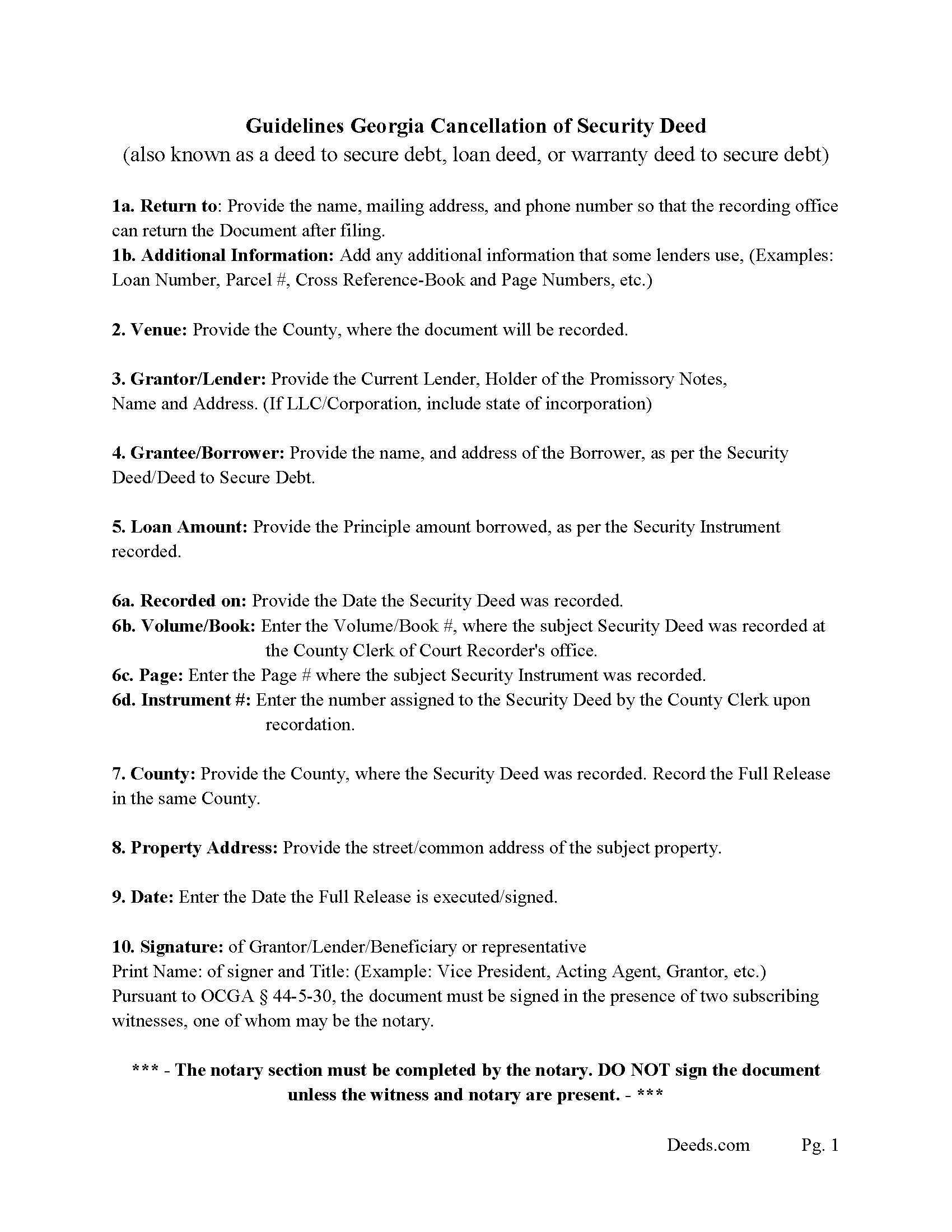
Newton County Guidelines for Cancellation of Security Deed
Line by line guide explaining every blank on the form.
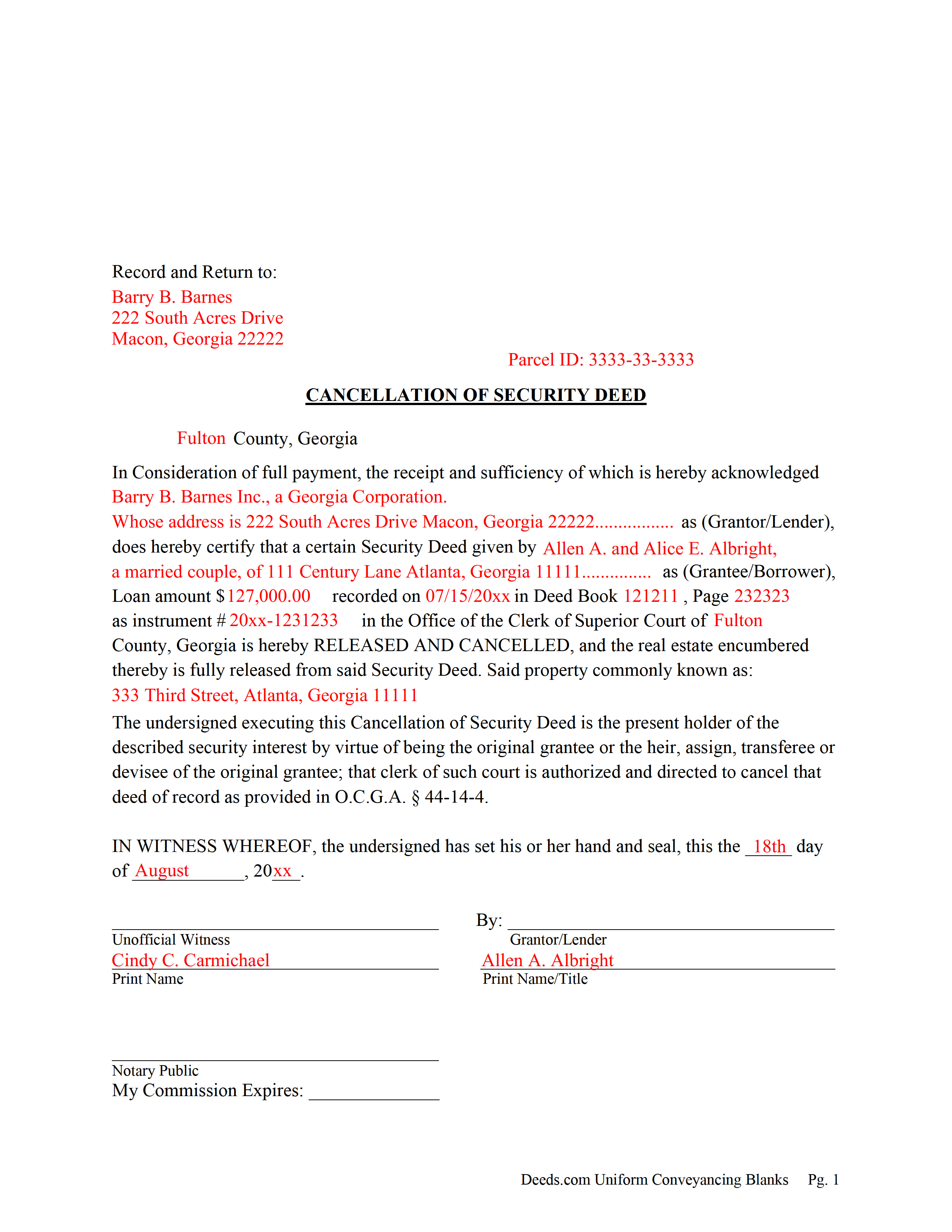
Newton County Completed Example of the Cancellation of Security Deed
Example of a properly completed form for reference.
All 3 documents above included • One-time purchase • No recurring fees
Immediate Download • Secure Checkout
Additional Georgia and Newton County documents included at no extra charge:
Where to Record Your Documents
Clerk of Courts - Real Estate Division
Covington, Georgia 30014
Hours: 8:00 to 5:00 M-F
Phone: (770) 784-2035
Recording Tips for Newton County:
- Bring your driver's license or state-issued photo ID
- Ensure all signatures are in blue or black ink
- Recording fees may differ from what's posted online - verify current rates
- Request a receipt showing your recording numbers
- Ask about accepted payment methods when you call ahead
Cities and Jurisdictions in Newton County
Properties in any of these areas use Newton County forms:
- Covington
- Mansfield
- Newborn
- Oxford
- Porterdale
Hours, fees, requirements, and more for Newton County
How do I get my forms?
Forms are available for immediate download after payment. The Newton County forms will be in your account ready to download to your computer. An account is created for you during checkout if you don't have one. Forms are NOT emailed.
Are these forms guaranteed to be recordable in Newton County?
Yes. Our form blanks are guaranteed to meet or exceed the applicable formatting requirements used for recording in Newton County, including margin requirements, font requirements, and other layout standards. This guarantee applies to formatting, not to the legal sufficiency of information entered by the user or the suitability of a form for a particular transaction.
Can I reuse these forms?
Yes. You can reuse the forms for your personal use. For example, if you have multiple properties in Newton County you only need to order once.
What do I need to use these forms?
The forms are PDFs that you fill out on your computer. The free Adobe Acrobat Reader is recommended, and most PDF apps also work. You do NOT enter your property information online - you download the blank forms and complete them privately on your own computer.
Are there any recurring fees?
No. This is a one-time purchase. Nothing to cancel, no memberships, no recurring fees.
How much does it cost to record in Newton County?
Recording fees in Newton County vary. Contact the recorder's office at (770) 784-2035 for current fees.
Questions answered? Let's get started!
Current Lender, holder of the Promissory Note uses this form to cancel a Georgia "Security Deed" (also known as a "Deed to Secure Debt", "Loan Deed" or "Warranty Deed to Secure Debt") when it has been satisfied/paid in full. Record this form with the Clerk of the Superior Court in which the Security Instrument was recorded, the same county that the property lies in. (The clerk shall index and record, in the same manner as the original mortgage instrument is recorded, the canceled and satisfied mortgage instrument or such portion thereof as bears the order of the mortgagee or transferee directing that the mortgage be canceled, together with any order of the mortgagee or transferee directing that the mortgage be canceled. The clerk shall show on the index of the cancellation and on the cancellation document the deed book and page number where the original mortgage instrument is recorded.) (Section 44-14-4)
In general, the Lender has 60 days from satisfaction, to release the Security Deed before he/she becomes liable for damages. See Georgia Code Section 44-14-3
(Georgia Cancellation of Security Deed Package includes form, guidelines, and completed example)For use in Georgia Only.
Important: Your property must be located in Newton County to use these forms. Documents should be recorded at the county recording office listed above.
This Cancellation of Security Deed meets all recording requirements specific to Newton County.
Our Promise
The documents you receive here are guaranteed to meet or exceed the applicable Newton County recording format requirements. If there is a rejection caused by our formatting, we will correct the issue or refund your payment. This guarantee applies to document formatting only and does not extend to information entered by the user, the selection of the form, or the legal effect of the completed document.
Save Time and Money
Get your Newton County Cancellation of Security Deed form done right the first time with Deeds.com Uniform Conveyancing Blanks. At Deeds.com, we understand that your time and money are valuable resources, and we don't want you to face a penalty fee or rejection imposed by a county recorder for submitting nonstandard documents. We constantly review and update our forms to meet rapidly changing state and county recording requirements for roughly 3,500 counties and local jurisdictions.
4.8 out of 5 - ( 4,839 Reviews )
Shelba M. 3 out of 5 stars
The web site is alright, not the easiest to navigate and the wording on the papers could be simpler to understand.
Thank you for your feedback! We appreciate your input regarding the website's navigation and the wording on our documents. We'll definitely take your suggestions into account to improve the user experience and make the content more accessible and easier to understand. Your insights are valuable to us as we strive to enhance our services. If you have any further suggestions or concerns, please feel free to share them with us. Thank you again for your feedback!
Lori F. 5 out of 5 stars
These folks are so amazing! They were very kind, patient and the communication was above and beyond. Basically, THEY ROCK!
Thank you!
Kathy Z. 5 out of 5 stars
Great site !! Very easy to navigate and explanations are clear and simple to understand. Thank You!
We appreciate your business and value your feedback. Thank you. Have a wonderful day!
Christopher V. 5 out of 5 stars
GREAT STUFF TKS
Thank you!
Norma M. 5 out of 5 stars
this is great because it saves money and gets the job done
Thank you for your feedback. We really appreciate it. Have a great day!
Julie A. 5 out of 5 stars
After receiving the forms online and reviewing them, it was very easy to fill this out and the additional information was very helpful. Saved a lot of money by not having to use a lawyer/paralegal to do this simple task. Will definitely use Deeds.com in the future for any further needs. Thank you
Thank you Julie. We appreciate you taking the time to leave your review. Have a wonderful day.
Jayne S. 5 out of 5 stars
Simple and quick -- just what we needed!
Your feedback is greatly appreciated. Thank you for taking the time to share your experience!
Emily P. 4 out of 5 stars
Used the quitclaim form and the erecording service. Very smooth transaction, everything worked as it should.
Thank you for your feedback. We really appreciate it. Have a great day!
Karen U. 5 out of 5 stars
Very quick and easy!! Thanks!
Thank you for taking a moment to share your thoughts.
Theadore L. 5 out of 5 stars
Bought a transfer on death deed form and it worked great. Easy to fill out and record with the County. Got some helpful information from the county recorders office before filling out the form. I found out that I could use one deed for 2 properties. Saved me money not having to pay fees for 2 deeds.
We are delighted to have been of service. Thank you for the positive review!
Sarah K. 1 out of 5 stars
I was annoyed when I realized I couldn't put the document into Word or WordPerfect. I had to retype the entire document. What a waste of time and money.
Sorry to hear of your annoyance. We have canceled your order and payment. We do hope that you find something more suitable to your needs elsewhere. Have a wonderful day.
Jessi S. 5 out of 5 stars
Delivery of documents was instantaneous once payment is received. Thank you for that. For future clarification to potential users, Deeds.com may want to categorize the type of easement documents that are available. I was needing a 'utility easement' form and received an 'ingress/egress' form. Had I known it was an ingress/egress document, I would not have made the purchase. Outside of this issue, this site is very helpful for the average layperson to hold guardianship over personal interests.
Thank you for your feedback. We really appreciate it. Have a great day!
Jim P. 5 out of 5 stars
Exactly what we were looking for and filled out everything in minutes. Great value!
Thank you!
Jubal T. 5 out of 5 stars
This is the most comprehensive, helpful real estate tool I have seen. I was at first worried because the 330# didn’t have live operators but I received messages in my account as quickly as a conversation had by text and was able to download a deed and record it the same day in a county 1,300 miles away. Highly recommended!
We are sincerely grateful for your feedback and are committed to providing the highest quality service. Thank you for your trust in us.
Darrell P. 5 out of 5 stars
My legal description exceeds the avaiable space in the one page Exhibit A...any way to add a second page as 'Exhibit A (continued)'?
It is not required to use the included exhibit page. Simply label your printed legal description as the appropriate exhibit.