Talbot County Final Lien Waiver and Release Form
Last validated November 2, 2026 by our Forms Development TeamFormatted for recording in Talbot County, for property anywhere in the county: rural and unincorporated areas as well as Box Springs, Geneva, Junction City, Talbotton, Woodland.
- 3 documents included
- Immediate PDF download
- Formatting guarantee
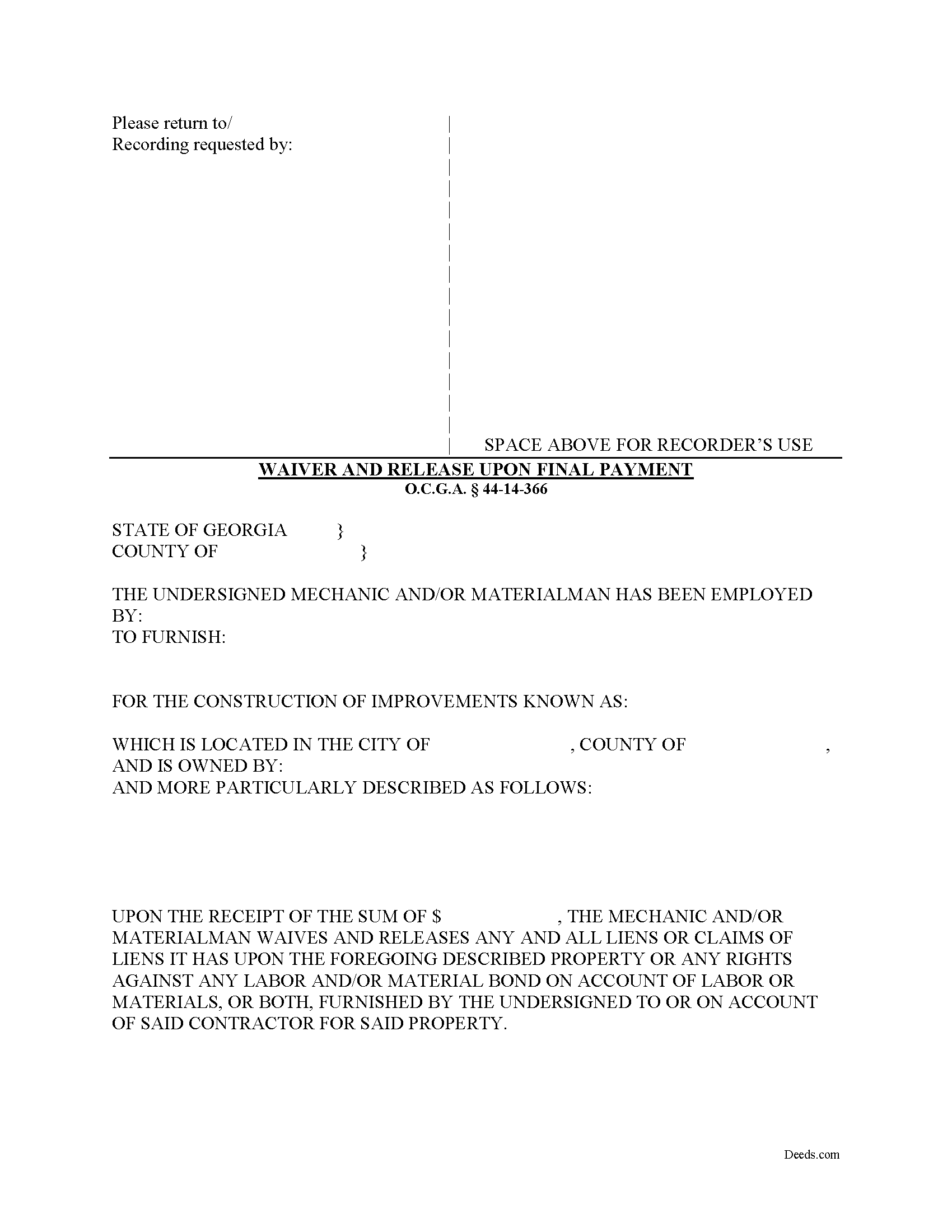
Talbot County Final Lien Waiver and Release Form
Fill in the blank Final Lien Waiver and Release form formatted to comply with all Georgia recording and content requirements.
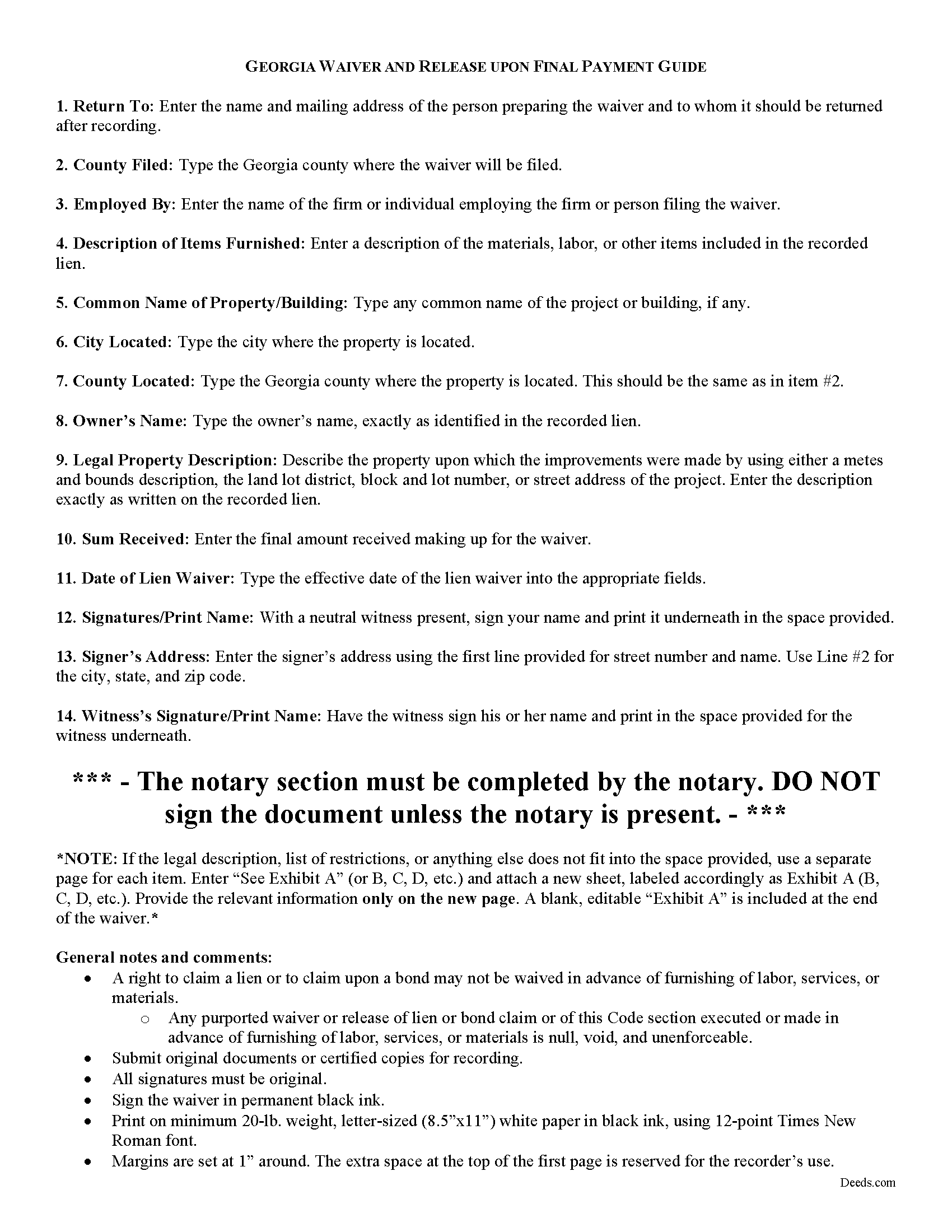
Talbot County Final Lien Waiver and Release Guide
Line by line guide explaining every blank on the form.
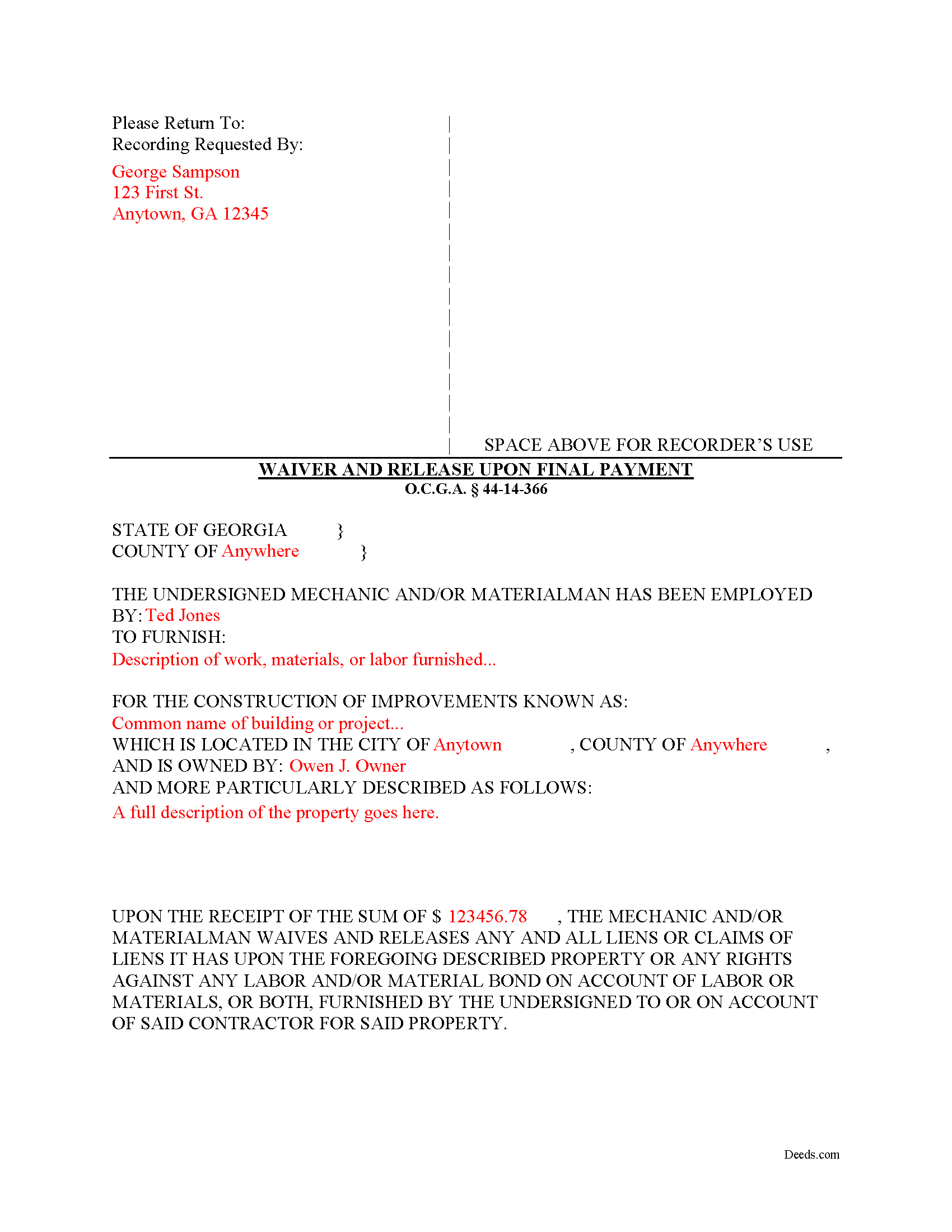
Talbot County Completed Example of the Final Lien Waiver and Release Document
Example of a properly completed form for reference.
All 3 documents above included • One-time purchase • No recurring fees
Immediate Download • Secure Checkout
Additional Georgia and Talbot County documents included at no extra charge:
Where to Record Your Documents
Clerk of Superior Court
Talbotton, Georgia 31827
Hours: 8:00 to 5:00 M-F
Phone: (706) 665-3239 or 3276
Recording Tips for Talbot County:
- Bring your driver's license or state-issued photo ID
- Ensure all signatures are in blue or black ink
- Check margin requirements - usually 1-2 inches at top
- Leave recording info boxes blank - the office fills these
- Make copies of your documents before recording - keep originals safe
Cities and Jurisdictions in Talbot County
Properties in any of these areas use Talbot County forms:
- Box Springs
- Geneva
- Junction City
- Talbotton
- Woodland
Hours, fees, requirements, and more for Talbot County
How do I get my forms?
Forms are available for immediate download after payment. The Talbot County forms will be in your account ready to download to your computer. An account is created for you during checkout if you don't have one. Forms are NOT emailed.
Are these forms guaranteed to be recordable in Talbot County?
Yes. Our form blanks are guaranteed to meet or exceed the applicable formatting requirements used for recording in Talbot County, including margin requirements, font requirements, and other layout standards. This guarantee applies to formatting, not to the legal sufficiency of information entered by the user or the suitability of a form for a particular transaction.
Can I reuse these forms?
Yes. You can reuse the forms for your personal use. For example, if you have multiple properties in Talbot County you only need to order once.
What do I need to use these forms?
The forms are PDFs that you fill out on your computer. The free Adobe Acrobat Reader is recommended, and most PDF apps also work. You do NOT enter your property information online - you download the blank forms and complete them privately on your own computer.
Are there any recurring fees?
No. This is a one-time purchase. Nothing to cancel, no memberships, no recurring fees.
How much does it cost to record in Talbot County?
Recording fees in Talbot County vary. Contact the recorder's office at (706) 665-3239 or 3276 for current fees.
Questions answered? Let's get started!
Lien waivers are recorded documents used to inform a property owner and any other interested parties that the person or firm with a potential mechanic's lien right is giving up the right to file that lien in exchange for full or partial payment. Use these documents carefully, because the right to a mechanic's lien is regarded as sacred in the realm on the construction world. Unlike most other states, Georgia takes a different approach to its lien waivers, declaring them void unless payment has been received. O.C.G.A. 44-14-366(b).
Georgia recognizes two major types of waivers: The Interim Waiver and Release upon Payment and the Waiver and Release upon Final Payment. O.C.G.A. 44-14-366. These two waivers also fit into the minor categories of being conditioned or not conditioned on actual receipt of payment (included a cleared check). The latter categories can have a tremendous effect on lien rights, as sending an unconditional waiver will waive the right to a lien regardless of confirmed payment.
In addition to requiring payment first, Georgia law prohibits preliminary waivers of lien rights before beginning the work: A right to claim a lien or to claim upon a bond may not be waived in advance of furnishing of labor, services, or materials. O.C.G.A. 44-14-366(a). Any purported waiver or release of lien or bond claim or of this Code section executed or made in advance of furnishing of labor, services, or materials is null, void, and unenforceable. Id.
To surrender all rights to a lien, a claimant files a Waiver and Release upon Final Payment. Use this form when a claimant is requested to execute a waiver and release in exchange for or to induce the making of final payment. O.C.G.A. 44-14-366(d).
The form identifies the parties, the location, the nature of the work, relevant dates, and the amount of payment.
This article is provided for informational purposes only and should not be relied upon as a substitute for the advice of an attorney. Please contact an attorney with questions about waivers, or any other issues related to liens in Georgia.
Important: Your property must be located in Talbot County to use these forms. Documents should be recorded at the county recording office listed above.
This Final Lien Waiver and Release meets all recording requirements specific to Talbot County.
Our Promise
The documents you receive here are guaranteed to meet or exceed the applicable Talbot County recording format requirements. If there is a rejection caused by our formatting, we will correct the issue or refund your payment. This guarantee applies to document formatting only and does not extend to information entered by the user, the selection of the form, or the legal effect of the completed document.
Save Time and Money
Get your Talbot County Final Lien Waiver and Release form done right the first time with Deeds.com Uniform Conveyancing Blanks. At Deeds.com, we understand that your time and money are valuable resources, and we don't want you to face a penalty fee or rejection imposed by a county recorder for submitting nonstandard documents. We constantly review and update our forms to meet rapidly changing state and county recording requirements for roughly 3,500 counties and local jurisdictions.
4.8 out of 5 - ( 4,858 Reviews )
Clarence O. 5 out of 5 stars
Very easy process to record a Quit Claim Deed. Would definitely recommend!
Thank you!
Cheryl S. 5 out of 5 stars
quick response
Thank you!
Malissa B. 5 out of 5 stars
Fast response and quick delivery love it!
It was a pleasure serving you. Thank you for the positive feedback!
Barbara S. 5 out of 5 stars
I found your site easy to use, though I would prefer an option to download to MWords but Adobe works well. The cost is very, very reasonable and provides documents I didn't know were needed. I would recommend this to anyone trying to deal with legal documents.
Thank you!
Debora A. 5 out of 5 stars
Website easy to use and explanations available
Thank you!
Amanda P. 5 out of 5 stars
Quick kind and useful feedback provided related to issues.
We appreciate your business and value your feedback. Thank you. Have a wonderful day!
Doug C. 5 out of 5 stars
Great Job guys! I would not even have thought to look for this service. The county recorder's office and kiosks are all closed because of covid. I was directed to you because of a referral on the county site. I wish I had known you had forms available as well. I searched for a day to find the appropriate form.
Thank you for your feedback. We really appreciate it. Have a great day!
MARK S. 5 out of 5 stars
I filed my beneficiary deed today and it went off without a hitch. I really appreciated the guidelines and the example that came with the form The guide lines cleared up some questions I had regarding tenancy by the entirety which I had been trying to figure out.
We appreciate your business and value your feedback. Thank you. Have a wonderful day!
Deborah C. 5 out of 5 stars
I would recommend these forms to others.
Thank you!
William J. T. 5 out of 5 stars
Satisfied with downloaded documents.
Thank you!
ROBERT W. 5 out of 5 stars
Very good service .I recommend it if you need your documentation on a weekend or when offices are closed.Very fast service
We appreciate your business and value your feedback. Thank you. Have a wonderful day!
A. S. 3 out of 5 stars
First, I am glad that you gave a blank copy, an example copy, and a 'guide'. It made it much easier to do. Overall I was very happy with your products and organization... however, things got pretty confusing and I have a pretty 'serious' law background in Real Estate and Civil law. With that said, I spent about 10+ hours getting my work done, using the Deed of Trust and Promissory note from you and there were a few problems: First, it would be FANTASTIC if you actually aligned your guide to actually match the Deed or Promissory Note. What I mean is that if the Deed says 'section (E)' then your guide shouldn't be 'randomly' numbered as 1,2,3, for advice/instructions, but should EXACTLY match 'section (E)'. Some places you have to 'hunt' for what you are looking for, and if you did it based on my suggestion, you wouldn't need to 'hunt' and it would avoid confusion. 2nd: This one really 'hurt'... you had something called the 'Deed of Trust Master Form' yet you had basically no information on what it was or how to use it. The only information you had was a small section at the top of the 'Short Form Deed of Trust Guide'. Holy Cow, was that 'section' super confusing. I still don't know if I did it correctly, but your guide says only put a return address on it and leave the rest of the 16 or so page Deed of Trust beneath it blank... and then include your 'Deed of Trust' (I had to assume the short form deed that I had just created) as part of it. I had to assume that I had to print off the entire 17 page or so title page and blank deed. I also had to assume that the promissory note was supposed to be EXHIBIT A or B on the Short Form Deed. It would be great if someone would take a serious look at that short section in your 'Short Form Deed of Trust Guide' and realize that those of us using your products are seriously turning this into a county clerk to file and that most of us, probably already have a property that has an existing Deed... or at least can find one in the county records if necessary... and make sure that you make a distinction between the Deed for the property that already exists, versus the Deed of Trust and Promissory note that we are trying to file. Thanks.
Thank you for your feedback. We'll have staff review the document for clarity. Have a great day!
elizabeth m. 5 out of 5 stars
Wonderful service, forms were great. Completed and ready for recording. Will check back in after recorded.
We appreciate your business and value your feedback. Thank you. Have a wonderful day!
Lisa M. 5 out of 5 stars
This site was awesome And received what I wanted the same day.
Thank you for your feedback. We really appreciate it. Have a great day!
BARBARA L. 4 out of 5 stars
Fairly easy to use. I had to really search to get some info. I had to use the Exhibit feature because the description box was way too small and I ended up re-typing it. The package had good and useful links. The County Clerk looked at it and said, "I see you used an online form, and that's OK, but..." and proceeded to show me a couple of things that were left out. They recorded it with no problems.
Thank you!