Mcduffie County Revocation of Transfer on Death Deed Form
Last validated October 19, 2026 by our Forms Development TeamFormatted for recording in Mcduffie County, for property anywhere in the county: rural and unincorporated areas as well as Boneville, Dearing, Thomson.
- 3 documents included
- Immediate PDF download
- Formatting guarantee
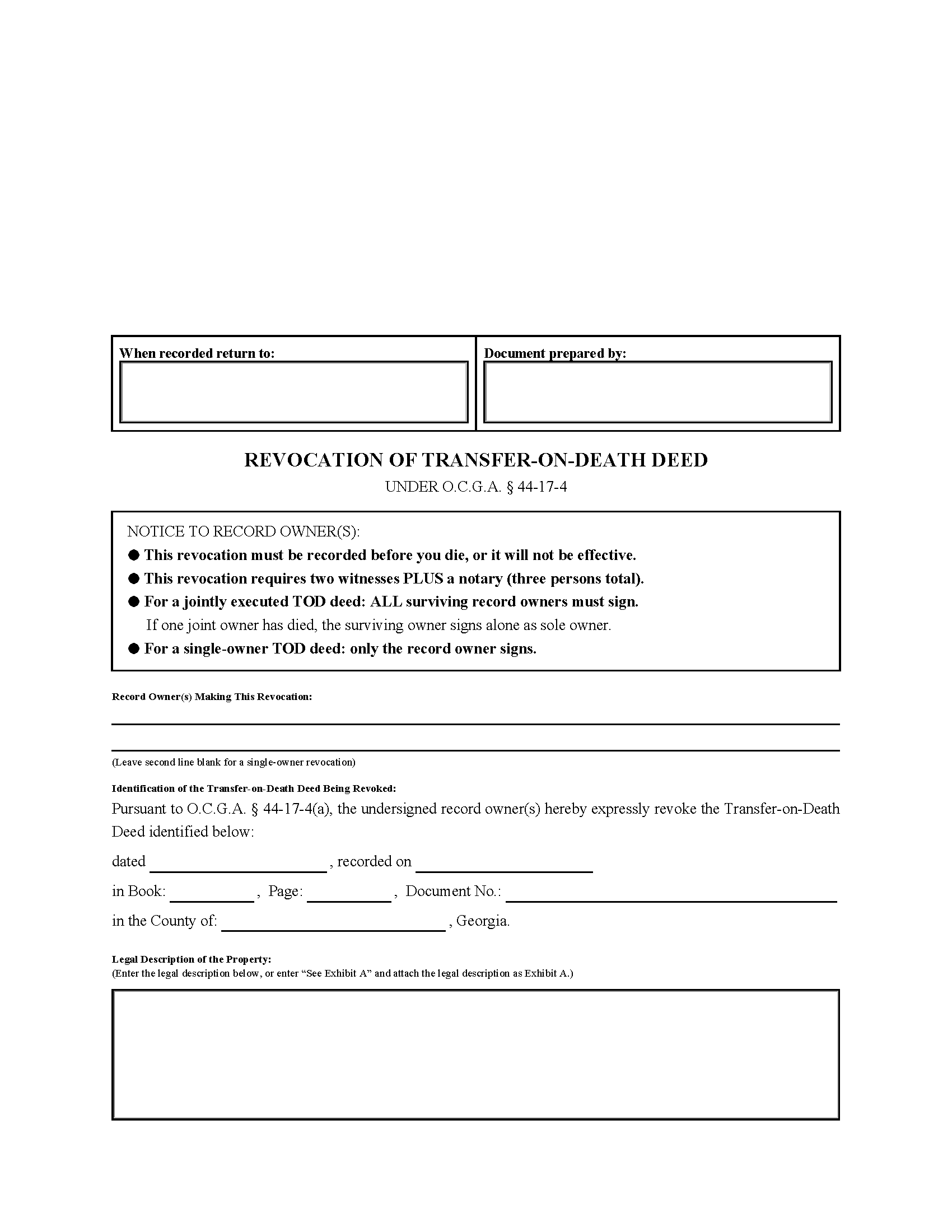
Mcduffie County Revocation of Transfer on Death Deed Form
Fill in the blank Revocation of Transfer on Death Deed form formatted to comply with all Georgia recording and content requirements.
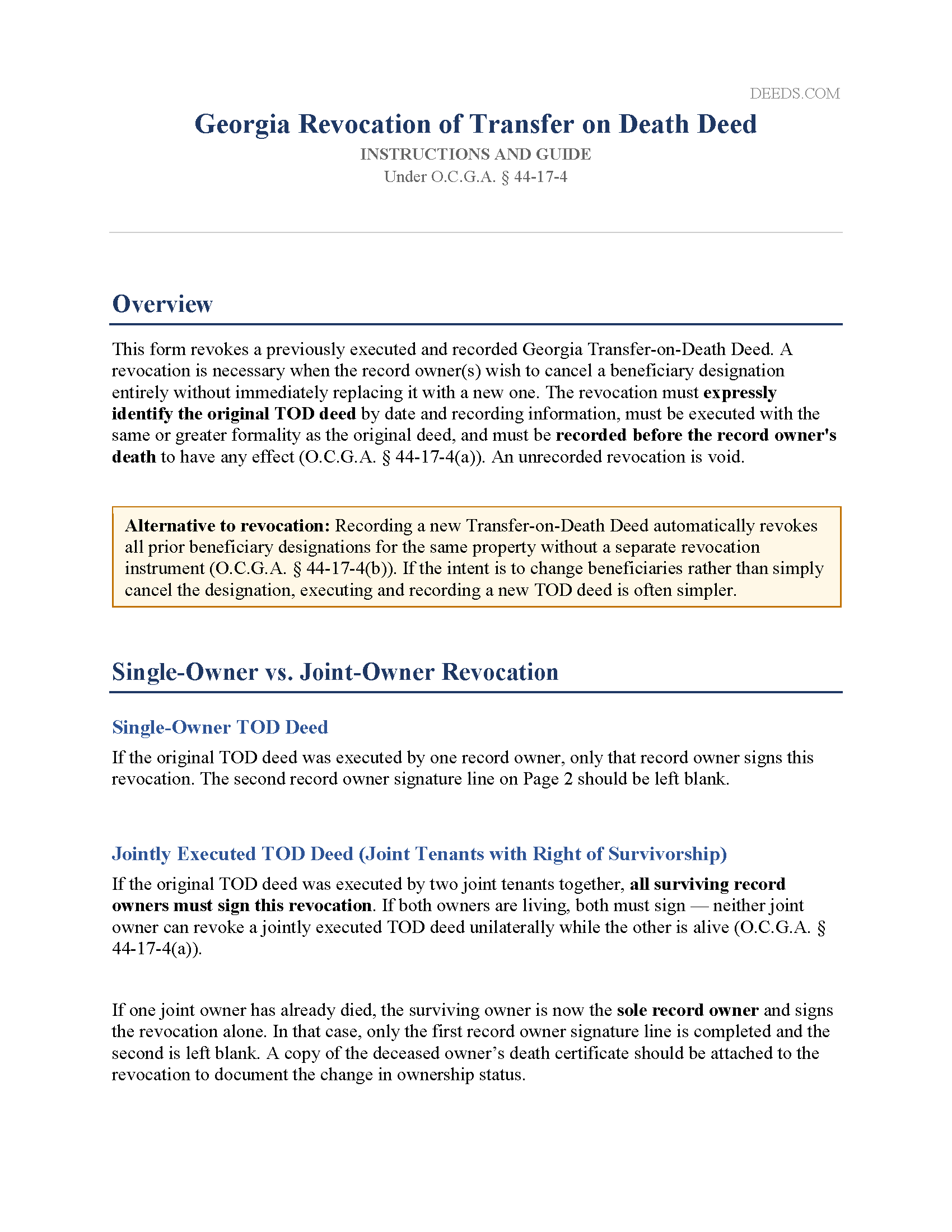
Mcduffie County Revocation of Transfer on Death Deed Guide
Line by line guide explaining every blank on the Revocation of Transfer on Death Deed form.
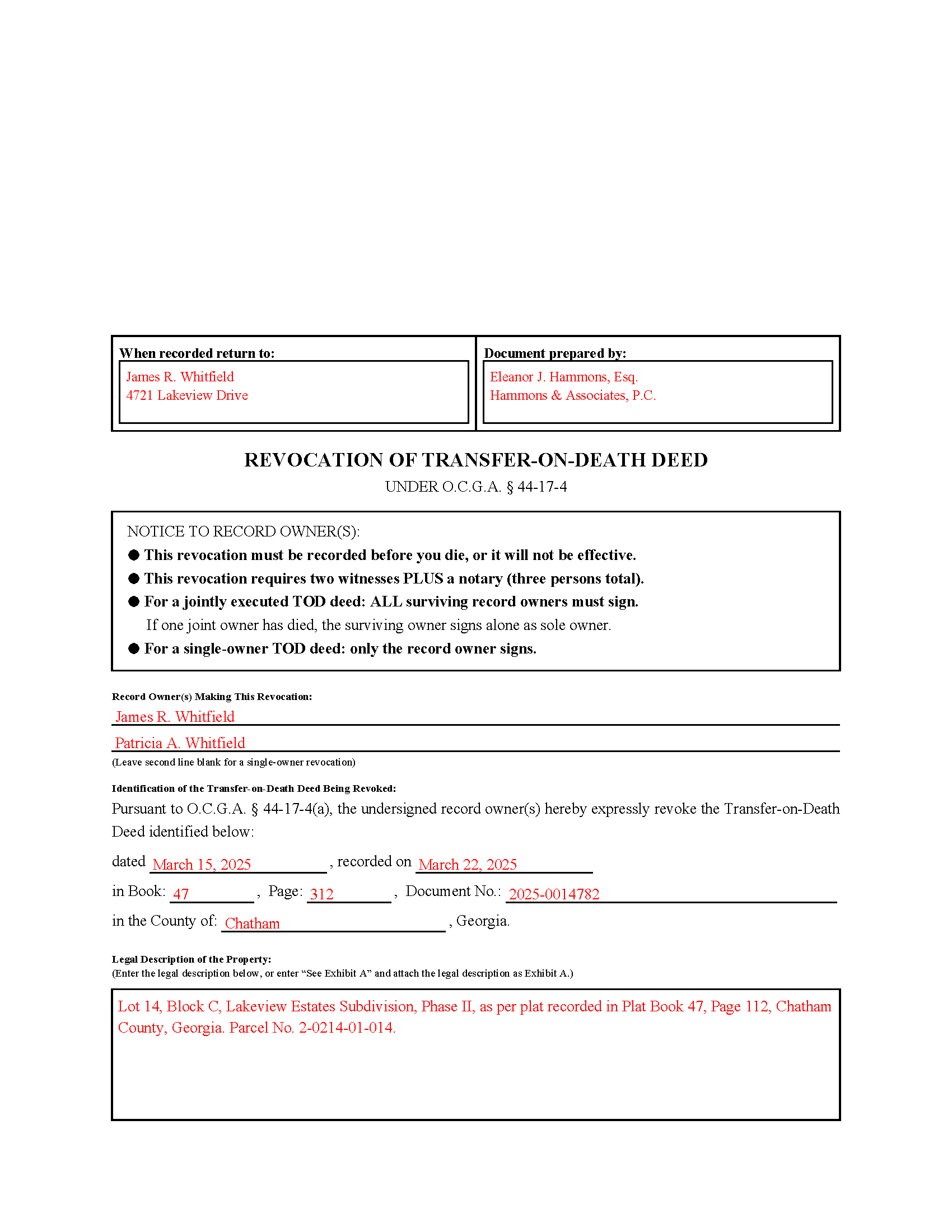
Mcduffie County Completed Example of the Revocation of Transfer on Death Deed Document
Example of a properly completed Georgia Revocation of Transfer on Death Deed document for reference.
All 3 documents above included • One-time purchase • No recurring fees
Immediate Download • Secure Checkout
Additional Georgia and Mcduffie County documents included at no extra charge:
Where to Record Your Documents
Clerk of Superior Court
Thomson, Georgia 30824
Hours: 8:30 to 5:00 M-F
Phone: (706) 595-2134
Recording Tips for Mcduffie County:
- Bring your driver's license or state-issued photo ID
- Ensure all signatures are in blue or black ink
- Recording fees may differ from what's posted online - verify current rates
- Request a receipt showing your recording numbers
- Ask about accepted payment methods when you call ahead
Cities and Jurisdictions in Mcduffie County
Properties in any of these areas use Mcduffie County forms:
- Boneville
- Dearing
- Thomson
Hours, fees, requirements, and more for Mcduffie County
How do I get my forms?
Forms are available for immediate download after payment. The Mcduffie County forms will be in your account ready to download to your computer. An account is created for you during checkout if you don't have one. Forms are NOT emailed.
Are these forms guaranteed to be recordable in Mcduffie County?
Yes. Our form blanks are guaranteed to meet or exceed the applicable formatting requirements used for recording in Mcduffie County, including margin requirements, font requirements, and other layout standards. This guarantee applies to formatting, not to the legal sufficiency of information entered by the user or the suitability of a form for a particular transaction.
Can I reuse these forms?
Yes. You can reuse the forms for your personal use. For example, if you have multiple properties in Mcduffie County you only need to order once.
What do I need to use these forms?
The forms are PDFs that you fill out on your computer. The free Adobe Acrobat Reader is recommended, and most PDF apps also work. You do NOT enter your property information online - you download the blank forms and complete them privately on your own computer.
Are there any recurring fees?
No. This is a one-time purchase. Nothing to cancel, no memberships, no recurring fees.
How much does it cost to record in Mcduffie County?
Recording fees in Mcduffie County vary. Contact the recorder's office at (706) 595-2134 for current fees.
Questions answered? Let's get started!
Georgia's Revocation of Transfer on Death Deed is the instrument a record owner uses to cancel a previously recorded TOD deed and remove the beneficiary designation from the public record before their death. What makes Georgia's version distinct is the elevated witness requirement: while the original TOD deed requires only two witnesses total (with the notary counting as one), revoking that deed under O.C.G.A. § 44-17-4(a) requires attestation by an officer and two additional witnesses — three persons in all. That distinction catches many property owners off guard and is the most common reason Georgia revocations are rejected at the Clerk of Court's office.
When a Georgia Revocation of Transfer on Death Deed Is Used
This form is used when a record owner who previously recorded a Georgia TOD deed wants to cancel that beneficiary designation entirely without immediately replacing it with a new one. Common situations include a change in family circumstances, a decision to sell or refinance that warrants clearing the public record, or an estate plan revision that replaces the TOD deed with a different arrangement. The revocation has no effect until it is recorded, and it must be recorded before the record owner's death to be valid.
Georgia-Specific Statutory Requirements
The revocation instrument must expressly refer to the original TOD deed being canceled. A general statement of intent to revoke is insufficient — the revocation must identify the original deed with enough specificity that it can be located in the public record (O.C.G.A. § 44-17-4(a)). That means including the date the original deed was executed, the date it was recorded, the book and page number or document number assigned by the clerk, and the county in which it was recorded.
A TOD deed cannot be revoked by will. Any attempt to cancel a beneficiary designation through a will is ineffective under Georgia law, regardless of the language used (O.C.G.A. § 44-17-4(c)). Revocation must occur during the owner's lifetime through a separately executed and recorded instrument.
Execution Requirements — Who Must Sign and Witness
The record owner — or their duly authorized attorney-in-fact — must sign the revocation. For a single-owner TOD deed, only that owner signs. For a jointly executed TOD deed where two joint tenants signed the original deed together, all surviving record owners must sign the revocation. If one joint owner has since died, the surviving owner signs alone as the now-sole record owner and should attach a copy of the deceased owner's death certificate to the revocation instrument.
Georgia's three-person witness requirement for revocations differs from the execution standard for the original deed itself. The revocation must be:
- Signed by the record owner or attorney-in-fact
- Attested by a notary public or other officer as provided in O.C.G.A. § 44-2-15
- Attested by two additional witnesses — separate from and in addition to the notary
The notary does not count toward the two-witness requirement for a revocation. All signatures must be made at the same time, in the presence of both witnesses and the notary. Do not sign the revocation before appearing before the notary.
Georgia-Specific Traps
Preparer Identification and Return Address
Under O.C.G.A. § 44-2-14, the name and mailing address of the person who prepared the revocation instrument and the name and address of the person to whom the recorded document should be returned must both appear on the first page. Missing either item will result in rejection at the Clerk of Court's window.
The Three-Inch Top Margin
The first page of any instrument recorded in Georgia must have a three-inch blank margin at the top, reserved for the Clerk of Court's recording stamp. Content placed in that space causes rejection. This form is pre-formatted to that standard.
Must Reference the Original Deed by Recording Information
A revocation that identifies the original TOD deed only by date — without the book, page, or document number from the recording stamp — is insufficient under O.C.G.A. § 44-17-4(a). The recording reference is what ties the revocation to a specific instrument in the chain of title. If the recording information from the original deed is not available, it can be obtained from the Clerk of Superior Court in the county where the property is located.
Must Be Recorded in the Same County
The revocation must be recorded with the Clerk of Superior Court in the same county where the original TOD deed was recorded. Recording in a different county has no effect on the original designation.
No Beneficiary Consent Required — But No Beneficiary Notice Either
The consent, agreement, or notice of the designated grantee beneficiary is not required for a revocation (O.C.G.A. § 44-17-4(a)). Georgia law does not require the record owner to notify the beneficiary that the designation has been canceled. However, because beneficiaries are often unaware a TOD deed exists in the first place, good practice is to inform them — and to keep a copy of the recorded revocation with other estate planning documents.
Jointly Executed Deeds Cannot Be Revoked Unilaterally
When both joint tenants signed a single TOD deed together, neither owner can revoke it alone while the other is living. The revocation requires both surviving owners to sign. An attempted single-owner revocation of a jointly executed deed is ineffective as to the entire interest (O.C.G.A. § 44-17-4(a)).
Homestead and Spousal Considerations
When the property subject to the TOD deed serves as the primary residence of a married couple, Georgia's homestead and marital property laws may be relevant to the revocation. If the non-owning spouse signed the original TOD deed to address homestead rights, the same considerations apply to the revocation instrument. Confirm the appropriate signatories based on the circumstances of the original deed.
Recording the Revocation
The executed revocation must be filed with the Clerk of Superior Court in the county where the original TOD deed was recorded, and must be recorded before the record owner's death. An unrecorded revocation has no legal effect, regardless of when it was signed. Submit the original document — not a copy — with applicable recording fees. Print on 8.5" × 11" white paper, single-sided. Do not bind, staple, or highlight the instrument. Include a self-addressed stamped envelope for return of the recorded original.
What Is Included
The download includes the Georgia Revocation of Transfer on Death Deed formatted to meet state and county recording requirements, including the three-inch first-page margin, preparer and return-address fields, the statutory revocation language required by O.C.G.A. § 44-17-4, fields for complete identification of the original deed by recording reference, and an exhibit page for the legal description. Also included are a completed example showing a joint-owner revocation and an instruction guide covering Georgia's elevated three-witness requirement, the single-owner and joint-owner scenarios, the survivor signing rule, and recording requirements.
Important: Your property must be located in Mcduffie County to use these forms. Documents should be recorded at the county recording office listed above.
This Revocation of Transfer on Death Deed meets all recording requirements specific to Mcduffie County.
Our Promise
The documents you receive here are guaranteed to meet or exceed the applicable Mcduffie County recording format requirements. If there is a rejection caused by our formatting, we will correct the issue or refund your payment. This guarantee applies to document formatting only and does not extend to information entered by the user, the selection of the form, or the legal effect of the completed document.
Save Time and Money
Get your Mcduffie County Revocation of Transfer on Death Deed form done right the first time with Deeds.com Uniform Conveyancing Blanks. At Deeds.com, we understand that your time and money are valuable resources, and we don't want you to face a penalty fee or rejection imposed by a county recorder for submitting nonstandard documents. We constantly review and update our forms to meet rapidly changing state and county recording requirements for roughly 3,500 counties and local jurisdictions.
4.8 out of 5 - ( 4,829 Reviews )
Gabriela C. 5 out of 5 stars
Easy
Thank you!
jim g. 5 out of 5 stars
so far so good. was hoping to have the recorded document already. i need the recorded document by friday, june 5th for my city approval. anyway you can please get it to me tomorrow. thanks, jim
Thank you!
Lillian B. 5 out of 5 stars
Easy peasy
Thank you!
Diana M. 5 out of 5 stars
First time user - process went very smooth and fast. It took me a little to find my messages. At first I didn't know you process documents other than deeds so maybe you should consider putting on your home page that it's not only for deeds - it's for any document that needs recording. :)
Thank you for your feedback. We really appreciate it. Have a great day!
sharon s. 5 out of 5 stars
great site for downloading forms
Thank you!
Eileen B. 5 out of 5 stars
Great form needs more instructions however but aside from that is perfect solution for my needs.
We appreciate your business and value your feedback. Thank you. Have a wonderful day!
Stephanie S. 5 out of 5 stars
I received my information almost immediately. I read a few more things on the website and then refreshed and it was there! SO much easier than having to go to the office myself - thanks!!
Thank you!
Tonya J. 5 out of 5 stars
User friendly and fast response time!!
Thank you for your feedback. We really appreciate it. Have a great day!
Christin A. 5 out of 5 stars
Super Quick! and Easy!
Thank you!
Raymond N. 4 out of 5 stars
The process of obtaining the forms that I wanted was very easy and the cost reasonable. The site is easy to follow and explains everything. Thank you for being here.
We appreciate your business and value your feedback. Thank you. Have a wonderful day!
James G. 5 out of 5 stars
Deed.com had some hard to find mineral interest deeds for Oklahoma.I'm an attorney in Texas with no Ok experience. The examples on Deed.com were very useful and saved me lots of time. James G.
We appreciate your business and value your feedback. Thank you. Have a wonderful day!
Edith W. 5 out of 5 stars
I was very pleased to be able to get all the legal forms, with instructions, I need to file a beneficiary deed specific to my county in one place. The downloads went smoothly. Deeds.com has saved me time and money by offering this service.
We appreciate your business and value your feedback. Thank you. Have a wonderful day!
David S. 5 out of 5 stars
This site was recommended by my County's Clerks office website. Let me tell you when I received my specific State and County's Quit Claim Deed forms from Deeds.com, every conceivable form that could be needed in addition to the full instructions, and a sample filled out form, I was impressed (five stars) and made things so easy for me to feel confident in my legal activity on a land transaction.
Thank you for your positive words! We’re thrilled to hear about your experience.
Johannah H. 5 out of 5 stars
Deeds.com made my experience recording a Deed in Weld County, CO so easy! The representative went above and beyond by assisting me with the preparation of a high-quality digital document for recording. Highly Recommend!
We appreciate your business and value your feedback. Thank you. Have a wonderful day!
Susan M. 5 out of 5 stars
Purchased and received immediately w/instructions for completion.
We appreciate your business and value your feedback. Thank you. Have a wonderful day!