Pierce County Transfer on Death Deed (Individual Grantor) Form
Last validated October 6, 2026 by our Forms Development TeamFormatted for recording in Pierce County, for property anywhere in the county: rural and unincorporated areas as well as Blackshear, Bristol, Mershon, Offerman, Patterson.
- 3 documents included
- Immediate PDF download
- Formatting guarantee
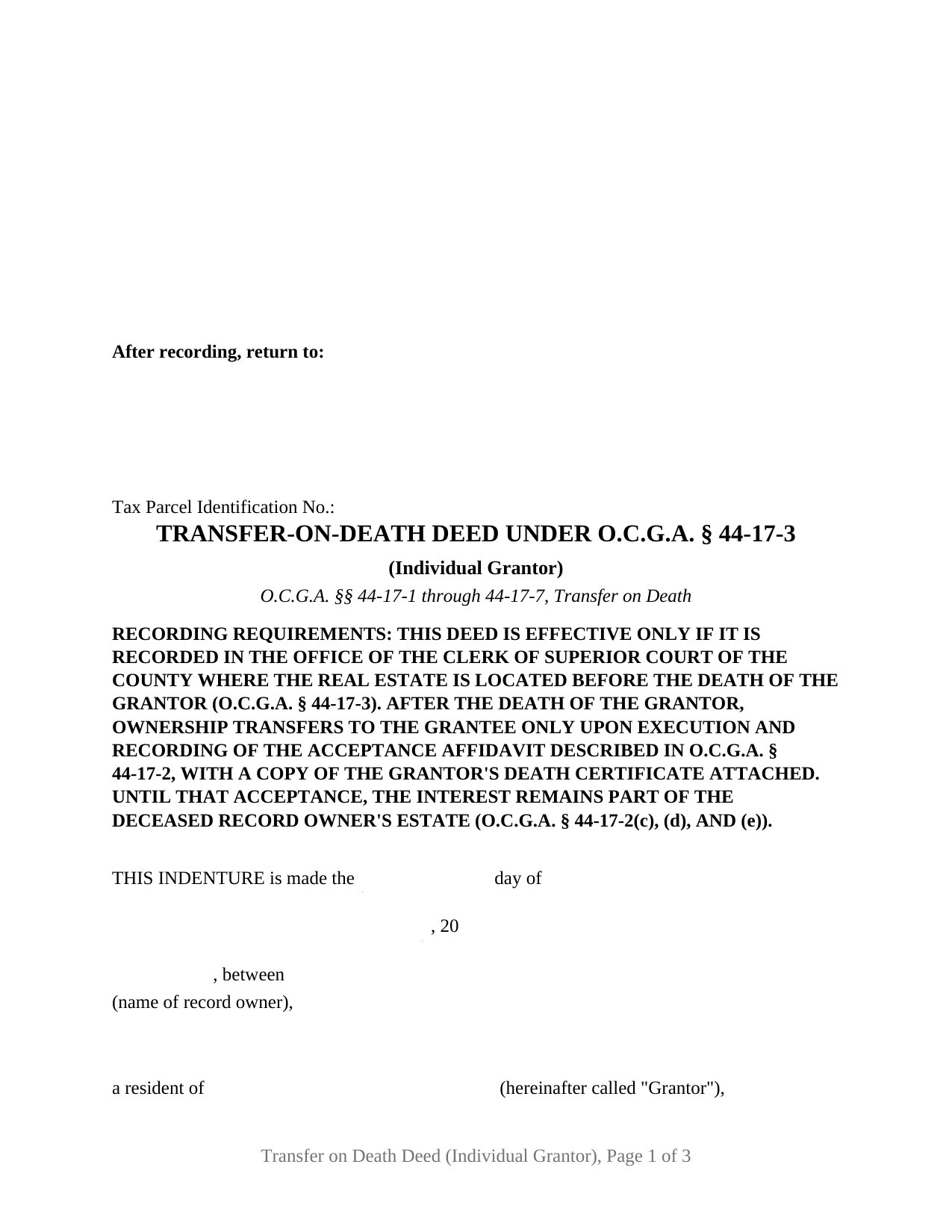
Pierce County Transfer on Death Deed (Individual Grantor) Form
Fill in the blank Transfer on Death Deed (Individual Grantor) form formatted to comply with all Georgia recording and content requirements.
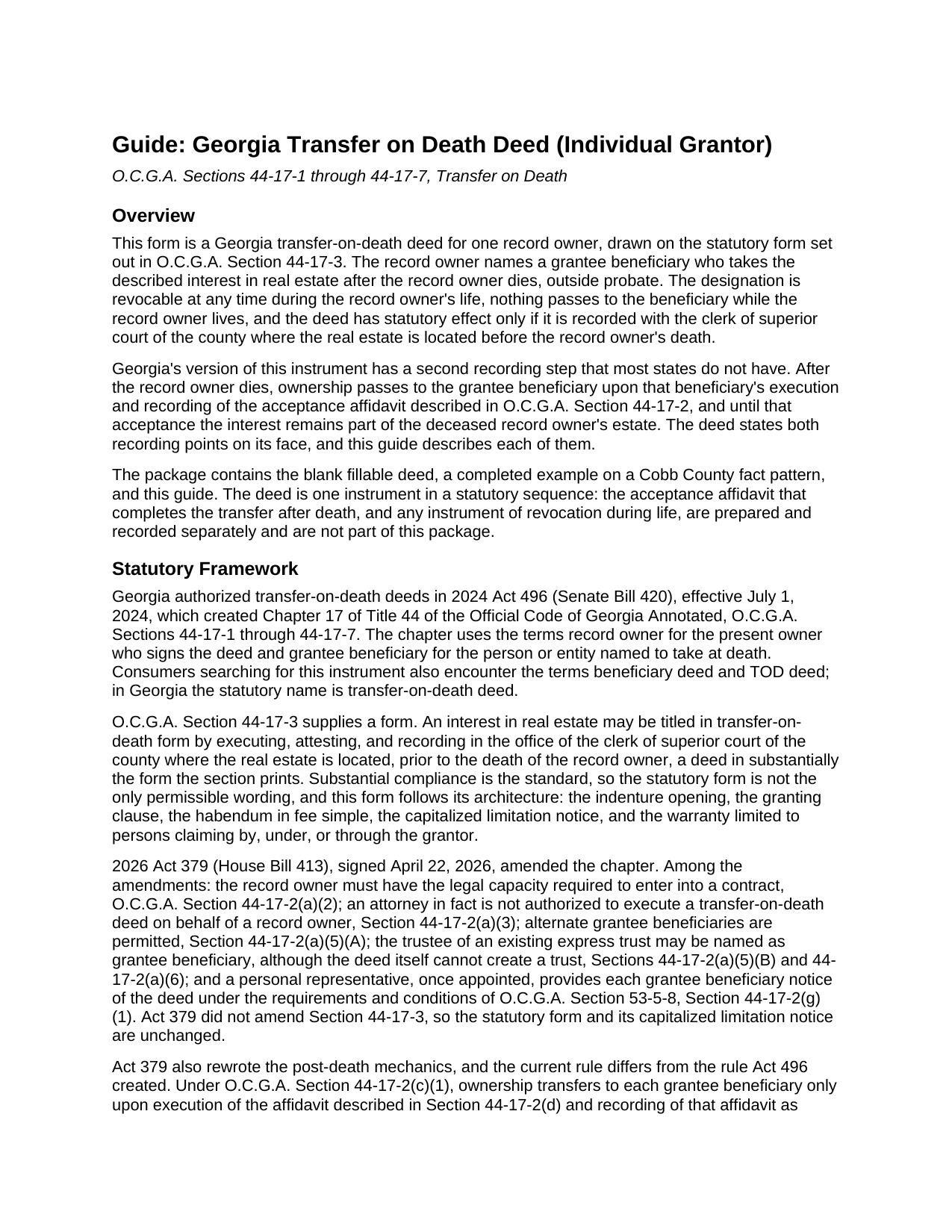
Pierce County Transfer on Death Deed (Individual Grantor) Guide
Line by line guide explaining every blank on the Transfer on Death Deed (Individual Grantor) form.
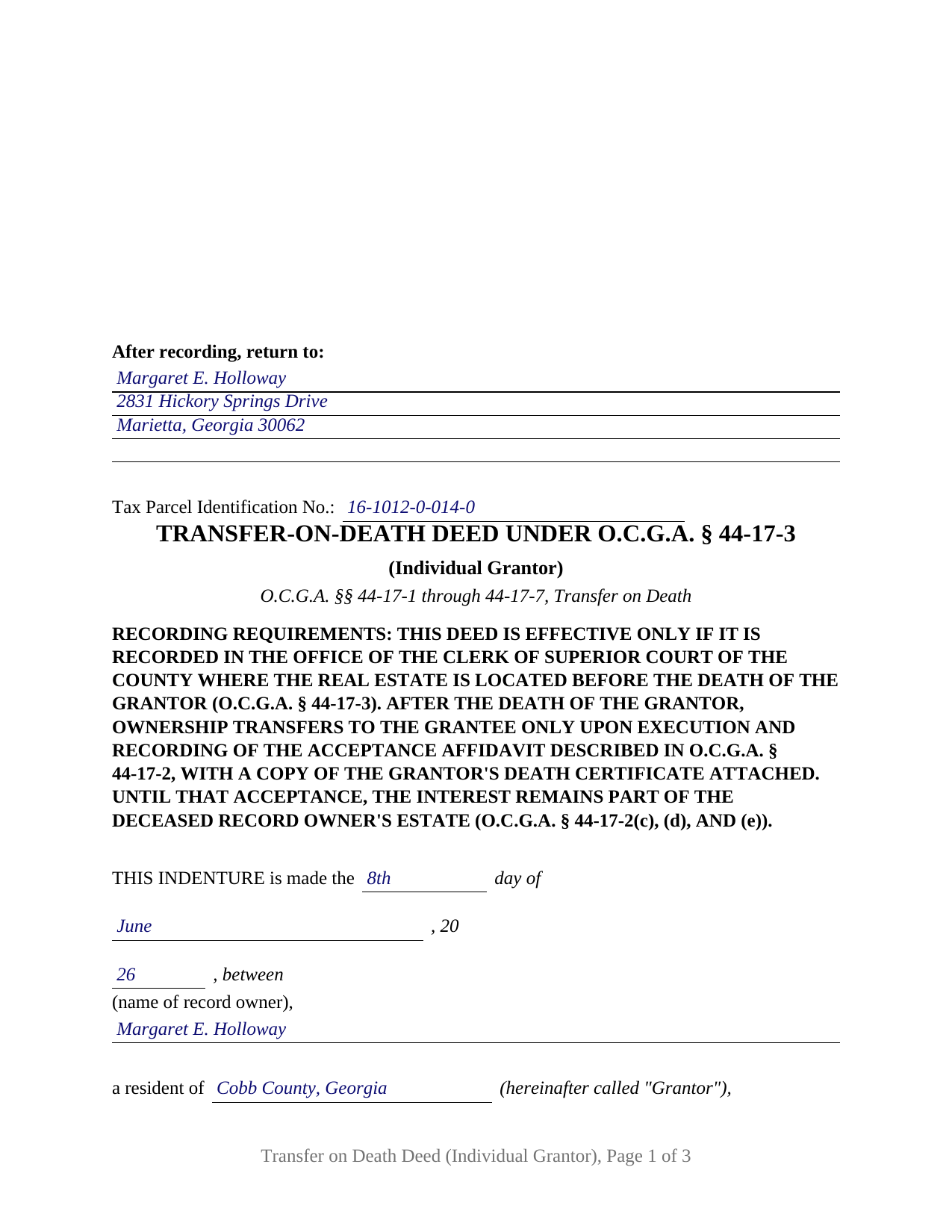
Pierce County Completed Example of the Transfer on Death Deed (Individual Grantor) Document
Example of a properly completed Georgia Transfer on Death Deed (Individual Grantor) document for reference.
All 3 documents above included • One-time purchase • No recurring fees
Immediate Download • Secure Checkout
Additional Georgia and Pierce County documents included at no extra charge:
Where to Record Your Documents
Clerk of Superior Court
Blackshear, Georgia 31516
Hours: 9:00am to 5:00pm M-F
Phone: (912) 449-2020
Recording Tips for Pierce County:
- Bring your driver's license or state-issued photo ID
- Ensure all signatures are in blue or black ink
- Request a receipt showing your recording numbers
- Ask about accepted payment methods when you call ahead
- Ask for certified copies if you need them for other transactions
Cities and Jurisdictions in Pierce County
Properties in any of these areas use Pierce County forms:
- Blackshear
- Bristol
- Mershon
- Offerman
- Patterson
Hours, fees, requirements, and more for Pierce County
How do I get my forms?
Forms are available for immediate download after payment. The Pierce County forms will be in your account ready to download to your computer. An account is created for you during checkout if you don't have one. Forms are NOT emailed.
Are these forms guaranteed to be recordable in Pierce County?
Yes. Our form blanks are guaranteed to meet or exceed the applicable formatting requirements used for recording in Pierce County, including margin requirements, font requirements, and other layout standards. This guarantee applies to formatting, not to the legal sufficiency of information entered by the user or the suitability of a form for a particular transaction.
Can I reuse these forms?
Yes. You can reuse the forms for your personal use. For example, if you have multiple properties in Pierce County you only need to order once.
What do I need to use these forms?
The forms are PDFs that you fill out on your computer. The free Adobe Acrobat Reader is recommended, and most PDF apps also work. You do NOT enter your property information online - you download the blank forms and complete them privately on your own computer.
Are there any recurring fees?
No. This is a one-time purchase. Nothing to cancel, no memberships, no recurring fees.
How much does it cost to record in Pierce County?
Recording fees in Pierce County vary. Contact the recorder's office at (912) 449-2020 for current fees.
Questions answered? Let's get started!
A Georgia transfer on death deed made by one record owner is a short instrument with a long reach: one signature line, one attesting officer, one unofficial witness, and one named grantee beneficiary who takes the described real estate after the owner dies, outside probate. This form prepares that deed for a sole record owner under O.C.G.A. § 44-17-1 through § 44-17-7, on the statutory form supplied by § 44-17-3. Searched elsewhere as a beneficiary deed or TOD deed, the Georgia instrument's statutory name is the transfer-on-death deed.
One owner, one signature line
The single grantor configuration shapes every block on the page. The indenture opening names one record owner as Grantor and one beneficiary as Grantee; the granting clause runs from that owner alone, in the statutory words that grant, bargain, sell, transfer, alien, convey, and confirm on death; and the execution page carries one signature line with the seal notation, one unofficial witness block, and one officer attestation certificate. Sole ownership reaches the record in several shapes, and each presents this pattern: an unmarried owner, an owner who already took the whole parcel when a co-owner died, and a married owner holding title in that owner's own name, since Georgia recognizes neither community property nor tenancy by the entirety in real property. Co-owners signing one deed together are a different arrangement this form does not recite. One limit is absolute: § 44-17-2(a)(3) states that an attorney in fact is not authorized to execute a transfer-on-death deed for a record owner, so no power of attorney reaches this signature line.
What stays with the owner
Everything, until death. Under § 44-17-7 the record owner remains the legal and equitable owner and, as to creditors and purchasers, an absolute owner, free to sell, mortgage, or lease the property with no beneficiary in the conversation; § 44-17-2(b) removes any need for the beneficiary's signature, consent, or notice during the owner's life, and § 44-17-2(a)(4) removes any need for consideration. The designation comes undone in more than one way: a recorded revocation referring to this deed, attested by an officer and one other witness after the 2026 amendments; a later transfer-on-death deed for the same interest, which the capitalized notice on this deed's face announces in advance; or operation of law under the new § 44-17-4(d), when the owner sells the interest, conveys it to the trustee of the owner's own trust, or a sole beneficiary dies before accepting. A will revokes none of it.
Two recordings, and no deadline between them
Recording is what gives this deed its statutory effect: § 44-17-3 titles the interest in transfer-on-death form only when the deed is executed, attested, and recorded with the clerk of superior court of the county where the land lies before the record owner's death. A second recording finishes the job. Under § 44-17-2(c) ownership passes to the beneficiary upon execution and recording of the acceptance affidavit described in that section, with a copy of the death certificate attached, and until that acceptance the interest remains part of the deceased owner's estate. The 2026 amendments (Act 379, effective April 22, 2026) struck the acceptance deadline and the reversion clause the 2024 statute had imposed, so the section as it now reads sets no filing deadline for the affidavit. Both recording points appear in capitals on the face of the deed, and the guide covers each, including the rule under which the owner's recording carries no PT-61 while the beneficiary's later filing does.
Georgia formalities, drawn into the form
Georgia deeds are attested at the signing rather than acknowledged afterward: O.C.G.A. § 44-5-30 calls for the maker's signature, an officer named in § 44-2-15 (a notary public in ordinary practice), and one other witness, and the form carries a line for each. The first page reserves the full three inches that § 15-6-61(a)(10) leaves for the clerk's notation, the § 44-2-14(b) return-to name and address sits as the first content below that reserve, and a tax parcel identification line follows, which is what DeKalb County asks to see atop a deed of conveyance. Recording runs twenty five dollars under § 15-6-77(f), and a filer outside the statute's professional categories files electronically with a verified photo identification.
The download includes the fillable deed formatted to Georgia recording standards, a completed example built on a Cobb County fact pattern, and a plain-language guide covering every entry, the attestation formalities, and both recording steps; the materials are informational and are not legal advice.
Important: Your property must be located in Pierce County to use these forms. Documents should be recorded at the county recording office listed above.
This Transfer on Death Deed (Individual Grantor) meets all recording requirements specific to Pierce County.
Our Promise
The documents you receive here are guaranteed to meet or exceed the applicable Pierce County recording format requirements. If there is a rejection caused by our formatting, we will correct the issue or refund your payment. This guarantee applies to document formatting only and does not extend to information entered by the user, the selection of the form, or the legal effect of the completed document.
Save Time and Money
Get your Pierce County Transfer on Death Deed (Individual Grantor) form done right the first time with Deeds.com Uniform Conveyancing Blanks. At Deeds.com, we understand that your time and money are valuable resources, and we don't want you to face a penalty fee or rejection imposed by a county recorder for submitting nonstandard documents. We constantly review and update our forms to meet rapidly changing state and county recording requirements for roughly 3,500 counties and local jurisdictions.
4.8 out of 5 - ( 4,823 Reviews )
Stan B. 5 out of 5 stars
Very satisfied with the PDF documents that I purchased. Will be able to transfer property without hiring an attorney. Well worth the price I paid. Stan
Thank you for your feedback. We really appreciate it. Have a great day!
Maria S. 3 out of 5 stars
The paperwork/forms are fine, but there isn't enough explanation for me to figure out how to file the extra forms (which I do need in my case). The main form, Deed Upon Death is fine. I think the price is pretty high for these forms. I wouldn't have purchased it because there are places to get them for much cheaper (about 6 dollars), but this site had the extra forms I wanted (property in a trust and another form). Unfortunately these were included as a "courtesy" and there are no instructions for them. So three stars for being clear about what was in the package, having the right forms that I need, but instructions for putting them to use and price took a couple of stars off. Downloading was easy and once you download you can type the info into the PDF--that makes working with the forms much easier.
Thank you for the feedback Maria. Regarding the supplement documents, it is best to get assistance from the agency that requires them. These are not legal documents, they should provide full support and guidance for them.
Charlotte F. 5 out of 5 stars
Great follow up and consideration
Thank you for your feedback. We really appreciate it. Have a great day!
Masud K. 5 out of 5 stars
Deeds.com did an excellent job in providing me the Real Estate documents I needed. You delivered the documents fast and they were accurate. I greatly appreciate your help. Thanks for everything
We appreciate your business and value your feedback. Thank you. Have a wonderful day!
Francine B. 5 out of 5 stars
Looks like all forms are available. Hope they are as easy to use as it was to obtain. Thank you.
We appreciate your business and value your feedback. Thank you. Have a wonderful day!
Christina H. 5 out of 5 stars
I appreciate having forms available and not having to go to a business supply or attorney. This is great. However, there are two individual quit claim deed forms and I don't know which one is appropriate.
Thank you for your feedback. We really appreciate it. Have a great day!
Janey M. 5 out of 5 stars
Easy to use site. Just what I needed!
We appreciate your business and value your feedback. Thank you. Have a wonderful day!
Dina O. 5 out of 5 stars
easy to use and efficient i like that they give you an example to compare your work to
We are motivated by your feedback to continue delivering excellence. Thank you!
Wendling D. 4 out of 5 stars
Good
Thank you!
Mark J. 4 out of 5 stars
Straightforward, no issues.
Thank you!
John W. 5 out of 5 stars
Wow, I wish that I would have found Deeds.com before! Great service!
Thank you!
Dawn W. 5 out of 5 stars
wonderful help!!!
Thank you!
Steven C. 5 out of 5 stars
Easy but a little overpriced
We appreciate your business and value your feedback. Thank you. Have a wonderful day!
willie B. 5 out of 5 stars
I love how you can get information you need online great program ,outstanding just love it....
Thank you!
Janice T. 5 out of 5 stars
The downloads were a great help in understanding of both what a Warranty Deed was and how to follow the steps as well as filling out the forms.
Thank you for your feedback. We really appreciate it. Have a great day!