Boundary County Quitclaim Deed (Corrective) Form
Last validated September 7, 2026 by our Forms Development TeamFormatted for recording in Boundary County, for property anywhere in the county: rural and unincorporated areas as well as Bonners Ferry, Eastport, Moyie Springs, Naples, Porthill.
- 3 documents included
- Immediate PDF download
- Formatting guarantee
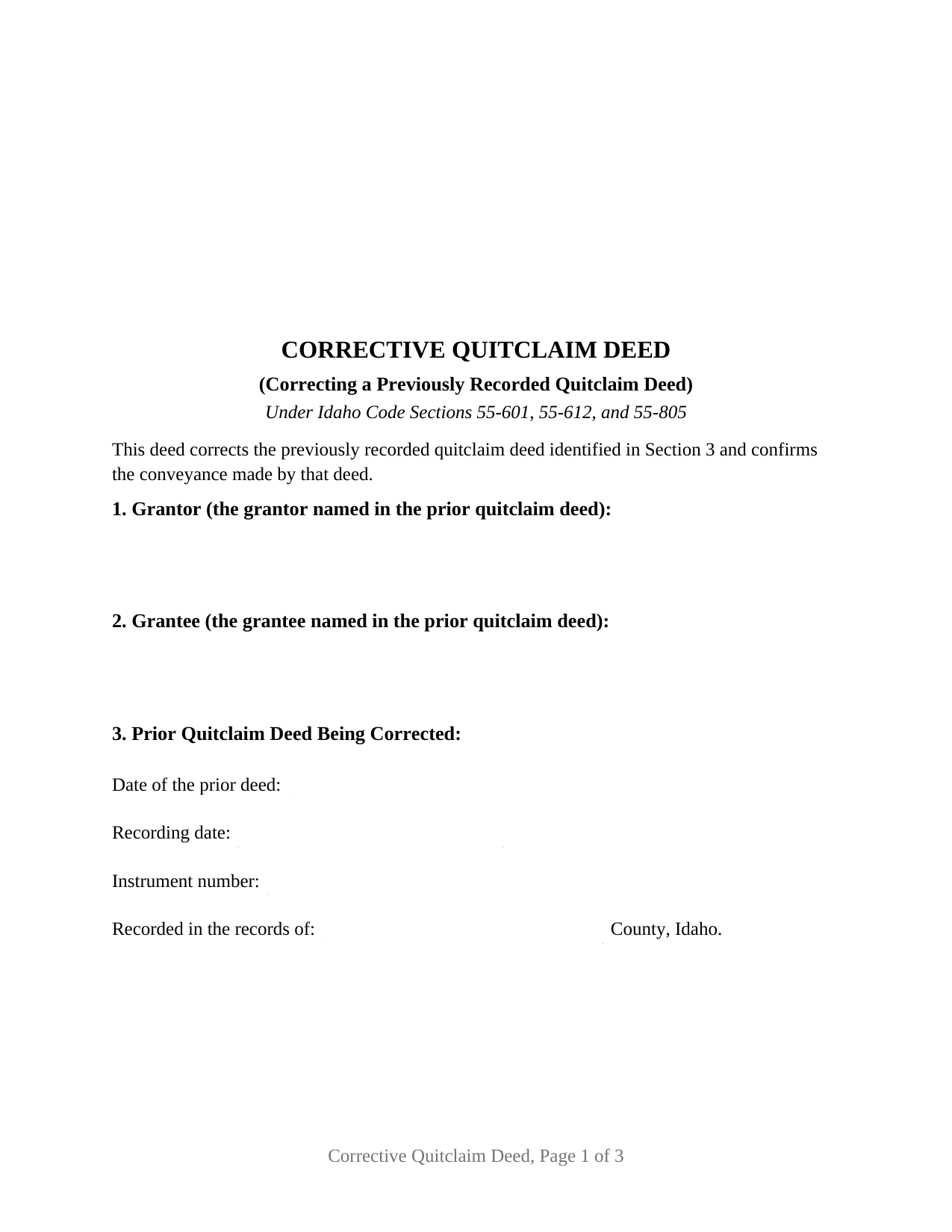
Boundary County Quitclaim Deed (Corrective) Form
Fill in the blank Quitclaim Deed (Corrective) form formatted to comply with all Idaho recording and content requirements.
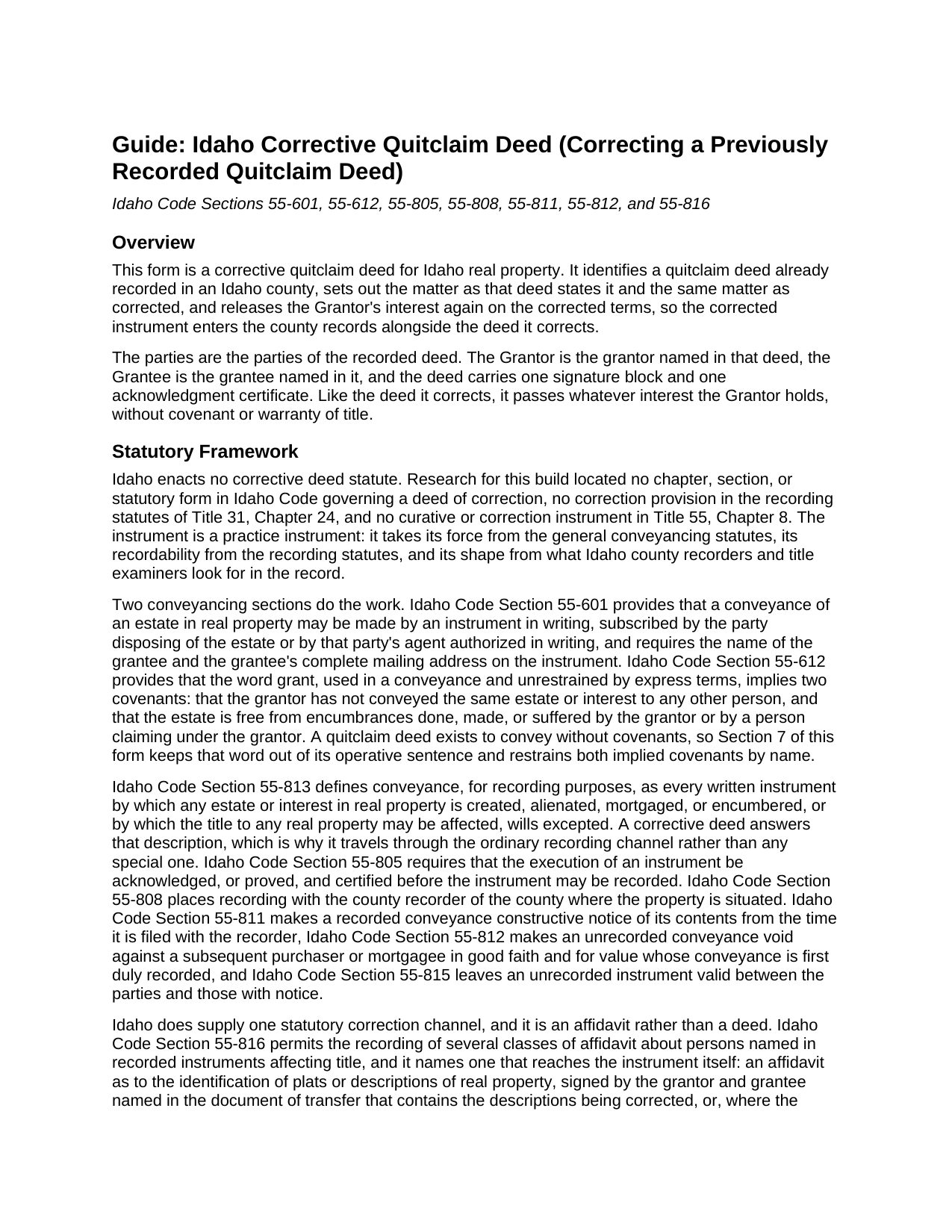
Boundary County Quitclaim Deed (Corrective) Guide
Line by line guide explaining every blank on the Quitclaim Deed (Corrective) form.
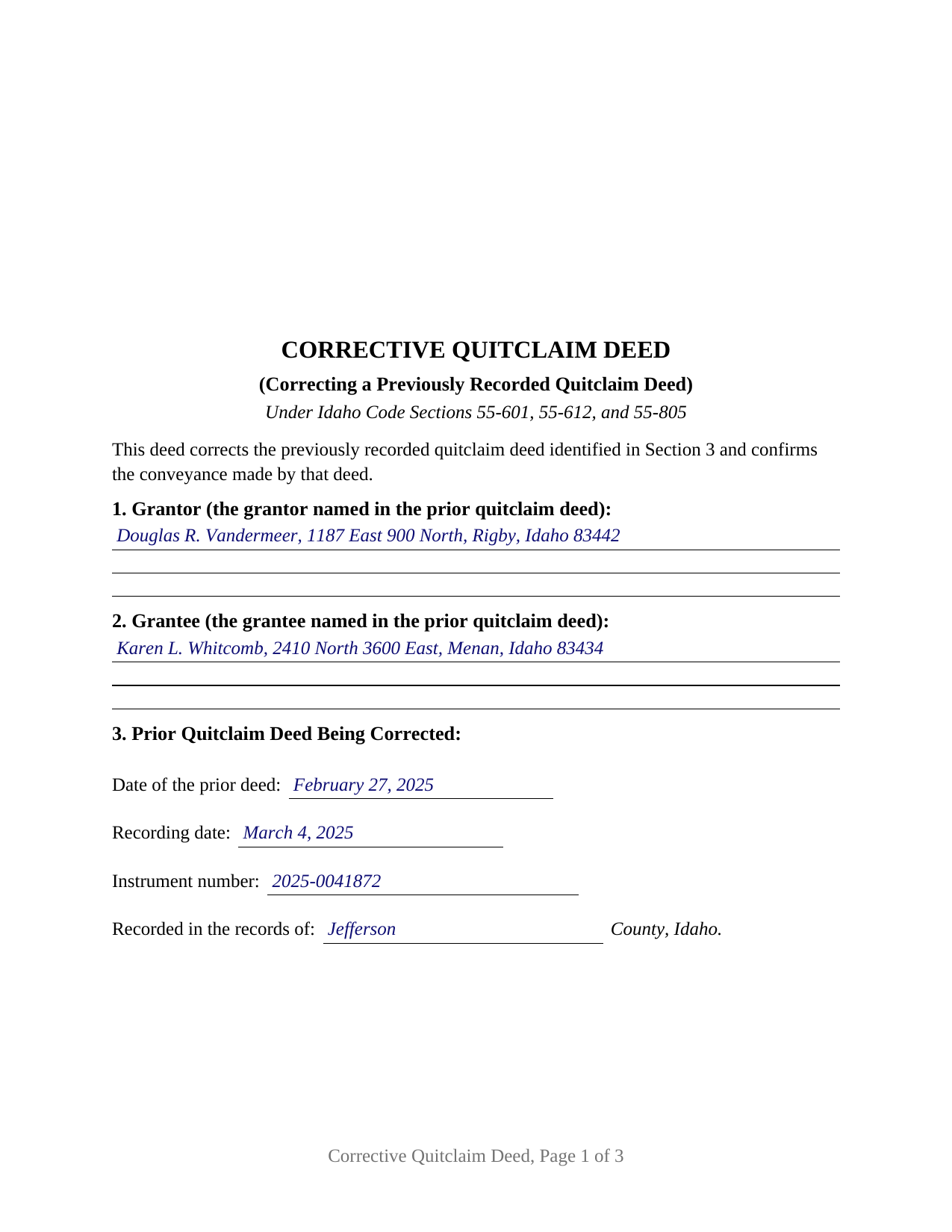
Boundary County Completed Example of the Quitclaim Deed (Corrective) Document
Example of a properly completed Idaho Quitclaim Deed (Corrective) document for reference.
All 3 documents above included • One-time purchase • No recurring fees
Immediate Download • Secure Checkout
Additional Idaho and Boundary County documents included at no extra charge:
Where to Record Your Documents
Boundary County Clerk/Auditor/Recorder
Bonners Ferry, Idaho 83805
Hours: 9:00am to 5:00pm M-F
Phone: (208) 267-2242
Recording Tips for Boundary County:
- Bring your driver's license or state-issued photo ID
- Ensure all signatures are in blue or black ink
- Avoid the last business day of the month when possible
- Both spouses typically need to sign if property is jointly owned
- Bring extra funds - fees can vary by document type and page count
Cities and Jurisdictions in Boundary County
Properties in any of these areas use Boundary County forms:
- Bonners Ferry
- Eastport
- Moyie Springs
- Naples
- Porthill
Hours, fees, requirements, and more for Boundary County
How do I get my forms?
Forms are available for immediate download after payment. The Boundary County forms will be in your account ready to download to your computer. An account is created for you during checkout if you don't have one. Forms are NOT emailed.
Are these forms guaranteed to be recordable in Boundary County?
Yes. Our form blanks are guaranteed to meet or exceed the applicable formatting requirements used for recording in Boundary County, including margin requirements, font requirements, and other layout standards. This guarantee applies to formatting, not to the legal sufficiency of information entered by the user or the suitability of a form for a particular transaction.
Can I reuse these forms?
Yes. You can reuse the forms for your personal use. For example, if you have multiple properties in Boundary County you only need to order once.
What do I need to use these forms?
The forms are PDFs that you fill out on your computer. The free Adobe Acrobat Reader is recommended, and most PDF apps also work. You do NOT enter your property information online - you download the blank forms and complete them privately on your own computer.
Are there any recurring fees?
No. This is a one-time purchase. Nothing to cancel, no memberships, no recurring fees.
How much does it cost to record in Boundary County?
Recording fees in Boundary County vary. Contact the recorder's office at (208) 267-2242 for current fees.
Questions answered? Let's get started!
Most deeds open a story in the records; this one returns to a story already told and fixes a line of it, a quitclaim deed that reached an Idaho recorder with a name spelled wrong or a plat reference pointing at the wrong instrument. The form names that deed by its instrument number, sets the text as recorded beside the text as corrected, and releases the Grantor's interest on the corrected terms.
The correction Idaho wrote a statute for, and the one it did not
Idaho enacts no corrective deed statute. No correction chapter sits in Title 55, so a deed of correction draws on the ordinary conveyancing sections, among them Idaho Code Section 55-813, which reaches every written instrument by which title to real property may be affected. What Idaho does supply is a statutory affidavit: under Idaho Code Section 55-816, an affidavit as to the identification of plats or descriptions of real property may be recorded when the grantor and grantee named in the document of transfer sign it, or, where the grantor is unavailable, when the grantee signs it and it is indexed under both names. That sworn affidavit is prepared separately and not included here.
Two instruments, one conveyance
Nothing leaves the record when a correction is filed: the earlier deed keeps its place in the index, the correction takes a place of its own, and a title examiner reads the pair. Section 3 pins the earlier deed down with four entries from the recorder's stamp, its date, its recording date, its instrument number, and the county. Sections 5 and 6 then run in parallel, the matter as the recorded deed states it and that matter as corrected, and Section 7 quitclaims a second time without new consideration, leaving every other term as written.
Correcting a quitclaim without picking up a covenant
A correction inherits the posture of the deed it corrects. Idaho Code Section 55-612 loads two covenants onto the word grant unless a conveyance restrains them expressly, so Section 7 uses remises, releases, and forever quitclaims, then restrains both covenants by name. Judgment liens, deeds of trust, and easements come through untouched, and this quitclaim deed, also spelled quit claim deed and searched as a correction deed, warrants nothing about the title.
The other route Idaho counties describe
Idaho recorders handle corrections two ways. The Idaho Recorder's Manual treats a re-recording request as an already recorded document run through the recording steps a second time, under county intake rules: Bonner County publishes that the document is the original, carries its earlier recording information and the reason for the correction just above or below the title, carries initials at each change, and covers minor corrections only. A corrective deed is the other route: newly executed, newly acknowledged, separately indexed, and headed by a line stating its corrective purpose where those rules look for it.
What the corrective configuration carries
The form recites two parties, the parties of the recorded deed: one Grantor, its grantor, and one Grantee, its grantee, carrying the complete mailing address Idaho Code Section 55-601 puts on an Idaho conveyance. One signature block follows, with one certificate on the short form of Idaho Code Section 51-116, and the Grantee signs nothing, a grantee taking under a deed being no executing party. A grantee name that reached the record with a letter added, an address blank left empty against Section 55-601, and a lot or block number carried over wrong from the source deed are the patterns this deed recites. Adding or removing a party, or changing how title is held, alters what was conveyed rather than how the conveyance was written; the form is not set up as that instrument, nor as the two-signer deed Idaho Code Sections 32-912 and 55-1007 describe for community real estate and a married person's homestead.
At the recorder's counter
Idaho Code Section 55-808 sends the acknowledged instrument to the recorder for the county holding the land, where Section 31-3205 prices a conveyance of thirty pages or fewer at fifteen dollars. The correction pays that fee on its own and takes its own reception time, which counts where competing claims sort by who records first in good faith and for value.
Three files arrive together: the fillable corrective deed, a completed example running a Jefferson County name correction through every entry, and a guide to the sections, the certificate, and recording. These materials are informational, not legal advice; a specific recorded error belongs with an Idaho attorney.
Important: Your property must be located in Boundary County to use these forms. Documents should be recorded at the county recording office listed above.
This Quitclaim Deed (Corrective) meets all recording requirements specific to Boundary County.
Our Promise
The documents you receive here are guaranteed to meet or exceed the applicable Boundary County recording format requirements. If there is a rejection caused by our formatting, we will correct the issue or refund your payment. This guarantee applies to document formatting only and does not extend to information entered by the user, the selection of the form, or the legal effect of the completed document.
Save Time and Money
Get your Boundary County Quitclaim Deed (Corrective) form done right the first time with Deeds.com Uniform Conveyancing Blanks. At Deeds.com, we understand that your time and money are valuable resources, and we don't want you to face a penalty fee or rejection imposed by a county recorder for submitting nonstandard documents. We constantly review and update our forms to meet rapidly changing state and county recording requirements for roughly 3,500 counties and local jurisdictions.
4.8 out of 5 - ( 4,830 Reviews )
Melissa S. 5 out of 5 stars
Simple & easy to navigate. At time of writing this, guide & example of purchased deed is included. Plus lots of extra information to help secure your property. Would recommend to anyone.
We appreciate your business and value your feedback. Thank you. Have a wonderful day!
Celeste F. 5 out of 5 stars
Great experience. No hassle. It kept me out of a government office.
Thank you for your feedback. We really appreciate it. Have a great day!
Deborah G. 5 out of 5 stars
Absolutely wonderful customer service. I am very pleased with the service I received and highly recommend this to everyone.
We appreciate your business and value your feedback. Thank you. Have a wonderful day!
Cameron M. 5 out of 5 stars
This service is amazing. Always same day recording. Quick and easy. Thank you!
We appreciate your business and value your feedback. Thank you. Have a wonderful day!
Aubrey M. 5 out of 5 stars
I am an attorney who was trying to draft some deeds in arizona. The deed templates coupled with the document instructions saved me hours work. At 1st I was skeptical, so spent hours figuring out how to draft the documents, but could have saved so much time If I had just spend the $20 sooner. Would use again is needed a deed format as a basis for my drafting.
Thank you for your feedback. We really appreciate it. Have a great day!
Kevin R. 5 out of 5 stars
So far so good. Had an issue and customer service responded very fast by email.
Thank you for your feedback. We really appreciate it. Have a great day!
Gene K. 5 out of 5 stars
I am still in the trial stage. I am an older lawyer. Any help I can get is worth it. Once you get used to the format and data fill in the deed thing is excellent. Very professional if not a little slow. I have only done three deeds in one state so I will have to see how it goes. I like the product and their attitude towards pleasing the customer. We'll see when I try the recording part.
We appreciate your business and value your feedback. Thank you. Have a wonderful day!
Barbara P. 5 out of 5 stars
So easy and fast!
We appreciate your business and value your feedback. Thank you. Have a wonderful day!
Lisa P. 5 out of 5 stars
Your forms are worth the investment. The guide and example were very helpful and thorough.
We appreciate your business and value your feedback. Thank you. Have a wonderful day!
Matthew F. 4 out of 5 stars
Experience was very positive. It's very easy to use and I like the chat/feedback feature. It almost doubles the recording fees that is a little expensive but otherwise it works great.
We truly value your business and appreciate your review.
Tamara H. 5 out of 5 stars
Absolutely awesome! Quick, easy and efficient. I will definitely be using again!
Thank you Tamara. We really appreciate you taking the time to leave your comments. Have an amazing day!
Zehira D. 5 out of 5 stars
Great service! fast, reliable, and very affordable. No contract, no subscription
We are sincerely grateful for your feedback and are committed to providing the highest quality service. Thank you for your trust in us.
Robert A. 5 out of 5 stars
A well constructed site, easy to navigate and a pleasure to use. I'd give it a 10 on 10
Thank you for your feedback. We really appreciate it. Have a great day!
Linda W. 3 out of 5 stars
The Quitclaim deed form was fine. Unfortunately, all I wanted to accomplish was to transfer property held in my name into my trust, but I could not any wording on the information you provided on how to accomplish this. It was not a sale, just a transfer from me to me as trustee.
Thank you for your feedback. We really appreciate it. Have a great day!
Bonnie B. 5 out of 5 stars
Very easy process for both quit claim and beneficiary deed forms and explanations.. also gives an example form filled out to ensure you have something to go by when filling out your own for accuracy.. the forms are for your specific county, city, and state so no problems when you go to record at deeds office!
Thank you, Bonnie! County-specific forms, clear instructions, and a filled-in example to guide you — that's exactly the experience we aim for. So glad both deeds went smoothly from form to recording. We appreciate the kind words!