Macoupin County Mechanics Lien Form
Last validated November 10, 2026 by our Forms Development TeamFormatted for recording in Macoupin County, for property anywhere in the county: rural and unincorporated areas as well as Benld, Brighton, Bunker Hill, Carlinville, Chesterfield, Eagarville, Gillespie, Girard and 12 more.
- 3 documents included
- Immediate PDF download
- Formatting guarantee
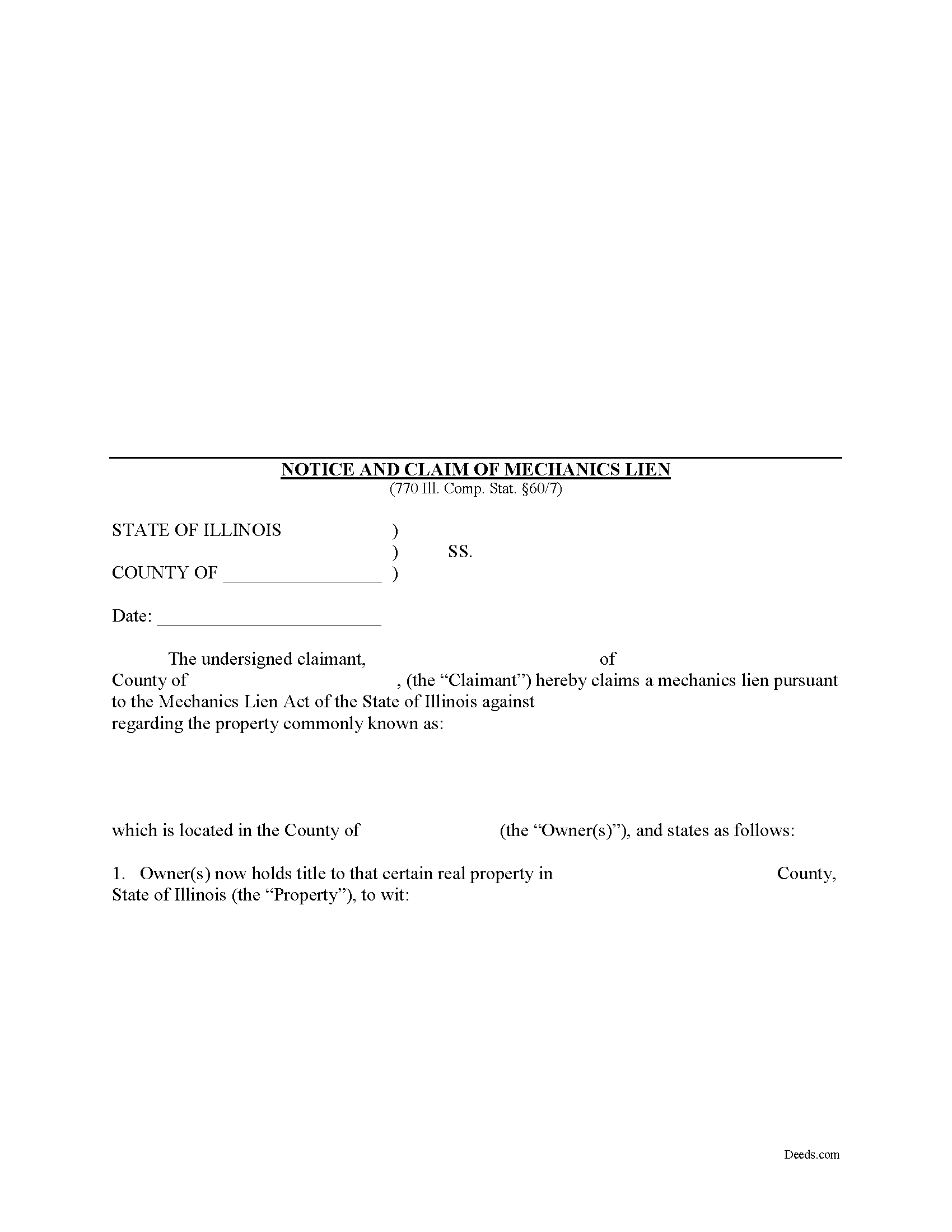
Macoupin County Mechanics Lien Form
Fill in the blank Mechanics Lien form formatted to comply with all Illinois recording and content requirements.
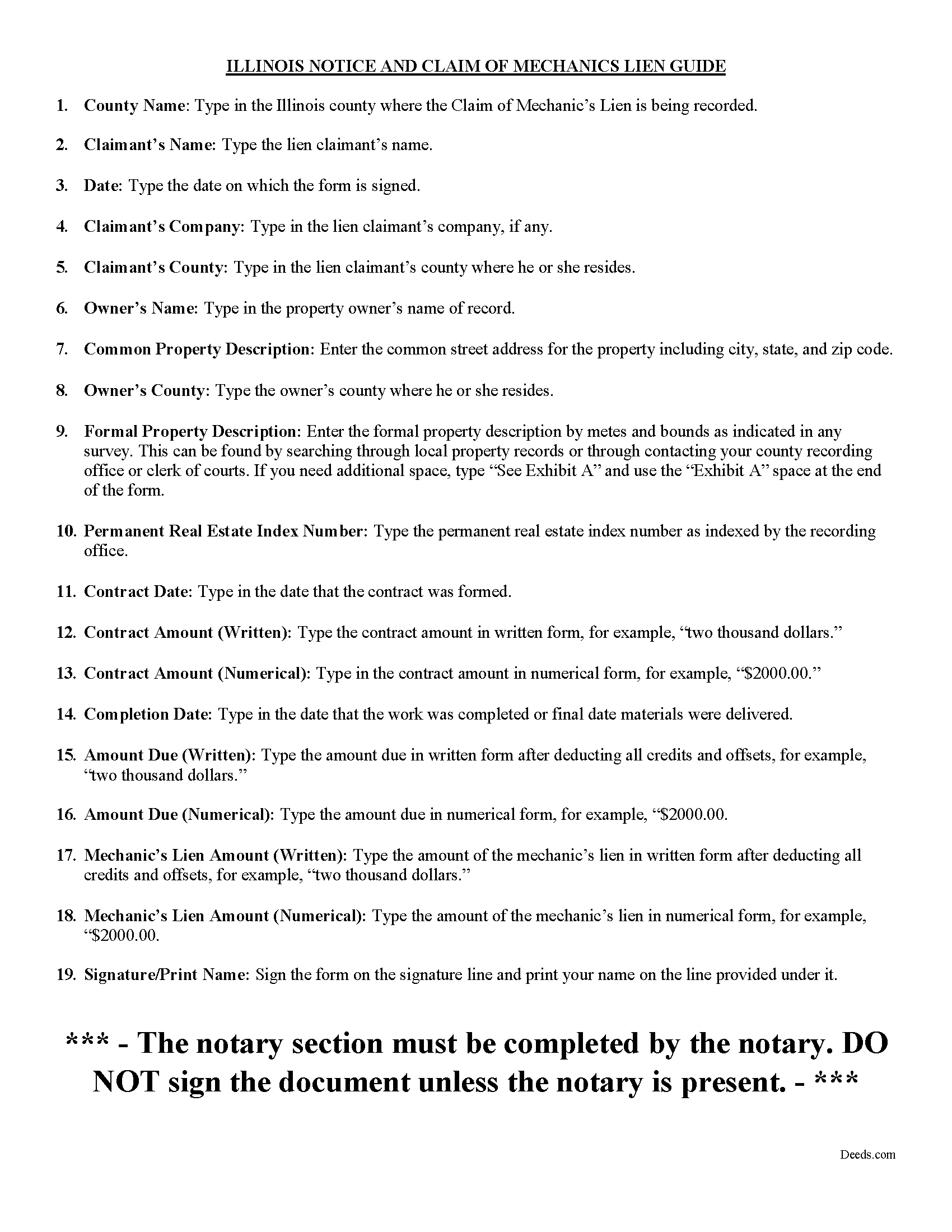
Macoupin County Notice of Mechanics Lien Guide
Line by line guide explaining every blank on the form.
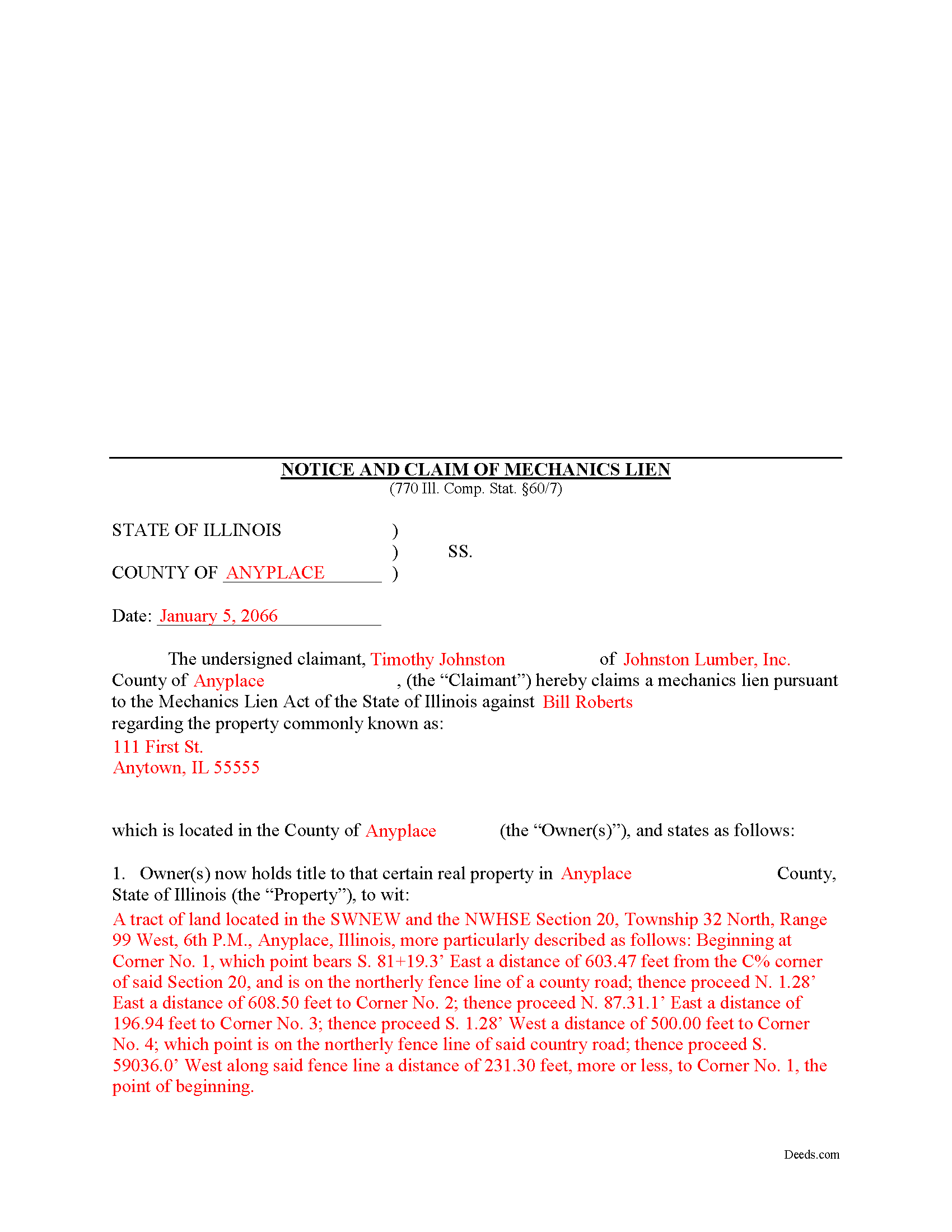
Macoupin County Completed Example of the Notice of Mechanics Lien Document
Example of a properly completed form for reference.
All 3 documents above included • One-time purchase • No recurring fees
Immediate Download • Secure Checkout
Additional Illinois and Macoupin County documents included at no extra charge:
Where to Record Your Documents
Macoupin County Clerk/Recorder
Carlinville, Illinois 62626-0197
Hours: 8:30 to 4:30 M-F
Phone: (217) 854-3214
Recording Tips for Macoupin County:
- Bring your driver's license or state-issued photo ID
- Ensure all signatures are in blue or black ink
- Bring extra funds - fees can vary by document type and page count
- Check margin requirements - usually 1-2 inches at top
- Leave recording info boxes blank - the office fills these
Cities and Jurisdictions in Macoupin County
Properties in any of these areas use Macoupin County forms:
- Benld
- Brighton
- Bunker Hill
- Carlinville
- Chesterfield
- Eagarville
- Gillespie
- Girard
- Hettick
- Modesto
- Mount Olive
- Nilwood
- Palmyra
- Piasa
- Sawyerville
- Scottville
- Shipman
- Staunton
- Virden
- Wilsonville
Hours, fees, requirements, and more for Macoupin County
How do I get my forms?
Forms are available for immediate download after payment. The Macoupin County forms will be in your account ready to download to your computer. An account is created for you during checkout if you don't have one. Forms are NOT emailed.
Are these forms guaranteed to be recordable in Macoupin County?
Yes. Our form blanks are guaranteed to meet or exceed the applicable formatting requirements used for recording in Macoupin County, including margin requirements, font requirements, and other layout standards. This guarantee applies to formatting, not to the legal sufficiency of information entered by the user or the suitability of a form for a particular transaction.
Can I reuse these forms?
Yes. You can reuse the forms for your personal use. For example, if you have multiple properties in Macoupin County you only need to order once.
What do I need to use these forms?
The forms are PDFs that you fill out on your computer. The free Adobe Acrobat Reader is recommended, and most PDF apps also work. You do NOT enter your property information online - you download the blank forms and complete them privately on your own computer.
Are there any recurring fees?
No. This is a one-time purchase. Nothing to cancel, no memberships, no recurring fees.
How much does it cost to record in Macoupin County?
Recording fees in Macoupin County vary. Contact the recorder's office at (217) 854-3214 for current fees.
Questions answered? Let's get started!
Mechanic's liens are available in Illinois pursuant to the Mechanic's Lien Act compiled under 770 ILCS 60 for contractors, subcontractors, material or equipment suppliers, architects, and other design professionals.
A lien is a type of property interest, like a mortgage, in which the lienor retains a claim against the property if it is later sold. The lienor can also force a sale through foreclosure. Illinois only authorizes mechanic's liens on private projects, not those associated with public (government) entities.
When you provide labor or materials on a contract job and the client never pays the invoice, filing a mechanic's lien is the next step in recovering the amount due. NOTE: Subcontractors must individually file 60-day (owner-occupied residential projects only) and 90-day notices to access their lien rights.
Mechanic's liens demand strict deadlines and missing the filing date by even one day can cost you your right to a lien. In Illinois, the time to file a lien arises within four months from the last date you or any of your employees furnished labor or delivered materials to the jobsite. The four-month period applies to your right against all third parties and subsequent owners. You have two years to file suit against the original owner to foreclose on a mechanic's lien. 770 ILCS 60/9.
The claim for lien must state the parties to the contract and its terms, identify the general contractor and all upper tier subcontractors, include a description of the work completed or materials delivered, state a legal description of the owner's property, and state the total amount due and unpaid as of the date the notice is recorded. The lien amount includes the invoice amount owed minus all credits and offsets. A lienor may not include extras such as attorney's fees or lost profits, but may charge interest measured by the legal rate in Illinois. 770 ILCS 60/1(a).
Before recording the lien, sign it in the presence of a notary public who then notarizes it with his or her seal. The lien should be recorded at the recording office for the county where the property is situated. For residential projects, you must serve the owner with a copy of the recorded lien within ten days' time.
The deadlines for filing a lien are set in stone, and failure to file on time will cost you your right to a lien. Additionally, putting in improper amounts or exaggerating the claim will invalidate the lien. If you lose your lien rights, the only remedy is to sue the property owner under contract law.
Each case is unique. Contact an attorney with specific questions regarding filing a claim or any other issues related to mechanic's liens in Illinois.
Important: Your property must be located in Macoupin County to use these forms. Documents should be recorded at the county recording office listed above.
This Mechanics Lien meets all recording requirements specific to Macoupin County.
Our Promise
The documents you receive here are guaranteed to meet or exceed the applicable Macoupin County recording format requirements. If there is a rejection caused by our formatting, we will correct the issue or refund your payment. This guarantee applies to document formatting only and does not extend to information entered by the user, the selection of the form, or the legal effect of the completed document.
Save Time and Money
Get your Macoupin County Mechanics Lien form done right the first time with Deeds.com Uniform Conveyancing Blanks. At Deeds.com, we understand that your time and money are valuable resources, and we don't want you to face a penalty fee or rejection imposed by a county recorder for submitting nonstandard documents. We constantly review and update our forms to meet rapidly changing state and county recording requirements for roughly 3,500 counties and local jurisdictions.
4.8 out of 5 - ( 4,849 Reviews )
Pamela P. 5 out of 5 stars
Access to all the necessary forms was easy. The detailed guide very helpful for ensuring a customer can fill out the documents accurately.
We appreciate your business and value your feedback. Thank you. Have a wonderful day!
Mark B. 3 out of 5 stars
I had to download forms one by one: would be more convenient to have a single download for all.
Thank you for your feedback. We really appreciate it. Have a great day!
ELIZABETH G. 5 out of 5 stars
This site was very easy to use. Great direction on how to complete the form.
We appreciate your business and value your feedback. Thank you. Have a wonderful day!
Ernest E. 5 out of 5 stars
No problem whatsoever navigating the forms. I hope the filing is this easy.
Thanks, Ernest! We’re glad the forms were easy to navigate. Recording in Virginia Beach City is typically straightforward, but it’s always a good idea to confirm any local requirements with the clerk before filing.
Elizabeth W. 5 out of 5 stars
would have been smart to give each pdf a name instead of unintelligible numbers...
Thank you for your feedback. We really appreciate it. Have a great day!
Marc Z. 5 out of 5 stars
Thank you for having an easy to navigate website with updated documents! Had everything I needed, took care of business and on to the next transaction.- Aloha
Thank you Marc. Have a fantastic day!
RICK M. 5 out of 5 stars
great
Thank you!
Jonathan W. 5 out of 5 stars
Deeds gave me the forms and the guidance that I needed. If I had paid a pro for this service it would have cost at least $300.
Thank you for your feedback. We really appreciate it. Have a great day!
Jeanette S. 5 out of 5 stars
Easy to use and instructions were very clear. If possible, it would be nice to be able to download the entire package at one time - it was a little cumbersome to download each item separately. (Of course, I didn't know which of the items I needed, so downloaded them all)
Thank you for your feedback. We really appreciate it. Have a great day!
Steven H. 5 out of 5 stars
Great Product!!! Used the more commonly known websites before, but never again. It was easy, great examples to follow so that I was sure and confident that I completed the document correctly. Thank You!
Thank you for your feedback. We really appreciate it. Have a great day!
David W. 5 out of 5 stars
Outstanding. I will definitely recommend your company.
We appreciate your business and value your feedback. Thank you. Have a wonderful day!
Michael T. 5 out of 5 stars
Good site. Two things to note. 1. The Documentary Transfer Tax Exemption sheet, the word "computer" is used when I think it should be "computed" Error in state form? 2. The California Trust Guide could have a watermark which is less distracting. Kind of hard to read the print with the DEEDS.COM logo so prominent.
Thank you for your feedback. We really appreciate it. Have a great day!
Eric G. 3 out of 5 stars
Need to offer option to download ALL forms as a single (bookmarked) PDF, rather than as separates... Quite inefficient as is.
Thank you for your feedback. We really appreciate it. Have a great day!
Gertrude H. 5 out of 5 stars
I used this form and guide a couple years ago and found it helpful and easy to fill out. Had good results at the Recorder's Office. Would recommend Deeds.com.
Thank you for your feedback. We really appreciate it. Have a great day!
Robert D. 5 out of 5 stars
These forms made it so easy to update the property deed and the instructions and sample filled out form were most helpful. You might want to add some brief information on when or why to use the Acknowledgment in Individual Capacity notary form. In my case the notary was required to use it but also filled in the brief notarize section on the Affidavit as well. She said the one on the Affidavit had some value because it showed she had witnessed the my signature. But this was only after I suggested both be filled in as she initially thought to just strike through it and just use the Acknowledgment in Individual Capacity form.
Thank you for your feedback. We really appreciate it. Have a great day!