Montgomery County Mechanics Lien Form
Last validated November 27, 2026 by our Forms Development TeamFormatted for recording in Montgomery County, for property anywhere in the county: rural and unincorporated areas as well as Butler, Coffeen, Donnellson, Farmersville, Fillmore, Harvel, Hillsboro, Irving and 9 more.
- 3 documents included
- Immediate PDF download
- Formatting guarantee
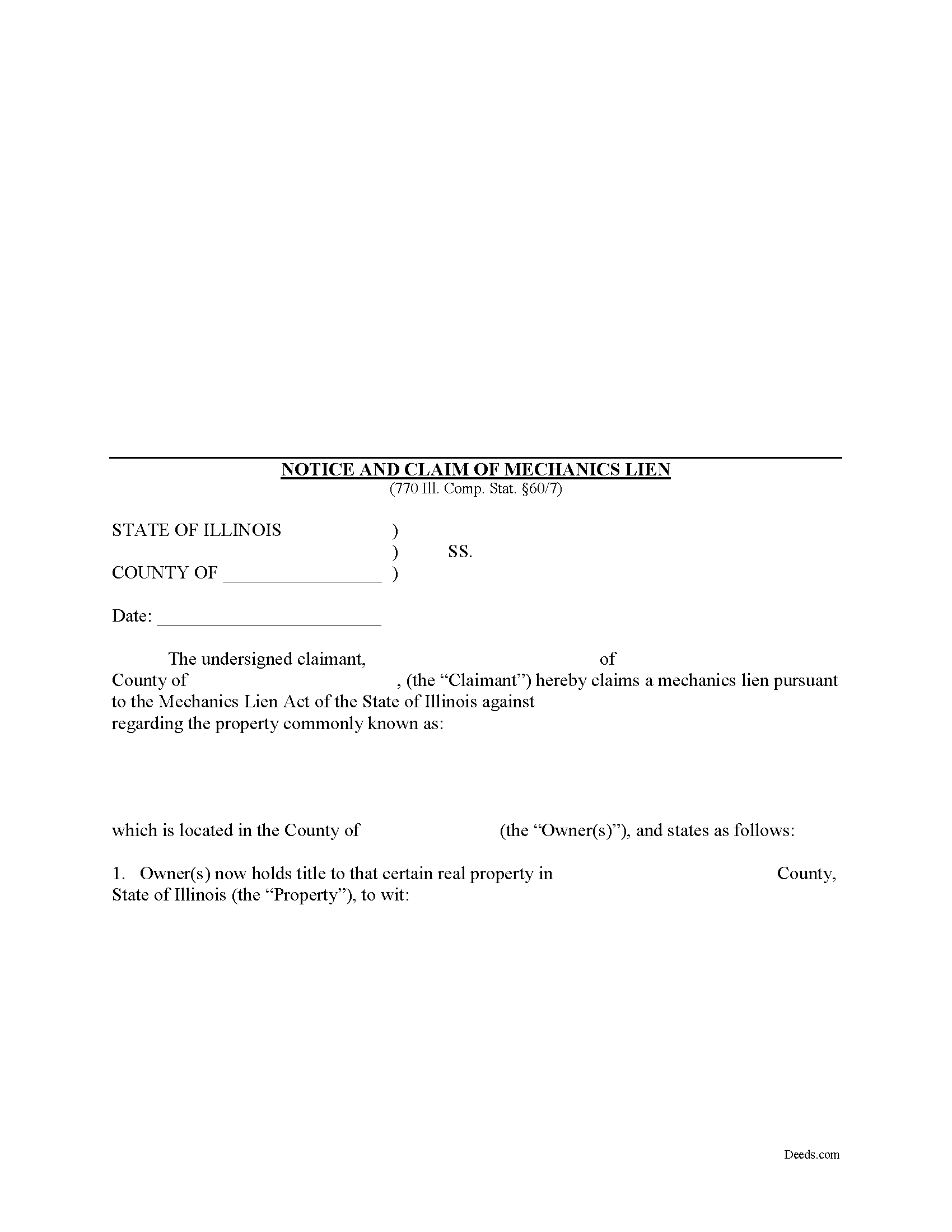
Montgomery County Mechanics Lien Form
Fill in the blank Mechanics Lien form formatted to comply with all Illinois recording and content requirements.
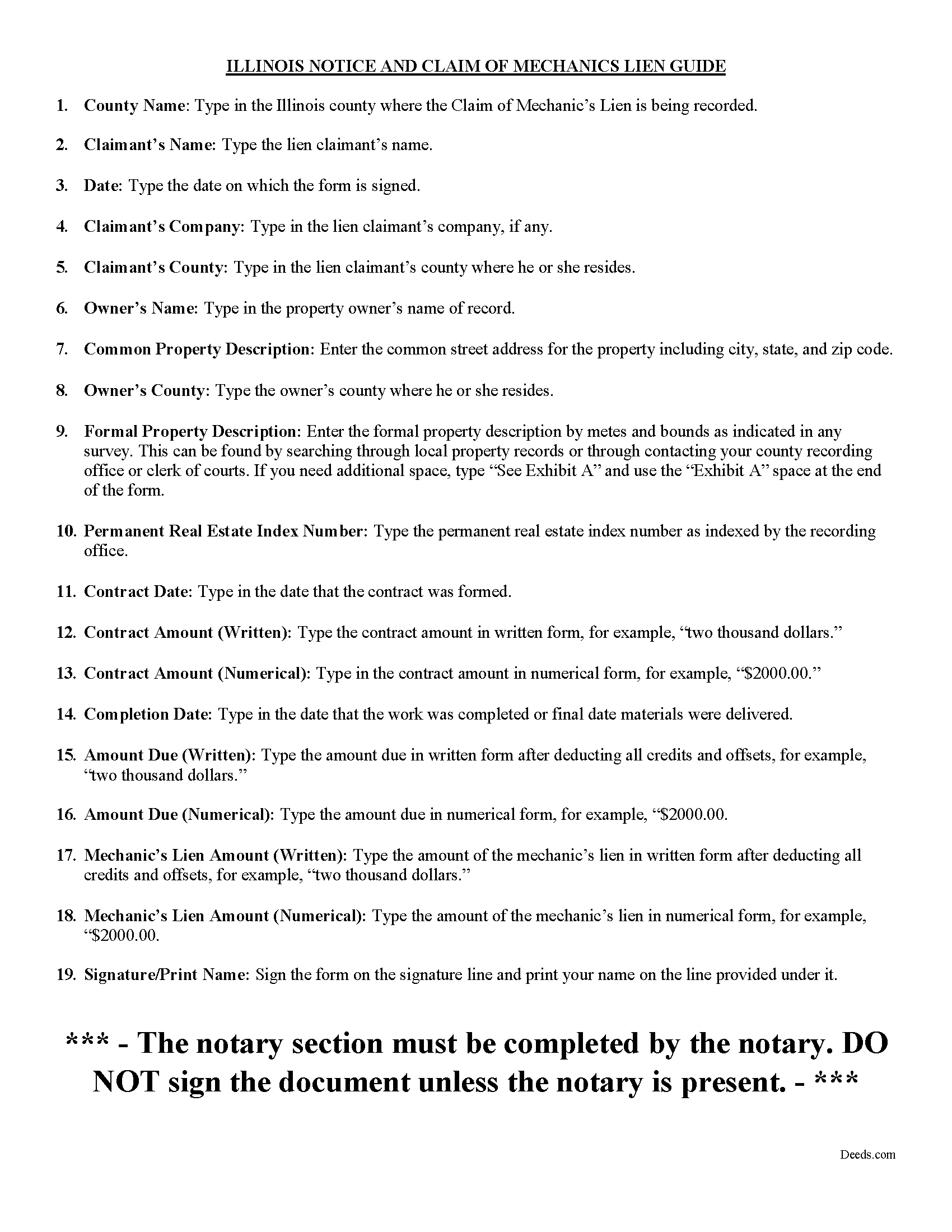
Montgomery County Notice of Mechanics Lien Guide
Line by line guide explaining every blank on the form.
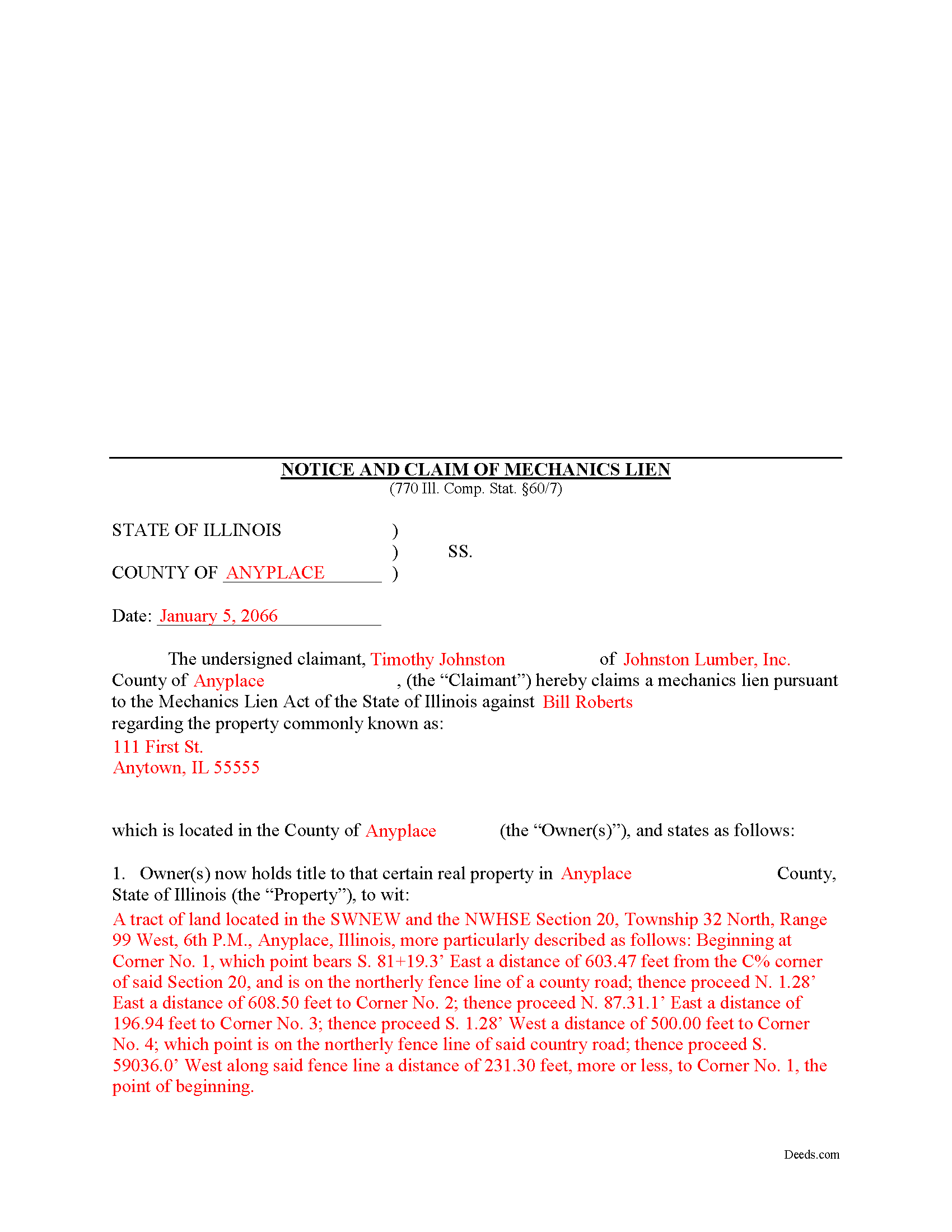
Montgomery County Completed Example of the Notice of Mechanics Lien Document
Example of a properly completed form for reference.
All 3 documents above included • One-time purchase • No recurring fees
Immediate Download • Secure Checkout
Additional Illinois and Montgomery County documents included at no extra charge:
Where to Record Your Documents
Montgomery County Clerk & Recorder
Hillsboro, Illinois 62049-0595
Hours: 8:00 to 4:00 Monday through Friday
Phone: (217) 532-9530
Recording Tips for Montgomery County:
- Bring your driver's license or state-issued photo ID
- Ensure all signatures are in blue or black ink
- Check that your notary's commission hasn't expired
- Documents must be on 8.5 x 11 inch white paper
- Double-check legal descriptions match your existing deed
Cities and Jurisdictions in Montgomery County
Properties in any of these areas use Montgomery County forms:
- Butler
- Coffeen
- Donnellson
- Farmersville
- Fillmore
- Harvel
- Hillsboro
- Irving
- Litchfield
- Nokomis
- Ohlman
- Panama
- Raymond
- Taylor Springs
- Waggoner
- Walshville
- Witt
Hours, fees, requirements, and more for Montgomery County
How do I get my forms?
Forms are available for immediate download after payment. The Montgomery County forms will be in your account ready to download to your computer. An account is created for you during checkout if you don't have one. Forms are NOT emailed.
Are these forms guaranteed to be recordable in Montgomery County?
Yes. Our form blanks are guaranteed to meet or exceed the applicable formatting requirements used for recording in Montgomery County, including margin requirements, font requirements, and other layout standards. This guarantee applies to formatting, not to the legal sufficiency of information entered by the user or the suitability of a form for a particular transaction.
Can I reuse these forms?
Yes. You can reuse the forms for your personal use. For example, if you have multiple properties in Montgomery County you only need to order once.
What do I need to use these forms?
The forms are PDFs that you fill out on your computer. The free Adobe Acrobat Reader is recommended, and most PDF apps also work. You do NOT enter your property information online - you download the blank forms and complete them privately on your own computer.
Are there any recurring fees?
No. This is a one-time purchase. Nothing to cancel, no memberships, no recurring fees.
How much does it cost to record in Montgomery County?
Recording fees in Montgomery County vary. Contact the recorder's office at (217) 532-9530 for current fees.
Questions answered? Let's get started!
Mechanic's liens are available in Illinois pursuant to the Mechanic's Lien Act compiled under 770 ILCS 60 for contractors, subcontractors, material or equipment suppliers, architects, and other design professionals.
A lien is a type of property interest, like a mortgage, in which the lienor retains a claim against the property if it is later sold. The lienor can also force a sale through foreclosure. Illinois only authorizes mechanic's liens on private projects, not those associated with public (government) entities.
When you provide labor or materials on a contract job and the client never pays the invoice, filing a mechanic's lien is the next step in recovering the amount due. NOTE: Subcontractors must individually file 60-day (owner-occupied residential projects only) and 90-day notices to access their lien rights.
Mechanic's liens demand strict deadlines and missing the filing date by even one day can cost you your right to a lien. In Illinois, the time to file a lien arises within four months from the last date you or any of your employees furnished labor or delivered materials to the jobsite. The four-month period applies to your right against all third parties and subsequent owners. You have two years to file suit against the original owner to foreclose on a mechanic's lien. 770 ILCS 60/9.
The claim for lien must state the parties to the contract and its terms, identify the general contractor and all upper tier subcontractors, include a description of the work completed or materials delivered, state a legal description of the owner's property, and state the total amount due and unpaid as of the date the notice is recorded. The lien amount includes the invoice amount owed minus all credits and offsets. A lienor may not include extras such as attorney's fees or lost profits, but may charge interest measured by the legal rate in Illinois. 770 ILCS 60/1(a).
Before recording the lien, sign it in the presence of a notary public who then notarizes it with his or her seal. The lien should be recorded at the recording office for the county where the property is situated. For residential projects, you must serve the owner with a copy of the recorded lien within ten days' time.
The deadlines for filing a lien are set in stone, and failure to file on time will cost you your right to a lien. Additionally, putting in improper amounts or exaggerating the claim will invalidate the lien. If you lose your lien rights, the only remedy is to sue the property owner under contract law.
Each case is unique. Contact an attorney with specific questions regarding filing a claim or any other issues related to mechanic's liens in Illinois.
Important: Your property must be located in Montgomery County to use these forms. Documents should be recorded at the county recording office listed above.
This Mechanics Lien meets all recording requirements specific to Montgomery County.
Our Promise
The documents you receive here are guaranteed to meet or exceed the applicable Montgomery County recording format requirements. If there is a rejection caused by our formatting, we will correct the issue or refund your payment. This guarantee applies to document formatting only and does not extend to information entered by the user, the selection of the form, or the legal effect of the completed document.
Save Time and Money
Get your Montgomery County Mechanics Lien form done right the first time with Deeds.com Uniform Conveyancing Blanks. At Deeds.com, we understand that your time and money are valuable resources, and we don't want you to face a penalty fee or rejection imposed by a county recorder for submitting nonstandard documents. We constantly review and update our forms to meet rapidly changing state and county recording requirements for roughly 3,500 counties and local jurisdictions.
4.8 out of 5 - ( 4,867 Reviews )
Garrett R. 2 out of 5 stars
I am a real estate attorney in CA. These Wyoming model deeds look too basic and barely adequate: no usual name and address at the top for tax statements and who recorded it. Some old fashioned legalese that only obfuscates. I won't use them. Your background info was good though.
Thank you for your feedback. We really appreciate it. Have a great day!
Julie K. 4 out of 5 stars
The process for obtaining document itself was easy, and the included guide and example are great! I do have an issue with the format itself, though. The form has pre-defined text boxes, which cannot be altered without partially rebuilding the entire document. For the 'property description' field on the Mineral Deed form, the text box is not large enough for the rather lengthy legal description entered on my original plat. Fortunately, I have a copy of Adobe Pro, so I have been able to re-build the doc to accommodate this short-coming.
Thank you for taking the time to provide feedback on our legal form. We're pleased to hear that you found the process for obtaining the document and the included guide beneficial.
We understand and appreciate your concern regarding the formatting and size limitations of certain fields, especially the 'property description' field. Our forms are designed to adhere to specific formatting requirements that are often mandated for legal compliance. Making direct alterations to the document can result in them becoming non-conforming, which is why we advise customers to use an exhibit page when their legal description is extensive or does not fit.
Doris M M. 5 out of 5 stars
EXCELLENT SERVICE. WILL MAINTAIN CONTACT FOR FUTURE REFERENCE. THANK YOU!
We appreciate your business and value your feedback. Thank you. Have a wonderful day!
Saul N. 5 out of 5 stars
Great and fast service. Would have been grate to have seen a little more detail or a pre-filled sample in the fields. Had a little confussion in some of the lines to fill out since the guide only explains a few of the lines not all of them. Otherwise, is really great to have this service with low cost. Thank you.
Thank you for taking the time to provide us with your feedback Saul, we appreciate you.
Maureen M. 5 out of 5 stars
Easy to use and download. Will use in the future, if ever needed.
Thank you for your feedback. We really appreciate it. Have a great day!
Donna R. 5 out of 5 stars
Hi! Is there a setting that I can click on that will make sure I'm notified via email when an update is made to my requests? Thank you!
Thanks for your feedback, we'll have someone look into it.
Harold F. 5 out of 5 stars
You're a creditable company that performs well and provides what I requested.
Thank you!
JOHN P. 5 out of 5 stars
I thought your service would comply with my request quicker.
Looks like it took 4 minutes to complete your order, sorry it took so long.
Kimberaley J. 5 out of 5 stars
I had no problem printing out the forms, very easy. Also when I called, customer service was very helpful and very polite. Thank you for that, have a great day.
Thank you!
Shannon y. 5 out of 5 stars
Awesome , easy-to-use and find exactly what I was needing and saved me alot of headache and money. Will definitely recommend to anyone
Your review means a lot to us. Thank you for taking the time.
wayne s. 5 out of 5 stars
Wonderful forms! Thanks for making this available.
Thank you Wayne, have a great day!
B A A. 5 out of 5 stars
So far I like the ease of availability of the site and the help guides.
Thank you for your feedback. We really appreciate it. Have a great day!
Brian H. 2 out of 5 stars
Forms are good. But need to be able to fill in information and blanks so these can be filed. Disappointed.
Thank you for your feedback. The forms are fill in the blank, Adobe PDFs. As is noted on the site, make sure you download the documents to your computer and open them with Adobe. Sounds like you may be trying to complete them online in your browser.
Karen D. 5 out of 5 stars
Awesome,thorough, and fast.
Thank you!
Leadon N. 5 out of 5 stars
Forms were easy to find, print, and complete.
We appreciate your business and value your feedback. Thank you. Have a wonderful day!